
The humble basic 4 function calculator still dominates checkout counters, school desks, and home office spaces because nothing beats a dedicated device for simple addition, subtraction, multiplication, and division. When you need a quick tally without unlocking your phone or navigating app menus, a properly built desktop calculator with tactile buttons and a readable screen saves real time and eliminates input errors.
I’m Min — the co-founder and writer behind Gadgets Feed. I have spent countless hours cross-referencing display sizes, button layouts, power systems, and build quality across the most popular basic calculators to identify which models actually deliver reliable daily performance and which ones frustrate users with flimsy construction or dim screens.
This guide breaks down the seven best models available today, comparing screen dimensions, dual-power reliability, and key ergonomics so you can pick the best basic 4 function calculator for your desk, classroom, or business counter.
How To Choose The Best Basic 4 Function Calculator
Selecting a basic 4 function calculator is simpler than picking a scientific model, but small differences in display readability, button feel, and power source can significantly affect your daily experience. Focus on three factors that matter most for this category.
Display Size and Digit Capacity
The most common frustration with basic calculators is a dim, small screen that forces you to lean in or tilt the unit. Look for a minimum 12-digit display with an angled LCD that reduces glare. Screen size measured in inches (4 to 5 inches is ideal) directly correlates with how easily you can read numbers from a normal seating position. Extra-large digits prevent transposition errors during long entry sessions.
Dual Power Reliability
Solar-only calculators fail under dim office lighting or when the panel is partially shaded by your hand. The best basic calculators combine a solar panel with a backup battery (AA or AAA) so operation continues regardless of ambient light. Battery-included models save you an extra trip to the store. Check whether the unit defaults to solar when light is available — many dual-power models do, extending battery life significantly.
Button Size and Tactile Feedback
Cramped keys cause mis-hits, especially for users with larger fingers or arthritis. Spaced, raised buttons with a mechanical click provide confidence with every press. A layout that follows the standard 10-key arrangement reduces adaptation time. Non-slip rubber feet keep the calculator from sliding on smooth desks during rapid data entry.
Quick Comparison
On smaller screens, swipe sideways to see the full table.
| Model | Category | Best For | Key Spec | Amazon |
|---|---|---|---|---|
| Casio DM-1200BM | Premium | Business & accounting | 12-digit display + Cost/Sell/Margin keys | Amazon |
| Sharp EL-330WB | Premium | Desktop reliability | 10-digit angled LCD + currency conversion | Amazon |
| 5-Inch Large Display | Mid-Range | Low-vision ease | 5-inch display with ergonomic tilt | Amazon |
| CATIGA CD-8185 | Mid-Range | Satisfying key feel | 8-digit display + mechanical click buttons | Amazon |
| PXY 12-Digit | Mid-Range | Extra-large screen | 4.3-inch display + dual power | Amazon |
| iPepul Notepad | Budget | Portable school carry | Built-in writing tablet + foldable design | Amazon |
| Splaks 2-Pack | Budget | Multi-location use | 2 calculators, 12-digit + dual power | Amazon |
In‑Depth Reviews
1. Casio DM-1200BM – Business Desktop Calculator

The Casio DM-1200BM stands out in the basic calculator category because it brings professional-grade business functions — cost, sell, margin, and tax keys — into a 12-digit format without crossing over into scientific complexity. The extra-large display is one of the most readable in its class, with tall, crisp digits that remain clear even from a foot away on a cluttered desk. The kickstand tilts the screen at an optimal angle that reduces overhead glare, a design detail many budget models miss entirely.
Dual-power operation via solar panel and included battery ensures the unit works immediately out of the box and keeps running during cloudy days or under dim office lighting. Weighing 0.75 pounds, this Casio feels substantial on the desk without being cumbersome. The keys are generously spaced with a satisfying mechanical travel that prevents the mushy feel common in cheaper alternatives. For anyone running a small business or handling invoices daily, the dedicated margin calculation keys alone justify the premium positioning.
At roughly 10.3 inches wide, the DM-1200BM occupies more desk space than compact models, so measure your work area before purchasing. Some users note the silver plastic finish shows smudges quickly, though this is a cosmetic concern that does not affect functionality. The calculator’s size is a trade-off for the superb readability it provides during extended number-crunching sessions.
Why it’s great
- Exceptional 12-digit display clarity with kickstand tilt
- Cost, sell, margin, and tax keys for business workflows
- Solar plus battery backup — ready to use immediately
Good to know
- Large footprint — not ideal for tight desk setups
- Silver plastic exterior shows fingerprints
2. Sharp EL-330WB – Standard Function Desktop Calculator

The Sharp EL-330WB delivers the reliability of a legacy brand at a mid-range price point, making it a strong contender for home office and retail counter use. Its extra-large angled LCD display minimizes reading errors by cutting down on reflection, a complaint that some flat-screen models trigger. The durable keys are widely spaced for accurate entry, and the inclusion of a backspace key lets you correct the last digit without clearing the entire entry — a small but time-saving feature in fast-paced environments.
Beyond the standard four functions, the EL-330WB includes cost-sell-margin keys and currency conversion, functionality typically reserved for calculators costing significantly more. Solar power with battery backup keeps the unit active in any lighting condition, and the compact footprint (5.9 by 3.8 inches) fits comfortably on crowded desks or register stations. Reviewers with arthritis consistently praise the chunky button design, noting that the raised keys reduce mis-hits compared to flat membrane designs.
The main drawback is the display angle — the calculator sits relatively flat out of the box, and some users add a foam pad to the bottom for a steeper tilt. The white plastic body may also discolor over time if exposed to direct sunlight or frequent handling, though cleaning is straightforward. For buyers who want a trusted brand with extra business shortcuts, the Sharp delivers without breaking the budget.
Why it’s great
- Backspace key for fast single-digit corrections
- Cost-sell-margin and currency conversion in a basic 4-function body
- Compact enough for tight register or desk spaces
Good to know
- Flat angle may need a tilt riser for ideal viewing
- White finish prone to visible scuffs over time
3. Desktop Calculator with Extra Large 5-Inch LCD Display
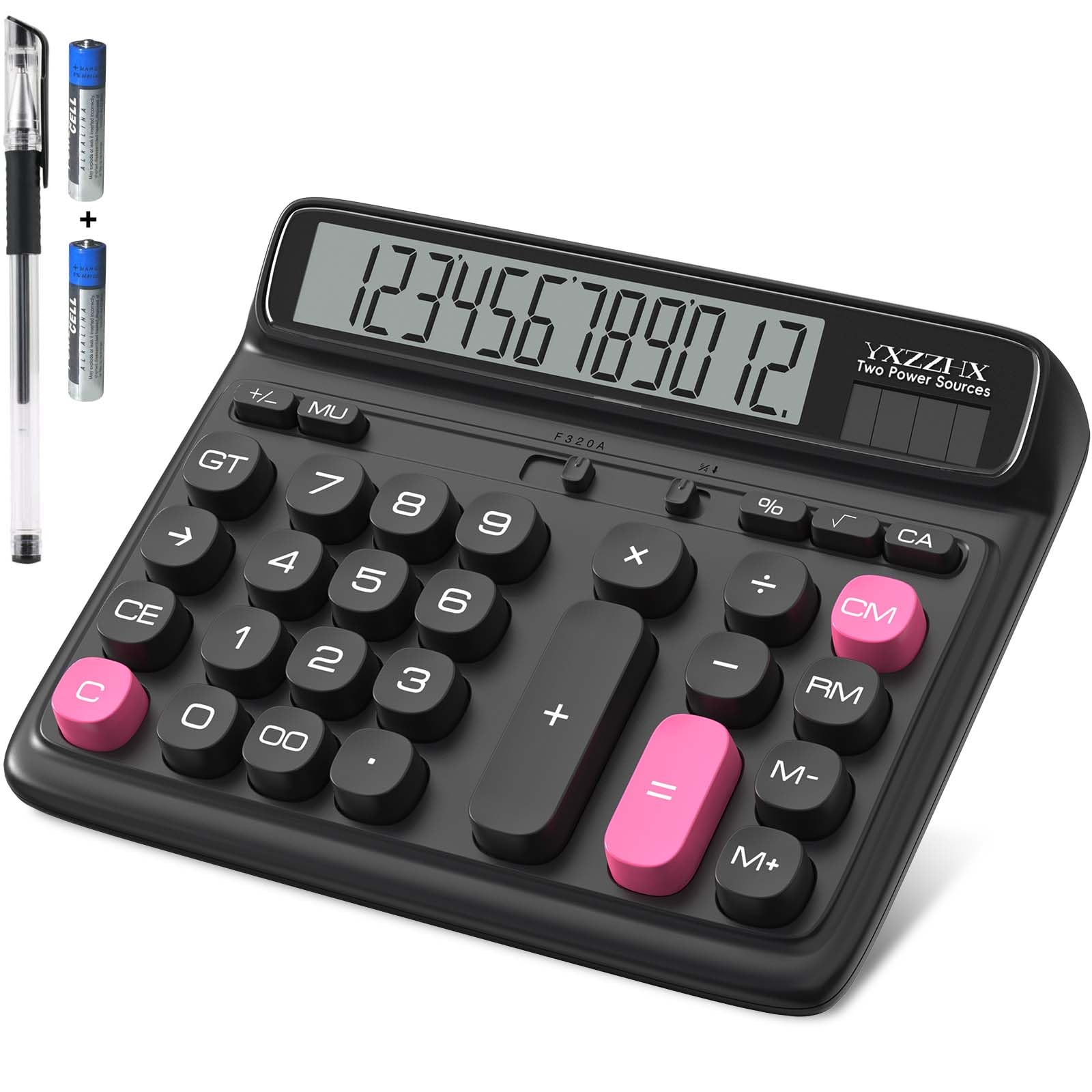
This model from yxzzhx differentiates itself with a full 5-inch LCD screen — the largest display in this roundup — paired with a 12-digit capacity that makes it especially suitable for users with vision challenges or those who need to read numbers from a distance. The ergonomic screen tilt reduces neck strain by aligning the display with your natural line of sight, a feature often absent on cheaper flat calculators. The buttons are extra-large and chunky, with a satisfying tactile response that reviewers describe as “fun to press.”
Dual-power operation via solar panel and a single AAA battery (included) provides consistent performance under varied lighting. The calculator is lightweight at under 6 ounces despite its large screen, making it easy to reposition on the desk. Users report that the big keys significantly reduce entry errors during payroll calculation and checkbook reconciliation. The non-slip base keeps the unit stable during rapid typing, and the auto-off function after 5 minutes saves battery life in shared workspaces.
The trade-off for the large display is that the calculator feels less substantial than heavier desktop models, and the plastic casing may flex slightly under heavy-handed pressing. The brand is less established than Casio or Sharp, which could be a concern for long-term durability in high-traffic environments. For personal desk use where readability is the top priority, however, this calculator excels at a fair price.
Why it’s great
- Industry-leading 5-inch display for maximum readability
- Ergonomic angle reduces neck and eye strain
- Large chunky buttons with satisfying tactile feedback
Good to know
- Plastic body feels lighter than premium competitors
- Less brand reputation for long-term heavy use
4. CATIGA Desktop Calculator CD-8185
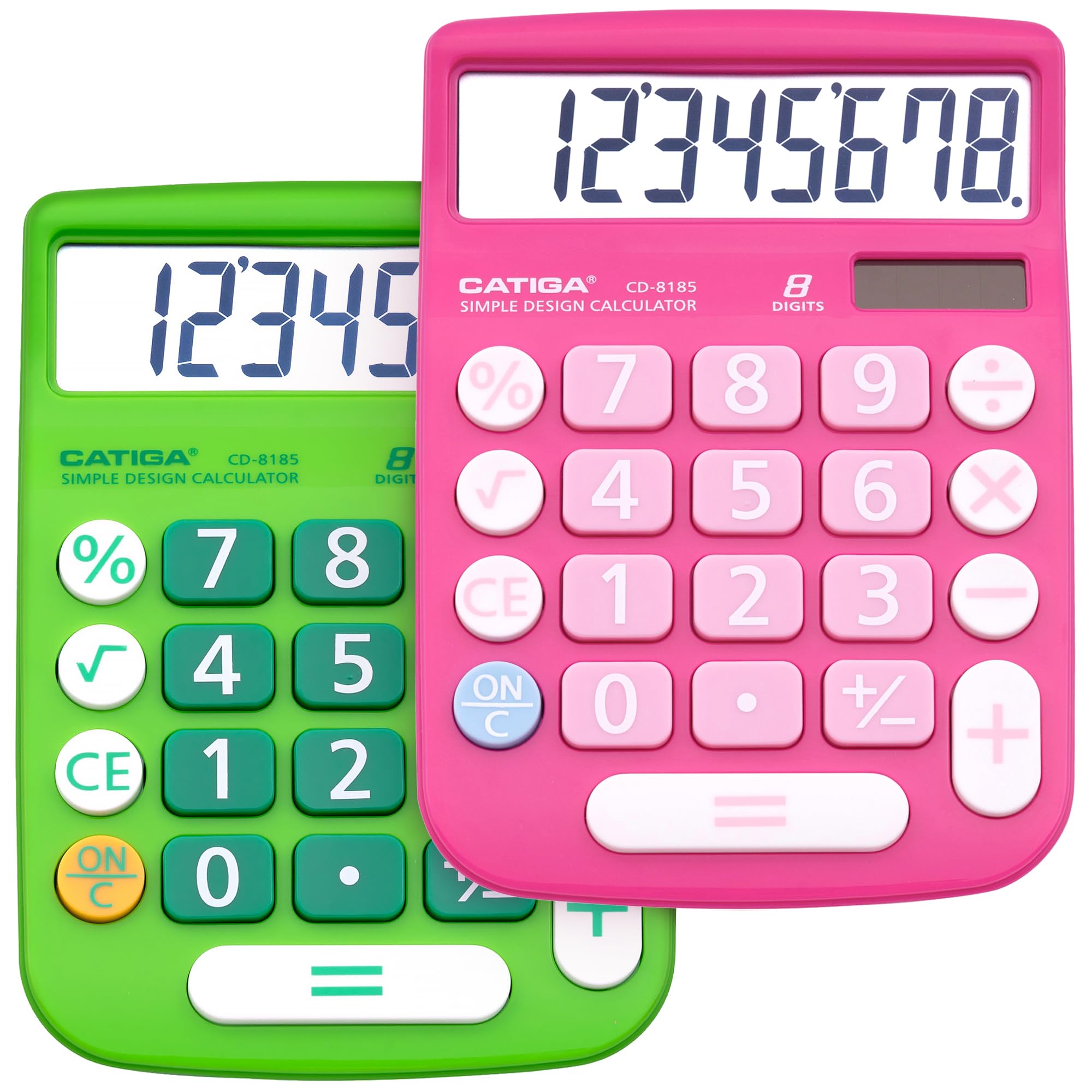
The CATIGA CD-8185 proves that an 8-digit basic calculator can still deliver a premium typing experience. The peach-colored raised mechanical keys produce a crisp click sound that gives each press a clear endpoint, which helps prevent double-tapping errors. The tilted and angled LCD display reduces eye strain during prolonged use, and the 6-minute auto-off timer conserves battery in shared office environments. Dual solar and battery power means it runs in any lit setting without fail.
Despite the smaller digit capacity, the large button spacing makes this calculator ideal for seniors or anyone who struggles with cramped keypads. The unit includes a grand total and percentage key, adding versatility without veering into scientific territory. The build quality feels robust for its weight class, with a sturdy plastic shell that withstands daily drops and jostling in a desk drawer. Reviewers consistently note that the key feel rivals calculators costing twice as much.
The 8-digit display limit means this calculator cannot handle figures above 99,999,999, which may be a constraint for business accounting with large sums. The screen size (10.8 cm diagonal) is adequate for typical home and school use but noticeably smaller than the 12-digit models in this guide. If your work involves thousands or millions regularly, step up to a 12-digit model — but for everyday tallying, the CD-8185 offers exceptional button quality.
Why it’s great
- Highly tactile mechanical keys with satisfying click
- Large, well-spaced buttons reduce entry errors
- Dual solar/battery power with included battery
Good to know
- 8-digit limit — not suitable for large financial figures
- Display is smaller than 12-digit competitors
5. PXY 12-Digit Extra Large LCD Display Calculator

The PXY 12-Digit calculator delivers the most screen real estate in the budget tier with a 4.3-inch display that shows crisp, dark digits against a clean white background. The large non-slip base keeps the unit planted during fast entry, and the angled screen reduces glare better than similarly priced flat models. It includes two AA batteries in the box, a thoughtful touch since many budget calculators require a separate purchase or arrive with dead cells.
Button layout follows a standard 10-key computer keyboard pattern, making the transition easy for anyone who uses a number pad frequently. The buttons are large enough for comfortable finger placement without excessive spacing that would widen the unit unnecessarily. Auto-off after 5 minutes and dual solar/battery power mean you never encounter a dead calculator when you need it most. Reviewers consistently rate this model highly for its straightforward functionality and exceptional value.
The build quality uses thinner plastic than the Casio or Sharp models, and the included pen is a basic utility item rather than a premium accessory. Some units may exhibit slight screen angle variation due to manufacturing tolerances. For home or classroom use where durability demands are moderate, the PXY offers a 12-digit display and dual power at a price that undercuts most competitors.
Why it’s great
- Large 4.3-inch display with crisp, readable digits
- Two AA batteries included — ready to use immediately
- Non-slip base and computer-standard key layout
Good to know
- Plastic shell is less robust than premium brands
- Included pen is basic quality
6. iPepul Desktop Calculator with Writing Notepad

The iPepul calculator combines a basic 4-function device with an integrated LCD writing tablet, creating a 2-in-1 tool that reduces paper waste for students and professionals who need to jot down intermediate results while calculating. The foldable design collapses to a compact 6.5 by 3.27 inches at only 4 ounces, making it the most portable option in this lineup — easily stashed in a purse, backpack, or even a large pocket. The large silicone buttons operate with a mute press, suitable for quiet environments like libraries or exam rooms.
Writing on the LCD notepad feels similar to a classic etch-a-sketch, and the clear button erases everything instantly for privacy — no shredder required. The 12-digit calculation capacity is generous for a device this small, and the LCD screen uses blue-light-free technology to reduce eye strain during study sessions. Reviewers in nursing and accounting programs specifically praise the ability to make notes without grabbing a separate pad of paper.
Durability is a concern — several reviews report that the unit stopped functioning within weeks, possibly due to battery connection issues or LCD driver failure. The writing tablet surface is also prone to scratches if stored loose with keys or pens. Treat this as a lightweight companion for mobile use rather than a daily driver for heavy desk work, and the combination convenience becomes a genuine advantage.
Why it’s great
- 2-in-1 calculator and reusable writing tablet saves paper
- Ultra-portable at 4 oz with foldable design
- Mute silicone buttons suitable for quiet spaces
Good to know
- Some reported reliability issues within first month
- Writing surface scratches easily without protective sleeve
7. Splaks 2-Pack Standard Functional Desktop Calculators

The Splaks 2-Pack delivers two functionally identical desktop calculators — one basic black and one updated silver with a root button — making it the ideal solution for households or offices that need calculators in multiple locations. Each unit features a 12-digit display, dual solar and AA battery power (batteries not included), and large non-stick plastic buttons designed for comfortable daily use. The automatic power-off feature extends battery life when users forget to switch off.
The large eye-angled display is easy to read from a normal sitting position, and the button spacing follows standard desktop conventions. Having two units allows you to keep one at the office and one at home, or give one to a child for school without worrying about loss. The silver unit includes a square root button, which adds minimal scientific functionality while remaining primarily a basic 4-function device.
Several customers noted that the solar panel alone cannot power the calculator in typical indoor lighting — it needs a battery inserted for reliable operation. The battery compartment may require pushing the cell to one side for proper contact, a minor assembly step that some users found confusing. The plastic build is serviceable but not exceptional, and the buttons, while large, lack the tactile precision of the CATIGA or Sharp models.
Why it’s great
- Two calculators in one purchase for multi-location use
- 12-digit display with large, easy-to-press buttons
- Solar plus battery backup for power redundancy
Good to know
- Requires batteries for interior lighting — solar alone insufficient
- Battery contact alignment can be finicky on some units
FAQ
Is a 12-digit display necessary for a basic 4 function calculator?
Why does my calculator malfunction in low light when it has a solar panel?
What type of batteries do basic desktop calculators use?
Final Thoughts: The Verdict
For most users, the best basic 4 function calculator winner is the Casio DM-1200BM because it combines a premium 12-digit display with business-focused margin and tax keys that extend functionality without adding complexity. If you want the largest screen possible for low-vision ease, grab the 5-Inch Large Display Calculator. And for a portable 2-in-1 that eliminates scratch paper, nothing beats the iPepul Calculator with Notepad.