
A computer shouldn’t be a puzzle. For many seniors, the hunt for a new laptop gets derailed by jargon, hidden settings, and the overwhelming feeling that a simple machine doesn’t exist anymore. The truth is, a laptop built for comfort, clarity, and core tasks like email, browsing, and video calls is absolutely attainable — you just have to know which specs actually matter and which are just marketing noise.
I’m Min — the co-founder and writer behind Gadgets Feed. I spent dozens of hours cross-referencing processor benchmarks, display resolutions, RAM configurations, and real-world customer feedback to find the machines that deliver a genuinely frustration-free experience without a steep learning curve.
What follows is my curated list of the best basic laptop for seniors, ranked by how well each model balances usability, performance, and long-term reliability.
How To Choose The Best Basic Laptop For Seniors
A senior’s laptop needs to be approachable, not intimidating. Prioritize a clear display, responsive performance for standard tasks, and an operating system that can be tailored for accessibility.
Display Size and Type
Screen size directly impacts readability. A 15.6-inch display is the sweet spot — large enough to see text clearly without being too bulky. IPS panels offer wider viewing angles, and an anti-glare coating reduces reflections from windows or overhead lights, a feature that makes a significant difference during extended use.
Keyboard Comfort and Layout
Look for a full-size keyboard with well-spaced keys and decent key travel. A separate numeric keypad is a huge plus for anyone who uses spreadsheets or manages finances. Backlit keys are helpful in dimmer rooms, but not mandatory if the display provides sufficient brightness.
Performance and Operating System
For browsing, email, and video calls, a modern processor paired with at least 8GB of RAM ensures smooth multitasking. Windows 11 includes robust accessibility tools like built-in voice typing, magnifier, and high-contrast themes. Some budget machines ship in Windows 11 S Mode, which restricts app installation to the Microsoft Store — a point worth knowing before setup.
Quick Comparison
On smaller screens, swipe sideways to see the full table.
| Model | Category | Best For | Key Spec | Amazon |
|---|---|---|---|---|
| NIMO 15.6″ FHD IPS Laptop | Premium Value | Balanced power & ease of use | Intel Core i3-1215U, 16GB RAM | Amazon |
| HP 17.3″ Laptop | Premium | Largest screen & AMD power | AMD Ryzen 5, 16GB RAM | Amazon |
| Apple MacBook Air 15″ M4 | Premium | Fanless design & macOS ease | Apple M4 chip, 16GB Unified Memory | Amazon |
| Acer Aspire 3 | Mid-Range | Reliable AMD performance | AMD Ryzen 3, 8GB LPDDR5 | Amazon |
| Dell 15 Laptop | Mid-Range | Dell build & on-site service | Intel Core 3, 8GB DDR4 | Amazon |
| jumper 15.6″ FHD Laptop | Mid-Range | High RAM for multitasking | Intel 5205U, 12GB RAM | Amazon |
| HP Home and Student Essential | Value | Affordable with Office 365 | Intel Celeron N4500, 8GB RAM | Amazon |
| 2026 Laptops Computer (NIAKUN) | Value | Full HD screen & long warranty | Intel Pentium, 8GB RAM, 256GB SSD | Amazon |
| jumper 15.6″ FHD (5205U) | Value | Maximum storage for the price | Intel Celeron 5205U, 12GB RAM | Amazon |
In‑Depth Reviews
1. NIMO 15.6″ FHD IPS Laptop
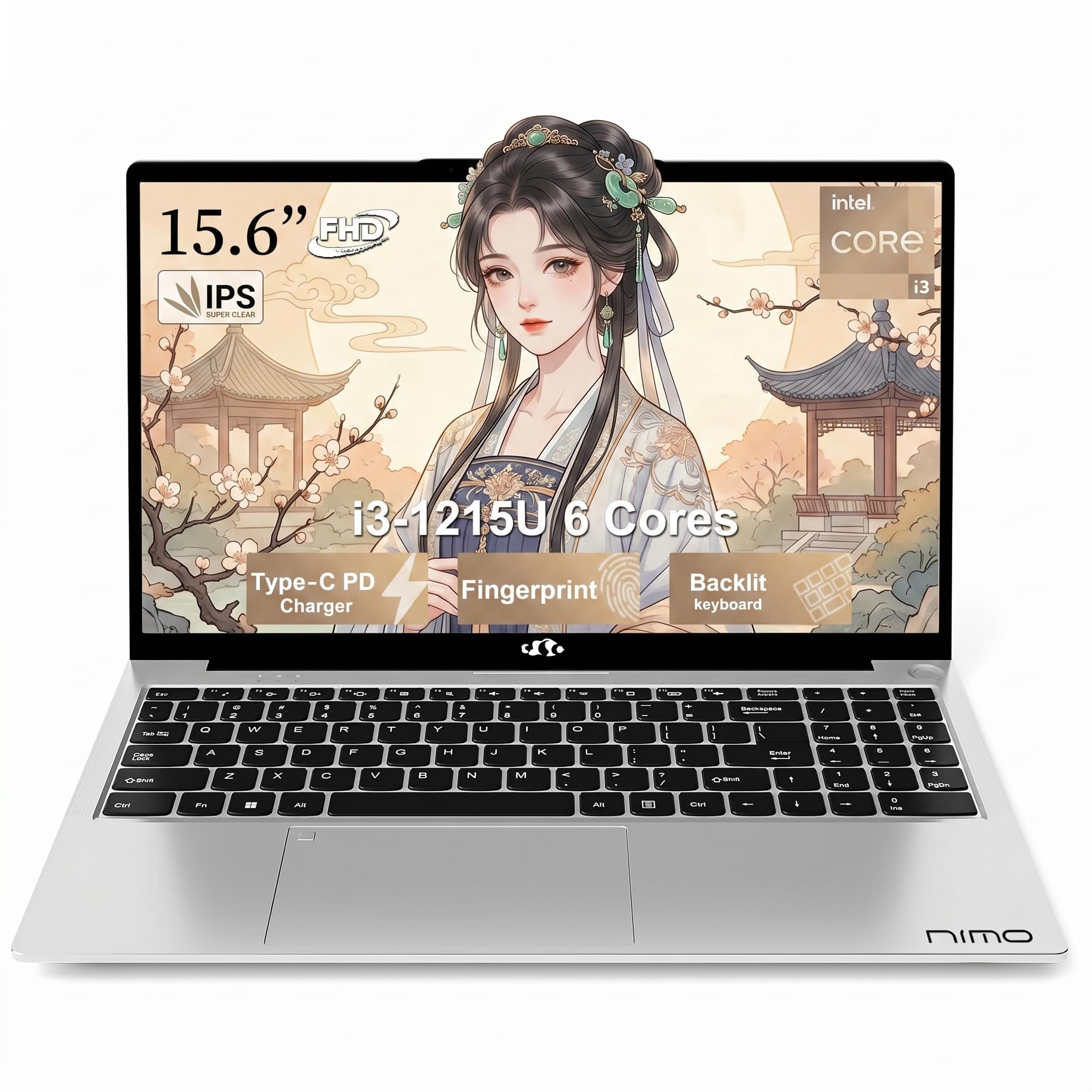
This NIMO model hits the sweet spot for seniors who want a machine that feels modern without being complicated. The 12th-gen Intel Core i3-1215U processor with six cores handles multiple browser tabs, video calls, and light document editing with zero perceptible lag. The 16GB RAM is double what most entry-level laptops offer, meaning the system stays responsive even after weeks of use without a reboot.
The 15.6-inch Full HD IPS display delivers crisp text and wide viewing angles, making it easy to read articles or watch family photos. It also features a 180-degree lay-flat hinge, which is useful for sharing the screen across a table. The backlit keyboard and fingerprint reader add a touch of convenience that saves time logging in, especially for users who dislike typing passwords repeatedly.
At 3.75 pounds, it is light enough to move between rooms, and the USB-C PD 65W fast charging means a 30-minute break can add hours of runtime. The 512GB PCIe NVMe SSD provides ample space for documents, photos, and a few light applications without the sluggishness of older hard drives. For a senior seeking a future-proof yet straightforward daily driver, this is the standout choice.
Why it’s great
- 16GB RAM ensures smooth multitasking for years
- 12th-gen Core i3 processor outperforms older i5 chips
- Backlit keyboard and fingerprint reader for easy logins
Good to know
- Battery life is decent but not all-day for heavy streaming
- Chassis is slim; avoid excessive pressure on the screen when open
2. HP 17.3 inch Laptop

Screen real estate changes everything for a senior user, and this HP delivers a generous 17.3-inch HD+ anti-glare panel. The non-reflective surface is a standout feature — it cuts down on eye strain from ambient light, making it comfortable to use near a window or under kitchen lighting. The AMD Ryzen 5 7520U processor provides sufficient horsepower for spreadsheets, web browsing, and video streaming without fan noise becoming intrusive.
HP pairs this with 16GB of LPDDR5 RAM and a 512GB NVMe SSD, which is a strong configuration for a machine at this price tier. The lift-hinge design tilts the keyboard to a natural typing angle, reducing wrist fatigue over longer sessions. The physical camera shutter on the HP True Vision HD webcam adds tangible privacy peace of mind for video calls with family or healthcare providers.
The battery life is rated at around 7 hours, which is adequate for a day’s use if you are not pushing the processor constantly. The inclusion of a dedicated Copilot key on the keyboard offers one-press access to AI assistance, which can help with quick questions or dictation. For a senior whose priority is a large, readable screen that reduces glare, this HP is hard to beat.
Why it’s great
- Large 17.3-inch anti-glare screen is excellent for reading
- 16GB RAM and fast SSD keep the system speedy
- Comfortable lift-hinge keyboard design
Good to know
- Plastic chassis feels slightly less premium than metal builds
- Weighs more than 5 pounds; not ideal for frequent travel
3. Apple 2025 MacBook Air 15-inch with M4

The MacBook Air with the M4 chip represents a completely different class of simplicity. There is no fan, which means it operates in complete silence — a massive benefit for seniors who find whirring laptop fans distracting or concerning. The 15.3-inch Liquid Retina display supports one billion colors, rendering text extremely sharp and photos vibrant. The build quality is class-leading: an all-aluminum unibody that feels robust without adding weight.
Apple’s macOS includes built-in accessibility features like VoiceOver, zoom, and high-contrast modes that are straightforward to enable. The 12MP Center Stage camera automatically keeps the user centered during video calls, which is handy for moving around while talking. With up to 18 hours of battery life, this machine easily lasts a full day of use without needing a charger.
For seniors already familiar with iPhones or iPads, the transition to macOS is surprisingly smooth thanks to iCloud integration, AirDrop, and iPhone Mirroring. The 16GB of unified memory ensures zero stutter even when running a dozen tabs and a video call simultaneously. The trade-off is the premium cost, but for those who value a silent, frustration-free experience with top-tier support, it justifies the investment.
Why it’s great
- Completely silent — no fan noise whatsoever
- Exceptional 18-hour battery life
- Seamless integration with iPhone and iPad ecosystem
Good to know
- Highest price in this roundup
- macOS has a learning curve for lifelong Windows users
4. Acer Aspire 3 A315-24P-R7VH

The Aspire 3 is a well-balanced mid-range option that delivers genuine AMD Ryzen 3 performance without breaking the budget. The Ryzen 3 7320U is a modern quad-core processor that handles basic tasks with ease, and the integrated Radeon graphics are more than capable of streaming 1080p video smoothly. The 15.6-inch Full HD IPS display offers sharp text and good color reproduction, making it a pleasure to read on.
One of the strongest selling points here is the battery life — Acer rates it for up to 11 hours, which in real-world usage translates to a full day of moderate browsing and email. The slim and light design makes it easy to carry between rooms or take on trips. Acer also includes TNR (Temporal Noise Reduction) technology for the webcam, which improves video clarity in low-light conditions — a thoughtful touch for evening video chats with grandchildren.
Potential buyers should note that the 8GB of RAM is soldered and not upgradable, so it is important to confirm that 8GB meets your multitasking needs. Also, the 128GB NVMe SSD is on the smaller side for storing many photos or large documents, though an external drive solves that easily. For a senior who wants a reliable, portable machine with excellent battery life, this Acer is a strong contender.
Why it’s great
- Excellent battery life — up to 11 hours
- Modern Ryzen 3 processor is snappy for basic tasks
- Lightweight and slim design for easy portability
Good to know
- RAM is soldered and not upgradeable
- 128GB SSD fills up quickly with large media collections
5. Dell 15 Laptop DC15250

Dell’s 15-inch laptop brings a trusted brand name and a 120Hz display to the table, which is unusually smooth for a machine in this category. The higher refresh rate makes scrolling through web pages and documents feel noticeably fluid, reducing the jarring motion blur that can disorient some users. The Intel Core 3 100U processor is Dell’s latest entry-level chip, offering ample performance for Word, Excel, and web browsing without generating excessive heat.
The 8GB of DDR4 RAM and 512GB SSD provide a balanced setup — enough speed for everyday tasks and ample room for documents, music, and family photos. Dell includes ComfortView software that filters blue light emissions, a feature specifically designed to reduce eye strain during extended screen time. The separate numeric keypad is a welcome addition for seniors who do any kind of data entry or online banking.
Dell’s 1-year onsite service is a significant value-add: if a hardware issue arises, a technician will come to the user’s home rather than requiring a trip to a repair shop. The main trade-offs are a slightly shorter battery life compared to some competitors and only two USB-A ports. For seniors who prioritize a smooth display and the reassurance of brand-name service, this Dell delivers peace of mind.
Why it’s great
- 120Hz refresh rate makes scrolling silky smooth
- Includes 1-year onsite Dell service for peace of mind
- ComfortView reduces blue light for less eye strain
Good to know
- Battery life is shorter than some mid-range rivals
- Only two USB-A ports on the chassis
6. jumper 15.6″ FHD Laptop (12GB RAM)

This jumper model takes a different approach — instead of a luxury processor, it pairs a modest Intel 5205U Celeron with a generous 12GB of RAM. The result is a machine that handles multitasking better than many similarly priced Intel Celeron laptops. Opening a dozen browser tabs, a Word document, and a music streaming service simultaneously does not trigger the stuttering that often plagues budget laptops.
The 15.6-inch Full HD IPS display is bright and crisp, and the 640GB total storage (128GB eMMC + 512GB SSD) gives users breathing room for files without worrying about running out of space. The numeric keypad is included, which seniors who work with numbers will appreciate. It ships with a 1-year Office 365 license pre-installed, so there is no separate software purchase required for basic productivity.
The build is plastic, which keeps weight down to around 3.5 pounds, but the trade-off is a chassis that feels less premium than metal alternatives. The Intel Celeron 5205U is fine for basic tasks, but it will struggle with heavy video editing or modern games. For a senior whose workload is limited to email, browsing, and light document work, this represents a compelling value proposition.
Why it’s great
- 12GB RAM provides smooth multitasking at a low price
- Full HD IPS screen is clear and vibrant
- Includes numeric keypad and Office 365 license
Good to know
- Celeron processor is not for heavy multitasking
- Plastic build feels less durable than metal options
7. HP Home and Student Essential Laptop
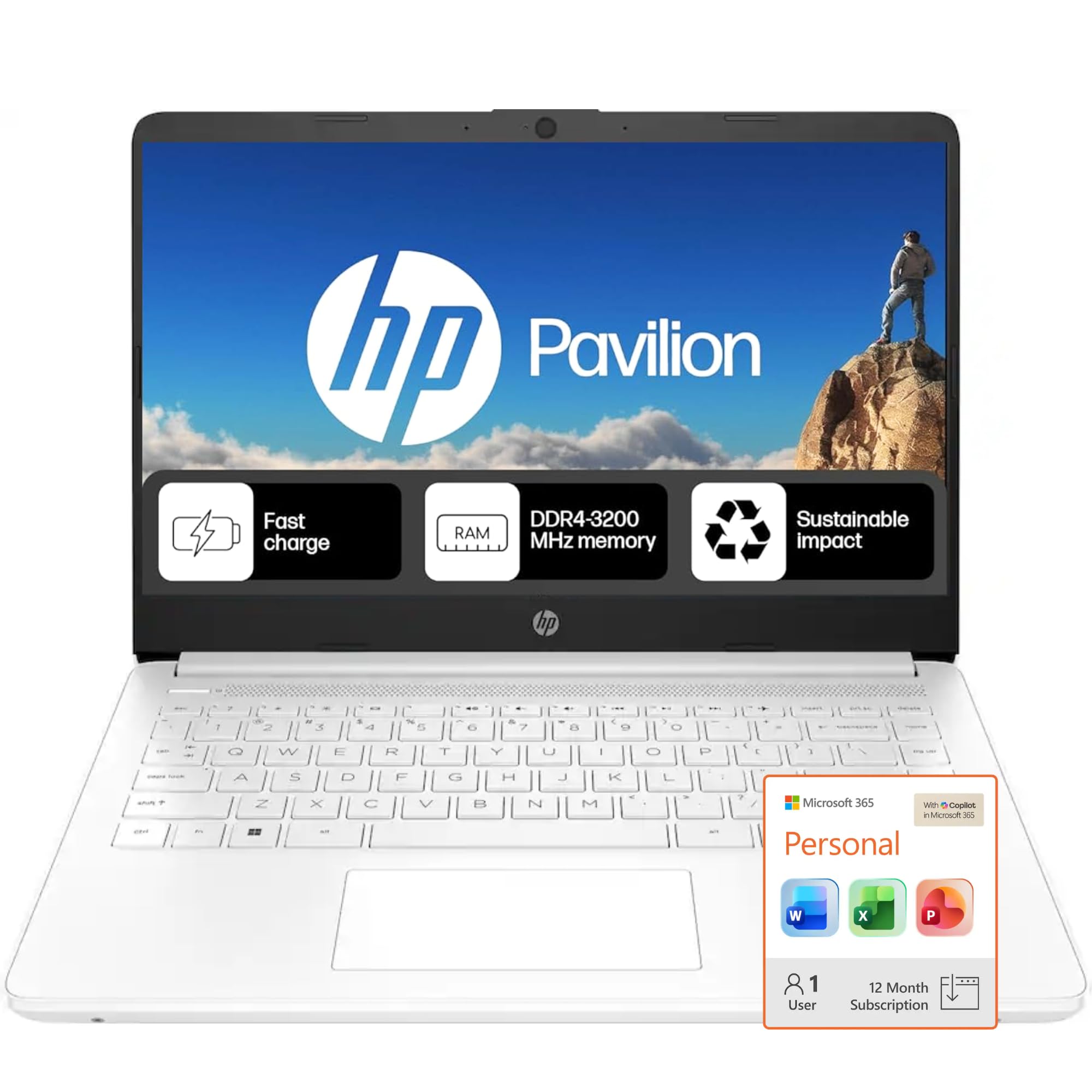
HP’s entry-level Essential laptop is designed for exactly one thing: core tasks at a low entry point. The 14-inch anti-glare HD display is smaller than the 15.6-inch standard, but the trade-off is a more compact footprint that fits easily on a small desk or kitchen table. The Intel Celeron N4500 processor is modest, but it handles email, web browsing, and video calls adequately when not overloaded with background tasks.
The 64GB eMMC storage is restrictive — it can hold the operating system and a handful of applications, but users will need to rely on cloud storage or an external drive for photos and documents. The included 1-year Microsoft 365 subscription is a tangible value, providing ready access to Word, Excel, and PowerPoint without an additional purchase. The battery life is a strong point, with HP claiming up to 12 hours, which in practice delivers a full day of moderate use.
Several user reviews mention that the touchpad can occasionally be unresponsive, though this is not universal. The 8GB of RAM is adequate for basic multitasking but shows strain with many tabs open simultaneously. This HP is best suited for a senior whose computing needs are truly minimal and who values a low initial investment and a long battery life above all else.
Why it’s great
- Very affordable entry point for basic use
- Anti-glare 14-inch display helps reduce eye strain
- Included 1-year Microsoft 365 subscription
Good to know
- 64GB eMMC storage is very limited
- Celeron processor can feel slow with multiple apps open
- Some users report touchpad responsiveness issues
8. 2026 Laptops Computer (NIAKUN)
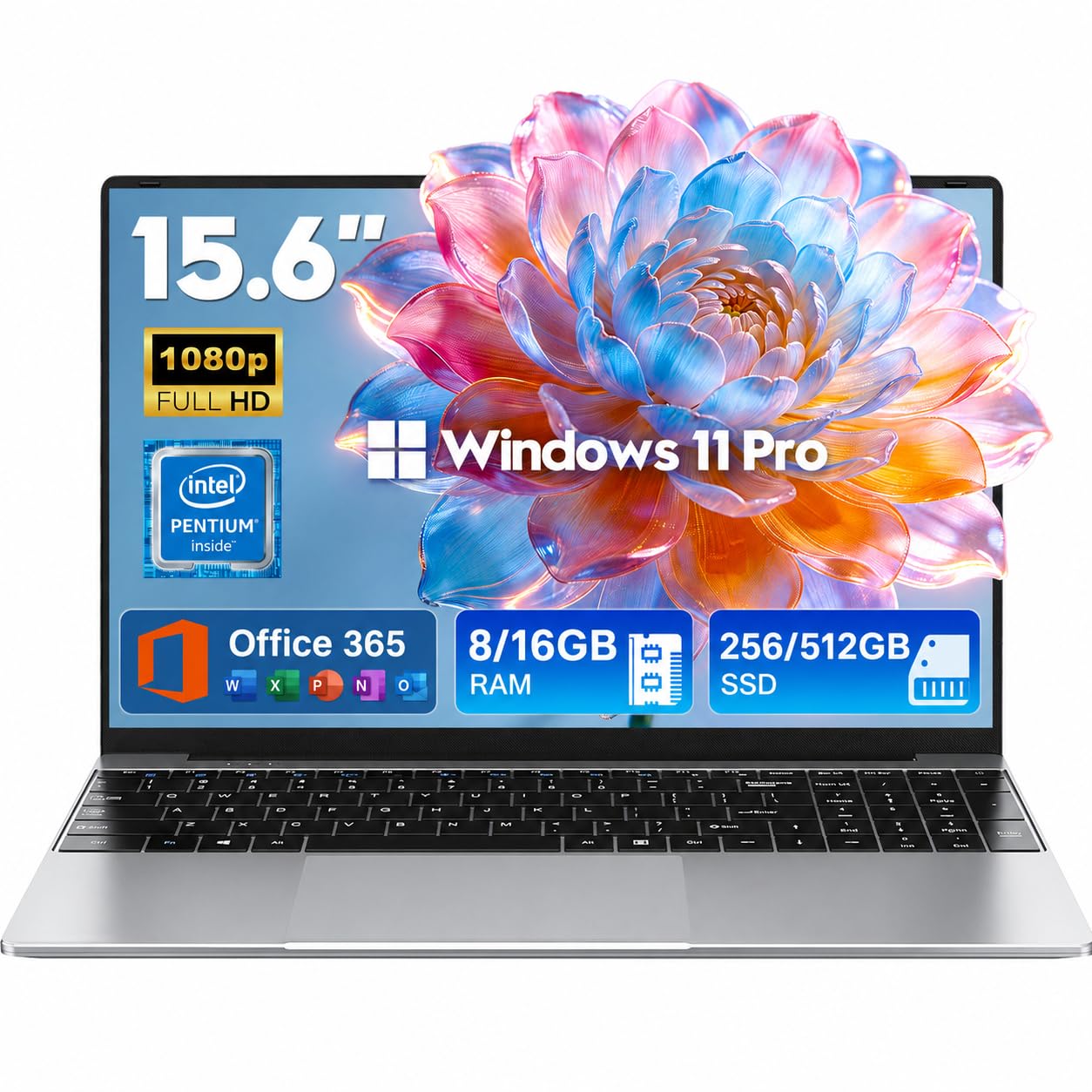
NIAKUN’s laptop stands out not for raw power but for the package of support it brings. The 2-year warranty and 6-month return policy are unusually generous for a machine at this price point, giving peace of mind to seniors who worry about long-term reliability. The Intel Pentium 4425Y processor is sufficient for email, web browsing, and document editing, though it is not built for heavy multitasking.
The 15.6-inch Full HD IPS screen provides a sharp, bright image that is a clear step up from the 1366×768 panels still common in budget laptops. The 5000mAh battery delivers up to 6 hours of mixed use, and the 180-degree hinge allows the screen to lie flat for easy sharing. At just 3.53 pounds, it is among the lighter options in this list, making it easy to carry around the house or take on trips.
The 8GB of DDR3 RAM and 256GB SSD are adequate for light use, though the older DDR3 memory standard is a minor performance disadvantage compared to DDR4-equipped rivals. Some customer reviews note that the machine can feel slow out of the box before Windows updates finish. For a senior who values a long warranty, a light chassis, and a clear display, this NIAKUN is a safe choice.
Why it’s great
- 2-year warranty and 6-month return policy for peace of mind
- Lightweight at 3.53 lbs — easy to move around
- Full HD IPS screen is sharp and bright
Good to know
- Pentium processor is not designed for heavy multitasking
- DDR3 RAM is an older, slower standard
9. jumper 15.6″ FHD (5205U)
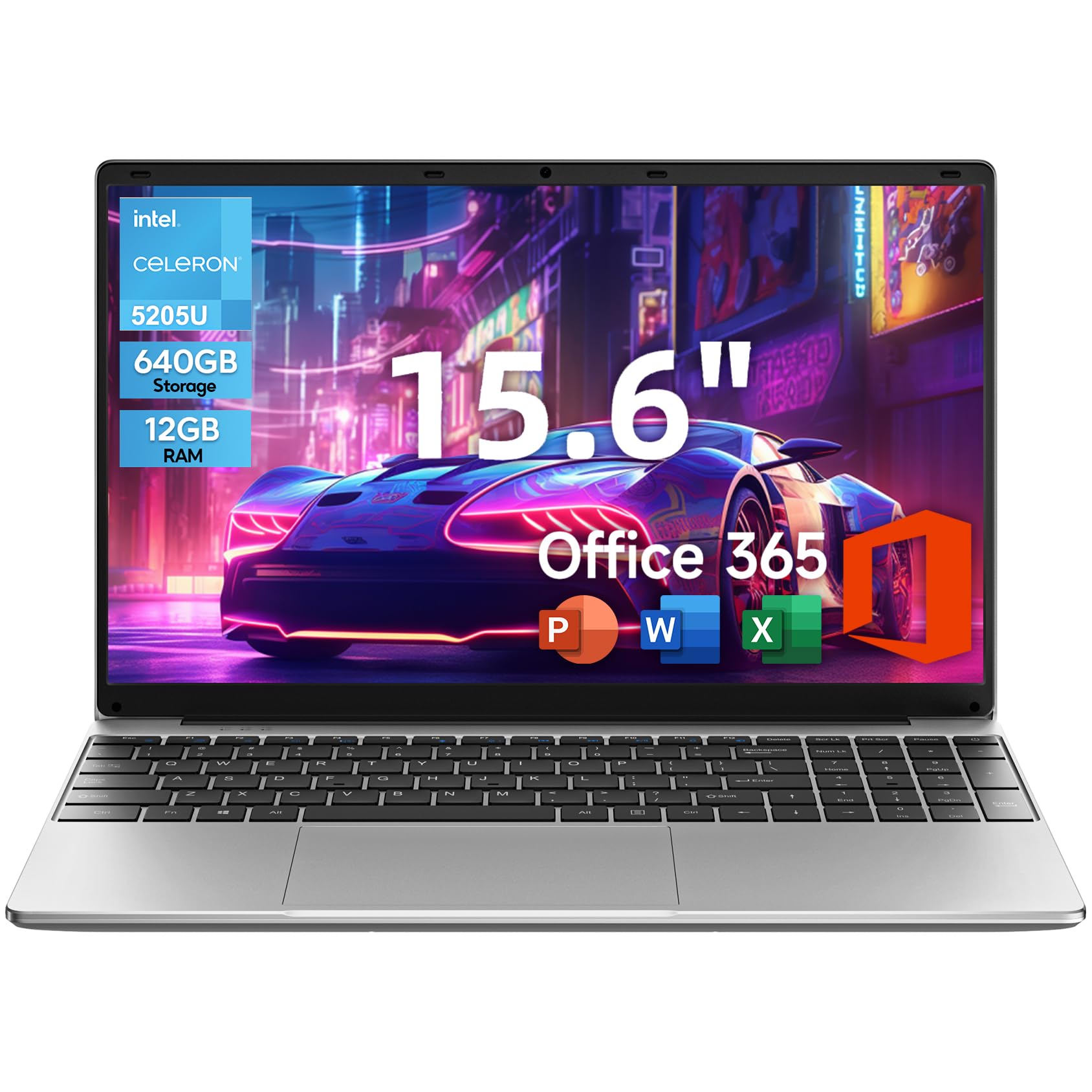
This jumper variant focuses on offering the most storage for the lowest price. The 640GB total (128GB eMMC + 512GB SSD) is a generous amount of space at this tier, allowing seniors to store thousands of photos, music files, and documents without worrying about running out of room. The 12GB of RAM is also impressive for the price bracket, providing smoother multitasking than the typical 4GB or 8GB budget machines.
The 15.6-inch Full HD IPS eye-care display includes an anti-glare coating and blue light reduction, both of which are genuinely beneficial for long reading sessions. The full keyboard with a numeric keypad is present, and jumper includes a 1-year Office 365 license pre-installed. The 38Wh battery is adequate for a few hours of use, though not class-leading.
Build quality is the clear compromise here — several reviews mention a strong chemical smell out of the box and a cursor that can freeze during initial setup. The Intel Celeron 5205U is the weakest processor in this roundup, fine for single-task use but prone to stuttering under load. This laptop is best for a senior whose priority is storing a large photo collection locally and who is comfortable working within the processor’s limits.
Why it’s great
- 640GB total storage is massive for the price
- 12GB RAM helps with basic multitasking
- Anti-glare, blue-light-reducing display
Good to know
- Celeron processor is the slowest in this guide
- Some units have a strong chemical odor and cursor issues
- Battery life is average, not exceptional
FAQ
What does Windows 11 S Mode mean and should I disable it?
How much storage space do I actually need for photos and documents?
Is a touchscreen helpful for a senior using a laptop?
Why do some laptops come with a numeric keypad and others don’t?
Final Thoughts: The Verdict
For most users, the best basic laptop for seniors winner is the NIMO 15.6″ FHD IPS Laptop because it combines a modern Intel Core i3 processor with 16GB of RAM and a sharp display at a mid-range price that does not overburden a fixed budget. If you want a massive anti-glare screen and long battery life, grab the HP 17.3-inch Laptop. And for a completely silent, premium experience that integrates effortlessly with an iPhone or iPad, nothing beats the Apple MacBook Air 15-inch with M4 chip.