
Buying a basic desktop computer used to be straightforward, but the market is now flooded with machines that claim to be “business-grade” while packing e-waste-tier processors found in low-end laptops. The challenge isn’t finding a computer under a certain budget — it’s separating the units that deliver genuine, lag-free performance for spreadsheets, web apps, and remote meetings from those that will feel painfully slow within six months.
I’m Min — the co-founder and writer behind Gadgets Feed. I’ve spent hundreds of hours analyzing technical spec sheets, user reliability reports, and real-world benchmark data to identify the desktop computers that offer honest, durable performance for everyday use.
This guide cuts through the marketing noise to deliver an actionable, data-driven ranking of the best basic pc choices for home offices, students, and small businesses in 2026.
How To Choose The Best Basic PC
Finding the right basic PC means balancing processor architecture, memory capacity, storage technology, and expansion options. A machine that feels fast today might become unusable tomorrow if the SSD is too small or the RAM is non-upgradeable. Here’s what to focus on.
Processor Architecture Matters More Than Core Count
A basic PC doesn’t need a 16-core CPU, but the generation of the processor dictates single-thread performance for day-to-day responsiveness. An 8th-gen Intel Core i5 (like the 8500T) will handle web browsing and Office just fine, but a 13th-gen Core i3 (like the 13100) delivers significantly snappier application loading and better power efficiency. Look for at least a 10th-gen or newer Intel Core processor for a future-proof basic machine.
NVMe Storage vs. SATA SSDs and HDDs
The single biggest performance differentiator in a basic PC is the storage drive. A PCIe NVMe SSD offers boot times under 15 seconds and instant application launches, while a traditional 2.5-inch SATA SSD is roughly three times slower, and an old-school HDD will make Windows 11 feel sluggish from day one. Always prioritize a machine with NVMe storage — 256GB is viable, 512GB is comfortable.
RAM Capacity and Upgrade Path
8GB of RAM is the absolute minimum for Windows 11, but 16GB is the practical sweet spot for multitasking between a browser with ten tabs, a word processor, and a video call. Desktop PCs with SO-DIMM slots allow future upgrades, while soldered RAM on some mini PCs limits you permanently. For a basic PC that lasts 4-5 years, 16GB of upgradeable DDR4 or DDR5 is ideal.
Quick Comparison
On smaller screens, swipe sideways to see the full table.
| Model | Category | Best For | Key Spec | Amazon |
|---|---|---|---|---|
| HP Tower 2026 | Mid-Range | Out-of-box ready student setup | 13th Gen Core i3-13100 | Amazon |
| Lenovo IdeaCentre AIO | Mid-Range | All-in-one simplicity | 23.8″ FHD display, N100 | Amazon |
| HP Business Tower 290 G9 | Premium | Office productivity with 16GB RAM | 13th Gen Core i3-13100 | Amazon |
| HP ProDesk 400 G9 SFF | Premium | Compact business with 32GB RAM | Celeron G6900 dual-core | Amazon |
| GEEKOM GT15 Max | Premium | Mini PC with AI acceleration | Core Ultra 9 285H, 32GB DDR5 | Amazon |
| HP Windows 11 Desktop | Budget | All-in-one family bundle | Intel Core i5 8th Gen, 16GB | Amazon |
| GMKtec G3 PRO Mini | Budget | Ultra-compact silent desktop | Core i3-10110U, 16GB RAM | Amazon |
| Dell Optiplex 9020 SFF | Budget | Dual monitor on a tight budget | Intel Core i5, 2TB HDD | Amazon |
| Dell OptiPlex 7040 | Budget | High RAM with NVMe storage | i7-6700, 32GB RAM, 1TB NVMe | Amazon |
| suevery Core i7 Tower | Budget | Gamer-style aesthetics on a budget | Core i7 3.6GHz, NVMe 256GB | Amazon |
| STGAubron Gaming Desktop | Budget | Entry-level gaming and work | Intel Core i5, RX 550 4GB | Amazon |
In‑Depth Reviews
1. HP Desktop Computer 2026 Tower for Home Student & Business
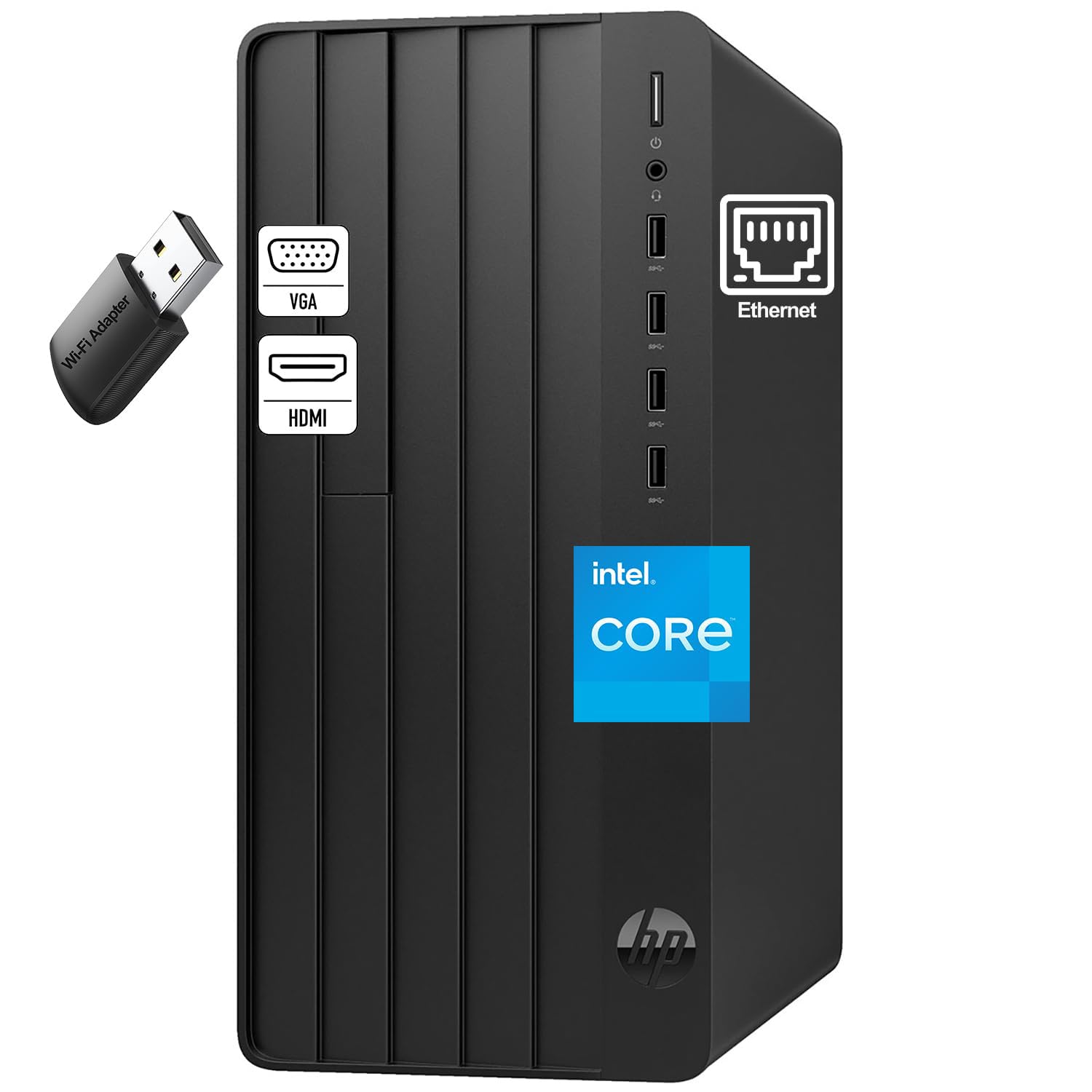
The HP Desktop Computer 2026 Tower hits the sweet spot for a basic office machine by pairing a 13th-gen Intel Core i3-13100 quad-core processor — which runs up to 4.5GHz — with 8GB of DDR4 RAM and a 256GB PCIe NVMe SSD. The CPU architecture here is genuinely modern, so you get snappy single-thread performance for Microsoft Office, web browsing, and video conferencing without the thermal or power inefficiency of older refurbished chips.
The tower comes complete with wired keyboard and mouse, HDMI and VGA outputs for dual-monitor setups (up to 4096×2160 resolution), and a front-panel audio jack with multi-streaming support for headsets. TPM 2.0 security is built in, which is essential for Windows 11 compliance and protecting sensitive school or business data. The 180W power supply is rated at up to 90% efficiency, and the case uses 15% post-consumer recycled plastic — small touches that indicate HP’s quality control here is tighter than most budget-tier towers.
User reports confirm it arrives with Windows 11 Home (some received Pro), boots in seconds thanks to the NVMe drive, and handles moderate multitasking without lag. The main compromise is the 8GB RAM: you’ll want to plan for a future upgrade to 16GB if you run multiple browser tabs alongside large documents. Still, for a brand-new, non-refurbished basic PC with a current-gen processor, the value is hard to beat.
Why it’s great
- 13th-gen Core i3 provides excellent single-thread performance for basic apps
- TPM 2.0 and Windows 11 ready straight out of the box
- Complete setup with keyboard, mouse, and dual monitor support
Good to know
- 8GB RAM is the minimum — a 16GB upgrade will be needed for power users
- No SD card slot on the front panel
- Power supply is only 180W, limiting future GPU upgrades
2. Lenovo IdeaCentre Everyday Tasks 24″ All-in-One Desktop

The Lenovo IdeaCentre AIO eliminates the tower entirely by integrating a 23.8-inch Full HD display with the computer components inside the monitor chassis. This model runs on an Intel Processor N100 (4 cores, 4 threads, up to 3.4GHz) paired with 8GB of RAM and a 256GB SSD. The N100 is a low-power Alder Lake-N chip designed for basic computing — it handles web browsing, Office for the web, and streaming without the fan noise of a traditional tower.
The standout feature here is the 5MP AI webcam with an IR sensor and a physical e-shutter for privacy, plus AI-based noise-canceling microphones that filter out background chatter during video calls. Harman audio-enhanced speakers provide surprisingly rich sound for an all-in-one form factor, and the display supports a smooth refresh rate with low blue light certification to reduce eye strain during long work sessions. Connectivity is limited: one HDMI input, Bluetooth, and USB ports, but no upgrade path for the CPU or RAM since the N100 is soldered.
User feedback highlights the large, clear display as a major advantage, especially for users with visual impairments. The system runs whisper-quiet and is very user-friendly, but the N100 processor will struggle with heavier workloads like video editing or large spreadsheets with complex macros. If your use case is strictly email, web, and video calls, and you want to avoid cable clutter, this is a clean solution — just don’t expect to upgrade it later.
Why it’s great
- Space-saving all-in-one design with a bright 24-inch FHD display
- 5MP IR webcam with physical privacy shutter and AI noise cancellation
- Silent operation with no tower taking up desk space
Good to know
- Intel N100 is a low-power chip — not suitable for heavy multitasking
- RAM and CPU are soldered and cannot be upgraded
- Only 8GB RAM and 256GB storage with limited expansion options
3. HP Business Desktop Tower 290 G9
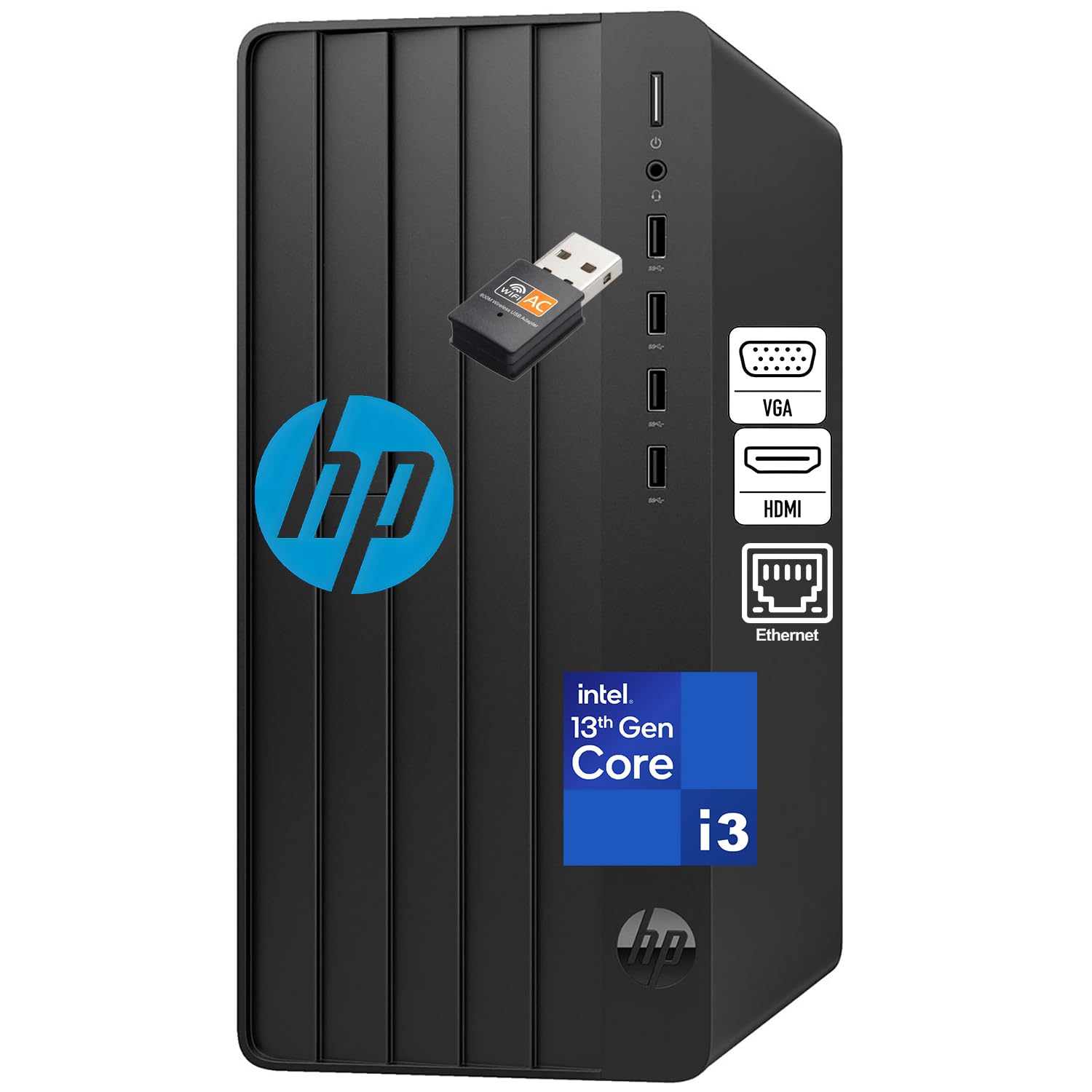
The HP Business Desktop Tower 290 G9 takes the same 13th-gen Core i3-13100 processor found in the HP 2026 tower and doubles the RAM to 16GB of DDR4, making it a noticeably more capable multitasking machine for business users. The 256GB NVMe SSD delivers sub-15-second boot times, and the inclusion of Office 365 for the web means you can start working on Word, Excel, and PowerPoint immediately without an additional software purchase.
This tower is built with business connectivity in mind: dual display support via HDMI and VGA, Gigabit Ethernet for stable wired networking, built-in WiFi, and a full set of USB ports including front-accessible jacks. The traditional tower form factor (11.9 x 6.1 x 13.3 inches) fits under a desk easily and provides better airflow and upgradeability than an SFF or mini PC. The case has room for a 2.5-inch or 3.5-inch drive expansion, so you can add more storage as needed.
Customer reviews consistently mention the speed and value — the 16GB RAM makes a tangible difference when juggling multiple browser tabs, email, and word processing simultaneously during a workday. The only real downsides are the lack of a dedicated GPU (integrated Intel UHD Graphics 730 is fine for office apps but not gaming) and the relatively modest 256GB SSD, which will fill up quickly if you store large files locally. For a reliable, expandable office PC with modern processor architecture, this is a strong mid-range contender.
Why it’s great
- 16GB DDR4 RAM provides smooth multitasking for office applications
- 13th-gen Core i3 delivers modern single-thread performance
- Tower design allows easy upgrades and expansion
Good to know
- 256GB SSD fills quickly — budget for an external drive or upgrade
- Integrated graphics only, no GPU upgrade path for gaming
- VGA output limits dual-monitor resolution on older displays
4. HP ProDesk 400 G9 SFF Business Desktop

The HP ProDesk 400 G9 SFF is a premium small-form-factor business desktop that packs 32GB of DDR4 RAM and a 1TB PCIe NVMe SSD into a chassis that measures just 11.9 x 10.6 x 3.7 inches and weighs under 9 pounds. The processor is an Intel Celeron G6900 dual-core running at 3.4GHz with 4MB of cache — this is the compromise: you get massive memory and storage but a low-end CPU designed for basic office tasks and point-of-sale systems rather than heavy multitasking.
Where this machine excels is in connectivity and compactness. It offers dual 4K display support through HDMI 1.4 and DisplayPort 1.4, a USB-C port, multiple USB-A ports, and an RJ-45 Gigabit Ethernet jack. HP Wolf Security and TPM 2.0 are included, making it suitable for business environments where data protection is a priority. The small form factor means it can be mounted behind a monitor or under a desk, saving significant desk real estate.
User reviews highlight the easy setup, quiet operation, and the sheer amount of RAM and SSD storage for the price. However, the dual-core Celeron G6900 is a deliberate trade-off — it handles basic tasks like email, web browsing, and Office documents smoothly, but it will bottleneck any workload that demands simultaneous multi-core processing, like editing large Excel files with many formulas. If your workflow is light and you prioritize storage capacity and future-proofing RAM, this SFF delivers excellent value in a tiny package.
Why it’s great
- 32GB RAM and 1TB NVMe SSD offer massive storage and headroom
- Ultra-compact SFF design saves significant desk space
- Windows 11 Pro with HP Wolf Security and TPM 2.0
Good to know
- Dual-core Celeron G6900 limits multi-threaded performance
- Not suitable for video editing or demanding creative work
- No dedicated graphics — relies on integrated Intel UHD
5. GEEKOM GT15 Max AI Performance Mini PC

The GEEKOM GT15 Max represents a different tier entirely — a premium mini PC built around the Intel Core Ultra 9 285H processor with 16 cores (6 performance, 8 efficient, 2 low-power) reaching 5.4GHz, plus an integrated Arc 140T GPU with 8 Xe-cores and an AI Boost NPU capable of 99 TOPS. This is overkill for basic office work but provides serious longevity and the ability to handle AI-assisted workflows, light 3D rendering, and even AAA gaming at 1080p.
Memory and storage are beefy: 32GB of DDR5 RAM (expandable to 128GB) and a 1TB NVMe PCIe SSD, with two M.2 slots for up to 6TB total storage. Connectivity is future-proof with dual USB4 ports (40Gbps, 8K video, 15W PD), dual HDMI 2.0, Mini DP 1.4, dual 2.5GbE LAN, and Wi-Fi 7 with Bluetooth 5.4. The IceBlast 3.0 cooling system uses a copper heatsink and dual heat pipes to keep the Ultra 9 cool under sustained load, and the aluminum chassis is built to lab-grade durability standards.
Real-world user reports confirm that the GT15 Max handles heavy workloads like Kubernetes clusters, multiple 4K displays, and AI model training without thermal throttling. The main drawbacks are the price and the fact that for pure basic PC tasks like email and web browsing, you’re paying for capabilities you’ll never use. However, if your definition of “basic” includes future-proofing for AI tools or occasional content creation, this mini PC offers unmatched performance density in a 1.2-liter chassis.
Why it’s great
- Core Ultra 9 with 99 TOPS NPU for AI acceleration
- 32GB DDR5 RAM and 1TB SSD with room to expand
- Wi-Fi 7, dual 2.5GbE, and dual USB4 for cutting-edge connectivity
Good to know
- Expensive — the premium is for performance you may not need for basic tasks
- Some units have had SSD reliability issues; warranty support is mixed
- European power plug in some shipments requires an adapter
6. HP Windows 11 Desktop Computer (Renewed)

This HP ProDesk Small Form Factor bundle — renewed — packs an 8th-gen Intel Core i5 hexa-core processor, 16GB of DDR4 RAM, a 500GB SSD, a 24-inch LCD monitor, an RGB keyboard and mouse, speakers, and a 2K webcam into one package. For a family or student who needs everything out of one box, this is the ultimate all-in-one bundle, though you are buying a refurbished business machine that has been previously used.
The 8th-gen Core i5 (model 8500) with six cores is actually quite capable for basic multitasking — it handles web browsing, Office, streaming, and light photo editing without major complaints. The 500GB SSD is a SATA drive rather than NVMe, so boot times are closer to 20-25 seconds than the 10-15 seconds of an NVMe machine. The 16GB of RAM is generous and ensures smooth operation even with many tabs open. The included 24-inch monitor and RGB peripherals add genuine value for families setting up a home computer for the first time.
Customer reviews are mixed — many report a great experience with fast shipping and functional hardware, while others have received units with defective SSDs, missing WiFi drivers, or monitors with dead pixels. The 90-day warranty from the Amazon Renewed program provides some protection, but the inconsistency of refurbished hardware is a real risk. If you want a complete workstation with zero assembly and are comfortable with the refurb lottery, this bundle offers excellent component value on paper.
Why it’s great
- Complete bundle with monitor, keyboard, mouse, speakers, and webcam
- 16GB RAM and 500GB SSD provide good multitasking and storage
- Hexa-core i5 handles everyday tasks well
Good to know
- Refurbished — hardware quality and longevity vary significantly
- SSD is SATA, not NVMe, so boot times are slower
- Some units arrive with missing WiFi or defective components
7. GMKtec Mini PC G3 PRO
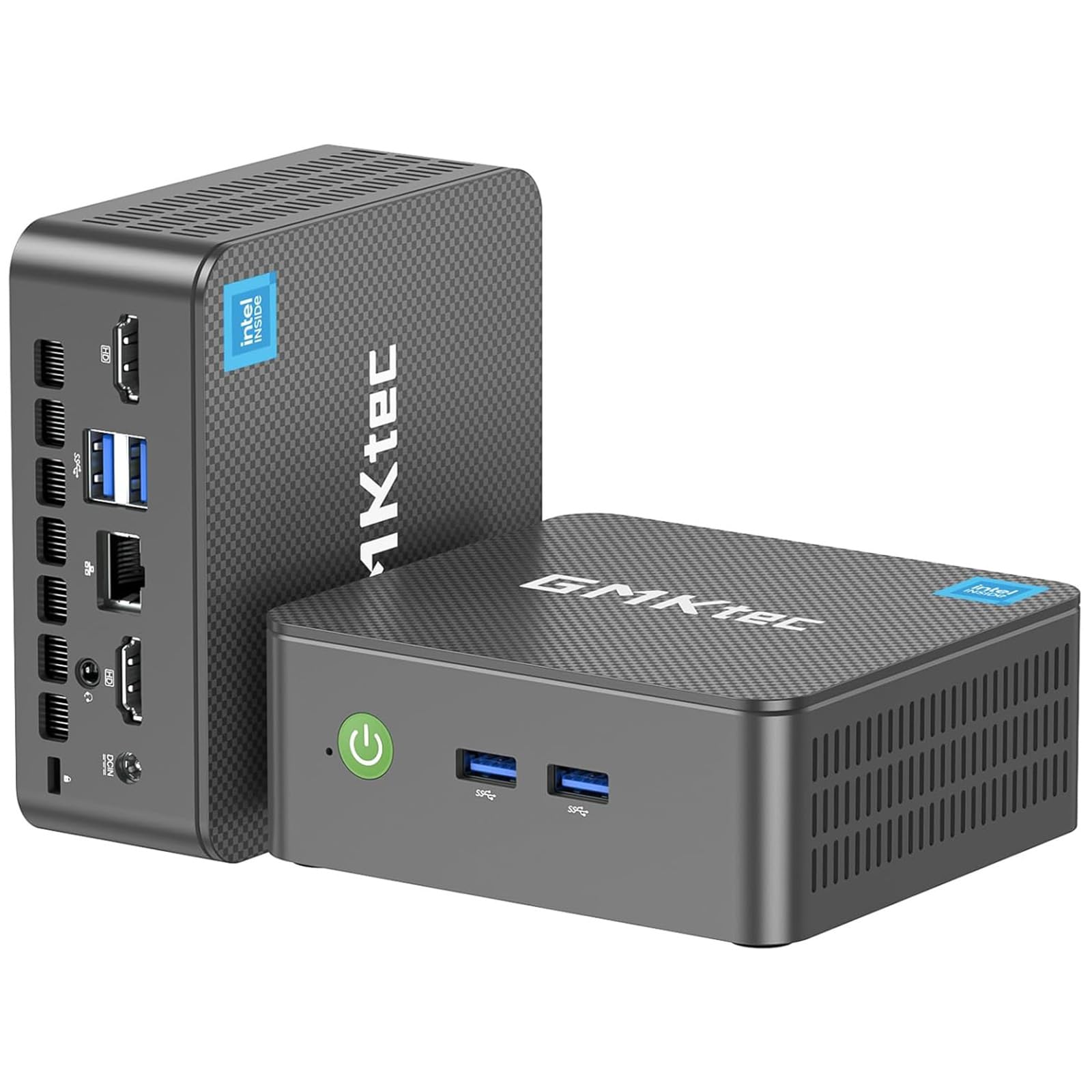
The GMKtec G3 PRO is a mini PC built around the Intel Core i3-10110U, a 10th-gen dual-core processor that boosts to 4.1GHz and supports hyper-threading, delivering better single-core performance than the newer Alder Lake N150 or the Ryzen 3 4300U for everyday desktop use. With 16GB of dual-channel DDR4 RAM and a 512GB M.2 NVMe SSD, this machine boots in seconds and handles multiple browser tabs, Office applications, and streaming without stuttering.
What sets the G3 PRO apart is its port selection and networking. It includes four USB 3.2 ports (5Gbps each), dual HDMI 2.0 ports supporting 4K@60Hz, a 2.5GbE Intel i226 Ethernet jack, Wi-Fi 6, and Bluetooth 5.2. The upgraded cooling fan and thermal paste keep the system quiet under load, and the VESA mount allows you to attach it behind a monitor for a completely clean desk. It supports Wake-on-LAN, PXE boot, and Auto Power On, making it suitable for server or digital signage use as well.
User feedback highlights the small size and low power consumption as major advantages for living room HTPC setups or as a quiet office PC. Some units have experienced hardware failures around the one-year mark — CPU lockups or SSD crashes — but the GMKtec support team has generally been responsive with replacements. The 12V power adapter is non-standard, and the internal sound card is a USB device, which can cause driver quibbles. Still, for a compact, energy-efficient basic PC with good connectivity, the G3 PRO is a solid choice.
Why it’s great
- Core i3-10110U beats newer low-end chips in single-thread performance
- Dual HDMI 2.0 with 4K@60Hz support for multi-monitor setups
- 2.5GbE LAN and Wi-Fi 6 for fast, reliable networking
Good to know
- Long-term reliability is inconsistent — some units fail within a year
- 12V power adapter is non-standard; hard to replace if lost
- Internal sound card is a USB device, can cause driver issues
8. Dell Optiplex 9020 SFF Desktop (Renewed)
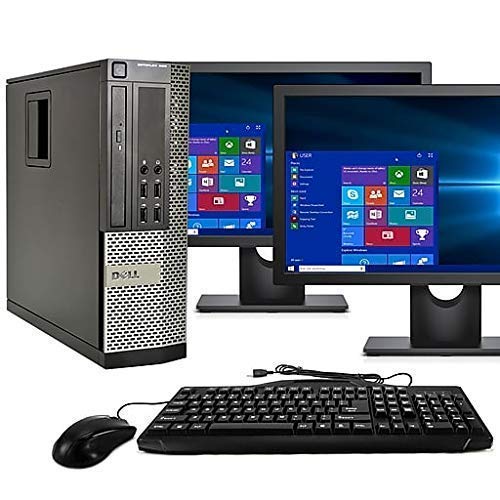
The Dell Optiplex 9020 SFF bundle is a refurbished business desktop that pairs an Intel Core i5 (Haswell era, 4th-gen) with 16GB of RAM and a 2TB hard disk drive, plus two 24-inch LCD monitors. For the price, you get a dual-monitor workstation that covers spreadsheets and document editing, but the hardware is aging — the HDD will make Windows 11 boot feel slow compared to any SSD-based machine, and the Intel HD Graphics 4600 can’t drive modern UI animations smoothly at 1080p.
The included dual monitors (typically Dell or Samsung panels, models may vary) provide a productivity boost that’s genuinely valuable for accounting, data entry, or research work where you need two windows open simultaneously. The CPU has VGA and DisplayPort outputs supporting both monitors natively. The PC includes DVD-RW, Bluetooth 4.0, and a WiFi adapter, though the latter is sometimes reported missing in shipped units. A new installation of Windows 11 Pro comes pre-loaded with minimal bloatware.
Customer reviews are split: many buyers are thrilled with the value and the dual monitors, especially if they need a complete office setup on a tight budget. Others report scratched monitors, missing WiFi components, or dead pixels. The 2TB HDD is spacious but mechanically fragile and noisy — upgrading to a SATA SSD is highly recommended. If you need dual monitors and 2TB of storage immediately and are willing to deal with refurbished inconsistencies, this bundle works; otherwise, look for a machine with an SSD.
Why it’s great
- Dual 24-inch monitors included — a real productivity multiplier
- 2TB HDD provides massive storage for files and documents
- 16GB RAM and i5 CPU handle basic multitasking competently
Good to know
- 4th-gen i5 is very old — no longer supported for modern updates
- 2TB HDD is slow and noisy; an SSD upgrade is almost mandatory
- Refurbished condition varies — some units arrive with cosmetic damage
9. Dell Desktop Windows 11 Pro OptiPlex 7040 (Renewed)

The Dell OptiPlex 7040 refurbished unit pairs a 6th-gen Intel Core i7-6700 quad-core processor (3.4GHz base, 4.0GHz turbo) with a massive 32GB of DDR4 RAM and a brand-new 1TB NVMe SSD. This combination delivers genuinely fast boot times and responsive application performance — the NVMe drive alone transforms the experience compared to the HDD-based Optiplex 9020. The i7-6700 is older (Skylake) but still offers excellent multi-threaded performance for office workloads.
This SFF chassis includes a built-in Intel AX210 WiFi 6E card, dual DisplayPort outputs plus one HDMI port for three-monitor support up to 4K resolution, and a compact design that fits easily in tight spaces. The unit comes with a fresh installation of Windows 11 Pro, and the 32GB of RAM means you can run multiple virtual machines or containers alongside your daily applications without hitting memory limits — a rare feature in a basic PC at this price point.
Customer feedback is positive overall, with users praising the speed, storage, and customer service responsiveness when issues arise. Some units have arrived with a USB WiFi adapter instead of the built-in AX210 card described, and a few reports mention SSD failure within weeks. While the i7-6700 lacks modern security features like TPM 2.0 (though Windows 11 still runs fine), the combination of 32GB RAM, 1TB NVMe, and WiFi 6E makes this a compellingly equipped machine for the budget-conscious power user.
Why it’s great
- 32GB RAM and 1TB NVMe SSD provide immense storage and multitasking headroom
- Wi-Fi 6E with Intel AX210 card for the latest wireless standard
- Triple monitor support via DP and HDMI
Good to know
- i7-6700 is a 2015 processor — lacks modern security features
- Some units have had SSD failures within weeks of purchase
- Refurbished — condition and included accessories vary
10. suevery 16GB RAM Core i7 Tower Desktop

The suevery tower desktop aims to inject some visual flair into the basic PC market with a tempered glass side panel and five RGB-lit fans, all controlled by a case button. Inside, it packs a 4-core Intel Core i7 processor running at 3.6GHz (boosting to 4.0GHz), 16GB of DDR4 RAM, and a 256GB NVMe SSD. This machine is positioned as a “starter gaming” PC, but the integrated graphics (likely Intel UHD 630 or similar) means modern gaming is limited to very light titles — it’s really a basic office PC with gaming-style dressing.
The form factor is a compact Micro-ATX tower that fits on most desks, with HDMI output supporting up to 4K displays and built-in WiFi. The NVMe SSD delivers fast boot times (under 20 seconds), and the 16GB RAM is adequate for typical office multitasking. The case has limited expansion space — adding a 2.5-inch SATA SSD is possible but cramped due to the GPU bracket, and the power supply is a generic unit likely on the lower end of the quality scale.
Customer reviews are mixed: many first-time buyers love the aesthetics and ease of setup, but there are concerning reports of random power-offs from day one and hard drive crashes within three months. The build quality is inconsistent — while the RGB lighting is undeniably cool for a younger user, the internal components (PSU, SSD) are not meant for longevity under daily use. If the visual appeal is critical to your workspace, this tower delivers on that front, but plan for possible component swaps down the road.
Why it’s great
- Eye-catching tempered glass and RGB fan design
- 16GB RAM and NVMe SSD for fast everyday performance
- 4K HDMI output and built-in WiFi
Good to know
- Generic power supply — limited reliability under sustained load
- Some units report random shutdowns and drive failures within months
- Cramped interior makes storage expansion difficult
11. STGAubron Prebuilt Gaming PC Desktop

The STGAubron prebuilt gaming desktop pairs an Intel Core i5 processor (up to 3.6GHz, 4 cores) with an AMD Radeon RX 550 4GB GDDR5 dedicated graphics card, 16GB of DDR4 RAM, and a 512GB SSD. This is the only machine in the budget range with a discrete GPU, which means it can handle entry-level gaming at 60+ FPS in titles like Fortnite, Valorant, and CSGO at 1080p low settings, making it a genuine crossover between a basic PC and a gaming machine.
The system comes with Wi-Fi 6, Bluetooth 5.0, an RGB keyboard and mouse, and two RGB fans for cooling. The 512GB SSD is a SATA or basic NVMe unit — boot times are acceptable at around 20 seconds. The RX 550 is a Polaris-based card from 2017, roughly equivalent to a GTX 1030, so don’t expect ray tracing or high-fidelity textures in modern AAA titles, but for esports and indie games, it delivers smooth frame rates. The CPU is an older-generation i5 (likely 4th or 6th gen), which is the weakest link in the chain.
Customer reviews reveal a pattern: the machine works well initially but tends to develop problems within a few months — failed LEDs, defective graphics cards, and SSD failures are common. STGAubron’s customer service has been praised for sending replacement units when issues arise, but the underlying reliability problem remains. For a budget buyer who wants to game casually and is willing to troubleshoot, this could work; for a purely office-based basic PC, the dedicated GPU is unnecessary overhead that adds component risk.
Why it’s great
- Dedicated RX 550 GPU enables entry-level gaming at 1080p
- 16GB RAM and 512GB SSD provide solid performance for the price
- RGB keyboard and mouse included, plus Wi-Fi 6
Good to know
- Component quality is inconsistent — failures are common within months
- Older-generation i5 CPU limits multi-core performance
- RX 550 is outdated and struggles with modern AAA games
FAQ
Is 8GB of RAM enough for Windows 11 in 2026?
Can I upgrade a small form factor or mini PC later?
Are refurbished business desktops reliable for basic use?
Why does my refurbished PC feel slow even with an i7?
Final Thoughts: The Verdict
For most users, the best basic pc winner is the HP Desktop Computer 2026 Tower because it combines a genuinely modern 13th-gen Core i3 processor with NVMe storage, TPM 2.0 security, and a full set of peripherals at a price that undercuts premium refurbished units. If you need a clean, cable-free setup, grab the Lenovo IdeaCentre All-in-One for its integrated 24-inch display and excellent webcam. And for the budget-conscious buyer who still wants dual monitors and massive storage, nothing beats the bundle value of the Dell Optiplex 9020 SFF — just budget for an SSD upgrade on day one.