
A laptop without a working battery is basically a very expensive desktop. That warning message telling you to plug in, the sudden shutdown in the middle of a video call, the constant anxiety of being tethered to an outlet — it’s a problem only a fresh internal cell can solve. Finding the right batteries for laptops isn’t just about matching a shape; it’s about matching voltage, capacity, and connector layout to get your machine back on the road.
I’m Min — the co-founder and writer behind Gadgets Feed. I’ve spent hours dissecting OEM vs. third-party build quality, analyzing capacity ratings in watt-hours versus milliamp-hours, and cross-referencing compatibility lists to separate the cells that deliver honest runtime from those that don’t.
Choosing the right replacement power source is crucial for any older system. this guide to the best batteries for laptops will help you find a seamless match that restores your device’s portability without guesswork.
How To Choose The Best Batteries For Laptops
The single biggest mistake buyers make is assuming “it looks right” means “it will work.” Laptop batteries are locked by voltage and connector pinout. Even a slight difference in voltage (11.1V vs 11.4V) can prevent charging or trigger hardware errors. Focus on three things: your laptop’s exact model number, the original battery’s part number, and the voltage rating on the old cell.
Voltage and Watt-Hour Capacity
Voltage must match the original — typically 7.6V (MacBook Air), 11.1V, or 11.4V for most PCs. Capacity, measured in watt-hours (Wh), dictates runtime. A 97Wh cell will outlast a 58Wh cell by nearly 40%, assuming the same power draw. Never confuse mAh with Wh; Wh (Volts × Ah) is the true energy metric. Higher Wh means longer work sessions.
Cell Count and Build Quality
Batteries come in 3-cell, 6-cell, or 9-cell configurations. More cells generally mean higher capacity and a slightly thicker pack. Third-party cells from reputable brands often match OEM performance at half the price, but they require proper conditioning — three full charge/discharge cycles to calibrate the battery gauge. Look for UL, CE, and FCC certifications for guaranteed safety against short circuits and overheating.
Quick Comparison
On smaller screens, swipe sideways to see the full table.
| Model | Category | Best For | Key Spec | Amazon |
|---|---|---|---|---|
| SUNNEAR XG4K6 | Premium | Dell XPS 17 / Precision 57xx | 97Wh / 8071mAh | Amazon |
| Mobik 69KF2 | Premium | Dell XPS 15 / G15 / Alienware | 86Wh / 7167mAh | Amazon |
| Futurebatt VG93N | Premium | Dell Latitude / Precision M3520 | 92Wh / 8070mAh | Amazon |
| Emanjor 70++ | Mid-Range | Lenovo ThinkPad T / W / L Series | 94Wh / 9-Cell | Amazon |
| ASMARK A1466 | Mid-Range | MacBook Air 13″ (2012-2017) | 61.56Wh / 8100mAh | Amazon |
| Emanjor 357F9 | Budget-Friendly | Dell Inspiron 15 7000 Gaming | 74Wh / 6-Cell | Amazon |
| GHU X284G | Budget-Friendly | Dell Inspiron 1525/1545 | 58Wh / 5200mAh | Amazon |
In‑Depth Reviews
1. SUNNEAR XG4K6
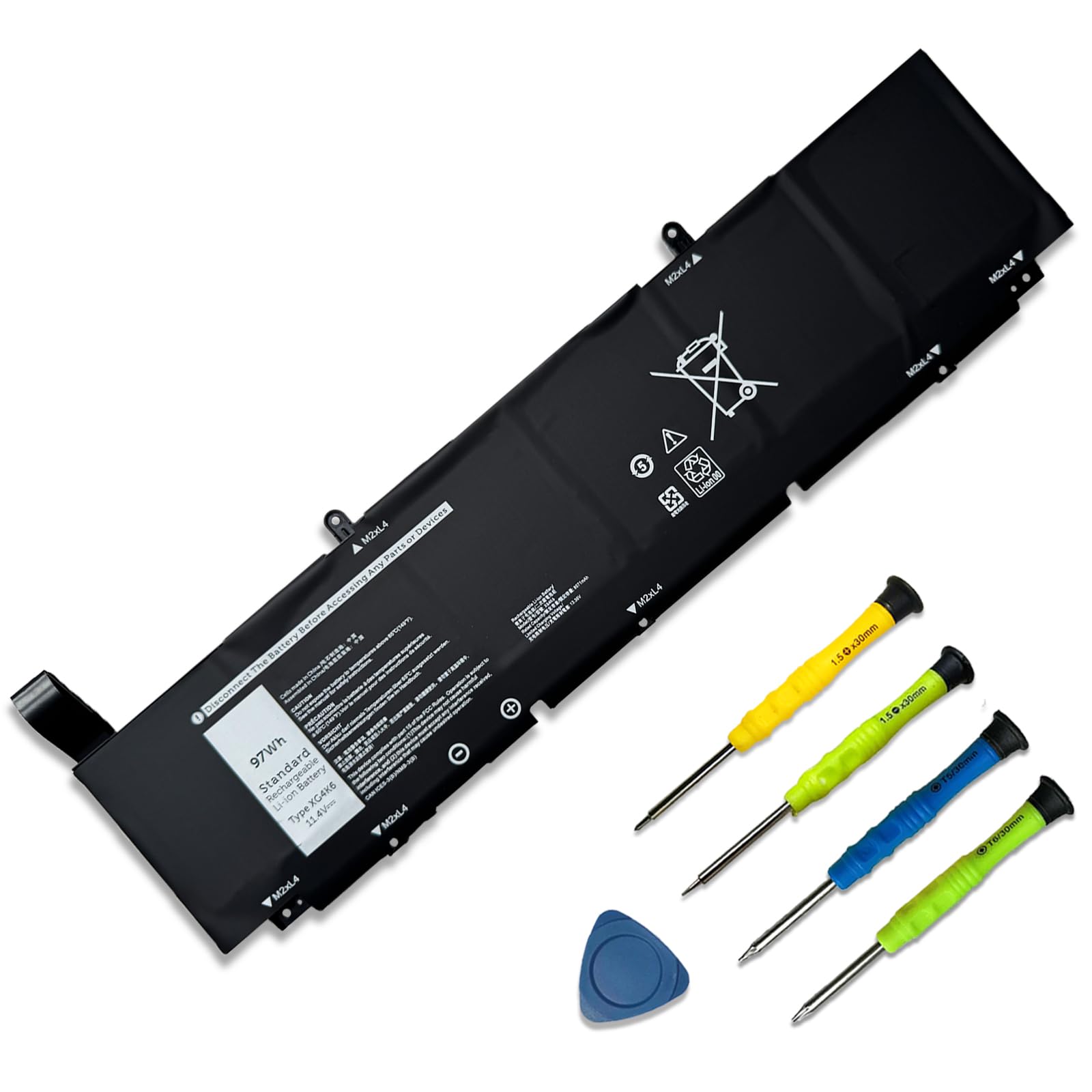
The SUNNEAR XG4K6 delivers the highest watt-hour rating in this roundup at 97Wh, making it the premier choice for Dell XPS 17 and Precision workstation users who need maximum runtime. With a voltage of 11.4V and 8071mAh capacity, this 6-cell pack gives heavy workloads like 3D rendering or video export a genuine all-day window away from the charger. The Grade A cells are rated for up to 500 cycles, and the kit includes screwdrivers for installation.
Compatibility extends across XPS 17 9700 through 9730 models and Precision 5750 to 5770 workstations. Users report a straightforward swap and immediate system recognition. The packaging also matches the P92F and P92F003 series, reducing the guesswork for an older product line.
One minor consideration is the conditioning step — SUNNEAR recommends a discharge to 5% followed by a full charge, repeated 3-4 times, to calibrate the internal gauge. A few early buyers found charging speed slightly slower than the original, but the runtime improvement afterward compensated for the initial wait.
Why it’s great
- Highest capacity at 97Wh — class-leading runtime
- Includes installation tools and clear instructions
- Compatible with recent XPS 17 and Precision models
Good to know
- Requires 3-4 conditioning cycles for accurate gauge
- May charge slightly slower than the original OEM battery
2. Mobik 69KF2
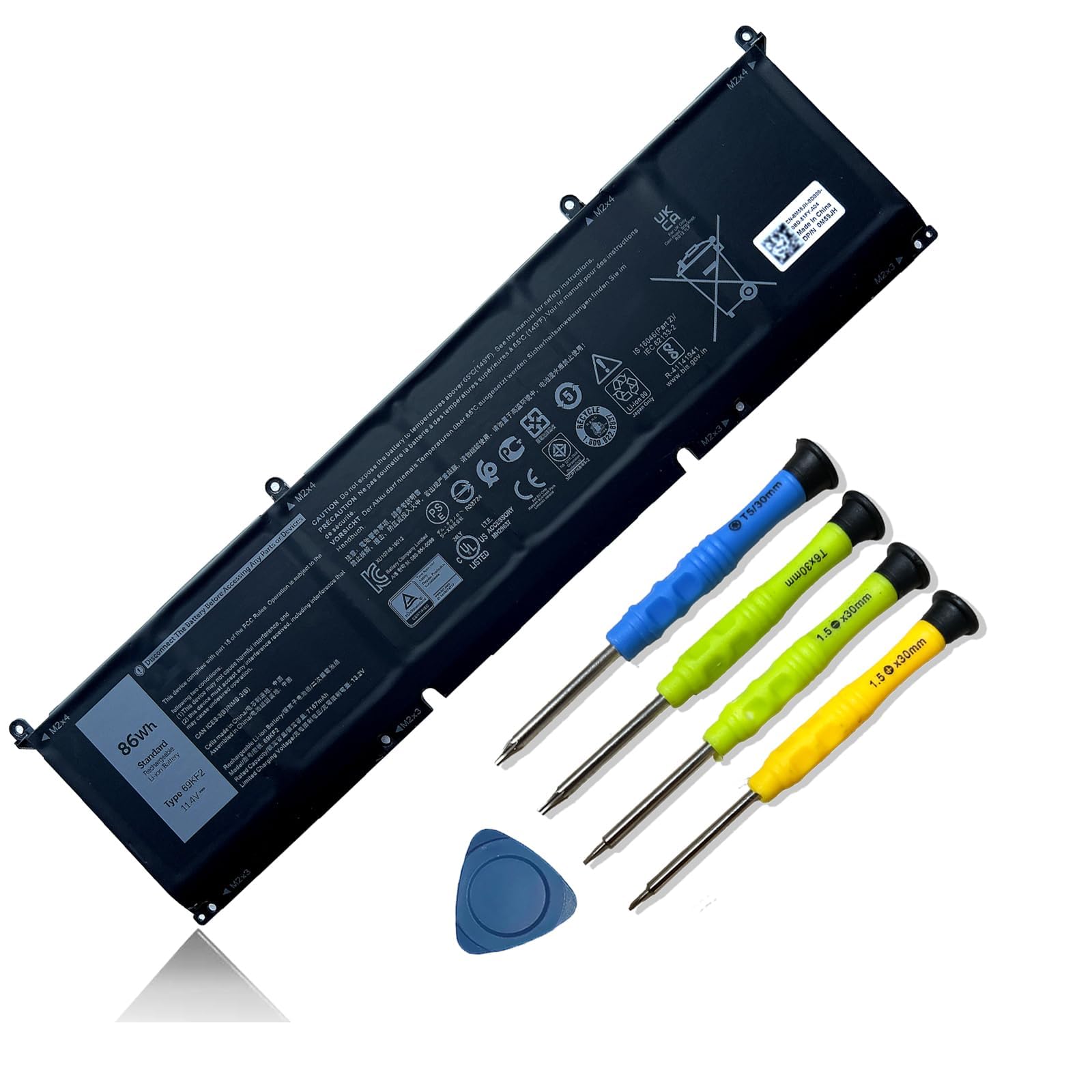
The Mobik 69KF2 is a 86Wh, 6-cell power pack built for a wide swath of Dell high-performance laptops, including the XPS 15 9500/9510/9520, Precision 5550/5560, G15 5510-5521, and even Alienware M15/M17 R3-R7 models. Rated at 11.4V and 7167mAh, its Grade A cells are certified by UL, CE, FCC, and RoHS, ensuring over-voltage, short-circuit, and thermal protection are built in.
Installation is smooth: the battery comes with screwdrivers, and users report that the system recognizes the new cell instantly without BIOS errors. The capacity restoration is dramatic — buyers moving from a degraded original battery back to 86Wh report gaining multiple hours of real-world use, from 15-minute emergency sessions back to half-day productivity.
A common tip from experienced owners: if the laptop doesn’t initially detect the battery, reseating the connector firmly usually resolves the issue. A small number of units needed the standard 3-4 cycle conditioning to reach full capacity, which is typical for third-party lithium-ion replacement packs.
Why it’s great
- Broad compatibility — XPS, Precision, G15, and Alienware
- Full safety certification (UL, CE, FCC, RoHS)
- Includes tools for a tool-free installation
Good to know
- May require connector reseating on first install
- Some units need 3-4 conditioning cycles to reach full Wh
3. Futurebatt VG93N
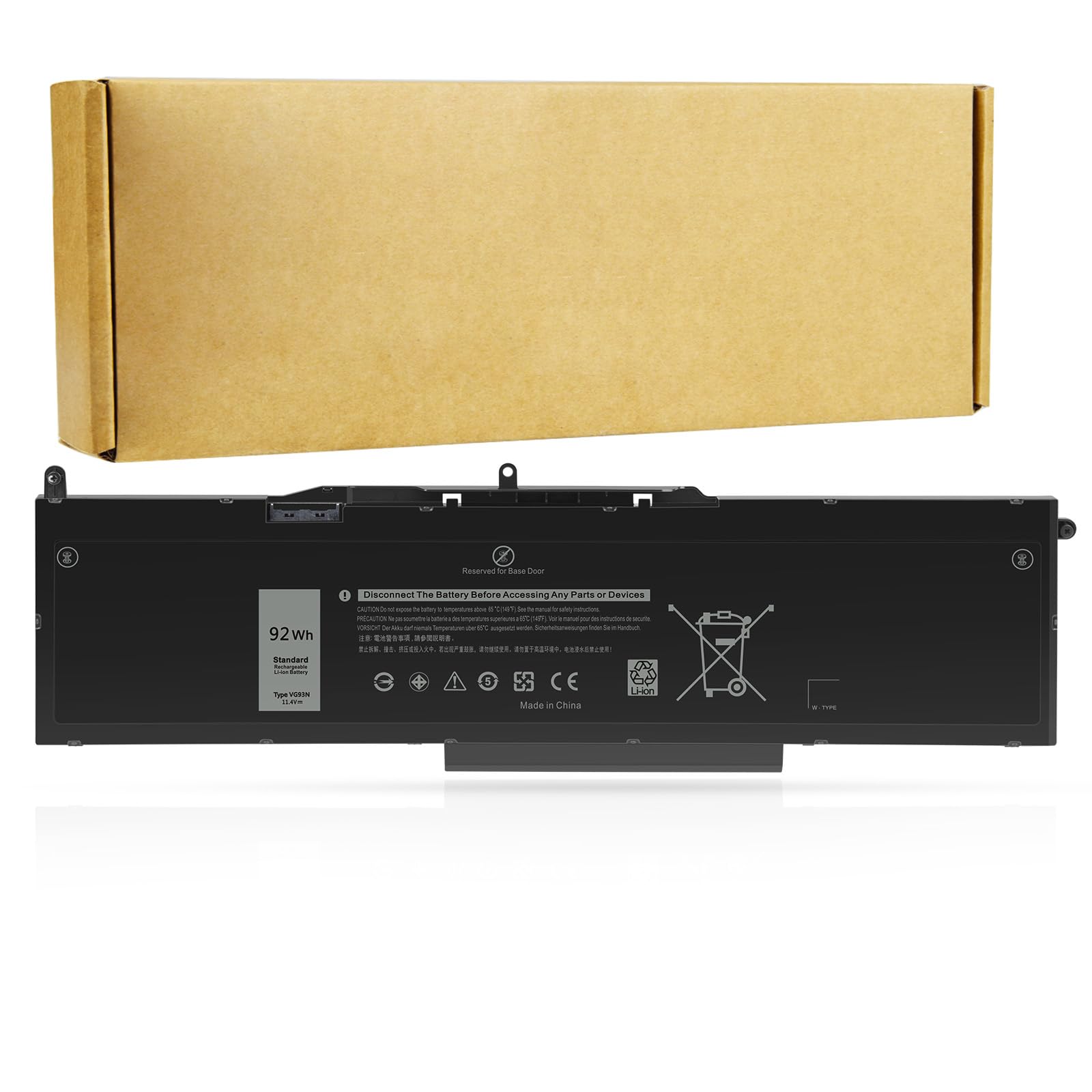
The Futurebatt VG93N is a 92Wh, 6-cell battery that targets Dell’s Latitude 5580/5590/5591 and Precision 3520/3530/M3520 series machines. Running at 11.4V, its 8070mAh rating offers a substantial runtime boost for professionals who rely on these workstations for extended field use. The battery is a direct drop-in replacement for part numbers VG93N, 0VG93N, WFWKK, and 0WFWKK.
A critical detail: this battery is only compatible with laptops that use an M.2 SSD storage configuration. Buyers with traditional 2.5-inch SATA drives should verify their system before ordering. Users who have installed it report perfect fitment, included new screws, and runtime that matches or exceeds the original when new. The installation process is straightforward, and the battery generally requires no complex driver setup.
The primary drawback reported by a small subset of users is that the battery may stop charging at 80% rather than reaching full capacity. This appears to affect a minority of units, but Futurebatt offers a 12-month replacement warranty and responsive customer support for such cases — a solid safety net for the investment.
Why it’s great
- High 92Wh capacity for long work sessions
- Compatible with Latitude and Precision workstations
- Includes new mounting screws and 12-month warranty
Good to know
- Only for M.2 SSD models — not for 2.5″ drive bays
- Occasional units may top out at 80% capacity
4. Emanjor 70++ (ThinkPad Series)
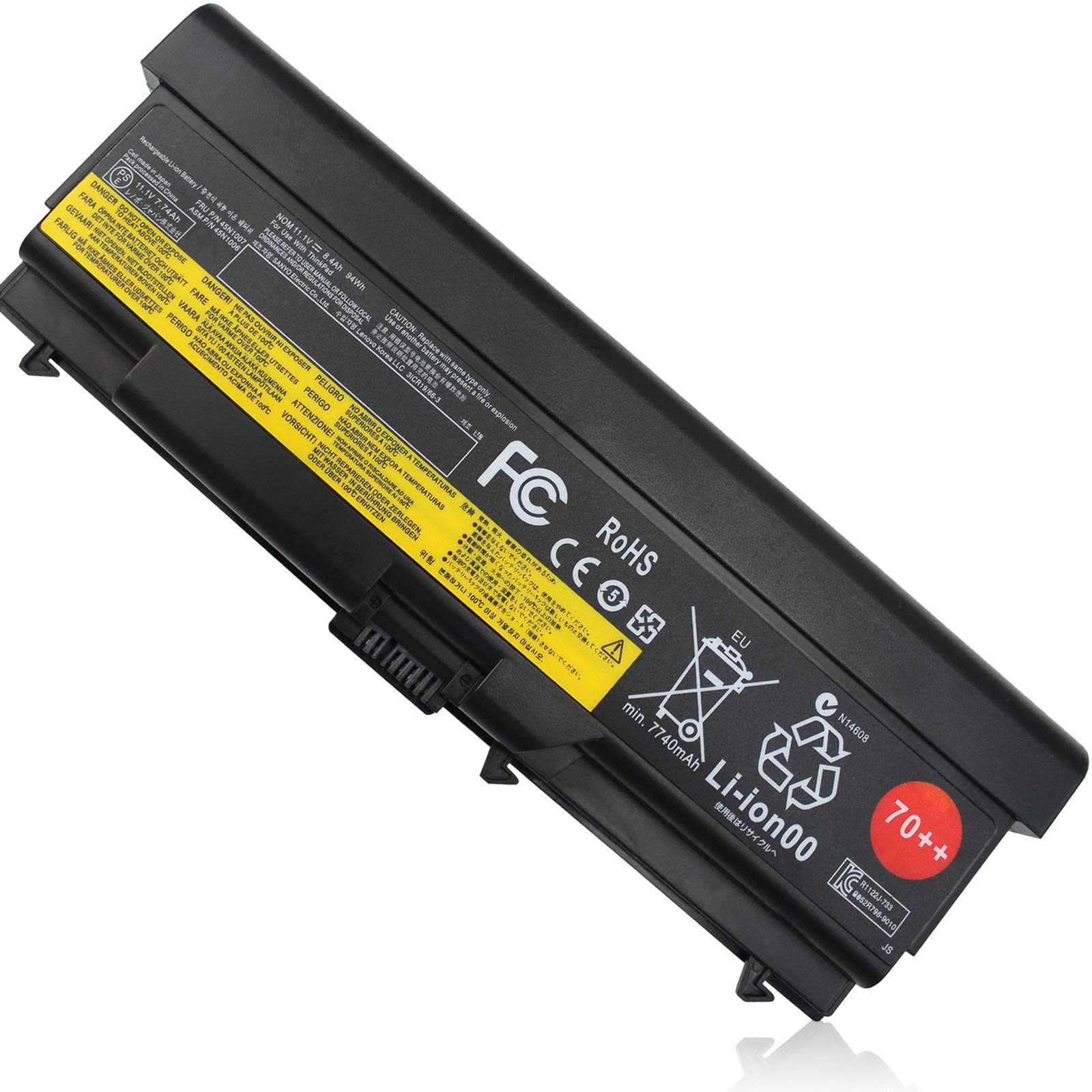
The Emanjor 70++ is a 94Wh, 9-cell battery specifically designed for the venerable Lenovo ThinkPad T, W, and L series — including popular models like the T420, T430, T520, T530, and W520. Running at 11.1V, this pack delivers exceptional capacity through its 9-cell configuration, which is physically larger than standard 6-cell units but slides into the same bay on compatible models.
Users report outstanding runtime, often exceeding 4-5 hours of real-world use on aging machines. The battery is certified with CE, FCC, and RoHS standards, and includes built-in protection against over-voltage, over-current, and short circuits. Compatibility covers dozens of part numbers including 45N1000, 45N1001, 42T4751, and 0A36303, reducing the risk of ordering the wrong one.
Keep in mind that this is an aftermarket battery — while performance is strong, the external plastic color may not perfectly match the original Lenovo case, especially on older models that have yellowed. Some users note that a few full conditioning cycles are needed before the battery gauge reports accurate remaining time, but once calibrated, the performance is consistent and reliable.
Why it’s great
- Very high 94Wh capacity from 9-cell configuration
- Broad ThinkPad compatibility (T4xx/T5xx/W5xx series)
- Full safety certification and protections
Good to know
- Color may not perfectly match aged ThinkPad cases
- Requires conditioning cycles for accurate gauge
5. ASMARK A1466
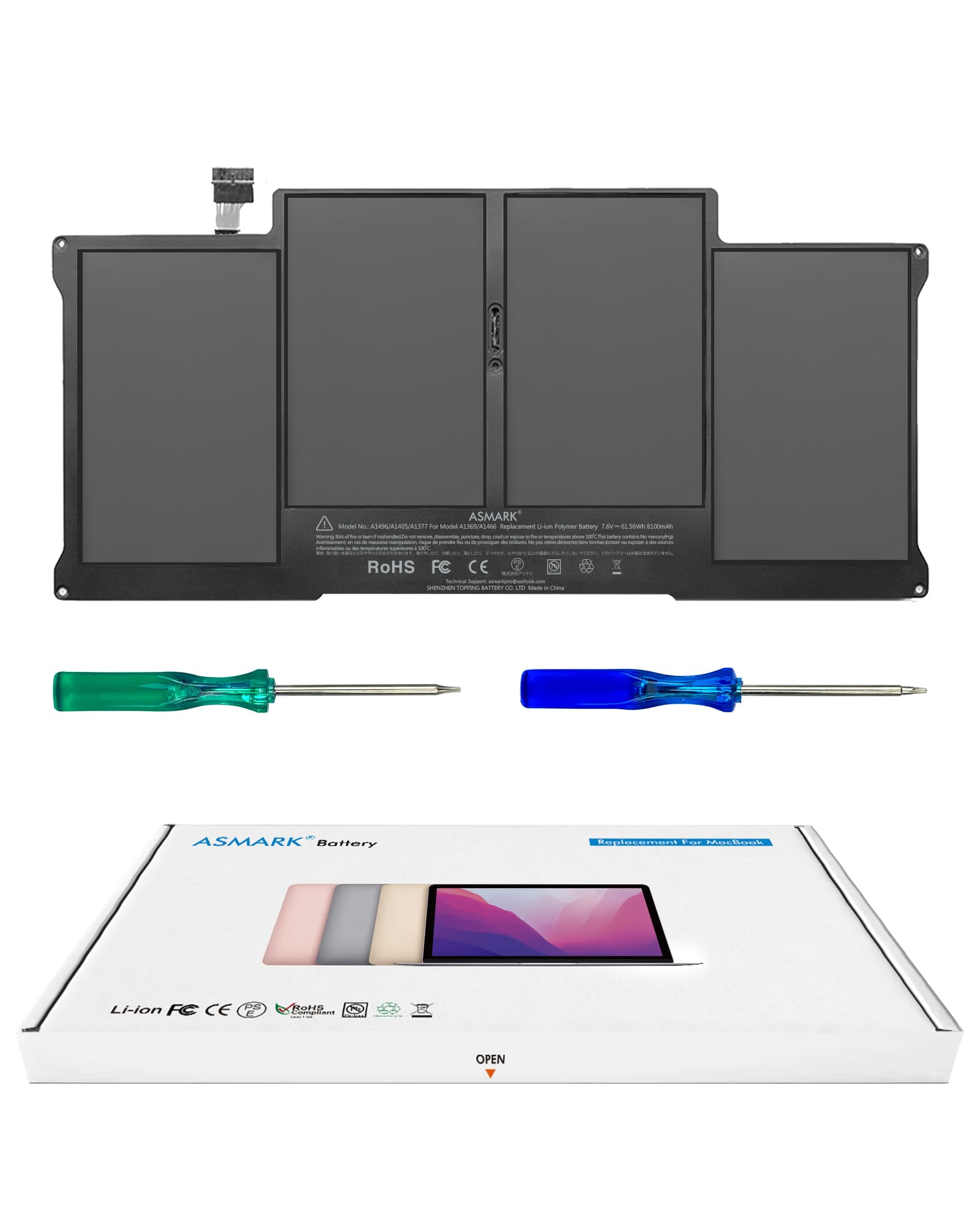
The ASMARK A1466 is the best option for MacBook Air 13-inch owners (models A1466 from 2012-2017 and A1369 from 2010-2011). It delivers 61.56Wh at 7.6V — a direct match to the original Apple specification. The lithium-polymer cells used are Japanese-grade, and the pack includes ASMARK’s BattArmor safety system for overcharge, overload, short-circuit, and temperature protection.
What sets this battery apart is the complete toolkit included: a set of pentalobe and tri-wing screwdrivers, spudgers, and a printed service guide. MacBook Air batteries are notoriously difficult to remove due to strong adhesive, and the included tools make the process far less intimidating — crucial for anyone attempting their first repair. Users consistently report the battery “just works” right after installation, with no calibration trickiness.
The one note of caution: a few users mention that the capacity feels “good” rather than “great” — while it meets the rated 61.56Wh, it may not exceed the original OEM battery’s runtime. For a device that’s often 5-10 years old, restoring even the factory-rated runtime is a significant improvement over a swollen or degraded original pack.
Why it’s great
- Complete toolkit included for the tricky MacBook repair
- BattArmor safety protection system
- Matches original Apple Wh spec exactly
Good to know
- Capacity is good but may not exceed original OEM max
- Adhesive removal still requires patience
6. Emanjor 357F9

The Emanjor 357F9 is a 74Wh, 6-cell lithium-polymer battery designed for Dell Inspiron 15 7000 Gaming series models — specifically the 7559, 7557, 7567, 7566, and the 5000 series 5576 and 5577. Running at 11.1V, this pack replaces part numbers 0GFJ6, 0357F9, 071JF4, and 71JF4, covering a specific but popular group of gaming laptops.
One user reported that their unit lasted for 5 years of regular use, which is excellent longevity for a third-party battery. The kit comes with two screwdrivers and a user manual, making installation accessible even for first-timers. The battery includes standard safety certifications — CE, FCC, and RoHS — and features short-circuit, over-voltage, and discharge protection.
The caveat is compatibility: this battery only works with the exact models listed (7566, 7567, 7557, 7559, 5576, 5577). Many Inspiron 15 7000 and 5000 series laptops use different battery shapes or connector layouts, so verifying your specific sub-model and original battery part number is essential before purchase.
Why it’s great
- 74Wh capacity at an affordable price point
- Includes tools and manual for easy install
- Reported to last multiple years in regular use
Good to know
- Only for specific Inspiron 7559/7567/5577 models
- Must confirm sub-model and part number before ordering
7. GHU X284G

The GHU X284G is a 58Wh, 6-cell lithium-ion battery that covers the classic Dell Inspiron 1525, 1526, 1545, and 1546 laptops along with the Vostro 500 and PP42L series. With a capacity of 5200mAh, this pack is designed as a direct upgrade over the original 48Wh batteries, offering about 25% more runtime according to the manufacturer — a claim supported by user reports of 3:45 hours of real-world use after full conditioning.
The battery is compatible with a long list of OEM part numbers including C601H, D608H, GP952, GW240, HP297, RN873, XR693, K450N, and J399N. It is UL, CE, and FCC certified, and users consistently note that the fit is “perfect” and that it works reliably even with finicky Dell charger circuits.
The most important step for this battery is the initial conditioning cycle. Users report that after 3-4 full charge/discharge cycles, the capacity dramatically improves — the gauge becomes accurate and runtime stabilizes. Without this conditioning step, early performance may appear underwhelming. Once calibrated, it breathes new life into these older Dell systems.
Why it’s great
- 25% capacity upgrade over original 48Wh batteries
- Wide compatibility with Inspiron 1525/1545 era laptops
- UL, CE, and FCC certified for safety
Good to know
- Requires 3-4 conditioning cycles for full performance
- Fit is designed for older chassis; may not suit all models
FAQ
Why does my new laptop battery only charge to 80%?
Can I use a higher capacity battery than my original?
Final Thoughts: The Verdict
For most users, the batteries for laptops winner is the SUNNEAR XG4K6 because its 97Wh capacity provides the longest runtime and covers the latest Dell XPS and Precision models. If you want a balanced 86Wh cell for a wider range of Dell systems, grab the Mobik 69KF2. And for ThinkPad users who need maximum endurance on older machines, nothing beats the Emanjor 70++ 9-cell.