
Our readers keep the lights on and my morning glass full of iced black tea. As an Amazon Associate, I earn from qualifying purchases.
Specs are compiled from manufacturer listings and verified buyer reviews and can change over time — please confirm the key details on the product page before buying.
When you are choosing between all the battery life laptops on sale, the first question is simple: how many hours do you really need before you are back at a wall outlet? For students, that is a full day of classes without a charger. For road warriors, it is a cross-country flight plus a long layover. This guide compares the best battery life laptops by matching the manufacturer’s promised runtime against what actual buyers report in daily use, so you can pick the one that truly lasts.
I’m Min — the founder and writer behind Gadgets Feed. This guide is built by comparing the manufacturers’ published specifications and the patterns across verified customer reviews, so you get each pick’s real strengths and trade-offs instead of marketing spin.
This guide ranks the best battery life laptops by real-world endurance, not just spec-sheet claims.
Our Picks at a Glance



How To Choose The Best Battery Life Laptops
You want a laptop that lasts all day, but the hour figure on the spec sheet is a best-case scenario. Every maker tests battery life differently, usually by playing a looped video at low brightness, so a machine promising 18 hours might give you only 8 or 9 hours when you browse with 10 tabs open.
Match the Runtime to Your Real Day
If you are a college student, look for 15 to 18 hours of advertised battery life so you can cover a full day of lectures. If you are on flights all week, target the 20-plus-hour machines. Expect roughly half the advertised runtime in real-world use, so choose a model with extra headroom.
Consider the Processor’s Efficiency
The chip inside is the biggest factor in how long a battery charge lasts. Processors made from the ground up for efficiency, like Apple’s M5 chip or Qualcomm’s Snapdragon X Elite, tend to stretch a charge much further than older Intel designs. A laptop with an Intel Core Ultra 7 or 9 processor is also efficient, but heavy tasks will drain it faster.
Check the Battery Capacity
A larger battery measured in watt-hours (Wh) usually means more runtime, but only if the processor is efficient. A machine with a 99.9Wh battery and an efficient chip will outperform one with a smaller battery and a power-hungry processor. For an all-day machine, look for a battery of at least 60Wh.
Quick Comparison
| Model | Best For | Battery Life (Advertised) | Processor | Screen Size | Amazon |
|---|---|---|---|---|---|
| Apple MacBook Air 15-inch (M5)★ Best Overall | Students & travelers | Up to 18 hours | Apple M5 | 15.3-inch | Amazon |
| Lenovo IdeaPad Slim 3XBest Value | Budget all-day work | 15 hours | Snapdragon X | 15.3-inch | Amazon |
| Acer Aspire 14 AI (Ultra 5)Best Value | Value multitasking | Up to 22 hours | Intel Core Ultra 5 | 14-inch | Amazon |
| Acer Aspire 14 AI (Ultra 7) | Higher performance value | Up to 22 hours | Intel Core Ultra 7 | 14-inch | Amazon |
| GEEKOM GeekBook M16 | Heavy workloads on battery | Up to 24 hours | Intel Core Ultra 9 | 16-inch | Amazon |
| Lenovo Yoga 7i 2-in-1 | Flexible convertible use | Up to 13 hours | Intel Core Ultra 7 | 16-inch touch | Amazon |
| GEEKOM GeekBook X16 Pro | Ultra-light 16-inch work | Up to 17 hours | Intel Core Ultra 9 | 16-inch 2.5K | Amazon |
| Dell XPS 13 9345 | Premium ultraportable travel | Up to 27 hours | Snapdragon X Elite | 13.4-inch | Amazon |
| Samsung Galaxy Book5 Pro 360 | Creators & note-takers | Up to 25 hours | Intel Core Ultra 7 | 16-inch AMOLED touch | Amazon |
| HP Elite x360 1040 G11 | Business & security | 14 hours | Intel Core Ultra 7 | 14-inch 2.8K touch | Amazon |
| ASUS Zenbook 14 | OLED display quality | 18 hours | Intel Core Ultra 9 | 14-inch OLED touch | Amazon |
In-Depth Reviews
1. Apple 2026 MacBook Air 15-inch (M5 chip)
Our pick — over 4.5★ from 500+ verified ratings; the strongest balance of quality and price.
The all-day champion: a 15.3-inch display with Apple’s M5 chip for up to 18 hours of real-world endurance.
College students and frequent flyers get a large screen for spreadsheets and movies, plus a battery rated for up to 18 hours, so you can move from a morning lecture to an afternoon library session without hunting for an outlet. Owners consistently call the battery life “exceptional” and note the laptop is “much lighter than previous models,” making it easier to carry across campus or through an airport.
The M5 chip powers that runtime and brings real everyday speed. The 16GB of unified memory (a shared pool of fast RAM that apps draw from) handles heavy multitasking with several demanding programs open at once, and the silent fanless design means it does not spin up or get loud during class. Beyond endurance, the six-speaker sound system with Spatial Audio and support for Dolby Atmos delivers rich audio, and the 12MP Center Stage camera keeps you framed in video calls automatically.
The display is the other star: the 15.3-inch Liquid Retina panel supports 1 billion colors, so photos and videos look vivid and text appears super crisp. You get two Thunderbolt 4 ports (a fast connection standard for displays and storage), a MagSafe charging port, and Wi-Fi 7 support for the latest wireless speeds. The only honest trade-off is that the Midnight finish is a fingerprint magnet, and photo purists have noted the screen is not for color-critical display work — though colors still look sharp for daily use.
Why It Wins
- Up to 18 hours of battery life, confirmed by owners as truly exceptional for a full day
- Silent fanless design and 16GB unified memory handle heavy multitasking without lag
- 15.3-inch Liquid Retina display with 1 billion colors and crisp text
Who Should Think Twice
- The sleek Midnight finish attracts fingerprints and smudges easily
- Display purists may want a more color-accurate panel for professional work
The Crowd Favorite: This is the laptop that most owners call the best they have owned, balancing elite battery life with premium build. The 4.8-star crowd favorite across hundreds of owners is the machine to beat if you want one device that does everything well.
Reach For It If: You spend full days moving between classes, meetings, or flights and want a large, beautiful screen that keeps going long after other laptops give out.
2. Lenovo IdeaPad Slim 3X
A budget-friendly Copilot+ PC with a big 15.3-inch screen and 15 hours of stamina for daily work.
This entry-level pick does not feel entry-level where it counts most for your wallet and your day. The 15.3-inch WUXGA display (a wide, high-resolution panel with a 16:10 aspect ratio that gives extra vertical space) teams up with a sturdy 60Wh battery for a quoted 15 hours of battery life. Small business owners and students report running multiple applications at once all day, describing the battery life as “incredible” while praising how fast it runs.
Under the hood, the Snapdragon X processor is built for power efficiency, and the 45 TOPS NPU (a neural processing unit that handles on-device AI tasks, measured in trillions of operations per second) powers Copilot+ features. Security is thoughtful here: a physical webcam shutter lets you block the camera, and a fingerprint reader offers faster logins. The chassis is military-grade durable, having passed MIL-STD 810H tests, so it is built to survive the bumps of a backpack.
Owners who run heavy productivity suites say it stands out in performance, and the screen’s large size is a repeated highlight. The catch is that there is no touchscreen — a point several owners note — and a few find the touchpad a bit awkward to use. It is also a little on the heavier side, though not unpleasantly so.
The Daily Workhorse: For the money, you get a fast, light, sleek machine that handles small business and multitasking all day. Owners call it a must-buy, with one noting it stands out in performance among every laptop they have owned.
The Honest Limit: skip it if you absolutely need a touchscreen, since this model is firmly a traditional clamshell.
3. Acer Aspire 14 AI (Core Ultra 5)
A lightweight 14-inch AI laptop with a stunning 22-hour runtime for students on the move.
College students will appreciate that this Acer is light enough for a backpack and fast enough for a full day of classes, with a quoted 22 hours of battery life measured in video playback scenarios. It runs “quickly with several demanding programs installed,” and owners find the display bright and the device great for multitasking. The 14-inch WUXGA screen at 1920 x 1200 resolution gives a sharp, expansive canvas for notes and streaming.
The Intel Core Ultra 5 processor (Series 2) combines a CPU, GPU, and NPU so AI features run smoothly, and the light aluminum chassis with a 180° lie-flat hinge makes it easy to use in tight spaces. The backlit keyboard includes a dedicated AcerSense key for quick access to AI settings. Connectivity is solid with Wi-Fi 6E for faster wireless speeds and Bluetooth 5.3.
Owners describe the build quality as excellent and the device as ideal for basic tasks rather than gaming. One repeated note is the lack of a numbers pad for number crunchers, and there is no touchscreen either. It is a focused productivity machine, not a do-everything device.
The Smart Budget Pick: For a student or casual user, you get excellent battery life, a solid and quiet chassis, and crisp backlit keys. Reviewers consistently highlight the value, with one calling it one of the best in its price range.
Reach For It If: You want a light, well-built machine for notes and browsing that barely ever needs a charger, and you do not need a numpad or a touchscreen.
4. Acer Aspire 14 AI (Core Ultra 7)

The same 22-hour battery with a beefier Core Ultra 7 chip and double the storage for smoother workflows.
This is the step-up version of the Aspire 14 AI, and the upgrade shows where it counts for performance. It keeps the same up to 22 hours of battery life as its sibling, but swaps in the Intel Core Ultra 7 processor (running up to 4.8 GHz) and doubles the storage to a 1TB SSD. The result is a laptop that owners say is fast for browsing and email, with no issues reported, and they appreciate the excellent value.
The 14-inch WUXGA display at 1920 x 1200 resolution stays crisp, and owners specifically note the matte screen helps reduce glare in bright environments. It is light and quiet, and the battery charges quickly, which is a practical plus when you need to top up between meetings. The compact size is a highlight for portability, though build quality gets a mixed reaction — some find it plasticky.
The Intel Arc GPU adds some light gaming capability, with one owner noting it can run new games at 1080p, though it is not a dedicated gaming machine. The speakers and trackpad draw mild criticism, and several owners mention using an external mouse for precision. For work and school tasks, it is “the perfect choice,” as one reviewer put it.
The Performance Boost
- Fast Core Ultra 7 processor with 1TB SSD handles demanding apps smoothly
- Crisp matte display reduces glare for bright offices and classrooms
- Quick-charging battery with up to 22 hours of rated life
The Trade-Offs
- Plasticky build quality that some owners find less premium
- Weak speakers and a trackpad that benefits from an external mouse
Who It Beats: This is a more capable sibling to the Ultra 5 Aspire — same battery life, but extra storage and a faster chip for power users who need headroom. One owner calls it an excellent laptop at this price point, while another who does school and work says it is a perfect choice.
Reach For It If: You want a quick-charging, light, and quiet laptop for school or office work and value extra storage and performance over a more premium-feeling chassis.
5. GEEKOM GeekBook M16
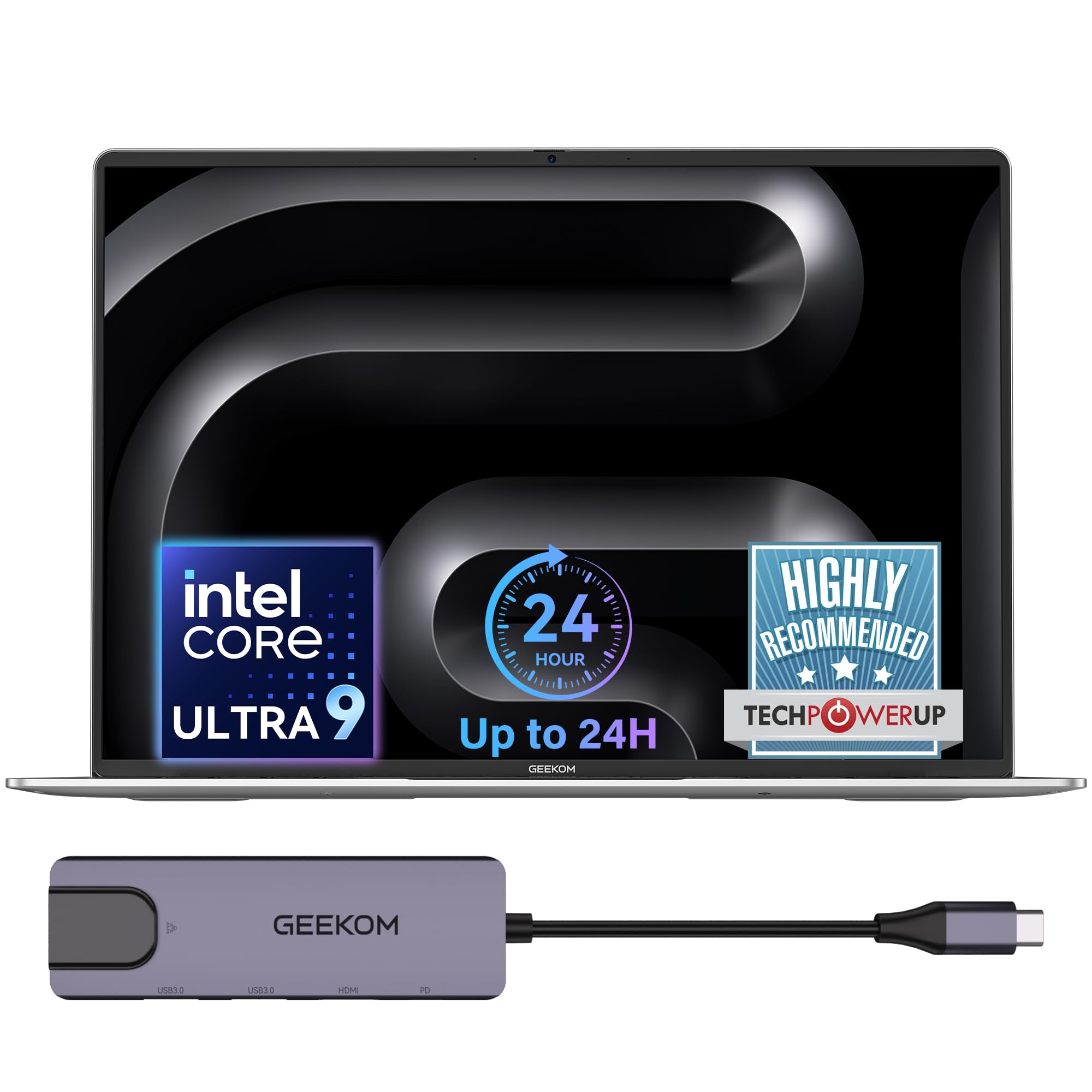
The 24-hour workhorse: a 99.9Wh battery and a 10-minute quick boost for rushed mornings.
For creators and heavy multitaskers who refuse to be chained to a desk, this 16-inch laptop offers up to 24 hours of battery life on a large 99.9Wh battery — one of the biggest you will find on a mainstream laptop. When you are in a rush, the included 100W PD fast charger is 20% smaller than standard adapters, and a quick 10-minute charge powers hours of light office use. Owners describe it as an “affordable MacBook alternative” with fast charging and long battery.
Raw power is the defining trait here. The Intel Core Ultra 9 185H processor sustains up to 55W output on battery power for a near-desktop experience, so you can edit videos or handle professional rendering without plugging in. The IceBlade 3.0 cooling system with dual fans keeps it stable under load, and you can choose three performance modes: Silent 15W for focused work, Balanced 40W for everyday tasks, and Performance 55W for maximum power.
The 16-inch 16:10 IPS display offers a 90% screen-to-body ratio, and a 40Gbps USB4 port (a high-speed connection for displays and storage) plus HDMI 2.0 supports up to three external displays. It includes a fingerprint reader and DTS:X Ultra dual speakers. The recurring owner note is a minor quality-control issue with a sunken corner on some units and fans that can get randomly loud at low usage, but the battery life and performance are praised as excellent.
The Heavy-Load Endurance King: If you need maximum power away from a wall outlet, the 24-hour runtime and 55W sustained performance are a combination you will not find elsewhere. Owners say the battery is excellent and the machine handles school and light gaming with ease.
The Honest Caveat: A small number of units arrive with cosmetic quirks, so give yours a once-over when it arrives — but the core machine impresses.
6. Lenovo Yoga 7i 2-in-1
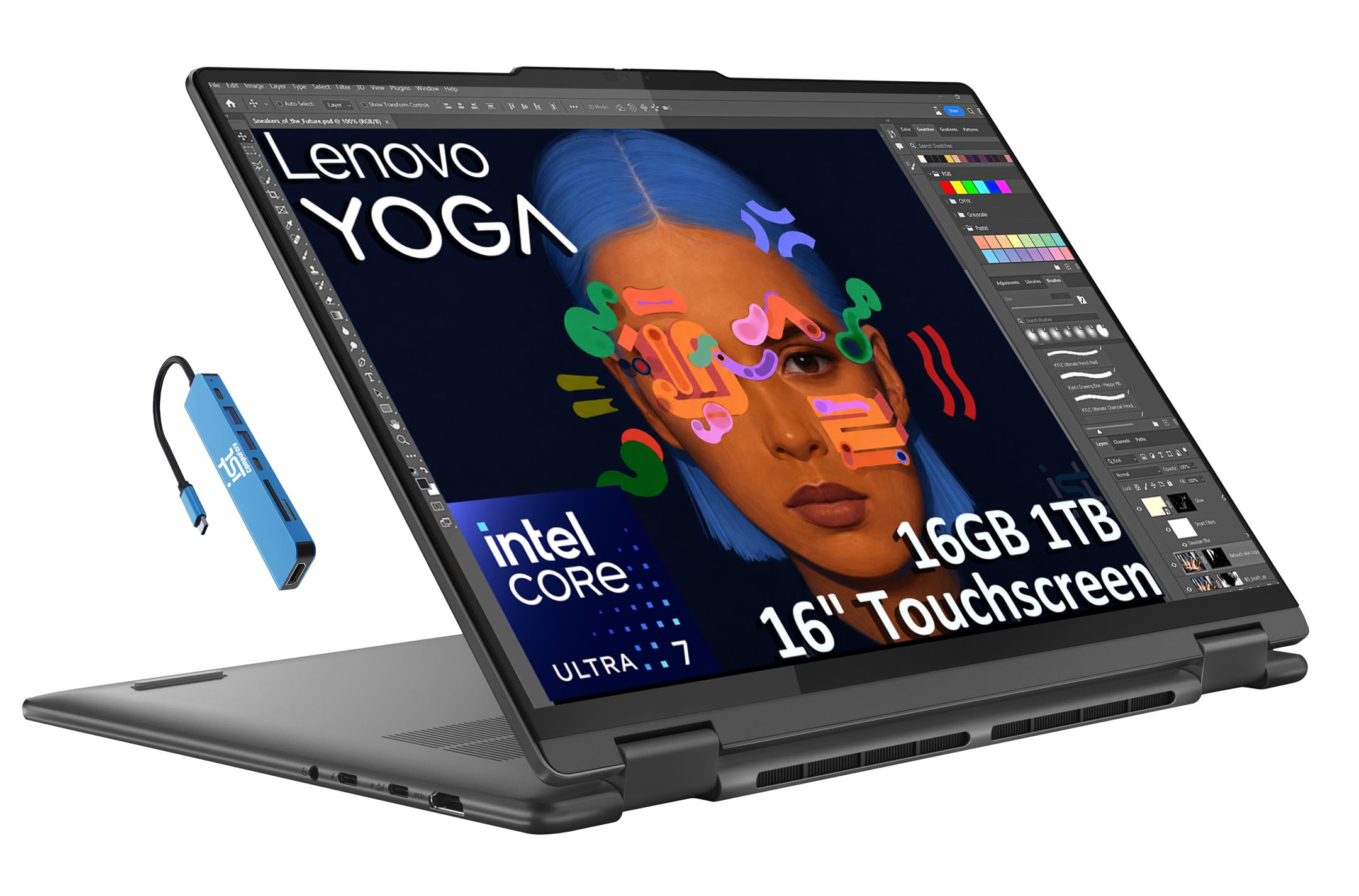
A flexible 16-inch 2-in-1 with a 360-degree hinge and 13 hours of life for multitasking families.
If you want one device that shifts between a laptop, a tablet, a tent for sharing, and a stand for watching movies, this convertible delivers with its 360-degree hinge. The battery life is up to 13 hours with Rapid Charge technology, so it covers a full workday of commuting, travel, or remote work. Owners find it faster than older gaming laptops while feeling sturdy yet lightweight.
Performance comes from the Intel Core Ultra 7 155U processor with 16GB of fast LPDDR5x RAM and a 1TB M.2 NVMe PCIe SSD, which makes multitasking smooth and app loading quick. The 16-inch WUXGA IPS touchscreen brings Dolby Vision for vivid colors and TÜV Low Blue Light certification to reduce eye strain. It even supports up to three external monitors via HDMI and Thunderbolt 4, with the connection capable of driving an 8K display at 60Hz through Thunderbolt.
Connectivity is generous: two Thunderbolt 4 ports, two USB-A ports, HDMI 2.1, and a microSD card reader, plus a bundled 7-in-1 hub for more options. The 1080p IR camera with a privacy shutter supports secure facial recognition login. The one notable complaint involves the included stylus, which owners say feels cheaply made and lacks palm rejection — a minor nit for a machine otherwise described as “super fast.”
One Device, Every Mode: You get a capable 2-in-1 with solid battery life and plenty of connection options, praised by owners as sturdy and quick. It is faster than many older desktop replacements and handles daily productivity with ease.
Look Elsewhere If: You are a serious digital artist who needs a premium stylus with palm rejection, since the bundled pen feels like an afterthought.
7. GEEKOM GeekBook X16 Pro

A 2.8 lb 16-inch machine with a 2.5K screen and 17 hours of stamina that slips into any bag.
Frequent travelers will feel the difference immediately: at just 2.8 lbs and 0.27 inches thick, this is a large-screen laptop that disappears in a day bag. The aerospace-grade magnesium alloy chassis feels solid without the cold harshness of many metal laptops, and the 16-inch IPS display with a 16:10 aspect ratio and a sharp 2.5K (2560 x 1600) resolution provides extra room for timelines and panels. Owners call it running circles around much older laptops.
The 77Wh high-density battery delivers up to 17 hours on a single charge, and the compact 65W GaN charger (a smaller, more efficient charger technology) can refill the battery to 80% in about an hour. On the inside, the Intel Core Ultra 9 185H processor with 32GB of ultra-fast LPDDR5x memory at 7500MHz and a 2TB PCIe Gen4 NVMe SSD handles demanding apps and stacks of browser tabs without slowing down.
The screen is a particular highlight: 100% sRGB color coverage keeps colors vibrant and accurate, up to 400 nits of brightness keeps it visible near a window, and a smooth 120Hz refresh rate makes scrolling feel fluid. Connectivity includes a 40Gbps USB4 port with DisplayPort 2.1 support, and Wi-Fi 6E handles crowded networks. The honest criticism is the keyboard and trackpad combination, which one owner calls “one of the worst” they have used, so a separate mouse may be in your future.
The Big Screen, Tiny Body: You get desktop-class power and a gorgeous 2.5K display in a shell that is almost impossibly light. Owners are full of praise, with several vowing to buy only GEEKOM from now on.
The Real Catch: The trackpad is a genuine weak point — budget for a wireless mouse if you spend long hours in productivity apps.
8. Dell XPS 13 9345
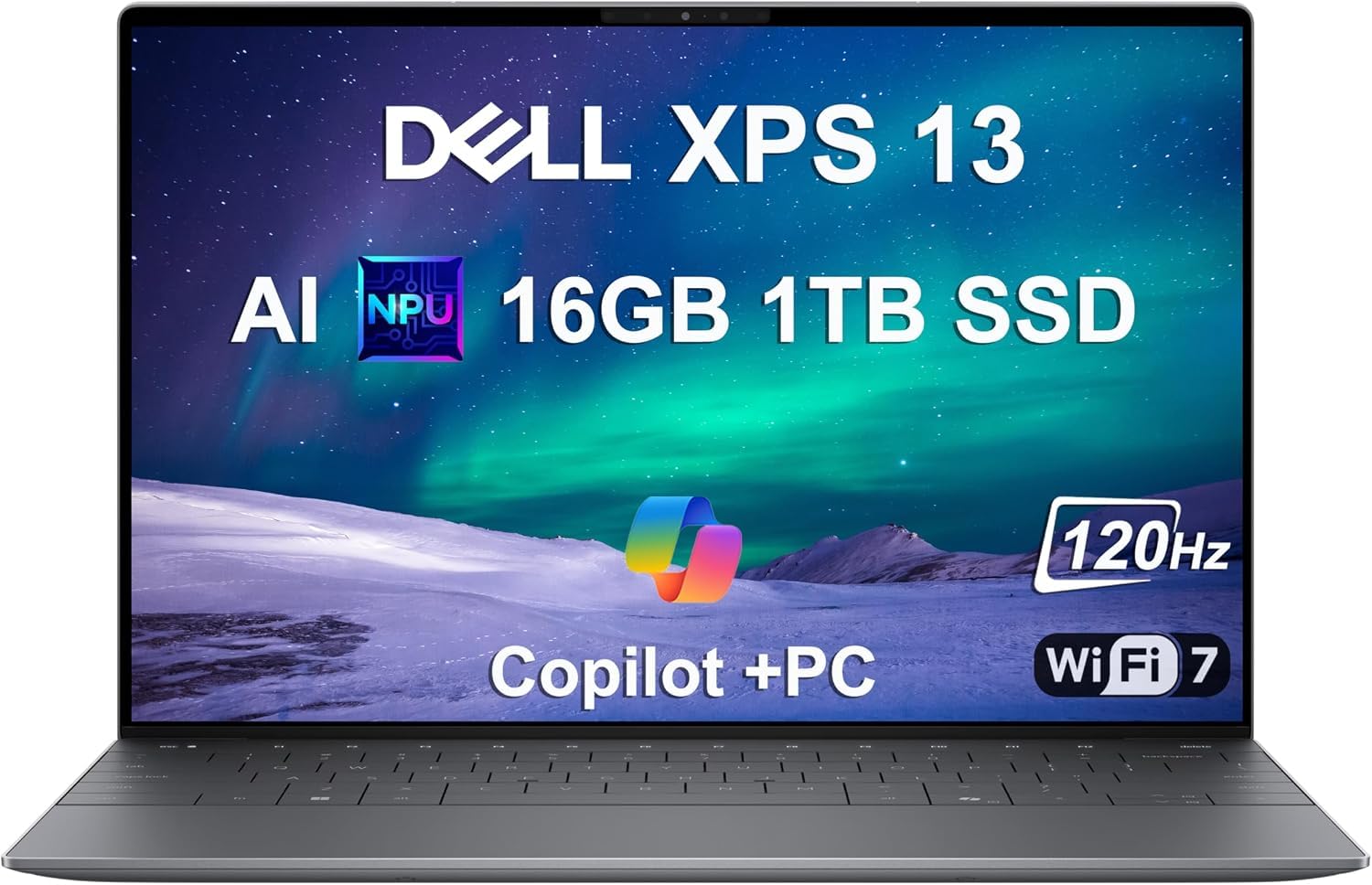
The endurance king: a market-leading 27-hour battery in an ultraportable shell.
This is the laptop you buy when you want to stop thinking about chargers entirely. The Dell XPS 13 9345 leads the entire category with an industry-leading 27-hour battery life, powered by the Snapdragon X Elite processor. This is a remarkable figure, and even in real-world use, owners describe a “long, long, long battery life” that is perfect for traveling. It is also the thinnest and lightest XPS Dell has made.
The Snapdragon X Elite chip (12 cores boosting up to 4GHz) is built for efficiency, delivering desktop-class power without draining the battery. It includes a dedicated NPU rated at 45 TOPS for local AI processing, so features like Recall for content retrieval and Windows Studio Effects for video calls run offline and fast. The 13.4-inch FHD+ (1920×1200) anti-reflective display at 500 nits of brightness stays visible even in bright light.
The XPS 13 keeps the slim bezels Dell is known for, giving the device a premium feel. Connectivity is future-proof with two USB4 40Gbps Type-C ports (a fast standard for data and display) and Wi-Fi 7 support. It comes with Windows 11 Pro and a fingerprint reader for quick logins. The trade-off for the tiny frame is limited ports — everything runs through those two USB-C connections, so you will want a dongle for HDMI or USB-A.
The Endurance Champion
- Up to 27 hours of battery life, the highest on this list
- Ultrathin and light design with slim bezels that owners love
- Powerful Snapdragon X Elite with 45 TOPS NPU for offline AI tasks
The Minimalist Trade-Off
- Only two USB-C ports means you need a dongle for most accessories
- Premium pricing puts it in the high-end tier
Who It’s For: The jet-setter or the student who leaves the charger at home on purpose. Owners call it powerful, reliable, and perfect for traveling, with the slim profile making it the best laptop they have ever owned.
Look Elsewhere If: You need a full set of ports (HDMI, USB-A) built directly into the laptop, since this design is all-in on USB-C.
9. Samsung Galaxy Book5 Pro 360

A 25-hour 2-in-1 with a vivid 3K AMOLED touchscreen and S Pen for creators.
Creators and note-takers get the best of both worlds here: a stunning 16-inch Dynamic AMOLED 2X touchscreen at 2880×1800 resolution and up to 25 hours of battery life, supported by the Intel Core Ultra 7 processor. Owners rave that the battery life is “insane” and the display is vivid and bright even outdoors. The included S Pen with enhanced tilt sensitivity makes writing and drawing feel natural on the responsive touchscreen.
The screen is the centerpiece, with a wide color gamut and smooth scrolling at refresh rates up to 120Hz, so everything from photos to fast-scrolling documents looks fluid. Owners praise the fast boot and multitasking, and the lightweight design makes it easy to carry despite the large screen. It supports quick charging, so a short stop can top up the battery for more hours of work.
Ports are generous: HDMI, USB-A, two Thunderbolt 4 ports, a headphone jack, and a microSD slot, so you avoid carrying a dongle. The quad speakers with Dolby Atmos deliver excellent AKG-tuned sound for media. The honest caveat is reliability — while many owners have no issues, some report the computer freezes more frequently than they would like, and touch sensitivity gets mixed feedback, with most praising it highly.
The Creator’s Canvas: You get a top-tier AMOLED display, 25 hours of battery, and a capable S Pen in one slim package. The review pages sum it up: “the battery life is insane, so so durable, super lightweight, nice display.”
Reach For It If: You are a student or artist who wants a gorgeous touchscreen for handwritten notes and media, with all-day endurance to match.
10. HP Elite x360 1040 G11
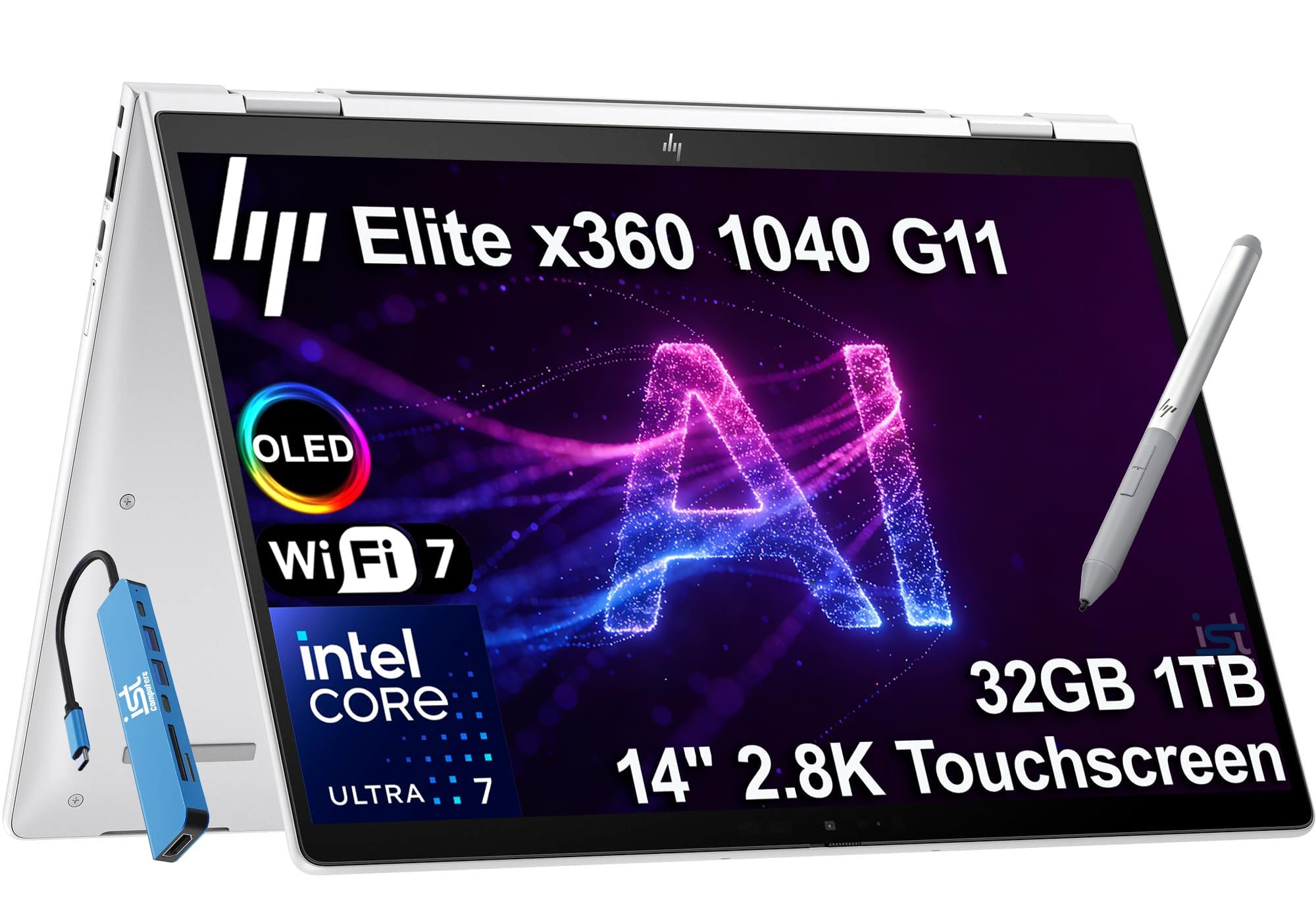
A secure, AI-enhanced business convertible with a 2.8K OLED screen and 14 hours of workday power.
For professionals and STEM students, this HP Elite brings enterprise-grade security and versatility in a 2-in-1 design. The 14-inch 2.8K (2880×1800) OLED IPS anti-glare touchscreen with 100% sRGB coverage delivers vibrant visuals for data analysis and presentations, and the 360-degree hinge lets it shift into tablet mode. Battery life is 14 hours, which owners mention translates to roughly 10 hours of real-world heavy use.
The Intel Core Ultra 7 155H vPro processor (a chip with built-in security and remote management features for business) runs up to 4.8GHz with 16 cores, paired with 32GB of fast DDR5 RAM and a 1TB NVMe SSD. This combination handles demanding professional applications without lag, and one STEM major notes the 16GB RAM manages heavy workloads with no issues. The AI-enhanced design dynamically adjusts power, audio, and video settings.
The 5MP IR webcam with a privacy shutter provides clear video calls, and the quad stereo speakers tuned by Poly Studio Audio deliver spatial sound. You get two Thunderbolt 4 ports, HDMI 2.1, and Wi-Fi 7, plus a bundled 7-in-1 hub with an HP Active Pen. The recurring criticism is that the device gets hot a little quickly under load, and one owner experienced a unit that stopped working after two weeks — though most find the quality excellent for light work and internet surfing.
The Pro-Grade Option: You get a secure, versatile business laptop with a gorgeous OLED screen and enough RAM to chew through heavy multitasking. Owners call it a great computer for a STEM major and note the battery remains excellent even after a year of use.
The Honest Warning: Quality control has an occasional hiccup — one owner’s unit stopped turning on after two weeks — so buy from a seller with a reliable return policy.
11. ASUS Zenbook 14 OLED
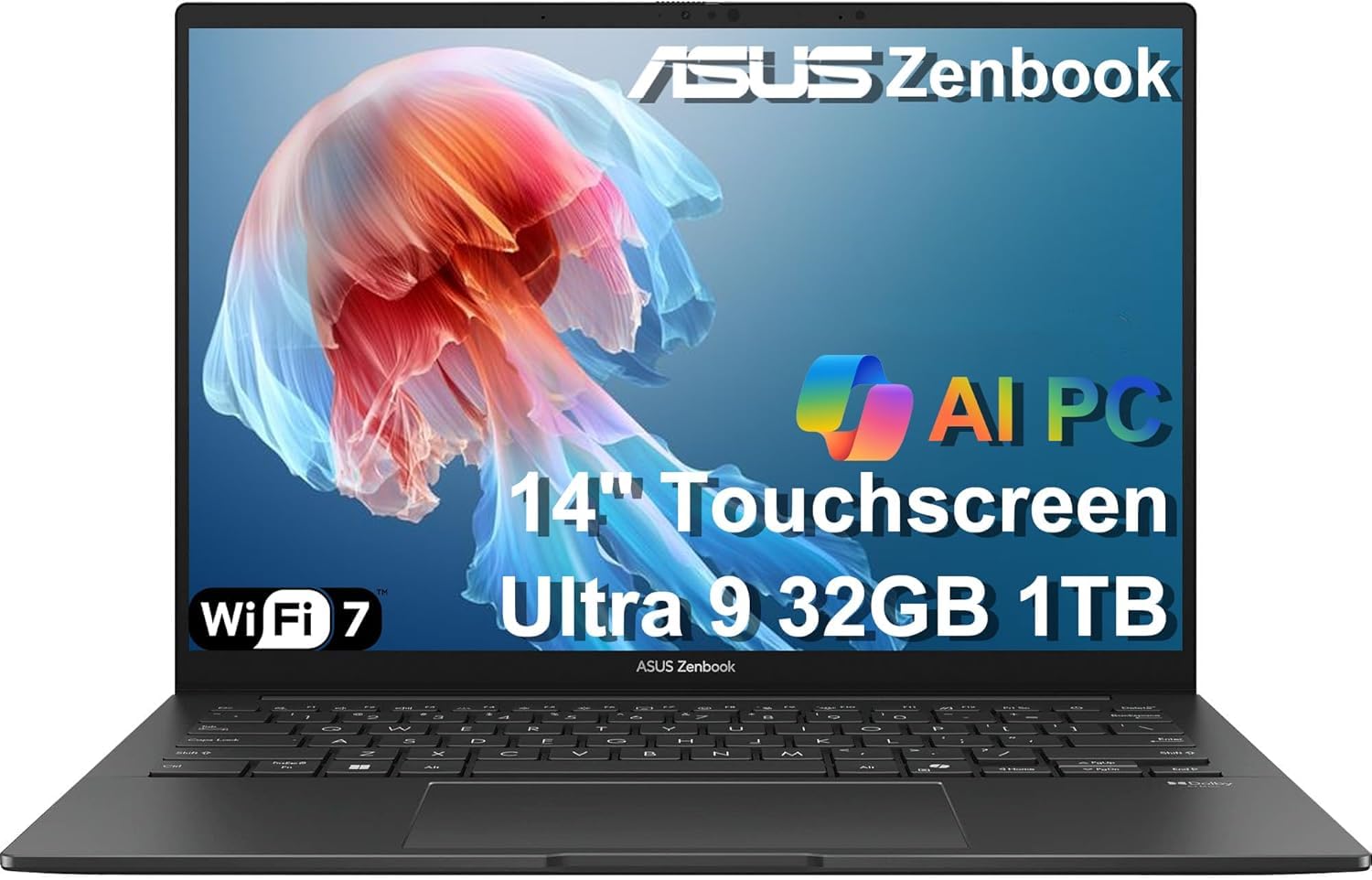
An ultraportable 14-inch OLED with 18 hours of battery and a top-tier Ultra 9 chip for creators.
Designers and professionals who obsess over colors will love this 14-inch ASUS Lumina OLED touchscreen, which covers 100% of the DCI-P3 color gamut (a wide color standard used in film) with 500 nits of brightness for crisp, vibrant visuals. The battery life is rated at 18 hours, and customers note it is fast, responsive, and has “great battery life” that exceeds expectations. It is my second Zenbook, as one owner notes, praising the size, speed, and features.
Under the hood, the Intel Core Ultra 9 285H processor with 16 cores runs up to 5.4GHz — the fastest chip on this list — and it is paired with 32GB of DDR5 RAM and a 1TB NVMe SSD. This combination excels at photo editing, with owners noting it handles Photoshop and Lightroom well. The integrated NPU supports AI-based apps so they run more smoothly, and the Intel Arc graphics add capable performance for casual gaming.
The machine is remarkably portable, with a sleek aluminum body that slides into a briefcase, and it connects to up to three external monitors via HDMI and Thunderbolt 4. The Super-linear speakers provide rich audio, and the FHD IR webcam with a privacy shutter keeps video calls secure. The one serious complaint is a durability concern: one owner lost a keyboard key within a year and experienced overheating that required an ice pack to cool the machine, a caution note for heavy users.
Why It Shines
- Vivid OLED touchscreen with 100% DCI-P3 color and 500 nits brightness
- Fastest processor on this list at 5.4GHz with 32GB of RAM
- 18-hour battery life with excellent real-world reports
The Caution
- An occasional unit has durability issues with the keyboard and heat
- Premium pricing for the high-end components
The Performance Pick: You get the most powerful processor here with a screen that makes photos and videos pop, all in a light, travel-friendly shell. Owners call it a great little workhorse for creative work.
Reach For It If: You are a designer, programmer, or professional who wants top-tier performance and a brilliant OLED display, and you are willing to accept that a rare unit may have durability quirks.
Understanding the Specs
Battery Life Hours
The advertised hour figure is the manufacturer’s best-case number, usually measured by looping video playback at a low brightness setting. Real-world use with apps open, a brighter screen, and Wi-Fi on will typically deliver less. As a rule of thumb, a laptop rated for 18 hours might give you around 10 hours of typical mixed use — so buy more headroom than you think you need.
Battery Capacity (Watt-Hours)
Battery capacity is measured in watt-hours (Wh), which tells you how much energy the battery can hold. A higher number usually means longer runtime, but only if the processor is efficient. A laptop with a 99.9Wh battery and an efficient chip will beat a similar machine with a smaller battery and a power-hungry processor. Look for at least 60Wh for an all-day machine.
FAQ
How long do laptop batteries really last in daily use?
What does a watt-hour (Wh) battery rating mean?
Is the Apple M5 chip more battery-efficient than an Intel Core Ultra?
Does a bigger screen mean worse battery life?
What is TOPS in an NPU and why does it matter for battery?
Will the MacBook Air with an M5 chip run Windows apps?
How fast can the best battery life laptops recharge?
Is a 13-inch or 16-inch laptop better for all-day battery life?
Does a 2-in-1 laptop with a touchscreen drain the battery faster?
What is the difference between LCD and OLED for battery life?
Should I prioritize a bigger battery or a more efficient processor?
Final Thoughts: The Verdict
Across the board, the battery life laptops winner is the Apple MacBook Air 15-inch because it pairs a large, gorgeous display with the efficiency of the M5 chip for up to 18 hours of real-world capable endurance. Reviewers point out the battery life is “exceptional” and the machine is light enough for easy travel, making it the most complete all-day companion on the list. If you want the absolute longest runtime, grab the Dell XPS 13 9345 for its market-leading 27-hour rating in an ultraportable frame. And for a budget-friendly option that still delivers on stamina, the Lenovo IdeaPad Slim 3X offers 15 hours of battery life with a large 15.3-inch screen for less money. With nearly a thousand combined owner experiences across these picks, the honest takeaway is that the best battery life laptops turn the daily search for an outlet into a rare event.
How We Picked
We do not accept paid placement. Every pick is matched to a real buyer and a real use-case; we do not hands-on test units.
Sources & Methodology
Specifications: manufacturer listings and product documentation. Review insights: verified customer reviews, as of August 2026. Pricing: not shown on this page (it changes often); check the current price via the retailer link.
As an Amazon Associate, Gadgets Feed earns from qualifying purchases. This does not affect which products we feature.