
Our readers keep the lights on and my morning glass full of iced black tea. As an Amazon Associate, I earn from qualifying purchases.
Specs are compiled from manufacturer listings and verified buyer reviews and can change over time — please confirm the key details on the product page before buying.
You want a door that opens for you and stays shut for everyone else — and the good news is that a battery-powered lock can do exactly that without an electrician, a hub, or a single new wire. The picks below cover the whole spread: palm-vein readers, fingerprint deadbolts, and plain keypad locks that just work. The top choice for most people is the Wyze Palm Lock, which reads the veins in your palm so you never touch a dirty keypad on the way in with groceries.
I’m Min — the founder and writer behind Gadgets Feed. This guide is built by comparing the manufacturers’ published specifications and the patterns across verified customer reviews, so you get each pick’s real strengths and trade-offs instead of marketing spin.
Battery life, fingerprint accuracy, and whether the lock needs a hub are the three things that separate a great deadbolt from a frustrating one. Every pick here runs on batteries alone, so you can fit it to a standard door and be done in an afternoon — which is exactly what the battery powered door locks below are built to deliver.
Our Picks at a Glance

How To Choose The Best Battery Powered Door Locks
A battery-powered deadbolt replaces the key with a code, a finger, or a palm — and it installs on your existing door with a screwdriver. No wiring, no electrician. Match the open up method to the people who actually live in the house, then check the battery setup and the door fit before you buy.
Pick the open up method around your household
A palm reader works without touching anything, which matters when your hands are full or cold. A fingerprint reader is the fastest option for most adults, but it can struggle on very dry skin or on children under six and adults over 65. If you have guests, renters, or a dog walker, code sharing matters more than biometrics. Many locks let you hand out one-time codes that expire after a single use.
Check the battery plan before the features
Every lock here runs on standard AA batteries or a rechargeable pack, and most sound a low-battery alert before they quit. Some add a backup: a USB-C port you can feed from a power bank, or a physical key. That backup is the difference between a dead lock and one you can still open.
Match the lock to your door and your weather
Most deadbolts fit standard pre-drilled doors, but door thickness varies — the Philips models list a range of 1-3/8 inches to 1-3/4 inches. If your door sits outside in rain, look for an IP rating. IP53 and IP65 tell you how well the electronics resist dust and water, so the keypad keeps responding after a storm.
Quick Comparison
| Model | Best For | open up Methods | Power | Weather Rating | Amazon |
|---|---|---|---|---|---|
| Wyze Palm Lock★ Best Overall | Hands-free entry | Palm vein, keypad, app, key | Dual battery + USB-C backup | IP53 | Amazon |
| Philips Fingerprint Keyless EntryBest Value | Budget biometric | Fingerprint, keypad, key | 4× AA alkaline | — | Amazon |
| Veise VE027Wi-Fi Without a Hub | Wi-Fi without a hub | Fingerprint, code, card, app, key | 8× AA | IP65 | Amazon |
| Veise VE06-L | Handle set included | Code, card, app, e-key, key | Battery (gateway optional) | IP54 | Amazon |
| Yale Digital Keypad Deadbolt | No app, no Wi-Fi | Keypad, key | Battery | Weather resistant | Amazon |
| Wyze Auto-Lock Bolt v2 | Fast fingerprint + Wi-Fi | Fingerprint, code, app, key | 8× AA, up to 8 months | IP53 | Amazon |
| Philips WiFi Keypad with Handle | Full front-door set | Fingerprint, code, app, voice | 6-month battery | — | Amazon |
| Schlage Camelot Keypad | Simple keypad security | Keypad, key | Battery, no wiring | — | Amazon |
| Tapo DL110 | Longest battery life | Fingerprint, code, app, Bluetooth, voice, key | Rechargeable, 1 year | — | Amazon |
In‑Depth Reviews
1. WYZE Palm Lock, Smart Door Lock with Palm Vein Recognition
Our pick — 4.5+★ from 850+ verified ratings; the strongest balance of quality and price.
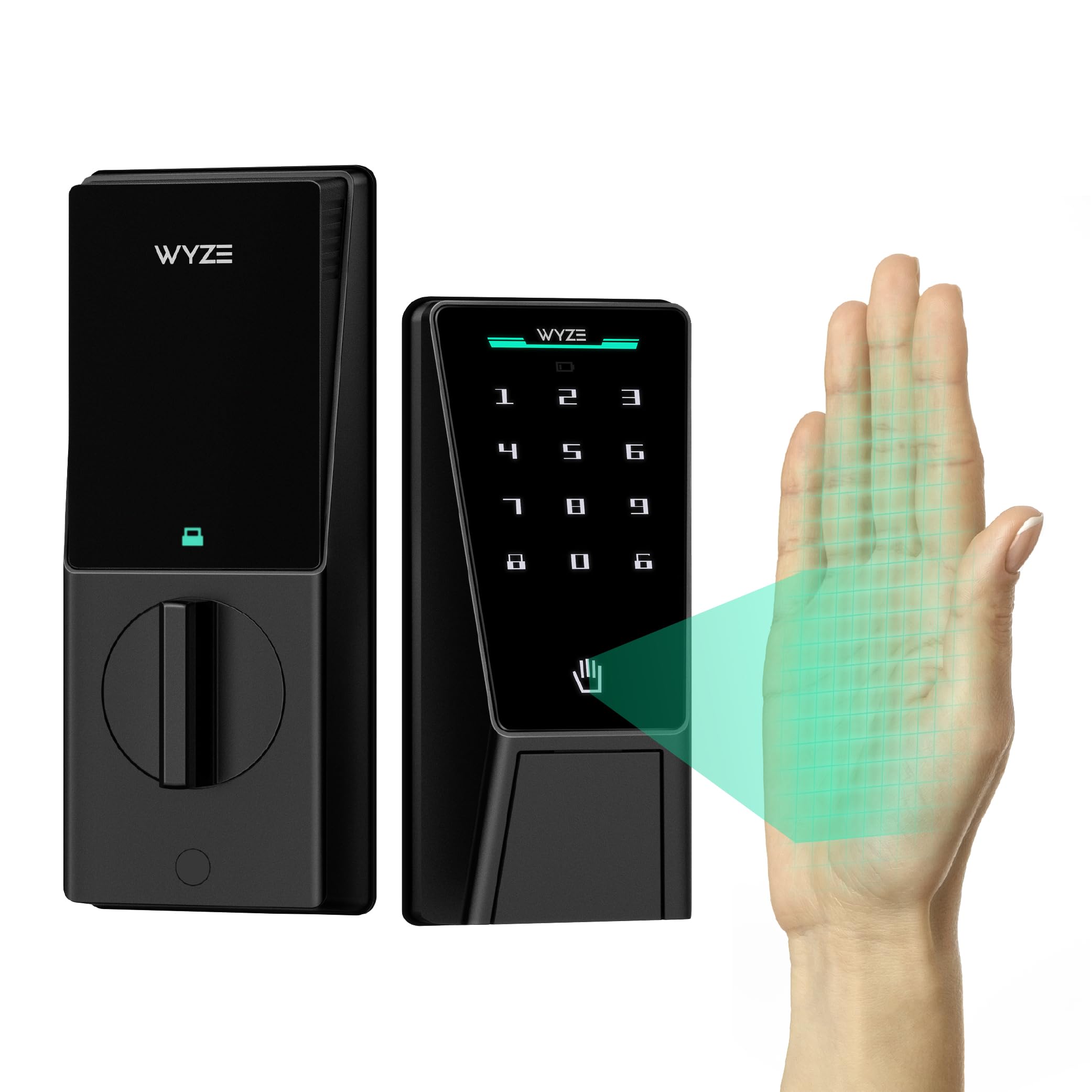
Hover a hand, and the door opens — no key, no touch, no fuss.
The palm reader is the reason to buy this one. It reads the vein pattern under your skin instead of a fingerprint, so there is nothing to press and nothing to smudge. When your arms are full of grocery bags or your fingers are numb from the cold, you just hold your hand near the lock and it lets you in. Reliability is the quality owners praise most, and the palm reader is the piece that earns it.
Battery management is where this lock separates itself from cheaper biometrics. A main battery runs for 6 months, and a secondary battery carries you for another 2 weeks after that. If both run dry, the integrated USB-C port takes any power bank for an emergency open up. Add Wi-Fi built in, so you can check and lock the door from your phone without buying a hub, and you have a feature set that reads like a premium lock.
The auto-lock is smarter than most. A gyroscope measures the angle and movement of the door, so the lock only bolts itself once it senses the door has actually closed — no false locks while the door hangs open. A millimeter-wave radar sensor wakes the lock only when it detects a person, which keeps the battery from draining on passing cars. There are 50 guest codes, anti-peep digits, tamper alarms, an IP53 weather rating, and a BHMA3 certification for durability. At 12.71 x 8 x 3.62 inches it is a physically larger unit than the compact Philips fingerprint model at 6.29 x 2.79 x 0.63 inches, so check your door’s edge clearance before ordering.
palm vein scanning
- Palm-vein reading works without contact — ideal for full hands and cold weather
- Dual-battery design with 6 months of main power and a 2-week secondary backup
- USB-C emergency port means a dead battery never leaves you locked out
- Built-in Wi-Fi removes the need for a hub, and auto-lock uses a gyroscope to confirm the door is closed
no keypad backup
- Larger body than many deadbolts, so tight door frames need checking first
- Palm recognition is a newer method — some people want the familiarity of a fingerprint
hands full entry: anyone who wants to walk in without touching metal, especially with kids, groceries, or cold hands.
glove wearers: your door edge is narrow — the wider housing may not sit flush.
2. Philips Fingerprint Keyless Entry Door Lock, Electronic Door Lock with Touchscreen, Long-Lasting Battery, Auto Locking, One-Time Code, Keypad Deadbolt, One-Touch Locking, Matte Black
The slim fingerprint deadbolt that proves you don’t need Wi-Fi to go keyless.
This is the entry point for anyone who wants a finger to open the door but doesn’t care about phone control. The scanner reads your print in 0.3 seconds, and the touchscreen keypad sits behind a matte black finish that looks tidy on a front door. Philips quotes up to 99.99% accuracy, but warns that recognition may be weaker for children under 6 and adults over 65, and asks that fingers stay clean and dry. If your household is mostly working-age adults, it does the job.
Code sharing is the quiet strength. You get unlimited one-time PIN codes, so a delivery driver or a plumber can be given a single-use code that dies after one entry. Auto-lock is customizable from 30 to 180 seconds, and it ships switched off — you have to enable it in the settings. One-touch locking works by pressing and holding any number for 2 seconds. Note that the lock does not detect whether the door is actually shut, so the bolt can extend on an open door.
The build gets the most praise of anything here, and installation is close behind it — it fits doors from 1-3/8 inches to 1-3/4 inches thick. Voice-guided programming in English, French, or Spanish walks you through setup so you don’t need the manual. It runs on 1.5V AA alkaline batteries only; rechargeable and carbon batteries can stop it turning on, and it beeps when power drops below 20%. The recurring gripe is fingerprint consistency — some hands just don’t read reliably. The compact 6.29 x 2.79 x 0.63-inch body is one of the smallest here, which is welcome on a narrow door style.
fingerprint keyless entry: if you just want to open up with a code or a finger and skip apps, hubs, and subscriptions, this is the value pick. You give up remote access, but you get an easier install and a solid metal build in aluminum and zinc.
battery swap chore: the fingerprint sensor is the piece to test first; if your print doesn’t read, the keypad and backup keys still get you in.
rental units: you want fingerprint entry with generous one-time codes and no Wi-Fi setup at all.
metal doors: you need to lock or check the door from your phone while you’re away.
3. Veise VE027 WiFi Smart Lock Fingerprint Keyless Entry Deadbolt Matte Black
Seven ways in, Wi-Fi built in, and eight batteries to keep it talking.
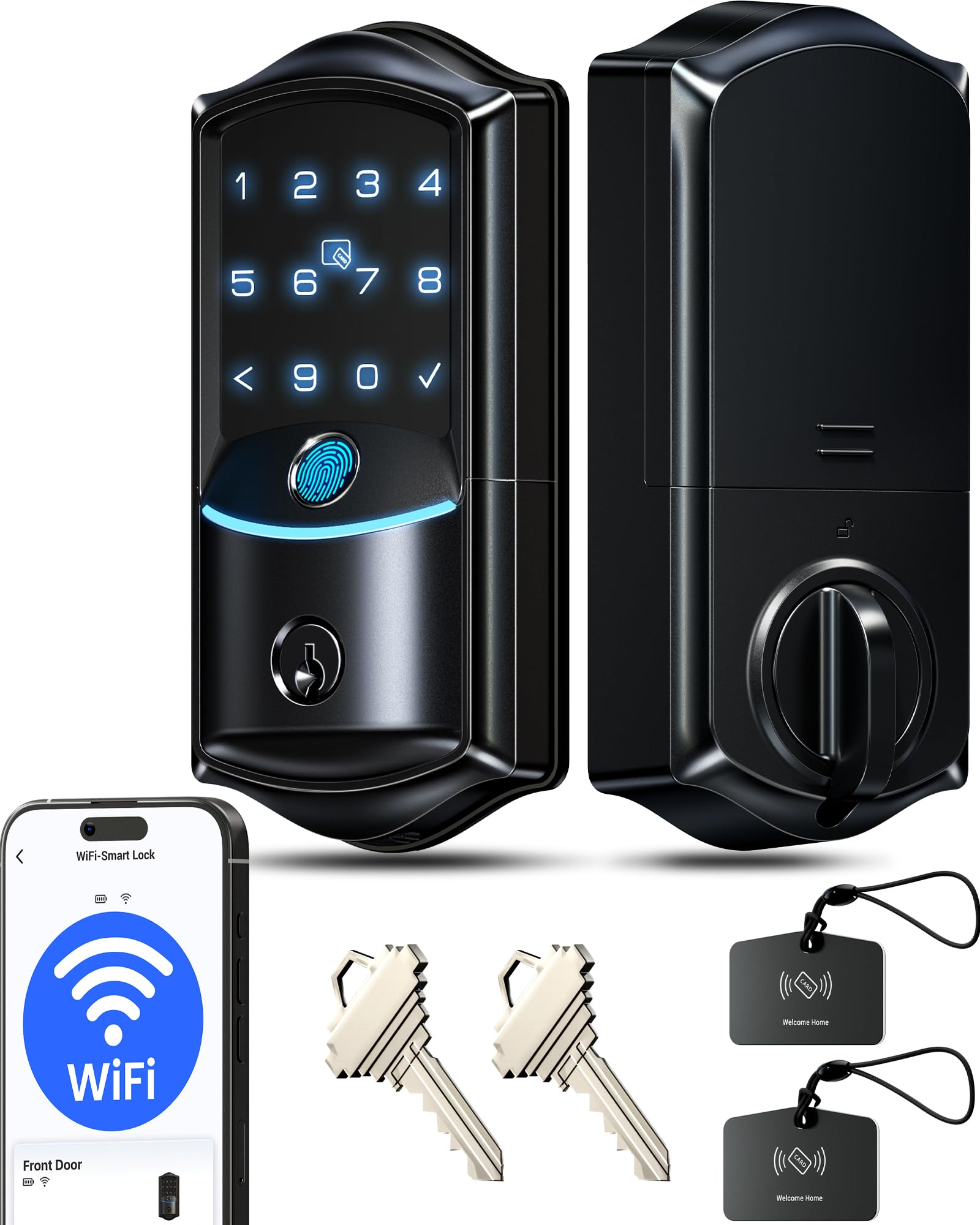
If you want remote control without buying a separate gateway, this is the one to look at. It connects straight to 2.4GHz Wi-Fi, pairs fast, and gives you the app on day one — lock and open up remotely, see real-time entry logs, and share or delete codes and fingerprints from your phone. That alone beats the Veise VE06-L below, which needs the optional G2 gateway before it can do remote access.
The fingerprint reader open up in 0.2 seconds at a quoted 99.8% accuracy, with AI self-learning that improves reads over time. It stores 20+ fingerprints. There are supposedly seven ways in — app, fingerprint, PIN, voice via Alexa or Google, IC card, physical key, and auto-lock — so every family member can pick their own. Codes are flexible too: 100+ can be created remotely, in permanent, recurring, scheduled, and unlimited one-time flavors, and anti-peep digits let you bury the real code in random numbers.
The eight-battery design is the differentiator most buyers notice. Veise claims up to 95% more stable connectivity and 98% longer battery life than standard four-battery Wi-Fi locks, plus real-time battery alerts in the app, a Type-C backup port, and a physical key. It is rated IP65 weatherproof and ANSI/BHMA Grade 3, and it stores all user data locally on an encrypted chip rather than in the cloud. Quality is the aspect owners praise most, and the app’s functionality follows close behind. The one aspect worth sizing honestly is battery life, which draws a mixed reception — treat the 95% and 98% figures as the maker’s claims and consider the backup port your safety net.
wifi app control: a full-featured Wi-Fi fingerprint deadbolt with no hub tax, no cloud storage, and a weather rating that handles real outdoor doors.
cloud dependency: the extra battery capacity comes from a bigger housing at 3.89 x 5.35 x 7.91 inches, so double-check the door edge fit.
remote access: renters and homeowners who want app control and a fingerprint to hand out without a gateway.
offline homes: anyone set on a compact lock — this one is on the large side.
4. Veise VE06-L Smart Deadbolt Lock with 2 Lever Handle Set, Matte Black
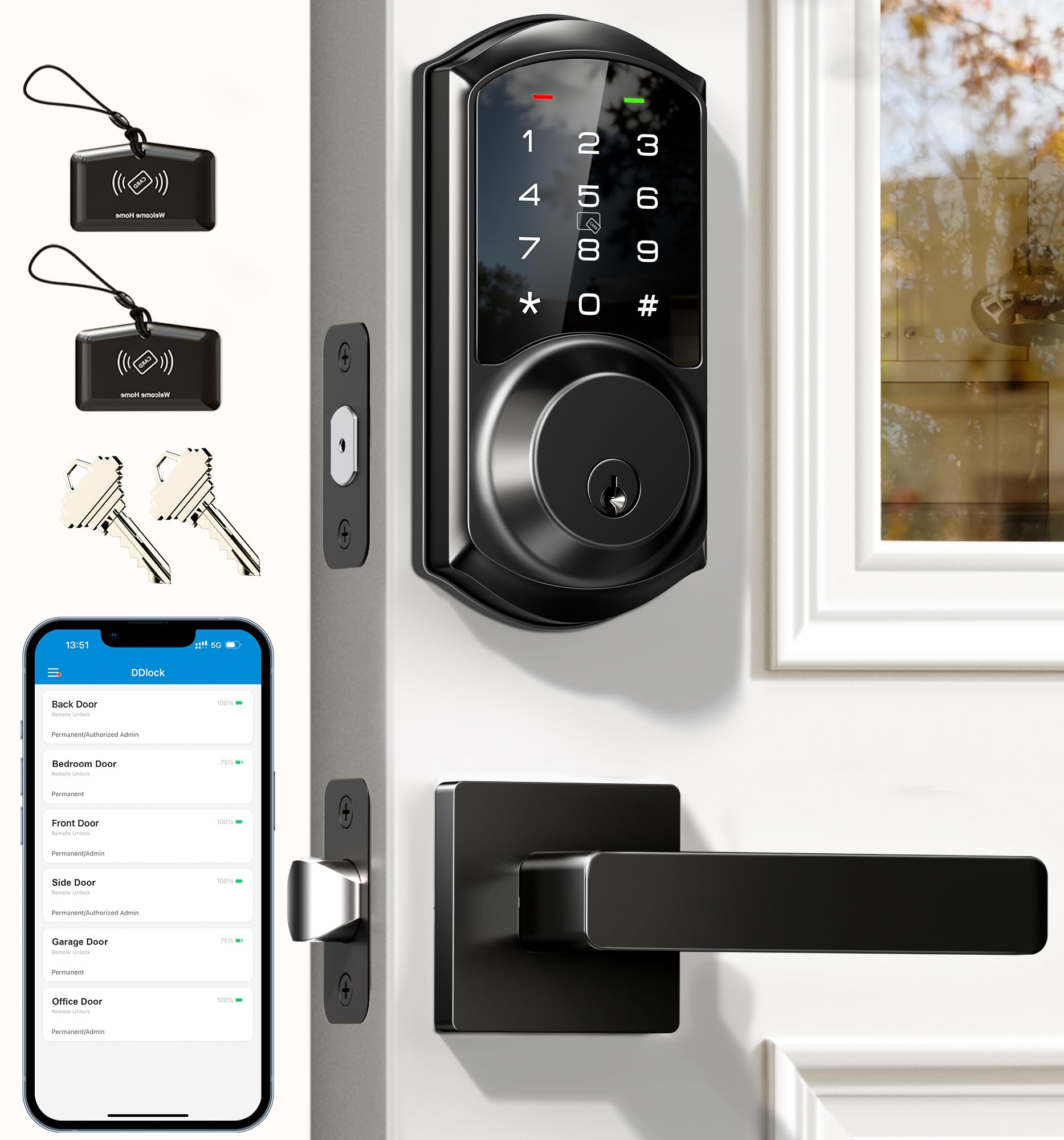
The one that matches your handle too — and hands out 250+ codes.
Most deadbolts are the only new hardware on your door. This one comes with two lever handles, so the whole front-door hardware set matches in matte black. Appearance is the aspect buyers like most, and it shows in the reviews — the lock is a visual upgrade, not just a functional one. It gets you in through the app, codes, IC cards (1,000+ capacity), e-keys, admin access, a physical key, or an Apple Watch, and the adjustable auto-lock runs from 5 to 900 seconds.
Property managers will like the code capacity. You get 250+ codes, split into permanent, scheduled, recurring, and one-time types that can be created or erased remotely. Anti-peep digits protect the real code, and the lock shuts down for 2 minutes after 5 wrong attempts. There is a privacy mode for undisturbed moments, a silent mode for quiet households, and a passage mode for moving day. The zinc alloy body is rated IP54 weatherproof and ANSI/BHMA Grade 3, with a stated lifespan over 10 years and AES-encrypted local storage on the chip.
Here is the part to weigh carefully. Remote access needs the G2 gateway, which is sold separately — without it, you get app control over Bluetooth only. Handles are also the reported weak point: while some owners find the whole set sturdy, others report the handle breaking off within months. If the handle gets heavy use in your house, factor that in. Unlike the VE027 above, this one is larger at 12.59 x 7.08 x 3.93 inches, but it replaces more of your door hardware in a single purchase.
lever handle bundle: code capacity and hardware completeness — 250+ codes plus two lever handles from the start.
bulky install: remote access requires an extra gateway purchase, and the handle is the part buyers report failing.
full replacement: you’re refreshing the whole door and want matching hardware plus serious code management.
narrow stiles: you need remote open up from the start or you expect the handle to take heavy daily abuse.
5. Yale Digital Keypad Deadbolt, Keyless Entry Door Lock, Black Suede
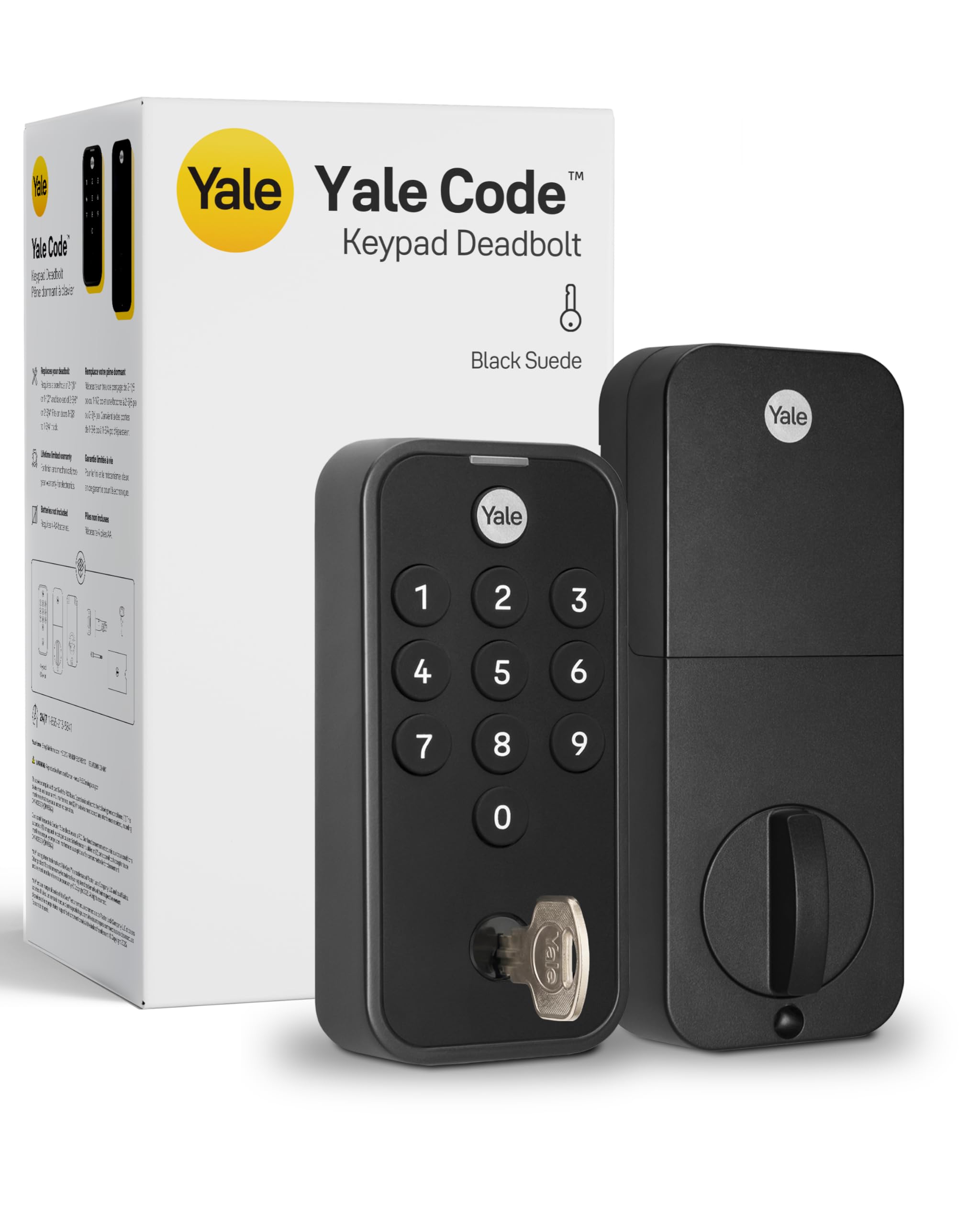
A deadbolt with zero app, zero network, and a keypad that just works.
No app. No phone setup. No Wi-Fi. This Yale lock is aimed at the buyer who wants to ditch keys but not learn a new ecosystem. You install it, program up to 20 codes right on the keypad, and go. There’s no account, no pairing, and no cloud — the connectivity protocol is listed as not connected, which is a feature here, not a shortfall. Families who want the dog walker and the neighbor to each have their own code can do it in minutes.
The details are sensible. The backlit keypad makes code entry easy at night. Auto-lock secures the deadbolt behind you after 30 seconds so you aren’t left wondering. A backup key is in the box if you want a traditional option. The lock is BHMA Grade 3 certified for residential durability and rated to work from -22°F winters to 140°F summer heat — genuinely broad temperature coverage for a battery lock. Low-power alerts warn you before the batteries die.
Installation is what wins people over here — easy setup is the top complaint-free praise point, with ease of use right behind it. It is a straightforward screwdriver job on a pre-drilled door. The honest trade-off is battery consumption, which draws a split reaction: plenty of owners get long life out of it, while others note it eats batteries faster than expected. There’s no biometric option and no remote access, so if you want to open up from your phone, this isn’t that lock. It weighs 3 pounds and stays a simple, dependable keypad.
basic upgrade: you want keyless entry with the fewest moving parts and no dependence on a phone or router.
app users: you want fingerprint entry or the ability to check the door while you’re away.
6. WYZE Auto-Lock Bolt v2, Wi-Fi Fingerprint Smart Deadbolt
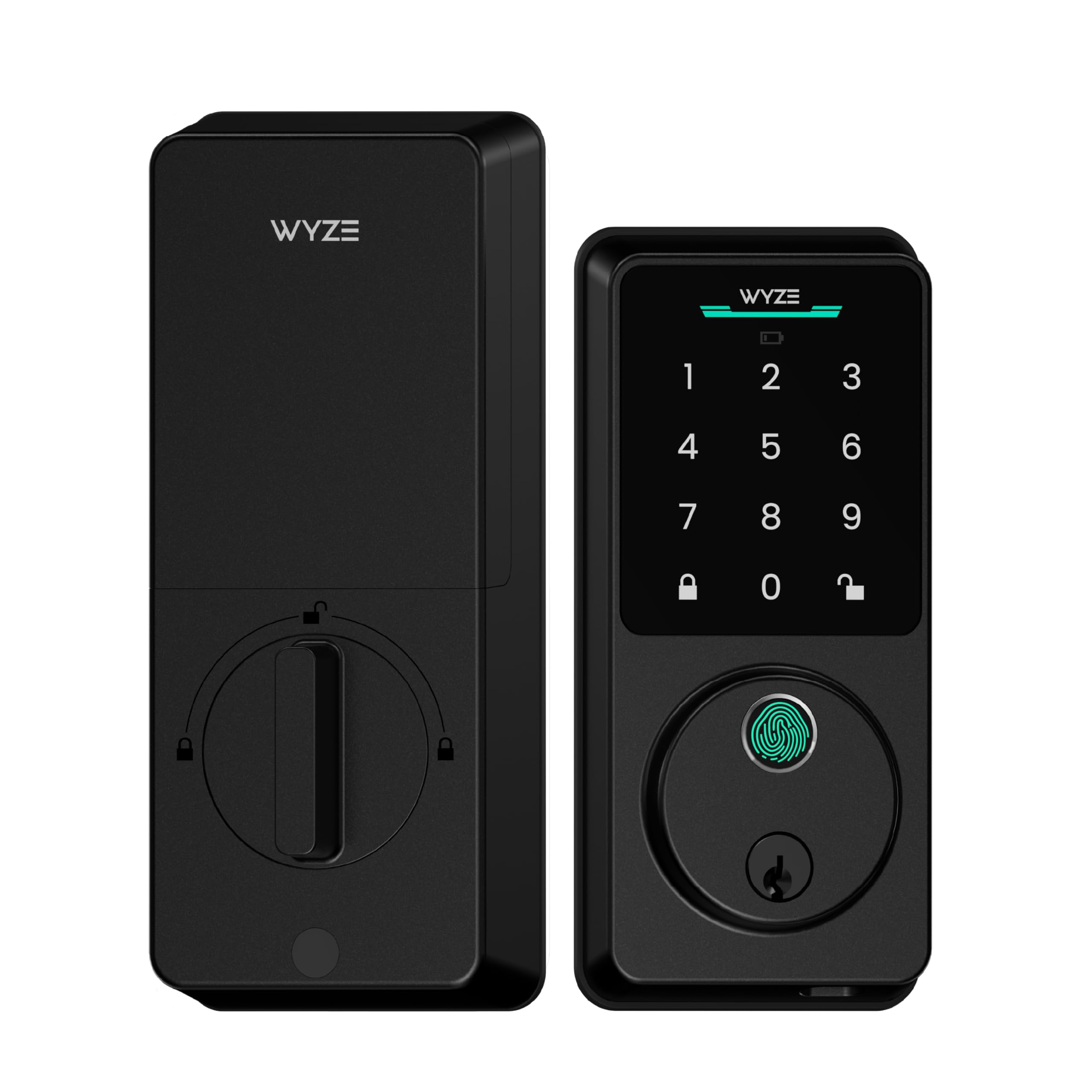
A half-second finger scan wrapped in smudge-resistant tempered glass.
The scan is the headline: 0.5 seconds, and Wyze says the AI scanner learns from every touch so reads get faster and more accurate over time. The tempered glass cover is scratch and smudge resistant, so fingerprints don’t build up and blur the sensor. Functionality is the aspect owners praise most, with the fingerprint reader following close behind — this is a lock that gets out of your way.
The battery plan is generous. Eight AA batteries are included and Wyze rates them for up to 8 months of use. If they drain anyway, a USB-C port lets any common power bank wake the lock so you can get in. Built-in Wi-Fi means you can check and manage the lock remotely, and if you already own a Wyze Video Doorbell, you can open up straight from the live feed to verify who’s there. You also get a code keypad with anti-peep digits, a physical key backup, an IP53 weather rating, and BHMA Grade 2 certification — a higher grade than several picks here.
The auto-lock is well-liked, and owners happily set it to bolt shortly after open up. Two aspects deserve an honest note: responsiveness and Wi-Fi connectivity both draw mixed reactions. The lock works fast most of the time, but the Wi-Fi link can be the finicky part, so check your router’s distance before counting on remote features. Compared with the Wyze Palm Lock above, this one uses a familiar fingerprint instead of a palm reader, which some family members will find easier to adopt.
auto lock bolt: a 0.5-second scan on tempered glass, with 8 months of battery and a USB-C emergency port — a genuinely strong combo for a mid-range lock.
short battery life: the Wi-Fi link is the variable; local fingerprint and keypad access stay reliable.
forgetful lockers: households that already use Wyze gear and want a fast finger plus app control.
guest heavy homes: your front door sits far from the router and remote access is essential.
7. Philips WiFi Keypad Deadbolt with Handle, Built-in WiFi, APP Remote Control
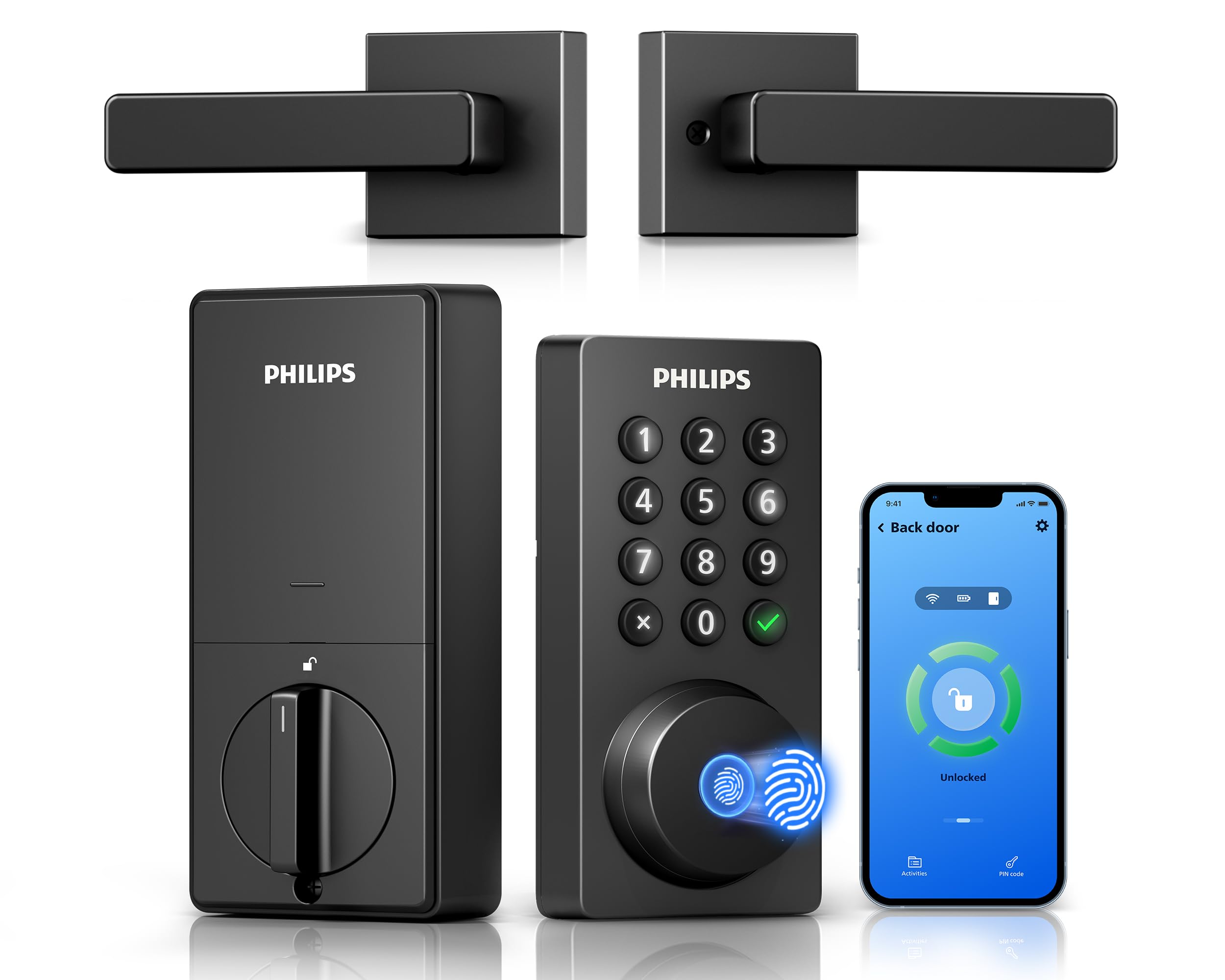
The whole front-door set — Wi-Fi, fingerprint, and a matching handle in one box.
This is the buy for a full upgrade, not just a deadbolt swap. The Philips 4200 Series pairs a Wi-Fi deadbolt with two door levers, so the entire front door matches with no extra hardware to chase down. It connects directly to 2.4GHz Wi-Fi with no hub or bridge, and the app lets you lock, open up, manage codes and fingerprints, and see access history in real time. Philips asks that you keep the lock within 33 ft (10 m) of your router and minimize walls and metal objects between them.
Functionality is what earns the praise here — all features working well, with installation a very close second. Setup is helped by the fact that the handle set is included, and the app is easy to navigate once connected. The fingerprint reader open up in 0.3 seconds and stores multiple prints for family members. Codes come in permanent, one-time, periodic, and recurring types, which is the widest code spread of the Philips picks. Auto-lock runs from 0 to 180 seconds and is off by default, so you have to switch it on in the app.
Battery life is rated at up to 6 months with a low-battery alert, and the lock insists on standard 1.5V alkaline batteries — no rechargeables, no high-power lithium. The catch to know about: connectivity and autolock both draw some mixed feedback, so the app link is the piece to test in your own home. It’s the right call if you want one purchase to cover the whole door rather than buying a deadbolt and handles separately.
wifi native setups: your front door needs new hardware anyway — the included levers save a second purchase.
hub loyalists: your router placement; the 33 ft (10 m) guidance is worth honoring.
8. Schlage Electronic Keypad Deadbolt Lock, Camelot Trim, Matte Black

Push-button simplicity, no wiring, and a warranty that outlasts most smart locks.
Some people want a code lock and nothing more. This Schlage is exactly that — a keypad deadbolt with a key backup, no app, no network, and no camera. Quality is the aspect buyers praise most, and easy installation is right behind it: it fits on existing standard pre-drilled doors with a Phillips screwdriver, and it needs no wiring at all. You program codes at the keypad and share access without hiding spare keys.
The warranty is the standout number here: 3-year limited electronics coverage, plus a limited lifetime mechanical and finish coverage. That electronics term runs longer than most of the Wi-Fi locks in this guide offer. Owners mention steady battery life and say it doesn’t draw much power. Reviewers also note it’s easy to program and to add multiple codes. The Camelot trim in matte black is a classic shape that fits traditional front doors.
Before you order, measure your door’s backset, cross bore, and thickness; Schlage makes the fit check part of its own guidance. The honest note is that reliability and key functionality both draw some mixed feedback, so this is a lock for someone who wants a proven, no-frills keypad rather than app control. It’s also heavier at 4.4 pounds than most here, which is a fair signal of the metal inside. If biometrics or phone access matter to you, look elsewhere in this list.
curb appeal: a code-only household that values a long electronics warranty and a key backup.
budget builds: you want fingerprint entry or the ability to lock from your phone.
9. Tapo Smart Wi-Fi Door Lock, Deadbolt, Fingerprint Recognition, DL110
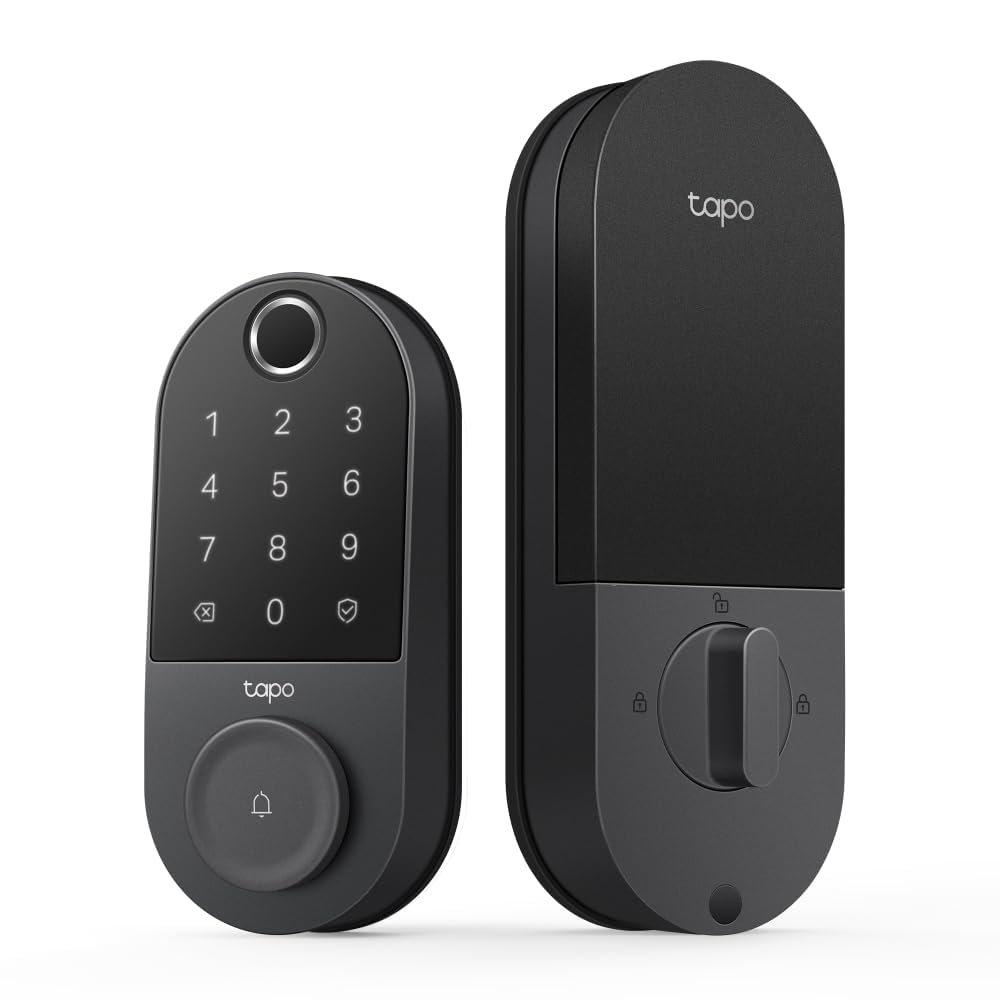
One full year on a rechargeable battery — and room for 100 fingerprints.
A whole year of operation from a rechargeable pack is the number that sets this Tapo apart. The battery is removable, so you take it out to recharge rather than swapping AA cells every few months. Fingerprint recognition is fast at 0.42 seconds, and the lock can register up to 100 fingerprints — by far the largest capacity here, which matters for large families, rentals, or shared buildings. Quality and easy installation are what buyers praise most, with battery life right behind them.
You get six ways in: fingerprint, custom keypad passcodes, Wi-Fi from anywhere, close-range Bluetooth, a smart-home assistant, or the two included backup keys. The app handles resident profiles with permanent codes, plus one-time and scheduled codes for guests. Alexa and Google Home integration means you can lock the door or check its status by voice. It’s a BHMA Grade 2 lock (a mid-tier security rating from the Builders Hardware Manufacturers Association) with a touchscreen keypad and in-app monitoring. That’s the same grade as the Wyze Bolt v2 and above the Grade 3 locks elsewhere in this guide.
The one aspect worth watching is the locking mechanism, which draws some mixed reactions — most owners are satisfied, but the mechanical action is the part to keep an eye on. This is a full smart lock at premium build quality, so it suits someone who wants top-tier fingerprint capacity and a rechargeable battery rather than the simplest possible keypad. It runs on Wi-Fi and Bluetooth together, so remote access comes standard without a hub.
tapo households: you want the longest battery life here and a fingerprint capacity big enough for a large household.
multi door homes: the locking action — if you want a heavier mechanical feel, try it in person first.
Understanding the Specs
Battery Type and Backup Power
Every lock here runs without wiring, but the power setups differ. Some take standard 1.5V AA alkaline batteries — the Philips models insist on alkaline only and warn that rechargeable or carbon cells can stop the lock turning on. Others use a removable rechargeable pack, like the Tapo’s year-long battery. The backup matters too: a USB-C port for a power bank, or a physical key, is what saves you if the batteries ever run flat. Low-battery alerts on the app or at the lock give you warning first.
Weather Ratings and Security Grades
An IP rating tells you how well a lock keeps dust and water out — IP53 and IP54 handle light splashes, while IP65 on the Veise VE027 is the strongest outdoors rating here. Separately, a BHMA grade measures mechanical durability: Grade 2 is a higher residential rating than Grade 3. A Grade 2 lock is built for heavier use, while a Grade 3 lock is a solid everyday standard. Both are fine for most homes; the grade just tells you how much mechanical punishment the lock is built to take.
FAQ
Do battery-powered door locks work without Wi-Fi or a hub?
How long do the batteries last in these locks?
What happens if the battery dies while I’m locked out?
Is palm vein recognition better than a fingerprint reader?
Will these locks fit my existing door?
Can I give a temporary code to a dog walker or delivery?
What does an IP rating like IP53 or IP65 actually mean for a door lock?
Can I open up these locks from my phone while I’m away?
What is BHMA Grade 2 versus Grade 3 on a smart lock?
Do these locks work with Alexa or Google Assistant?
Final Thoughts: The Verdict
For most households, the battery powered door locks pick that gets it right is the Wyze Palm Lock — a hands-free palm-vein reader, dual-battery backup, and built-in Wi-Fi without a hub. If a fast finger scan and app control are what you’re after, grab the Wyze Auto-Lock Bolt v2. And if you want the simplest possible keyless deadbolt with no app or network at all, the Yale Digital Keypad Deadbolt is the one to reach for. Whichever you pick, you stop fumbling for keys at the door.
How We Picked
We do not accept paid placement. Every pick is matched to a real buyer and a real use-case; we do not hands-on test units.
Sources & Methodology
Specifications: manufacturer listings and product documentation. Review insights: verified customer reviews, as of November 2026. Pricing: not shown on this page (it changes often); check the current price via the retailer link.
As an Amazon Associate, Gadgets Feed earns from qualifying purchases. This does not affect which products we feature.