
The promise of Direct-to-Film printing—full-color custom apparel from your own desk—is seductive, but the reality for a first-time buyer is a minefield of half-finished software drivers, clogged white ink, and support teams that vanish after the return window closes. A true beginner machine does not just print; it makes the act of learning to print frictionless, forgiving the inevitable missteps a newcomer makes with ink, film, and heat.
I’m Min — the co-founder and writer behind Gadgets Feed. I’ve spent hundreds of hours combing through customer reports, white ink formulas, printhead longevity data, and supplier support responsiveness to separate the plug-and-play contenders from the project printers that demand a co-founder in Shenzhen before you ever see a completed transfer.
This guide navigates the narrow intersection of price, reliability, and real human support to point you toward the best beginner dtf printer for your specific learning curve and business ambition.
How To Choose The Best Beginner DTF Printer
Entering the DTF market means committing to a machine that demands consistent attention. Unlike an inkjet for documents, a DTF printer will punish neglect with clogged nozzles and wasted material. The choices you make about printhead type, ink management, and support infrastructure will define your first three months of printing.
White Ink Management — The Make-or-Break Feature
The white ink base layer is what makes DTF printing work on dark garments. White pigment is heavy and settles faster than CMYK colors. Machines with true white ink circulation systems—either recirculation or periodic agitation—are essential for consistent output. Without it, a beginner will spend more time unclogging than printing. Look for terms like “white ink stirring,” “re-circulation,” or “agitation” in the specifications, and verify the frequency of the cycle (every 30 minutes is a solid baseline).
Printhead Architecture and Replacement Cost
The printhead is the heart of the printer and, often, its most expensive single component. The XP600, common in many mid-range units, offers double the speed of the older L1800/L805 heads but also introduces a higher replacement cost and a steeper maintenance curve. Some units use proprietary printheads tied to locked ink cartridges. A beginner should prioritize machines with readily available, reasonably priced replacement heads and a warranty period that covers at least six months on the head itself. A clogged head on day 90 with no coverage is a + paperweight.
Software Ecosystem and Setup Realities
Most DTF printers—especially those from direct-to-consumer Chinese brands—run on dedicated RIP software that is Windows-only. A beginner without a dedicated Windows PC will face immediate roadblocks. Beyond OS compatibility, the quality of the included software matters: some units ship with virus-ridden USB drives, while others provide secure, lifetime-updated software. The availability of clear, step-by-step video guides in the package is a strong indicator of a beginner-friendly approach. Avoid any machine whose support expects you to download third-party apps for driver installation.
Ink Supply Programs and Long-Term Costs
Unboxing a DTF printer is only half the purchase; the real cost lives in the ink. Several brands now offer “two-year ink supply” programs where you receive fresh ink and powder every two months for the cost of shipping. For a beginner who is learning color profiles and white opacity, this program dramatically reduces the financial sting of wasted material. However, verify the shipping cost and the ink’s quality beforehand—some bargain programs deliver diluted inks that produce washed-out colors.
After-Sales Support Quality and Accessibility
When the film jams or the printhead coughs, the response time of the support team is the single variable that separates a learning moment from a lost week. Beginners should prioritize sellers that offer direct, responsive channels (WhatsApp or dedicated phone lines) with engineers who speak the same time zone language. Read recent customer reviews for phrases like “worked through the problem step-by-step” versus “they sent a video link and disappeared.” The best beginner machines come from sellers who treat post-purchase support as a feature, not a burden.
Quick Comparison
On smaller screens, swipe sideways to see the full table.
| Model | Category | Best For | Key Spec | Amazon |
|---|---|---|---|---|
| PUNEHOD R1390 A3 | Mid-Range | Larger formats, white ink reliability | 13″ wide with white ink circulation | Amazon |
| DXZ A4 XP600 (Product 3) | Mid-Range | Speed & bundled 2-year ink program | XP600 printhead, 2800×1400 dpi | Amazon |
| PLK A4 XP600 | Mid-Range | Structured 24/7 support | 2880×1440 dpi, 3-min A4 print | Amazon |
| DXZ A4 Roll (Product 5) | Mid-Range | Double the speed of L805 models | XP600 printhead, 2800×1400 dpi | Amazon |
| EXPLUX A4 XP600 | Mid-Range | Anti-clogging system, all-in-one starter kit | XP600 printhead, 2880×1440 dpi | Amazon |
| PUNEHOD R1390 with Oven | Premium | A3 prints, detachable reel for bulk | 13″ width, white ink circulation | Amazon |
| InkSonic R1390 Bundle | Premium | Complete bundle with heat press | 13″ width, 3500ml ink included | Amazon |
| Procolored K13 Lite | Premium | Color accuracy, cleaner workspace | A3, LiteHead, G7-certified colors | Amazon |
| Senortian L1800 A3 | Premium | High-res 5760×1440 dpi output | L1800 printhead, 5760×1440 dpi | Amazon |
| Sawgrass SG500 | Entry-Level | Brand-name reliability, sublimation ecosystem | SubliJet UHD inks, 1200×600 dpi | Amazon |
| DTF & DTG Combo (Product 11) | Budget | Versatility: DTF and DTG in one machine | Combo flatbed, 9.02 lbs unit | Amazon |
In‑Depth Reviews
1. PUNEHOD R1390 DTF Printer (A3, 13-inch)
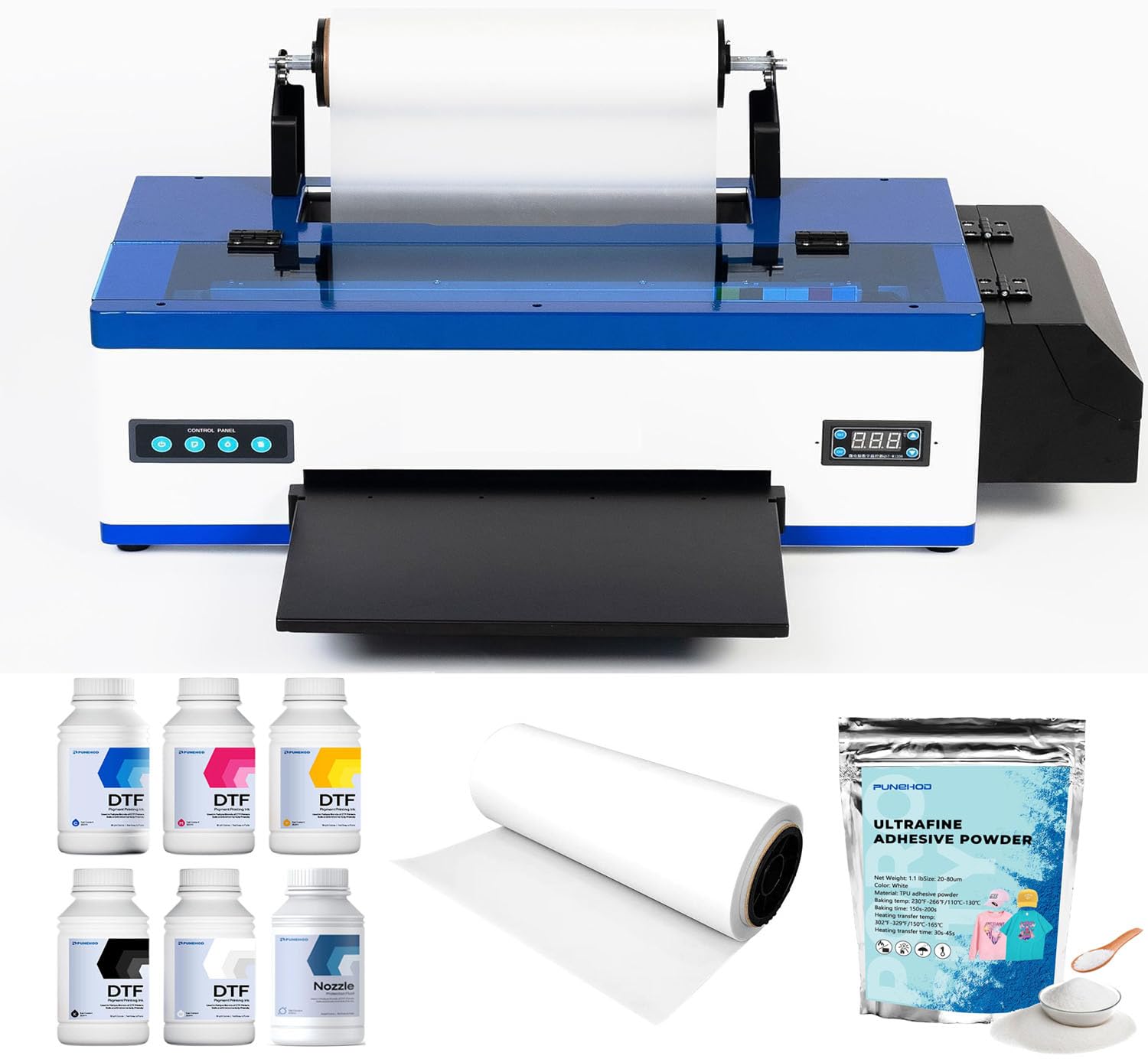
The Punehod R1390 strikes the rarest balance in the beginner DTF space: a sub- price point with a professional-grade 3-in-1 white ink circulation, mixing, and filtration system that directly attacks the number-one enemy of beginners—clogged white nozzles. The R1390 printhead delivers a 2880×1440 dpi resolution with a 6-channel CMYK+White configuration, producing color saturation that rivals the more expensive L1800 models without the price premium. The inclusion of a detachable reel design supports up to 100m of PET film, making this a machine that grows with your batch size rather than forcing you to upgrade after your first 50 shirts.
The package ships with an A3 oven, 100m of PET paper, six 250ml ink bottles, 500g of powder, and the RIP software, which means a beginner truly gets everything except a PC. The support reputation is strong: multiple verified buyers report that engineers walked them through fix-resolution steps within 30 minutes of contact, including a case where blurry prints were corrected by reconfiguring the color profiles remotely. For a first-time buyer, the difference between a machine that requires self-help and one that provides hand-holding at 2 a.m. is everything.
One minor friction point is the USB drive situation—Punehod has discontinued the white USB due to virus reports, so you’ll need to download the software from their website or contact support for the files. The initial setup, while documented in video form, does require a fair amount of Windows navigation. But once dialed in, users report printing 300+ shirts with consistent quality and zero catastrophic failures. This is the closest a beginner can get to a professional-grade workflow without a professional-grade budget.
Why it’s great
- True white ink circulation system drastically reduces clogging
- Excellent 24/6 engineer support with one-on-one guidance
- A3 print width (13 inches) for larger transfers without upgrading
Good to know
- Requires a dedicated Windows PC—no Mac support
- Virus issues with the included USB drive (discontinued, must download software)
2. DXZ A4 DTF Printer with XP600 Printhead (Product 3)

The DXZ A4 XP600 printer packages an eye-catching promise: an XP600 printhead delivering double the speed of the older L1800 and L805 heads, a built-in film cutter to reduce waste, and a two-year ink supply program that sends you 5x250ml ink bottles plus 500g of powder every two months for the cost of shipping. For a beginner who expects to make mistakes—and they will—this program is a financial safety net that lowers the pain of wasted material. The printhead outputs 2800×1400 dpi resolution, which translates into vibrant, sharp transfers even on dark fabrics.
The white ink mixing system combined with the semi-automatic cleaning functionality is a genuine help for newcomers who might not remember to manually purge the nozzles. The machine supports both roll and sheet feeding up to 8.27 inches wide, and the built-in cutter saves film by trimming to the exact print length. Customer feedback is mostly positive, with many users praising the support engineer “Jeremy” who solved setup issues step-by-step, guiding users through software configuration and initial calibration remotely.
The main drawbacks are the software learning curve and the need for a dedicated Windows machine (Mac users are out of luck via VM). Some early buyers reported that the white ink layer printed with a striped or weak opacity, though this was often resolved by correctly configuring the RIP software. The package includes the oven, film, powder, and cleaning accessories, so unboxing to first print is genuinely feasible in a single evening for someone with moderate computer skills.
Why it’s great
- XP600 printhead delivers double the speed of L1800/L805
- Two-year ink and powder supply program lowers ongoing costs
- Built-in film cutter and semi-automatic cleaning system
Good to know
- Setup instructions are poor; rely on support engineer (Jeremy) for best results
- White ink layer may be weak or striped before RIP software is properly configured
3. PLK A4 DTF Printer with XP600 Printhead
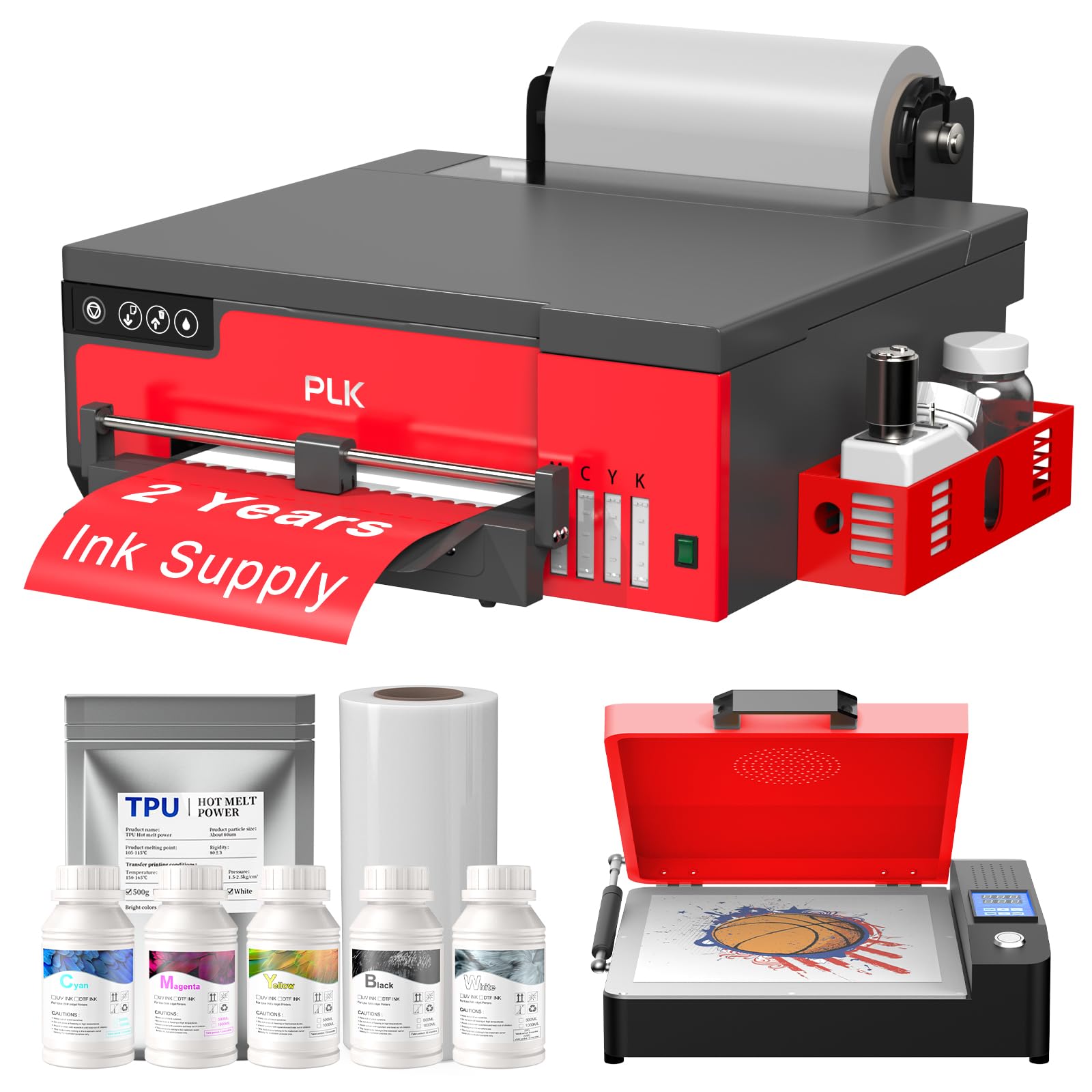
The PLK A4 DTF printer competes directly with other XP600-based units but distinguishes itself through its structured after-sales support: a 6-month printhead warranty, a 1-year accessory warranty, and lifetime remote assistance with a stated 24-hour response window. This kind of coverage is rare in the direct-to-consumer DTF market, where many sellers vanish the moment the return window closes. The XP600 printhead here is rated at 2880×1440 dpi, producing A4 prints in roughly 3 minutes, which translates to about 180 prints per day for a single-shift operation.
The unit includes a built-in film cutter, which is standard among the XP600 class, along with an upgraded roller feeder designed to minimize film jams—a chronic pain point in earlier generation machines. The white ink stirring system keeps pigment in suspension, which is critical for maintaining baseline opacity on dark substrates. The package bundle mirrors the competition: printer, oven, 100m film roll, 5x250ml inks, 500g powder, and a USB drive with video tutorials. The two-year ink supply program is also present, helping beginners hedge against learning-curve waste.
Where the PLK falls short is in the diversity of its user experience. While many reviews highlight excellent, patient support, a few users reported that the included USB drives were non-functional and that WhatsApp-based support was slow to respond during early setup. The software is Windows-only, and the interface is not the most intuitive for a total newcomer. However, once operational, the print quality is described as “excellent” and “vibrant,” with users praising the color consistency across runs.
Why it’s great
- 6-month printhead warranty + lifetime remote assistance
- 200% faster print speed vs. L1800/L805 printheads
- Two-year ink and powder supply program included
Good to know
- Software is Windows-only and not Mac-compatible
- Some users reported non-functional USB drives and delayed WhatsApp support
4. DXZ A4 DTF Printer with Roll Feeder (Product 5)

This second DXZ variant on our list is nearly identical to Product 3 but with a stronger emphasis on the semi-automatic cleaning system and the white ink mixing mechanism. The XP600 printhead offers the same 200% speed boost over L1800/L805 heads and the same 2800×1400 dpi resolution. The key difference here is that the roll feeder is standard, and the machine supports roll and sheet feed without a secondary adapter, making it a slightly better fit for users who plan to print from 50-meter bulk rolls from day one.
The support reputation for this DXZ model is exceptional—multiple verified reviews mention an after-sales team that worked 4 hours to resolve a setup issue and even customized color profiles for individual customers remotely. This level of post-purchase engagement is what separates a beginner-friendly machine from a box of frustration. The package also includes the two-year ink supply program, which is a genuine economic advantage for a learning user who will inevitably dump test prints into the trash.
The major red flag comes from a review reporting that the print head quit and software crashed before the one-year mark, along with ongoing frustrations about the complexity of initial setup. The semi-automatic cleaning system helps but doesn’t eliminate the need for regular manual maintenance. The printer is also quite bulky for an A4 unit and requires a dedicated workspace. For a beginner willing to invest in a solid initial setup session with support, this is a strong producer.
Why it’s great
- Engineers provide customized color profiles and extended remote support
- Semi-automatic cleaning and white ink mixing system
- Two-year ink supply program reduces ongoing costs
Good to know
- One report of printhead failure before one year
- Setup is complex and requires a dedicated Windows PC
5. EXPLUX A4 DTF Printer XP600 Bundle

The EXPLUX A4 DTF printer positions itself as the ultimate “unbox and go” option for beginners. The package includes not just the printer and oven, but also a laptop, 100m of transfer film, 5x250ml inks, DTF powder, cleaning tools, and even two practice T-shirts. The white ink anti-clogging system is combined with a semi-automatic cleaning routine, and the company claims this extends the XP600 printhead life by up to 80% compared to untreated machines. The 2880×1440 dpi resolution is competitive with the other entries in this class.
Customer reviews consistently praise the support team’s patience, with one user noting that engineer “Daisy” worked through the full setup despite a 13-hour time zone difference and a significant language barrier. The machine’s compact design (15″D x 15.75″W x 6.3″H) makes it feel less intimidating than the bulkier A3 units, and the built-in film cutter reduces the manual trimming work that slows down beginners. The two-year ink and powder supply program is also included, making the total cost of ownership extremely favorable for a learner.
The most troubling report involves a printhead failure after two months, with the seller requiring the user to self-repair using video guides and pay for shipping on replacement parts—warranty coverage that falls short of the promise. For a beginner who plans to print regularly and is comfortable with basic troubleshooting, this is a solid foundation.
Why it’s great
- Comprehensive starter kit includes laptop and two practice shirts
- Anti-clogging system with semi-automatic cleaning
- Two-year ink and powder supply program
Good to know
- Printhead warranty may require self-repair and shipping costs
- Mac users are not supported—Windows PC required
6. PUNEHOD R1390 DTF Printer with Oven (A3)
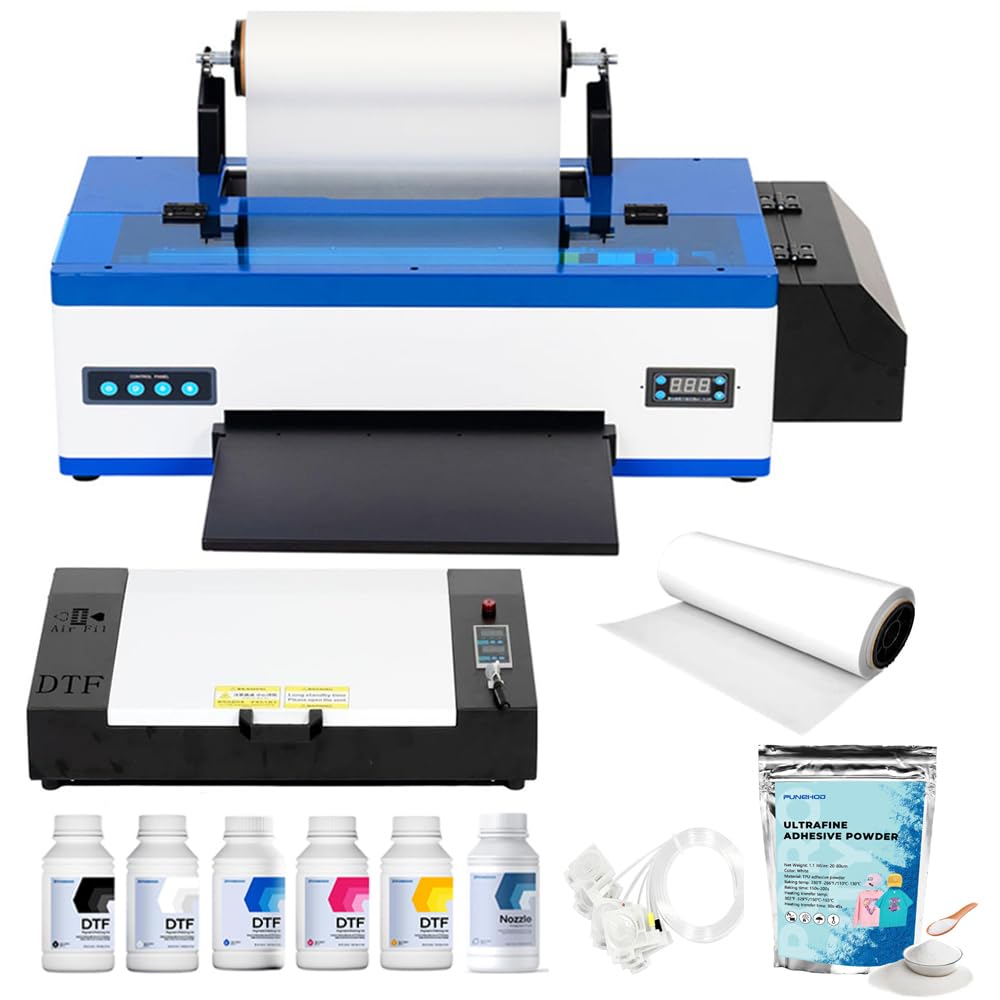
This version of the Punehod R1390 includes the full A3 oven bundle, which adds a detachable reel design that supports 100m PET film rolls and a new cutting device for streamlined operation. The white ink circulation system is identical to the earlier Punehod entry: 3-in-1 circulation, mixing, and filtration. The printhead moisturizing unit is particularly useful for beginners who may not print every day, as it helps protect the head during idle periods. The 13-inch print width is a significant advantage for users who need to print larger transfers like full-back hoodie designs or oversized tote bag graphics.
The support structure is similar: 24/6 engineer availability via WhatsApp or phone, with users reporting that setup issues were resolved in under 30 minutes. The package includes 250ml x6 inks, 100m of PET paper, 500g of powder, and RIP software. One recurring theme in reviews is that the initial prints were blurry or desaturated until the engineers provided corrected driver settings—a reminder that even good hardware needs proper color management to shine.
The main downside is that the printer requires a fair bit of physical space (the A3 footprint is larger than A4 models) and a stable, level surface to avoid film alignment issues. Some users also reported that the tech support channel (requiring a downloaded messenger app) felt awkward compared to a phone call. But for a beginner who is serious about producing larger-format apparel and is willing to work through the setup with support, this machine delivers professional-grade results.
Why it’s great
- Detachable reel for 100m film rolls and built-in cutter
- Printhead moisturizing unit protects during idle periods
- 24/6 engineer support with fast resolution times
Good to know
- Initial prints may be off-color without remote driver correction
- Requires dedicated workspace for the A3 footprint
7. InkSonic R1390 DTF Printer A3 Bundle with Heat Press
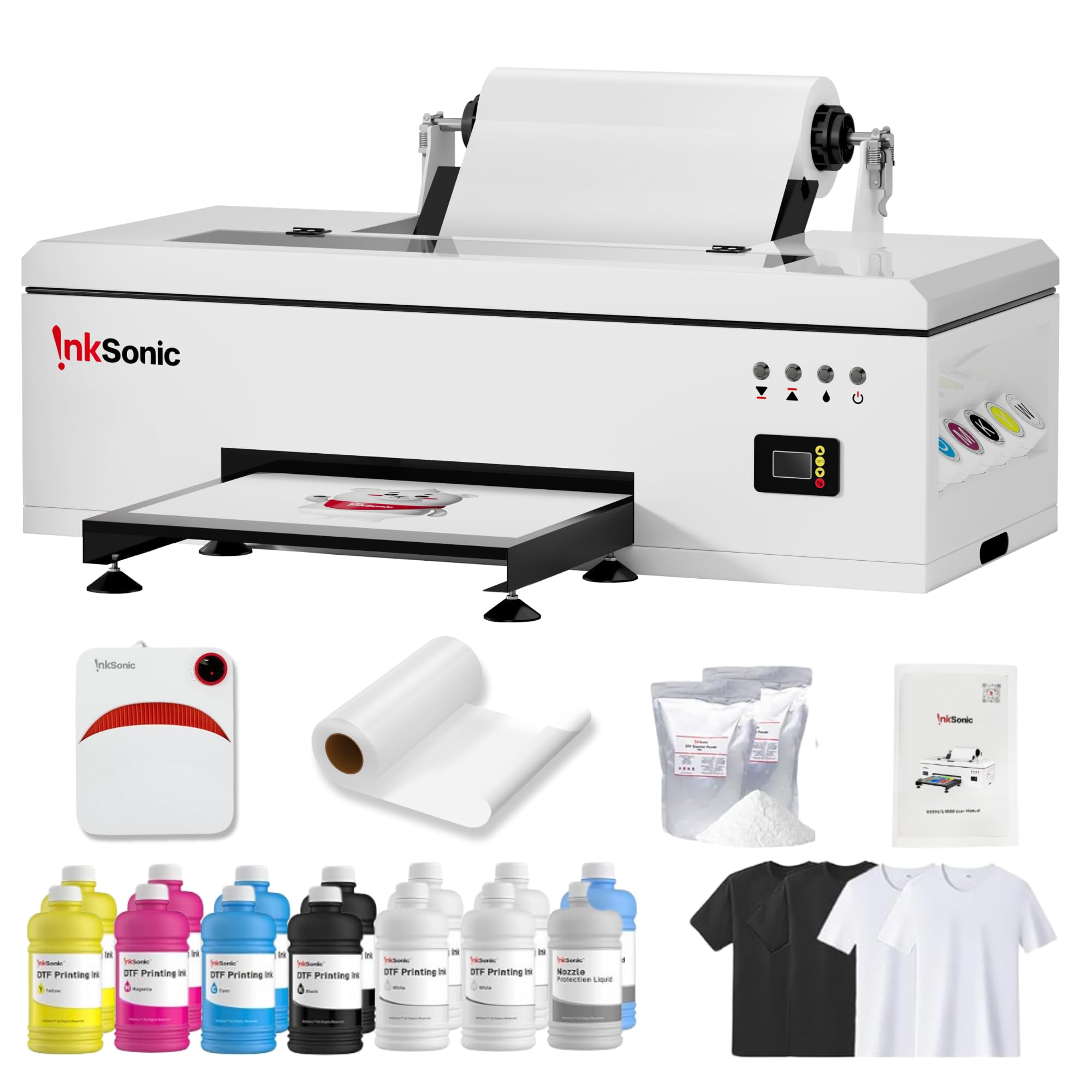
The InkSonic R1390 bundle is the most complete out-of-box package on this list. It includes the DTF printer itself, a handheld heat press, an A3 oven, 3500ml of premium DTF ink (12 bottles of 250ml each in CMYKWW configuration), a full 328-foot roll of transfer film, 1kg of powder, four test T-shirts, and a full maintenance kit. For a beginner who does not want to make multiple supply orders in the first month, this bundle removes all friction. The printer’s 3-in-1 white ink protection system (circulation, mixing, filtration) is complemented by a printhead moisturizing unit that is a clear nod to users who print sporadically.
InkSonic also differentiates with a California-based service center and 24/7 one-on-one technical guidance by phone, which is a meaningful advantage over brands that only offer WhatsApp support across 13-hour time zone gaps. The continuous ink supply system (CISS) means beginners don’t have to swap cartridges mid-run, reducing contamination risk. Many customer reviews highlight the patience and speed of support, with one user noting an issue resolved in 15 minutes by a representative named Daisy.
The main risk with a bundle this large is the number of individual components that can fail. One review described a frustrating saga where the printer failed to communicate with the computer, required internal rewiring, and was returned from repair missing parts. The sheer scope of the package also raises the shipping cost if a return is necessary. However, for the beginner who values having every consumable and tool in one shipment, the convenience is hard to beat.
Why it’s great
- Massive 3500ml ink supply plus heat press and full maintenance kit
- Printhead moisturizing unit for intermittent printing
- California service center with 24/7 phone support
Good to know
- Large bundle increases risk of component failure or missing parts
- One report of a frustrating repair experience with missing cords
8. Procolored K13 Lite A3 DTF Printer
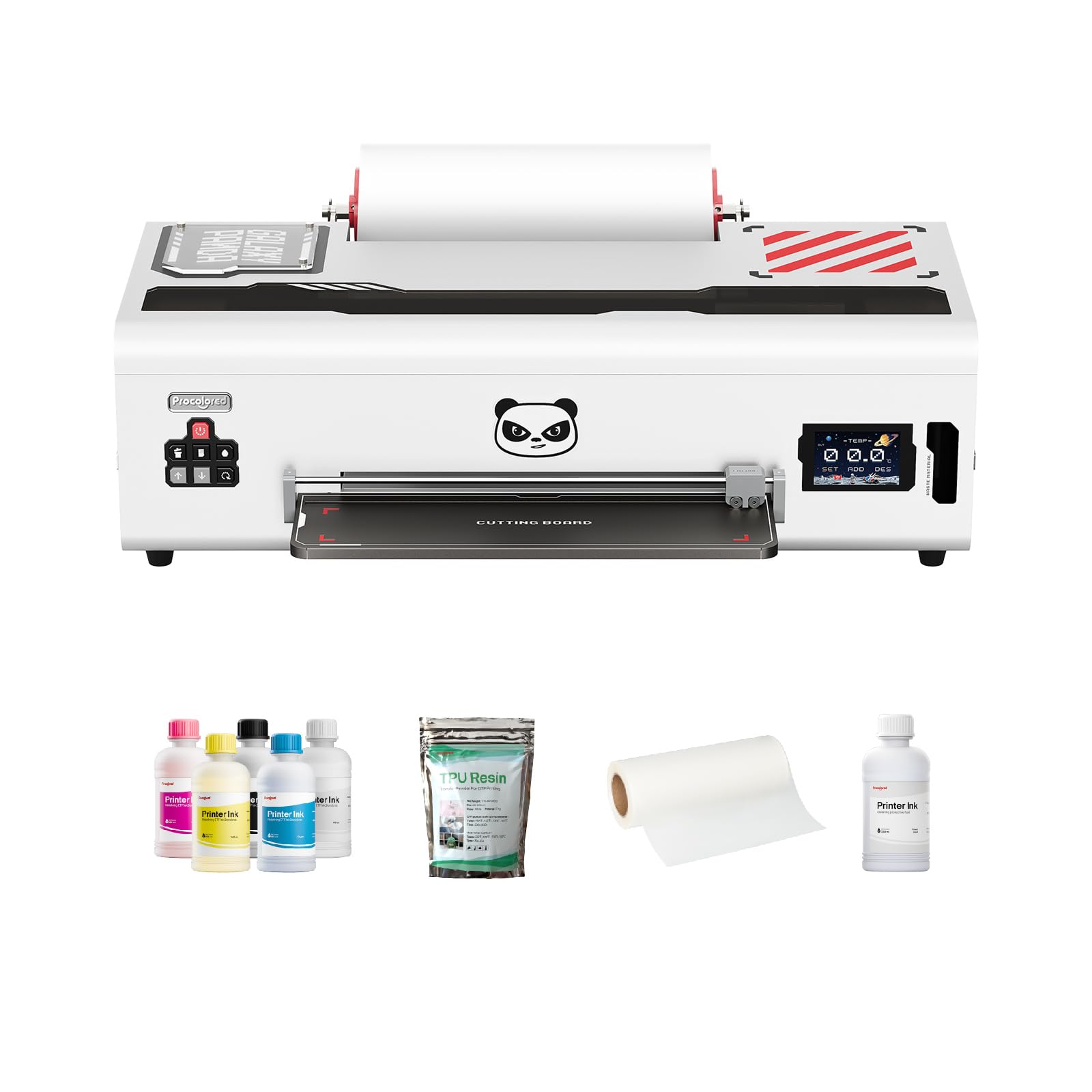
The Procolored K13 Lite targets a different beginner: one for whom color accuracy is a non-negotiable, not an afterthought. The machine is G7-certified, meaning its color profiles are calibrated to a recognized industry standard for proof-to-press matching. The built-in Procolored Studio Lite software automatically detects RGB and CMYK image formats and applies optimized curves, dramatically reducing the trial-and-error waste that plagues other beginner setups. The LiteHead Technology is designed for easier maintenance, with automated cleaning cycles that prevent ink drying and clogging.
The Infrared Printhead SafeGuard System is a unique feature in this price tier: it monitors the print area in real time and detects film warping or foreign particles as small as 2 mm, stopping the print to protect the head. The white ink circulation system runs every 30 minutes automatically, ensuring the white base remains consistent during longer print sessions. The package includes two full sets of DTF ink and adhesive powder, which extends the initial learning runway without requiring immediate re-supply.
The biggest red flag is a detailed review from a user who received what appeared to be a used or refurbished unit (9,000+ documents pre-printed), with a loud mechanical shriek and a printhead that failed within a month. The manufacturer’s warranty response was reportedly deceptive regarding the free printhead replacement. The price point is also the highest among the A3 units on this list. For a beginner who values color science above all else and is willing to vet their unit upon arrival, this is a precision tool; for the risk-averse, the extra premium may not be worth the gamble.
Why it’s great
- G7-certified color accuracy with automatic profile detection
- Infrared SafeGuard System protects printhead from damage
- Automatic white ink circulation runs every 30 minutes
Good to know
- Potential quality control issues—one user received a suspected used unit
- Highest price among comparable A3 units
9. Senortian L1800 A3 DTF Printer with Oven
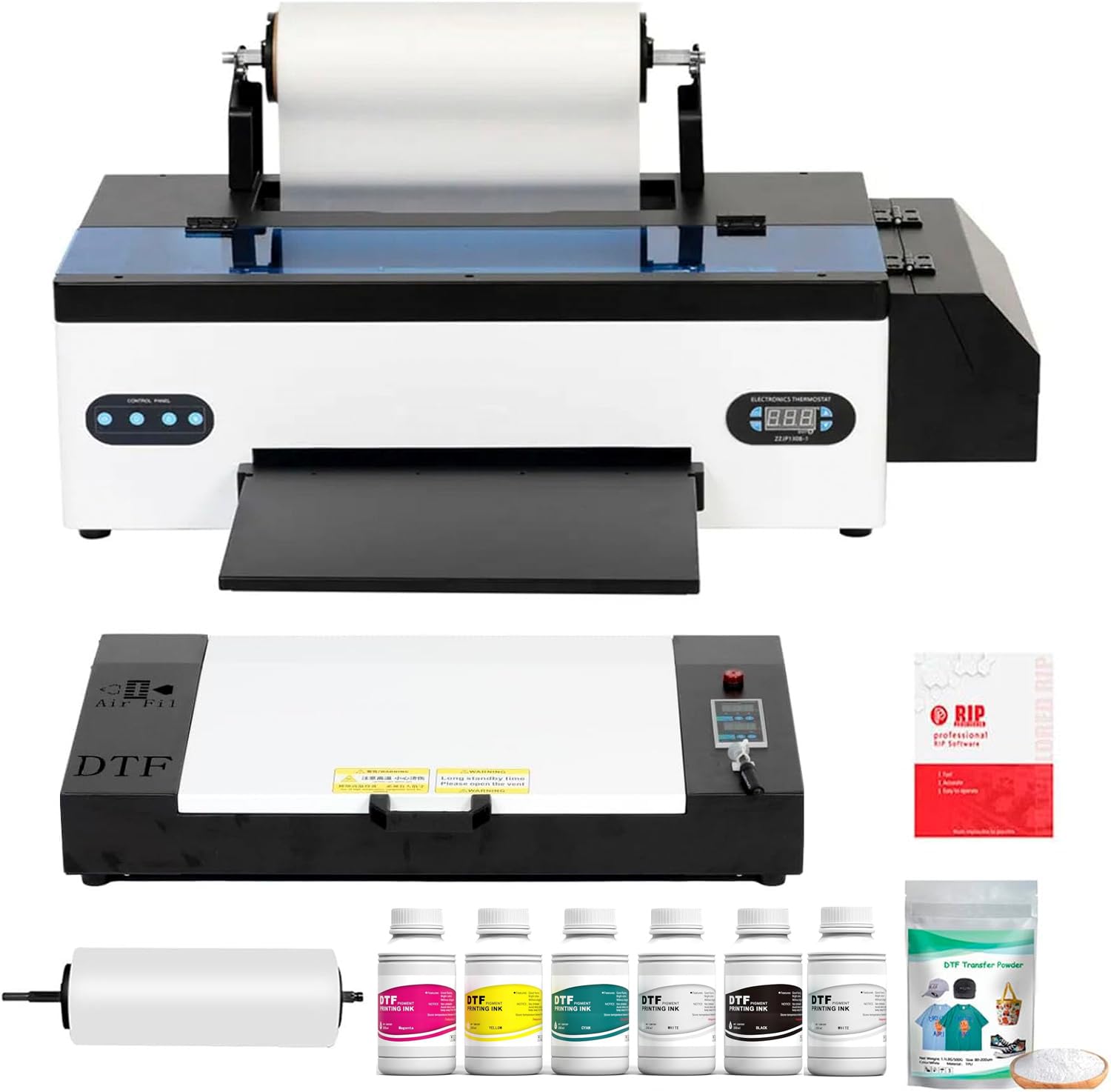
The Senortian L1800 DTF printer offers the highest native resolution in this guide at 5760×1440 dpi. This is made possible by the older but extremely reliable L1800 printhead, which uses 540 nozzles (90 per color) across a 6-color configuration (CMYK + Light Cyan + Light Magenta). For a beginner who prioritizes fine detail and gradient smoothness—such as printing photographic transfers or small text—this resolution advantage is immediately visible. The white ink system uses both circulation and agitation to prevent sedimentation, which directly addresses the beginner’s core anxiety of inconsistent white opacity.
The printer’s packaging and customer reviews paint a picture of a well-supported machine: multiple users reported that after a year of use, when a pump failed or a printhead clogged after months of inactivity, the support team (specifically “Cindy”) provided diagnosis and a free replacement printhead. The 24/7 availability of help videos and the oven’s generous internal space are also praised. The machine is described as “quiet” and “easy to use” once the initial setup is complete.
The downsides are notable for their breadth: one user reported that the waste ink pump failed after one week, while another said the ICC profiles that ship with the machine are poor, requiring manual adjustment. The circulation pumps are described as “poorly designed” and prone to causing chain-reaction failures in other components. The support network, while helpful for some, was reported as unresponsive for others. This printer is best suited for a beginner who has some basic mechanical troubleshooting patience and can verify the firmware version upon arrival.
Why it’s great
- Highest resolution available (5760×1440 dpi) for ultra-detailed prints
- Reliable L1800 printhead with 540 nozzles
- Some users report excellent support with free replacement parts
Good to know
- ICC profiles may need manual correction for accurate color
- Circulation pump design is a potential failure point
10. Sawgrass SG500 Sublimation Printer Starter Bundle

The Sawgrass SG500 is not a pure DTF printer—it is a dedicated sublimation printer. Its inclusion in a “Best Beginner DTF Printer” guide requires a clear asterisk: this machine is for users who want to start with sublimation (hard substrates, polyester fabrics) and may later branch into DTF via a separate unit. The SG500’s biggest advantage for a beginner is the Sawgrass ecosystem, which includes the MySawgrass online design platform (packed with templates) and the Print Manager software. This is a more mature, stable software experience than most DTF-specific Chinese brands can offer.
The printer is compact (17.25″D x 15.75″W x 8.5″H), Wi-Fi enabled, and includes print head auto-maintenance to prevent clogs. The SubliJet UHD inks produce rich, consistent colors on both hard and soft substrates, and the printer can handle media up to 8.5″ x 14″ with an optional bypass tray for prints up to 8.5″ x 51″. The starter bundle includes 20ml ink cartridges and TruePix paper, which is enough for roughly 20-30 full-page prints.
The major drawback is the locked ink system: you must use Sawgrass ink, and the refill cost is steep (a full set of 250ml cartridges runs around ). Furthermore, the anti-clog feature is not a substitute for a white ink circulation system—this is a dye-sublimation printer, not a white-ink DTF machine. Several reviews noted that the starter ink cartridges arrived showing “low ink,” and the support from Amazon is separate from Sawgrass. This is a strong beginner purchase only if the user is certain they want a sublimation-first workflow, not pure DTF.
Why it’s great
- Mature software ecosystem with MySawgrass design platform
- Wi-Fi enabled with print head auto-maintenance
- Compact footprint suitable for small workspaces
Good to know
- Locked to expensive Sawgrass ink refills
- This is a sublimation printer, not a standard DTF machine
11. A3 DTF & DTG Multifunction Printer

This machine is a multifunction DTF and DTG printer, meaning it can print directly to film (DTF) and directly to garments (DTG). The A3 suction platform can hold both film and clothing (via a dedicated hanger), which gives a beginner the flexibility to produce transfers and also print directly onto white T-shirts with DTF ink. The white ink stirring system is automatic and intermittent, which is a minimum-viable feature for keeping white pigment suspended during a print job.
The most frequently mentioned positive about this unit is the support from a representative named “Michael,” who multiple customers describe as providing round-the-clock guidance, including late-night phone calls and step-by-step video tutoring. For a buyer who is intimidated by the DTF learning curve, this level of personal attention changes the experience from overwhelming to manageable. The printer’s small form factor (9.02 pounds) makes it the lightest unit on this list, which is a plus for a beginner with limited studio space.
The risks are significant. The machine is much heavier on the DTG side of the equation; its DTF capabilities are limited compared to dedicated DTF printers. One long-term user reported that after several months, the ink lines clogged and a cleaning solution failed to clear them, with customer service suggesting the motherboard or printhead may need replacement—a cost that exceeds the printer’s value. The actual print quality is described as “excellent” by some and “mediocre” by others. This is a niche pick for a beginner who wants to experiment with both DTF and DTG in a single purchase, but it should not be the primary choice for someone focused purely on DTF.
Why it’s great
- Dual DTF and DTG functionality in one lightweight frame
- Exceptional one-on-one support (Michael) for nervous beginners
- Automatic white ink stirring system reduces basic clogging
Good to know
- Long-term reliability concerns—clogs may require costly repair
- DTF capabilities are secondary to its DTG focus
FAQ
What is the difference between a sublimation primer and a DTF printer?
How often should I run a cleaning cycle on my beginner DTF printer?
Can I use a DTF printer with a Mac computer?
What is the ideal workspace setup for a beginner DTF printer?
Final Thoughts: The Verdict
For most users, the best beginner dtf printer winner is the PUNEHOD R1390 A3 because it pairs a genuine white ink circulation system with responsive engineering support, a sub- entry point, and a 13-inch print width that your business will not outgrow in its first year. If you want a complete, single-shipment bundle with a heat press and 3500ml of ink, grab the InkSonic R1390. And for an ultra-low-risk learning experience with a two-year ink program that cushions every mistake, nothing beats the DXZ A4 XP600.