
Our readers keep the lights on and my morning glass full of iced black tea. As an Amazon Associate, I earn from qualifying purchases.
Specs are compiled from manufacturer listings and verified buyer reviews and can change over time — please confirm the key details on the product page before buying.
Buying your first laser engraver is notable right up until the machine arrives and you realize nobody told you which settings to use. The truth is that most beginners overspend on raw wattage when what actually matters is spot size, the tiny focused dot that decides how fine your lines look, plus software that does not fight you on day one. This guide cuts through the spec sheets to the machines real owners keep using long after the novelty wears off.
I’m Min — the founder and writer behind Gadgets Feed. This guide is built by comparing the manufacturers’ published specifications and the patterns across verified customer reviews, so you get each pick’s real strengths and trade-offs instead of marketing spin.
Every machine below is judged on a tight, well-focused beam and controls a first-timer can actually learn. Here is the shortlist of the beginner laser cutter picks that deliver real results without a steep learning curve or buried costs.
Our Picks at a Glance

How To Choose The Best Beginner Laser Cutter
Your first machine lives or dies on three things: how tight the beam focuses, how safe the frame is while it runs, and whether you can actually get a file into it without a degree in driver troubleshooting.
Start With Spot Size, Not Wattage
Spot size is the width of the focused beam where it hits your material, measured in millimeters. A smaller number means finer detail, sharper text, and cleaner edges on small projects like keychains and coasters. Raw wattage tells you how much material it can slice through, but a tight spot is what makes the difference between a crisp engraving and a smudged one, so weigh both together.
Understand the Safety Rating Before You Buy
A Class 1 rating means the enclosure keeps the beam contained during normal operation, so you can work without goggles. Open-frame machines at the same power are not necessarily unsafe, but they lean on you to manage shielding, ventilation, and placement. If kids or pets share your workspace, pay close attention to whether the unit has an auto-pause door or flame sensor.
Ventilation Is Not Optional
Burning wood, leather, and acrylic releases fumes and odors that will linger in a spare room without exhaust. Many owners add a small exhaust fan and an enclosure, and the longer-term owners treat airflow as standard equipment rather than an accessory. Plan for that upfront so your first project does not end with a smoke-filled kitchen.
Quick Comparison
| Model | Best For | Laser Power | Work Area | Speed | Amazon |
|---|---|---|---|---|---|
| Twotrees TTS-10 Pro★ Best Overall | Best Overall for beginners | 10W | 300×300mm | 30000mm/min | Amazon |
| AlgoLaser PixiMost Versatile | No-PC touchscreen control | 5W | — | — | Amazon |
| ORTUR Laser Master 2 S2 LFBudget Starter | Budget entry into cutting | 5500mW | 390×410mm | 5000 mm/min | Amazon |
| Creality Falcon 10W | Budget cutting power | 10W | — | 10000mm/m | Amazon |
| ACMER S2 | Upgradeable 12W head | 12000mW | 300×300 mm | 10,000 mm/min | Amazon |
| Woxcker 5.5W Enclosed | Safety-first home use | 5500mW | 300×300mm | 20000mm/min | Amazon |
| Longer RAY5 | Big canvas cutting | 10W | 400×400mm | 10,000mm/min | Amazon |
| ATOMSTACK A20 Pro V2 | Small business output | 20000mW | — | 400mm/s | Amazon |
| xTool M2 | Dual-camera precision | 10000mW | — | — | Amazon |
| Creality Falcon A1 | Enclosed plug-and-play | 10000mW | 381×305mm | 600mm/s | Amazon |
In‑Depth Reviews
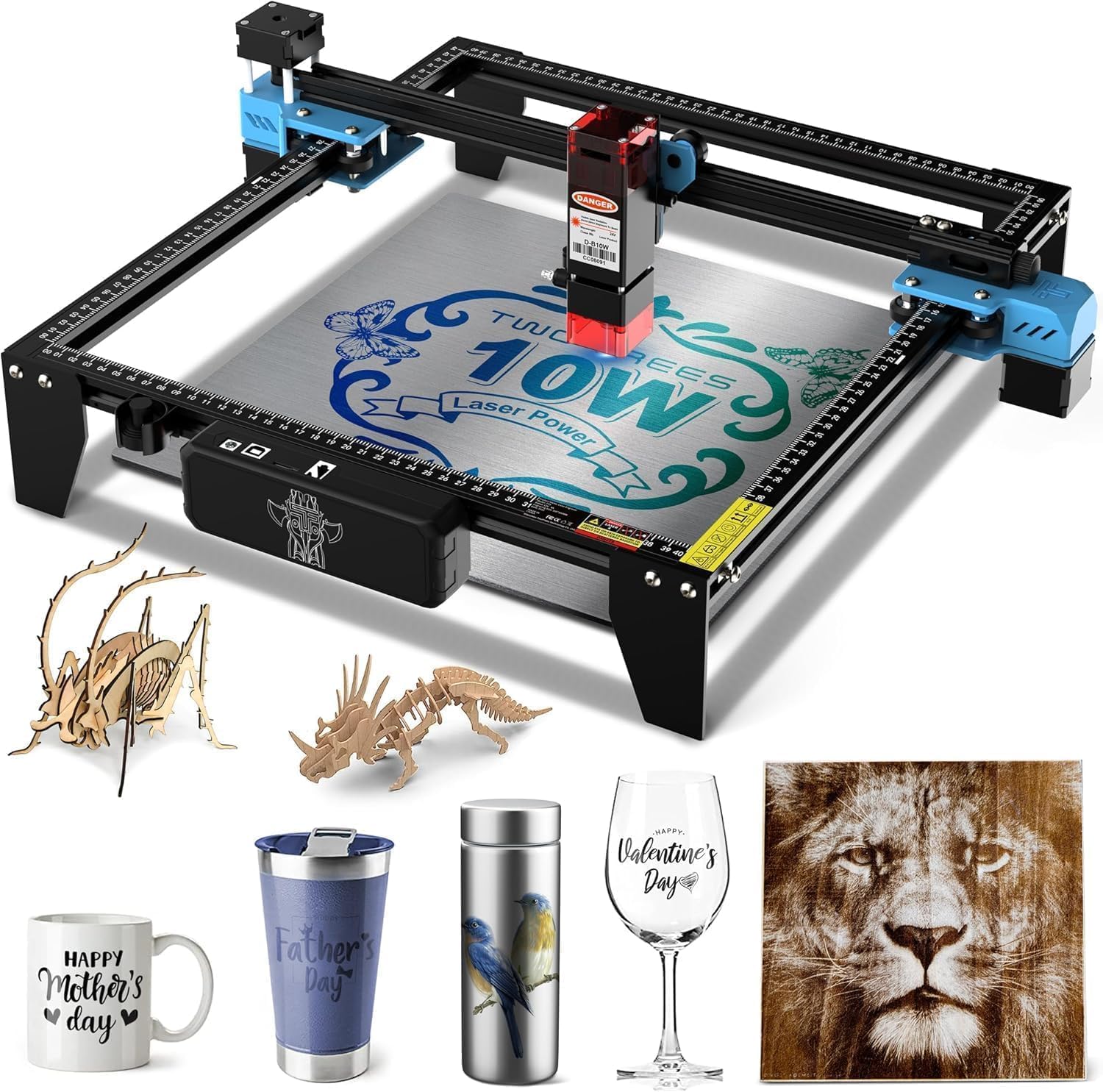
1. Twotrees TTS-10 Pro Laser Engraver
Our pick — over 4★ from 450+ verified ratings; the strongest balance of quality and price.
A 10W workhorse that races past the budget crowd without demanding expert hands.
For anyone who wants a real 10-watt machine that still fits a starter budget, this is the one. Its 10W output (10000mW, a measure of raw cutting energy) pairs with a 450nm blue light diode laser, a single-color beam tuned for organic materials. What that means in your garage is deep, fast engraving on wood, bamboo, acrylic, leather, dark glass, and coated or anodized metal, though bare stainless or uncoated metal needs a marking spray first.
Speed is where it separates from cheaper rivals. The TTS-10 Pro hits 30000mm/min, six times the 5000 mm/min top speed of the ORTUR Laser Master 2 S2 LF above, so a full batch of coasters finishes in a fraction of the time. That speed comes from a 32-bit dual-core mainboard paired with a full aluminum alloy frame, dual Y-axis 42 stepper motors, and GT2-6mm synchronous belts, which together hold alignment steady across long jobs. The 300×300mm (about 11.8×11.8 inches) work area covers coasters, keychains, phone cases, and small signage; anything larger needs measuring first.
What wins people over is quality control — every unit is tested before shipping, and the pattern in the reviews backs that up. As owners put it: “Used 2 of the 3 of these on my ERC Tim Sav Pin Cutter and it’s been operating well without issue for over 6 months.” Setup is the one recurring hurdle; expect a patient first afternoon before engraving day one. The 4.4-star rating across a sizable owner base reflects a machine that mostly just works.
Where It Earns Its Keep
- Six-times-faster 30000mm/min speed over the ORTUR’s 5000 mm/min
- Works offline via included 4GB TF card, no PC tethered
- LightBurn and LaserGRBL ready with.lbrn or.nc file export
- Full metal frame with dual Y-axis steppers holds accuracy on long runs
Before You Commit
- Bare stainless steel needs marking spray, not a straight pass
- Work area stops at 300×300mm, so measure oversized stock first
- Initial setup trips up impatient first-timers
Go for it if: you want genuine 10W cutting speed and offline control in a single beginner machine.
Pass if: your projects regularly exceed 12 inches across.
2. AlgoLaser Pixi Beginner Laser Engraver
Skip the laptop entirely — design, type, and fire straight from one screen.
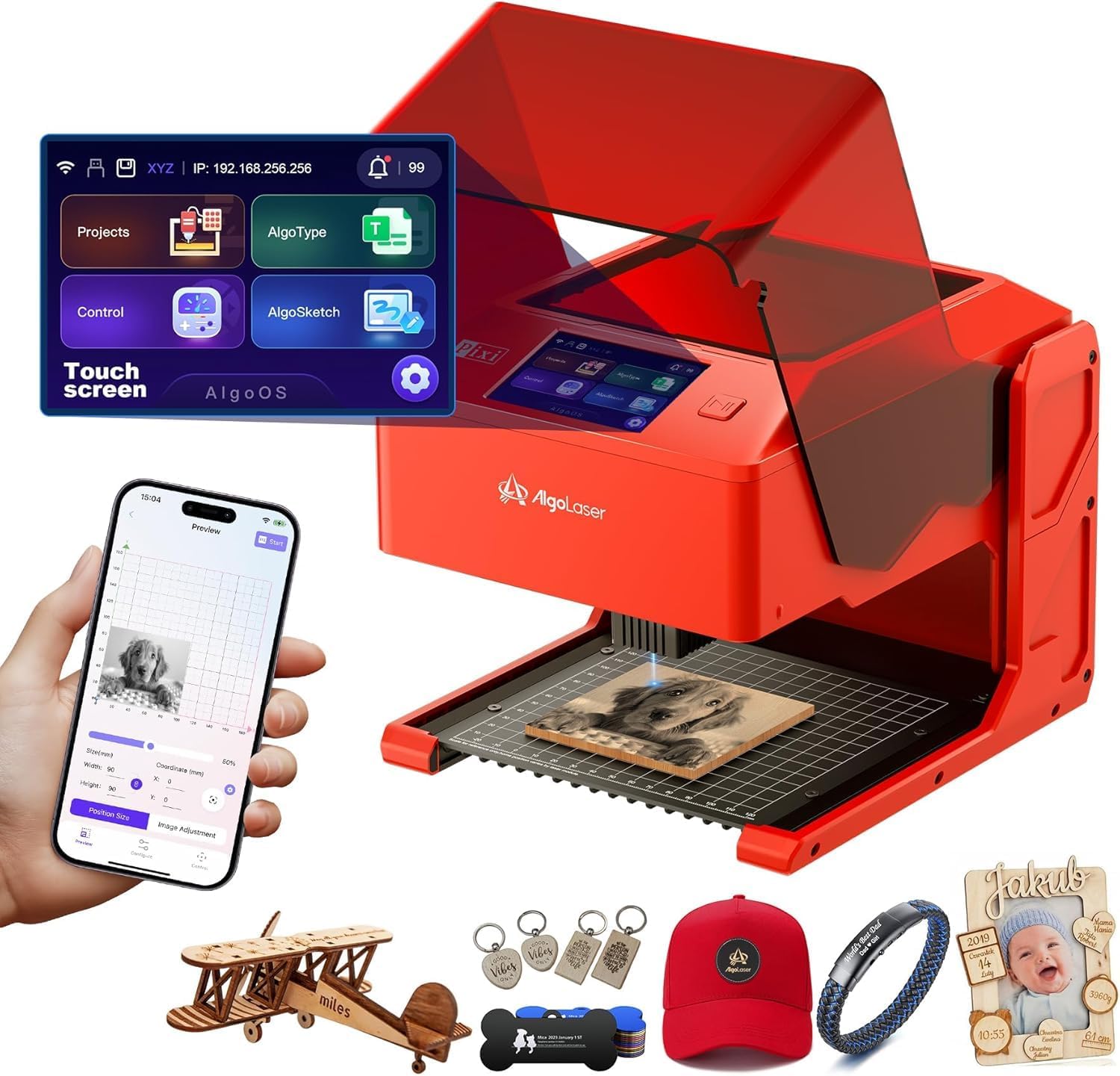
You skip the assembly table entirely with this fully enclosed, plug-and-play unit, and the 3.5-inch touchscreen runs the whole show. AlgoOS handles design on-device, so you can draw or upload and engrave without ever touching a computer — buyers report the “3.5” touchscreen intuitive.” It ships with 160 preloaded projects, weighs 8.33 pounds, and connects by USB-C, WiFi, or accessory ports.
The safety engineering is the standout. Its auto-pause safety door cuts the laser the instant you lift the lid and will not resume until it is closed again, and the whole system carries a certified Class 1 rating with a password-protected lock screen and real-time fault alerts. For a beginner sharing a home workspace, that confidence matters more than any speed number.
Two honest notes. The learning curve on AlgoOS’s deeper features runs steeper than the marketing suggests, and the reviewer consensus on reliability is genuinely mixed — most units run fine, but a small share report interlock or connection problems. The 4.0-star rating across the owner base reflects a genuinely useful machine with a slightly wider quality spread than its peers.
Screen-first workflow: AlgoSketch captures hand-drawn art and AlgoType renders text directly on the touchscreen, so you go from idea to engraved piece without opening design software.
Safety that stops itself: the auto-pause door and Class 1 enclosure shut the beam down the moment the lid opens, which is exactly the feature first-timers underestimate.
Ideal for makers who hate cables and menus: if you want an enclosed, screen-operated engraver you can unbox and run.
Look at the Twotrees instead: if you need higher raw wattage and proven cutting speed.
3. ORTUR Laser Master 2 S2 LF Laser Engraver
The entry ticket to real cutting, at a price that leaves room for accessories.
Buyers who want to test whether laser engraving sticks as a hobby before committing real money land here. It runs a 5500mW laser with an ultra-fine 0.17×0.25mm focal area and a 32-bit motherboard, and it can cleanly cut 6mm pine board in a single pass. Top speed is 5000 mm/min, and the ORTUR’s 390×410mm bed is actually a touch larger than the Twotrees TTS-10 Pro’s 300×300mm — a real win if your projects are flat and wide rather than fast.
Its safety package punches above the price tier. A G-sensor (a small motion sensor that detects a bump) stops the laser automatically if the machine shifts position, and a panoramic filter glass cover filters 97% of ultraviolet light, so you get eye protection without constantly hunting for goggles. Software support covers LaserGRBL and LightBurn across Windows 7 through 11, plus macOS and Linux.
The honest trade-off is reliability. This is the most-discussed aspect among owners, and it cuts both ways — many units run well for years, while some arrive with defects or develop wiring faults. Support can also lag on a bad unit. Treat that as a fit-in decision: buying from Amazon gives you an easy return window, so test thoroughly in the first days.
Choose it if: you want the lowest-risk entry into genuine 6mm pine cutting with a roomy 390×410mm bed.
Steer clear if: you want the fastest speed or the tightest build consistency — spend up for the Twotrees.
4. Creality Falcon 10W Laser Engraver
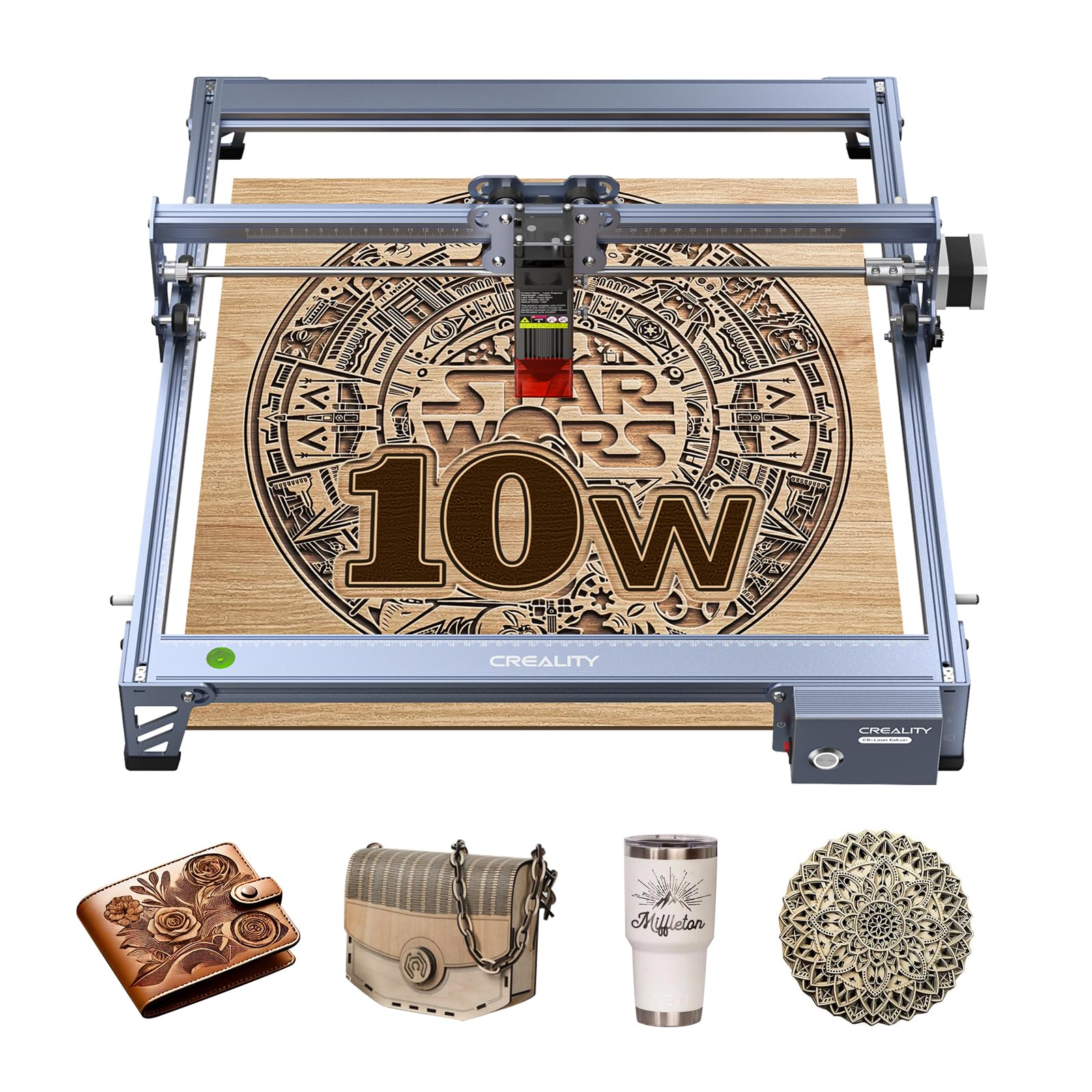
A 0.06mm spot that turns fine text into something you would frame.
If you plan to engrave small, detailed work — jewelry tags, fine lettering, intricate logos — the 0.06×0.06mm super-fine focus here is the number that matters most. It enables engraving and cutting accuracy controlled within 0.004 inches, with repositioning accuracy under 0.007 inches. Power comes as 10W output on a Class IIIa machine, and it can cut a 5mm basswood board or 3mm black acrylic in one pass at speeds up to 10000mm/m.
Build quality is the strongest thread through the owner feedback, with the all-aluminum alloy structure and steel shaft wheel guide rail earning the most consistent praise. Assembly runs 10 to 20 minutes, and the anti-UV filter acrylic on the laser module filters 97% of UV rays to protect your eyes. Wi-Fi, USB, and SD card transfer cover every workflow.
The catches are real but manageable. Connectivity is the aspect owners discuss most negatively here, mostly from a small number of units that would not link to a PC, and the printed instructions run thin. Budget extra time to watch the video guides and test your connection the day it arrives rather than the day before a deadline.
Why Detail Workers Love It
- 0.06mm spot for precise engraving on wood, leather, and coated metal
- Cuts 5mm basswood or 3mm black acrylic in one pass at 10000mm/m
- Quick 10–20 minute assembly with a tool-free focus plate
- Runs LightBurn or LaserGRBL across Windows, Mac, and Linux
The Honest Frustration
- Some units fight the PC connection, especially on first link-up
- Printed instructions are thin; the video walkthroughs do the real teaching
Built for fine-detail engravers: pick this if small, sharp text and logos are your main output.
Think twice if: you want a machine that just connects first try with zero fuss.
5. ACMER S2 Laser Engraver
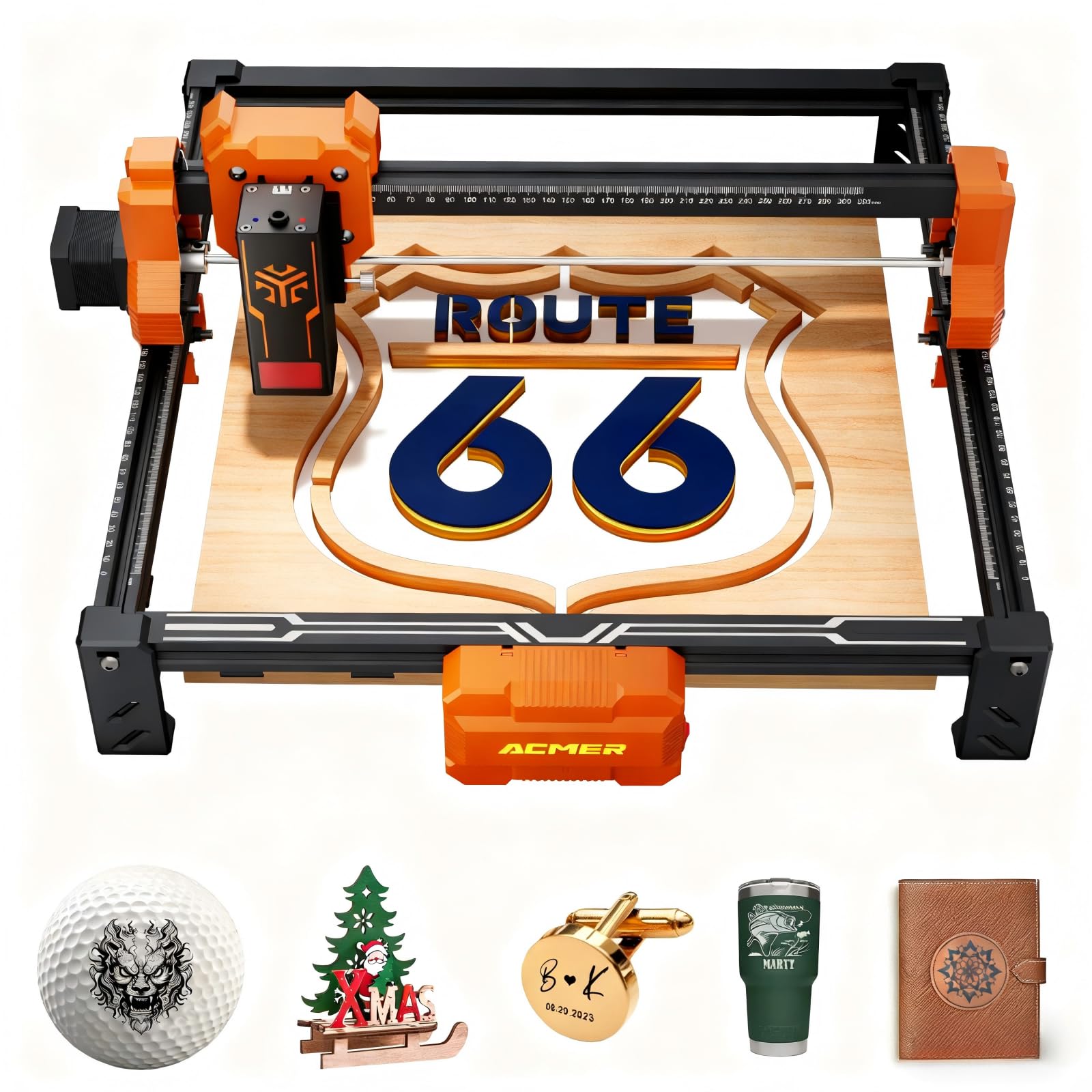
A 12W head you can grow with, plus AI that turns your words into designs.
Where most starter machines lock you to one laser head, the ACMER S2 accepts heads from 4W all the way to 12W, so the machine grows as your skills do. As shipped it runs a true 12W laser head and 72W total system power, cutting up to 15mm paulownia wood and 12mm black acrylic across multiple passes, and engraving over 100 materials. Speed tops out at 10,000 mm/min on a 32-bit chip, inside a 300×300 mm workspace.
The software is genuinely beginner-shaped. Free Acmerstudio uses built-in AI tools to turn text prompts or photos into engraving designs, and it still plays nice with LightBurn and LaserGRBL for those who graduate to them. Across Windows, macOS, and Linux, setup stays simple, and optional rotary modules and risers open up cylindrical objects later.
One piece of news matters before you buy — a known CH340 driver issue can block current macOS entirely, leaving the machine unusable until you switch to a Windows machine. If you run everything on a Mac, that is a genuine stopping point. The 4.4-star rating reflects a machine that earns its keep once the connection question is solved.
Pick it for the upgrade path: the swappable 4W-to-12W head range means your first machine keeps pace with your ambition instead of capping it.
Staunch on Windows or Linux: the CH340 driver snag makes macOS a hard no until the issue resolves — worth confirming your OS first.
Made for forward-thinkers: buy this if you want room to swap heads and add accessories as you improve.
skip it if: you live on a modern Mac.
6. Woxcker 5.5W Enclosed Laser Engraver
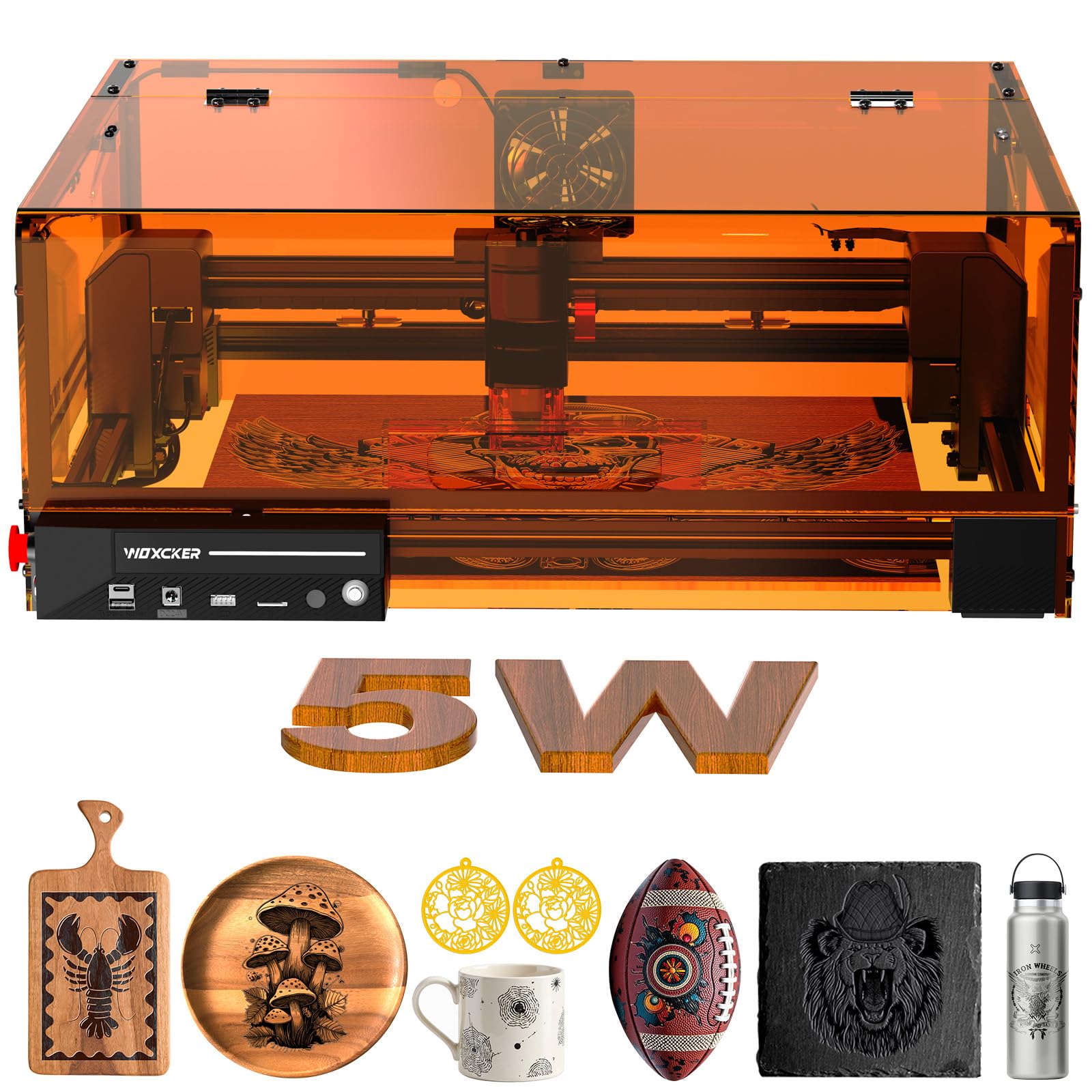
The one you buy when the workspace is shared with kids, pets, or a kitchen.
An ultra-fine 0.01mm square focus sets this apart from most rivals, and every safety feature you would want is already bolted on. At 5.5 pounds, it is the lightest machine here, and its modular design assembles in five pieces while saving 30 to 40 minutes on installation versus traditional frame builds.
The safety stack is where it earns its keep. The fully enclosed cover shields you from direct laser exposure, auto-stops when opened, and contains fumes and dust while keeping noise down. Add a built-in flame sensor, an E-stop button, a safety lock, and a 15-degree tilt-stop, and you have seven separate protection systems — a lot of confidence for a beginner running projects in a home shop.
Speed does not suffer for the safety. It reaches 20,000mm/min, and completes a design on wood in just 25 minutes 21 seconds, a 58% time saving over slower rivals, with a cup engraved in under 25 minutes and a bag in under 6. The honest trade-off is the 5.5W output — great for engraving fine detail, but you will not be slicing thick stock the way a 10W machine does.
Safety you do not have to engineer: from the auto-pause door to the flame sensor and 15° tilt-stop, the protection is built in rather than bolted on.
Detail-focused, not a heavy cutter: the 0.01mm spot is among the tightest here, but 5.5W means slower thick-stock cutting.
Perfect for home shops with small hands around: the Class 1 enclosure and seven safety systems top the list.
Not your machine if: you need to cut thick hardwood regularly.
7. Longer RAY5 Laser Engraver
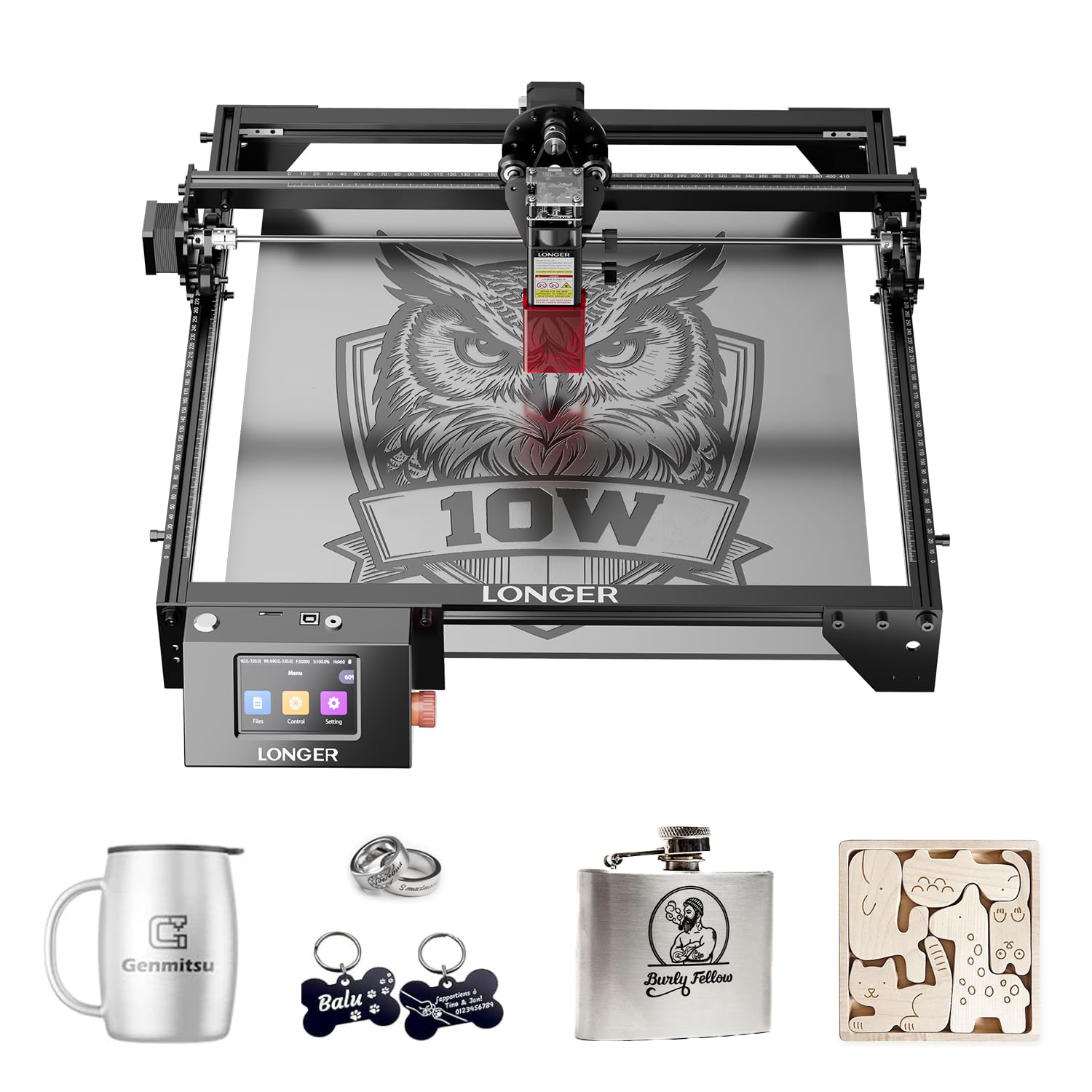
A 400×400mm canvas and dual-beam cutting chops that clears thick stock.
Nothing else on this list cuts thicker wood. The RAY5 goes through 0.8-inch (20mm) thick wood boards and 1.2-inch (30mm) thick acrylic, thanks to dual-beam technology that also pushes engraving speed to 10,000mm per minute. Its 400×400mm working area is the largest here, so full signs and large panels fit in one pass without repositioning.
Fine detail does not get left behind either. A precise 0.06×0.06mm laser spot handles intricate work, and the 32-bit core motherboard keeps operation smooth and stable across longer jobs. Multiple transfer methods — Wi-Fi, USB cable, APP, and TF card — mean you can run it fully offline when you like, and the 3.5-inch touchscreen makes on-machine operation simple.
The recurring caution is a serious one worth heeding. Without a honeycomb cut mat, especially with air assist running, fires can start fast enough to destroy the machine in about two weeks — one buyer learned that lesson the hard way and bought the mat on the replacement. Treat the mat, air assist, and an enclosure with exhaust fan as part of the cost. Owners also note the included instructions cover assembly well but skimp on operating guidance.
For makers with big projects and space: the 400×400mm bed and 20mm wood cutting power make it the heavyweight option.
Budget the safety gear from day one: a honeycomb mat is not optional on this machine.
8. ATOMSTACK A20 Pro V2 Laser Engraver

20W of cutting muscle for makers selling what they burn.
For a beginner who already knows they will be producing for customers rather than just for fun, the 20W output here changes the math. That 20000mW beam drives high-energy cutting and precise engraving, and speeds reach up to 400mm/s for reduced processing times across wood, acrylic, and metal. Dot compression technology delivers 0.08×0.1mm dots, backed by limit switches and a cross-line light for 0.01mm engraving accuracy.
Assembly is a genuine strong suit. The integrated linear guide motion structure cuts setup time, with owners putting it around 20 minutes using the pictured, numbered-bag instructions. The aluminum alloy frame and modular design keep the machine rigid, and a removable magnetic protective cover plus safety glasses make running it less nerve-racking.
The trade-off runs toward documentation rather than hardware. Owners mention that specs for the air pump, limit switches, WiFi, and controller are missing from the box, and the basic bundled app is thin; several builders added a small retrofit for cable drag chains. The Laser Class 4 rating also means this is not the machine to leave running unattended. It supports the ATOMSTACK App, LightBurn, and LaserGRBL when you are ready for the good software.
Small-business capacity: the 20000mW beam and 400mm/s speed handle production runs, backed by a lifespan of up to 10000 hours and free replacement on faulty parts.
Documentation gap: budget an evening to figure out the peripherals yourself, and treat Class 4 operation as a supervised-only job.
For side-hustlers: choose it if you are engraving to sell and want cutting headroom to grow into.
Overkill for casual hobbyists who just want weekend crafts.
9. xTool M2 Laser Engraver
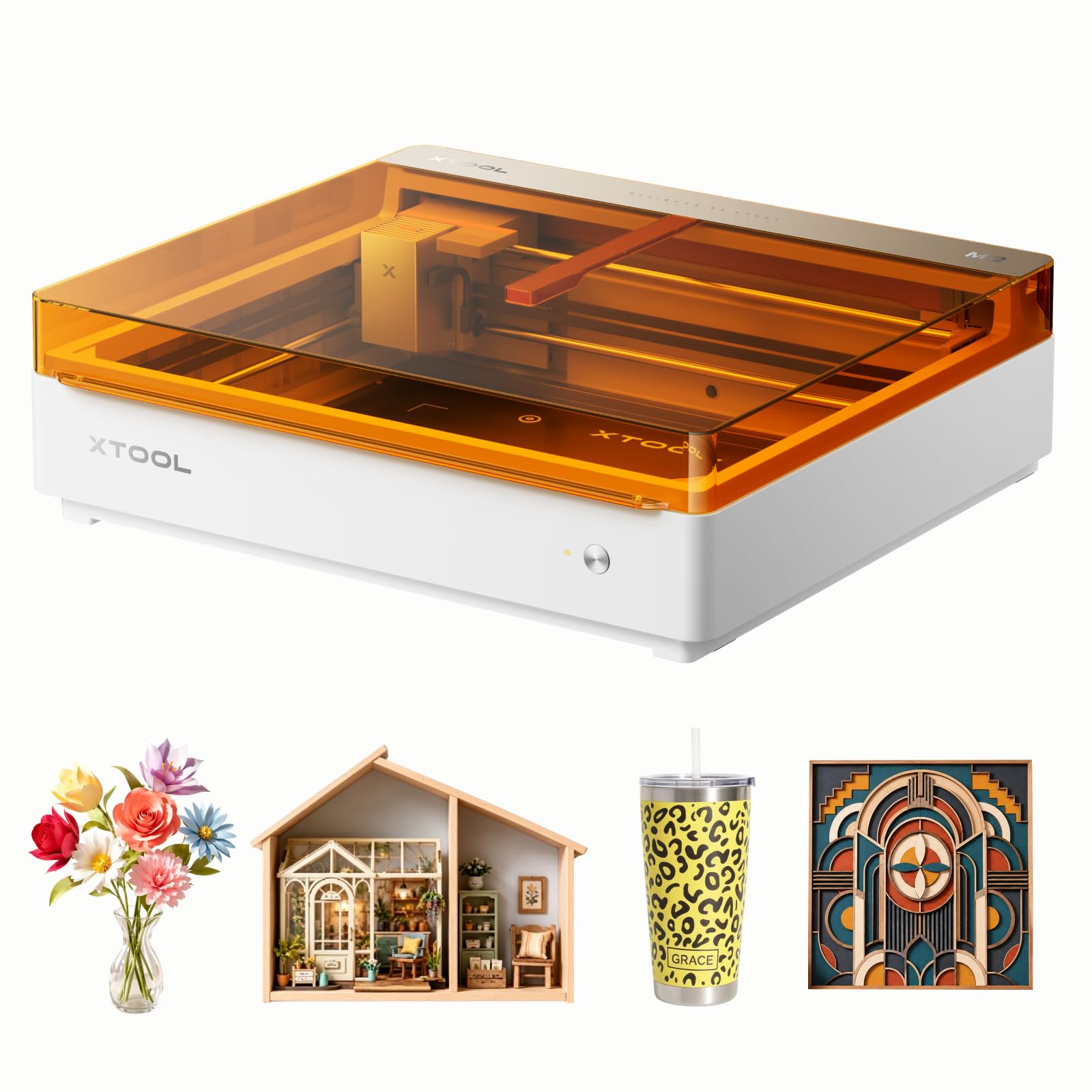
Dual cameras turn placing your design into a point-and-go affair.
Placing your design perfectly on the material is usually the fiddliest part of engraving, and the M2 solves it with built-in dual cameras that give a real-time preview of the workspace. Backed by ACS, which fuses that camera view with the motion system, it delivers a “Place & Go” workflow that removes the guesswork and wasted material. It ships with 10W diode lasers inside a fully enclosed, Class 1 safe frame with real-time monitoring.
The ecosystem is the real draw for crafters who want to add capabilities later. A dual-mode architecture means you can add a CMYK Inkjet module for full-color printing, or a 3W IR laser for fine engraving on metal and plastic, though both are sold separately. Beginner-friendly xTool Studio offers hundreds of ready-to-use templates and an integrated AI image generator, so a text idea can become a finished personalized gift in minutes.
The honest note is that this is a standalone base unit, so the CMYK module and RA3 Lite Rotary each cost extra. Owners consistently describe it as worth the money and easy from the start, and the review pages sum it up as an artist’s dream machine that is beginner-friendly and affordable.
Why Crafters Rave
- Dual cameras with real-time preview make positioning accurate without tape measures
- Class 1 enclosed design is safe for home crafters and small studios
- Works 300+ materials and grows via add-on CMYK inkjet or 3W IR modules
What to Know First
- Inkjet and rotary modules sell separately from this standalone M2
- LightBurn is not supported due to the unsupported cameras
Made for the template-lover: buy this if you want guided design, live camera alignment, and room to add color printing.
Not your pick if: you depend on LightBurn as your daily driver.
10. Creality Falcon A1 Laser Engraver

Fully assembled, closed up, and running within minutes of unboxing.
If assembly is the part that makes you hesitate, this is the answer. It arrives fully pre-assembled, so setup is measured in minutes rather than afternoons, and pre-set parameter settings for engraving let you skip the trial-and-error phase entirely. A 10W output inside a fully enclosed, Class 1 frame with a 381×305mm work area keeps the operation self-contained.
Speed is a serious strength. The CoreXY motion system and dual motor power drive engraving and cutting up to 600mm/s, which the maker frames as three times the efficiency of traditional models — though that 3x claim is theirs, not a number I can verify independently. The pre-calibrated HD camera gives a full-frame view so you can lock onto your object without manual tweaking, and the transparent cover filters out 99% of laser radiation while blocking noise and smoke.
The restrictions matter as much as the features. This machine cannot handle reflective materials at all, and acrylic cutting is not supported — you can only engrave on it with a coated surface. Owners also flag camera calibration as a recurring pain point, and the power supply reliability is mixed, with some units stopping completely. The 4.2-star rating reflects a strong machine with a real learning curve on the camera side.
Zero-assembly convenience: ready-to-run from the start with pre-set parameters is genuinely rare, and owners confirm engraving starts within minutes.
Material limits to respect: no reflective material and no acrylic cutting means you plan your projects around those boundaries.
For the impatient beginner: this is the pick when you want to be engraving today, not next weekend.
Avoid if: your projects involve mirrors, mirrored acrylic, or acrylic cutting.
Understanding the Specs
Laser Output Power (in mW or W)
This is the energy the beam delivers to your material, written as milliwatts (mW, thousandths of a watt) or watts. Higher output cuts through thicker stock and works faster, but it is not the whole story. A 5.5W machine with a tight focus can produce sharper detail than a sloppier higher-wattage build. Match power to what you actually cut: fine engravings need little, thick hardwood needs a lot.
Spot Size and Focus
Spot size is the measurement of the tiny focused beam where it meets your material, given as two numbers like 0.06×0.06mm. A smaller spot means finer lines, sharper text, and less charring around the edges. Fixed-focus machines hold their setting once adjusted; others need periodic tweaking. If detail matters, spot size deserves as much attention as wattage.
Work Area (in mm)
The work area is the maximum size of material the machine can handle in one pass, written as width by depth. A 300×300mm bed fits coasters, keychains, and small signage; a 400×400mm bed opens up larger panels and signs. Measure your typical project before buying, because repositioning large pieces is the fastest way to wreck alignment.
Safety Rating and Enclosure
A Class 1 rating means the enclosure keeps the beam contained during normal use, so you can work without goggles. Open-frame machines ask you to manage shielding and placement yourself. Features like auto-pause doors, flame sensors, and tilt-stops add layers of protection, which matters most if kids or pets share your workspace.
FAQ
How much laser power does a beginner actually need?
Can a beginner laser cutter engrave metal?
Do I need a computer to run a beginner laser engraver?
How long does a diode laser module last?
Is a fully enclosed laser engraver safer than an open-frame one?
What software works with beginner laser engravers?
Do I need to worry about fumes with a laser engraver?
What is the difference between laser engraving and laser cutting?
Can I cut acrylic with a beginner laser cutter?
Do beginner laser engravers come fully assembled?
Final Thoughts: The Verdict
For most beginners, the beginner laser cutter winner is the Twotrees TTS-10 Pro because it combines a genuine 10W output with six-times-faster 30000mm/min speed, offline TF card operation, and a full-metal frame that holds accuracy through long runs. If you want to skip the PC entirely and design straight from a touchscreen, grab the AlgoLaser Pixi. And for engraving fine detail with a 0.01mm spot inside a Class 1 enclosure that keeps little hands safe, the Woxcker 5.5W Enclosed is the one to reach for.
How We Picked
We do not accept paid placement. Every pick is matched to a real buyer and a real use-case; we do not hands-on test units.
Sources & Methodology
Specifications: manufacturer listings and product documentation. Review insights: verified customer reviews, as of September 2026. Pricing: not shown on this page (it changes often); check the current price via the retailer link.
As an Amazon Associate, Gadgets Feed earns from qualifying purchases. This does not affect which products we feature.