
Our readers keep the lights on and my morning glass full of iced black tea. As an Amazon Associate, I earn from qualifying purchases.
Specs are compiled from manufacturer listings and verified buyer reviews and can change over time — please confirm the key details on the product page before buying.
Starting a podcast is notable, but that first recording can sound hollow, thin, or full of background hum. The good news is that you no longer need a studio or a huge budget to sound professional — the right microphone does most of the heavy lifting. This guide cuts through the spec-sheet noise to help you find the best beginner podcast equipment that matches your setup, your room, and your voice.
I’m Min — the founder and writer behind Gadgets Feed. This guide is built by comparing the manufacturers’ published specifications and the patterns across verified customer reviews, so you get each pick’s real strengths and trade-offs instead of marketing spin.
Starting your first podcast means choosing between plug-and-play USB mics and XLR gear that grows with you. These eight setups cover every starting point, so you can match the right one to your plans.
Our Picks at a Glance


How To Choose The Best Beginner Podcast Equipment
Your first podcasting purchase depends on one question: how much do you want to plug in and go versus how much room do you want to grow? USB mics plug straight into your computer with no extra gear, while XLR mics connect to an audio interface (a box that converts your mic’s signal for your computer) and give you more control later. Both can sound fantastic for a beginner, so the choice is about your future plans.
Start with the polar pattern
The polar pattern is the shape of the area around the mic where it picks up sound. For podcasting, you want a cardioid pattern — it captures your voice from the front and rejects most sound from the sides and rear. This matters if you record in a bedroom or office with a humming PC fan or a ticking clock, because a cardioid mic simply ignores most of that noise.
USB versus XLR: know your path
A USB microphone is the true beginner route. You plug it in, select it in your recording software, and start talking. An XLR microphone requires a separate audio interface or mixer to work, but it opens the door to upgrading individual pieces later. Some mics offer both connections in one body, which is the smartest compromise if you are not sure how far you will take this hobby.
Quick Comparison
| Model | Best For | Connectivity | Polar Pattern | Frequency Response | Amazon |
|---|---|---|---|---|---|
| HyperX QuadCast★ Best Overall | Plug-and-play gaming & streaming | USB | Four selectable | 20Hz – 20kHz | Amazon |
| MAONO A04 Gen2Best Value | Complete all-in-one starter kit | XLR & USB | Cardioid | 30Hz – 16kHz | Amazon |
| FIFINE AmpliGame KS5Gamer’s Choice | Gamers who want a mixer | XLR & USB | Dynamic | — | Amazon |
| MAONO PD200W | Wireless freedom & duo interviews | Wireless, USB & XLR | Cardioid | Up to 16kHz | Amazon |
| Zoom ZDM-1 Pack | Full kit with headphones included | XLR | Dynamic | Up to 18kHz | Amazon |
| Rode PodMic Bundle | Broadcast sound for treated voices | XLR | Cardioid Dynamic | 20Hz – 20kHz | Amazon |
| Samson Q9U | Hybrid USB/XLR for long-term use | XLR & USB-C | Cardioid | — | Amazon |
| Audio-Technica AT2020USB-X | Clear, natural sound in quiet rooms | USB | Cardioid | — | Amazon |
In‑Depth Reviews
1. HyperX QuadCast
Our pick — over 4.5★ from 35,500+ verified ratings; the strongest balance of quality and price.
The plug-and-play crowd favorite that makes your first recording sound instantly polished.
You want a microphone that sounds great the second you plug it in, and the QuadCast delivers that with zero driver downloads. It connects via USB to a PC, PS5, PS4, or Mac, and its standout a neat extra is the tap-to-mute sensor on top — tap the mic and the LED ring goes dark so you know you are off-air. Build quality is premium metal, and the built-in anti-vibration shock mount (an elastic rope suspension that stops desk thumps from reaching the capsule) means you do not need to buy extra gear to kill rumbles.
What wins people over is the sound quality — the crowd favorite for good reason. Its frequency response runs 20Hz to 20kHz (the full span of human hearing), which means your voice sounds full and natural, not tinny. The included internal pop filter blocks plosive “p” and “b” bursts from hitting the capsule, and a built-in headphone jack lets you monitor yourself in real time. Buyers report it stays clear and crisp for gaming, Discord, and recording even after a year of daily use.
Unlike a single-pattern mic, the QuadCast offers four selectable polar patterns — stereo, omnidirectional, cardioid, and bidirectional. That means you can switch from a solo podcast (cardioid, which captures your voice from the front) to a two-person interview (bidirectional, which picks up sound from the front and back) without changing hardware. The trade-off is honest: it is not studio-grade, and the bright internal red light has no brightness control, so if you record in a dark room, that glow stays on.
Why It Wins Listeners Over
- True plug-and-play with no driver installation needed
- Tap-to-mute with a clear LED status indicator
- Four polar patterns cover solo and duo setups
- Built-in shock mount and pop filter included
The Honest Trade-Offs
- Bright red LED has no brightness control
- No software noise cancellation built in
- Condenser design picks up some background sound
Reach for this if: you want the easiest possible path to a great-sounding first episode and might pivot to gaming, Twitch, or YouTube later.
Look elsewhere if: you need to filter out loud room noise — the noise cancellation gets mixed feedback, so a very noisy room needs a dynamic mic instead.
2. MAONO A04 Gen2
A complete podcast studio in one box that sets up in about five minutes.
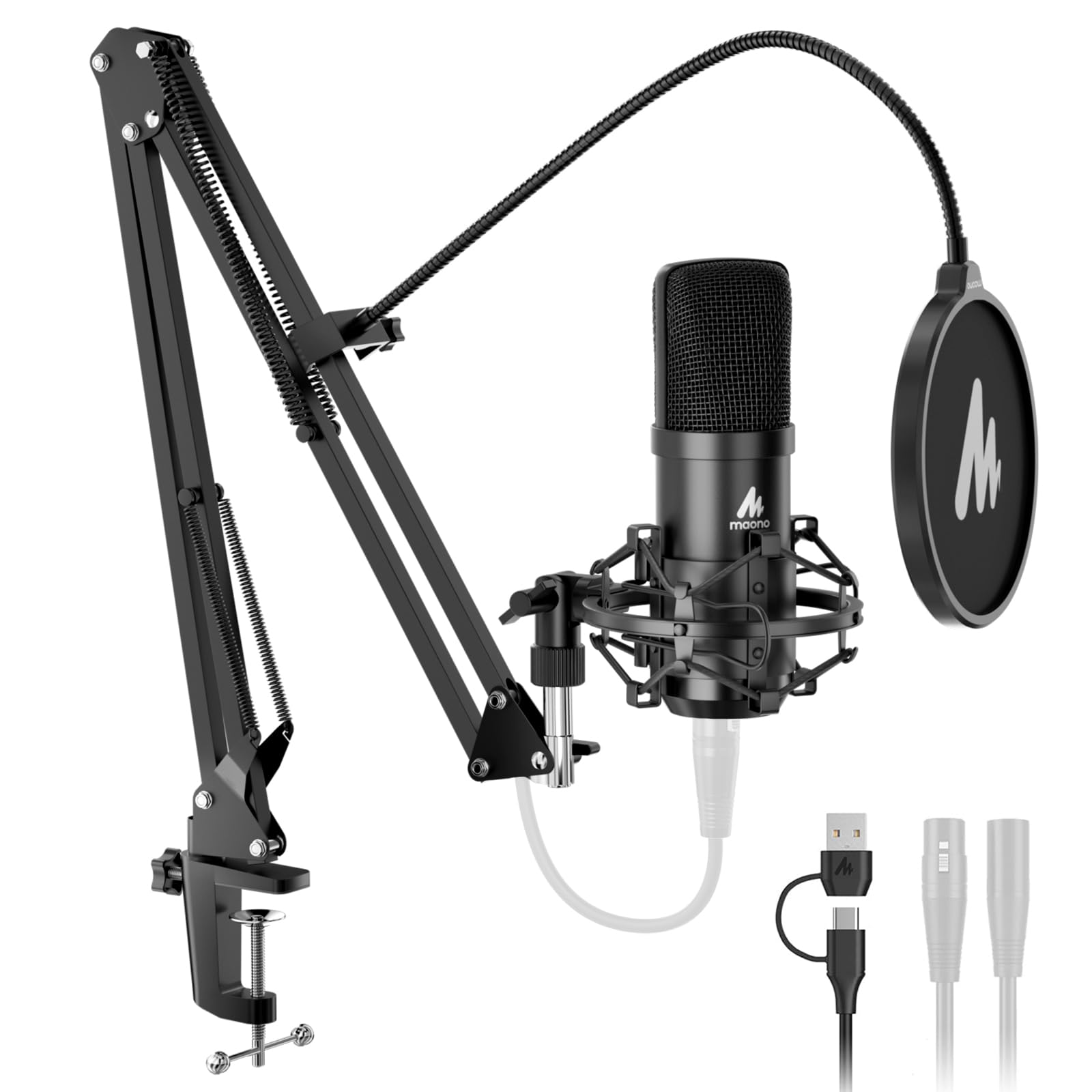
Here is the rare kit where the box contains everything: the mic, an adjustable scissor arm stand, a shock mount, a pop filter, a foam windscreen, and a boom arm base. Beginners consistently call it perfect for their first setup, and the assembly takes about ten minutes. The metal build feels much more premium than the entry-level price suggests, and the desk clamp fits surfaces up to 2.1 inches thick, so it works on most desks.
You get both connection types here, so you can start simple and upgrade later. Plug it into your PC or phone via USB for instant plug-and-play recording, or run it through an XLR audio interface later when you want to upgrade your sound chain. The 16mm electret condenser capsule records at a high-resolution 192kHz/24bit sampling rate with a smooth, flat frequency response of 30Hz-16kHz — and as owners mention, that makes it a great alternative to a Blue Yeti combo at a fraction of the price. The MAONO Link software adds noise-reduction control, EQ presets, a compressor, and a limiter, all adjustable in USB mode.
The catch is small but real. There is no headphone monitoring port on the mic itself, so you cannot listen to yourself in real time without an external interface. A few owners also note the gooseneck holding the windscreen can sag and needs some fiddling. Neither issue stops the audio from sounding rich and detailed — they are just fit notes for picky buyers.
The Value Verdict: you get a complete, studio-style recording setup for less than many single microphones cost, and the dual XLR/USB path means it grows with you.
Who Should Skip It: hosts who insist on live headphone monitoring from the mic itself will need to add an interface.
3. FIFINE AmpliGame KS5
A dynamic mic and hardware mixer bundle that turns your desk into a mini broadcast studio.
This bundle is built for the gamer who wants tactile control without complicated software. You get an XLR dynamic microphone, a dedicated PC audio mixer, and a 3.5mm audio cable to link them. The mixer gives you physical faders, individual mute buttons, and a headphone monitoring jack — so you can adjust your voice, game audio, and music on the fly with real knobs instead of digging through menus. Five kinds of RGB lighting effects on the mixer add the visual flair that matches a streaming setup.
It runs on both XLR and USB connections, giving you a straightforward upgrade path. Customers note XLR sounds better than USB, and the bundle holds up well even after about a year of regular use. The dynamic microphone design means it naturally rejects background noise better than a condenser, which helps if your PC fans are loud while you game. As one first-time buyer put it, “being this my first setup as a beginner this is perfect.”
There are two honest caveats. First, all the function keys on the mixer — the RGB, mute, monitoring, and volume controls — only work in USB mode, not via the XLR connection. Second, a few reviewers point out the XLR mic volume can run too low at times, and one noted the mixer occasionally shuts off and reboots on its own. If you are happy to run it in USB mode and keep the gain dials in the right range, this is a feature-packed starter rig.
The Hands-On Appeal
- Physical faders and mute buttons for instant control
- Dynamic mic rejects background noise
- RGB lighting matches a gaming setup
- Plays well with Discord and streaming platforms
Where It Stumbles
- Mixer controls only work in USB mode
- XLR volume can occasionally sit too low
- Rare reports of the mixer power-cycling
Best for: gamers and streamers who want a physical mixer with knobs and faders rather than relying purely on software.
Think twice if: you want a single all-in-one device — this is a two-box setup that needs desk space for both the mic and mixer.
4. MAONO PD200W
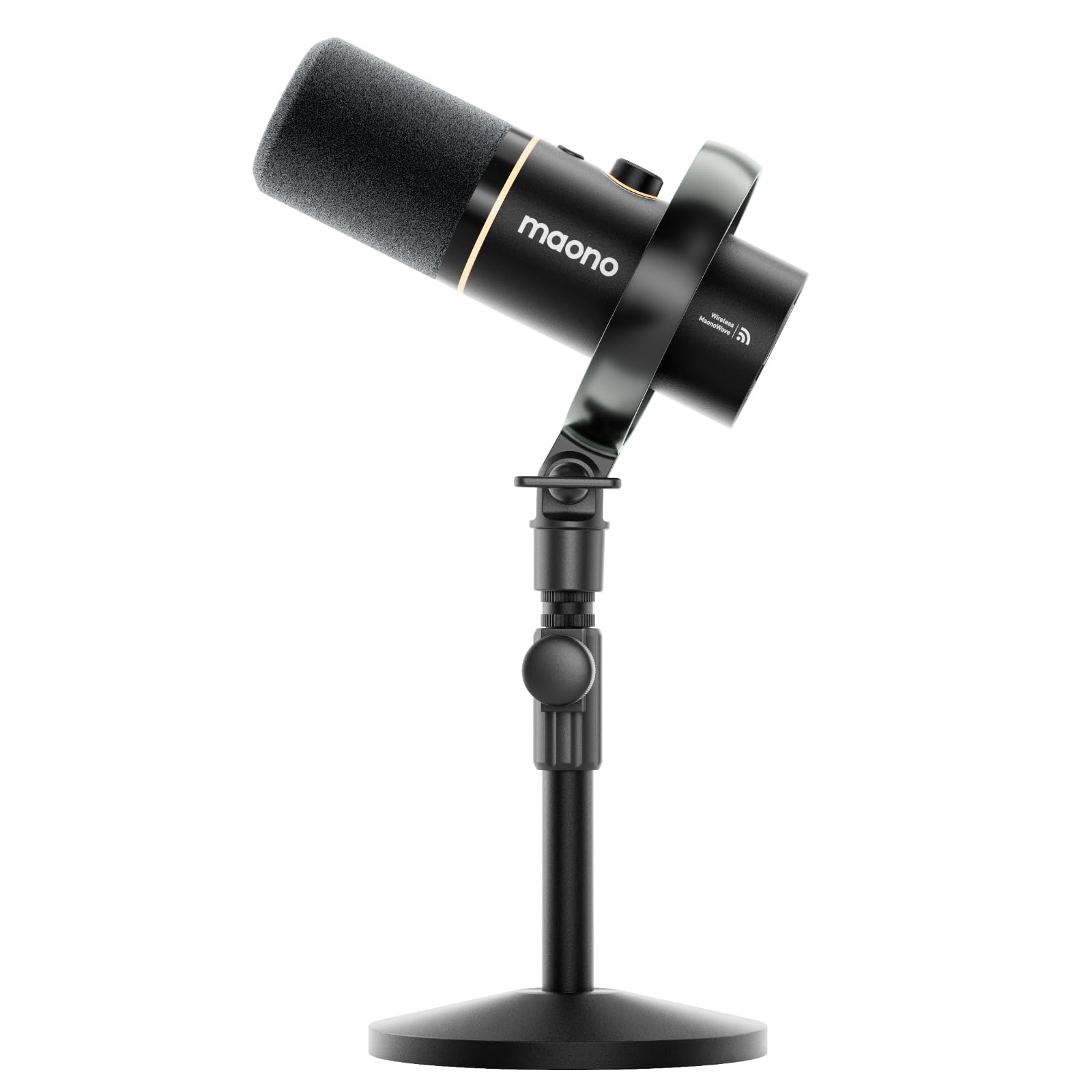
The wireless hybrid that frees you from the desk and still sounds studio-clean.
Every other mic on this list chains you to a cable — the PD200W is the one that cuts it. It offers three ways to broadcast: go wireless with a Type-C receiver for total freedom, plug in via USB for easy phone, tablet, or computer recording, or run XLR into an interface for a pro-level setup. If you like to pace while you talk or want to record an interview without huddling around a laptop, this is the mic for you. The stable wireless range reaches 60 meters, and battery life stretches to 60 hours with the RGB lighting off.
Sound quality holds up to the freedom. The premium 30mm dynamic capsule with cardioid pickup achieves an ultra-clean 82dB signal-to-noise ratio (a measure of how quiet the background hiss is compared to your voice — higher is better) and handles up to 128dB SPL without distortion, meaning it will not crack even if you get animated. A single receiver can connect two wireless desktop mics for a duo podcast, recording each mic to its own track for clean editing later. Shoppers say the noise cancellation is phenomenal, blocking generator and AC hum so well it sounds like a treated booth, and the MaonoLink app lets you tune EQ and reverb presets from your PC or phone.
The honest catch is packaging. A handful of buyers found the wireless adapter missing from their box, leaving them stuck with a wired mic until a replacement arrived, and the camera or Lightning accessories for video syncing are sold separately. When the full kit arrives intact, it is a rare case of getting far more than you paid for.
The Freedom Verdict: if you want to record anywhere in a room — or run a two-host show without a mixer — the wireless flexibility and 60-hour battery make this the standout choice.
Watch Out For: the missing-adapter reports and the extra cost of camera accessories can catch you off guard on arrival day.
5. Zoom ZDM-1 Podcast Mic Pack

Everything you need to record — mic, headphones, stand, and cable — in one box.
This pack solves the beginner’s biggest blind spot: you need good headphones to monitor your own voice, and most mic kits do not include them. The ZDM-1 bundles a dynamic microphone, closed-back ZHP-1 headphones, a tabletop tripod stand, a windscreen, and an XLR cable — the complete physical kit to start recording immediately. The sturdy threaded tripod folds flat for transport, which makes this a genuine grab-and-go option for recording in different rooms or on location.
The microphone is a classic dynamic broadcast design, built specifically for voice. Its 200-ohm impedance and frequency response up to 18kHz deliver rich, full-bodied sound that flatters speech, and the windscreen blocks breath, wind, and plosive pops without muffling your voice. Audio Sensitivity is rated at 45 dB, so it picks up your voice cleanly. Buyers consistently report their voice comes through without distortion or echoes, and many pair it with gear like a RodeCaster Pro 2 for a broadcast-style chain.
Keep in mind this is an XLR-only mic, so you will need an audio interface or a recorder like a Zoom H4n to use it — it will not plug straight into your laptop. A few owners note the ear pads on the headphones may need replacing down the road, and finding replacements can be fiddly and costly. If you already own an interface, or plan to buy one, this is a complete, quality-minded starting point.
The Complete-Package Verdict: for the podcaster who wants a no-surprises kit with monitoring headphones included, this is the most turnkey XLR option here.
Who Should Skip It: anyone without an audio interface yet — this mic has no USB connection, so it is not a solo plug-and-play device.
6. Rode PodMic Boom Arm Bundle

The broadcast-radio sound in an untreated bedroom, with the boom arm it needs.
If your room has no acoustic panels — and most beginners’ rooms do not — this is the mic that makes that a non-issue. The PodMic’s tight cardioid dynamic capsule wants you 1 to 4 inches off the grille, and that extreme proximity means it rejects the keyboard, the fan, and everything else behind you. It delivers broadcast-warm midrange that flatters spoken voice, across 20Hz to 20kHz, so your recordings sound like an FM radio podcast straight from a normal bedroom. The 320-ohm output is designed to work with a real audio interface.
This bundle earns its name by saving you two extra purchases. The microphone ships with an internal pop filter and an internal shock mount built into the body — the dual-mesh housing absorbs plosives before they reach the capsule, and the capsule is suspended to keep desk thumps out of the recording. Then the StreamEye BOOMARM1 adds 27 inches of horizontal reach with a 2.8 lb capacity, which handles the PodMic’s 865g weight easily. The included 10-foot balanced XLR cable routes through cable management without picking up hum or buzz.
The trade-off is that this is XLR-only, so you must add an audio interface and headphones to record at all — the kit delivers the mic, arm, and cable, and nothing more. Buyers who made the leap report it is the clearest and best-sounding microphone they have found for podcast interviews and voiceovers after trying several others. It is the pick for those who want a serious broadcast sound from day one and do not mind the extra interface purchase.
The Pro-Voice Verdict: you get that rich, warm radio sound and the sturdy arm to hold it, purpose-built for untreated rooms.
Plan For This: add an audio interface and headphones to your cart — this kit contains the mic, arm, and cable only.
7. Samson Q9U
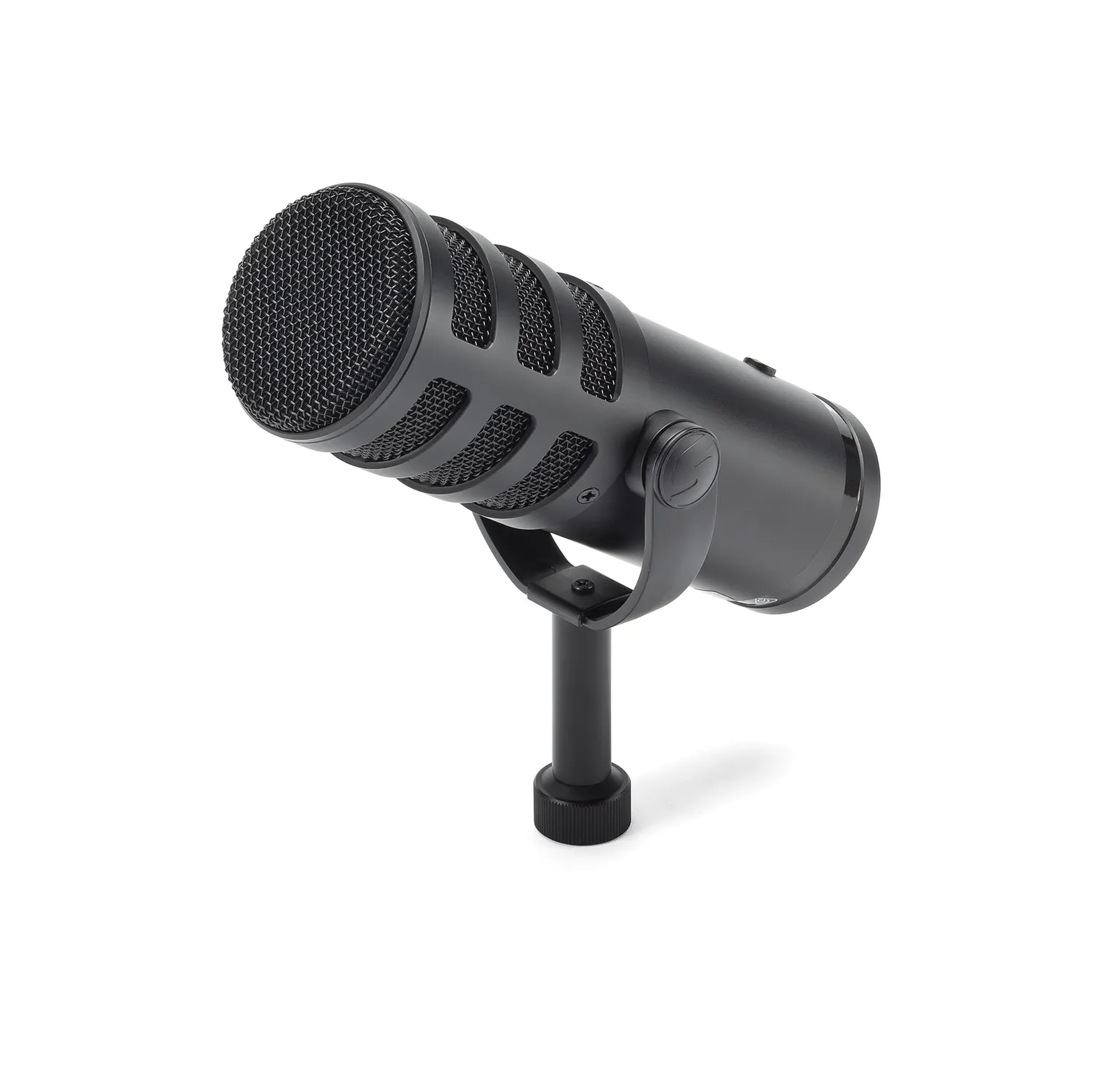
A dynamic workhorse with both USB-C and XLR that has lasted daily drivers for years.
This is the mic to buy if you are serious about podcasting long-term but still want the beginner-friendly USB path today. The Q9U offers both an XLR analog output and a USB-C connection with 24-bit/96kHz high-definition digital audio, so you can start by plugging straight into your computer and later move it to a mixer without replacing anything. It is a dynamic microphone with a neodymium magnet, giving you plenty of output to work with any mixer or interface without extra gain devices, and a cardioid polar pattern that keeps your voice front and center by rejecting off-axis noise.
Two features make it feel like a pro device. Zero-latency headphone monitoring means you hear your voice in real time with no delay — crucial for natural-sounding delivery. An onboard mute switch instantly silences both the XLR and USB outputs, and a low-cut filter plus mid-boost switches let you shape your podcast tone without software. The internal pneumatic shock mount isolates the capsule from mechanical noise, and a dual-layer windscreen minimizes pops. Buyers who used it daily for streaming, podcasting, and gaming for two years call it an excellent, long-lasting value.
The honest note is durability reports are mixed. While many owners call it rock-solid and heavy, a minority report units failing or becoming whisper-quiet within about a month — worth knowing before you commit. It also ships with no stand, mount, or XLR cable, so factor those into your setup cost. If you get a good unit, the warm, deep sound rivals mics costing twice as much.
The Hybrid Appeal
- Dual XLR and USB-C paths for future upgrades
- Zero-latency headphone monitoring
- Onboard mid-boost and low-cut tone shaping
- Warm, deep voice that flatters speech
Before You Buy
- No stand, mount, or XLR cable in the box
- Mixed durability reports from long-term owners
- Quiet output may need a gain boost on some interfaces
Choose this for: a build-to-grow setup where USB-C serves you today and XLR serves you tomorrow.
Hesitate if: you want everything in the box — this mic arrives bare and expects you to supply the stand and cable.
8. Audio-Technica AT2020USB-X

A studio-name USB condenser that rewards quiet rooms with exceptionally natural sound.
Audio-Technica is a trusted name in studio mics, and this USB version brings that heritage straight to your laptop. Its high-resolution AD converter delivers a 24-Bit/96kHz sampling rate for extremely clear, natural sound reproduction — ideal for podcasting, voiceover, and home studio recording. The built-in headphone jack lets you monitor directly from the microphone, and a soft-touch capacitive mute button on the body silences audio instantly and silently. A two-state LED ring glows blue when powered and red when muted, so your status is always visible on camera.
Its cardioid directional pickup does a solid job minimizing background noise, and the 600-ohm impedance with 30 dB sensitivity captures voice with clarity. The included custom desk stand is sturdy and the stainless-steel body feels substantial. Buyers consistently praise the sound quality, noting it handles loud electric guitar without loss while keeping voice clarity, and it works smoothly with Mac systems. Plug-and-play setup means no driver downloads — just connect the included USB-C to USB-A cable (with a USB-A to USB-C adapter) and start talking.
The recurring theme in the reviews is sensitivity. This condenser is highly sensitive — it picks up furnace vents, PC fans, and leaf blowers, which is great for capturing nuance but punishing in a noisy room. Several buyers report it needs quiet surroundings and settings adjustment to filter ambient noise. There are also mixed reports on long-term reliability, with some units stopping working within a year. If you record in a quiet, treated room, this is among the most natural-sounding USB mics here.
The Clarity Verdict: for a quiet home studio, this delivers studio-grade naturalness that flatters the human voice.
Who Should Skip It: anyone recording in a busy room — this condenser will faithfully capture every fan and rumble you would rather delete.
Understanding the Specs
Polar Patterns Explained
Think of the polar pattern as the shape of the microphone’s “ear.” A cardioid pattern (the most common for podcasting) picks up sound in a heart-shaped zone in front of the mic and ignores most sound from the sides and rear. This is what keeps your voice dominant and your PC fan quiet. Some mics offer multiple patterns — like the HyperX QuadCast with four selectable options — letting you switch from solo cardioid to bidirectional for a two-person interview.
Frequency Response and Why It Matters
Frequency response describes the range of pitches a microphone can capture, measured in hertz (Hz). A wider range like 20Hz-20kHz covers the full span of human hearing, which usually translates to a fuller, more natural voice. A tighter range like 30Hz-16kHz (seen on the MAONO A04 Gen2) still covers all the important frequencies of the human voice but focuses the sound more on speech. For podcasting, your voice lives between about 80Hz and 8kHz, so any of these ranges will capture it clearly.
FAQ
What is the difference between a USB and an XLR microphone for a beginner?
What is a cardioid polar pattern and why do I need it?
Do I need a boom arm for my podcast microphone?
What does signal-to-noise ratio mean for my recordings?
Can I use a gaming microphone for a podcast?
What is a dynamic microphone and when should I choose one over a condenser?
Why do I need headphones when recording a podcast?
How much desk space does a podcast mic setup need?
Final Thoughts: The Verdict
For most people, the best beginner podcast equipment starts with the HyperX QuadCast because its four polar patterns and true plug-and-play simplicity cover everything a new host needs — and it is the crowd favorite with 4.8 stars across over 35,000 owners. If you want the most complete starter kit with a boom arm included, grab the MAONO A04 Gen2. And for wireless freedom plus duo interview capability, the MAONO PD200W is the one to reach for.
How We Picked
We do not accept paid placement. Every pick is matched to a real buyer and a real use-case; we do not hands-on test units.
Sources & Methodology
Specifications: manufacturer listings and product documentation. Review insights: verified customer reviews, as of August 2026. Pricing: not shown on this page (it changes often); check the current price via the retailer link.
As an Amazon Associate, Gadgets Feed earns from qualifying purchases. This does not affect which products we feature.