
Our readers keep the lights on and my morning glass full of iced black tea. As an Amazon Associate, I earn from qualifying purchases.
Specs are compiled from manufacturer listings and verified buyer reviews and can change over time — please confirm the key details on the product page before buying.
Behind monitor lighting is the easiest upgrade for your desk that you will actually notice every single time you sit down. It’s not about flash—it’s about cutting the harsh contrast between a bright screen and a dark room that tires your eyes at night. The key choice is if you want the lights to react to your screen, splitting the category into static and reactive.
I’m Min — the founder and writer behind Gadgets Feed. This guide is built by comparing the manufacturers’ published specifications and the patterns across verified customer reviews, so you get each pick’s real strengths and trade-offs instead of marketing spin.
If you want ambient glow that follows your gameplay, find the best behind monitor lighting for your desk setup and your budget.
Our Picks at a Glance


How To Choose The Best Behind Monitor Lighting
Before buying, decide what you want the strip to do after a long day. Some lights stay one color, while others track every explosion on your screen. That single decision determines how much you spend and how complicated the setup gets.
Static glow vs. reactive color
To cut eye strain without spending much, a plain strip that stays one color until you change it with a remote is the cheapest option. It looks clean, but it never reacts to your game or movie. If you want the light to mirror what is on screen, you need a system with a camera mounted on the monitor or software that reads the display, which costs more and asks for a bit of patience during setup.
How the light gets power
A strip powered by your monitor’s USB port turns on and off with the monitor automatically, which is wonderfully hands-off. The catch is that a USB connection just feeds power — it cannot read what is on your screen, so those strips never change color with your content. Screen-syncing kits plug into a PC or use a separate camera, and they need their own power source to keep the brain of the system running.
Color temperature and eye comfort
Color temperature is measured in Kelvin and it tells you whether the white light leans warm or cool. A cooler white around 6500K looks crisp and daylight-like, while a warmer 5000K feels softer and cozier. Either one balances the bright screen against a dark wall, which is the core purpose of bias lighting.
Quick Comparison
| Model | Best For | Sync Method | Light Source | Connectivity | Amazon |
|---|---|---|---|---|---|
| CPLID USB Strip Kit★ Best Overall | Big TVs without fuss | None (static) | 118-inch strip | RF Remote | Amazon |
| Govee Gaming Light G1Top Performer | rich gaming on curved screens | Software | 108 RGBIC LEDs | App / Desktop | Amazon |
| Philips Hue Gradient | Smart-home ecosystems | Hue Sync | Gradient Lightstrip | Zigbee / Wi-Fi | Amazon |
| TJOY Smart Light Bar | Desk mood lighting with music | Music via mic | 2 light bars | Bluetooth | Amazon |
| wacuaao 27-Inch Strip | Entry-level screen mirror | Software | 27-inch strip | App | Amazon |
| Fiotura G100 | Budget screen sync | Software | RGBIC strip | USB / App | Amazon |
| Govee TV Backlight 3 Pro | Cinema-grade TV immersion | Triple camera | 75 LEDs/m strip | App / Alexa / HomeKit | Amazon |
In‑Depth Reviews
1. CPLID USB Powered RGB LED Strip Lights
Our pick — 4.5★ from 10,500+ verified ratings; the strongest balance of quality and price.
The low-maintenance strip that makes a huge TV glow for pocket change.
This is the crowd favorite for people who just want the back of their TV lit without any software or cameras in the way. The 118-inch strip covers all four sides of a 50 to 55 inch TV, and it draws power straight from the TV’s USB port, so it turns on and off with the television automatically. Buyers report that it takes about five minutes to apply and pairs with the remote in another two.
What wins people over here is the quality and the sheer ease of installation — the adhesive is genuinely strong and the strip fits a 65 inch TV with about a foot to spare. The RF remote works from up to 60 feet away and at any angle, and it remembers your last color choice when the TV powers off. It offers 17 colors including a 5000K white, with fade and flash modes for a little life.
The catch is that this is a static light. It turns on with your TV but it can never change color with what is on screen, and the brightness draws mixed feedback — some find it plenty bright while others want more punch. It is the right pick if you want eye-strain relief and a nice ambient glow at a very friendly price, not if you want screen-synced gaming immersion.
desk ambience: anyone who wants a no-app, no-fuss glow behind a 50-55 inch TV with automatic on/off.
TV setups: gamers chasing screen-reactive color — this strip stays one color until you change it with the remote.
2. Govee Gaming Light for Monitor G1
The gamer’s choice that turns your whole desk into an extension of the screen.
If you play fast games with explosions and lightning, this is the strip that keeps up. Govee’s VibraMatch technology reads the pixel points on your screen to match colors even during high-speed scene changes, so the light feels like an extension of the action rather than a separate glow. The high-density RGBIC beads spread the color evenly across the back of your monitor, which makes explosions light up the wall behind you.
This strip is built for 27 to 34 inch screens and it even bends around curved monitors, which most cheaper strips simply cannot do. You get 123 preset scene modes and 11 music modes to flip through from the Govee Home app, and the desktop software handles the screen-matching. It also plays nicely with Razer Chroma if you already live in that ecosystem.
Owners consistently call it a budget-friendly gaming addition that is easy to install and genuinely bright, with vivid colors that respond quickly to what is happening on screen. The adhesive is strong enough that people do not worry about it coming loose. The main gripe you will see is occasional connectivity hiccups getting the strip to talk to the computer, and some owners note the sticky tape is very hard to reposition once it is down.
syncs with games
- Screen color-matching with VibraMatch tracks fast scene changes
- Fits 27-34 inch curved monitors with a flexible design
- 123 scene modes and 11 music modes via the app
pricey for size
- Connectivity to your PC can be finicky for some setups
- Strong adhesive means you get one shot at placement
gamers: you want true screen-synced color on a curved gaming monitor without paying premium-tier prices.
budget builds: you want a strip that turns off automatically with your PC every time — that setting needs a bit of tweaking.
3. Philips Hue White and Color Ambiance Gradient PC Lightstrip

The premium pick for smart-home owners who want gradient light, not just glow.
If you already live inside the Hue ecosystem, this strip feels engineered rather than stuck on. The Gradient Lightstrip produces multiple colors at once along its length, creating a smooth blend instead of a single flat tone. Included mounts let you bend it around the corners of a 24 to 27 inch monitor, which is exactly how you get that smooth halo effect.
It requires a Hue Bridge (a hub that connects your lights to your network) to open up its full personality, which is a real commitment if you are starting from scratch. Once you have the Bridge, you get voice control through Alexa or Google Assistant, the option to sync the lights to your screen with the Hue Sync app, and preset scenes like Energize or Relax that shift the mood of your whole desk. One owner found it fits a 34 inch curved Dell without any trouble, which is a pleasant surprise given the stated size range.
Owners praise the build quality — it feels sturdy in a way cheap strips do not — along with genuinely bright output and rich colors you can customize three different ways. The honest trade-off is the price tag and the fact that you need that separate Bridge, plus a Sync Box if you want console gaming to drive the colors. The strip also wraps the top and sides of the monitor but leaves the bottom edge dark.
premium gradient glow: You are paying for Hue’s rock-solid reliability and gradient color blending, and you get exactly that.
needs Hue hub: Without a Hue Bridge and possibly a Sync Box, this strip never reaches its potential.
4. Govee TV Backlight 3 Pro

The movie-theater experience that puts a triple camera on the job.
If your “monitor” is actually a 55 to 65 inch TV and you want the most accurate backlight money can buy, this is the one. The HDR triple camera expands the color-pick area by 50% around the corners and captures color across multiple calibrated zones, so what you see on screen is what you get on the wall. The strip uses 75 LEDs per meter to deliver brightness and smooth gradients that owners describe as movie-theater quality.
It works with any content — streaming, online video, gaming — with no compatibility issues, and a one-tap AI filter can extract the theme color of a specific movie to set the whole room’s mood. The camera module is a compact 85mm so it sits naturally on the curve of thin TVs. It also syncs with up to 10 other Govee lights through DreamView for a whole-room experience.
What owners rave about is the lighting quality and how much it adds to watching movies, plus the deep customization options in the app. The honest friction points are setup — you will likely need a YouTube tutorial for calibration — and the camera base running warm to the touch. It is a premium product with a premium price, but the immersion payoff is the strongest of anything here.
movie nights: you watch movies on a big TV and want the most accurate, brightest screen-matched glow available.
minimalists: you want a quick five-minute install — this one asks for patience during camera setup and calibration.
5. TJOY Smart Light Bar

Two desk bars that dance to your music instead of just sitting there glowing.
This is a different shape entirely — not a strip but two separate light bars that you can stand on your desk, lay flat, or mount behind a monitor using the included brackets. Each bar rotates freely up to 90 degrees so you can aim the light exactly where you want it. The two bars are connected by a 6-foot cable and share one controller, which is worth knowing before you plan your layout.
The a neat extra here is the built-in high-sensitivity microphone that makes the bars react to the beat of your music, TV, or game audio. You get more than 16 million colors plus app control with timer, DIY color, preset scenes, and music synchronization. The whole thing runs on Bluetooth, so it does not play with Alexa or Google Assistant.
Owners say the colors are vivid and the brightness is surprisingly strong for the size, calling it the cheapest upgrade to a gaming setup they have made. The honest limits are that it is 60 lumens — bright enough for mood lighting but nowhere near illuminating a whole room — and there are no warm-white options if that is the look you want. The adhesive pads are also weak, so treat mounting behind a TV as a do-it-yourself job with better tape.
desk users: you want flexible, aimable desk bars that pulse with your music for a low entry price.
sync fans: you need a true screen-synced backlight — this bar reacts to sound, not to your display.
6. wacuaao 27 Inch Monitor Backlight
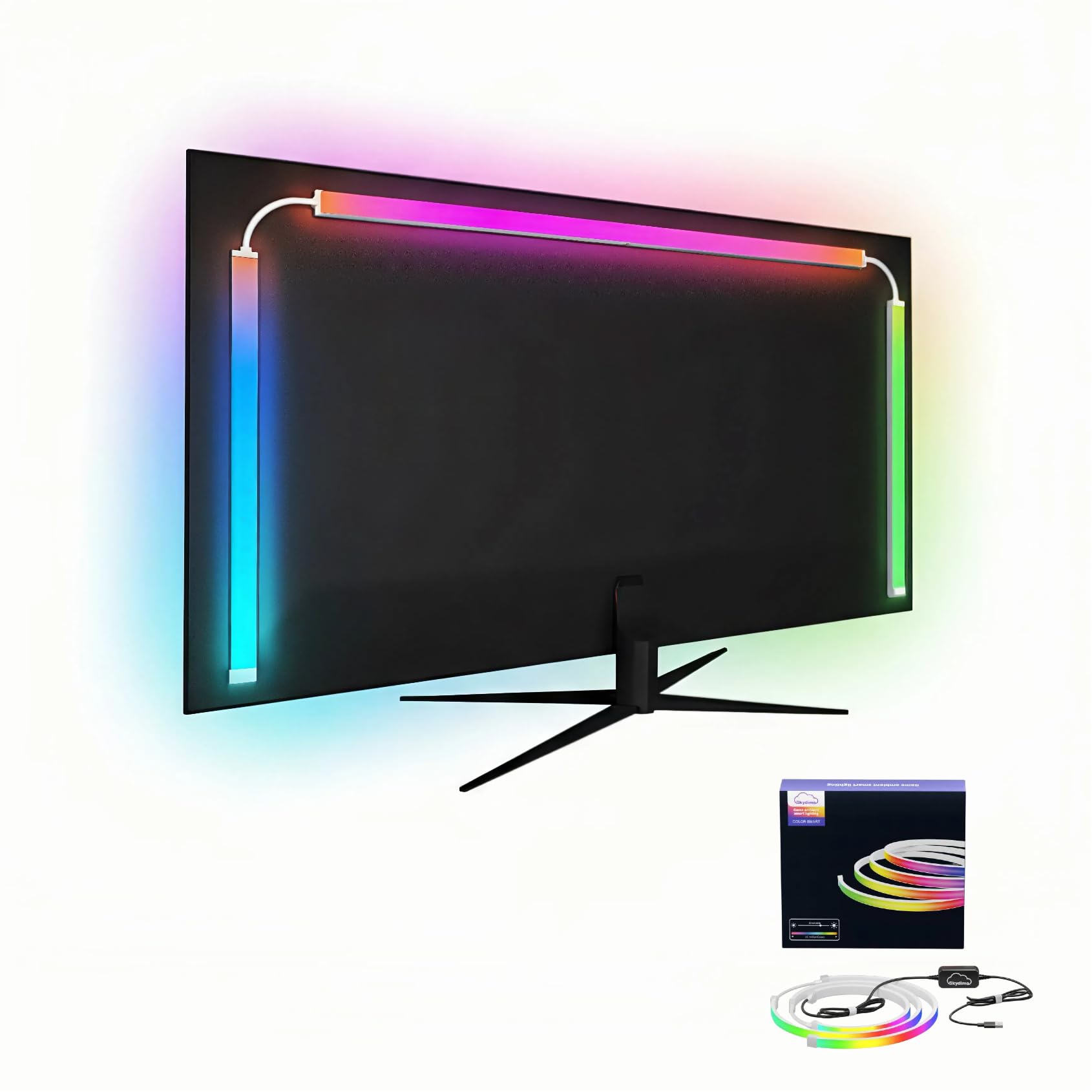
The cheapest honest way to get your monitor’s colors bleeding onto the wall.
This 27-inch strip is the entry point into true screen-synced lighting, and it gets the fundamentals right. It uses Smart Immersion RGB technology to bring the colors of your screen directly onto the wall behind the monitor, and the Rhythm Pickup feature makes it pulse with your music. The desktop app works on both Windows and Mac, which is a genuine flexibility that not every budget strip offers.
Unlike camera-based systems, this one needs no camera on top of your monitor — the software reads the screen directly, so your webcam stays clear and your desk looks clean. Owners find it genuinely easy to install and say the colors are perfect for the price. It also works as professional bias lighting, balancing screen brightness against the dark room to reduce eye fatigue.
The recurring trade-off is the software, which works but feels clunky — and the brightest setting is too intense for some tastes. The 3M tape demands a clean surface before sticking, so wipe the back of your monitor first. At 27 inches it is sized for a standard monitor, not an ultrawide, where the effect thins out noticeably.
subtle lighting: PC and Mac users who want real screen-mirror effects without camera hardware or a big budget.
bright rooms: ultrawide monitors or anyone who cannot tolerate slightly rough-around-the-edges software.
7. Fiotura G100 Monitor LED Backlight

The budget screen-sync strip that gives the big names a run on a shoestring.
If you want screen-synced color without spending like it, the G100 fits 24 to 32 inch monitors and captures screen color to create an ambient glow while you game. It uses 5050 LED chips across 16 million color options, and the hidden back-alignment design keeps the light from shooting straight into your eyes. Plug the USB into your computer case and the software takes over.
The lighting quality is what owners praise most — it is bright, diffuse, and smooth, and the colors are genuinely vivid for the price. The music sync mode lets the lights pulsate with whatever you are listening to, and the software recognizes the strip automatically the moment you plug it in. A hidden back design means the glow wraps the monitor without a harsh hotspot.
The honest catch is the software, which is where the mixed feedback lands. Some owners find the app easy enough, but others have hit crashes and a Chinese-only interface that makes setup frustrating. The strip also only supports PC or Mac — no console compatibility — and the screen-sync function leans on the Skydimo software working properly. It is a solid value, but it asks for patience.
simple setups: you are on a tight budget and want real screen-mirror effects on a 24-32 inch PC monitor.
effect chasers: you want a polished, reliable app experience — the software here is the weak link.
Understanding the Specs
Screen Sync Technology
This is the feature that separates a glow from an experience. A camera-based system physically watches your screen and copies the colors, which works with any TV or console but needs calibration. A software-based system reads the display through a PC app and works only when that computer is running. A plain USB strip cannot sync at all — it just turns on and off with your monitor in a single static color.
Color Temperature
Measured in Kelvin, this tells you the personality of the white light. A 6500K white looks crisp, cool, and daylight-like — the choice for focus and gaming. A 5000K white feels softer and warmer, more like a cozy evening. Neither is wrong, but the right one balances your screen against the room and keeps your eyes comfortable during long sessions.
FAQ
Will USB-powered monitor lights turn on and off with my monitor automatically?
What is the difference between a camera-based and software-based screen sync?
Does behind monitor lighting actually reduce eye strain?
Will a 27-inch monitor light strip fit my larger or curved monitor?
Can these lights sync with music, not just the screen?
Do I need a hub or bridge to use smart monitor lighting?
Will these lights work with my console like a PlayStation or Xbox?
How hard is it to install a behind monitor light strip?
Final Thoughts: The Verdict
For most gamers, the behind monitor lighting winner is the Govee Gaming Light G1 because it delivers true screen-matched color on curved monitors at a price that undercuts the premium tier. If you are already deep in a smart-home ecosystem, the Philips Hue Gradient is the polished choice for gradient light and voice control. And for the simplest, friendliest glow behind a big TV, the CPLID USB strip is the set-and-forget pick that most owners reach for first.
How We Picked
We do not accept paid placement. Every pick is matched to a real buyer and a real use-case; we do not hands-on test units.
Sources & Methodology
Specifications: manufacturer listings and product documentation. Review insights: verified customer reviews, as of August 2026. Pricing: not shown on this page (it changes often); check the current price via the retailer link.
As an Amazon Associate, Gadgets Feed earns from qualifying purchases. This does not affect which products we feature.