
Stop thinking in cubes. A belt 3D printer replaces the rigid build plate with a conveyor belt tilted at 45°, unlocking continuous Z-axis printing for objects that stretch as long as your filament spool allows. This isn’t a gimmick — it’s a paradigm shift for anyone printing cosplay armor, architectural models, long functional prototypes, or running a small production line where each part must be identical without manual re-starts. The trade-off? A steeper learning curve and fewer slicer presets, but the payoff is a print volume measured in meters, not millimeters.
I’m Min — the co-founder and writer behind Gadgets Feed. I’ve spent countless hours analyzing Klipper firmware configurations, belt tensioning systems, and PEI-coated conveyor durability across the entire belt 3D printer market to separate the production-ready machines from the frustrating prototypes.
This guide breaks down the engineering, the workflow, and the real-world trade-offs so you can confidently choose the best belt 3d printer for your specific continuous-printing needs.
How To Choose The Best Belt 3D Printer
Buying a belt printer means accepting a different workflow. You are trading the simplicity of standard slicers for the power of continuous manufacturing. These are the three decisions that matter most.
Conveyor Belt Material and Angle
The belt itself is the heart of the machine. PEI-coated steel belts provide excellent adhesion for PLA and PETG and last for hundreds of hours. Some entry-level options use fabric or polymer belts that wear faster and require glue sticks for every print. The standard 45° angle is critical — it lets gravity assist with overhangs but also means models must be oriented correctly to avoid sagging. A machine without a strain sensor for automatic Y-offset calibration forces you to use manual feeler gauges, which is tedious for continuous runs.
Firmware and Slicer Compatibility
Every belt printer on the market runs Klipper firmware — there is no Marlin alternative. This is non-negotiable because Klipper’s ability to handle custom kinematics and macros (like Y-offset resets and belt homing) is required for continuous Z-axis printing. You need a slicer like IdeaMaker, Cura with a custom start G-code, or Fluidd’s web interface. If a machine locks you into a proprietary slicer without belt-specific profiles, you will spend days tuning before your first successful long print.
Build Envelope and Throughput
The “infinite Z” claim is real but bounded by practical limitations: the belt length, the enclosure dimensions, and how far the hotend can travel. A machine with a 250mm belt width and a 400mm/s maximum speed can theoretically print a 2-meter-long part in about 5 hours depending on layer height and infill. But if the printer lacks a filament runout sensor or tangle detector, a failure 3 hours into a 10-hour print wastes an entire part and a lot of filament. For production use, prioritize models with dual sensors and power-loss recovery.
Quick Comparison
On smaller screens, swipe sideways to see the full table.
| Model | Category | Best For | Key Spec | Amazon |
|---|---|---|---|---|
| IdeaFormer IR3 V2 | Belt / Klipper | Continuous production, long parts | 250×250×∞mm, 400mm/s, PEI steel belt | Amazon |
| Creality K2 Pro Combo | Multicolor / CoreXY | Professional prototypes, engineering materials | 300×300×300mm, 600mm/s, heated chamber | Amazon |
| Creality K2 Plus | Large format / CoreXY | Oversized single-color or batch prints | 350×350×350mm, 600mm/s, dual AI cameras | Amazon |
| QIDI Max4 Combo | Large Format / Industrial | High-temp engineering materials, large parts | 390×390×340mm, 800mm/s, 65°C chamber | Amazon |
| Sovol SV08 MAX | Large Format / Open Source | Massive builds, industrial prototypes | 500×500×500mm, 700mm/s, Eddy current leveling | Amazon |
| Anycubic Kobra X | FDM / Beginner | Entry-level multicolor, small projects | 260×260×260mm, 600mm/s, 4-color support | Amazon |
| Flashforge AD5X | CoreXY / All-Rounder | Fast, reliable multicolor printing | 220×220×220mm, 600mm/s, 300°C nozzle | Amazon |
| Creality K2 Combo | Multicolor / CoreXY | Vibrant multicolor models, cosplay props | 260×260×260mm, 600mm/s, 4-color CFS | Amazon |
| Prusa CORE One | CoreXY / Workhorse | Reliable, open-source, long-term use | 250×220×270mm, CoreXY, 55°C chamber | Amazon |
| ELEGOO Jupiter 2 | Resin / Large MSLA | High-detail large resin models | 302×162×300mm, 16K LCD, auto-leveling | Amazon |
| Prusa XL 5-Tool | Industrial / Multimaterial | Professional multi-material, zero compromise | 360×360×360mm, 5 toolheads, segmented bed | Amazon |
In‑Depth Reviews
1. IdeaFormer IR3 V2

The IR3 V2 is the dedicated belt printer that actually delivers on the promise of continuous Z-axis manufacturing. Its 250×250×∞mm build volume is achieved through a durable PEI-coated steel conveyor belt and a 45° tilt that lets gravity assist overhangs. The upgraded metal belt resists wear far better than fabric-based alternatives, and the one-click auto calibration with a Y-offset strain sensor eliminates the dreaded calibration card process that plagues earlier belt machines.
Powered by Klipper firmware and a roller gearbox, it reaches 400mm/s while maintaining the precision needed for long parts like cosplay swords, architectural trusses, or production-run brackets. The Fluidd web GUI gives you full control over Y-offset macros and belt homing sequences — essential for batch printing without manual intervention. Users report reliable 24/7 operation once the initial pulley tension is dialed in.
The trade-off is a steeper learning curve. This is not a beginner’s first printer; you need comfort editing slicer profiles in IdeaMaker and understanding Klipper’s custom kinematics. The 45° belt also introduces unique overhang geometry that may require designing parts specifically for angled orientation. But for anyone serious about continuous production or extra-long models, the IR3 V2 is the most refined belt option available.
Why it’s great
- True infinite Z-axis for parts measured in meters
- PEI-coated steel belt is durable and provides excellent adhesion
- Auto Y-offset calibration removes major setup frustration
Good to know
- Not beginner-friendly — requires Klipper and slicer expertise
- 45° tilt creates overhang limitations for standard STL files
- Noisier than enclosed CoreXY printers at high speed
2. Creality K2 Pro Combo

The K2 Pro Combo is Creality’s answer to the professional who needs a heated chamber (up to 60°C) for engineering-grade filaments like PPA-CF and PET-CF without the boutique price tag of an industrial system. The 300×300×300mm build volume, combined with 600mm/s FOC step-servo motors and linear rails, delivers a 40mm³/s flow rate that keeps large ABS and nylon parts from warping. The active chamber heating is a genuine differentiator — it prevents corner curling that plagues open-frame printers when running high-temp materials.
The CFS system enables up to 16-color or multi-material printing, and the dual AI cameras (one chamber, one nozzle) automatically tune flow rate and detect print failures. The nozzle camera’s pressure advance optimization is genuinely useful, reducing the trial-and-error tuning that typically consumes hours with composite filaments. Users report that the auto-leveling system, which only probes the print area, cuts setup time significantly compared to full-bed probing.
The primary drawbacks are software maturity and CFS complexity. Some users experience unexplained cancellations with OrcaSlicer, and the multicolor workflow requires patience. The printer is also heavy at over 60 pounds, so it needs a dedicated sturdy table. For professionals who print engineering materials daily and want a multicolor option, the K2 Pro Combo represents a compelling value proposition in the large-format category.
Why it’s great
- Active 60°C chamber enables high-temp filaments without warping
- Dual AI cameras automate flow tuning and error detection
- Fast 600mm/s with 40mm³/s flow for large models
Good to know
- CFS multicolor system can be finicky with generic spools
- Software integration with OrcaSlicer still has rough edges
- Requires significant desk space and weight capacity
3. Creality K2 Plus
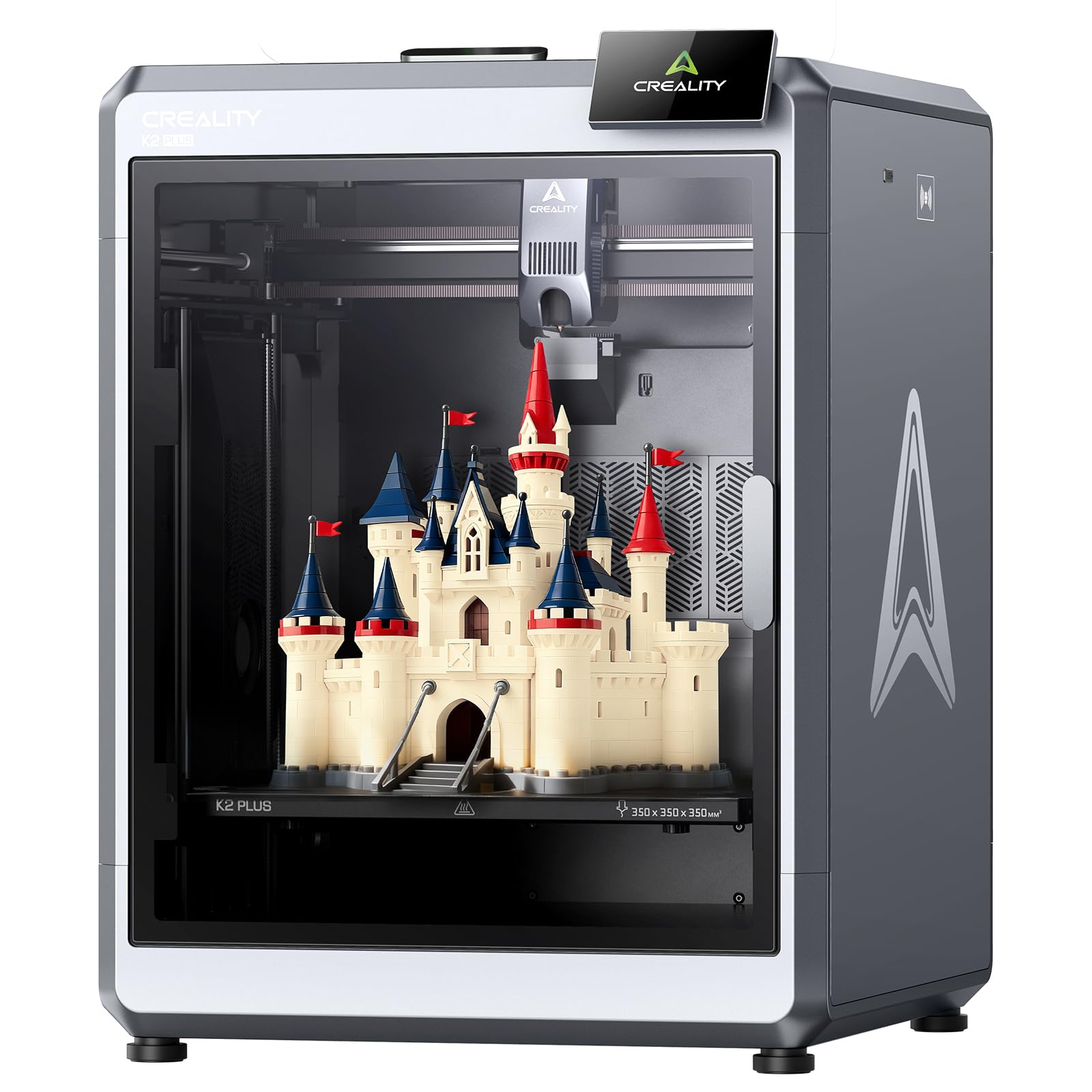
The K2 Plus pushes the envelope with a 350×350×350mm build volume — the largest of Creality’s K2 lineup — making it the go-to for printing oversized enclosures, furniture brackets, or batch-producing multiple parts in one go. The 600mm/s maximum speed and 30,000mm/s² acceleration are paired with 18 intelligent sensors that monitor everything from belt tension to filament run-out. The built-in belt tension sensor is a standout feature, proactively adjusting belts to maintain consistent quality during long prints.
The dual AI cameras (chamber side and toolhead) provide real-time pasta-fault detection and flow rate optimization, which dramatically reduces waste on multi-hour prints. Users consistently praise the bed adhesion and the ability to set internal chamber temperature — a feature that makes printing PETG and ABS as reliable as PLA. The printer arrives 95% pre-assembled, and the power-up quick guide handles self-tests like leveling and fan calibration automatically.
Where the K2 Plus falls short is software polish and reliability inconsistency. Reports of firmware bugs, false error codes, and glass door hinge failures suggest quality control is still maturing. The package does not include the CFS unit (sold separately), so multicolor is an additional investment. For large-format single-color printing with the option to upgrade later, the K2 Plus offers a massive canvas at a competitive price, but be prepared for occasional troubleshooting.
Why it’s great
- Extra-large 350mm³ build handles oversized or batch projects
- Active belt tension sensor ensures consistent quality
- Dual AI cameras detect print failures and optimize flow
Good to know
- CFS multicolor unit not included — separate purchase required
- Reports of firmware bugs and false sensor errors
- Glass door hinge may require reinforcement over time
4. QIDI Max4 Combo

The Max4 Combo is a serious tool for anyone printing with carbon-fiber-reinforced nylon, PPS-CF, or ABS-CF. The 390×390×340mm build volume is 55% larger than its predecessor, and the 65°C active heated chamber combined with the self-developed Polar Cooler system creates the ideal thermal environment for high-temp materials. The closed-loop motors on X/Y axes and the 2mm lead screw with anti-backlash nut on Z deliver 30,000mm/s² acceleration and extremely consistent layer lines.
The 40mm³/s high-flow hotend with a hardened steel nozzle handles abrasive filaments without issue. The built-in AI camera detects spaghetti failures and pauses instantly, and the QIDI BOX add-on enables 16-color multi-material printing with intelligent filament management. Users transitioning from Prusa and Creality report that the Max4 requires very little tweaking — the on-screen setup wizard guides you through belt tension and leveling, and first prints with generic PETG come out looking fantastic.
The Max4 is huge and heavy at 120 pounds, so it demands a permanent dedicated station. Some users note that the toolhead sensor can trigger false positives if the printer is not perfectly level, and the multi-material unit’s MMU gears can shred filament if a jam prevents the sensor from tripping. For professionals who need to print engineering-grade materials at scale without constant supervision, the Max4 Combo is a formidable workhorse.
Why it’s great
- 65°C heated chamber prevents warping on engineering filaments
- Closed-loop motors deliver high precision at 800mm/s
- Excellent out-of-box setup with intuitive on-screen wizard
Good to know
- 120-pound weight requires a very sturdy work surface
- MMU gears can chew filament if tangle sensor fails
- Polar Cooler must be purchased separately
5. Sovol SV08 MAX
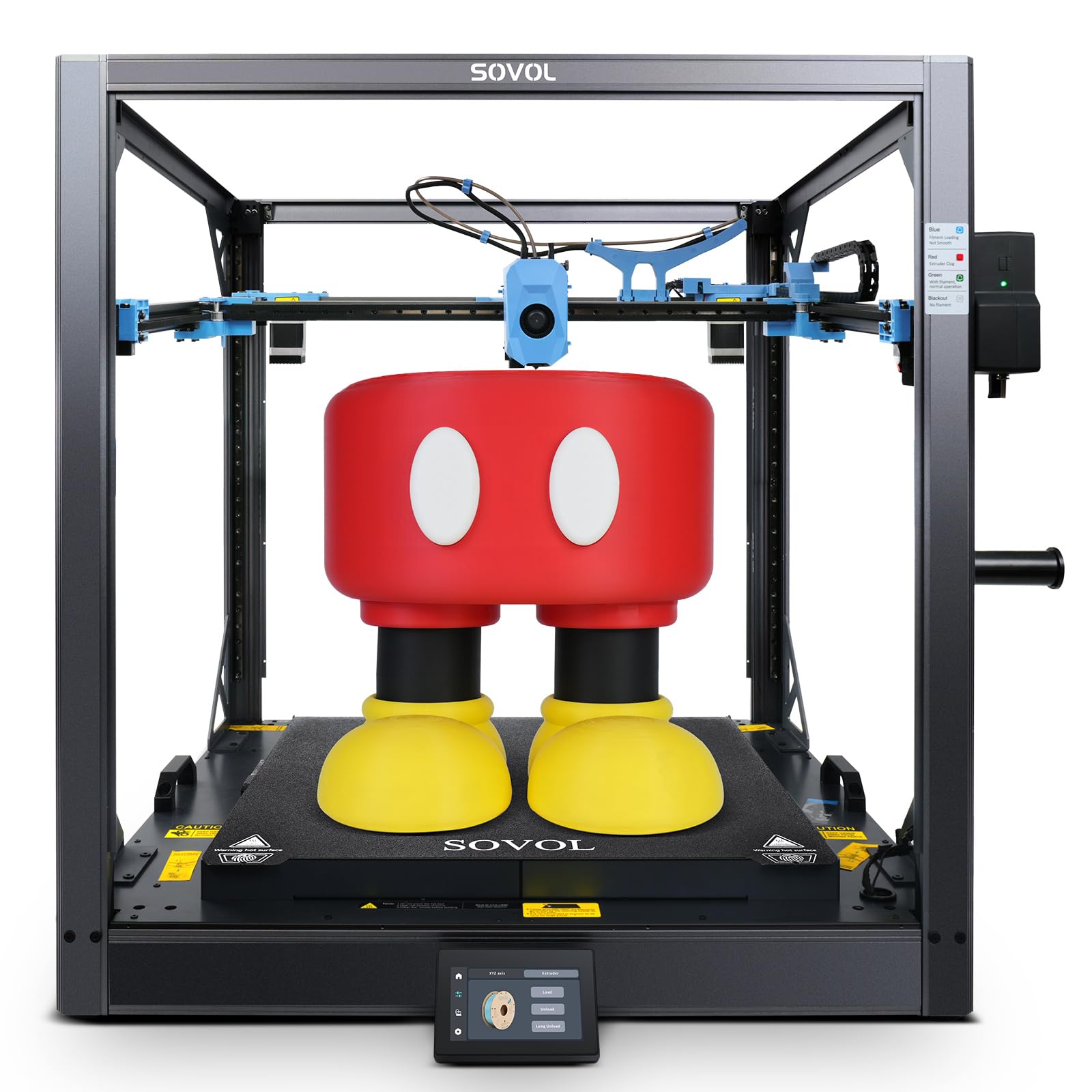
The SV08 MAX is built on Voron 2.4 open-source DNA, offering a massive 500×500×500mm build volume and CoreXY kinematics that hit 700mm/s with 40,000mm/s² acceleration. The Eddy current contactless leveling sensor is a highlight — it scans the entire bed in seconds without touching it, detecting surface deviations down to a few microns for a perfect first layer every time. The industrial-grade linear rails on all axes provide the rigidity needed for large-format prints without ringing artifacts.
The 50mm³/s high-flow nozzle and 300°C hotend handle PLA, TPU, PETG, ABS, PA, PC, and carbon-fiber composites. The auxiliary feeder system includes both tangle detection and clog detection, which is crucial for prints that can run for 2-3 days. The 1280×720 HD camera integrates with Obico for failure detection and time-lapse recording. Users who enjoy tinkering love that the SV08 MAX is fully open-source, with all CAD files, firmware, and mods freely available.
The catch is that this machine rewards experience. Some users report initial MCU errors from wiring assembly, and the XY belts often arrive too loose from the factory. The mainboard fan is loud and may need replacement. There is also a significant reported issue with a fire risk from a grounding fault on one unit, though Sovol support is responsive. For experienced makers who want a massive, modifiable, open-source platform that grows with them, the SV08 MAX is unmatched in this price tier.
Why it’s great
- Massive 500mm³ build volume for oversized industrial parts
- Eddy current sensor provides fast, contactless bed leveling
- Fully open-source Voron design with complete mod freedom
Good to know
- Significant assembly and tuning required out of box
- Some reports of electrical faults and fire risk
- Mainboard fan loud, XY belts often need re-tensioning
6. Anycubic Kobra X

The Kobra X is a beginner-friendly FDM printer that punches above its price class with a 4-color ACE 2 Pro system that can expand to 19 colors. The 260×260×260mm build volume and 600mm/s high speed make it competitive with printers costing significantly more. The LeviQ 3.0 49-point auto-leveling system is genuinely effective — users report printing successfully right out of the box with no manual tweaking, which is a rarity at this price point.
The hardened steel nozzle reaches 300°C, supporting PLA, PETG, TPU (68D recommended), PVA, and ASA. The ≤48 dB noise level is quiet enough for a shared room, and the power-loss recovery with filament run-out sensor adds reliability for overnight prints. The 720P AI camera monitors for spaghetti errors and can skip failed parts in batch prints, a feature usually reserved for mid-range machines.
Some users report nozzle clogging issues and difficulty replacing the hotend assembly. The multi-color system is excellent for the price but the purge waste is high, and material switching between TPU and PLA requires careful tuning. For a first 3D printer or a budget-conscious maker who wants multicolor capability, the Kobra X delivers exceptional value.
Why it’s great
- 4-color system at an entry-level price point
- 49-point auto-leveling works well for beginners
- Quiet operation with AI monitoring
Good to know
- Nozzle clogs reported by some users
- High purge waste during color changes
- Challenging to find replacement nozzles locally
7. Flashforge AD5X

The AD5X is a compact CoreXY printer that packs 600mm/s speed, a 300°C all-metal hotend, and a 4-color IFS auto-swap system into a footprint no larger than a standard bookshelf. The vibration compensation and linear rails ensure 0.1mm layer resolution even at full speed, and the magnetic PEI spring steel plate provides perfect first-layer adhesion. Users consistently praise how simple it is to use — load filament, slice, and print with minimal tinkering.
The 30-second nozzle swap is genuinely convenient, allowing quick transitions between PLA, PETG, TPU, and metal-fill filaments. The dual-band Wi-Fi and Flashforge app enable remote monitoring with HD camera streaming and shareable time-lapses. The IFS system handles auto-switching between four materials, making it ideal for functional prototypes with multi-material properties or artistic models with vibrant gradients.
The AD5X has a limited 220×220×220mm build volume, which restricts very large projects. Some users encountered an initial firmware update issue via Wi-Fi that was resolved by using a USB drive. The spool holders may not fit smaller spools without printing adapters. For makers who value ease of use, fast print speeds, and reliable multicolor printing in a compact form factor, the AD5X is a top contender.
Why it’s great
- Simple out-of-box experience with auto-leveling
- 30-second hotend swap for multi-material versatility
- Excellent print quality at 600mm/s
Good to know
- Limited build volume compared to open-frame options
- Spool holders may need adapters for smaller spools
- Initial Wi-Fi firmware update had some bugs
8. Creality K2 Combo

The K2 Combo bundle includes the K2 printer and one CFS (Color Filament System) unit, enabling 4-color printing out of the box with the option to expand to 16 colors with additional CFS units. The 260×260×260mm build volume covers most hobbyist scenarios, and the 600mm/s speed with step-servo motors delivers consistent extrusion quality. The silent mode is genuinely quiet — the printer operates at about the noise level of a laptop keyboard.
The auto-leveling system is smart: it only probes the area where the model will be printed, making the process much faster than full-bed alternatives. The AI camera watches for spaghetti failures and idling in real-time, and the power-loss recovery ensures long prints survive power interruptions. Users report being able to unbox, assemble the screen, and start their first multicolor print in under an hour.
The CFS system has a notable limitation: it does not accept standard spools without 3D-printed adapters (which take 4-5 hours each to print). Some users have also reported issues with CFS feeder slot errors and extruder clogs during multicolor printing. Documentation for the K2 Combo setup is sparse, and the camera’s AI detection may miss errors. For hobbyists who want vibrant multicolor prints without the price of a high-end industrial system, the K2 Combo offers strong value if you are willing to print adapters and troubleshoot occasionally.
Why it’s great
- 4-color CFS included, expandable to 16 colors
- Fast auto-leveling that only probes the print area
- Silent mode suitable for shared living spaces
Good to know
- CFS requires printed adapters for standard spools
- Multicolor workflow can have feeder and clog issues
- Sparse documentation for K2 Combo-specific features
9. Prusa CORE One

The CORE One is Prusa’s long-awaited CoreXY machine, built with the same “made to last” philosophy that has made the MK3S and MK4 workhorses for years. The all-steel exoskeleton frame provides exceptional rigidity, and the enclosed chamber (actively heated to 55°C) allows printing PLA, PETG, ASA, PC, and Nylon without issues. The 250×220×270mm build volume is modest compared to some competitors, but the print quality and reliability are exceptional right out of the box.
Prusa’s open-source ethos means no cloud lock-in, no forced updates, and full right-to-repair. The printer works offline, is highly customizable, and comes with lifetime technical support. The included 1kg spool of Prusament PLA and the intuitive Prusa software ecosystem make it suitable for both beginners (who want a reliable no-tinker machine) and experts (who want complete control). The CoreXY design enables high speeds while maintaining the layer consistency Prusa is known for.
The CORE One is expensive compared to Chinese CoreXY alternatives with similar specs. The multicolor MMU3 add-on is also expensive and finicky — many users prefer to wait for Prusa’s next-generation system. Some early units experienced layer shifts due to tight Z screws or loose XY motor set screws, though Prusa’s customer service addressed these. For buyers who value longevity, open-source freedom, and hassle-free printing over raw speed or largest build volume, the CORE One is a sound investment.
Why it’s great
- Rock-solid build quality with full right-to-repair
- Works offline with no forced cloud updates
- Lifetime technical support and large user community
Good to know
- Premium price compared to comparable Chinese CoreXYs
- MMU3 multicolor system is expensive and not yet polished
- Build volume is smaller than many competitors in this price range
10. ELEGOO Jupiter 2

The Jupiter 2 is a large-format MSLA resin printer with a stunning 15120×6230 resolution (16K LCD, 20×26 µm XY pixels) and a build volume of 302×162×300mm. This is 2.5 times larger than the Saturn 4, making it ideal for printing life-sized busts, architectural models, or multiple small objects in a single batch. The fully enclosed light source eliminates light leaks for consistent exposure across the entire print area.
Smart features include multi-point auto-leveling with real-time data feedback, smart tank heating that maintains 30°C for optimal resin viscosity, and an automated resin system that refills mid-print to prevent failures. The quick-swap release film lets you replace the PFA sheet in seconds without tools. The built-in camera supports HDR monitoring and time-lapse photography, and the Wi-Fi cluster management is genuinely useful for print farms running multiple Jupiter 2 units.
The Jupiter 2 is not for resin beginners. The large build plate creates strong FEP suction forces that require experience with support tuning to avoid print failures. The machine is also physically massive (28×20×19 inches) and requires significant ventilation for resin fumes. Some units have arrived with defective screens, though ELEGOO customer service is responsive with replacements. For experienced resin printers who need large-format, ultra-high-resolution output, the Jupiter 2 is the best option in its class.
Why it’s great
- 16K resolution delivers exceptional detail for large resin prints
- 2.5x larger build volume than Saturn 4
- Smart tank heating and auto-resin refill system
Good to know
- Not beginner-friendly — requires resin experience
- Massive physical footprint requires dedicated space
- Some QA issues with defective screens reported
11. Prusa XL 5-Toolhead

The Prusa XL with five independent toolheads is the ultimate multi-material machine for professional environments. It can print with up to five different materials or colors in a single job, switching between them instantly without the purge waste and time penalties of a single-nozzle MMU system. The 360×360×360mm build volume is generous, and the segmented heated bed system heats only the areas in use, improving energy efficiency and reducing warping on large parts.
The CoreXY kinematics maintain speed and precision even during frequent tool changes. The printer integrates seamlessly with Prusa’s software ecosystem and the Printables.com model database. Prusa’s lifetime technical support and open-source philosophy mean no subscription fees or forced cloud dependencies. Users who need functional prototypes with soluble supports, multi-color visual models, or multi-material composites will find the XL unparalleled in workflow efficiency.
The XL comes with a significant premium price and requires assembly of parts like the extruder and LCD (despite the “assembled” description). The software ecosystem, while powerful, has a steeper learning curve than consumer-friendly platforms. Some users report buggy software causing crashes and a clunky UI compared to competitors. For small print shops, R&D labs, and serious makers who need maximum material flexibility and tool independence, the Prusa XL is the gold standard.
Why it’s great
- Five independent toolheads for zero-purge multi-material printing
- Segmented heated bed improves efficiency and reduces warping
- Open-source, offline-capable, with lifetime support
Good to know
- Very high price compared to single-toolhead alternatives
- Requires significant assembly despite “assembled” labeling
- Software ecosystem can have bugs and UI issues
FAQ
Why does a belt 3D printer need Klipper firmware specifically?
Can a belt 3D printer print overhanging models without supports?
What is Y-offset calibration and why does it matter for belt printers?
Final Thoughts: The Verdict
For most users, the best belt 3d printer winner is the IdeaFormer IR3 V2 because its PEI steel belt, Klipper integration, and auto Y-offset calibration represent the most complete execution of the belt concept. If you need a massive build volume for engineering materials, grab the QIDI Max4 Combo. And for pure multi-material production with zero purge waste, nothing beats the Prusa XL 5-Toolhead.