
Our readers keep the lights on and my morning glass full of iced black tea. As an Amazon Associate, I earn from qualifying purchases.
Specs are compiled from manufacturer listings and verified buyer reviews and can change over time — please confirm the key details on the product page before buying.
Most large-format 3D printers promise huge parts, but a big build volume means nothing if the base layer curls off the bed or the machine shakes itself apart at speed. This guide sorts the real workhorses from the ones that will have you re-leveling at midnight, with a reader note: the list uses flexible matching on large build volume (at least 300x300x300mm), so every pick serves that same “print something genuinely big” purpose even if the exact cube size varies.
I’m Min — the founder and writer behind Gadgets Feed. This guide is built by comparing the manufacturers’ published specifications and the patterns across verified customer reviews, so you get each pick’s real strengths and trade-offs instead of marketing spin.
You deserve a big 3d printer that finishes the job, not one that turns every weekend into a calibration session. After comparing build volumes, speeds, and real owner experiences, this guide breaks down the nine most promising large-format machines.
Our Picks at a Glance



How To Choose The Best Big 3D Printer
Choosing a large-format printer means balancing the size of what you want to make against how fast you want it done, and how much you trust the machine to run unattended. A bigger build area is the headline feature, but the real buying decision is about the support systems around it.
Build Volume vs. Real Workspace
Build volume is the maximum size of the object you can print, given in three dimensions like 400x400x400mm. A larger volume means you can print a full-scale prototype or multiple parts at once without splitting them. However, you still need physical space around the printer for the moving gantry and for you to reach the build plate.
The Heated Chamber Question
Enclosures that actively heat the air around your print, like a 65℃ heated chamber, are crucial if you want to print engineering-grade materials like ABS-CF or nylon. These materials shrink as they cool, causing the edges to lift off the bed. A heated chamber keeps the whole part at a stable temperature, preventing warping.
Speed vs. Reliability
Manufacturers love to quote high speeds like 600mm/s or 700mm/s. This is the maximum the head can move, not the speed at which you’ll get good quality. Look for the acceleration figure (measured in mm/s²) and the motion system — CoreXY designs with linear rails are generally more stable at speed than older moving-bed designs.
Quick Comparison
| Model | Best For | Build Volume (mm) | Max Speed (mm/s) | Item Weight (lbs) | Amazon |
|---|---|---|---|---|---|
| QIDI Max4 Combo★ Best Overall | Industrial materials & stability | 390×390×340 | 800 | 120 | Amazon |
| Anycubic Kobra 3 MaxTallest Build Volume | Full-scale giant prototypes | 420x420x500 | 600 | 47 | Amazon |
| Anycubic Kobra 3 Max ComboMulticolor Value | Large prints with multi-color | 420x420x500 | 600 | — | Amazon |
| Creality Ender 5 Max | Print farm management | 400×400×400 | 700 | 68.9 | Amazon |
| Creality K2 Plus | Quiet high-speed printing | 350*350*350 | 600 | 99 | Amazon |
| Sovol SV08 MAX | Open-source tinkerers | 500×500×500 | 700 | 86.8 | Amazon |
| Creality K2 Plus Combo | Multi-color up to 16 shades | 350x350x350 | 600 | 125.7 | Amazon |
| Snapmaker Artisan | 3-in-1 workshop versatility | 400x400x400 | — | 79.8 | Amazon |
| Prusa XL Assembled | Reliable single-material production | 360×360×360 | — | 62 | Amazon |
In-Depth Reviews
1. QIDI Max4 Combo 3D Printer
Our pick — over 4.5★ from 30+ verified ratings; the strongest balance of quality and price.
A 120-pound industrial anchor that prints engineering-grade parts all month long.
The QIDI Max4 is the printer you buy when you are done fighting with your equipment. Its defining spec is the 65℃ actively heated chamber, which creates the stable environment needed to print tough materials like ABS-CF, PC, and PPS-CF without the edges curling off the bed. For anyone printing functional parts, not just tabletop figures, this is the feature that pays for itself in saved filament.
This machine pairs that heated chamber with serious speed hardware. Closed-loop motors on the X and Y axes drive a maximum printing speed of 800mm/s and an acceleration of 30,000mm/s² — a 3.0x acceleration gap over the Anycubic Kobra 3 Max. That speed is matched with a 2mm lead screw and anti-backlash nut on the Z-axis, which keeps layers stacked precisely even on tall prints.
Owners who run this hard report it handles a punishing workload. Buyers report running 5km of filament in a month with “minimal warping, no clogs.” The consensus is that it prints non-stop from the start, with print quality and reliability being the two things owners single out most. The trade-off is the physical presence: at 120 pounds, it is roughly 2.6x heavier than the Anycubic Kobra 3 Max, so this is a permanent fixture on a strong bench, not something you stash in a closet.
What Wins People Over
- 65℃ heated chamber open up high-temp materials like PPS-CF
- 800mm/s speed with 30,000mm/s² acceleration for rapid large parts
- AI camera pauses the print if it detects a spaghetti failure
Who This Is Not For
- 120-pound weight demands a dedicated, sturdy workspace
- The Polar Cooler accessory is sold separately
- Heavy power draw on initial heat-up
Reach for this if: you print daily with carbon-fiber nylons and need a machine that just runs.
Look elsewhere if: you want a portable printer you can move between rooms.
2. Anycubic Kobra 3 Max 3D Printer
The lightest way to print objects nearly 20 inches tall.
If your goal is to print something genuinely towering, like a life-sized pet playground or a full-scale DIY sand table, the Anycubic Kobra 3 Max has the biggest vertical reach here. Its 420x420x500mm build area gives you a 19.7-inch tall workspace, and at 47 pounds, it is a fraction of the weight of heavier CoreXY rivals — 2.6x lighter than the QIDI Max4.
The light weight makes it more approachable, but it brings a real speed ceiling. It prints at a maximum 600mm/s with 10,000mm/s² acceleration, which is one-third less top-end acceleration than the QIDI Max4. For big, tall parts, owners find it fast and appreciate the massive plate, but the honest feedback is that print quality and build quality are mixed, with some units working flawlessly and others proving unreliable over time.
Multi-color is possible, but it requires the separate Anycubic ACE Pro unit. Pairing two ACE Pro units together allows 8-color printing. The catch is that this is an add-on cost, and owners mention the ACE Pro is overpriced with a clunky setup for manual feeding. This is the pick for someone who wants the biggest, tallest plate for the lowest entry weight, and is willing to be a bit more hands-on.
The standout stat: the 500mm Z-height is the tallest in this comparison, letting you print full-height projects in one go.
Choose it if: absolute height for large, vertical models is your priority over raw speed.
Think twice if: you demand plug-and-play reliability from the first print.
3. Bundle Anycubic Kobra 3 Max Combo
A bundle that brings multi-color to the same giant 420x420x500mm platform.
This bundle takes the Anycubic Kobra 3 Max platform and packages it with the multi-color system included, so you get the same towering 420x420x500mm build volume without buying the ACE Pro separately. It delivers 600mm/s printing and a 20,000mm/s² acceleration, double the acceleration of the standalone Kobra 3 Max, helped by G-sensor vibration compensation that stops layer shifts on complex models.
The combo sweetens the deal with an all-metal hotend rated to 300°C, which lets you run higher-temperature filaments like PETG and TPU. The dual-sided PEI spring steel plate makes removing finished prints easy, and a filament runout sensor pauses the machine automatically when a spool ends, so a long overnight print does not turn into a tangled mess. For 24/7 operation, a built-in resume function handles power outages.
Buyer sentiment is genuinely split, which is worth knowing before you commit. Some owners are so happy they bought a second one, praising the large prints and the multi-material supports. Others report frequent jams and clogs in fast mode, random settings resets, and slow support responses. The value is undeniable for the size, but the experience seems to vary by unit, so buy from a seller with a good return policy.
Why It Gets Recommended
- 300°C all-metal hotend expands material options significantly
- Power-loss resume and filament runout sensor protect long prints
- 20,000mm/s² acceleration with G-sensor compensation for smooth layers
Where It Gets Mixed Reviews
- Some units suffer clogs in fast mode
- Enclosure required to prevent warping in cold rooms
Who it fits: a maker on a budget who wants color printing on a giant plate.
Who it doesn’t: someone who needs consistent, zero-fuss operation right from the start.
4. Creality Ender 5 Max 3D Printer

A scalable CoreXY workhorse designed to grow into a multi-printer operation.
The Ender 5 Max is built for studios and businesses running more than one machine. Its signature feature is WLAN multi-printer control, which lets you manage a group of printers and check a tri-color status indicator from across the room. For anyone scaling up a print farm, this is the management feature that saves real hours each week.
The CoreXY system and high-torque motors deliver a 700mm/s top speed, while a reinforced die-cast aluminum frame keeps vibration low on tall models. The 64-point auto leveling system plus automatic Z-offset means you get a strong first layer without manual adjustment — a huge help for beginners. The 1000W heated bed reaches working temperature in minutes, supporting PLA, PETG, ABS, ASA, and PA.
The 400×400×400mm volume puts it slightly behind the Anycubic options in height, but it is one of the few printers this size built from the ground up for production uptime. The honest caveats come from long-term owners: the enclosure is too short and needs a riser to keep tall prints from scuffing the top, and the AI failure detection has been called unreliable. It is a strong recommendation for a business, with the caveat that you should keep a spare hot end on hand.
The Scale-Up Advantage
- Control multiple printers over WLAN from one interface
- 700mm/s speed on a rigid all-metal frame
- 1000W bed heats up fast for quick starts
The Honest Drawbacks
- Enclosure is short for very tall models
- AI failure detection is not always accurate
Ideal for: small businesses expanding to several printers on a network.
Not ideal for: someone wanting a fully enclosed, all-in-one machine without extra risers.
5. Creality K2 Plus 3D Printer
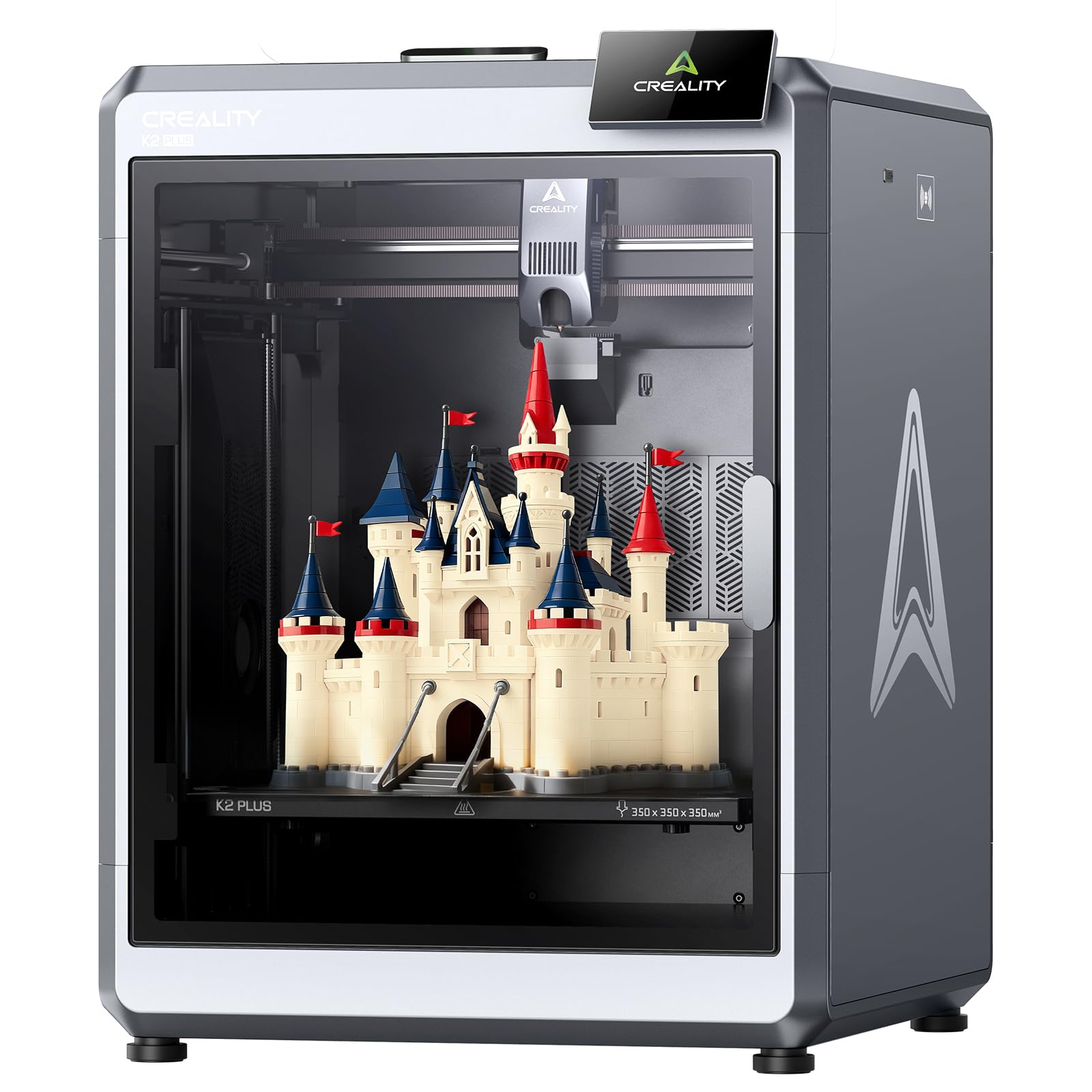
Prints at 600mm/s while staying quiet enough to sit beside your desk.
The K2 Plus proves that speed and silence can coexist. At 600mm/s with 30,000mm/s² acceleration, it is fast, yet it operates at just 45 dB — about the volume of typing on a laptop. That quiet operation makes it the best choice if your printer lives in a home office or shared living space rather than a garage workshop.
It keeps a 350*350*350mm build volume, which is among the smaller footprints here but still classed as large-format. Instead of raw size, the K2 Plus leans on intelligence: it ships with 18 intelligent sensors and two AI cameras. One camera monitors the chamber for pasta faults and idling, while the other sits on the tool head to tune flow rate, which gives you a consistent first layer without constant tuning.
Customers note it prints great and fast from the start, with easy setup and immediate printing being the top praise. The main practical tip from the review pages is to use a glue stick as a release agent, since early-cancel prints can be hard to remove without it. Multi-color printing is possible, but it requires the separate Creality CFS unit, which is not included with this printer.
The consensus: beginners love the near-zero learning curve, and the 45 dB noise level is the quietest of any large-format pick here.
Grab this if: noise matters and you want a fast, self-monitoring printer for a home office.
Pass if: you need the tallest build volume or multi-color from the start.
6. Sovol SV08 MAX CoreXY 3D Printer
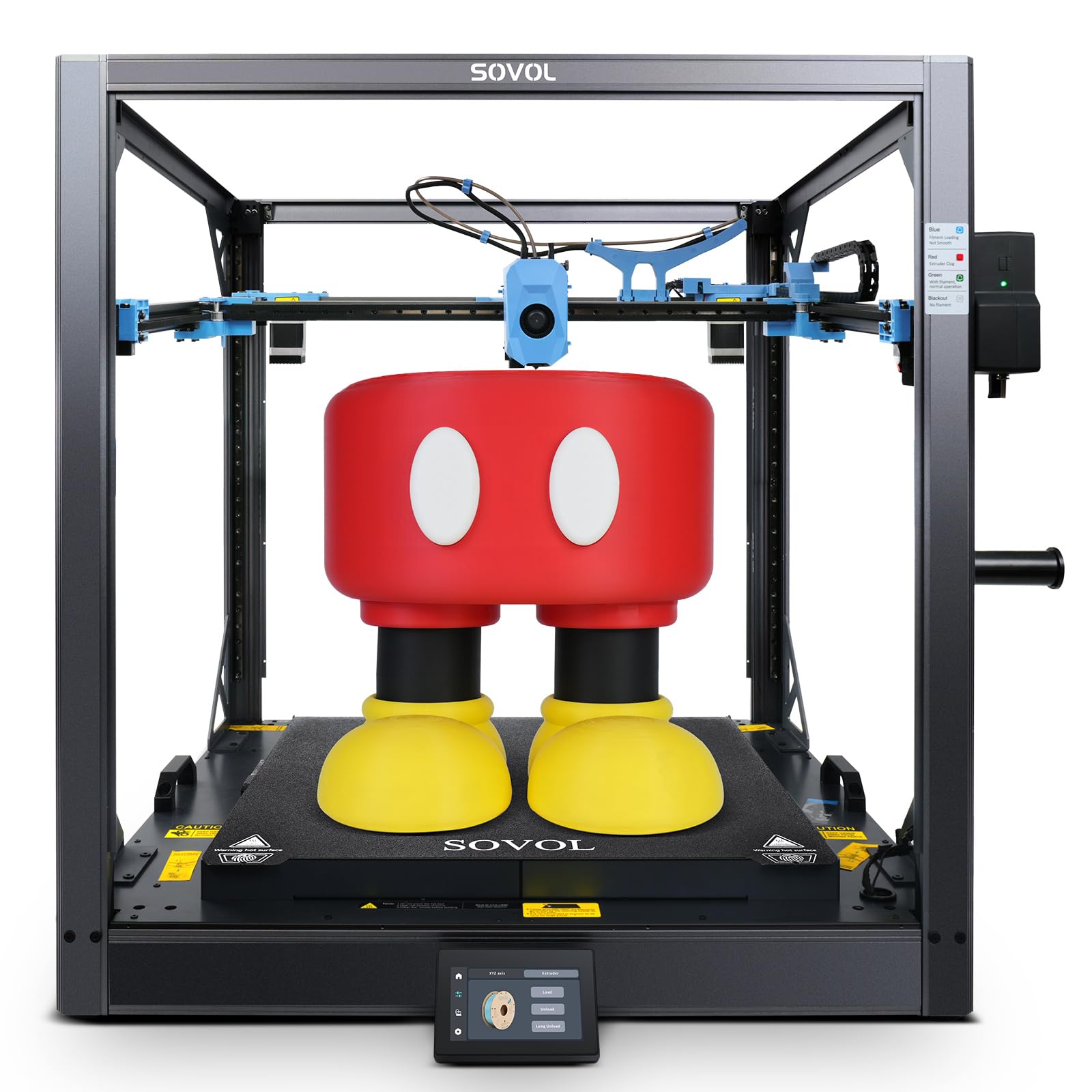
A Voron-inspired giant that gives you full control and the biggest cube here.
If raw volume is the only spec that matters, the Sovol SV08 MAX wins outright. Its 500×500×500mm build space is the largest in this comparison, letting you tackle full-scale furniture components and oversized props in a single pass. It is also the fastest accelerating machine here, hitting 40,000mm/s² with a 50mm³/s high-flow nozzle and a 700mm/s top speed.
This is an open-source machine based on the Voron 2.4 design, running Klipper firmware. For a tinkerer, that is a dream: you get deep control, LAN and Wi-Fi connectivity, remote monitoring through a built-in 1280×720 HD camera, and integration with Obico for cloud-based failure detection. It also leaves a reserved interface for a future Heated Chamber module, so you can upgrade it for high-temperature filaments later.
The community reception is strong on value — owners call it an affordable large CoreXY that prints beautifully from the start, with quality and value for money topping the list. But it is honest about the downsides: the machine is extremely loud, and the 1300W bed lacks zoned heating, which hurts energy efficiency on smaller prints. This is a specialist tool for someone who values openness and ultimate size over quiet operation.
Why Tinkerers Love It
- 500mm³ build volume is the largest in this list
- Open-source Klipper firmware with full customization
- 40,000mm/s² acceleration for fast big parts
The Noise Trade-off
- Extremely loud during operation, not office-friendly
- Heated chamber module and larger nozzles sold separately
Who it’s for: experienced makers who want the biggest possible build area and love tweaking firmware.
Who it’s not for: anyone who needs a quiet machine or prefers a locked-down, low-maintenance experience.
7. Official Creality K2 Plus Combo
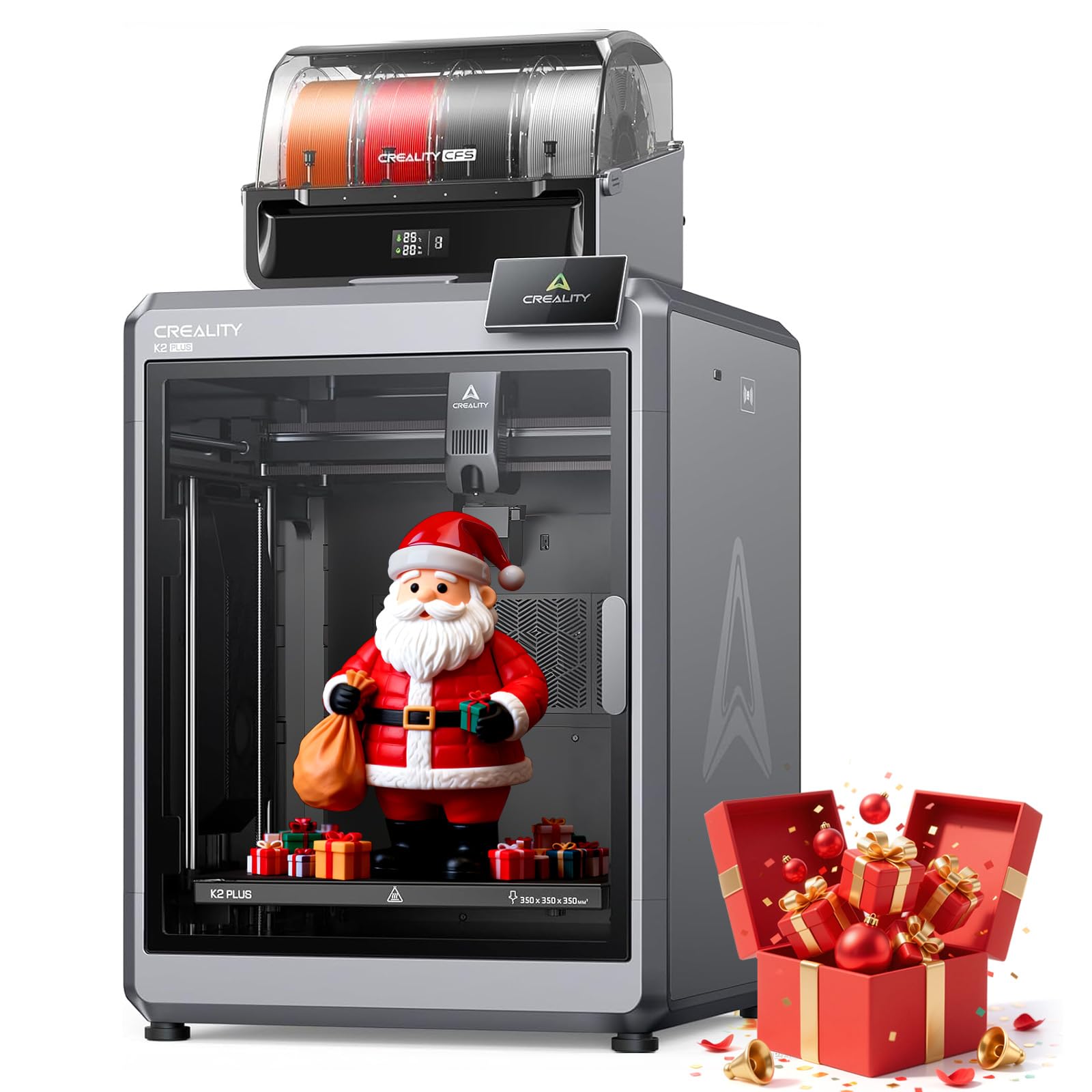
A multi-color powerhouse that handles up to 16 filaments in one print.
The K2 Plus Combo is the version of the K2 that includes the Creality Automatic Material System, or CFS. This is the unit you want if your projects demand multiple colors in a single process — it supports up to 16-color printing with expandable CFS units, while managing four filaments simultaneously to eliminate manual swaps and post-print painting.
Beneath the color magic, it is still a serious engineering machine. The 600mm/s speed and 30,000mm/s² acceleration come from a step-servo motor system and a 40mm³/s high-flow hot-end. Dual AI cameras provide print monitoring with spaghetti detection and foreign object recognition. The heavy-duty matrix frame with dual linear Z-axis rods keeps micron-level precision across the 350x350x350mm build volume, ensuring multi-day prints finish without layer shifts.
Quality and ease of use get praised by owners, and it is described as a great educational tool for kids. But the heavier caveat is reliability: a notable group report constant errors that stop printing, and the CFS unit can fail with error codes, leaving you stuck with side-spool printing only. Keep the back of the unit accessible, because if filament breaks in the line, you will usually need to get back there to fix it.
The Multi-Color Appeal
- 16-color printing with expandable CFS units
- Dual AI cameras monitor prints for failures
- 40mm³/s high-flow hot-end for rapid production
The Reliability Risk
- CFS unit occasionally errors out, halting prints
- 125.7-pound weight needs two people to move
Buy it for: vivid multi-color cosplay props and prototypes without post-painting.
skip it if: you cannot tolerate an occasional machine error that stops a long print.
8. Snapmaker Artisan 3D Printer

One machine that swaps between 3D printing, laser engraving, and CNC carving.
The Snapmaker Artisan is not just a 3D printer — it is a modular workshop. Its defining feature is the ability to switch between 3D printing, laser engraving and cutting, and CNC carving in about a minute, thanks to quick-swap toolheads and platforms. This model ships as the 3D printing version, but you can expand it to the full 3-in-1 setup with optional laser and CNC modules.
As a printer, it offers a large 400x400x400mm work area with dual-extrusion 3D printing. The enhanced dual extrusion module uses a 7:5:1 planetary gear system, which boosts printing speed and precision. It comes with a 7-inch touchscreen for live status viewing and dual nozzle temperature settings. The all-metal design includes CNC-ground steel guide rails for rigidity, and the machine is rated for 600+ materials across its functions.
Owners praise the build quality and the sheer versatility, with laser performance rated a 10/10 and the overall machine an 8.5/10. The big caveat is the learning curve and the physical footprint — it needs a 4×5 ft workspace, and the assembly takes a few hours with no formal instructions, only a quick start guide. This is a premium pick for a maker who wants one machine that can do it all, not a dedicated print-only workhorse.
Swiss Army Knife Appeal
- Swap between 3D print, laser, and CNC in under 5 minutes
- 7-inch touchscreen simplifies the workflow
- Dual extrusion enables easy-to-remove supports
The Setup Reality
- Assembly takes hours with only a quick start guide
- Needs a large 4×5 ft dedicated workspace
Choose it for: a studio or workshop that needs laser, CNC, and printing in one footprint.
Pass it up if: you only need a printer and do not want to pay for the extra capabilities.
9. Original Prusa XL Assembled 1 Toolhead
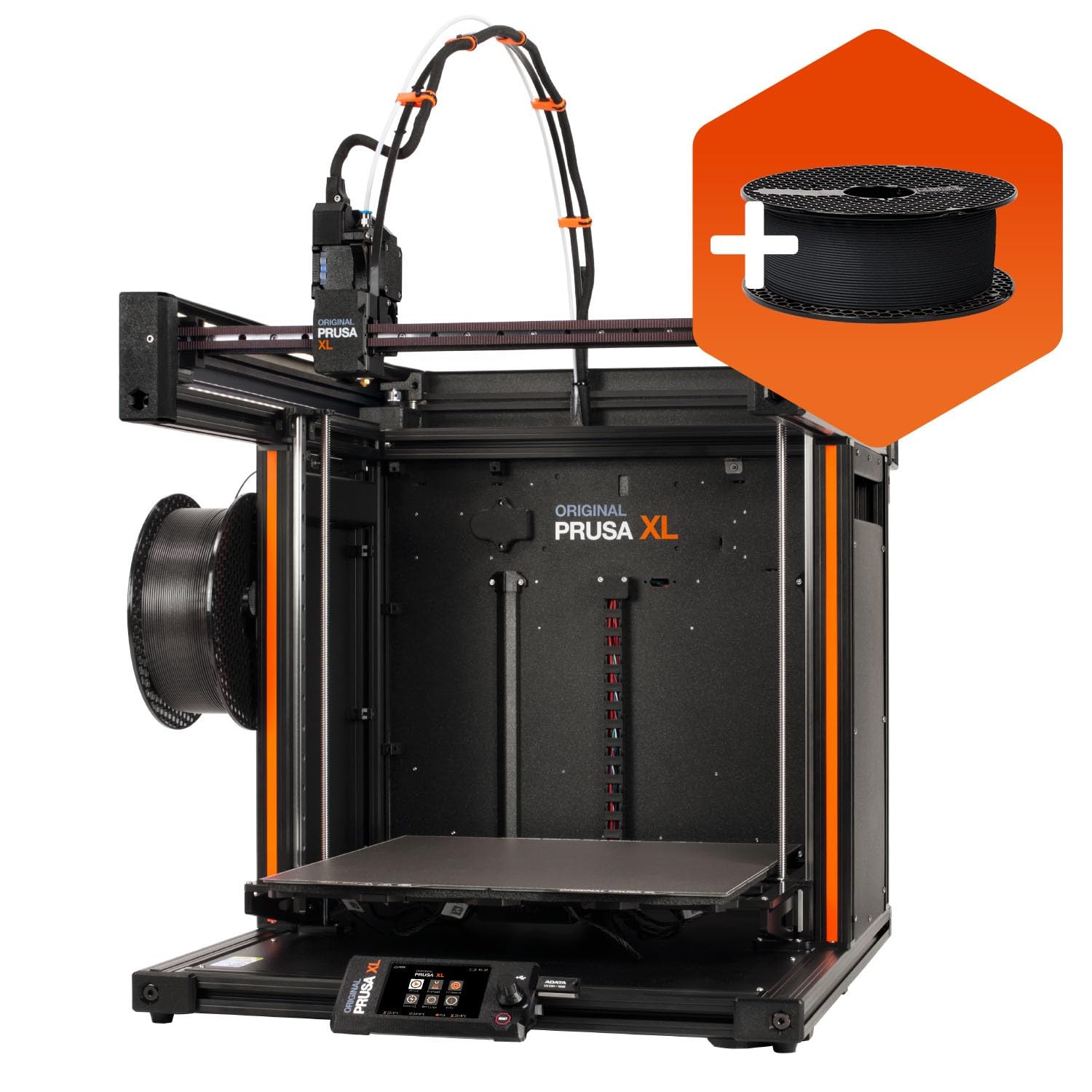
The go-to for engineers who value repeatable precision over raw speed.
The Prusa XL is the most expensive pick here, and it earns that price through precision and long-term reliability. Its CoreXY motion system delivers high-precision, large-scale prints with excellent dimensional stability and repeatability across a 360 × 360 × 360 mm build volume. This is a machine designed for engineering and prototyping, where a part has to be exactly right the first time.
Its cleverest feature is the segmented heated bed system. Instead of heating the entire 360mm plate, it uses intelligent heating zones that only warm the area under your print. This improves energy efficiency and reduces warping on large prints, giving you reliable first-layer adhesion across the entire platform — the exact problem that plagues other large-format printers.
The single toolhead version is tune for simplicity and consistent single-material production, which is a deliberate trade-off of multi-color capability for maximum stability. Owners with deep experience call it the best consumer multi-material printer available, praising the open ecosystem with no forced updates or accounts, plus lifetime technical assistance from Prusa Research. The honest cautions: it is “assembled” but several fragile parts ship detached for safe transport, so setup takes half a day, and the price tag makes the mixed value reports understandable.
The Pro-Grade Edge
- Segmented heated bed cuts energy use and warping
- Lifetime technical support from Prusa Research
- Open ecosystem with no forced firmware updates
The Price Reality
- Highest price in this comparison
- Setup requires about half a day of assembly
Who it fits: professionals who need repeatable, dimensionally stable parts and value long-term support.
Who it doesn’t: beginners who want a cheap, quick-start printer for hobby projects.
Understanding the Specs
Build Volume
This is the maximum size of the object you can print, shown as width × depth × height in millimeters. A larger volume, like 500×500×500mm, lets you print full-scale prototypes or multiple parts at once without splitting them. Always measure the space around the printer too — the carriage needs room to move, and you need room to reach the plate.
Heated Chamber
An enclosure that actively keeps the air around the print warm, like the QIDI Max4’s 65℃ chamber. This prevents warping when printing materials like ABS or nylon, which shrink and curl as they cool. If you only print PLA, a heated chamber is not essential, but for engineering-grade materials it is the difference between success and a scrap heap.
FAQ
How much space do I need for a large-format 3D printer?
Why does a heated chamber matter for big prints?
What is the difference between CoreXY and a moving-bed printer?
Can I print with multi-color on a big printer?
Is a heavier printer always better?
What is the real-world print speed I should expect?
How long does it take to set up a large-format printer?
What is auto-leveling and why is it important?
Final Thoughts: The Verdict
If you want one dependable pick, the big 3d printer winner is the QIDI Max4 Combo because its 65℃ heated chamber and 800mm/s speed make it the only machine here that handles serious engineering materials day in and day out. If you want the tallest build area for under, grab the Anycubic Kobra 3 Max. And for professional-grade precision that will outlast the hobby, the Prusa XL is the one to reach for.
How We Picked
We do not accept paid placement. Every pick is matched to a real buyer and a real use-case; we do not hands-on test units.
Sources & Methodology
Specifications: manufacturer listings and product documentation. Review insights: verified customer reviews, as of August 2026. Pricing: not shown on this page (it changes often); check the current price via the retailer link.
As an Amazon Associate, Gadgets Feed earns from qualifying purchases. This does not affect which products we feature.