
Our readers keep the lights on and my morning glass full of iced black tea. As an Amazon Associate, I earn from qualifying purchases.
Specs are compiled from manufacturer listings and verified buyer reviews and can change over time — please confirm the key details on the product page before buying.
If you want one straight answer: buy a monitor whose cuff actually fits your arm, then check that its app truly writes into Apple Health. A monitor that measures beautifully but never reaches your Health app leaves you typing numbers into a notebook at midnight. So this guide ranks six home monitors on two things only — a correct cuff fit and a confirmed Apple Health connection.
I’m Min — the founder and writer behind Gadgets Feed. This guide is built by comparing the manufacturers’ published specifications and the patterns across verified customer reviews, so you get each pick’s real strengths and trade-offs instead of marketing spin.
A quick honest note before the picks: this list uses flexible, human-like matching for Apple Health syncing, so not every pick is the exact model you typed into the search bar — the nearest same-type monitor that genuinely supports HealthKit serves the same job. If what you really need is a wrist cuff or an extra-large arm cuff, that option is here too, clearly labelled. Every pick below has HealthKit support named in its own listing, and that is the single requirement I would not bend on for blood pressure monitor compatible with apple health.
Our Picks at a Glance
How To Choose The Best Blood Pressure Monitor Compatible With Apple Health
Two features decide whether a monitor earns a place in your daily routine. The cuff has to fit the arm it wraps, and the app has to push readings into Apple Health without you fighting it. Everything else — screen size, memory, batteries — is comfort on top of those two.
Start With Your Arm, Not The Box
An upper arm cuff is sized by circumference, the distance around your bare upper arm. The common standard cuff covers 8.7 to 16.5 inches (22 to 42 cm), which suits most adults. If your arm sits outside that band, a monitor with a wide-range cuff or an extra-large option is the difference between a real reading and an error code. Wrist monitors instead list wrist circumference, and those numbers are much smaller — often 5.3 to 8.5 inches. Measure once with a soft tape before you buy anything.
How Apple Health Syncing Really Works
No blood pressure monitor writes to Apple Health by itself. The monitor sends your reading over Bluetooth to the maker’s free app, and that app then writes it into Apple Health, also called HealthKit. So the real question is not “does it have Bluetooth” but “does its app support HealthKit.” A monitor can pair perfectly with your phone and still never appear in your Health app if the app skips that step. Check the listing for Apple Health named explicitly.
Upper Arm Or Wrist?
Upper arm monitors are the ones most home users settle on, because the cuff sits at heart level on a supported arm. Wrist monitors trade that for portability — they slip into a bag and take a reading on a work trip. The trade-off is that wrist position matters, and the cuff only fits a narrow range of wrist sizes. If you want one device for the whole household, an upper arm model with dual-user memory is usually the safer call.
Quick Comparison
| Model | Best For | Cuff Fit | Stored Readings | Power | Amazon |
|---|---|---|---|---|---|
| iHealth Track Smart Upper Arm★ Best Overall | Best Overall | 8.7″–16.5″ arm | 99 on device | 4 AAA | Amazon |
| Greater Goods Bluetooth Upper ArmEasiest Sync | Easiest Health Sync | 8.7″–16.5″ arm | 60 per user (120 total) | 4 AAA + AC adapter | Amazon |
| Andesfit XL Cuff Upper Arm | Large Arms & Seniors | 17″ large & 21″ XL | 199 per user | 4 AA or USB-C | Amazon |
| OMRON Gold Wireless Wrist | Travel & Small Kit | 5.3″–8.5″ wrist | 200 per user | 2 AAA | Amazon |
| Withings BPM Vision | Premium Pick | 8.7″–16.5″ arm | Unlimited in app | 1-year battery life | Amazon |
| iHealth Pulse Wrist | Compact & Portable | 5.5″–7.7″ wrist | 199 per user | 2 AAA | Amazon |
In‑Depth Reviews
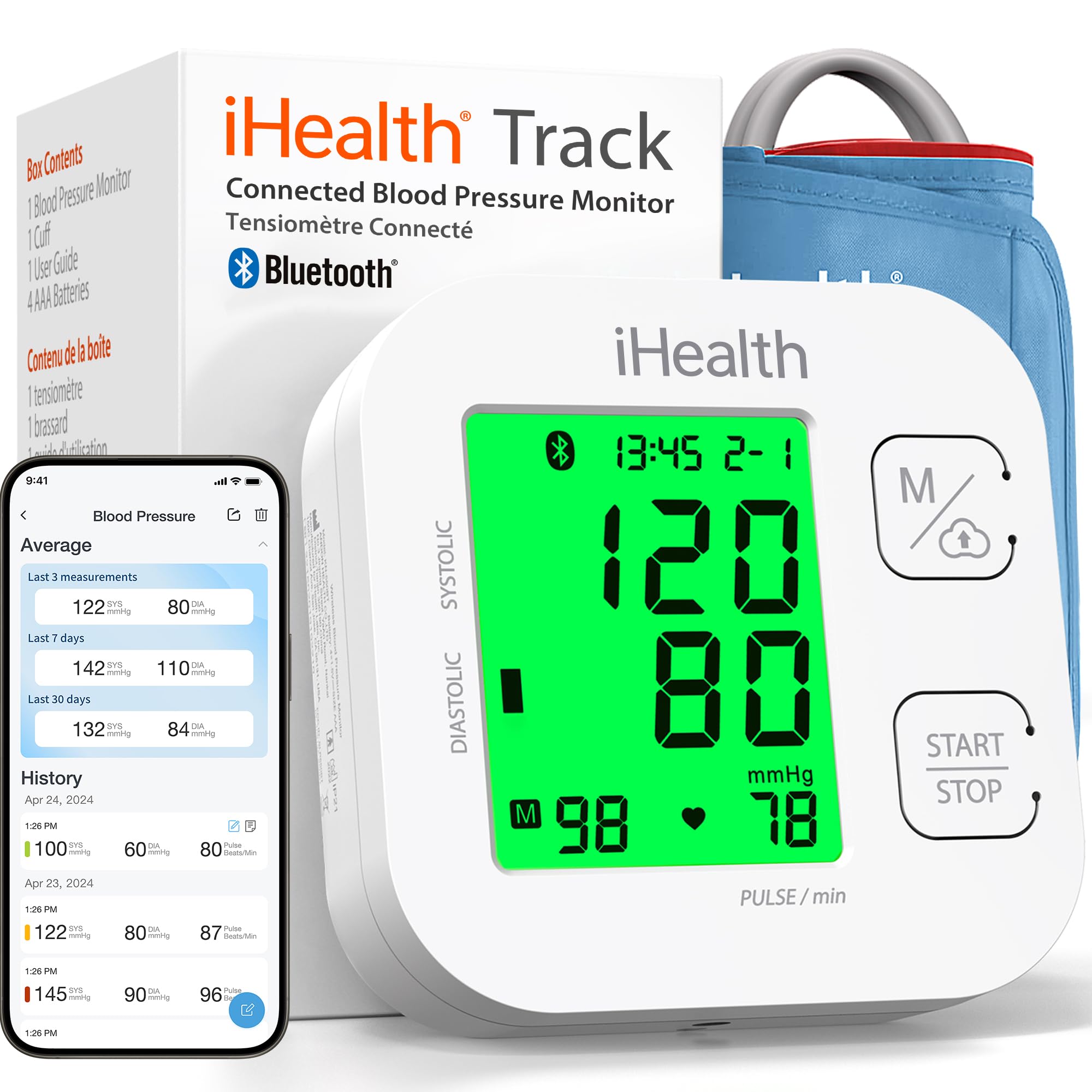
1. iHealth Track Smart Upper Arm Blood Pressure Monitor with Wide-Range Cuff
Our pick — 4.0+★ from 69,500+ verified ratings; the strongest balance of quality and price.
An 8.7″–16.5″ wide-range cuff that fits a slender arm and a heavier one on the same device.
The cuff spans 8.7 to 16.5 inches (22 to 42 cm) of upper-arm circumference — a wide-range cuff that wraps a small adult arm and a heavier one on the same device. Two buttons run the whole measurement, so there is no menu to learn before your first reading. It runs on four AAA batteries that come in the box, and no calibration is required.
What wins people over here is dependability. The large multi-color backlit display shows oversized digits, and the reading is coded green, yellow, or red so you can tell at a glance whether you are in the optimal zone. It stores 99 readings on the device, and unlimited readings in iHealth’s free app for iOS and Android — the app is the link that writes your data into Apple HealthKit. An irregular heartbeat warning appears after a reading if the monitor picks up a rhythm disturbance.
The honest catch is reading accuracy. Amazon’s reviewer consensus calls accuracy mixed, with some owners reporting unusually high numbers, so the sensible move is to bring the device to a doctor’s appointment and compare against their cuff before you trust it as your only gauge. The device meets ESH 2010 performance standards according to the maker, and it ships with a 12-month warranty and California-based support. It is the most-reviewed monitor here at 4.0+ stars across 69,000+ ratings, which is why it sits first.
What earns it first place
- Wide-range 8.7″–16.5″ cuff covers small and large arms on one device
- Two-button operation with no calibration step
- Color-coded green/yellow/red display reads at a glance
- 99 readings on device, unlimited in the iHealth app
Where it needs a check
- Accuracy draws mixed owner feedback, including some high readings
- HealthKit sync depends on the iHealth app, so pair it before you rely on it
Reach for this if: you want a proven upper-arm monitor that covers a broad range of arm sizes and feeds the iHealth app.
Look elsewhere if: you need a wrist cuff for travel — that is a different shape entirely.
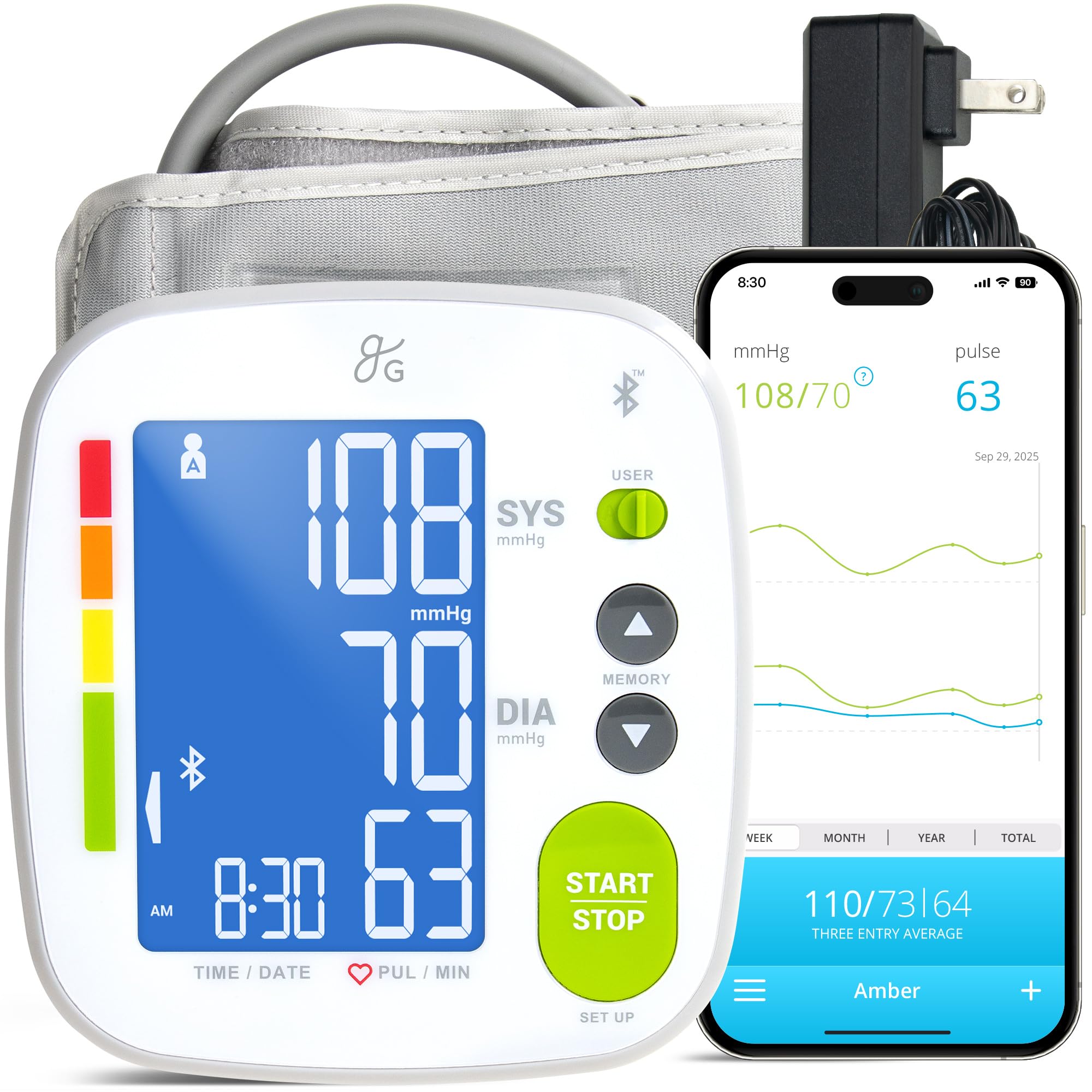
2. Greater Goods Bluetooth Blood Pressure Monitor for Home Use, Upper Arm Cuff
A guided in-app Bluetooth walkthrough is why owners keep this one on the nightstand.
Apple Health integration is stated plainly in the listing, and the Balance Health app stores unlimited readings, tracks averages and trends, and exports reports you can hand to a doctor. That export matters — it turns a pile of daily numbers into one page your clinician can actually scan. The adjustable cuff runs 8.7 to 16.5 inches (22 to 42 cm) and includes an artery alignment guide, a printed marker that shows where to position the cuff so you wrap it the same way every time.
Power is where it pulls ahead of the iHealth Track: it ships with four AAA batteries for the road and an AC adapter for everyday home use. The built-in memory holds 60 readings per user, 120 total, with or without Bluetooth — noticeably less onboard storage than the Andesfit’s 199 readings per user, so heavy daily trackers will lean on the app instead. A travel case is in the box, and support runs from a St. Louis-based team.
Bluetooth pairing is the part owners bring up warmly, and the step-by-step tutorial inside the app is why — this is the pick to hand a parent who has never paired a device. Expect a large backlit display with bold numbers for dim-light readings, and one-touch operation. If your main worry is whether it will actually reach your iPhone’s Health app, this is the steadiest bet of the six.
The real differentiator: guided Bluetooth setup plus a confirmed Apple Health hand-off, backed by an AC adapter so batteries are a backup plan rather than the plan.
Buyer caveat: onboard memory tops out at 60 readings per user — fine if the app is your archive, thin if you want the device itself to hold months of history.
Best for: anyone who wants the syncing part to be uneventful, especially a household setting one up for an older relative.
Skip if: you want a big onboard log on the unit itself rather than in the app.
3. Andesfit Upper Arm Blood Pressure Monitor, 17″ Large & 21″ XL Cuff, Big Arm
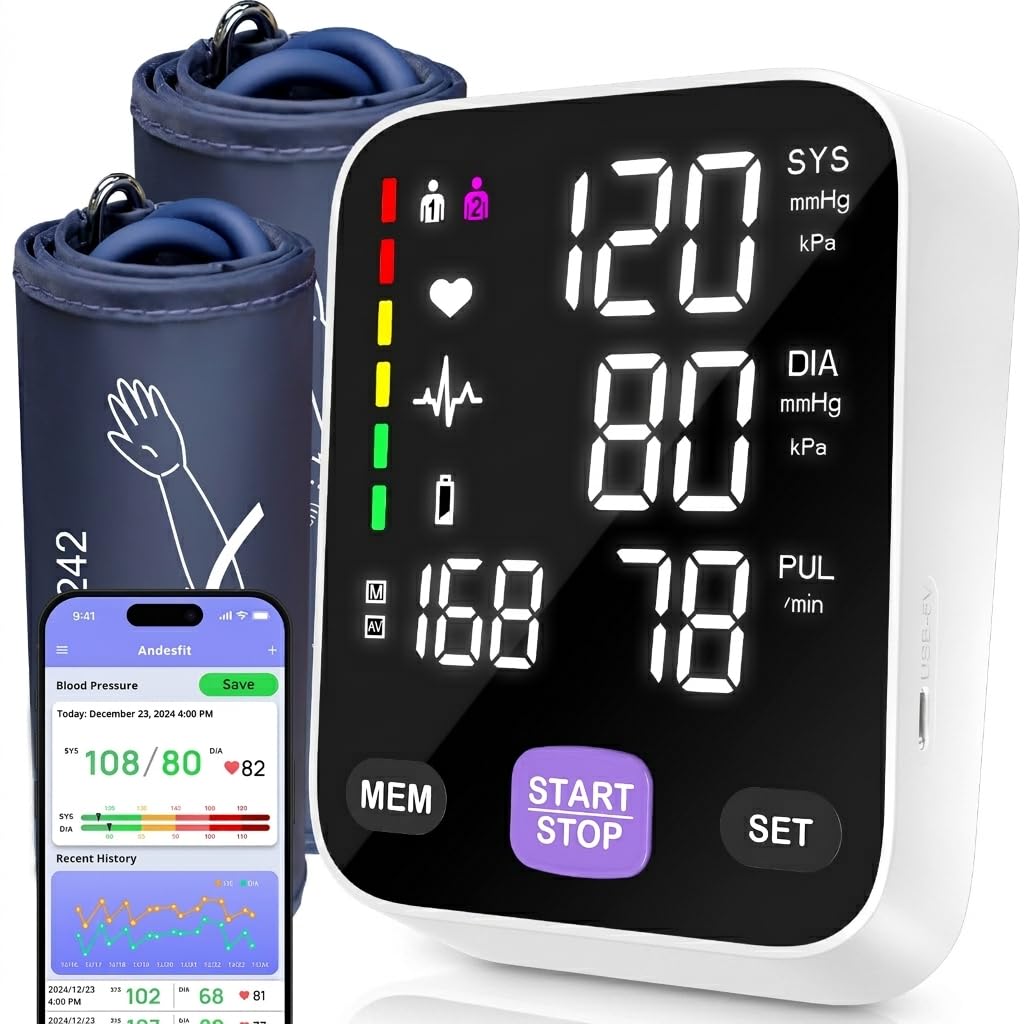
With 17″ large and 21″ XL cuffs, it fits arms that standard 16.5″ cuffs cannot close around.
The cuff set here goes up to 17 inches large and 21 inches extra-large — the widest fit on this list by a clear margin. Standard upper arm cuffs that top out around 16.5 inches simply cannot close around a heavier arm, and a loose or over-stretched cuff is where bad readings come from. This pick solves the fit problem first, then worries about the rest.
Onboard memory is the other headline: 199 readings per user across two users. Compare that with the Greater Goods monitor, which stores 60 per user (120 total) — the Andesfit holds 199 per user, a 3.3x gap in stored readings. The free app also stores unlimited data and syncs to Apple Health and Google Fit, and you can export CSV files to send your doctor. No login or personal data entry is required to use the app.
The 6-inch color LED display uses large numbers, which is what makes this a sensible pick for seniors or anyone reading without glasses. Power is flexible — four AA batteries are included, or you can run it continuously from USB Type-C with the included cable, so it does not die mid-check. One touch starts a measurement. The trade-off is size: this is a desktop unit at 1.7 pounds, not something you toss in a bag, and the color-coded reading feedback is the thing to watch given that accuracy gets mixed owner feedback — compare it against a clinic reading before treating it as your only source.
Why the big-arm shopper picks it
- 17″ large and 21″ XL cuffs fit arms a standard cuff cannot close on
- 199 readings per user across two users
- 6″ color LED display with large numbers for seniors
- USB Type-C continuous power or four AA batteries
- Health app sync with CSV export for doctor visits
What to weigh first
- Accuracy feedback is mixed, so verify against a clinic cuff
- At 1.7 pounds it stays on a table rather than travelling
This is your monitor if: standard cuffs have failed you, or a large-print screen is non-negotiable in the house.
Think twice if: you want a compact device to carry — the wrist models below cover that job.
4. OMRON Gold Wireless Wrist Blood Pressure Monitor for Home Use
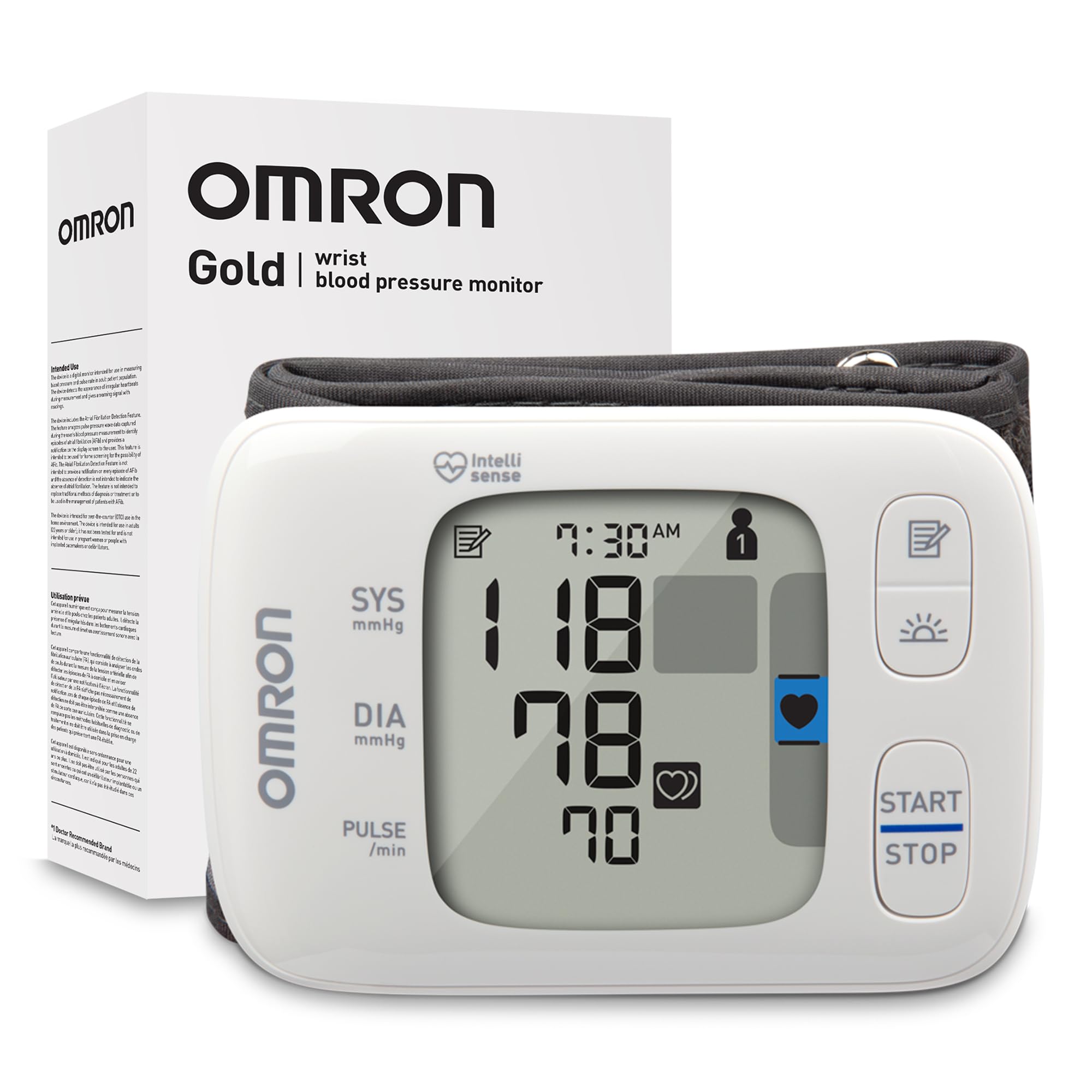
A 3.17-ounce wrist cuff that fits 5.3″–8.5″ wrists and slips into a carry-on.
The wrist cuff fits 5.3 to 8.5 inches of wrist circumference, and the whole unit weighs 3.17 ounces — you will forget it is in the carry-on. Compare that with the Greater Goods upper arm monitor at 15.87 ounces, which stays put on a desk. The trade for that portability is where the cuff sits: on a wrist, so arm position at heart level is on you to get right.
Two features aim straight at daily routine. The High Morning Average Indicator checks for morning blood pressure spikes, and the Irregular Heart Beat Indicator flags rhythm irregularities during a routine reading so you can raise it with your doctor. Memory holds 200 readings each for two users. The free OMRON connect app over Bluetooth stores unlimited readings and is named as compatible with Apple Health and Google Fit, which is the link that puts your numbers into the Health app.
The recurring gripe is Bluetooth pairing — it is the most-discussed complaint in the mixed connectivity feedback, and some buyers report it refuses to pair with their phone. Treat the sync as something to set up at home, calmly, before you depend on it on a trip. Reading accuracy also draws mixed feedback, so a single clinic comparison is worth the effort. Grab it for the size and the morning-spike tracking, not for the app polish.
The case for it: a 3.17-ounce wrist unit with a 5.3″–8.5″ cuff, 200 readings per user, and a morning-average feature that flags spike patterns.
The fair warning: Bluetooth pairing is the weak spot in feedback, and Apple Health sync only happens once pairing succeeds — test it at home first.
Pick this one for: travel, small wrists, and morning trend tracking in the smallest possible package.
Pass if: you want the simplest possible Bluetooth setup — the Greater Goods pick is less fuss.
5. WITHINGS BPM Vision Blood Pressure Monitor, Wi-Fi & Bluetooth
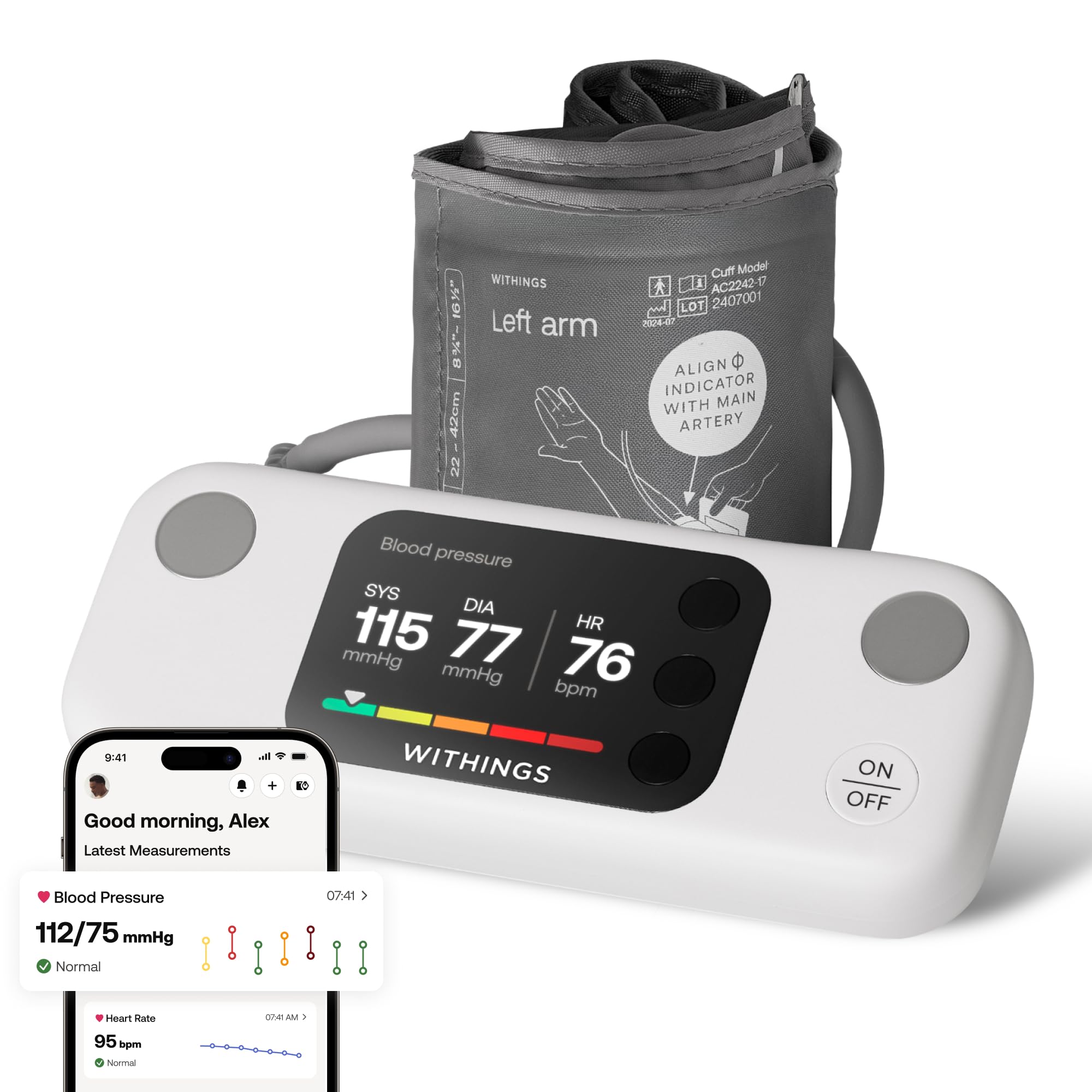
Wi-Fi syncing pushes readings to the Withings app without your phone in the room.
This one syncs over Wi-Fi or Bluetooth to the Withings app for unlimited storage, and it is the only pick here that can push a reading without your phone present. The 2.8-inch LCD shows systolic and diastolic pressure plus heart rate, and color-coded feedback compares your result against US hypertension levels defined by the American Heart Association. Built-in tutorials walk you through each reading so conditions stay consistent.
The cuff is the standard 8.7 to 16.5 inches (22 to 42 cm), and the protective case doubles as a stand so the screen sits at a readable angle. Battery life is listed at one year, which means you are not fishing for AAA cells monthly. The maker lists the standard cuff in the box and specifies iOS 18+ and Android 12+ for the app. Two household users cannot share one phone — worth knowing if this is a shared home device.
The friction shows up in setup and sync feedback, which is mixed — some owners describe frustrating app setup and synchronization hiccups, while others report clean automatic syncing into Apple Health. The maker’s listing also states this device is incompatible with pacemakers, so that is a hard stop if it applies to you. The 4.0+ stars over 480+ ratings reflect a premium build with a learning curve, not a plug-and-play gadget.
What the premium buys
- Wi-Fi or Bluetooth syncing to the Withings app, unlimited storage
- 2.8″ LCD with color-coded feedback against AHA hypertension levels
- Built-in tutorials for consistent reading conditions
- Case doubles as a stand; one-year battery life listed
What you should factor in
- Setup and sync feedback is mixed; expect a learning curve
- Not compatible with pacemakers, per the maker
- Two users cannot share one phone
Go premium here if: you want automatic Wi-Fi sync and a screen that tells you what the number means in context.
Consider the cheaper picks if: you want zero setup friction — the Greater Goods monitor gets you synced with less fiddling.
6. iHealth Pulse Bluetooth Wrist Blood Pressure Monitor for Home Use
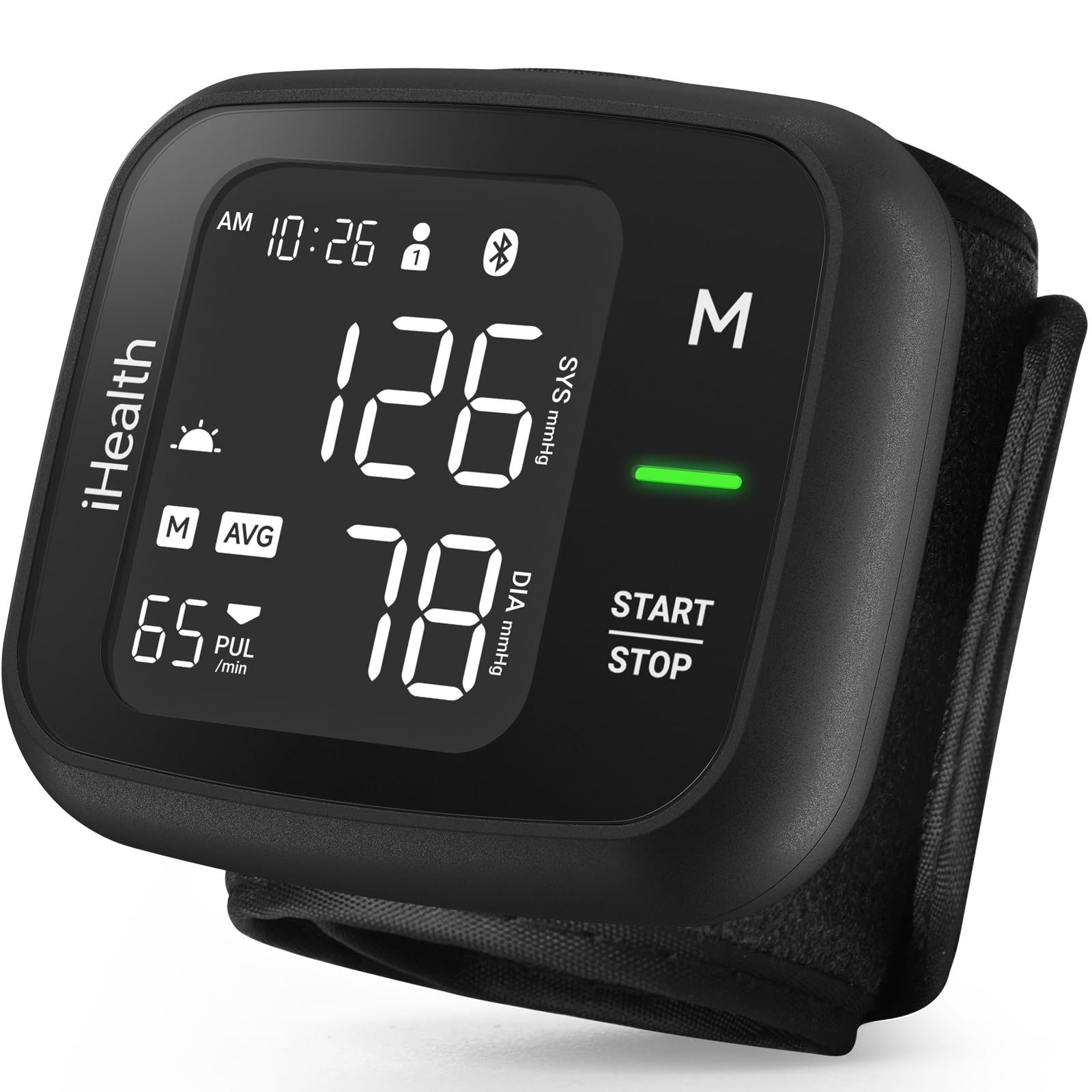
At 7.05 ounces it is less than half the 15.87-ounce Greater Goods unit, and 199 readings per user scroll on the device itself.
An upgraded take on iHealth’s older Push model, this wrist monitor stores 199 readings per user across two users, and you can scroll that history on the device itself without opening the app. The wrist cuff fits 5.5 to 7.7 inches. At 7.05 ounces it is far lighter than the 15.87-ounce Greater Goods upper arm unit, and it runs on just 2 AAA batteries versus four — a genuinely smaller kit to pack.
Each reading gets a color-coded indicator plus irregular heartbeat detection, with a recent 3-reading average and a morning average so day-to-day comparison is quick. Bluetooth pushes readings to the free iHealth MyVitals app, which stores unlimited data, lets you share results, and connects with Apple Health or Google Fit. One-button automatic inflation measures systolic, diastolic, and pulse.
Be clear-eyed about this one: connectivity is the loudest complaint in its own feedback, with app connection trouble reported, and its 3.5+ stars across 130+ ratings sit below the rest of this list. Wrist sizing is also narrow at 5.5 to 7.7 inches, so measure first. It earns its place as a light, self-contained wrist option — not as the pick to trust blind.
Where it shines: 199 readings per user viewable straight on the device, dual-user support, and a 7.05-ounce body that travels easily.
The catch: app connection trouble is the most-cited issue, and the wrist band only covers 5.5″–7.7″ — check your wrist before ordering.
Suits you if: you want on-device history and a light wrist monitor for two users sharing one small kit.
Better served elsewhere if: dependable app syncing is your top priority — the Greater Goods or Withings picks handle that with less friction.
Understanding the Specs
Cuff Circumference — The Spec That Decides Everything
A cuff is rated by the circumference it wraps: an upper arm range like 8.7 to 16.5 inches, or a wrist range like 5.3 to 8.5 inches. Wrap it too loosely or stretch it past its limit and the reading drifts. Measure your bare arm once with a soft tape before buying, and if you land outside a cuff’s range, choose a wide-range or extra-large option — the Andesfit goes up to 17 inches large and 21 inches XL for exactly that reason.
HealthKit Sync — Bluetooth Is Only Half The Job
Bluetooth moves a reading from the monitor to the maker’s app. Apple Health, or HealthKit, is where that app then writes the data. A monitor can pair flawlessly and still never appear in your Health app if the app skips HealthKit. So look for Apple Health named in the listing, then open the app once after pairing and confirm the reading shows up in Health. Do this before you rely on it.
Stored Readings — Device Memory Versus App Memory
Most monitors hold a fixed number of readings onboard, often listed per user: 60, 99, 199, or 200. The free app usually stores unlimited data on top. On-device memory matters if you want to scroll history without your phone; app memory matters if you want months of trends. Decide which archive you actually want before comparing.
Display And Reading Flags
Oversized backlit digits make a reading legible in a dim bedroom. Color coding (green, yellow, red) tells you at a glance whether a reading sits in the optimal zone. Irregular heartbeat detection flags a rhythm disturbance after a measurement — it is a prompt to discuss the result with your doctor, not a diagnosis on its own.
FAQ
Will these monitors actually show up in my iPhone’s Health app?
Do I need a different cuff if my arm measures over 16.5 inches?
Is a wrist monitor as accurate as an upper arm monitor?
What does the green, yellow, red color coding on the display mean?
Can two people share one blood pressure monitor?
Do these monitors need calibration or a doctor to set them up?
How long does the battery last on these monitors?
Can I export readings to bring to a doctor’s appointment?
Does an irregular heartbeat warning mean something is wrong?
Can I use one of these monitors if I have a pacemaker?
Final Thoughts: The Verdict
For most homes, the blood pressure monitor compatible with apple health to start with is the iHealth Track Smart Upper Arm, because its 8.7″–16.5″ wide-range cuff fits a broad range of arms and its app is the established HealthKit link. If syncing without fuss is the whole point, the Greater Goods monitor is the one to grab — guided Bluetooth setup, an AC adapter in the box, and Apple Health named in the listing. And if a standard cuff has never fit, the Andesfit XL monitor is the one to reach for, with 17-inch large and 21-inch extra-large cuffs. Measure your bare arm with a soft tape before buying — a cuff outside its rated range is where bad readings start.
How We Picked
We do not accept paid placement. Every pick is matched to a real buyer and a real use-case; we do not hands-on test units.
Sources & Methodology
Specifications: manufacturer listings and product documentation. Review insights: verified customer reviews, as of November 2026. Pricing: not shown on this page (it changes often); check the current price via the retailer link.
As an Amazon Associate, Gadgets Feed earns from qualifying purchases. This does not affect which products we feature.