
Our readers keep the lights on and my morning glass full of iced black tea. As an Amazon Associate, I earn from qualifying purchases.
Specs are compiled from manufacturer listings and verified buyer reviews and can change over time — please confirm the key details on the product page before buying.
Staring at a failed Blu-ray burn is a special kind of frustration — the drive spins, the progress bar crawls, and then a disc that cost a few dollars is suddenly a shiny, useless coaster. The specs that separate a reliable burner from one that fails mid-write are power delivery, connection type, and burn speed—all checkable before purchase. Here are seven external Blu-ray burners worth your money, with the speeds and connections that matter, so you can pick the one that matches your computer and your workflow.
I’m Min — the founder and writer behind Gadgets Feed. This guide is built by comparing the manufacturers’ published specifications and the patterns across verified customer reviews, so you get each pick’s real strengths and trade-offs instead of marketing spin.
Whether you archive home movies, rip your collection for a media server, or back up irreplaceable data, the right blu ray burner turns a risky chore into a set-and-forget task you can trust with your most important files.
Our Picks at a Glance

How To Choose The Best Blu Ray Burner
The specs in a burner’s listing—power input, USB version, and supported disc formats—determine whether it archives reliably or fails on expensive blanks. You need to match the drive to your computer’s ports, the discs you plan to write, and the software you already own.
Check Your Ports Before Anything Else
A burner that draws more power than your laptop’s USB port can supply will stall mid-write, so check the port’s output before buying. Most modern drives use USB 3.0 or Type-C, and a dual-cable design with an extra power line prevents the voltage drop that causes failed burns on older machines.
Speed Matters, But Not How You Think
A 6X Blu-ray burn speed is standard across almost every external drive on the market, and it is plenty fast for a 25GB disc. What actually separates reliable burners from the rest is consistent power delivery and stable error correction, not a higher number on the box.
Quick Comparison
| Model | Best For | Connectivity | Blu-ray Speed | Extra Ports | Amazon |
|---|---|---|---|---|---|
| BUNUD External Blu-ray Drive★ Best Overall | All-around reliability with built-in expansion | USB 3.0 & Type-C | 6X (BD-R) | 2 USB + SD/TF | Amazon |
| Dainty External Blu ray DrivesStable Power Pick | Stable power for uninterrupted writes | USB 3.0 & Type-C | 6X (BD) | None | Amazon |
| Alphami External USB 3.0 Burner | Featherlight travel companion | USB 3.0 & Type-C | 6X (BD) | None | Amazon |
| Alphami Dual Interface Writer | Mac users who rip with MakeMKV | USB 3.0 & Type-C | 6X (BD) | None | Amazon |
| Dainty BD Drive with Hub | Replacing a dead desktop drive | USB 3.0 & Type-C | 6X (BD) | 6 Ports (USB/SD/TF) | Amazon |
| wintale Blu Ray Burner | Simple Blu-ray burning on a budget | USB 3.0 & Type-C | 6X (BD) | None | Amazon |
| Yaeonku External Blu Ray Drive | Cutting costs on occasional burns | USB 3.0 & Type-C | 6X (BD) | None | Amazon |
In-Depth Reviews
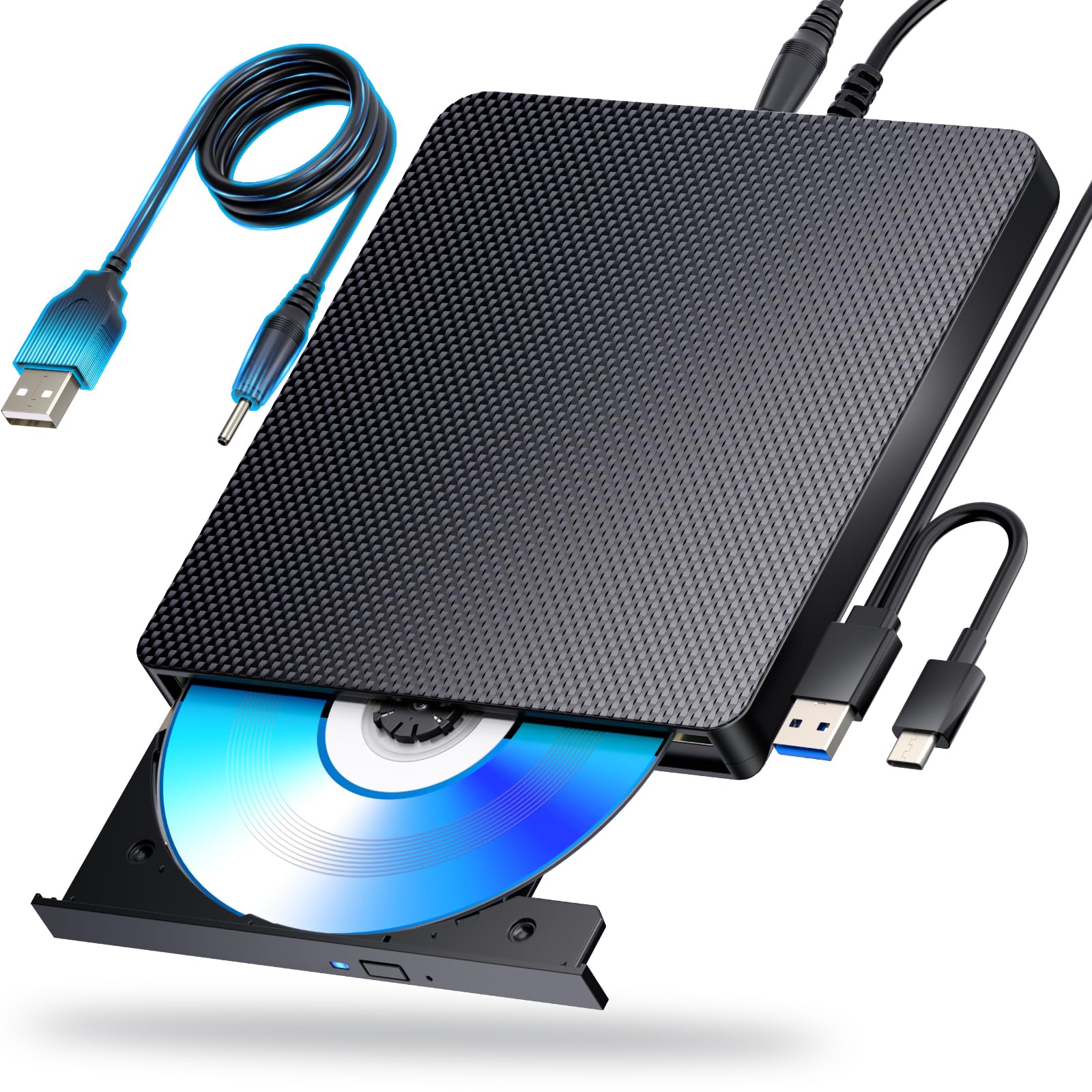
1. BUNUD External Blu Ray Drive (USB 3.0 & Type-C)
Our pick — over 4★ from 900+ verified ratings; the strongest balance of quality and price.
The all-rounder that brings its own expansion hub for a clutter-free desk.
You get a 5-in-1 unit here: a Blu-ray burner plus 2 extra USB ports and an SD/TF slot (a slot for SD and TransFlash memory cards), so you can move photos off a camera card and burn them to disc without hunting for another adapter. It reads and writes CDs, DVDs, and Blu-rays, hitting 24X on CD-R (24 times the standard CD speed), 8X on DVD-R, and handling dual-layer DVD formats, with a 2 MB cache (a small memory buffer) smoothing out the transfer.
Performance wins people over, with solid speeds and a genuinely easy plug-and-play setup that needs no driver on Windows or Mac. As buyers report: “This cd/DVD Blu-ray drive works perfectly.” The trade-off appears in the compatibility notes — it runs Windows 11 and older Mac systems smoothly, but it skips newer Mac OS 14.6.1, and it will not play 4K Ultra HD discs (ultra-high-definition discs with 3840×2160 resolution), so confirm your OS version before ordering.
The build is slim and the cables are embedded, which means you never lose the cord but you also cannot swap in a longer one. A few owners mention the drive is not the sturdiest and makes a little noise during operation, but the ease of use and strong performance keep it the most complete pick here. You will still need separate playback software for Blu-ray movies, as none is bundled.
What the extra ports open up
- Built-in SD/TF card reader and two USB ports save you from buying a separate hub
- Embedded USB and Type-C cables mean no lost wires when traveling
- 2 MB cache and 5 Gbps transfer keep ripping and burning steady
Where it stumbles
- No support for Mac OS 14.6.1, which rules out the latest MacBooks
- Will not read 4K Ultra HD Blu-ray discs
- Build feels a little light and the tray can be noisy
Reach for this if: you want one device that burns discs and acts as a mini hub for your memory cards and flash drives.
Think twice if: you run the newest Mac operating system, since compatibility stops before Mac OS 14.6.1.
2. Dainty External Blu ray Drives Player (USB 3.0 / Type-C)
A rare dual-power-cable design that stops failed burns before they start.
Most external burners fail mid-write because a single USB port cannot deliver steady power. This Dainty drive sidesteps that with an extra USB power cable alongside the data line, which keeps the laser stable during long burns and cuts down on playback interruptions. It handles BD discs up to 100GB, dual-layer DVDs at 8.5GB, and standard CDs at 700MB.
Functionality is the thing everyone raves about here — it simply gets the job done from the start, and owners mention it burned and played discs successfully on the first try. The value is strong too, especially when you consider the premium power design. The honest caveats are a short cable that may need an extension and the usual requirement to download your own Blu-ray player software, such as PowerDVD or VLC, since nothing is bundled.
At roughly the mid-point of this list, this is the drive to pick when your laptop’s USB ports are weak or your previous burner kept dying at 80% through a write. Its dual-power-cable design keeps burns stable, making it a quiet workhorse for archiving large BD-R discs without wasting blanks.
Power-first verdict: the extra power cable is the kind of detail you only appreciate after a flawless 100GB burn, and it makes this a smart buy for anyone whose laptop starves external drives.
Fair warning: the short included cable and the separate software purchase are the two friction points to plan around.
3. Alphami External USB 3.0 & Type-C Blu-ray Burner

The featherweight that slips into a briefcase without adding bulk.
At just 0.9 pounds, this is the drive you grab for business trips and mobile work — it fits easily in a backpack and reads or burns CDs anywhere. It pushes 6X Blu-ray, 8X DVD, and 24X CD speeds over a USB 3.0 connection that reaches 5Gbps, and it works with Windows XP through 11, Linux, and Mac OS with no driver install.
The ease of use gets the most love from owners, who describe it as simple enough for a complete novice to operate. Customers note it played old DVDs with good volume and picture quality, and one owner framed it as a trip back to the past: “This drive doesn’t just play discs… it plays memories.”
The trade-off is reliability — for every smooth experience, there are reports of DVDs not working at all, which makes this a gamble if you only need DVD playback. It is better suited as a lightweight backup and Blu-ray reader than a dependable daily driver. Like the others, it excludes playback software, so budget for PowerDVD, Leawo, Macgo, or VLC.
Best as a traveler: the 0.9-pound body and plug-and-play setup make it the easiest to carry, but treat it as a secondary drive rather than your only burner.
Watch out: a fair number of units arrive with DVD playback problems, so test every format early in the return window.
4. Alphami Dual Interface Blu-Ray Optical Writer

The MakeMKV-friendly writer that turns your movie shelf into a media server.
If your goal is ripping your Blu-ray collection for Plex or Jellyfin, this drive is built for exactly that job. It reads 6X Blu-ray, 8X DVD, and 24X CD, and owners confirm it works cleanly with MakeMKV for making backups of Blu-ray movies without fuss. It connects through both USB 3.0 and Type-C with no driver needed for DVD and CD playback on a PC.
There is one important hardware note buried in the user reviews: the drive uses a Panasonic UJ240 mechanism, which means it is not flashable and will not handle 4K UHD rips. That makes it a solid choice for standard Blu-ray and DVD backups, but the wrong pick if you planned to archive a 4K library. Software is also not included — VLC alone will not play Blu-rays, so a paid player like PowerDVD is part of the real cost.
On a modern Windows machine, the drive is recognized instantly, but a few owners found it completely unresponsive with certain media players, which points to software conflicts rather than a hardware fault. Test it with the recommended apps before you commit to a large ripping session. For straight Blu-ray disc-to-file work, the combination of 6X reads (six times the standard Blu-ray speed) and MakeMKV support (a program that converts discs to video files) is tough to top at this level.
Built for the ripper
- Plays nice with MakeMKV for simple Blu-ray and DVD backups
- USB 3.0 and Type-C cables both included for broad compatibility
- Energy-efficient operation keeps noise and heat low
Know before you buy
- Cannot do 4K UHD backups and is not flashable due to the Panasonic UJ240 drive
- Blu-ray playback needs a paid program since VLC does not support it
Grab it for: building a digital library from standard Blu-ray discs using MakeMKV and a media server.
Skip it for: any 4K UHD archiving, since the hardware is locked out of that format entirely.
5. Dainty External Blu-ray Drive with 6-Port Hub
The desktop replacement that also writes M-DISC archival discs.
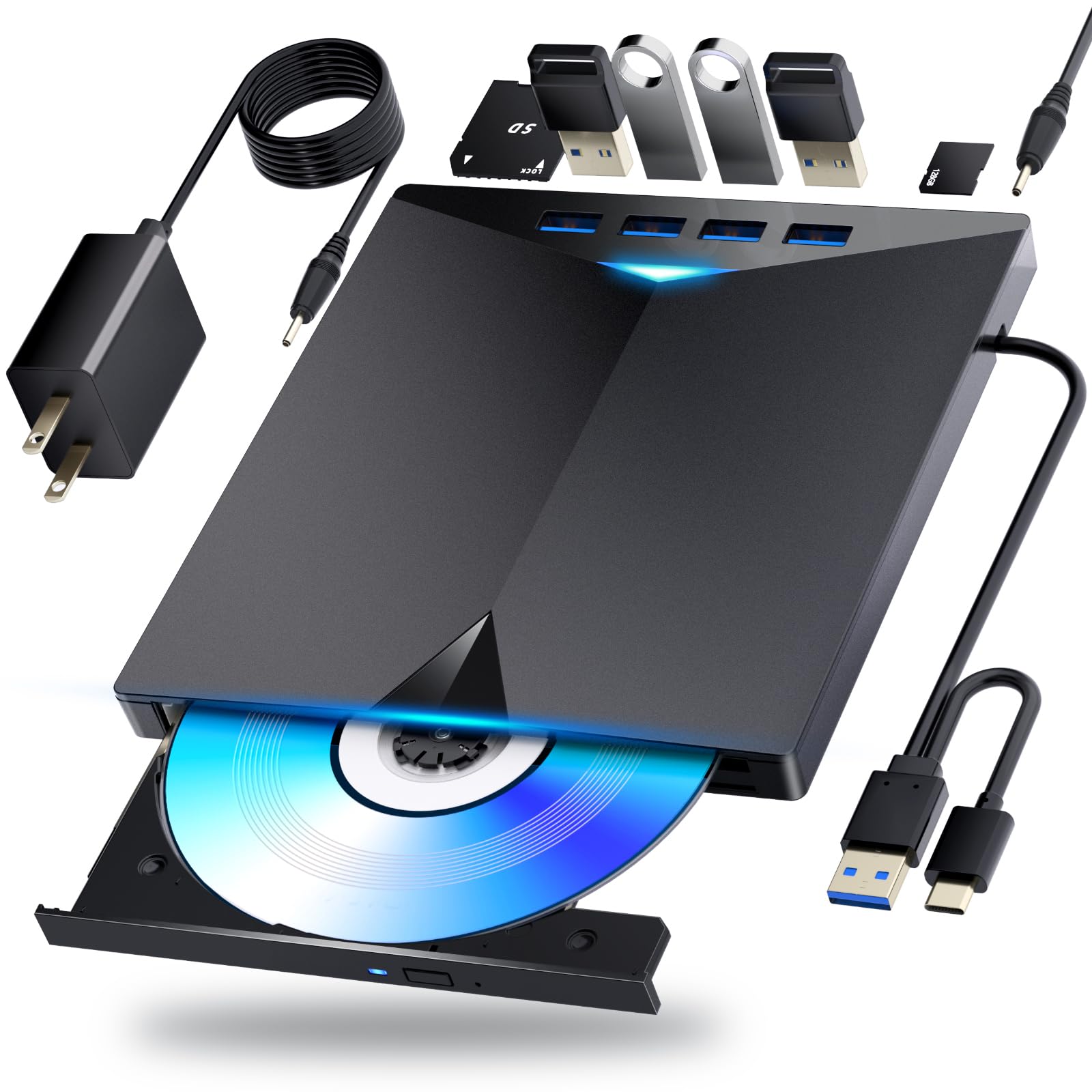
This drive stands out because it doubles as a six-port expansion hub, letting you plug in flash drives, SD/TF cards, a mouse, and a keyboard while it reads and writes discs. That makes it a natural fit for replacing a broken internal drive on a desktop, especially since it writes to BD-XL media at 100GB, dual-layer Blu-ray at 50GB, and standard DVDs, with M-DISC support for long-term archival.
It weighs about 400g (roughly 14 ounces), which keeps it portable despite the hub features, and it tucks its cables into a storage area on the bottom when not in use. Reviewers point out it works fast once you set the region code (a code that limits which DVDs or Blu-rays play based on geography) in the drive properties, and one described it simply as “Fast works Fantasic.” The catch is that it does not read standard CDs for some users — a quirk that matters if you still play audio CDs.
Reliability is the mixed bag to watch: for every smooth owner there is a report of the drive ceasing to work after a short period. The included second USB power cable helps stabilize the laser, but the occasional unit still fails. If you need M-DISC archival plus a hub in one box, this is the rare drive that does both, just be ready to test it thoroughly early on.
Why it earns its spot: M-DISC writing is genuinely rare at this level, and the built-in hub replaces two separate purchases.
Honest limit: CD reading is unreliable for some owners, so verify that format before relying on it for music.
6. wintale Blu Ray Burner External (USB 3.0 & Type-C)

A no-frills burner that gets basic Blu-ray writing done without a premium price.
For a first burner or a backup to a failing internal drive, this wintale unit covers the essentials: 6X Blu-ray reads, 8X DVDs, and 24X CDs over a 5Gbps USB 3.0 interface (a connection that transfers data at 5 gigabits per second, six times faster than older USB 2.0). The slim ABS body (a tough plastic shell) measures about 14cm by 15cm, so it stays out of the way on a desk and slips into a bag without drama.
Plug-and-play works cleanly for many owners — one MacBook Pro user described it as “Truly a Plug ‘n Play,” with DVDs playing instantly after setup. The eject button makes swapping discs simple, and it plays both DVDs and Blu-rays flawlessly when the software is sorted out. Keep in mind that the playback app is not included, so you need PowerDVD, Leawo, or VLC to watch movies.
The realism check: reliability splits opinions sharply. Some shoppers say the drive stops working after a few uses or fails to recognize the computer at all, and one noted the tray can trap a disc, though a pinhole manual eject saved it. This is a fine budget entry point if you burn occasionally, but the mixed durability record means you should not rely on it for irreplaceable archives without a backup plan.
Value read: you get true Blu-ray burning and both USB-A and Type-C cables at an entry-level cost, which is a fair trade if your burns are occasional.
Where it falls short: durability is the recurring concern — an occasional drive fails quickly, so keep your receipt handy.
7. Yaeonku External Blu Ray Drive Support Read/Burn
The budget burner whose 3D playback claim hides a risky reliability record.
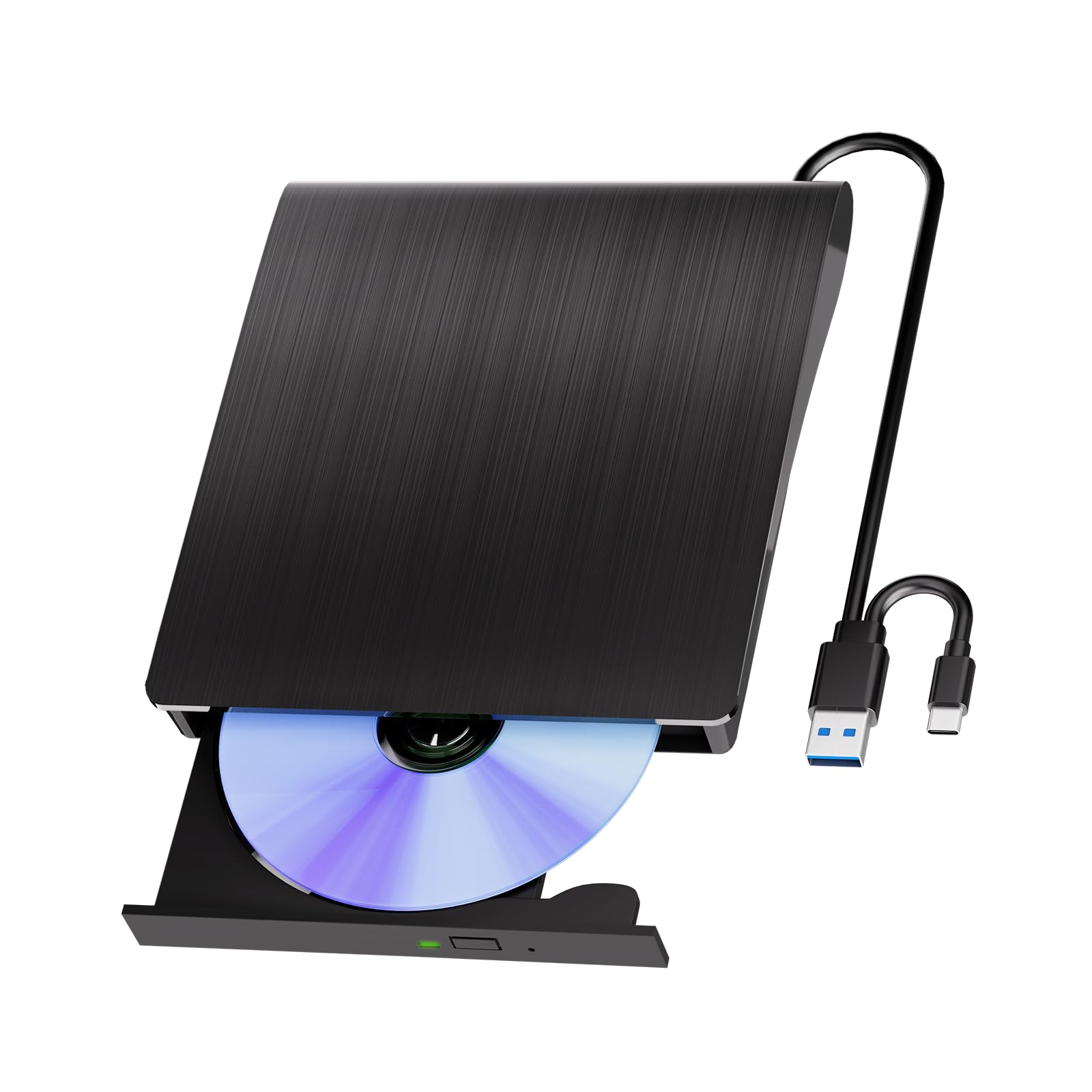
This drive markets 3D Blu-ray playback with clarity it compares to 4K, though it cannot actually play 4K Ultra HD discs. It burns CDs and DVDs at 8.5G, 4.7G, and 700M capacities, and it includes a slip-proof rubber pad on the base to keep it from sliding around your desk during operation. The recessed cable design stores neatly when you pack it away.
Mixed reliability is the dominant theme — for every owner who successfully digitized wedding videos on an Intel MacBook Pro, another reports the drive failing mid-burn. As buyers report: the unit “Failed mid-Blu-ray burn at 82%, wasting disc.” That kind of failure is exactly what you are trying to avoid, and it makes this a risky choice for anything you cannot afford to lose.
The non-removable short cord needs a powered USB 3.0 or Type-C port, and it struggles with plain DVDs for some owners even when Blu-ray ripping works fine. If your budget is tight and you mostly rip Blu-rays on a PC with licensed playback software, this can work — but the reliability data points strongly toward spending a little more for stability.
Who it fits: a casual user who burns the occasional disc and wants the lowest possible entry cost.
The deal-breaker risk: mid-burn failures waste expensive discs, so avoid this if you are archiving irreplaceable footage.
Understanding the Specs
Burn Speed and the 6X Standard
Nearly every external burner here reads and writes Blu-ray discs at 6X, which translates to a full 25GB disc in roughly 15 minutes. DVD and CD speeds (8X and 24X) matter more than Blu-ray speed because those formats take longer and are more error-prone on unstable drives.
Power Delivery and Mid-Burn Failures
A power drop during the write, not slow hardware, is the most common cause of a ruined disc. Dual-cable drives with a separate power line keep the laser steady, while single-cable units on weak ports often fail at 80% through a burn.
FAQ
Can any of these burners play 4K Ultra HD Blu-ray discs?
Why do I need separate software to play or burn Blu-ray discs?
Will an external Blu-ray burner work with my MacBook Pro?
What is the difference between a 25GB, 50GB, and 100GB Blu-ray disc?
Can I plug these drives into a TV, tablet, or game console?
How do I avoid a failed burn that wastes a disc?
What is the fastest burn speed I should look for in a Blu-ray burner?
Is an external Blu-ray burner worth it over a DVD burner?
What does M-DISC support mean for my archived data?
Final Thoughts: The Verdict
If you want one dependable pick, the blu ray burner winner is the BUNUD External Blu-ray Drive because it pairs dependable performance with a built-in card reader and USB hub that most rivals lack. If stable power for long writes is your priority, grab the Dainty drive with its extra power cable. And for ripping a movie collection into a media server, the Alphami Dual Interface Writer is the one to reach for with its clean MakeMKV support.
How We Picked
We do not accept paid placement. Every pick is matched to a real buyer and a real use-case; we do not hands-on test units.
Sources & Methodology
Specifications: manufacturer listings and product documentation. Review insights: verified customer reviews, as of September 2026. Pricing: not shown on this page (it changes often); check the current price via the retailer link.
As an Amazon Associate, Gadgets Feed earns from qualifying purchases. This does not affect which products we feature.