
Our readers keep the lights on and my morning glass full of iced black tea. As an Amazon Associate, I earn from qualifying purchases.
Specs are compiled from manufacturer listings and verified buyer reviews and can change over time — please confirm the key details on the product page before buying.
For anyone turning a shelf of Blu-rays into a digital library, the drive you choose decides between a 20-minute rip and a frustrating all-evening project. A drive with 12x read speed and USB 3.0 turns a 20-minute rip into a routine task, while a 6x model with flaky bus power can stretch it into an evening of troubleshooting.
I’m Min — the founder and writer behind Gadgets Feed. This guide is built by comparing the manufacturers’ published specifications and the patterns across verified customer reviews, so you get each pick’s real strengths and trade-offs instead of marketing spin.
Whether you’re archiving movies or backing up data, the best blu ray drive for ripping balances read speed, format support, and a connection your computer actually recognizes.
Our Picks at a Glance


How To Choose The Best Blu Ray Drive For Ripping
Ripping is mostly a read-heavy job, so the numbers that matter are the read speeds — not the burn speeds sellers love to advertise. A drive that reads Blu-ray at 12x will chew through a movie in minutes, while a 6x drive makes you wait twice as long for the same result.
Read Speed Is Your Real Friend
Every drive lists both read and write speeds, but when you’re ripping, only the read side counts. Look for the Blu-ray read speed printed in the specs — 6x is common on slim portables, while desktop units reach 12x or 16x. A 12x read drive finishes a Blu-ray rip in minutes, while a 6x drive takes roughly twice as long.
Connectivity and Power
USB 3.0 is the baseline you want, since it transfers data much faster than older USB 2.0 ports. Also check how the drive gets power — some slim drives run purely off the USB cable, which can cause random dropouts on low-power laptops. A drive with a separate power cable option lets you fix that instability.
Format Support
Not all Blu-ray drives read every disc. BD-XL support means the drive can handle 100GB triple-layer discs, while M-Disc support lets you archive to discs built for long-term storage. If you plan to rip older or specialty discs, confirm these formats are listed in the specs before buying.
Quick Comparison
| Model | Best For | Blu-ray Read | BD-XL Support | Connectivity | Amazon |
|---|---|---|---|---|---|
| BUFFALO MediaStation 16x★ Best Overall | Ripping speed demons | 12x | Yes (128GB) | USB 3.0 | Amazon |
| 8-in-1 External Blu-ray DriveBest Value Hub | All-in-one laptops | 6x | Read-only | USB-C + USB 3.0 | Amazon |
| Dainty External Blu-ray DriveCompact Portable | Budget portability | 6x | Yes (100GB) | USB 3.0 + Type-C | Amazon |
| Dainty 7-in-1 Blu ray Drive | Hub + burner combo | 6x | Yes (100GB) | USB 3.0 + Type-C | Amazon |
| BUNUD External Blu Ray Drive | Plug-and-play simplicity | — | — | USB 3.0 + Type-C | Amazon |
| Mthstec Multifunction Drive | Media server builders | 16x | — | USB 3.0 + Type-C | Amazon |
| Panasonic UJ240 | Laptop upgrades | 6x | — | SATA | Amazon |
| BUFFALO BRXL-PUS6U3-BK/N | Bundled software users | — | — | USB 3.2 (Gen 1) | Amazon |
In‑Depth Reviews
1. BUFFALO MediaStation Desktop 16x External Blu-ray Writer
Our pick — over 4★ from 450+ verified ratings; the strongest balance of quality and price.
The desktop workhorse that turns 20-minute rips into your new normal
This is the drive serious rippers gravitate toward, and the reason is baked into the numbers: it reads Blu-rays at 12x and writes them at 16x, which is 2.7x faster on writes than most portable drives manage. Buyers report that with MakeMKV it rips Blu-rays at roughly 8x, finishing a movie in under 20 minutes.
It reads and writes DVDs at 16x, handles BD-XL discs up to 128GB, and connects over fast USB 3.0. The tray-load design runs quiet with low vibration, and it works across Windows, Mac, and even Linux. Made in Japan and TAA compliant, it also backs you with a 2-year manufacturer’s warranty and US-based support.
What wins people over is the build — owners single out its rock-solid construction and easy setup more than anything else. The honest caveat is that a few units shipped as rebadged drives from another manufacturer, and some buyers found DVD playback inconsistent. It’s a bigger desktop unit, so it’s not for a cramped bag.
Why rippers love it
- 12x Blu-ray read / 16x write speed
- BD-XL support up to 128GB
- 2-year warranty with US-based support
What to weigh first
- Desktop footprint, not travel-friendly
- Some DVD playback reports mixed
Reach for this if: you rip movies weekly and want the fastest, most reliable results without fiddling with firmware.
Look elsewhere if: you need something slim enough to slip into a laptop bag — this one stays on a desk.
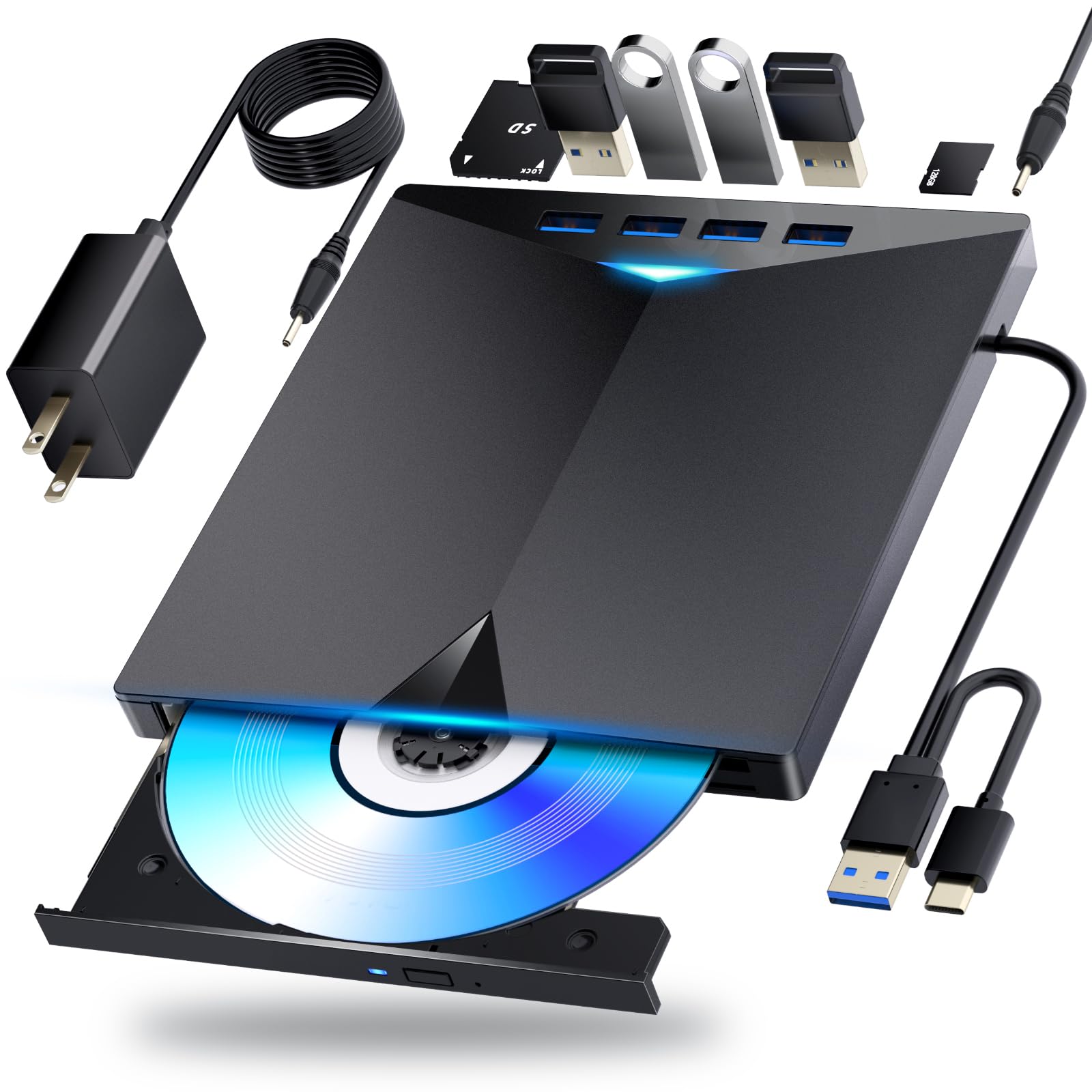
2. 8-in-1 External Blu-ray Drive, USB-C Hub & Card Reader
A Blu-ray burner that doubles as a hub for cable-strapped laptops
This one earns its “8-in-1” name: it reads and burns Blu-ray at 6x, DVD at 8x, and CD at 24x, then piles on 2 USB-C ports, a USB 3.0 port, a USB 2.0 port, and a TF/SD card slot. It’s the drive to grab if your laptop has more discs than ports.
Owners mention it works right from the start — plug-and-play with no software needed — and praise how quickly it reads and burns. The slim design fits in a laptop bag, and a built-in cable stores in the base. It supports 3D Blu-ray playback, though you’ll need third-party software like PowerDVD to play discs.
What wins people over is functionality, with ease of use close behind. The trade-off: Blu-ray burning tops out at 50GB dual-layer, and 4K playback isn’t supported. It’s also not for TVs, tablets, or phones — this one lives on a computer.
A port-rich pick: if your laptop is short on USB ports, this drive replaces two accessories at once.
Ideal for: laptop users who want one device that reads discs, expands ports, and transfers camera cards.
Not for: anyone hoping to burn 100GB BD-XL discs — this model stops at 50GB.
3. Dainty External Blu-ray Drive
A featherweight drive that still reads the big 100GB discs
At about 400g, this slim drive is built to travel, yet it still reads and writes BD-XL discs up to 100GB. It hits 6x on Blu-ray, 8x on DVD, and 24x on CD, with both USB 3.0 and Type-C connections so it works on modern laptops.
It doubles as a six-port expander, letting you plug in flash drives, SD/TF cards, mice, and keyboards. A separate USB power cable is included for when your laptop’s port can’t supply enough juice — a real fix for random dropouts. The cable stores neatly underneath.
The compatibility reports are genuinely mixed here — some machines recognize it instantly while others don’t see it at all, so it’s a fit-note rather than praise. One buyer found it works great on Windows 11 once you have functional playback software, and another flagged that the included USB cable is only about a foot long.
Travel-ready: the lightest way to carry BD-XL ripping capability in a laptop bag.
Best for: road warriors who occasionally rip and want BD-XL support without a heavy brick.
Think twice if: you need guaranteed plug-and-play recognition — this one’s compatibility is a roll of the dice.
4. Dainty 7-in-1 External Blu ray Drive
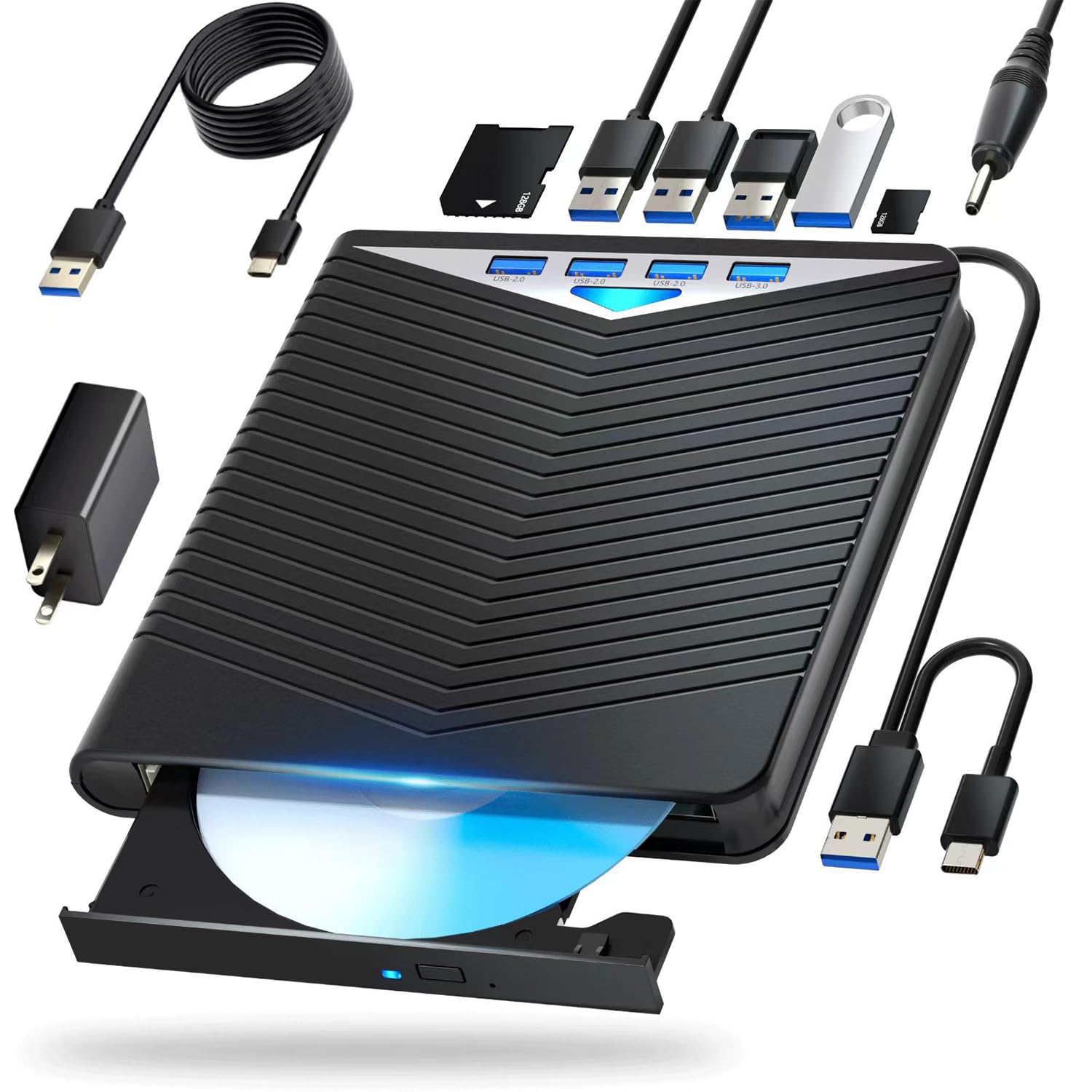
A budget burner that punches above its weight as a portable hub
This is the step-up version of the Dainty drive above, keeping the same 6x Blu-ray, 8x DVD, and 24x CD speeds while adding M-Disc support for long-term archiving. It also writes to BD-XL up to 100GB, so you’re not limited to standard discs.
The six expansion ports turn it into a mini hub for flash drives, SD/TF cards, and peripherals, and the whole thing weighs about 400g. It runs off the USB data cable, with a power cable included for when a laptop port is underpowered. The cable tucks underneath when idle.
The value story is strong — buyers call it a great buy for the price and note how compact and easy to carry it is. The recurring frustration: some machines don’t recognize it as a burner, and one buyer found it only played DVDs and CDs rather than burning them. It’s also not compatible with TVs, tablets, or 4K discs.
What you get
- 6x BD / 8x DVD / 24x CD speeds
- BD-XL 100GB + M-Disc support
- Six expansion ports in one device
What to know
- Recognition as a burner can be hit or miss
- No 4K disc playback
Grab it if: you want a cheap, compact drive that rips standard Blu-rays and doubles as a hub.
skip it if: you need guaranteed burner recognition on every machine you plug into.
5. BUNUD External Blu Ray CD DVD Drive

The no-headache drive that just works when you plug it in
Some drives demand driver hunting; this one doesn’t. It’s true plug-and-play with both USB 3.0 and Type-C cables, and it’s detected as soon as you connect it. The 5-in-1 design adds 2 USB ports and an SD/TF slot for moving files between devices.
It handles music, movies, backups, and software installs, with CD-R burning at 24x and DVD-R at 8x. The slim build with an embedded cable design means you won’t lose the cord, and it works across Windows 11/10 PCs, MacBook Pro/Air, iMac, and desktop systems. A 1-year quality guarantee backs it.
The performance is the thing owners praise most, with easy setup close behind. The honest caveat is reliability — while many report smooth operation, a fair number say it stopped working after about 6 months. Some also found disc ejection finicky, so it’s best treated as a capable budget tool rather than a lifetime investment.
easy setup: the closest thing to “it just works” among portable Blu-ray burners.
Choose this for: simple, driver-free ripping and burning on both Windows and Mac.
Be aware: longevity is the open question — a chunk of buyers hit failures around the 6-month mark.
6. Mthstec Multifunction Desktop Blu Ray Drive

The desktop monster that rips at 16x and docks your hard drive too
This is the speed king of the list — it reads Blu-rays at 16x and DVDs at 16x, which is about 2-3 times faster than typical portable drives. For anyone building a media server, that pace matters when you’re working through a whole shelf of discs.
What makes it truly unique is the external hard drive enclosure on top, built for both 3.5″ and 2.5″ SATA drives. You can dock a hard drive and rip straight to it without a separate enclosure. It also has a 2-port USB 3.0 hub with fast-charging for phones, plus USB 3.0 and Type-C connections.
Owners praise the solid, heavy-duty build and note it works with Handbrake, MakeMKV, and other ripping tools without any firmware flashing. It needs separate software and basic computer skills, and it’s heavy — not a portable option. The biggest worry is reliability, with some units failing after about two months of heavy use.
The heavy lifter
- 16x Blu-ray read, 2-3x faster than portables
- Built-in 3.5″/2.5″ SATA hard drive dock
- Works with MakeMKV and Handbrake without flashing
The catch
- Heavy and power-hungry, not travel-friendly
- Long-term durability is the open question
Built for: serious media archivists who rip hundreds of discs and want hard drive docking in one box.
Reconsider if: you need something portable or worry about long-term reliability on a heavy workload.
7. Panasonic UJ240 6x Blu-ray Burner

The internal SATA drive that resurrects an old laptop’s optical bay
This one’s different — it’s an internal drive, not a USB peripheral. It’s built for the 12.7mm optical bay inside many laptops, and it connects over SATA, making it the pick for upgrading an older machine that lost its disc reader.
It writes BD-R at 6x, DVD±R at 8x, and CD-R at 24x, with a 2MB buffer to smooth out transfers. Customers note it installs in minutes in laptops like the Dell Inspiron 15R and Acer Aspire, with the BIOS recognizing it immediately. Three years of heavy use with reliable read/write is a common report.
The performance is what owners praise most, with quality right behind. The catch: it’s a bare drive — no cables, screws, software, or bezel included, so you reuse your laptop’s existing bracket. You’ll also need HDCP-compliant graphics and playback software to watch Blu-rays, and the bezel situation gets mixed reviews.
DIY favorite: the affordable way to add Blu-ray to a laptop or desktop with a spare SATA bay.
Perfect for: tinkerers replacing a dead optical drive in a compatible laptop.
Not for: anyone wanting a plug-and-play USB drive — this one needs installation and existing parts.
8. BUFFALO BRXL-PUS6U3-BK/N Portable Blu-ray Drive

A thin, quiet drive that throws in the software you’d otherwise buy
This slim portable weighs about 260g and runs quietly, making it an easy travel companion. It writes BD-R at 6x single-layer and 4x on four-layer XL discs, with DVD-R at 8x and CD-R at 24x, and supports M-DISC at 4x for archival burns.
It connects via USB 3.2 (Gen 1) and includes a power cable for stable operation when bus power runs short. The F-shaped cable storage tucks the cords into the unit, so nothing gets lost. It comes bundled with PowerDVD, Power2Go, PowerDirector, and other software — a real value if you don’t already own playback tools.
Owners like the thin, light design and quiet operation, and the download instructions are clear enough for beginners. The bundled software is where opinions split — Power2Go is an older version that some found only burns data discs, not ones playable in a Blu-ray player. The drive itself works fine; the software just isn’t the selling point it seems.
Quiet and light: a genuinely portable drive with software bundled — just don’t buy it purely for the software.
Reach for this if: you want a lightweight USB drive with playback software included from day one.
Look elsewhere if: you already have ripping software — you’d be paying extra for a bundle you won’t use.
Understanding the Specs
Read Speed vs Write Speed
When ripping, read speed is everything — it’s how fast the drive pulls data off the disc. Write speed only matters if you’re burning discs, not ripping them. A 12x read drive finishes a Blu-ray rip in minutes, while a 6x drive takes roughly twice as long for the same movie.
BD-XL and M-Disc Support
BD-XL support means the drive can handle 100GB and 128GB triple- and quad-layer discs, not just standard 25GB and 50GB ones. M-Disc is a write-once format built for long-term archiving. If either matters to your library, confirm it’s listed in the specs before buying.
FAQ
What read speed do I need to rip Blu-rays efficiently?
Will any external Blu-ray drive work with MakeMKV?
What is BD-XL and do I need it?
Why does my portable Blu-ray drive keep disconnecting?
Can I play 4K Ultra HD Blu-rays with these drives?
What’s the difference between an external and internal Blu-ray drive for ripping?
Do I need special software to rip Blu-ray discs?
What does M-Disc support mean for archiving?
Final Thoughts: The Verdict
For most people, the blu ray drive for ripping winner is the BUFFALO MediaStation because its 12x read speed and BD-XL support make ripping fast and future-proof. If you want a portable hub that reads discs and expands your laptop’s ports, grab the 8-in-1 External Drive. And for anyone building a media server who wants hard drive docking built in, the Mthstec Multifunction Drive is the one to reach for.
How We Picked
We do not accept paid placement. Every pick is matched to a real buyer and a real use-case; we do not hands-on test units.
Sources & Methodology
Specifications: manufacturer listings and product documentation. Review insights: verified customer reviews, as of August 2026. Pricing: not shown on this page (it changes often); check the current price via the retailer link.
As an Amazon Associate, Gadgets Feed earns from qualifying purchases. This does not affect which products we feature.