
Our readers keep the lights on and my morning glass full of iced black tea. As an Amazon Associate, I earn from qualifying purchases.
Specs are compiled from manufacturer listings and verified buyer reviews and can change over time — please confirm the key details on the product page before buying.
If your desktop PC has no Bluetooth at all, or your headset keeps cutting out halfway across the room, a tiny USB dongle fixes it — and picking the right one takes about two minutes once you know what actually matters. The short answer: match the adapter’s Bluetooth version and range to how far you sit from your gear, then confirm the driver situation for your version of Windows before you buy.
I’m Min — the founder and writer behind Gadgets Feed. This guide is built by comparing the manufacturers’ published specifications and the patterns across verified customer reviews, so you get each pick’s real strengths and trade-offs instead of marketing spin.
Most people overpay for range they will never use and underpay on driver support they badly need. The best Bluetooth adapter for PC is simply the one that pairs your headphones, mouse, and controller without dropouts and without a driver fight.
Our Picks at a Glance
How To Choose The Best Bluetooth Adapter For PC
Every one of these dongles does the same basic job: it plugs into a USB port and gives your computer a Bluetooth radio it did not have before. What separates them is how far that radio reaches, which Bluetooth version it runs, and how painful the first setup is. Get those three right and you will never think about the adapter again.
Match the Bluetooth version to what you plug in
A higher version number — 5.3, 5.4, or 6.0 — tends to mean a more stable link and lower delay (the lag between pressing a button and the action showing up). If you game with a controller or wear headphones all day, that lower delay is the difference between smooth and slightly-off. Older 5.0 adapters are perfectly usable for a keyboard or mouse, but they are the budget-tier choice here.
Work out how much range you actually need
Range is quoted in feet in an open area, and real rooms cut that back because walls, furniture, and crowded 2.4GHz Wi-Fi all get in the way. A compact nano dongle is fine for gear within a few feet of your tower. A dongle with an external antenna is what you want if you walk around the house wearing a headset.
Check the driver story for your Windows version
Plug-and-play means the dongle works the moment you push it in. Some adapters only reach that state on certain Windows versions and need a driver download on others. If your PC blocks USB data or runs an older build of Windows, plan to grab the driver from the maker’s site before you start — it takes a minute and saves a headache.
Quick Comparison
| Model | Best For | Bluetooth Version | Range | Devices At Once | Amazon |
|---|---|---|---|---|---|
| BrosTrend AX900 WiFi 6 + BT 5.4★ Best Overall | Adding Wi-Fi 6 and Bluetooth together | 5.4 | 32 ft | 5 | Amazon |
| TP-Link UB600 NanoBudget Champion | Cheapest working upgrade for an old PC | 6.0 | — | 7 | Amazon |
| Kinivo BTD500 | Long two-year warranty on a budget | 5.0 | 66 ft | — | Amazon |
| StarTech USBA-BLUETOOTH-V5-C2 | Linux and older Windows desktops | 5.0 | 33 ft | — | Amazon |
| hakimonoe BT09 | Walking around the house with a headset | 5.4 | 492 ft | 7 | Amazon |
| Techkey 6.0BT | Maximum range and shared printing | 6.0 | 600 ft | 7 | Amazon |
| TP-Link Archer TX10UB Nano | Reviving a laptop with dead Wi-Fi and Bluetooth | 5.3 | — | — | Amazon |
In‑Depth Reviews
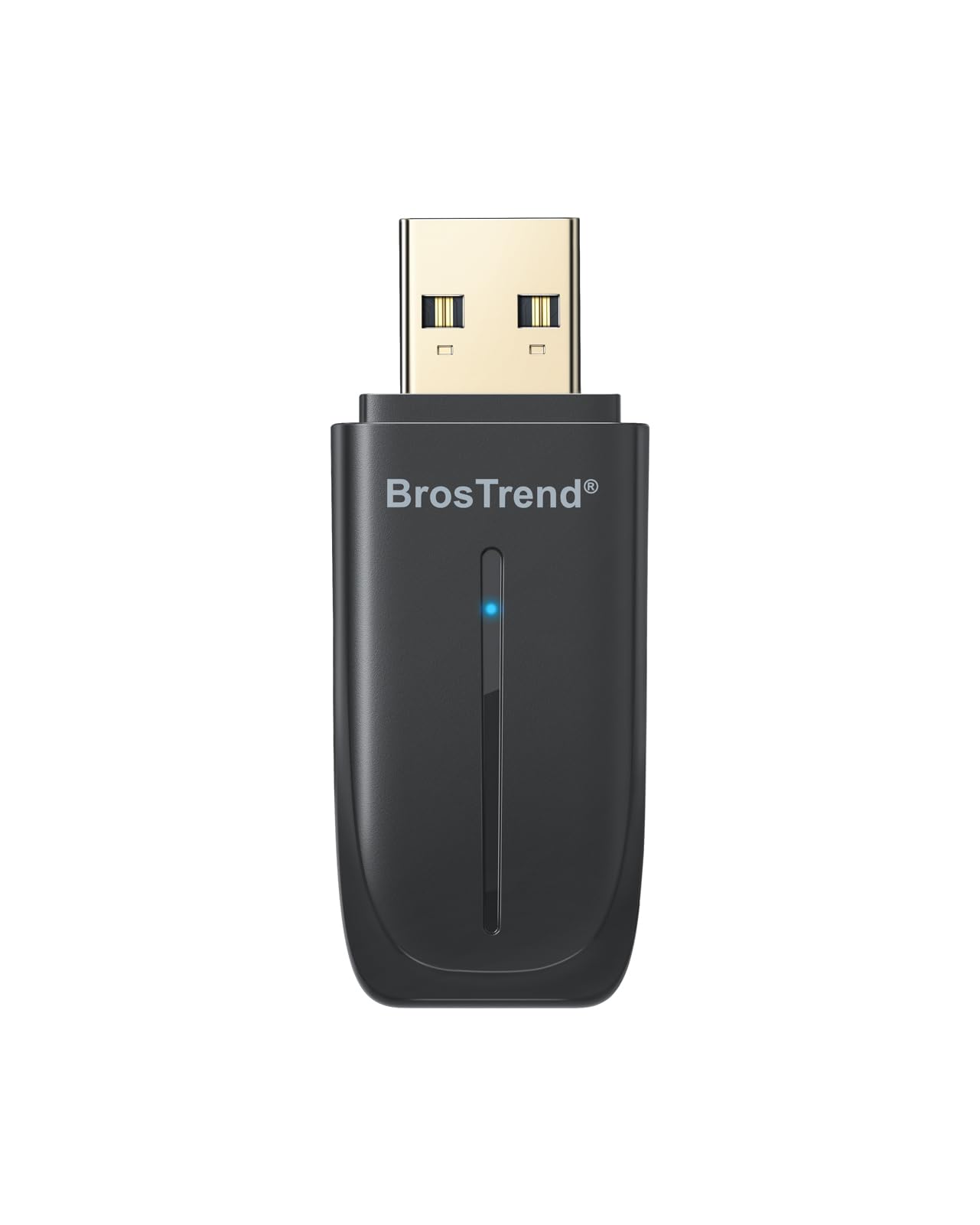
1. BrosTrend 2-in-1 USB WiFi Bluetooth Adapter for PC, AX900 WiFi 6 + BT 5.4
Our pick — over 4★ from 450+ verified ratings; the strongest balance of quality and price.
One tiny stick that hands a desktop both Wi-Fi 6 and Bluetooth 5.4 at the same time.
If your tower is stuck on old wired networking and has no Bluetooth radio at all, this is the one-piece answer. It upgrades both at once, so you skip buying two separate dongles and skip freeing up a second USB port. The Wi-Fi side runs a dual-band setup with up to 600 Mbps on 5 GHz and 287 Mbps on 2.4 GHz, which is plenty for streaming and video calls without a stutter.
You can keep five gadgets connected at once — headphones, a mouse, a keyboard, a speaker, and a printer — because the Bluetooth half is version 5.4, the newer standard that keeps audio and controller links steadier than older versions. That is two fewer simultaneous devices than the TP-Link UB600 and the hakimonoe BT09, both of which handle 7. Range is quoted at up to 32 feet, which is the shortest here; the Kinivo BTD500 reaches 66 feet and the hakimonoe BT09 stretches to 492 feet in open space. For a single room, though, 32 feet covers a desk, a couch, and a walk to the kitchen.
Setup is where it splits the room. It ships with a driver pre-loaded and is built for Windows 11 and Windows 10, and buyers report it “works flawlessly on both Windows 11 and Ubuntu 24.04” — though Linux is officially unsupported and takes some fiddling. Several Windows 11 owners found it is not truly plug-and-play and had to pull the driver from the website first. Its 900 Mbps figure is Wi-Fi throughput, not Bluetooth — the Kinivo BTD500’s 3 Mbps is the Bluetooth data rate.
Where it earns its keep
- Wi-Fi 6 and Bluetooth 5.4 in a single USB stick, so no second dongle or occupied port
- Pre-loaded driver means Windows 10 and 11 users can often just plug in and go
- At 6.5 grams and 2.04 by 0.78 by 0.35 inches, it tucks behind a tower without snagging
- Dual-side vent holes help it run cooler during long sessions
What to plan around
- 32-foot range is the shortest of the group — fine for one room, tight through walls
- Handles 5 devices, not the 7 some rivals manage
- Mac and Linux are not supported, and Windows 11 sometimes needs the driver download
Buy it if: your desktop needs Wi-Fi and Bluetooth fixed in one move and your gear lives in the same room.
Look elsewhere if: you roam the house with a headset or run Linux on a machine that refuses driver installs.
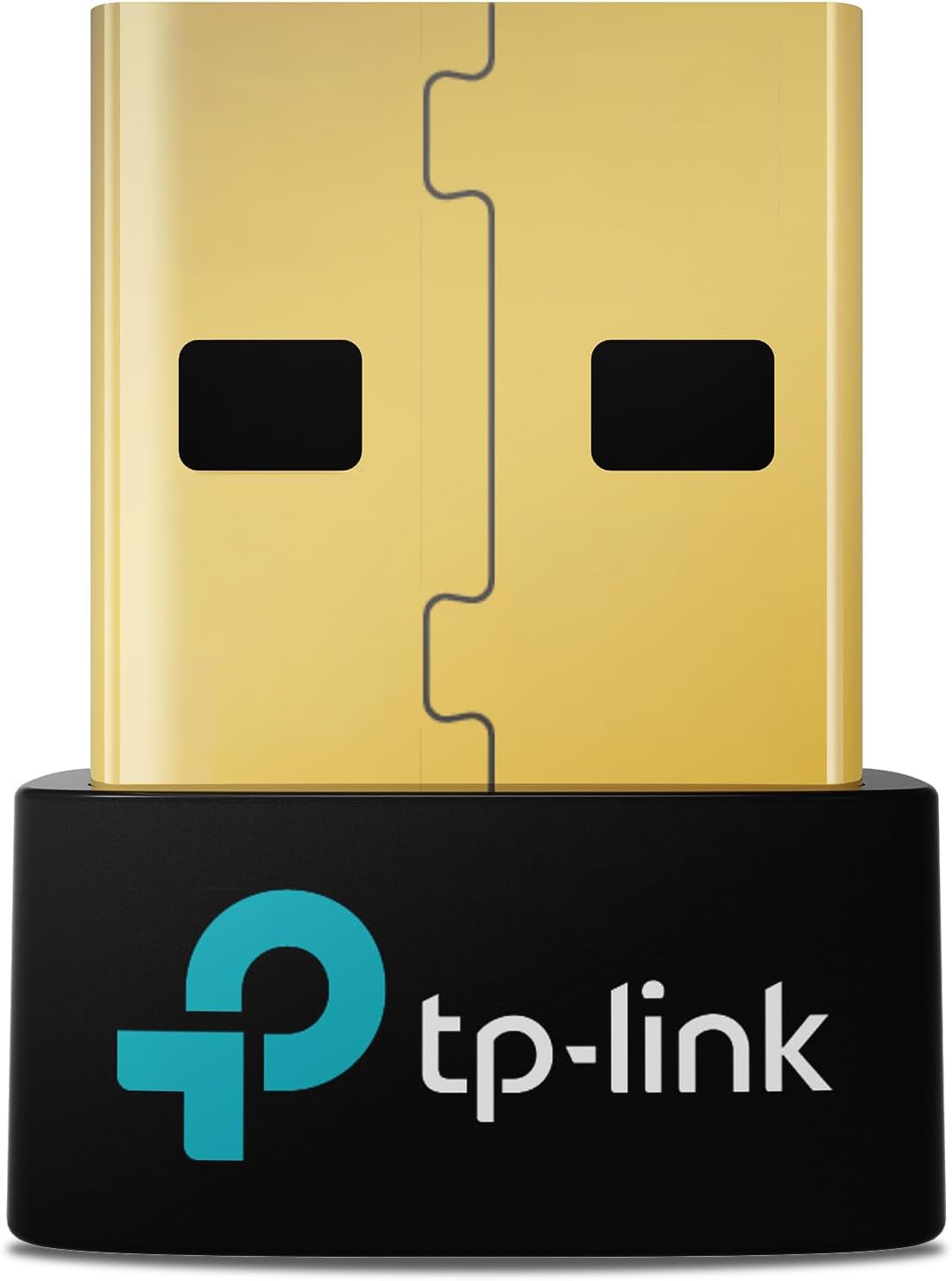
2. TP-Link USB Bluetooth 6.0 Adapter for PC, UB600 Nano USB Bluetooth Dongle
A stub so small you forget it is there, running the newest Bluetooth standard on the shelf.
This is the cheapest way here to get your PC onto Bluetooth 6.0, the newest version in the lineup. It links up to 7 devices at once — headphones, keyboard, mouse, controller, phone, and more — which is the most of any pick except the hakimonoe BT09 and Techkey 6.0BT, both of which also cap at 7. Its tiny 0.74 by 0.27 by 0.58-inch body is built to stay parked in a laptop port without blocking its neighbors.
You barely lift a finger to pair it the first time, and the low input lag while gaming keeps the experience smooth — one owner describes streaming games from a gaming room to a living room and connecting a controller with no problem at all. It pairs reliably with headsets, keyboards, and mice. That said, the biggest share of owner feedback is about connectivity, and it is genuinely split: plenty of people have it work instantly, while a meaningful group cannot get it to work at all.
Compatibility is the honest catch. It supports Windows 11, 10, 8.1, and 7, but the plug-and-play promise only holds on Windows 10 and 8.1. Windows 11 and Windows 7 owners need to grab the driver from TP-Link’s site first, and a few enterprise Windows 11 machines have been stubborn about it. As one buyer put it after reviving an old rig, it “solved Bluetooth problems with my 8 year old gaming PC” and made the connection far more reliable.
Straight read: for the money, nothing else here gets you Bluetooth 6.0 and 7 simultaneous devices in a package this small.
The catch: because a slice of buyers hit connection or compatibility trouble, buy it for a standard Windows 10 or 8.1 machine where it is truly plug-and-play, not for an exotic enterprise build.
Smart buy when: you want modern Bluetooth 6.0 and the smallest possible footprint at the lowest entry cost.
Think twice if: you run Windows 11 Enterprise or want a guarantee of zero driver work.
3. Kinivo USB Bluetooth Adapter for PC (BT5.0, Plug & Play Wireless Dongle)

The range leader in the budget bracket, backed by a warranty that outlasts the dongle’s price.
Kinivo’s angle is simple: cover the whole house for less. Its Bluetooth 5.0 radio is quoted at up to 66 feet, which is double the BrosTrend’s 32 feet and close to the StarTech’s 33 feet. If you want to walk room to room wearing a headset without dropping the link, this is the affordable way in. Its 3 Mbps Bluetooth data rate is standard for the version and handles audio and file transfers fine.
Plug-and-play is the headline feature, and it holds up on the right systems: it just works on Ubuntu and Windows 11 and 10, with driver installation reserved for Windows 8.1 and 8. It supports the full spread of gear — mouse, keyboard, speakers, printers, headphones, and Xbox, PS4, and PS5 controllers when used on a PC. The catch worth knowing: it is not rated for Mac, TVs, or cars, and it may not play nicely with true wireless earbuds.
You get a two-year warranty plus lifetime US-based support, where most picks here offer only one year. That backup is what separates it from the nano dongles. It is also the dongle people reach for when the OS is the obstacle, not the hardware. As one Ubuntu user put it, it solved weeks of Bluetooth frustration “instantly” with no sketchy driver downloads.
Best for: anyone who wants real 66-foot range and a warranty to lean on, without paying a premium.
Skip if: you need Mac support or rely on TWS earbuds, neither of which this dongle handles.
4. StarTech USB Bluetooth 5.0 Adapter, Windows/Linux (USBA-BLUETOOTH-V5-C2)

Built around a chipset that Linux recognizes on sight, no driver hunting required.
StarTech’s dongle is the one to grab when your operating system is the picky part. It runs on the RTL8761B chipset, a Bluetooth radio that Windows and Linux both know natively, so fresh installs of either tend to just work. Range is quoted at up to 33 feet, roughly level with the BrosTrend’s 32 feet. It supports Bluetooth EDR and Bluetooth Low Energy — the low-power mode that squeezes more battery out of compatible devices like a mouse or keyboard.
What appeals here is the wide device list: keyboards, mice, cellphones, tablets, headphones, and smartwatches all connect, with reliable data transfer and audio streaming. It is backward compatible with every earlier Bluetooth version down to 1.0, so old gear is not left behind. At 4.54 grams it is the lightest dongle here, under the 6.5-gram BrosTrend.
Linux users are the loudest fans — the adapter connects headsets cleanly and delivers stable sound. Windows 11 sees it with no extra software. But there is a real split: some Windows 10 machines detect the dongle, install drivers, then find no devices at all when scanning. So if your main PC is running Windows 10, check that it recognizes the chipset before you commit. On the systems that do recognize it, it is as close to frictionless as Bluetooth gets.
Pick it for: Linux desktops, older Windows machines, and anyone who values a nameable chipset over the newest version number.
Weigh first: the Windows 10 detection quirk is real enough that you should confirm compatibility on your exact build.
Choose this if: you want native Windows or Linux support and a featherweight, low-profile dongle.
Reconsider if: your Windows 10 setup is the whole reason you are buying and you cannot test it first.
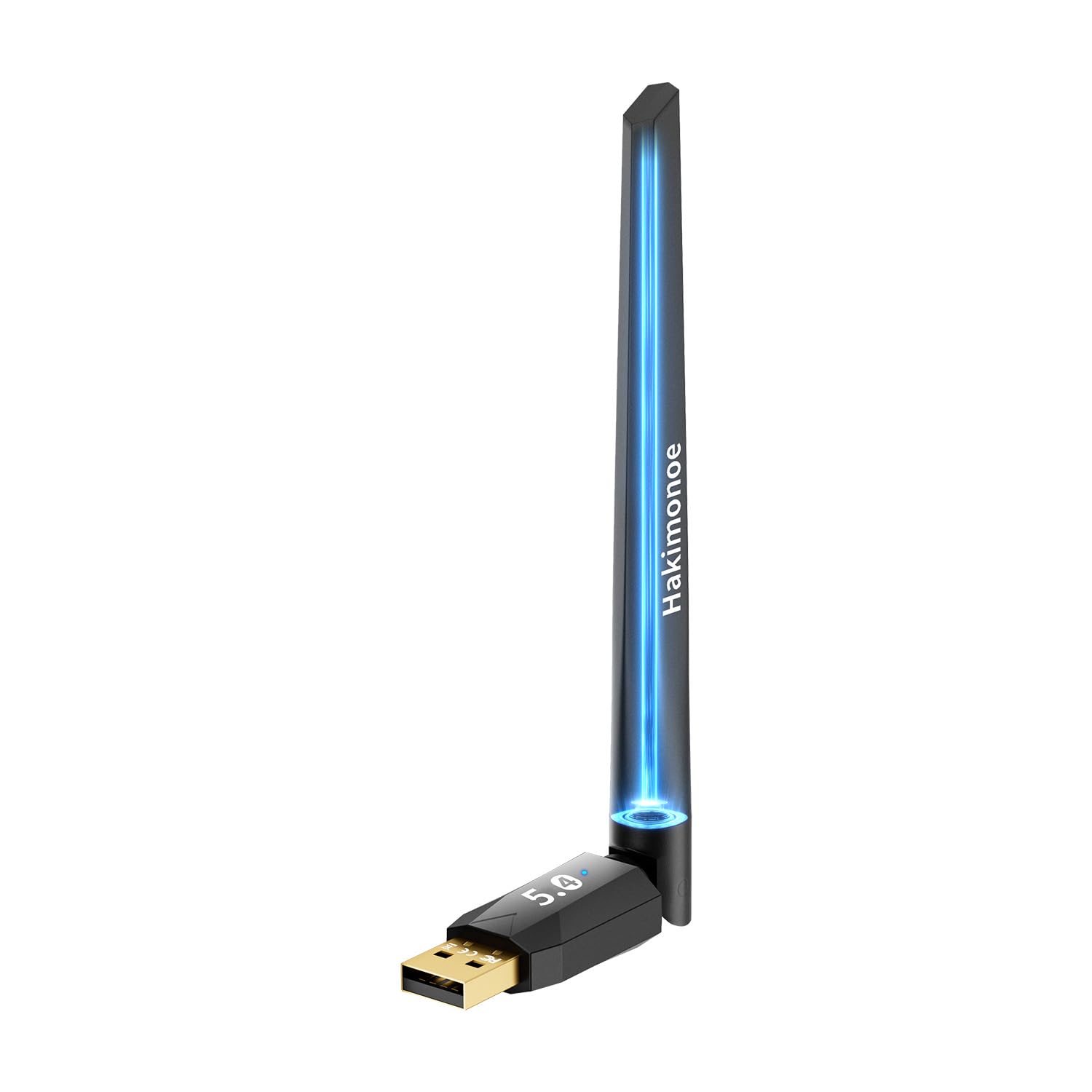
5. Long Range Bluetooth 5.4 Adapter for PC, USB Bluetooth Dongle (BT09)
An antenna dongle that claims to drag your Bluetooth clear across the yard.
This is the value pick for range. The BT09 uses Class 1 radio tech — the higher-power class built for distance — plus a 5dBi smart antenna, and it quotes a range up to 492 feet in open areas. That dwarfs the BrosTrend’s 32 feet and the StarTech’s 33 feet. It pairs up to 7 devices, matching the TP-Link UB600 and Techkey 6.0BT, and it runs Bluetooth 5.4 with a Realtek chipset for steadier links and lower power draw. Its 3 Mbps Bluetooth data rate matches the Kinivo and Techkey.
What buyers rave about is exactly what the antenna promises: coverage. One owner walked every corner of the house in a headset and hit no static, even in spots that used to be dead zones. Others report it doubling the range of a built-in radio and clearing up stuttering audio from speakers. Plug-and-play holds on Windows 8.1, 10, and 11, and it supports some Linux setups, though Mac, TV, and car stereos are out.
The honest note is compatibility, which draws the single largest share of owner feedback and lands mixed. A handful report it simply not working on their machine, and one Linux user struck out on Kubuntu even as others succeeded. It also is not a nano dongle — the antenna makes it the bulkiest design here, so it is not the one to leave half-forgotten in a laptop bag. When it works, though, the range is the reason you buy it.
Why range seekers pick it
- 492-foot open-area range with a 5dBi antenna leaves every nano dongle far behind
- Bluetooth 5.4 on a Realtek chipset keeps 7 simultaneous devices connected
- 3 Mbps Bluetooth data rate with plug-and-play on Windows 8.1, 10, and 11
- Doubles the reach of most built-in radios and clears dead zones at home
The trade-offs to weigh
- Compatibility is the most-discussed issue and divides owners — some machines just will not pair
- Bulkier than a nano stick, so not the travel-friendly option
- No macOS support, and Linux results are hit or miss
The right call if: your gear is scattered across a house and wires or short-range dongles keep failing you.
Roll the dice cautiously if: you need guaranteed Linux support or a dongle that disappears in your laptop port.
6. USB Bluetooth 6.0 Adapter for Desktop PC, Plug & Play 600FT Long Range Dongle (Techkey 6.0BT)

The range champion that doubles as a shared print node for a small office or shop counter.
If you want the most reach and the newest standard in the same stick, this is it. The Techkey 6.0BT runs Class 1 radio technology with an extended antenna and quotes up to 600 feet in open areas — the longest figure in this article, ahead of the hakimonoe BT09’s 492 feet. It pairs up to 7 devices and runs Bluetooth 6.0, backward compatible with 5.4 down to 2.1, with EDR and Bluetooth Low Energy for faster transfers and less 2.4GHz interference.
Its 3 Mbps Bluetooth data rate matches only the Kinivo and hakimonoe here, and it needs no driver software. Setup is the part owners consistently praise: the PC recognizes it the moment you slide it in, and headphones, mice, and controllers all pair quickly with clear audio and no delay. A voice from the reviews: it is easy to install and “all my devices connect smoothly and work 100%.”
The unexpected bonus is the print-sharing angle. Plugged into a network-connected desktop, it can turn a Bluetooth-enabled shipping-label printer, receipt printer, or office inkjet into a shared print node — no router setup required. The honest caveats: it is Windows 11, 10, and 8.1 only, with no Mac, Linux, Xbox, PS4, or TV support. And a few owners have seen occasional connection failures that needed a restart, plus some warmth during heavy use. None of that changes the verdict for buyers whose priority is distance and easy setup.
Grab this one if: you want the longest range here and true no-driver setup on Windows, or you want to share a printer over Bluetooth.
Look past it if: you need macOS or Linux support, or you plan to run it hard and dislike a warm-running dongle.
7. TP-Link Nano 2-in-1 AX900 USB WiFi 6 Bluetooth 5.3 Adapter (Archer TX10UB Nano)

A near-invisible stick that rescues a laptop whose Wi-Fi and Bluetooth have both gone bad.
This is the premium 2-in-1 for laptops that have lost both radios. It combines Wi-Fi 6 and Bluetooth 5.3 in a body small enough (0.76 by 0.62 by 0.29 inches) to live in a port without drama. The Wi-Fi side reaches a total of 900 Mbps — 287 Mbps on 2.4 GHz and 600 Mbps on 5 GHz — with OFDMA and MU-MIMO that let more devices share your router at once. On the current-gen side, it carries WPA3 encryption, the newest Wi-Fi security protocol.
Owners who revive a broken machine are the happiest. It is a genuine fix for laptops whose internal radios have failed, and one user swapped it into an Asus TUF F17 with “piece of cake plug and play” instead of cracking the case open. Plug-and-play holds on Windows 11 and 10, and it is compatible with Windows only. Note the fine print: the built-in Bluetooth usually needs to be disabled in Device Manager before the external one works, and Bluetooth here is not compatible with Mac, Linux, or older Windows.
You get a lot of performance for a chip this small — that is the standout strength across owner feedback. The caveats are real, though: on some machines the driver is not supplied and must be copied over from another computer on a USB stick, download speeds have been seen capping around 220 Mbps, and a couple of units have died after a few months of constant workstation use. Disable the internal radio first, and it behaves.
Why it earns a premium: Wi-Fi 6 and Bluetooth 5.3 together in the smallest-footprint combo here, plus WPA3 security.
Know before you buy: the driver is not always in the box, and you must switch off the old internal Bluetooth first.
The clear choice if: your laptop has dead Wi-Fi and Bluetooth and you want both back in one tiny plug.
Not for you if: you want a driver-in-the-box guarantee or need macOS and Linux support.
Understanding the Specs
Bluetooth version
The version number — 5.0, 5.3, 5.4, 6.0 — tells you which generation of the wireless standard the dongle runs. Newer versions tend to deliver steadier connections and lower delay, so audio syncs cleanly and controllers respond the instant you move. A 5.0 adapter like the Kinivo is fine for a keyboard or mouse; if you game or live in headphones, leaning toward 5.4 or 6.0 pays off.
Range in feet
Range is the distance the dongle can hold a link, usually quoted for open space. Real rooms shrink it because walls, furniture, and crowded 2.4GHz Wi-Fi interfere. Nano dongles like the TP-Link UB600 cover a desk; antenna models like the Techkey 6.0BT, quoted at up to 600 feet in open areas, are the ones that follow you around the house.
Devices connected at once
This is how many Bluetooth gadgets can stay linked at the same time. Most picks here handle 7 — the hakimonoe BT09, Techkey 6.0BT, and TP-Link UB600 all do — while the BrosTrend tops out at 5. Fewer is fine if you only pair a headset and a mouse; you want the higher number if your desk is crowded with accessories.
Plug and play vs. driver needed
Plug-and-play means the dongle just works when you insert it. Some adapters only hit that state on certain Windows versions and require a driver download on others — the TP-Link UB600 is plug-and-play on Windows 10 and 8.1 but needs a driver on 11. Check your Windows build before assuming the box is enough, and grab the driver from the maker first if in doubt.
FAQ
Will a USB Bluetooth adapter work on a desktop PC that has no Bluetooth at all?
Does the adapter need a driver, or is it truly plug and play?
How much range do I actually need from a Bluetooth dongle?
Is Bluetooth 6.0 worth choosing over Bluetooth 5.0 or 5.4?
Can I use one of these adapters with Linux instead of Windows?
How many Bluetooth devices can connect to one PC adapter at once?
Why did my Bluetooth adapter detect but find no devices?
Do these adapters work with a game console like a PS5 or Xbox directly?
Can a 2-in-1 WiFi and Bluetooth adapter replace a broken internal laptop card?
Will the adapter break if I leave it plugged into a laptop in my bag?
Final Thoughts: The Verdict
For most people, the bluetooth adapter for pc winner is the BrosTrend AX900 because it fixes Wi-Fi 6 and Bluetooth 5.4 in a single USB stick, so a desktop with neither gets both at once — a clean win if you keep your gear within 32 feet. If you want the longest range for walking around with a headset, the Techkey 6.0BT stretches to 600 feet and skips the driver install entirely. And for a laptop whose internal radios have died, the TP-Link Archer TX10UB Nano brings Wi-Fi 6 and Bluetooth 5.3 back in one near-invisible plug.
How We Picked
We do not accept paid placement. Every pick is matched to a real buyer and a real use-case; we do not hands-on test units.
Sources & Methodology
Specifications: manufacturer listings and product documentation. Review insights: verified customer reviews, as of September 2026. Pricing: not shown on this page (it changes often); check the current price via the retailer link.
As an Amazon Associate, Gadgets Feed earns from qualifying purchases. This does not affect which products we feature.