
Our readers keep the lights on and my morning glass full of iced black tea. As an Amazon Associate, I earn from qualifying purchases.
Specs are compiled from manufacturer listings and verified buyer reviews and can change over time — please confirm the key details on the product page before buying.
You sit down to work, your mouse dies. Or you forget the dongle. Or the click is so loud everyone stares. These are the real reasons you are reading this. A good bluetooth mouse for work needs three things: a shape that does not hurt your wrist by 3 p.m., a connection that works without hunting for a USB port, and battery life measured in weeks, not hours. This guide cuts the list to seven, each picked for a different work style.
I’m Min — the founder and writer behind Gadgets Feed. This guide is built by comparing the manufacturers’ published specifications and the patterns across verified customer reviews, so you get each pick’s real strengths and trade-offs instead of marketing spin.
The short version: the crowd favorite is the bluetooth mouse for work from Philips. It gives you a 200-hour battery and a side scroll wheel. Buyers report it outperforms mice costing five times as much.
Our Picks at a Glance
How To Choose The Best Bluetooth Mouse For Work
You use a work mouse for eight to ten hours a day. Pick the wrong one and you get wrist pain, dead batteries at the worst moment, or an annoying scroll wheel. Here are the three specs that matter most.
Grip Shape: Vertical vs. Contoured
A vertical mouse tilts your hand like a handshake. That keeps your forearm bones untwisted and helps with wrist fatigue fast. A contoured mouse (like the Philips or Logitech MX) supports your palm and thumb with a sculpted dip. Both fight strain, but vertical takes more adjustment time — owners say about two weeks.
Battery: Rechargeable vs. Disposable
Rechargeable mice with a USB-C port cut waste and save money over time. Look for a 500mAh capacity — that typically runs two to four weeks of daily use. Disposable battery mice (the Logitech Pebble and HP 400) can last 18 to 24 months on a single AA cell. You never plug them in, but you keep a spare battery in your desk.
DPI and Scroll Control
DPI (dots per inch — how far your cursor moves per inch of physical mouse movement) is key for multi-monitor setups. A range of 800 to 4000 DPI gives you slow precision for design work and fast sweeps across two screens. A side scroll wheel or tilt wheel speeds up horizontal Excel work, but not all mice include one.
Quick Comparison
| Model | Best For | Battery Life | Buttons | Max DPI | Amazon |
|---|---|---|---|---|---|
| PHILIPS SPK7858★ Best Overall | All-day office with side scroll | 200 hours | 5 | 4000 | Amazon |
| Logitech MX Master 3SPro Grade | Pro workflow & customization | 70 days | 7 | 8000 | Amazon |
| TECKNET Vertical | Wrist relief on a budget | 24 months | 6 | 4800 | Amazon |
| XBG B15Pro | Battery display & quiet office | ~1 month | 6 | 2400 | Amazon |
| HP 400 Quiet | Eco-friendly, ambidextrous use | 24 months | 5 | 6000 | Amazon |
| Logitech Pebble | Ultra-portable travel companion | 18 months | 3 | — | Amazon |
| Uineer Vertical | Tri-mode budget starter | 168 hours | 6 | 2400 | Amazon |
In‑Depth Reviews
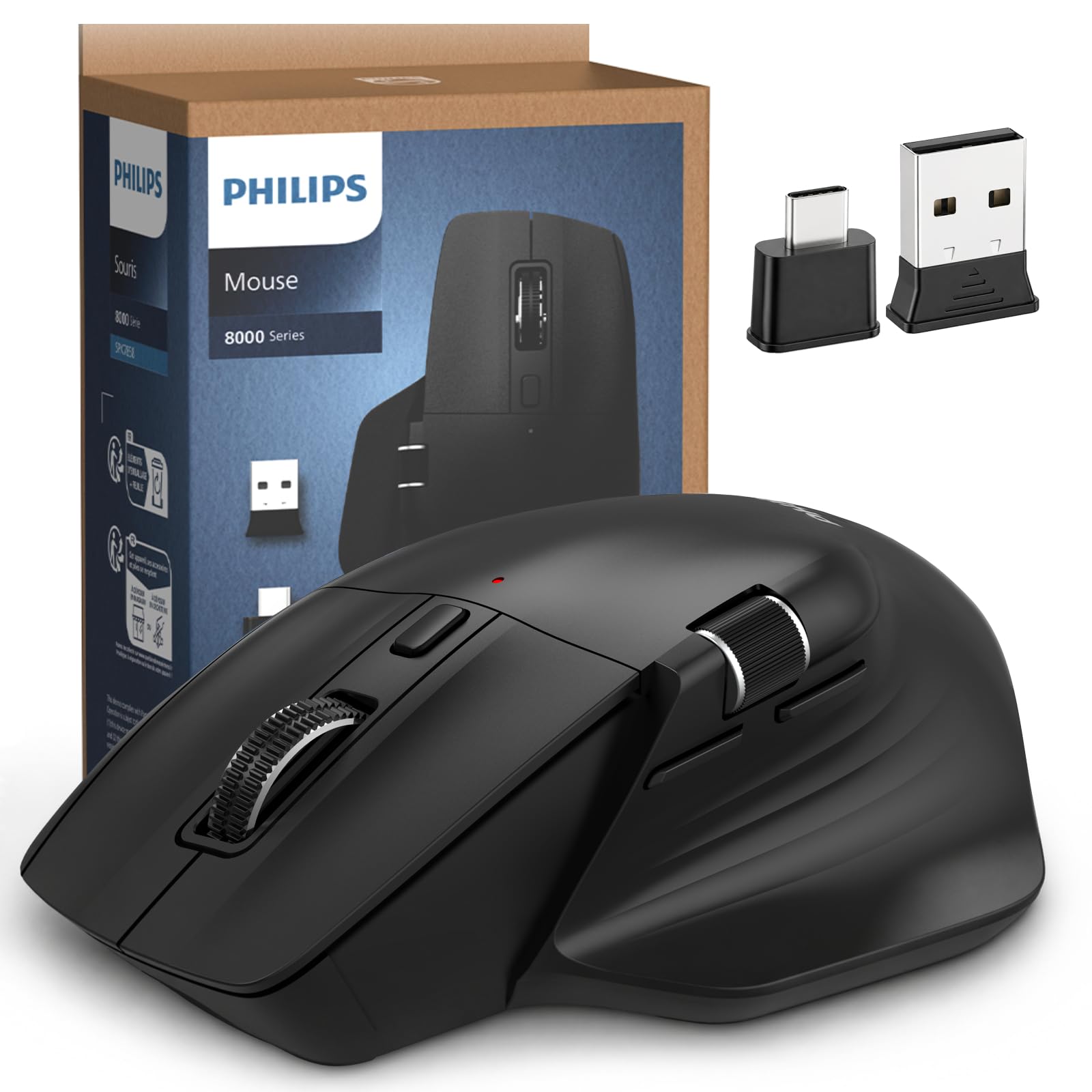
1. PHILIPS Ergonomic Wireless Mouse (SPK7858)
Our pick — over 4.5★ from 950+ verified ratings; the strongest balance of quality and price.
You get a 200-hour battery, a side scroll wheel, and quiet clicks — all at a price buyers call a steal.
The 200-hour battery is the headline. But owners say the real win is everything else you get. The 5-button contoured shell has an anti-slip thumb rest that supports a wider grip without feeling bulky. The 5-level DPI (800 to 4000) lets you slow down for pixel work or sweep across triple monitors. The side scroll wheel is a genuine productivity open up for spreadsheet workers — a feature the cheaper pick (Uineer) lacks. Unlike the Uineer vertical which uses a rechargeable cell of unknown capacity, the PHILIPS runs a rechargeable 500mAh cell that owners mention lasts a typical 25-day work cycle on a single charge. Build quality is praised most — 24 owners mention the solid feel for a mouse at this level.
The trade-off: the scroll wheel texture draws a rare complaint. One owner said the dotted pattern caused discomfort after four hours of continuous use. For a 9-to-5 desk job, that is a minor friction for a package that otherwise rivals mice costing five times as much.
What wins people over
- 200-hour battery crushes most rechargeable mice in this tier
- Side scroll wheel saves time on horizontal data
- Emergency top-up gives one hour from a 5-minute charge
- Library-quiet left and right buttons
The honest catch
- Scroll wheel texture bothers some after extended use
- Right-handed only — no ambidextrous option
- Lacks the premium thumb gesture of the MX Master 3S
Your desk partner if: you spend hours in spreadsheets and want a single mouse that travels between work laptops without a dongle.
Think twice if: you need a compact travel mouse — this is a full-sized palm-filler, not a bag-stuffer.
2. Logitech MX Master 3S Bluetooth Edition
The pro-level pick tracks on glass and silences every click — a tool for designers and multi-device workers.
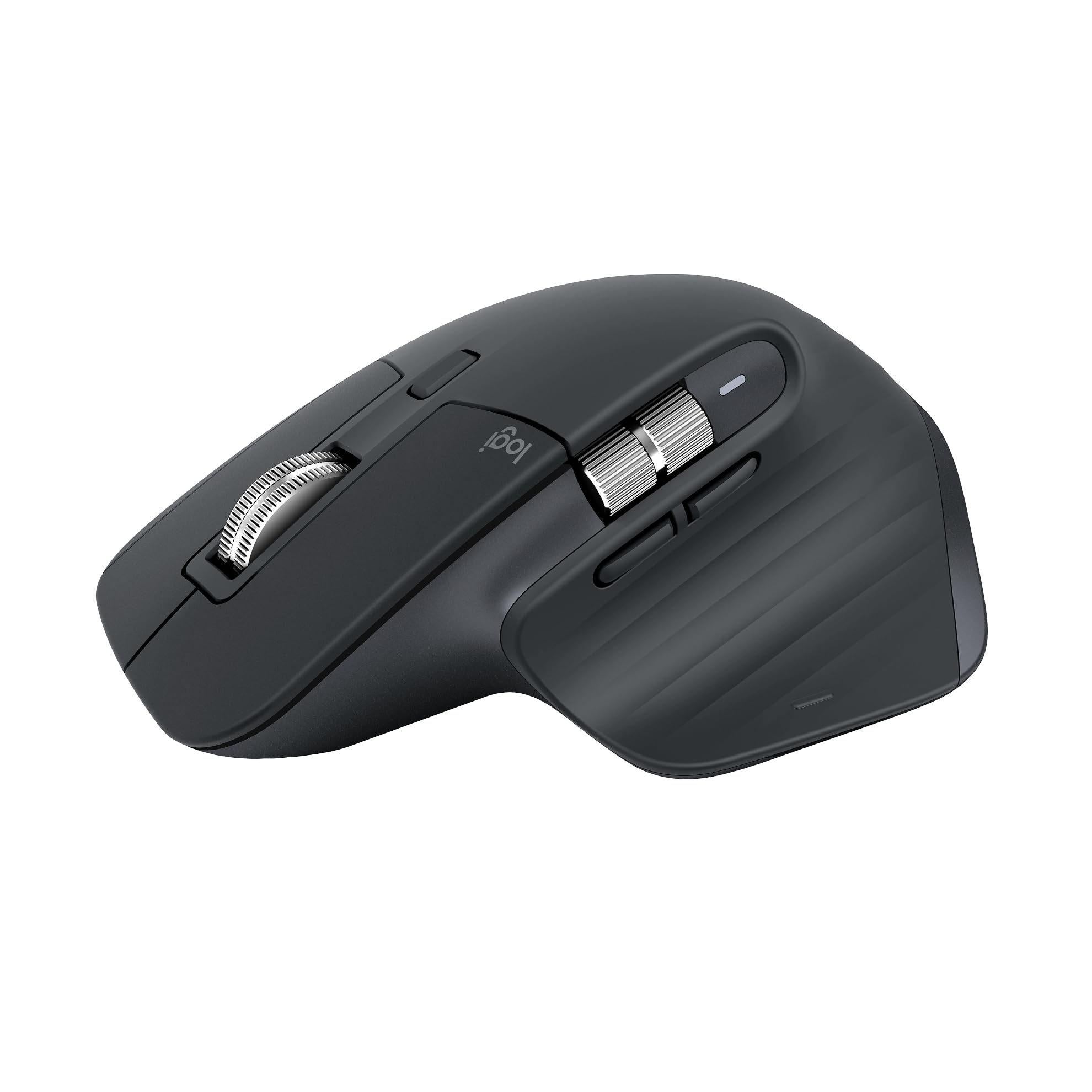
The MX Master 3S is the one you reach for when your desk is glass, your workflow spans three devices, and you want every button to do exactly what you tell it. Its 8000 DPI (dots per inch — how far the cursor moves per inch of hand movement) sensor tracks on any surface, including glass, which no other mouse in this list does. The MagSpeed scroll wheel spins 90% faster in free-spin mode and clicks into notched mode for precise line-by-line scrolling. Owners say it is the smoothest scroll experience they have used. It is also quieter than the Philips — the 3S is designed for near-silent clicks.
It is a Bluetooth-only mouse with no USB receiver included, so you rely entirely on the BT connection. The Logi Options+ app open up app-specific profiles and FLOW cross-computer control (drag files between a Mac and a Windows PC). Quality is the most-praised aspect, with 64 owners highlighting the build. The catch: reliability gets mixed feedback, and the 70-day battery — while strong — falls short of the 200-hour Philips. It is also larger than the M720 Triathlon, so smaller hands may find it a stretch.
The power-user pick: Seven buttons, per-app customization, and an 8K DPI sensor that tracks on glass — ideal for designers, video editors, and anyone who lives in multiple operating systems.
The trade-off: No USB receiver in the box, and the battery (70 days) is shorter than the 200-hour Philips — you will charge it monthly.
Your next upgrade if: you need precision tracking on any surface, want customizable shortcuts, and manage files across two computers.
Look elsewhere if: you want a dongle-free plug-and-play setup or have smaller hands that prefer a compact shape.
3. TECKNET Ergonomic Vertical Mouse
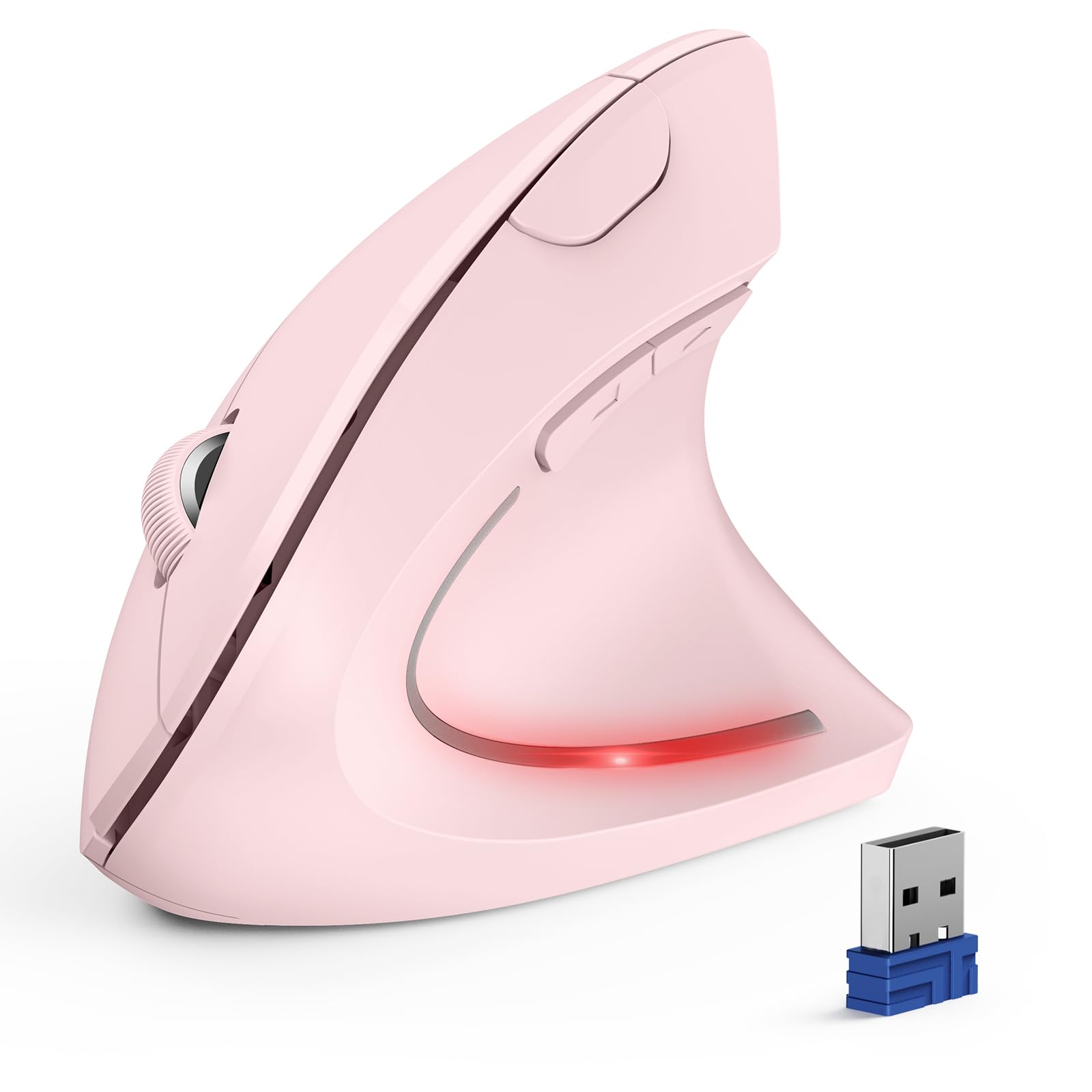
If wrist pain is why you are shopping, this is the mouse with the strongest owner testimony — 259 owners praise its ergonomics.
If wrist pain is the reason you are shopping, this is the mouse with the most owner praise for comfort. Ergonomics gets 259 mentions — far more than any other aspect for any product here — and comfort follows at 196. The vertical grip tilts your hand into a handshake position, which owners say relieves carpal tunnel symptoms and keeps hands pain-free through full shifts. The 4800 DPI (dots per inch) sensor, with 6 adjustable levels, gives finer precision than the XBG B15Pro (which maxes at 2400 DPI). Silent left and right buttons keep the noise down.
The trade-off is power: it runs on 2 AAA batteries (not included), so you will replace cells every few months instead of plugging in a USB-C cable. The 24-month average life is impressive but depends on your battery brand. Reliability gets mixed feedback — 128 owners flagged occasional connection hiccups, unlike the Philips where connection issues are rare. At this price, it is tough to top for pure ergonomic relief, but the Uineer below offers a rechargeable option for a few dollars less.
Why 12,000+ owners chose this
- Top-rated ergonomics — 259 owners praise the wrist-friendly angle
- 6 DPI levels up to 4800 for multi-monitor precision
- Silent left and right clicks for shared workspaces
The honest catch
- Runs on 2 AAA batteries — no rechargeable cell
- Side buttons not compatible with macOS
- Right-handed design only
Grab this for: relief from wrist fatigue — the vertical angle is the most-tested comfort feature in this lineup.
skip it if: you hate buying batteries or need a left-handed model.
4. XBG B15Pro Tri-Mode Wireless Mouse
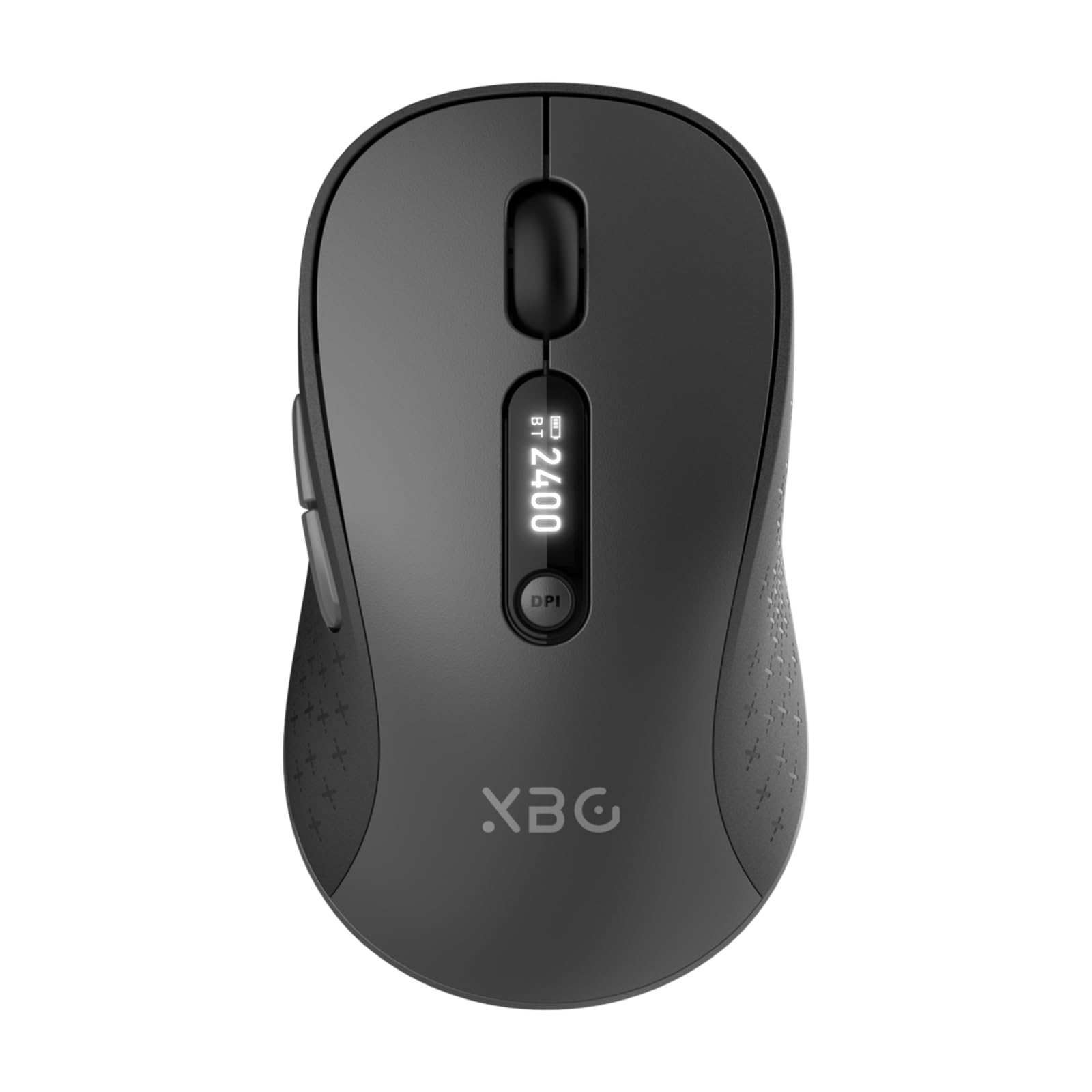
At 75 grams, it is the lightest mouse here, with an LED screen that kills battery guesswork.
At 75 grams, the XBG B15Pro is the featherweight of the group — noticeably lighter than the 97g Philips and far lighter than the 141g MX Master 3S. That makes it a genuine travel companion. A built-in LED screen shows your exact battery percentage, your active DPI (dots per inch — cursor speed) level (800 to 2400), and which connection mode you are in. Tri-mode connectivity (Bluetooth 5.0, Bluetooth 4.0, and 2.4GHz using a tiny USB receiver) lets you switch between devices in 0.8 seconds.
Functionality is the top praise, with 89 owners calling it reliable and responsive. Silent clicks and a contoured thumb rest work well for quiet offices. The limitation: you cannot remap buttons or adjust the automatic sleep timer (it kicks in after 5 minutes). The battery is rated at roughly one month, which is shorter than the 200-hour Philips but standard for this size.
The specs-first pick: A live battery percentage on a dedicated screen, 2400 DPI, and a 75g chassis make this the most informed choice for mobile workers who want to know their power status at a glance.
The compromise: No button remapping, and the 5-minute sleep timer cannot be adjusted.
Best for: users who switch between three devices daily and want a battery readout — no guessing.
Not for: power users who need per-app shortcut customization.
5. HP 400 Quiet Wireless Mouse
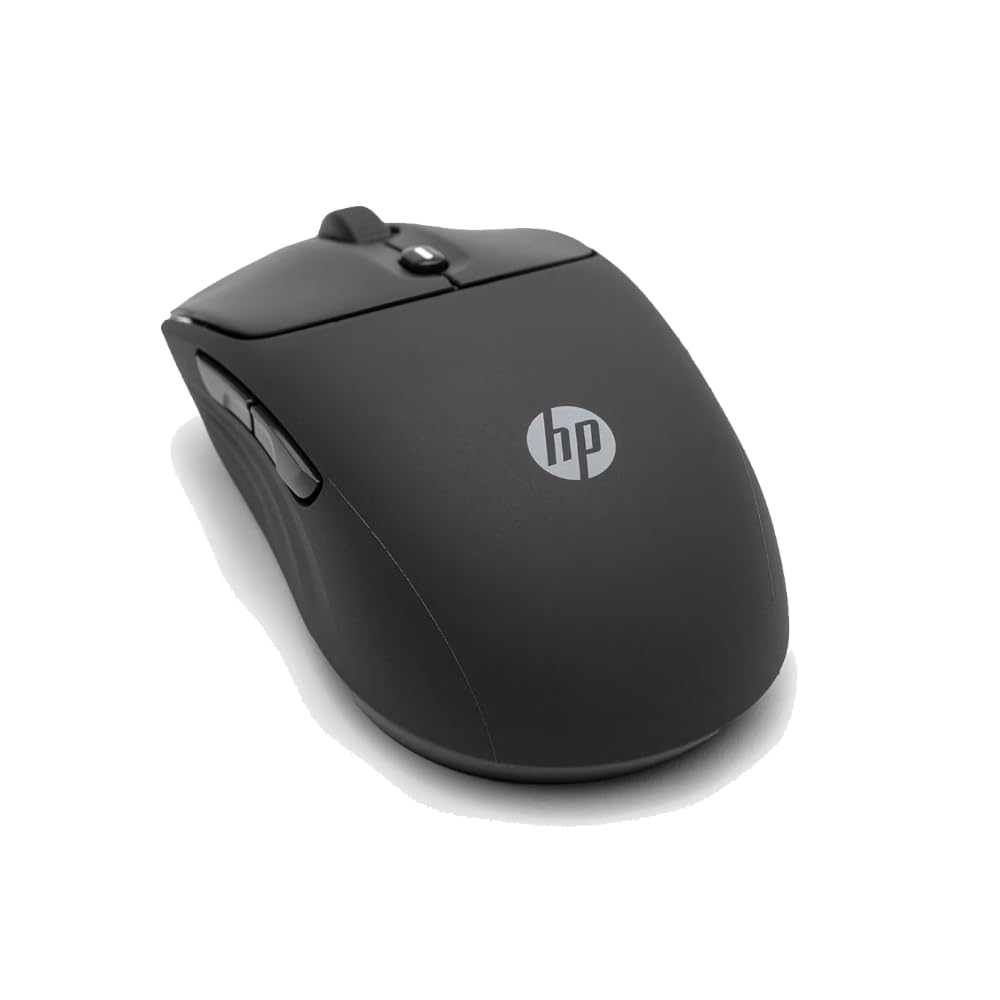
The ambidextrous mouse with a soft silicone skin and a 6000 DPI sensor — made from at least 40% recycled plastic.
The HP 400 stands out for its materials: at least 40% post-consumer recycled plastic in the chassis and FSC-certified packaging. The silicone rubber body gives a soft, tacky grip that owners describe as “very premium for the price” — one buyer called it a direct alternative to the far pricier Logitech Anywhere 3S. The 6000 DPI (dots per inch) sensor is the second-highest in the list, behind the MX Master 3S at 8000 DPI. The 24-month battery life on a single AA cell means you low-maintenance.
Quiet clicks and immediate Bluetooth pairing are the top owner praises. The Microsoft Wheel function adds vertical and horizontal scrolling from one center-button click, which is clever but takes a moment to learn. At 4.64 inches long, it suits both right and left hands. The catch: it uses a disposable AA battery rather than a rechargeable cell, and the silicone texture, while comfortable, picks up dust more readily than hard plastic.
The sustainable option: Recycled materials, a 24-month battery, and a 6000 DPI sensor for smooth tracking on nearly any surface — all in an ambidextrous form.
The downside: No rechargeable battery; you need to stock AA cells.
Choose this if: you want an eco-friendly build, a soft-touch grip, and a battery that lasts two years.
pass on it if: you prefer USB-C charging over swapping batteries.
6. Logitech Pebble Wireless Mouse

The slimmest bag-stuffer that runs for a year and a half on one AA cell — but only 3 buttons and no palm support.
The Pebble is built for portability first. Its flat, rounded shape slides into a laptop sleeve without a bulge. Dual connectivity (Bluetooth and a 2.4GHz receiver stored inside the mouse) covers both your modern laptop and an older office PC. Quality and reliability are the top owner praises — 39 customers note the solid feel and instant response.
The trade-off is significant for all-day work: the slim profile lacks palm support, and several reviewers point out wrist pain after extended use. It has only three buttons (no side forward/back buttons), so power users will feel cramped. The HP 400 offers a more ergonomic shape for a similar price, but the Pebble wins on pure carry-ability. It is a backup or travel mouse, not your primary desk driver.
Why it travels well
- Extremely slim and light — disappears into a bag
- 18-month battery life beats every rechargeable here
- Receiver stores inside the mouse body
The real limit
- Flat shape strains the wrist during long sessions
- Only 3 buttons — no forward/back navigation
- Uses a disposable AA battery, not rechargeable
Perfect for: the commuter who needs a backup mouse that fits anywhere and lasts 18 months between battery swaps.
Not for: anyone who spends 8 hours a day mousing — your wrist will feel it.
7. Uineer Ergonomic Wireless Vertical Mouse
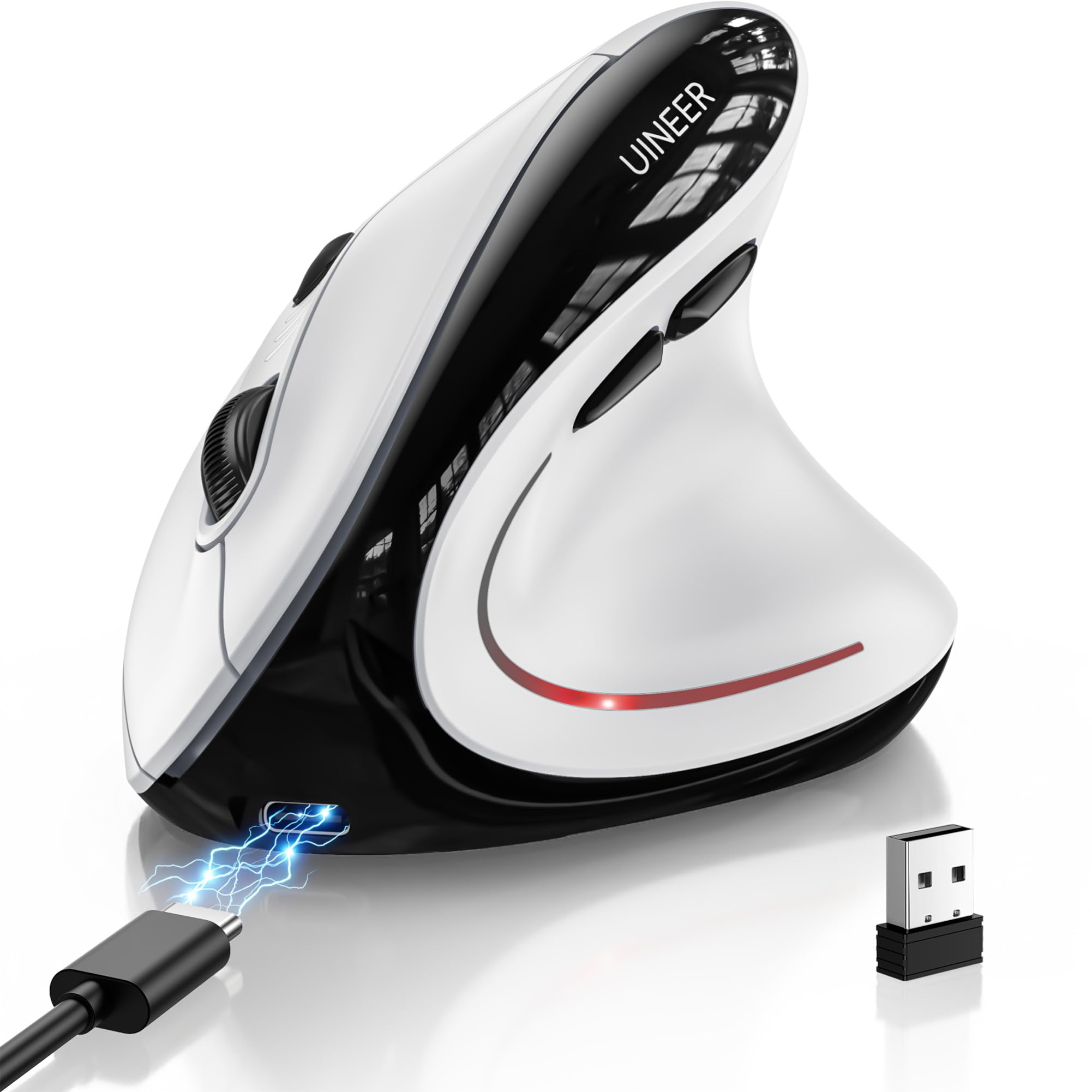
The cheapest vertical mouse here — 6 buttons, tri-mode connectivity, and a 168-hour battery for under twenty-two dollars.
The Uineer is the entry point for anyone curious about vertical mice but not ready to spend TECKNET money. With 6 buttons and tri-mode connectivity (Bluetooth 5.0, Bluetooth 4.0, and 2.4GHz), it matches the PHILIPS on button count and the XBG on wireless options. The 168-hour battery average life is solid — a 19% gap behind the PHILIPS at 200 hours — and it recharges via USB-C in about 2 hours.
Buyers praise the sleek design and responsive scroll wheel, but the wake-up lag is a recurring theme: the mouse takes a noticeable moment to reconnect after sleep. One owner returned it because it only held charge for 10 days in heavy use, which is shorter than the quoted 168 hours suggests for real-world patterns. It works well for medium to large hands and helps with wrist pain, but the reliability of the battery meter seems mixed.
The value play: 6 buttons, three connection modes, and a rechargeable 500mAh battery for a budget-friendly price — the cheapest vertical here.
The trade-off: Wake-up lag and real-world battery life that can fall short of the spec for heavy users.
Try this if: you want to test a vertical grip without a big investment and like having 6 buttons for page navigation.
Look past it if: instant wake-up and consistent battery life matter more than the lowest price.
Understanding the Specs
DPI — Dots Per Inch
DPI measures how many pixels your cursor covers per inch of physical mouse movement. A higher DPI means the cursor moves faster across the screen. For a single monitor, 1200 DPI is comfortable. For dual or triple monitors, you want at least 2400 to 4000 DPI so you can sweep across all screens without lifting the mouse. The MX Master 3S goes up to 8000 DPI, which is overkill for most office work but useful for high-resolution 4K or 5K displays.
Battery Chemistry: Rechargeable vs. Disposable
Rechargeable mice (PHILIPS, Uineer, XBG, MX Master 3S) use a built-in lithium cell you charge via USB-C. They save money over time and cut waste. Disposable battery mice (HP 400, Logitech Pebble, TECKNET) run on AA or AAA cells and can last 18 to 24 months per battery — you never plug them in, but you always need a spare. The TECKNET runs on 2 AAA batteries, which is less convenient than the single AA used in the HP 400 and Pebble.
Bluetooth vs. 2.4GHz vs. Tri-Mode
Bluetooth connects without a dongle, which is ideal for laptops with limited USB ports. 2.4GHz uses a tiny USB receiver and offers a more stable, lower-latency connection — good for gaming or crowded wireless environments. Tri-mode mice (Uineer, XBG) give you both Bluetooth options and a 2.4GHz receiver, letting you connect to three devices and switch with a button. This is the most flexible setup for multi-device workers.
Button Count and Customization
Basic mice (Logitech Pebble) have 3 buttons — left, right, and scroll wheel click. Productivity mice add forward/back side buttons (5 to 6 total) for browser navigation. The MX Master 3S has 7 programmable buttons including a gesture button and a thumb wheel. Customization software (Logi Options+) lets you assign shortcuts per app, which is powerful but adds setup time. The PHILIPS and TECKNET lack this level of software control.
FAQ
Will a vertical mouse really help with wrist pain?
Can I use a Bluetooth mouse with a Mac and a PC at the same time?
How long does a rechargeable mouse battery actually last?
What is the difference between Bluetooth 5.0 and 4.0?
Does a higher DPI make the mouse more precise?
Are silent click mice really silent?
Can I use a Bluetooth mouse while it is charging?
Which mouse is best for left-handed users?
How important is a side scroll wheel for work?
What does a 3-mode mouse give me over a standard Bluetooth mouse?
Final Thoughts: The Verdict
For the majority of shoppers, the bluetooth mouse for work winner is the PHILIPS SPK7858 because it combines a 200-hour battery, a side scroll wheel, and library-quiet clicks at a price that owners say beats mice costing five times as much. If you want ultraprecise tracking on any surface and deep customization, grab the Logitech MX Master 3S. And for wrist relief on a budget, the TECKNET Vertical is the one to reach for — with 259 owners praising its ergonomics, it is the most-tested comfort pick in the list.
How We Picked
We do not accept paid placement. Every pick is matched to a real buyer and a real use-case; we do not hands-on test units.
Sources & Methodology
Specifications: manufacturer listings and product documentation. Review insights: verified customer reviews, as of July 2026. Pricing: not shown on this page (it changes often); check the current price via the retailer link.
As an Amazon Associate, Gadgets Feed earns from qualifying purchases. This does not affect which products we feature.