
You snap a great photo on your phone, but it stays trapped in your camera roll. A Bluetooth photo printer lets you hold that memory in your hand in under a minute, turning digital moments into real, physical keepsakes you can stick in a journal, hand out at a party, or frame on a fridge — no computer or messy cables required.
I’m Min — the co-founder and writer behind Gadgets Feed. This guide is built by comparing the manufacturers’ published specifications and the patterns across verified customer reviews, so you get each pick’s real strengths and trade-offs instead of marketing spin.
The right Bluetooth photo printer balances print quality, running costs, and portability — this breakdown shows which one fits your specific needs.
How To Choose The Best Bluetooth Photo Printer
There is more difference between these little printers than just the sticker price. The print technology, paper size, and app features determine whether your photos look vibrant and last for years — or fade and feel like a toy. Here is what actually matters.
Print Technology: Dye-Sublimation vs. ZINK vs. Inkjet
The biggest choice you make is what is inside the printer. Dye-sublimation (used by Liene and Polaroid Hi-Print) uses heat to transfer dye into the paper, then adds a protective laminated layer — that laminated layer makes prints water-resistant, scratch-resistant, and fade-resistant over time. ZINK (Zero Ink) technology (used by Canon Ivy 2) has dye crystals embedded inside the paper itself — the printer activates them with heat, so you never buy cartridges, but the prints lack the protective coating. Inkjet (used by Nelko PP01) sprays liquid ink onto sticky-backed paper, giving sharp detail at 600 DPI (dots per inch, the measure of fine detail), but the prints can be vulnerable to smudging if handled while wet.
Paper Size and Media Types
Most pocket printers use 2×3-inch paper — roughly the size of a business card or a classic Polaroid Mini. That is perfect for journals, scrapbooks, and party favors. Some models like the Liene Amber M110 offer a dual-tray system that handles both 4×6-inch photo paper and 3×3-inch sticky paper, giving you more flexibility for wall frames versus sticker projects. Check whether the paper has a peel-and-stick adhesive backing if you want to stick prints directly into a notebook without glue.
Battery Life and Charging Speed
Every portable Bluetooth photo printer runs on a rechargeable battery. Battery capacity is measured in how many prints you get per charge — the Liene Pearl N200 Pro delivers around 27 prints per full charge, while the Nelko PP01 runs longer on a single charge. If you are printing at a party or event, you want a printer that can handle at least 20-30 prints before needing a recharge. Fast charging (under an hour to full) matters when you are out and about.
App Features and Creative Control
The printer’s companion app is your editing studio. Some apps offer AI-powered background removal, artistic style filters, collage templates, and frame designs. The Liene and Polaroid apps are particularly strong for creative edits, letting you add text, stickers, filters, and multi-photo collages before printing. Check that the app supports your phone’s operating system (iOS and Android) and that the Bluetooth pairing process is simple — buyers consistently rate ease of connection as a top factor in satisfaction.
Quick Comparison
On smaller screens, swipe sideways to see the full table.
| Model | Category | Best For | Key Spec | Amazon |
|---|---|---|---|---|
| Nelko PP01 | Inkjet | Budget-friendly daily prints | 600 DPI / 80 prints per cartridge | Amazon |
| Liene Pearl N200 Pro | Dye-Sub | Best color accuracy + AI edits | 300 x 300 dpi / 27 prints per charge | Amazon |
| Fujifilm INSTAX Mini Link 3 | INSTAX Film | Classic instant camera look | 600 dpi / includes 20 exposures | Amazon |
| Polaroid Hi-Print + Paper Bundle | Dye-Sub | Vibrant prints with protective coating | ~30 sec/pic / 40 sheets included | Amazon |
| Liene Amber M110 | Dye-Sub | Dual-size printing (4×6 + 3×3) | Bluetooth pairs in 13 seconds / 80 sheets total | Amazon |
| Canon Ivy 2 Mini | ZINK | No-ink convenience + compact size | 110 ZINK sticky prints / charges in 45 min | Amazon |
In‑Depth Reviews
1. Liene Pearl N200 Pro
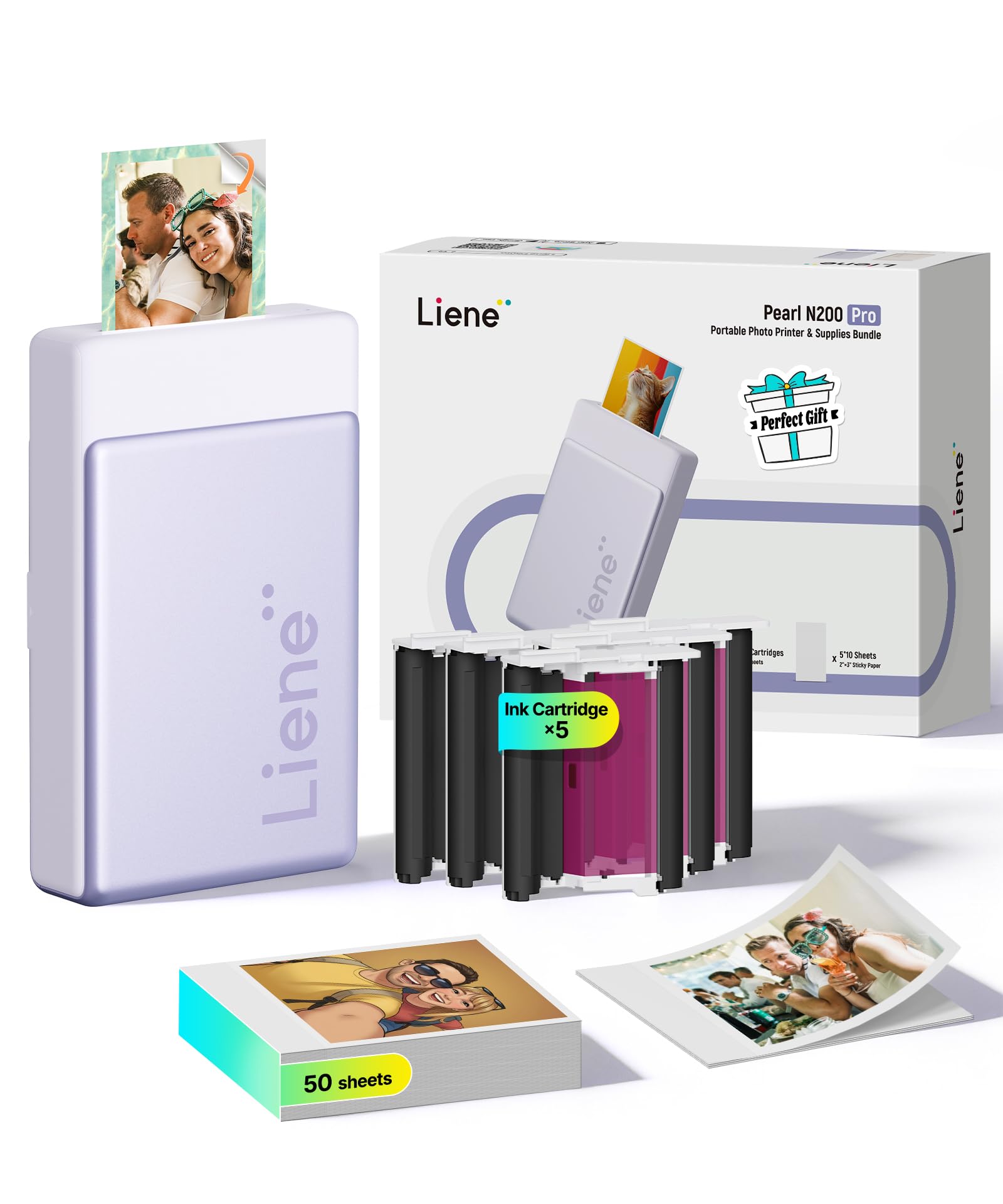
With 300 dpi resolution and dye-sublimation printing, the Liene Pearl N200 Pro is the top pick for anyone who demands lab-quality color accuracy from a portable printer. It uses a heat-based process that embeds dye into the paper and seals it with a protective coat, so your photos come out vivid, sharp, and naturally colored — not washed out or dull like some portable printers.
Buyers report that in a side-by-side comparison, the Liene Pearl N200 Pro beats the Kodak Step on color accuracy, with “color is 10x better and true to image.” It packs AI-powered editing in the app (background removal, artistic style shifts, custom watermarks) and the built-in InstaPic Print mode lets you shoot and print in one flow — no digging through your photo album. At 5.69 inches deep, 3.44 inches wide, and 1.16 inches tall, it is slightly bulkier than the Nelko PP01 (which measures 4.2 inches deep, 1.69 inches wide, and 5.04 inches tall), meaning the Liene has a 35% larger footprint.
The ink and paper cost is higher per sheet, reviews note, but the quality easily justifies it. For true-to-original color and creative AI edits in a pocket-sized package, the Liene Pearl N200 Pro is the clear pick.
Why it’s great
- Excellent color accuracy — owners mention it beats other brands side-by-side
- AI-powered app with background removal and artistic styles
- InstaPic Print mode for quick one-touch shooting and printing
Good to know
- Higher per-print cost for ink and paper refills
- Only about 27 prints per full charge — less than some competitors
- Slightly slower and louder than inkjet or ZINK models
2. Polaroid Hi-Print + Paper Bundle

The Polaroid Hi-Print delivers dye-sub quality at a lower entry cost than the Liene Pearl N200 Pro, and it comes with 40 sheets of paper in the box so you start printing immediately. It prints a photo in about 30 seconds — faster than the Liene, and buyers consistently call the photo quality “outstanding” and “vibrant.”
The Hi-Print app lets you add filters, frames, text, and emoticons, and it includes a useful passport/ID photo mode that the Liene Pearl N200 Pro lacks. The prints come out as 2×3-inch business-card-size stickers with a protective coating that resists smudging and fingerprints — the same laminated layer you get from dye-sublimation. It connects via Bluetooth and USB-C, and customers note the ink level is visible through the cartridge, so you never get caught without warning.
One catch: the printer uses proprietary cartridges and paper, so you cannot use third-party refills. But the included 40-sheet bundle softens that cost upfront. Choose the Polaroid Hi-Print over the top pick if you want the best balance of vibrant prints, fast speed, and a low-cost starter bundle.
Where it shines
- Comes with 40 sheets of paper right in the box
- Fast ~30 second print time
- Protective laminated coating on every print
Worth noting
- Uses proprietary paper and cartridges — no third-party alternatives
- No charger included (uses USB-C cable only)
- App required for printing; no standalone print function
3. Liene Amber M110

The Liene Amber M110 is the printer for people who want both standard 4×6-inch photos (perfect for frames and albums) and smaller 3×3-inch sticky prints. It has a dual paper tray design that stores both paper sizes inside the printer — you switch between them without taking anything apart, which is unique among pocket-sized Bluetooth photo printers.
It uses thermal dye-sublimation (the same protective coating process as the Polaroid Hi-Print), so the prints resist water, scratches, fingerprints, and fading. The Bluetooth connection pairs in about 13 seconds, faster than the 60-second setup on some competitors. Reviewers point out the prints come out “vibrant colors, natural skin tones, sharp and glossy” and that the app handles AI editing nicely. The bundle includes 60 sheets of 4×6 paper, 20 sheets of 3×3 sticker paper, and 2 cartridges — enough for a lot of printing straight away.
One review notes the prints come out slightly darker than the original photo, so you may need to brighten your images before printing. The per-print cost is around mid-range for dye-sub printers. The Liene Amber M110 is the only pocket-sized Bluetooth photo printer that swaps between two paper sizes without disassembly.
What stands out
- Dual paper trays for 4×6 and 3×3 prints in one printer
- Fast 13-second Bluetooth pairing
- Water-resistant, scratch-resistant prints
The trade-offs
- Prints slightly darker than the original image
- App has some minor limitations (one frame has a spelling error per reviews)
- Proprietary cartridges — no third-party refill options
4. Fujifilm INSTAX Mini Link 3

The single number that matters most in this category is per-print cost, and the INSTAX Mini Link 3 scores poorly here — each 2×3-inch INSTAX Mini film print costs a premium over inkjet or ZINK alternatives. The Fujifilm INSTAX Mini Link 3 prints onto real INSTAX instant film — the same classic square-format film that Fujifilm has made for decades. You get a physical photo that develops in front of your eyes, with that familiar retro look and feel that no inkjet or dye-sub printer replicates.
The catch is you are limited to INSTAX Mini film (2×3-inch prints with a white border), and each pack of 20 exposures costs a premium. The printer connects via Bluetooth 5.1 and the INSTAX Mini Link app offers 3D AR effects through INSTAX AiR Studio, plus frames, stickers, and filters. Shoppers say the photo quality is “great color quality” and that the prints “develop better than typical Fuji film cameras.” It includes one pack of 20 film sheets and a microfiber cloth in the bundle.
The per-print cost is noticeably higher than inkjet or ZINK printers — you are paying for the classic film experience. Also, the printer automatically prints when turned on unless you disable that in the app. The INSTAX Mini Link 3 is the right choice if you specifically want the look, feel, and nostalgia of real INSTAX film prints, making its price-to-value read as a premium purchase for nostalgic film lovers rather than a budget-friendly everyday printer.
The upsides
- Classic INSTAX film look that develops in front of you
- Includes 20 film exposures and a microfiber cloth
- 3D AR effects and creative app features
Keep in mind
- High per-print cost for INSTAX film refills
- Prints automatically when powered on (adjustable in app)
- Only one print size available (INSTAX Mini)
5. Canon Ivy 2 Mini Photo Printer

The Canon Ivy 2 is the smallest printer in this lineup — roughly the size of a computer mouse — and it uses ZINK (Zero Ink) technology, meaning there are no ink cartridges to replace. The color crystals are already inside the paper; the printer just activates them with heat, so you never buy cartridges again.
You do give up something for that convenience. ZINK prints lack the protective laminated coating of dye-sub printers, so they can be more prone to scratches and fingerprints. Buyers report the print quality is “good” for crafts and journals, but one reviewer notes “if you’re looking for something with very high quality pictures look elsewhere.” The bundle comes with 110 sheets of ZINK sticky-back paper (so 110 prints ready to go), a protective case, and a USB cable. It charges in about 45 minutes — faster than most competitors.
The Canon Mini Print app offers filters, borders, and collage options. The printer connects via Bluetooth to iOS and Android devices. The Canon Ivy 2 is the perfect pick for crafters, journalers, and casual users who want zero cartridge hassle, a tiny footprint, and a huge stack of paper included.
Why we’d pick it
- No ink cartridges needed — ZINK technology keeps it simple
- Pocket-sized, about as big as a computer mouse
- Comes with 110 sheets of sticky-back paper and a protective case
A few caveats
- No protective coating on prints — more prone to scratches
- Print quality is good but not as sharp as dye-sub printers
- Proprietary ZINK paper only — no third-party alternatives
6. Nelko PP01

The Nelko PP01 is perfect for budget-conscious buyers who want sharp, versatile prints without spending much, as it is the most affordable Bluetooth photo printer here yet still delivers 600 DPI resolution on sticky-backed paper. It uses advanced inkjet technology, meaning the ink dries fast and the prints are smudge-proof, water-resistant, and tear-resistant — not a flimsy toy print.
What you give up is size and speed. At 0.6 pounds and 4.2 inches deep, 1.69 inches wide, and 5.04 inches tall, it is a fair bit taller than the Canon Ivy 2. Each ink cartridge prints up to 80 full-color 2×3 photos on the included sticky-backed paper — excellent value per cartridge. The app offers filters, graffiti, borders, stickers, text, AI image editing, and collage creation to really personalize each print. Buyers call it a “powerful little printer” with “vibrant, crisp, detailed color prints.”
The downside: it uses ink cartridges you have to replace, and an inkjet can sometimes clog if left idle for weeks. The manual recommends gently wiping the cartridge head vertically before first use if it has been sitting for a while. The Nelko PP01 is the ideal entry-level Bluetooth photo printer for budget-conscious buyers who still want sharp, versatile prints and a generous 80-print cartridge, but be aware that its inkjet mechanism may clog if the printer sits unused for extended periods.
Strong points
- Very affordable entry point for Bluetooth photo printing
- Each cartridge prints 80 full-color 2×3 photos
- 600 DPI resolution produces sharp, detailed images
Before you buy
- Inkjet heads can clog if left idle for long periods
- Taller and less pocket-friendly than ZINK models
- Power adapter not included — USB cable only
Understanding the Specs
Print Technology
This is the core of what makes a photo printer good or just okay. Dye-sublimation uses heat to turn solid dye into gas, which bonds with the paper and then a clear protective layer is added — prints are waterproof, scratchproof, and last decades. ZINK has crystals embedded in the paper that activate with heat — no cartridges, but no protective layer either. Inkjet sprays liquid ink onto paper — it can produce very sharp images (high DPI) but is more vulnerable to smudging and clogging over time.
Resolution (DPI)
DPI stands for “dots per inch” — the higher the number, the finer the detail and the smoother the image. A 600 DPI printer (like the Nelko PP01) can produce prints that look nearly like traditional photo lab quality at 2×3-inch size. A 300 x 300 dpi printer (like the Liene Pearl N200 Pro) still looks very good for the print size, but fine details like individual strands of hair or tiny text are slightly less sharp.
Print Time and Speed
Bluetooth photo printers are slow compared to office lasers — expect 30 to 60 seconds per photo. Faster printers (Polaroid Hi-Print at ~30 seconds) are better for events or parties where you are printing multiple copies in a row. Slower printers (Canon Ivy 2 at about 1 minute) are fine for casual use at home.
Adhesive Backing
Most pocket photo printers use paper with a peel-and-stick back, turning every print into a sticker. This is fantastic for scrapbooking, bullet journals, planners, or decorating a laptop or water bottle. If you plan to frame your prints, look for a model that offers non-sticky paper too — like the Liene Amber M110 with its 4×6-inch photo paper option.
FAQ
How long do prints from a Bluetooth photo printer last compared to drugstore photos?
Can I print from my iPhone or Android without installing a separate app?
What is the real per-print cost I should expect?
Final Thoughts: The Verdict
For most people, the Bluetooth photo printer winner is the Liene Pearl N200 Pro because it combines excellent dye-sub print quality, a creative AI-powered app, and true-to-original color that owners mention outperforms bigger brands. If you want the best balance of print quality and upfront value with 40 sheets included, grab the Polaroid Hi-Print + Paper Bundle. And for versatile dual-size printing that handles both 4×6 frames and 3×3 stickers, the Liene Amber M110 is the one to choose.