
Our readers keep the lights on and my morning glass full of iced black tea. As an Amazon Associate, I earn from qualifying purchases.
Specs are compiled from manufacturer listings and verified buyer reviews and can change over time — please confirm the key details on the product page before buying.
If you want one straight answer, it is this: a Bluetooth printer is worth buying only when it ditches the ink cartridge, pairs to the phone in your hand, and never needs a laptop in the middle. That last part matters most, because a printer you cannot run from the couch, the truck cab, or a market stall is a printer you will not use. This guide covers the nine models that get that job done, sorted by what each one is genuinely good at.
I’m Min — the founder and writer behind Gadgets Feed. This guide is built by comparing the manufacturers’ published specifications and the patterns across verified customer reviews, so you get each pick’s real strengths and trade-offs instead of marketing spin.
Thermal paper is the one rule that trips up first-timers, and it separates the models that work for labels from the ones that work for letters. Below you will find the honest breakdown of the bluetooth printer options that actually earn their place on a desk or in a backpack.
Our Picks at a Glance

How To Choose The Best Bluetooth Printer
Three questions decide almost everything here. What are you printing, how big is the paper, and does the printer need to run from a phone alone? Answer those and most of this list narrows itself down.
Match the printer to the paper, not the other way around
A label printer takes specific die-cut label stock, such as 4×6 inch shipping labels, and that is all it will ever feed. A letter-size thermal printer takes 8.5 x 11 inch thermal sheets, which look and feel like fax paper rather than copy paper. An instant photo printer takes its own cartridge-and-paper pack. None of them accept the ordinary copy paper sitting in your office drawer.
Thermal paper is the trade-off you accept for never buying ink again. It has a slightly slick surface, and it can curl if you store it badly, so buy the flat or folded kind when you can and keep it out of a hot car.
Check the connection route before the spec sheet
Bluetooth is what makes these printers genuinely portable, but it is usually reserved for phones and tablets. Several of the models here pair to iOS and Android by Bluetooth, then switch to a USB-C cable the moment you plug into a laptop. If you print mostly from a computer, plan on a cable and a driver download.
Resolution is the other number worth understanding early. A 203 DPI print is sharp enough for shipping labels, barcodes, and everyday text. Step up to 300 DPI and small fonts and fine line detail hold together noticeably better.
Quick Comparison
| Model | Best For | Print Type | Resolution | Weight | Amazon |
|---|---|---|---|---|---|
| HP Sprocket 2×3 Instant Photo Printer★ Best Overall | Instant sticky-back photos | ZINK color photo | — | — | Amazon |
| HPRT Portable Thermal Inkless Travel PrinterSmallest Footprint | On-the-go document printing | Inkless thermal, B&W only | 203 DPI | 1.1 lb | Amazon |
| HKHKPI Bluetooth 4×6 Label PrinterBest for Sellers | Shipping labels from a phone | Direct thermal, BPA-free | 203 DPI | 722.5 g | Amazon |
| TATTMUSE A28U Portable Printer | Letter-size printing on the road | Inkless direct thermal | 203 DPI | — | Amazon |
| iDPRT MT610 Pro Portable Thermal Printer | Fast letter printing in a bag | Inkless thermal, B&W only | 300 DPI | 1.1 lb | Amazon |
| MUNBYN Bluetooth Thermal Label Printer | High-volume label runs | Direct thermal, no ink | 0.1 mm font legibility | — | Amazon |
| ETIKEZ D90E Inkless Portable Printer | Students and field documents | Inkless thermal, B&W only | 203 DPI | 2.08 lb | Amazon |
| Phomemo M832D Touchscreen Printer | Mixed paper sizes on the move | Inkless thermal, B&W only | 300 DPI | 1.5 lb | Amazon |
| Liene Amber M110 Photo Printer | Lab-style 4×6 prints at home | Thermal dye sublimation | — | — | Amazon |
In‑Depth Reviews
1. HP Sprocket 2×3 Instant Smartphone Photo Printer
Our pick — 4.5★ from 25,500+ verified ratings; the strongest balance of quality and price.
The pocket printer that turns a phone gallery into sticky-back photos in about a minute.
This is the one for the person who wants a photo in their hand, not a document on their desk. It runs on ZINK Zero Ink technology, which means the color is embedded in the glossy sticky-back paper itself, so there is no toner, no ribbon, and nothing to replace but the paper. Each sheet is 2 x 3 inches and peels off the back, which is why these end up on fridge doors, wedding guest books, and travel journals. Bluetooth 5.3 handles the pairing, and the free HP app carries the editing tools — filters, frames, borders, stickers, emojis — before anything leaves the screen.
The other half of the appeal is the setup for a crowd. You can pair multiple devices at once so friends print their own shots at a party, and a personalized LED light tells you whose photo is coming out. A single charge covers about 35 prints, and the whole thing is small enough to live in a backpack or a coat pocket until someone asks for a picture. Charging runs over Micro USB, so keep the right cable around.
Print quality is the most-discussed topic in the reviews, and it splits both ways: plenty of owners love the colors, while a steady minority find the output grainy or the unit temperamental. Two quirks show up again and again: back-to-back printing can warm the unit up enough to pause, and the first photo out of a new pack tends to land dark until you lighten it in the app.
What makes it the pick
- ZINK Zero Ink means no cartridges, ribbons, or refills to buy — just paper, and the color sits inside the sheet.
- Bluetooth 5.3 with multi-device pairing, so several people can print at the same event.
- About 35 prints per charge in a body that slips into a purse or backpack.
- Sticky-back 2 x 3 inch paper resists water, smudges, and tearing.
Where it asks for patience
- Output quality divides owners — some love the colors, others find them speckled or washed.
- First print of a pack usually comes out darker than the screen.
- Heavy back-to-back sessions can trigger an overheat pause.
- Charges by Micro USB rather than USB-C.
Reach for this if: you want instant sticky-back photos from your phone and never want to buy ink again.
Think twice if: you need letter-size documents or want every single print to look identical to your screen.
2. HPRT Portable Thermal Inkless Travel Printer
A water-bottle-weight printer that throws an A4 page out of a bag in seconds.
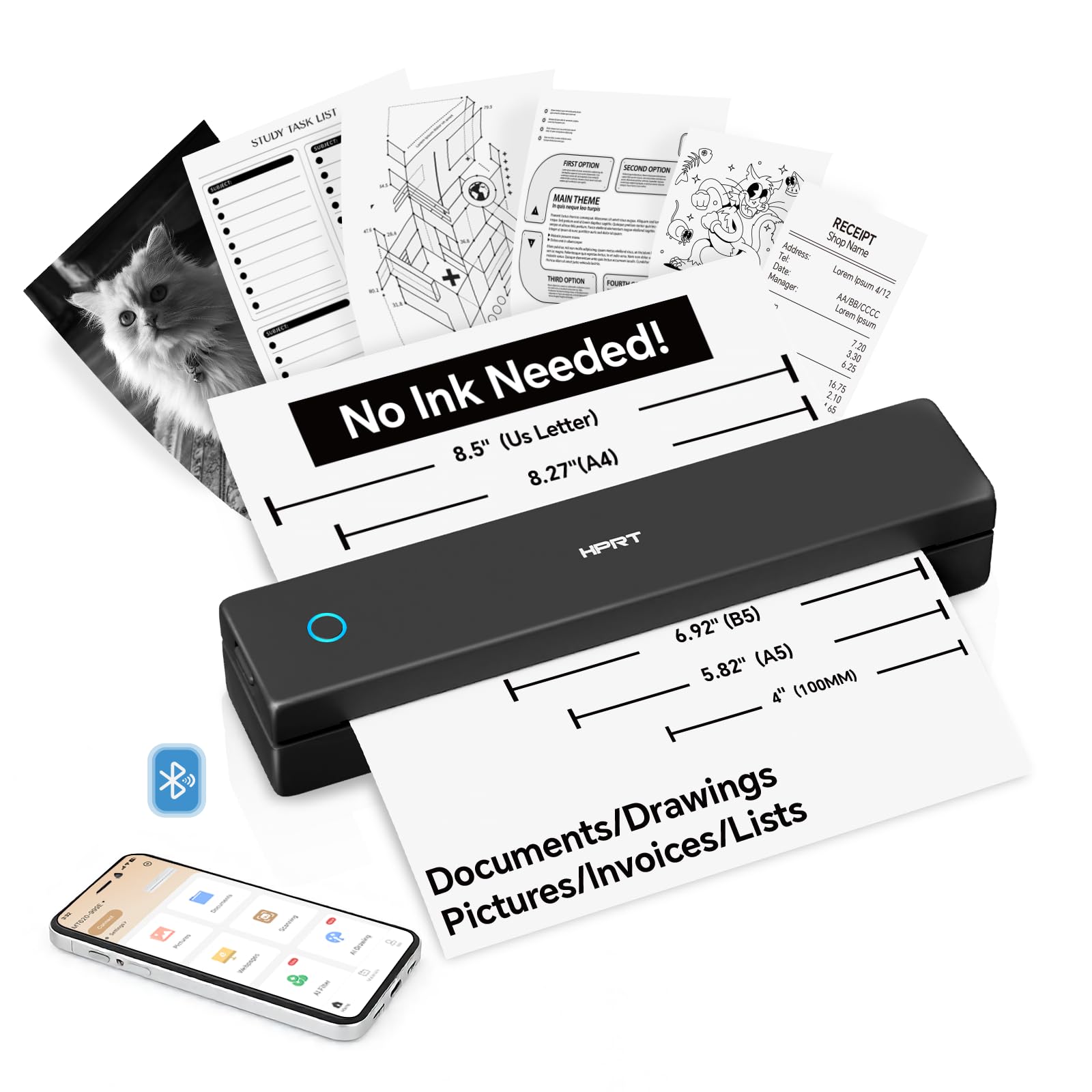
At 1.1 lb and measuring 2.2 by 10.2 by 1.8 inches, this is the machine that rides along without you noticing it is there. That is a dramatically slimmer footprint than the HKHKPI label printer, which sits at 3.63 inches wide and 3.68 inches tall — so if your bag is already full, this is the shape that disappears into a side pocket. The paper path is genuinely beginner-proof too: slot the sheet into the inlet and the printer grabs it on its own, no cover to flip open.
Thermal tech does the rest. There is no ink, no toner, and no cartridge to clog, and the unit hits 203 DPI while pushing pages through in 3 to 5 seconds each. It takes thermal paper anywhere from 4 to 8.5 inches wide — US Letter, Legal, A4, A5, and custom lengths — and accepts rolls, folded sheets, or single sheets, which is unusually flexible for a printer this small. Plug into a Windows or macOS machine over USB-C and it charges while it prints.
The catch is color, or the lack of it. Everything comes out in black and white, and ordinary copy paper will not feed through at all — thermal stock only. Battery life is described as long enough for all-day meetings and field work, with an auto-shutdown after 15 minutes idle to stretch it further, and the Bluetooth connection supports a multi-user link so a small team can share one unit. Buyers report easy pairing and a genuinely complete package, with paper and a carrying case in the box.
Where it earns its keep: invoices, study material, receipts, and shipping lists printed anywhere, at 203 DPI and 3 to 5 seconds a page.
The trade-off to accept: black and white only, and you are locked into thermal paper for as long as you own it.
Best served to: frequent travelers and field workers who need a page in hand without carrying a printer that feels like one.
Not for: anyone who needs color output or wants to print on the plain paper already in the drawer.
3. HKHKPI Bluetooth Thermal Label Printer, 4×6 Shipping Label Printer
The desk-friendly 4×6 label machine that prints a shipping label from your phone in one tap.
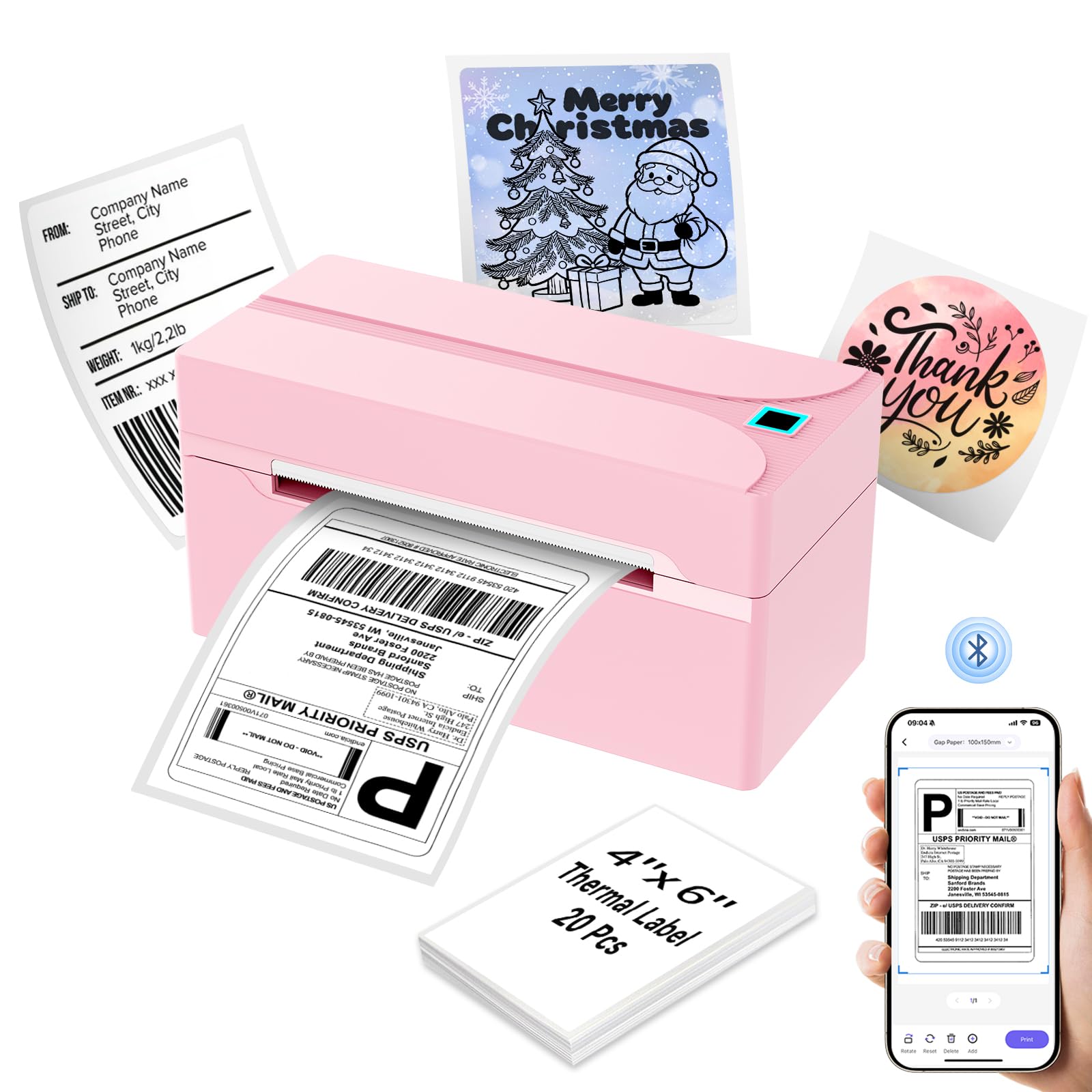
If packages leave your house, this is the shape you want sitting in a drawer. It handles paper widths from 1 to 4.2 inches, so the standard 4×6 shipping label works alongside smaller product and return labels, and it can push out up to 55 sheets a minute at 150 mm/s. Load it through the free Nada Print app over Bluetooth and the whole job happens from your phone — iOS, Android, or tablet.
Weighing in at just over 700 grams, it stores flat and disappears until you need it. Ease of use is the most-discussed topic in the reviews, followed closely by print quality: labels come out clean without smudging or jamming, the app setup is painless, and the unit fits neatly on a desk between runs.
The printing itself is BPA-free direct thermal at 203 DPI, so no ink, toner, or ribbons are involved at all. It also plays nicely with the platforms sellers already use, including Amazon, eBay, Etsy, Shopify, PayPal, USPS, FedEx, UPS, and DHL. There is a caveat worth knowing up front: you should calibrate the label size each time you swap stock, and it takes labels from 4 x 6 inches downward rather than letter-size sheets.
The case for it
- Prints up to 55 sheets a minute from a phone over Bluetooth, no computer involved.
- BPA-free direct thermal at 203 DPI — nothing to refill, ever.
- Accepts label widths from 1 to 4.2 inches, covering shipping and product labels.
- Compact enough to keep in a drawer, and comes with 20 starter labels in the box.
Worth knowing
- You need to recalibrate the label size every time you change stock.
- Built for labels — it will not feed letter-size sheets.
- USB printing on a computer needs the driver from the official site.
The short version: an online seller shipping a handful of orders a day will get the most from this, since the phone-only workflow removes the trip to the post office.
Look elsewhere if: your printing is documents rather than labels.
4. TATTMUSE A28U Portable Printer Wireless Inkless Thermal for Travel
A letter-size printer built around one idea: fewer paper jams and fewer battery replacements.
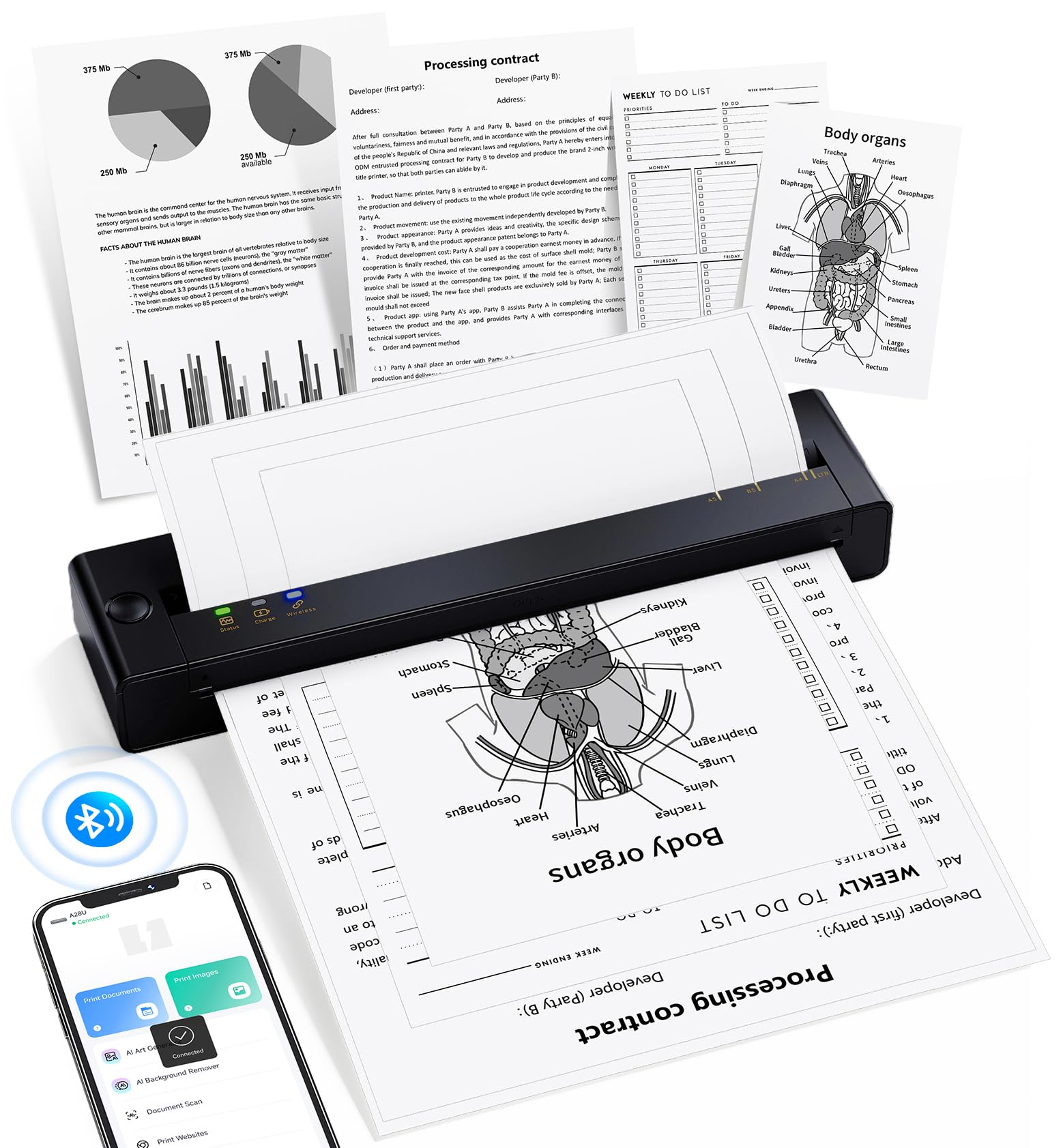
Two design choices define this machine. The first is the print head, which uses dual-zone heating control with temperature locking to hold a 99% even print density — in plain terms, the darkness stays level across the page instead of drifting from top to bottom. The second is the jam release: double-tap and the printer pulls stuck paper back out on its own, so you are not standing there tugging at a crumpled sheet. Anyone who has wrestled paper out of a thermal printer by hand will understand why that matters.
It runs on 100% direct thermal printing with no ink, cartridges, toner, or ribbons, at speeds up to 7 pages a minute on US Letter 8.5 x 11 inch thermal paper. The weight story is where it separates from the field — TATTMUSE positions it as 15% lighter than similar mobile printers while keeping the same print quality, which is the whole point of a travel machine. Charging runs low-heat, which the maker says extends battery life by up to 4 times compared with printers that need new batteries every year.
Print quality is the thing owners talk about most: it holds up well for its size and is dead simple to operate. The honest friction points are narrow. Chromebook owners cannot connect directly and have to route jobs through the app instead, and thermal paper has a slippery, fax-like texture that some people take a moment to get used to. Feed it one sheet at a time and put the paper in upside down, and it behaves.
Standout spec: 99% even print density from the dual-zone print head — the reason text stays consistently dark across a full letter page.
One honest limit: direct Bluetooth connection only works with phones and tablets, so Chromebook users have to go through the app.
Made for: freelancers and small-business users who print letters and invoices away from a desk and want the lightest option that still produces clean pages.
Pass on it if: you rely on a Chromebook as your only machine.
5. iDPRT MT610 Pro Portable Thermal Printer

300 DPI in a bag-sized body — the resolution jump you notice on small text and fine line work.
Resolution is the headline. Most printers on this list run at 203 DPI; this one runs at 300 DPI, which is the difference between small fonts holding their edges and small fonts turning to mush. Line drawings, sheet music, and dense documents are where that pays off, and it manages it while pushing a US Letter or A4 page out in 4 to 6 seconds. The 2000mAh battery inside covers up to 4 hours of continuous printing, or roughly 360 sheets on a single charge.
At 1.1 lb and 10.2 by 2.2 by 1.8 inches, it slides into a backpack the same way the HPRT does — nearly the same footprint, but two steps up in sharpness. Bluetooth handles iOS and Android through the free HerePrint app, while laptops on Mac, Windows, Linux, or Chrome OS connect over USB with a driver from the iDPRT site. Adjustable darkness and margin settings are built into the app, which is the sort of control you appreciate when a form needs to fit a specific field size.
Where this one gets complicated is the connection. Owners praise the hardware itself — crisp text and line drawings, with a reliable iPhone link. But Bluetooth pairing and general connectivity sit in the mixed column, and there is a clear pattern of some units refusing to pair at all — a handful of buyers describe trying several phones and computers with no luck. Print quality finds a couple of people expecting photo output and getting fax-quality images instead, which is exactly what thermal tech does.
Why it stands out
- 300 DPI — the finest resolution on this list, so small print stays legible.
- 4 to 6 seconds per US Letter or A4 page, with up to 360 sheets per charge.
- 2000mAh built-in battery covers up to 4 hours of continuous printing.
- Wide compatibility across iOS, Android, Mac, Windows, Linux, and Chrome OS.
What to weigh first
- Bluetooth pairing is the weak spot — some owners could not connect at all across multiple devices.
- Thermal paper only, and no color output.
- Computer printing needs a driver download before anything works.
- Photo-style images come out looking like a fax, not a photo.
Pick this one if: sharp text, sheet music, or fine line detail matters more to you than anything else on the list.
Reconsider if: you want a frictionless first-time setup — the pairing experience here is the least predictable of the group.
6. MUNBYN Bluetooth Thermal Label Printer, 4×6 Shipping
Built for people who print labels all day and cannot afford a misaligned one.
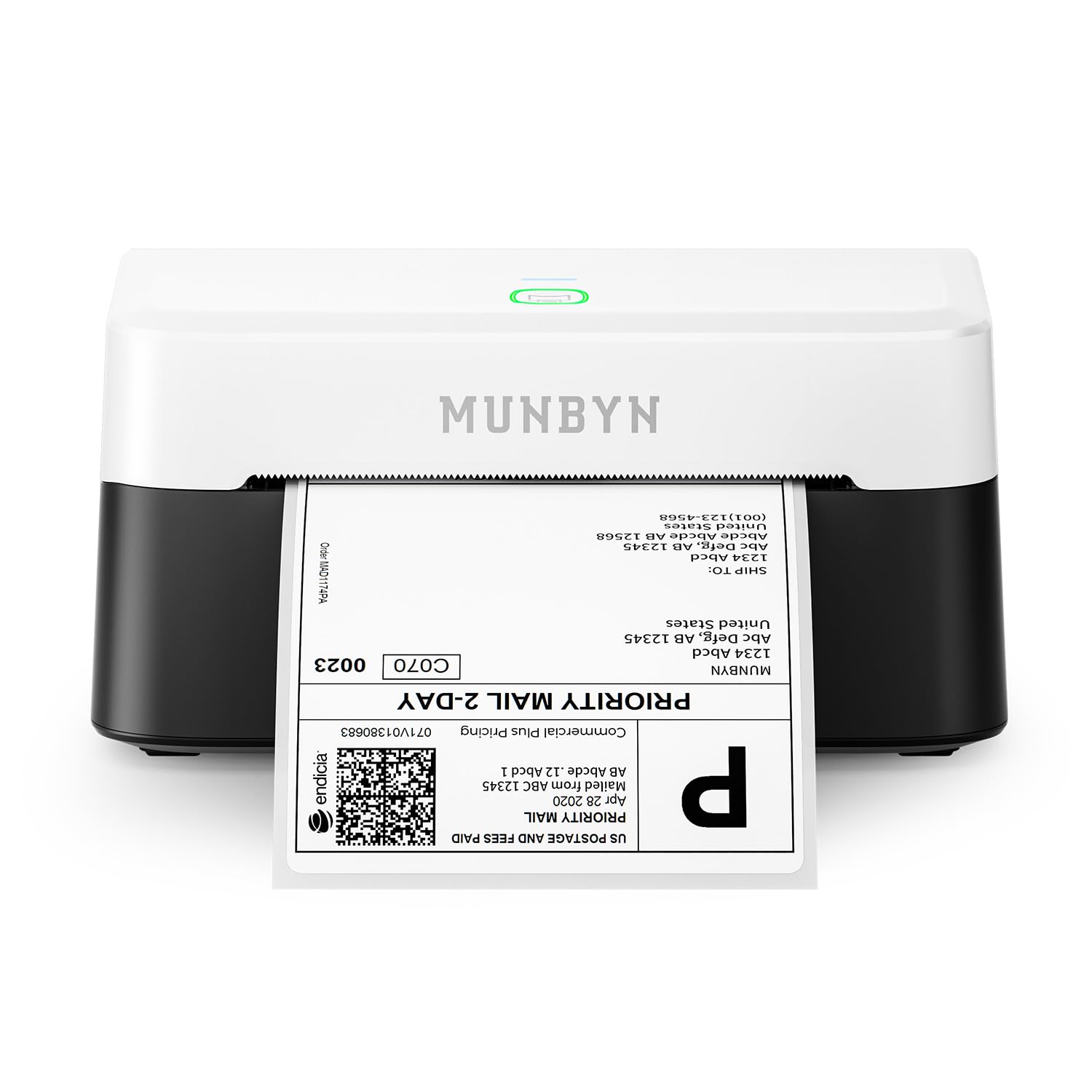
The engineering story here is orientation and volume. MUNBYN uses what it calls DAC Dynamic Algorithm tech with a 4-inch DAC chip to auto-calibrate alignment, and the company puts the misalignment elimination at 99.8% while claiming the unit lasts up to 970,000 labels. Those are manufacturer figures, but the durability design behind them is what a busy seller is actually paying for. Add a stated jam rate under 0.01% and the appeal to anyone shipping at volume becomes obvious.
It handles direct thermal labels from 1.57 to 4.25 inches wide, covering shipping labels, return slips, product labels, inventory tags, and barcodes off one unit. Output is monochrome with 0.1 mm font legibility, which matters when a barcode has to scan on the first pass. It also runs quietly — 60 dB, or about the level of typing — so a home office or shared workspace will not hear it working.
Overall quality is the overwhelming favorite in the reviews, and the practical wins land the same way — fast printing, savings against ink, paper, and tape, and a phone-based Bluetooth workflow that keeps you off the computer. The friction is concentrated in connection. Bluetooth specifically lands in mixed territory, with a portion of owners working fine across phone and computer and another portion hitting pairing trouble. Alignment through third-party labels is also less forgiving than through MUNBYN stock, so budget for the branded paper.
Built for the long run: a claimed capacity of up to 970,000 labels and a stated jam rate under 0.01%, which is the spec that separates this from entry-level label printers.
Set your expectations: the printer itself is widely praised, but Bluetooth pairing and alignment with non-MUNBYN labels are the two things that trip people up.
Suits: resellers and small businesses printing steady label volume who want a near-silent unit that rarely jams.
Skip if: you want a printer that pairs on the first try every time without touching settings.
7. ETIKEZ D90E Inkless Portable Thermal Printer with Case
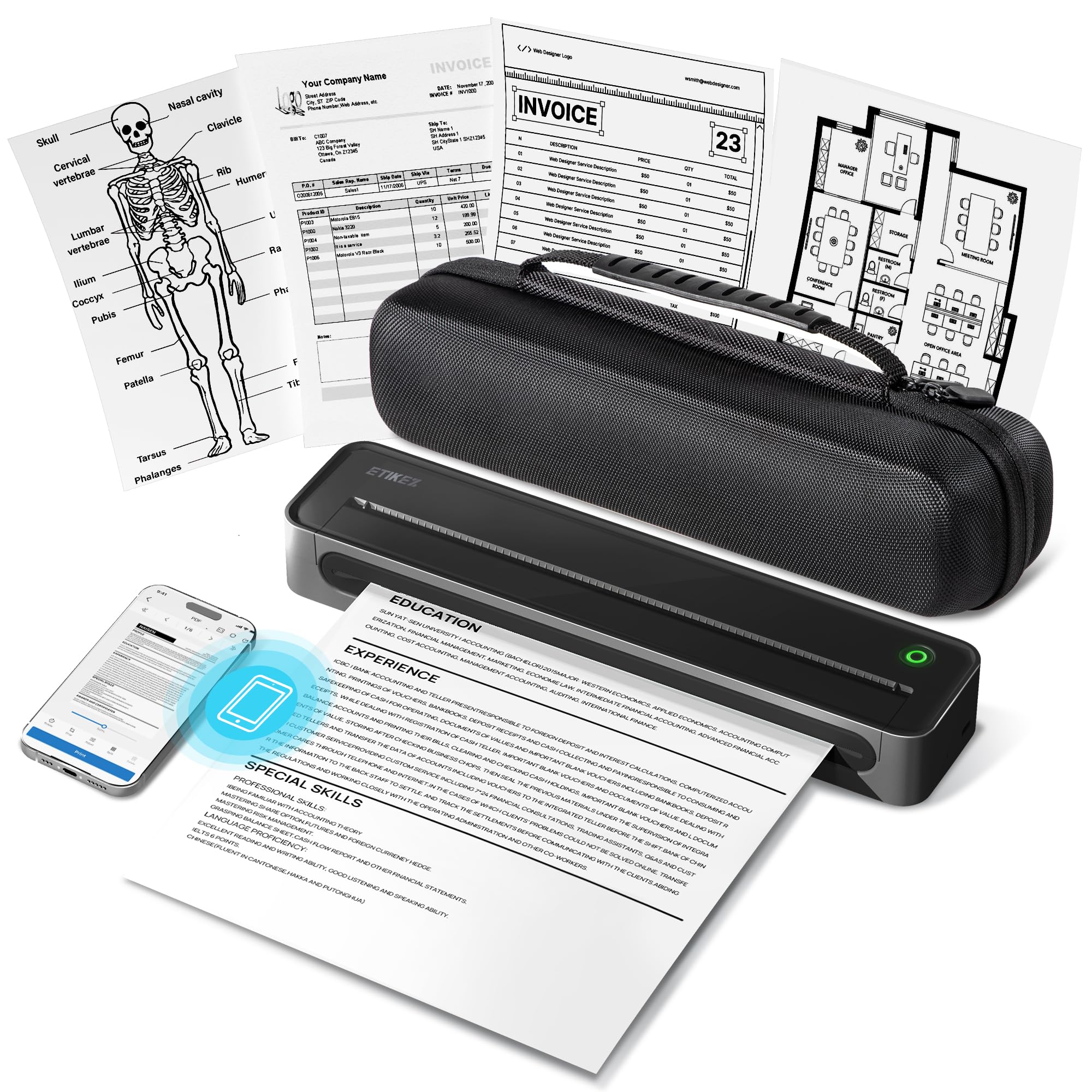
A letter-size printer that arrives with the case, the paper, and nothing else to buy.
What sets this apart is the box. You get the D90E printer, a USB-C cable, 10 sheets of US Letter thermal paper, a portable carry case, and a guide — everything except the charging adapter. That makes it the cleanest first-time setup on the list if you are buying for a student heading to a dorm or a teacher who needs a classroom printer that does not leak ink into a bag.
At 2.08 lb it is heavier than the HPRT and iDPRT machines, but the trade is a sturdier build and a proper travel case that protects it on the move. It prints at 203 DPI on 8.5 x 11 inch thermal paper only, over Bluetooth for iPhone and Android through the Labelnize app, or over USB to a PC with a driver from Labelnize.com. Not compatible with Chromebooks, and ordinary copy paper will not feed through it.
Paper jams have a one-button answer here: press the power button and the machine ejects the sheet on its own, no forcing the cover open. Owners praise the portability and everyday quality — it fits in bags and backpacks, connects quickly over Bluetooth, and handles invoices and forms without fuss. Just know the limits before you buy: detailed images look softer than a laser or inkjet would manage, and thermal paper costs more per sheet than plain stock.
Where it wins
- Comes complete with a travel case, 10 sheets of paper, and a USB-C cable in the box.
- One-press auto paper eject clears jams without opening the cover.
- Bluetooth to iPhone and Android, USB to PC, at 203 DPI on 8.5 x 11 inch paper.
- Inkless thermal means no cartridges, no ribbons, nothing to dry out.
Before you commit
- At 2.08 lb it is noticeably heavier than the lightest options here.
- Will not connect to a Chromebook.
- Thermal paper only — no plain copy paper, no color.
- Finer images come out softer than from a laser or inkjet.
Go here for: a gift-ready setup — students, teachers, notaries, and truckers who want the case and starter paper included.
Not the one if: every ounce counts or you need Chromebook compatibility.
8. Phomemo M832D Touchscreen Portable Printer

A built-in screen that shows battery and paper status before you waste a single sheet.
The touchscreen is the reason this one exists. It displays battery level and connection status, and it checks paper placement for you, so a first-time user or an older relative does not have to guess whether the sheet went in the right way up. Combine that with a 300 DPI print engine, an tune motor and print head that the maker says cuts noise by 30%, and Bluetooth pairing that runs 50% quicker, and you have a printer that handles itself.
Paper flexibility is the other strength. It takes 8.5 x 11 inch US Letter, A4, and smaller roll widths at 53 mm, 80 mm, and 110 mm, across roll, folded, and single-sheet thermal stock. A student can run class notes off narrow roll paper while a traveler prints contracts on Letter size, all from the same machine. The 2600mAh battery covers up to 200 pages on one charge, and at 1.5 lb it still fits a backpack without argument.
Owners praise the print quality above everything else — crisp, dark text with no smudging, reliable Bluetooth that does not drop, and a compact frame that fits a desk drawer. The honest catches are the ones you would expect from thermal: detailed images come out looking like a fax unless you switch to the high-res mode, tearing paper rarely cuts cleanly, and the cost of the unit is on the steep side for what is still a black-and-white printer.
Standout spec: a 2600mAh battery rated for up to 200 pages per charge, paired with 300 DPI output — the combination most travel printers do not offer together.
The honest cost: premium money for monochrome-only printing, and the paper tears unevenly unless you pull it straight.
Choose this for: the widest paper range on the list plus an on-board screen that makes monitoring easy.
Choose differently if: color prints or a low entry cost are on your list.
9. Liene Amber M110 Bluetooth Photo Printer

Real 4×6 photos that come out looking like the lab did them, straight from your phone.
This is the only printer on the list using thermal dye sublimation rather than direct thermal, and it shows. The dye sinks into the paper instead of sitting on top, and a laminated finish goes over the print, making it resistant to water, scratches, fingerprints, and fading. The dual tray design is the clever part — one slot for 6-inch standard photo paper and one for 3-inch sticky-backed paper, so a desktop photo and a small sticker come off the same machine without swapping the whole setup.
Pairing takes about 13 seconds over Bluetooth, and multiple people can connect at once, which is what makes it work at a party or a family gathering rather than just at a desk. A single print takes about 59 seconds, with 4 x 6 and 3 x 3 inch paper and cartridge bundles sold together. The Liene app covers the editing side, adding Polaroid borders, filters, and contrast and brightness adjustments, and it can even handle ID and Visa photos at home.
Print quality is what everyone talks about — vibrant colors, sharp detail, a glossy laminated finish, and consistent jam-free performance. Two caveats are worth knowing before you commit. First, print detail still trails a proper lab on very fine texture, and the output lands darker than what you see on screen, so expect to brighten first. Second, Bluetooth performance is the one area that splits opinion, with a slice of owners reporting dropouts while most have no trouble at all.
Why it leads the photo group
- Thermal dye sublimation with a laminated finish that resists water, scratches, fingerprints, and fading.
- Dual trays for 4×6 inch paper and 3×3 inch sticky-backed paper, no setup swap needed.
- Pairs in about 13 seconds, with multiple simultaneous connections for group printing.
- About 59 seconds per print, with 60 sheets of 4×6 and 20 sheets of 3×3 included.
What to plan around
- Prints land darker than the screen, so edits need brightening first.
- Fine detail like raindrops or snowflakes can get lost at this size.
- Bluetooth performance is inconsistent for some owners.
- Cartridges are only compatible with Liene 4×6 and 3×3 stock.
Ideal for: anyone who wants genuine 4×6 photo prints and sticker-sized prints at home without a trip to a photo counter.
Look at the Sprocket instead if: you want tiny instant photos and do not need full 4×6 output.
Understanding the Specs
DPI and print resolution
DPI stands for dots per inch — literally how many ink-free heat dots the print head can fire across one inch of paper. A 203 DPI printer handles shipping labels, barcodes, and everyday text comfortably. Step up to 300 DPI and small fonts and fine line work keep their edges instead of blurring together, which is why sheet music and dense forms look better on the higher-resolution machines here.
Thermal paper versus copy paper
Every printer in this guide runs on thermal paper, which darkens when the print head heats it — that is the whole reason no ink or toner is involved. Ordinary copy paper contains no thermal coating, so it stays blank. Some models take letter-size 8.5 x 11 inch sheets, some take die-cut labels, and photo printers take their own cartridge-and-paper pack. Buy the right stock once and the running cost drops to paper alone.
Bluetooth versus USB-C
Bluetooth is what lets you press print from a phone across the room, and on most of these models it works with iOS and Android only. Plug in a USB-C cable and the laptop takes over, usually needing a driver download first. If your work lives on a computer rather than a phone, expect the cable to be part of your routine.
Battery, weight, and portability
Weight matters more than battery size on a printer you actually carry. The lightest machines here sit around 1.1 lb, while the heaviest comes with a protective travel case at just over 2 lb. On battery, one model lists a 2000mAh cell rated for up to 360 sheets, another lists 2600mAh rated for up to 200 pages — both comfortably cover a day of printing away from a wall outlet.
FAQ
Can a Bluetooth printer work without any ink at all?
Will a Bluetooth printer connect to an iPhone and an Android phone?
What is the difference between a label printer and a letter-size printer?
Can I print on plain copy paper with a thermal printer?
Do these printers work with a Chromebook?
How long does a thermal printer battery last between charges?
Why do my prints come out dark or washed out?
Which Bluetooth printer is best for a small business shipping orders?
Do I need a driver to print from a laptop or computer?
Final Thoughts:The Verdict
The bluetooth printer most people should buy is the HP Sprocket 2×3 Instant Photo Printer, because ZINK Zero Ink means zero ongoing ink cost and Bluetooth 5.3 gets a photo out of your phone in about a minute. If shipping labels are the job, the HKHKPI 4×6 Label Printer prints phone-to-label at up to 55 sheets a minute with no computer in the loop. For sharp letter-size documents on the move, the iDPRT MT610 Pro runs 300 DPI and up to 360 sheets per charge — and if you want the widest paper range plus an on-board screen, the Phomemo M832D is the one to reach for. Any of the nine here beats a trip to the post office or a photo counter, so the deciding factor is simply which paper you actually need to feed.
How We Picked
We do not accept paid placement. Every pick is matched to a real buyer and a real use-case; we do not hands-on test units.
Sources & Methodology
Specifications: manufacturer listings and product documentation. Review insights: verified customer reviews, as of September 2026. Pricing: not shown on this page (it changes often); check the current price via the retailer link.
As an Amazon Associate, Gadgets Feed earns from qualifying purchases. This does not affect which products we feature.