
Moving from a standard 60Hz office panel to a high-refresh display fundamentally changes how you perceive motion in fast-paced games. The judder and ghosting that once masked enemy movement vanish, replaced by a fluidity that directly translates to faster reaction times and a more immersive experience. For gamers on a tight build budget, the challenge has always been finding a monitor that delivers that silky-smooth performance without forcing compromises on panel quality, resolution, or build integrity.
I’m Min — the co-founder and writer behind Gadgets Feed. This guide is the result of many hours spent cross-referencing refresh rate ceiling, response time behavior, adaptive sync compatibility, and color gamut coverage across the most compelling sub- models on the market.
Whether you are upgrading from a laptop screen or building your first desktop rig, finding the right best budget 144hz monitor means understanding which specs actually improve your gameplay and which are just marketing noise.
How To Choose The Best Budget 144Hz Monitor
Choosing the right monitor in this category is about balancing frame rate consistency, image clarity, and ergonomic features. Three factors will define your experience more than any other.
Panel Technology: IPS vs VA vs TN
TN panels offer the fastest response times but suffer from poor viewing angles and washed-out colors. VA panels deliver deep blacks and high contrast ratios but can exhibit smearing in dark transitions. Fast IPS panels have become the sweet spot for budget monitors: they provide excellent color accuracy (often 99% sRGB or better), wide 178-degree viewing angles, and response times as low as 1ms GtG. For a primary gaming display, a Fast IPS panel should be your default choice.
Connectivity and Bandwidth
To actually hit 144Hz or 180Hz, you need the right cable and port. HDMI 2.0 caps out at 144Hz for 1080p, while DisplayPort 1.4 can push 180Hz or higher at the same resolution. Many budget monitors ship with an HDMI cable but only a DisplayPort cable will unlock the full overclocked refresh rate. Always check if the monitor includes a DP cable in the box and verify your graphics card has a DisplayPort output.
Stand Ergonomics and VESA Mounting
Budget monitors often cut costs on the stand. A non-height-adjustable, tilt-only stand forces you to place the monitor on books or a separate arm for proper eye level. If you spend long hours at your desk, look for a monitor with height, pivot, and swivel adjustment, or confirm it has 75x75mm or 100x100mm VESA mounting holes so you can add an aftermarket arm for around .
Quick Comparison
On smaller screens, swipe sideways to see the full table.
| Model | Category | Best For | Key Spec | Amazon |
|---|---|---|---|---|
| Acer KG271U N3bmiipx | Premium | High-res 1440p gaming | 180Hz / 0.5ms / QHD IPS | Amazon |
| ASUS TUF VG259Q3A | Premium | Pro-grade 180Hz gaming | 180Hz / 1ms / Fast IPS | Amazon |
| Dell S2425HSM | Premium | Ergonomic all-day use | 144Hz / 1ms / Height-adjustable | Amazon |
| KOORUI G2421V | Mid-range | Compact 1440p sharpness | 180Hz / 1ms / 24″ QHD IPS | Amazon |
| LG 24G411A-B | Mid-range | Brand-reliable 144Hz | 144Hz (OC) / 1ms MBR / IPS | Amazon |
| XUNDEFINED 27″ QHD | Mid-range | Budget 1440p immersion | 200Hz / 1ms / Fast IPS | Amazon |
| Sceptre E255B Series | Value | Ultra-low budget 240Hz | 240Hz / 1ms / TN-like VA | Amazon |
| SANSUI ES-G27C1Q | Mid-range | Curved 1440p gaming | 180Hz / 1ms MPRT / 1500R VA | Amazon |
| Acer KG271 P6bip | Value | Large 27″ 1080p display | 144Hz / 1ms VRB / IPS | Amazon |
In‑Depth Reviews
1. Acer Nitro KG271U N3bmiipx

The Acer Nitro KG271U punches well above its price tag by delivering a true 27-inch QHD IPS panel with a 180Hz refresh rate and a blistering 0.5ms GtG response time. This combination is usually reserved for monitors costing significantly more, making it the clear performance leader for gamers who want sharp 1440p visuals without compromising frame rate. The DCI-P3 95% color gamut coverage ensures that games and media look vibrant, while AMD FreeSync keeps tearing at bay across the entire refresh range.
Connectivity is robust with one DisplayPort 1.2 and two HDMI 2.0 ports, though you will need to use the DP cable (included) to hit the full 180Hz ceiling — HDMI 2.0 maxes out at 144Hz at this resolution. The zero-frame bezel design makes it a strong candidate for multi-monitor setups. Build quality is solid, though the included stand is tilt-only and feels somewhat flimsy; users frequently recommend investing in a VESA mount for a more stable and ergonomic experience.
For the price, the KG271U offers the best raw spec sheet in the lineup. The built-in speakers are adequate for system sounds but not for primary gaming audio. If your GPU can handle 1440p at high frame rates, this monitor delivers the most future-proof experience without forcing you into the premium tier.
Why it’s great
- QHD 180Hz IPS panel with 0.5ms response for incredibly smooth motion.
- DCI-P3 95% color gamut produces vivid, accurate colors out of the box.
- Zero-frame design and VESA 100×100 compatibility for clean multi-monitor setups.
Good to know
- Stand is basic, non-height-adjustable, and can cause wobble; budget for a separate arm.
- Built-in speakers are useful for alerts but lack volume and clarity for gaming.
2. ASUS TUF Gaming VG259Q3A

The ASUS TUF VG259Q3A is a 24.5-inch 1080p monitor built specifically for competitive gamers who prioritize motion clarity above all else. Its 180Hz refresh rate is paired with ASUS’s Extreme Low Motion Blur (ELMB) technology, which strobes the backlight to virtually eliminate ghosting without the brightness penalty you often see on cheaper implementations. The Fast IPS panel delivers 99% sRGB coverage, ensuring colors remain punchy even after you dial in the performance settings.
ASUS includes a fully height-adjustable, tilt, swivel, and pivot stand — a rarity at this price point. This allows you to dial in perfect ergonomics without needing a third-party arm. The on-screen display is controlled via a 5-way joystick and works with the ASUS Display Widget software for quick profile switching between shooters, RPGs, and desktop work. Two HDMI 2.0 ports and one DisplayPort 1.2 provide flexible connectivity, though only the DP port unlocks the full 180Hz.
The integrated 1.5W stereo speakers are thin and lack bass, functioning best as a backup. A notable quirk: plugging headphones into the jack does not mute the built-in speakers, which requires an external audio extractor or a software workaround. Despite this, the monitor’s superb motion handling, sturdy ergonomic stand, and excellent color accuracy make it the top pick for serious FPS and esports players on a budget.
Why it’s great
- 180Hz Fast IPS with ELMB delivers near-CRT motion clarity for competitive gaming.
- Full ergonomic stand (height, pivot, swivel, tilt) is exceptional for the price.
- 99% sRGB coverage and anti-glare coating make it suitable for long work sessions too.
Good to know
- Headphone jack does not mute built-in speakers; requires a workaround to avoid audio bleed.
- Speakers are weak at 1.5W per channel; external speakers are recommended.
3. Dell 24 Plus S2425HSM

The Dell S2425HSM stands out in a field of gamer-oriented designs by offering a clean, professional ash-white aesthetic with an absolutely superb ergonomic stand. You get full height adjustment, tilt, swivel, and pivot rotation — the kind of flexibility you would normally pay a premium for on business-class monitors. The 23.8-inch Full HD IPS panel runs at 144Hz with a 1ms MPRT response time, making it a dual-purpose display that works equally well for office productivity and casual gaming.
Dell’s 4-star TÜV-certified ComfortView Plus technology reduces harmful blue light without washing out colors, a meaningful advantage for users who spend eight or more hours in front of the screen. The 1500:1 contrast ratio provides deeper blacks than typical 1000:1 IPS panels, giving images a bit more pop. The integrated dual 3W speakers are among the best in this price tier, delivering clear mids and surprising volume for a monitor — likely sufficient for most users to skip a separate soundbar.
The trade-off is that the S2425HSM is HDMI-only, lacking a DisplayPort input, which limits hardcore gamers who prefer PC connectivity. The 144Hz refresh rate is more than adequate for smooth motion, but if you prioritize maximum frame rates over ergonomics, you might miss the 180Hz options. For anyone building a clean, comfortable, and capable workstation that doubles as a gaming display, the Dell S2425HSM is the most thoughtfully designed option here.
Why it’s great
- Fully adjustable stand (height, pivot, swivel, tilt) is the best in class for under .
- Dual 3W speakers deliver clear, room-filling sound — no external speakers needed for most.
- TÜV-certified blue light filter maintains color accuracy while reducing eye strain.
Good to know
- No DisplayPort input; only HDMI connectivity is available.
- Limited to 144Hz; no overclock capability to higher refresh rates.
4. KOORUI G2421V
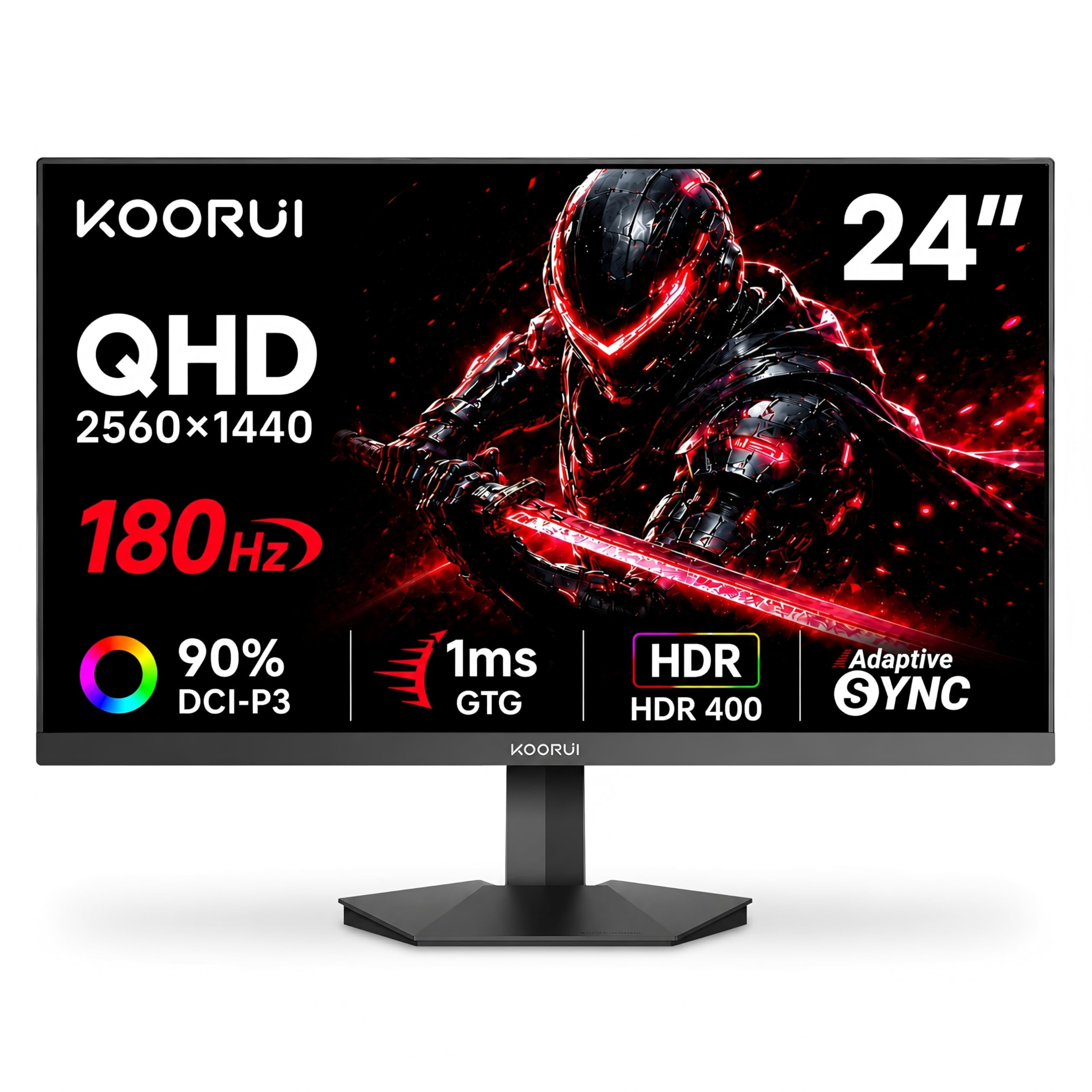
The KOORUI G2421V fills a unique niche: a compact 24-inch monitor with a native 2560×1440 resolution and a 180Hz refresh rate. This combination is unusual because most 1440p panels are sized at 27 inches or larger, which reduces pixel density. At 24 inches, the G2421V achieves a sharp ~122 PPI, making text and fine details look exceptionally crisp — ideal for users who want workspace clarity without the bulk of a larger panel. The Fast IPS panel offers a 1ms GtG response time and covers 90% DCI-P3 for vibrant color reproduction.
Adaptive Sync support includes both FreeSync Premium and G-Sync Compatible modes, so it works well with both AMD and Nvidia GPUs. The monitor has a slim, frameless design that looks modern on any desk, and the 5-way joystick controller makes navigating the OSD menus intuitive. It comes with a DisplayPort 1.4 cable in the box, which is essential for hitting the full 180Hz at QHD resolution — a detail many budget manufacturers overlook.
The main compromise is again the stand: it offers tilt adjustment only with no height or swivel capability. The 75x75mm VESA pattern accommodates aftermarket arms, which is the recommended upgrade path. Some early units reported flickering issues that were resolved through firmware or replacement, and KOORUI’s 12-month replacement policy provides decent peace of mind. For users who want high pixel density and 180Hz gaming in a small footprint, the G2421V is a smart and affordable choice.
Why it’s great
- 24-inch QHD panel offers sharp 122 PPI — perfect for productivity and crisp gaming visuals.
- 180Hz Fast IPS with 1ms response and wide FreeSync/G-Sync compatibility.
- Includes DP 1.4 cable in the box for full bandwidth out of the box.
Good to know
- Tilt-only stand lacks height adjustment; VESA mount is nearly essential for comfort.
- Some units experienced flickering out of the box, requiring a replacement.
5. LG 24G411A-B UltraGear

LG’s 24G411A-B brings brand reliability and a refined feature set to the ultra-competitive 24-inch 1080p segment. The native 120Hz IPS panel can be overclocked to 144Hz via the OSD, and the 1ms Motion Blur Reduction (MBR) mode significantly cuts persistence blur for fast-moving objects. The IPS display covers 99% sRGB and supports HDR10, producing vibrant colors and decent dynamic range even without a high peak brightness figure. The 1500:1 contrast ratio is slightly better than the IPS average, giving dark scenes a bit more depth.
LG includes several gaming-centric tools like Dynamic Action Sync for input lag reduction, Black Stabilizer for shadow visibility, and a Crosshair overlay for FPS accuracy. The slim stand has a floating aesthetic and offers tilt adjustment, though the base is narrow and can feel slightly unstable if your desk gets bumped. The monitor is also compatible with both NVIDIA G-Sync and AMD FreeSync, making it a safe choice regardless of your GPU ecosystem.
The biggest drawback is the weak stand — multiple user reports describe it as wobbly and prone to jiggling during intense gaming sessions. A 100x100mm VESA mount is the recommended solution. The on-screen display is controlled via a simple joystick that makes navigation easy. For users who prioritize a trusted brand with solid color performance and flexible sync support over an aggressive gaming aesthetic, the LG 24G411A-B is a dependable entry point into high-refresh gaming.
Why it’s great
- LG brand reliability with 99% sRGB coverage and HDR10 support for vivid colors.
- 144Hz overclock capability plus G-Sync Compatible and FreeSync support.
- Useful gaming features: Black Stabilizer, Dynamic Action Sync, and Crosshair overlay.
Good to know
- Stand is narrow and prone to wobble; VESA mounting is highly recommended.
- Peak brightness is 250 nits, which is average for this class but not HDR-grade.
6. XUNDEFINED 27″ 1440P 200Hz Gaming Monitor
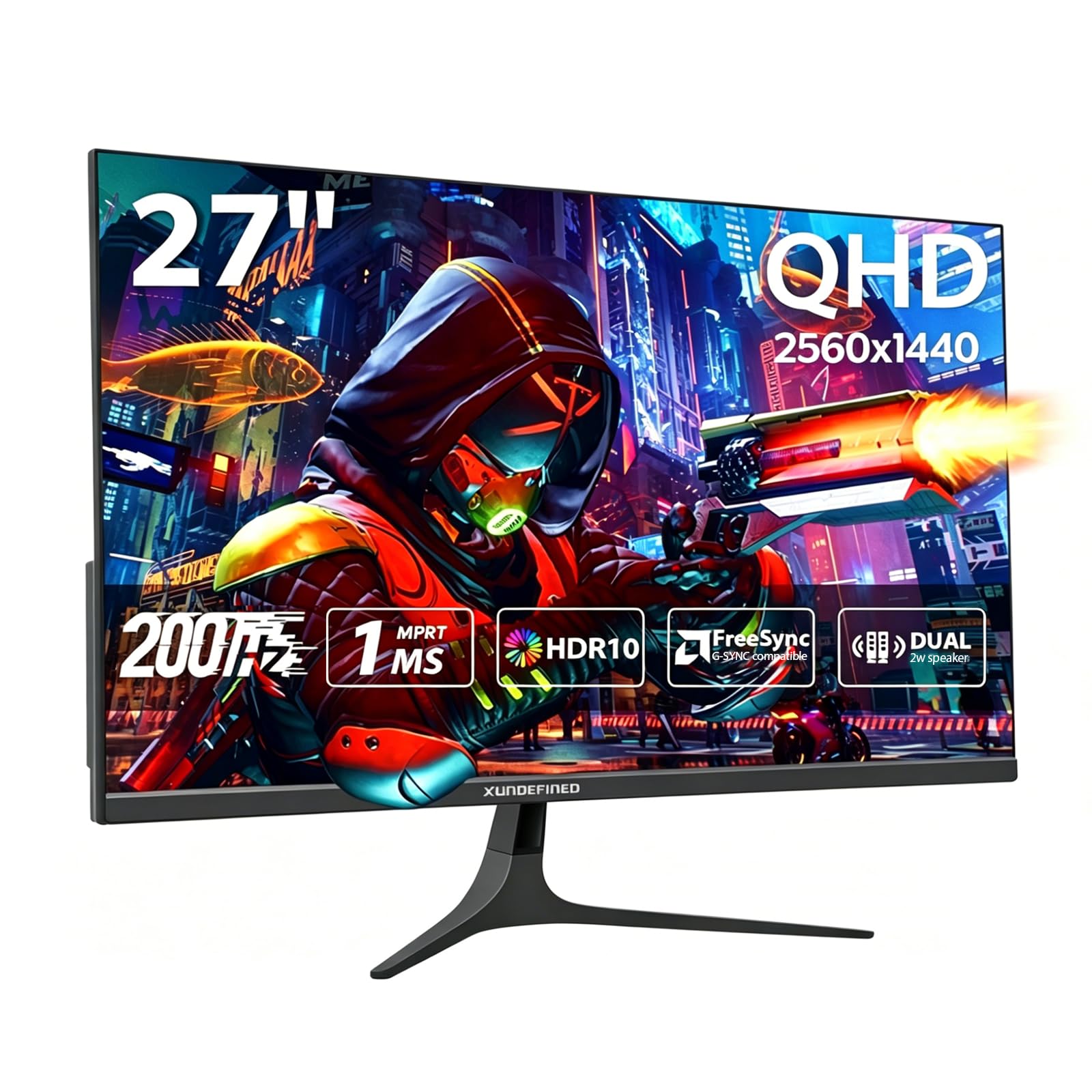
The XUNDEFINED 27-inch monitor offers an astonishing spec set for its price: a 27-inch 2560×1440 Fast IPS panel with a 200Hz refresh rate and 1ms response time. This is the highest refresh ceiling among 1440p options in this range, and the 125% sRGB color gamut ensures colors appear saturated and lifelike. The 1000:1 contrast ratio is standard for IPS, but the HDR10 support helps games and movies look more dynamic than a standard SDR display.
Connectivity is generous with two HDMI 2.0 ports (max 144Hz) and two DisplayPort 1.4 ports (max 200Hz), allowing you to connect multiple sources simultaneously. The monitor includes a slim, bezel-free design that works well in dual-monitor configurations. The built-in speakers are functional for casual use, and the 2-year warranty with 90-day replacement from XUNDEFINED offers decent coverage for a lesser-known brand.
The most significant compromise is the stand: it is short, non-height-adjustable, and requires screwing the base onto the panel — a clunky process. Users universally recommend replacing it with a VESA 75x75mm arm. There are also occasional reports of slower video signal detection when waking the monitor from sleep. For the money, however, you get a 27-inch QHD 200Hz IPS panel that outperforms many monitors costing twice as much, making it an incredible value for gamers willing to invest in a separate mount.
Why it’s great
- 200Hz Fast IPS panel at 1440p is the fastest refresh rate in this price tier.
- 125% sRGB color gamut provides vibrant, punchy colors for games and media.
- Quad port setup (2x HDMI 2.0 + 2x DP 1.4) offers excellent multi-device flexibility.
Good to know
- Stand is bare-bones, short, and not height-adjustable; a VESA arm is practically mandatory.
- Some users report slow signal detection when waking from sleep.
7. Sceptre E255B Series
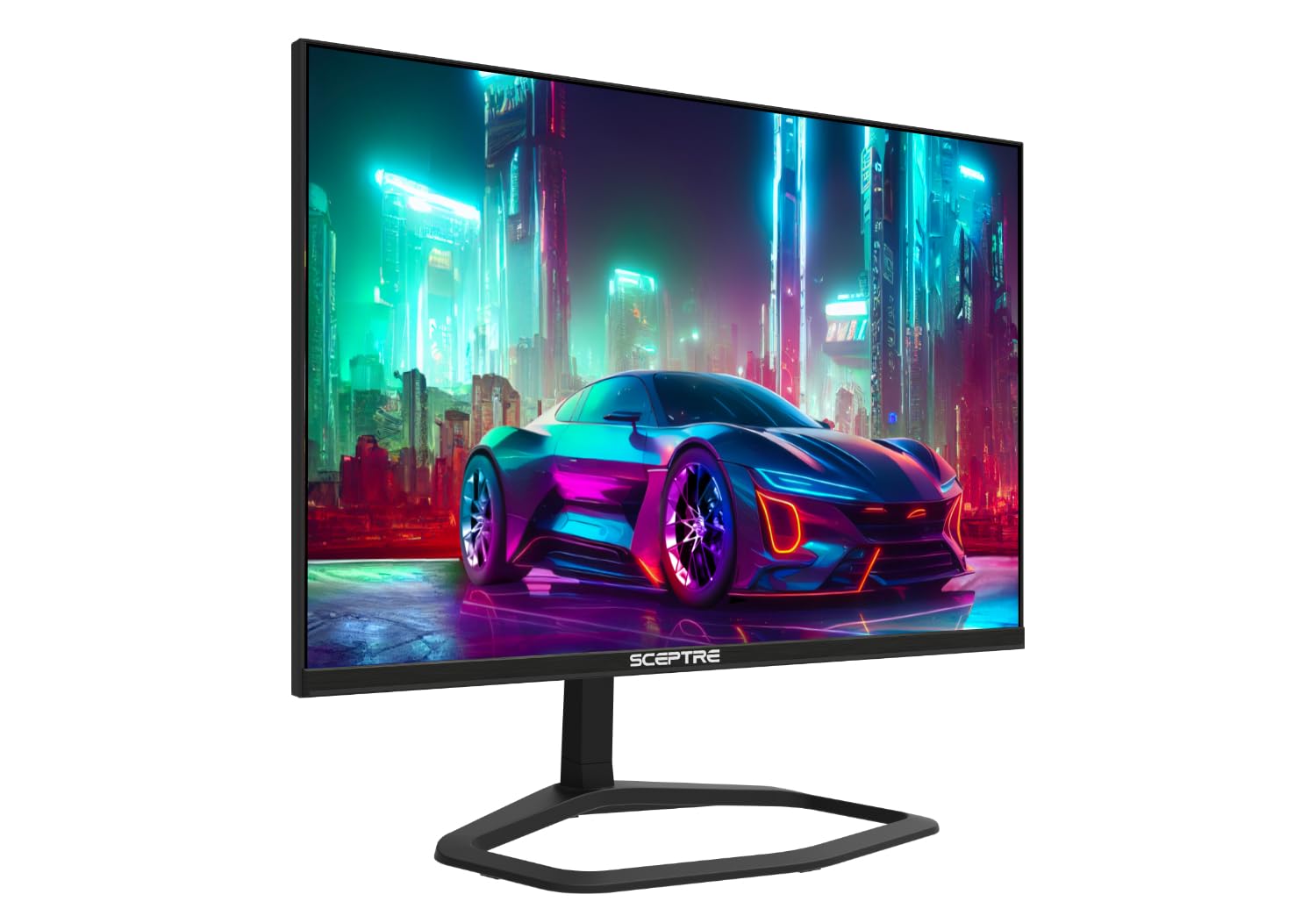
The Sceptre E255B Series is the refresh rate king of the budget segment, offering support up to 240Hz via DisplayPort — far exceeding the 144Hz baseline of this category. At 25 inches with a 1920×1080 resolution and a 1ms GtG response time, it is purpose-built for competitive shooters where high frame rates matter more than resolution. The monitor also includes two HDMI ports and AMD FreeSync support to minimize tearing across a wide frame rate range.
The panel uses a VA-like technology that provides decent contrast for a budget display, though viewing angles are narrower than IPS alternatives. The build quality feels surprisingly premium given the price, with a metal stand that is more stable than many plastic alternatives at twice the cost. Sceptre also includes a Blue Light Shift mode to reduce eye fatigue during long sessions. Users consistently praise the monitor’s ability to punch above its weight class, with many noting it outperforms more expensive 27-inch 240Hz panels in perceived smoothness.
The primary trade-offs are color accuracy and fine detail rendering. The panel is not as vibrant as a good Fast IPS display, and text can appear slightly soft at the default sharpness setting. The built-in speakers are quite weak and tinny. Some units also report a rare random power-loss issue. For the budget-conscious competitive gamer who wants the absolute highest frame rate possible without upgrading their GPU to 1440p, the Sceptre E255B is an unbeatable value.
Why it’s great
- 240Hz refresh rate via DisplayPort is class-leading for motion fluidity in esports titles.
- Metal stand is surprisingly sturdy and stable compared to plastic budget options.
- Blue Light Shift mode reduces eye strain without significantly altering color temperature.
Good to know
- Color accuracy and viewing angles are inferior to IPS panels; fine text appears soft.
- Random power loss issue reported by a minority of users; check warranty coverage.
8. SANSUI ES-G27C1Q
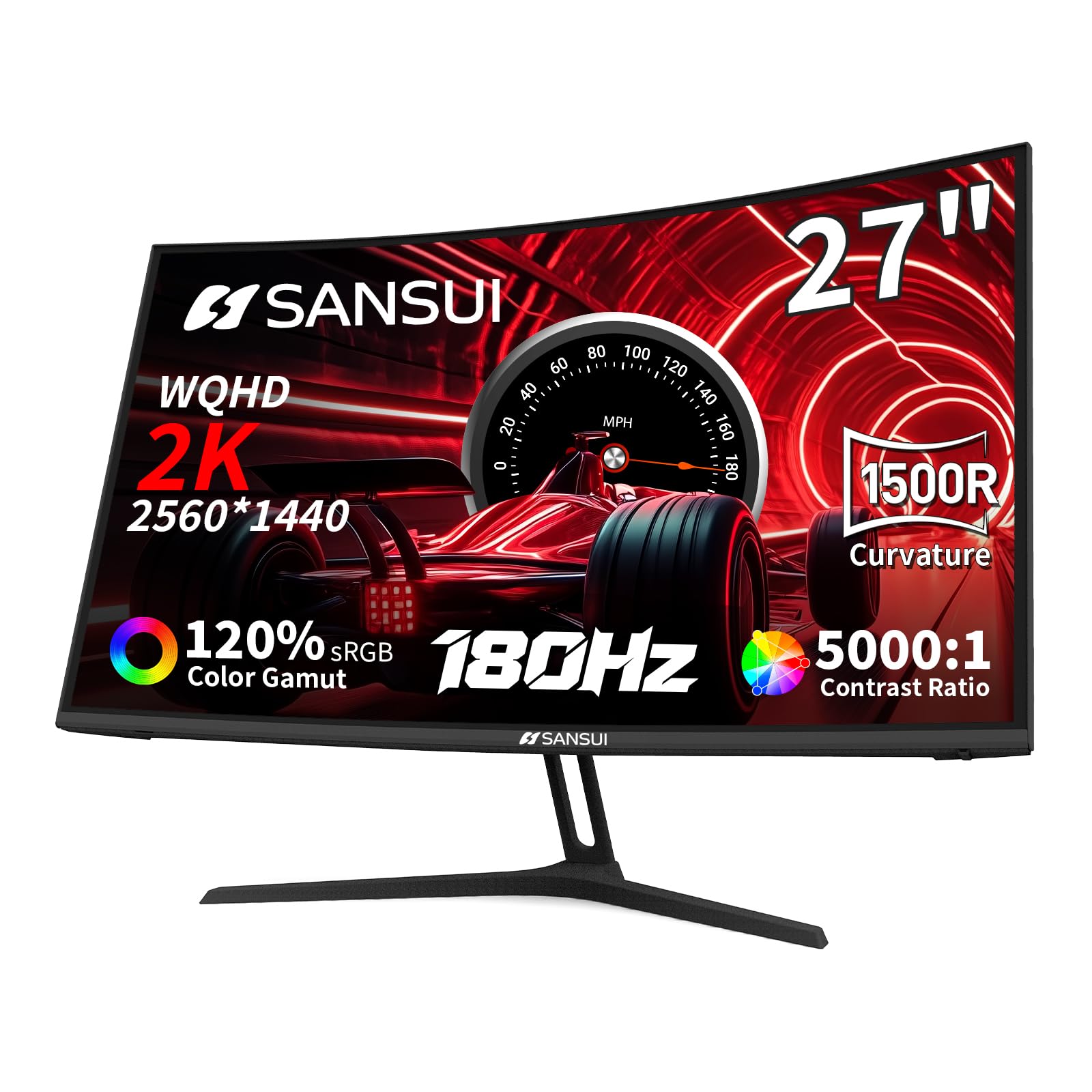
The SANSUI ES-G27C1Q is the only curved monitor in this lineup, featuring a 27-inch 2560×1440 VA panel with an aggressive 1500R curvature that wraps the display edges toward your peripheral vision. This design creates an immersive feel for single-player games and movies that flat panels cannot replicate. The VA technology delivers a 5000:1 contrast ratio — five times higher than typical IPS monitors — producing deep inky blacks and excellent shadow detail that HDR content benefits from, even at 300 nits brightness.
The 180Hz refresh rate and 1ms MPRT response time keep motion smooth, though VA panels can exhibit slight black-level smearing in very dark transitions. The 120% sRGB color gamut ensures colorful visuals, and FreeSync support reduces tearing. Connectivity includes two HDMI 2.0 ports (max 144Hz) and two DisplayPort 1.2 ports (max 180Hz), and the monitor comes with a DP cable in the box. The design is clean and understated, with a tilt-adjustable stand (range -5 to 15 degrees) and 100x100mm VESA mounting.
There are no built-in speakers, so you will need external audio. The stand provides tilt only, with no height or swivel adjustment. The on-screen display controls are handled by a basic button array rather than a joystick, which is less intuitive. For gamers who prioritize contrast ratio, cinematic immersion, and a spacious 1440p workspace, the SANSUI ES-G27C1Q offers a unique visual experience that stands apart from the IPS-dominated field.
Why it’s great
- 5000:1 VA contrast ratio delivers deep blacks and superior HDR-like shadow detail.
- 1500R curvature enhances immersion for single-player games and movie watching.
- 180Hz refresh with 120% sRGB gamut provides smooth, colorful gameplay.
Good to know
- No built-in speakers; external audio is required for any sound output.
- VA black smearing can be noticeable in dark scenes; IPS is smoother for competitive gaming.
9. Acer Nitro KG271 P6bip
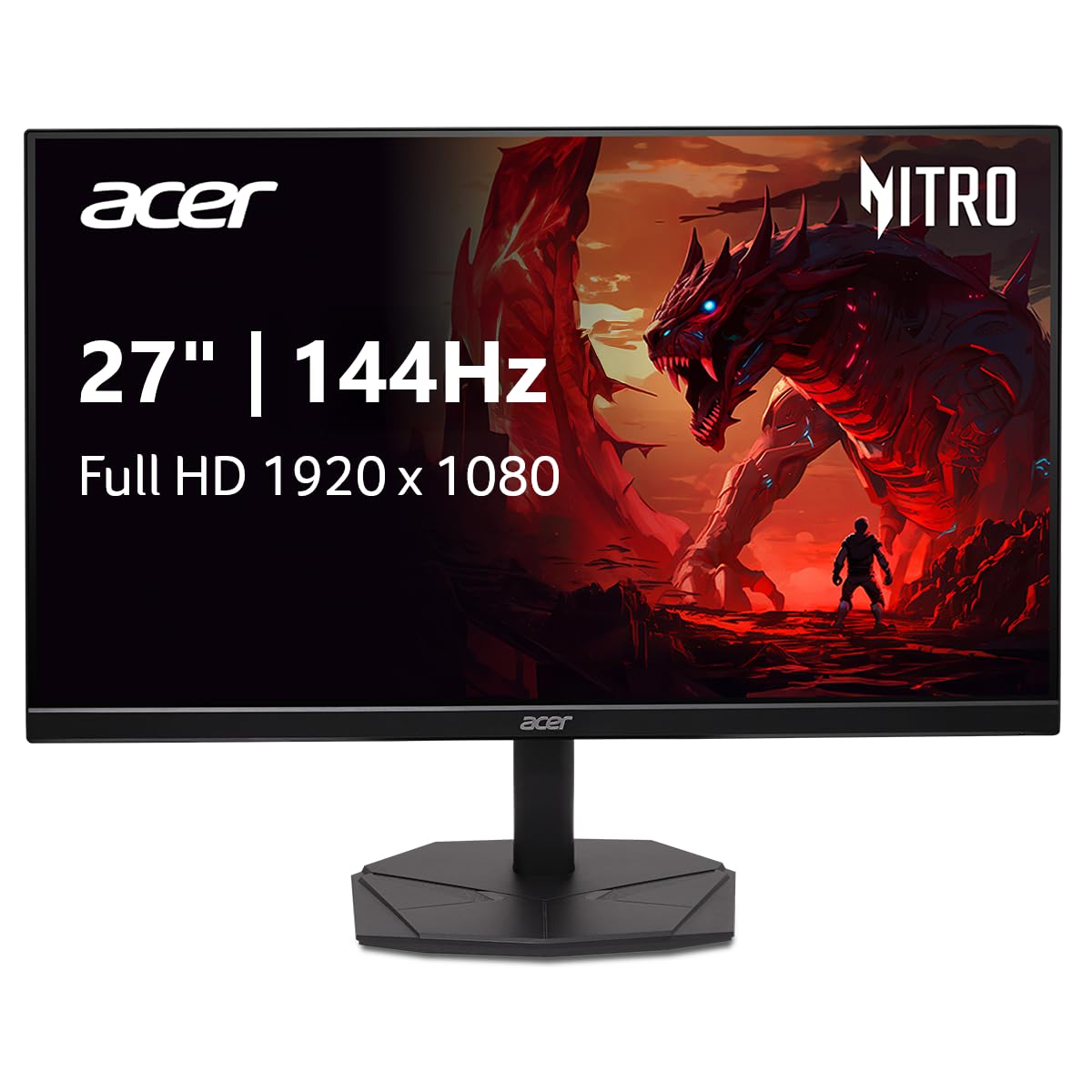
The Acer Nitro KG271 P6bip offers a 27-inch Full HD IPS panel running at 144Hz with a 1ms Visual Response Boost (VRB) mode. The large 1080p screen provides generous screen real estate for desktop productivity and media consumption, and the 99% sRGB coverage ensures accurate colors for photo editing and design work. AMD FreeSync support keeps frame pacing consistent across a wide range of GPU outputs.
The zero-frame IPS design keeps the bezel slim, making it a good partner for multi-monitor setups. The included stand is compact and takes up minimal desk space, though it only offers tilt adjustment. The monitor has two HDMI 1.4 ports and one DisplayPort 1.2 port, but some users have noted the manual references an audio port that is not physically present on the unit — an annoying documentation error worth knowing before purchase.
The main caveat with a 27-inch 1080p panel is pixel density: at 81 PPI, individual pixels are visible at normal viewing distances, making text look slightly blocky compared to a 24-inch 1080p or any 1440p panel. This is acceptable for gaming but less ideal for prolonged productivity work. For users with aging GPUs that cannot push 1440p at high frame rates, this monitor delivers the biggest screen size with smooth 144Hz gaming at minimal hardware cost.
Why it’s great
- 27-inch 1080p IPS panel provides a large, immersive view for gaming without taxing the GPU.
- 99% sRGB color accuracy makes it useful for design and photo work alongside gaming.
- Compact stand footprint saves desk space and works well in dual-monitor configurations.
Good to know
- Low 81 PPI pixel density makes text appear less sharp than 24-inch or QHD alternatives.
- Manual inaccurately lists an audio port that the unit does not have, causing confusion.
FAQ
Can I run a 144Hz monitor on a laptop with only an HDMI port?
I have an Nvidia GPU. Will a FreeSync budget monitor work without problems?
Is a 27-inch 1080p monitor good for gaming or should I get 24-inch instead?
Final Thoughts: The Verdict
For most users, the best budget 144hz monitor winner is the Acer Nitro KG271U N3bmiipx because it delivers a 27-inch QHD 180Hz IPS experience for a price normally reserved for 1080p panels, offering the best balance of resolution, speed, and color accuracy. If you want maximum motion clarity for competitive esports, grab the ASUS TUF Gaming VG259Q3A with its superb ELMB technology and fully adjustable stand. And for users who need a professional-grade ergonomic stand and excellent built-in speakers, nothing beats the Dell 24 Plus S2425HSM.