
Finding a convertible laptop that flips between a productivity workhorse and a content-consumption slate without breaking your savings account requires separating genuinely capable hardware from aspirational marketing. The category is crowded with everything from repurposed Chromebooks to detachable Windows tablets, each with wildly different processors, RAM configurations, and hinge durability — and a wrong pick can leave you with a sluggish machine that struggles with three browser tabs.
I’m Min — the co-founder and writer behind Gadgets Feed. I’ve spent hundreds of hours dissecting the technical specifications of budget-friendly convertibles, analyzing everything from CPU clock speeds and soldered RAM limitations to battery cell chemistry and display color gamut coverage, to separate the daily drivers from the e-waste candidates.
Whether you need a classroom note-taker or a streaming companion that doubles as a secondary workstation, this guide evaluates 11 real-world models across multiple price tiers to help you choose the right budget 2 in 1 laptop without wasting a cent on overhyped specs.
How To Choose The Best Budget 2 In 1 Laptop
A budget-friendly convertible is a compromise machine by nature — the price cap forces trade-offs among processor power, memory capacity, storage type, and build quality. Knowing which compromise is acceptable for your specific use case is the difference between a satisfying purchase and a frustrating one.
Processor Architecture Matters More Than Clock Speed Alone
In this price range, you will encounter Intel N-series chips, older Y-series processors like the m3-8100Y, the Pentium Gold 6500Y, and AMD’s Ryzen 5 7520U. A multi-core count above four is generally preferable for anything beyond single-app use. The Intel N100 found in the Lenovo IdeaPad Flex 3i is a recent 4-core, 4-thread design that handles Chrome OS multitasking competently, whereas the dual-core m3-8100Y in the Tylvx AULA Flip Pro can feel strained under heavier Windows loads despite its 3.4 GHz boost ceiling.
RAM Configuration and Upgradeability
Most budget convertibles solder the RAM directly to the motherboard, making future upgrades impossible. 4GB of RAM is borderline for Windows 11, while 8GB is the functional minimum for comfortable multitasking. Models like the ASUS Vivobook Go 15.6 (8GB soldered in a 2x4GB dual-channel configuration) perform well but are sealed — once you hit the memory ceiling, you are stuck. The Tylvx AULA Flip Pro offers 16GB of RAM at an entry-level price, which is an outlier that significantly improves its real-world usability over similarly priced competitors with 8GB.
Storage Type: SSD vs eMMC vs Expanded Storage
Budget convertibles often pair a small eMMC drive with an included microSD card to advertise higher capacity numbers. eMMC is noticeably slower than a SATA or NVMe SSD, causing longer boot times and app loading delays. The Lenovo IdeaPad Flex 5i Chromebook Plus ships with a 256GB NVMe SSD, which is substantially faster than the 64GB eMMC found in the IdeaPad Flex 3i Chromebook. Any convertible advertising “64GB + 64GB SD Card” should be evaluated with the understanding that the primary storage is sluggish and the SD card is an external add-on, not integrated storage.
Display Quality and Touch Responsiveness
A 1080p IPS touchscreen with at least 250 nits of brightness is the baseline for enjoyable use in well-lit rooms. The Samsung Chromebook Plus features a 12.2-inch panel with a 1920×1200 resolution and a stylus pen input, which is a rare combination at its price point. The QAZIPO 2-in-1 Tablet uses a 1280×800 LCD panel, which is noticeably less sharp than competing 1080p FHD displays and will make text appear softer during document editing or reading.
Hinge Mechanism and Build Durability
Convertibles rely on either a 360-degree hinge or a detachable magnetic keyboard. A 360-degree hinge is generally more durable and eliminates the need to carry a separate keyboard, but it adds weight and bulk to the screen assembly. The detachable QAZIPO is lighter at 1.3 pounds in tablet mode but is prone to instability on uneven surfaces due to its kickstand design. The HP 14b Chromebook Plus, Dell Latitude 7420, and Lenovo IdeaPad Flex 5i all use 360-degree hinges, but the HP has customer reports of hinge failure within a few months, so checking the warranty terms for hinge-related damage is critical.
Quick Comparison
On smaller screens, swipe sideways to see the full table.
| Model | Category | Best For | Key Spec | Amazon |
|---|---|---|---|---|
| Lenovo IdeaPad Flex 5i Chromebook Plus | Chromebook Plus | Productivity + AI features | Intel Core i3-1315U (6 cores) | Amazon |
| Tylvx AULA Flip Pro 15.6 | Windows 2-in-1 | Budget multitasking | 16GB LPDDR4 RAM | Amazon |
| Dell Latitude 7420 | Business 2-in-1 | Refurbished workhorse | Intel Core i5-1145G7 (4.4 GHz) | Amazon |
| HP 14b Chromebook Plus | Chromebook Plus | Web & app multitasking | Intel i3-N305 (8 cores) | Amazon |
| Samsung Chromebook Plus 12.2 | Chromebook | Note-taking with stylus | WUXGA 1920×1200 touchscreen | Amazon |
| Microsoft Surface Pro (2024) | Detachable | Premium tablet-laptop hybrid | Snapdragon X Plus (10 core) | Amazon |
| Apple MacBook Neo 13 | Clamshell only | Ecosystem & battery life | A18 Pro chip (16h battery) | Amazon |
| ASUS Vivobook Go 15.6 | Traditional Laptop | Reliable everyday tasks | AMD Ryzen 5 7520U (4.3 GHz) | Amazon |
| Lenovo IdeaPad Flex 3i Chromebook | Chromebook | Battery & portability | Intel N100 (4 cores, 3.4 GHz) | Amazon |
| QAZIPO 2-in-1 Tablet | Detachable | Light mobility with Office | Pentium Gold 6500Y (3.4 GHz) | Amazon |
| Acer Nitro V 16S AI | Gaming Laptop | High-end gaming (no 2-in-1) | RTX 5060 GPU / 32GB DDR5 | Amazon |
In‑Depth Reviews
1. Lenovo IdeaPad Flex 5i Chromebook Plus
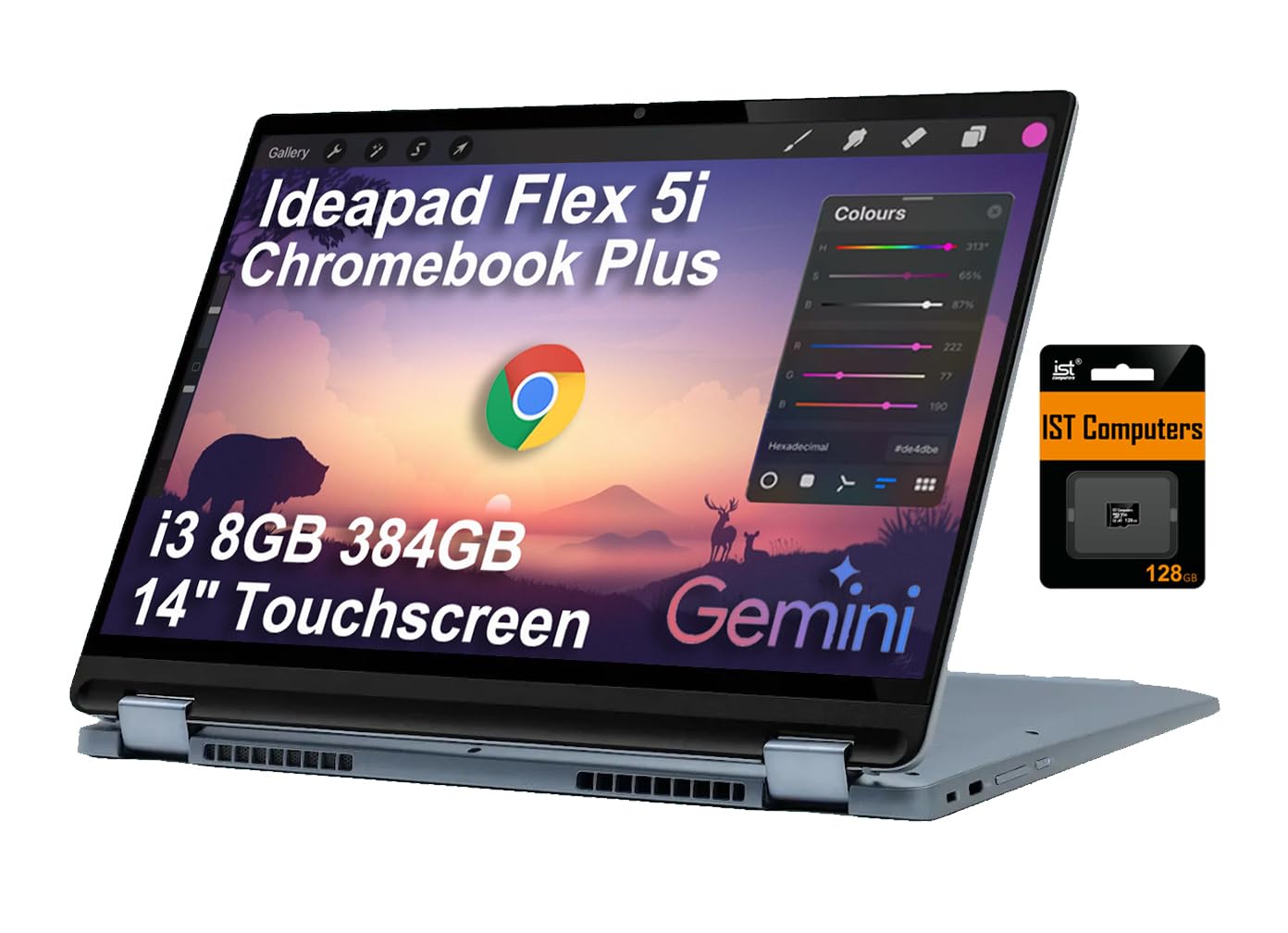
The Lenovo IdeaPad Flex 5i Chromebook Plus delivers the highest processor performance in the sub- convertible class with its 6-core, 8-thread Intel Core i3-1315U clocking up to 4.5 GHz, paired with Intel UHD Graphics and 8GB of DDR4 memory. The 14-inch WUXGA 1920×1200 IPS touchscreen with 300 nits brightness provides sharp text and vibrant visuals, and the 360-degree hinge transitions smoothly between laptop, tent, stand, and tablet modes. The included 256GB NVMe SSD offers fast read/write speeds that are miles ahead of eMMC-based competitors, and the microSD expansion slot allows storage growth up to an additional 128GB in the tested configuration.
The addition of Google Gemini AI integration via ChromeOS Plus gives this machine unique capabilities for summarizing notes and generating content directly in Gmail and Docs, a feature absent from every other convertible in this price bracket. The backlit keyboard is comfortable for long typing sessions, and the 10-hour battery life covers a full school or work day without requiring a mid-day charge. Wi-Fi 6E and Bluetooth 5.3 ensure future-proof wireless connectivity, which is rare among budget-tier laptops.
The included stylus in the bundle has been reported by some users as a generic unbranded unit with a rubber tip that can detach, and the laptop body is slightly heavier than some ultraportable alternatives at roughly 3.3 pounds. The 1-year manufacturer warranty covers the Lenovo components, while the upgraded SSD carries a separate 3-year warranty from the reseller, which adds a layer of after-purchase complexity.
Why it’s great
- 6-core i3-1315U outperforms all other budget convertible processors in this guide.
- 256GB NVMe SSD provides significantly faster app loading and boot times than eMMC storage.
- Wi-Fi 6E and Bluetooth 5.3 deliver modern wireless performance.
Good to know
- Bundled stylus is generic and may not match the build quality of the laptop.
- Warranty is split between the manufacturer and the SSD reseller, complicating claims.
2. Tylvx AULA Flip Pro 15.6
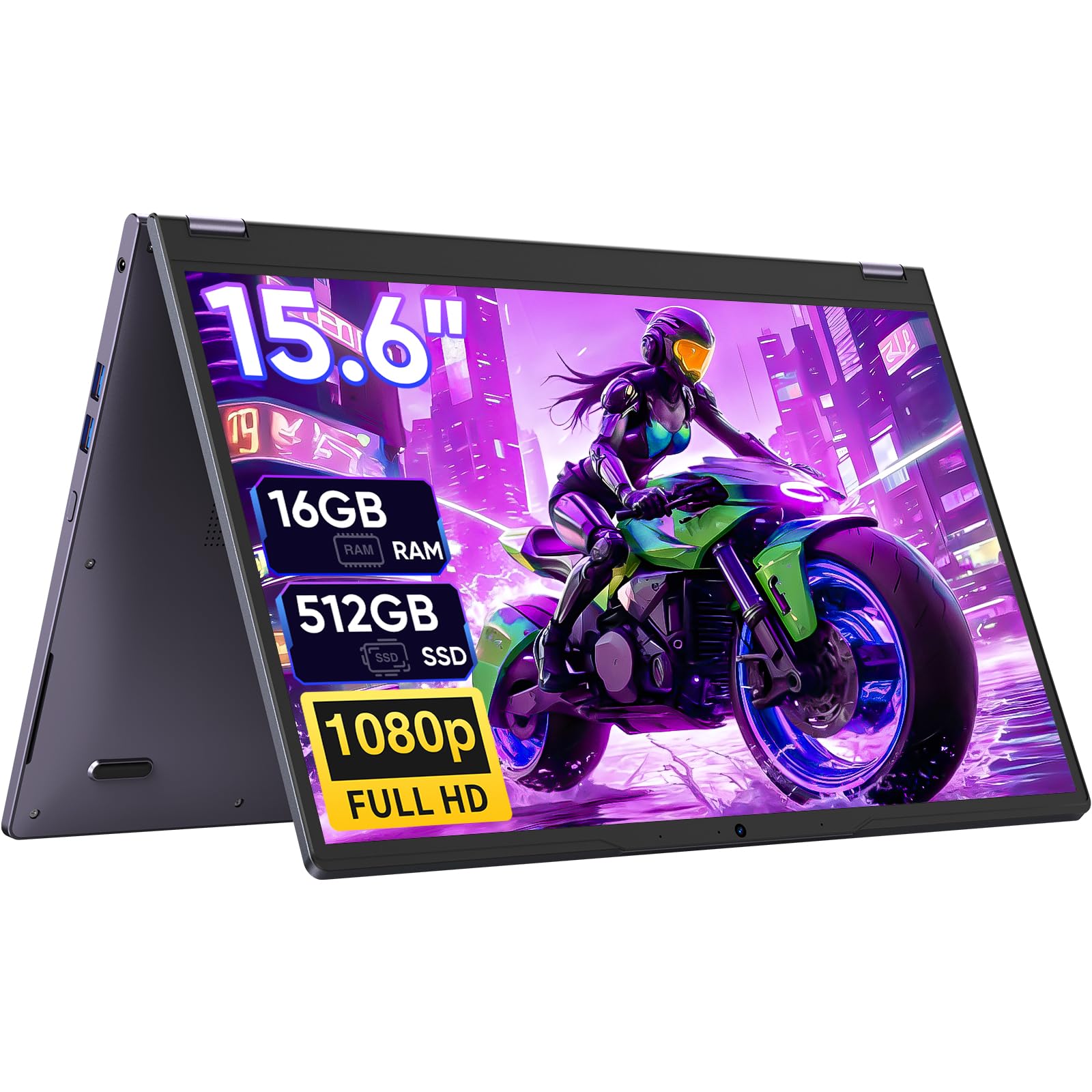
The Tylvx AULA Flip Pro 15.6 stands out immediately for offering 16GB of RAM and a 512GB SSD at a price point where competitors typically cap out at 8GB and 128GB of slower storage. The dual-core Intel m3-8100Y processor with a 3.4 GHz boost clock is the weakest performance component here, but the generous memory allocation means the laptop can keep multiple browser tabs, Office applications, and even photo editing tools like Adobe Lightroom running simultaneously without hitting swap. The 15.6-inch Full HD IPS touchscreen with a 60 Hz refresh rate is crisp for a 16:9 panel and provides good color reproduction for the price class.
The 360-degree hinge supports the four standard convertible modes and the deep purple chassis adds a unique aesthetic touch that stands out in a sea of silver and gray. The port selection is generous for this price range, with three USB 3.0 Type-A ports, a USB Type-C data port, and HDMI output, allowing connection to external monitors and multiple peripherals without a dongle. The 38Wh battery delivers approximately 5 hours of real-world use, which is below average for the category and may require a mid-day charge for all-day campus use.
The m3-8100Y’s dual-core architecture can show its age under sustained workloads like video transcoding or running multiple virtual desktops. Some users reported needing to purchase a replacement charger shortly after arrival, and the 5-hour battery life is restrictive for users who cannot plug in during the day. The genuine Windows 11 Home installation is a plus for compatibility with mainstream software.
Why it’s great
- 16GB RAM at this price is an outlier that significantly improves multitasking headroom.
- 512GB SSD provides ample local storage without relying on slow expanded media.
- 3x USB-A ports plus HDMI reduce the need for adapters.
Good to know
- Dual-core m3-8100Y processor limits performance in CPU-heavy tasks.
- 5-hour battery life is below the 8-10 hour range expected for all-day portability.
3. Microsoft Surface Pro (2024)

The Microsoft Surface Pro (2024) redefines the detachable 2-in-1 experience with the Snapdragon X Plus chipset, a 10-core ARM processor that combines high performance with exceptional power efficiency. The 13-inch PixelSense touchscreen display delivers vivid colors and high contrast, while the integrated kickstand provides stable positioning on desks, beds, or airplane tray tables. With 16GB of LPDDR5 RAM and a 512GB NVMe SSD, this machine handles heavy multitasking, creative applications, and AI-accelerated Copilot+ features without hesitation, and the 14-hour battery life is the best in this guide by a wide margin.
The detachable form factor means the tablet portion weighs only about 1.9 pounds, making it genuinely usable for reading, note-taking, and media consumption without the keyboard attached. The Surface Pro Flex Keyboard (sold separately) includes a built-in battery and a larger trackpad. The 65W fast charging via Surface Connect or USB-C delivers meaningful charge in under an hour, and the 5G-capable cellular option (available on one variant) adds true away-from-Wi-Fi productivity.
The Snapdragon X architecture, while powerful, still has compatibility gaps with x86-native applications, particularly older Windows software and some games that have not been recompiled for ARM. The lack of included keyboard in the base package increases the total cost of ownership, and the single USB-C port setup (two total, one full-featured) is restrictive compared to the Latitude 7420’s legacy port selection. The Surface Pen is also sold separately, adding further expense for users who want stylus input.
Why it’s great
- True 14-hour battery life outlasts every other convertible in this guide.
- Snapdragon X Plus offers excellent CPU performance for an ARM chipset at this price.
- Detachable form factor with kickstand is the most versatile physical design.
Good to know
- Keyboard and stylus are sold separately, raising the effective entry price.
- ARM compatibility with legacy x86 apps remains inconsistent.
4. Apple MacBook Neo 13

The Apple MacBook Neo 13 with the A18 Pro chip delivers a fanless, silent computing experience that rivals the M1 in raw throughput while consuming minimal power, yielding up to 16 hours of real-world battery life from a single charge. The 13-inch Liquid Retina display with a 2408×1506 native resolution, 500 nits of brightness, and support for a billion colors produces image quality that overshadows every other budget-level laptop display in this price category, making it exceptional for photo editing, video streaming, and extended reading sessions. The 1080p FaceTime HD camera paired with the dual-mic array ensures video call quality that is clean and natural.
The macOS ecosystem integration with iPhone — including Universal Clipboard, iPhone Mirroring, and seamless AirDrop transfers — provides a unique productivity multiplier for Apple users that no convertible in this guide can match. The chassis is a unibody aluminum design that feels significantly more premium than the plastic builds of the QAZIPO or ASUS Vivobook Go. The Touch ID fingerprint sensor on this model adds convenient biometric authentication, and the 512GB SSD provides fast, local storage for professional-grade applications.
The MacBook Neo is not a convertible — it is a traditional clamshell laptop with no touchscreen, no 360-degree hinge, and no tablet mode. For buyers who explicitly want a 2-in-1 form factor for drawing or stand-mode presentations, this machine does not serve that use case. The 8GB of unified memory is soldered and non-upgradable, and the base model lacks a backlit keyboard and Touch ID, which are standard on many Windows competitors at this price.
Why it’s great
- Superb 16-hour battery life and fanless operation for near-silent productivity.
- Liquid Retina display with 500 nits and P3 color is unmatched in this price tier.
- A18 Pro chip delivers performance competitive with M1 in a budget chassis.
Good to know
- This is a clamshell laptop, not a 2-in-1 convertible — no touchscreen or tablet mode.
- RAM is soldered and capped at 8GB; no upgrade path post-purchase.
5. Dell Latitude 7420 2-in-1 (Renewed)

The refurbished Dell Latitude 7420 is a business-class 2-in-1 that brings enterprise-grade build quality and a true 11th-generation Intel Core i5-1145G7 processor (4 cores, 8 threads, up to 4.4 GHz) to the budget segment, offering performance that comfortably outpaces the m3 and N-series chips found in similarly priced new convertibles. The 14-inch FHD 1920×1080 LED touchscreen is paired with a smooth 360-degree hinge, and the included 16GB of DDR4 RAM and 512GB SSD ensure snappy multitasking for office productivity, web research, and video conferencing. The Windows 11 Pro operating system adds business features like BitLocker encryption and remote desktop access that are absent from the Windows 11 Home editions on consumer-tier models.
The port selection is generous and includes multiple USB-A ports, HDMI, and a headphone jack, allowing direct connection to projectors, external drives, and legacy peripherals without a dongle. The renewed condition means each unit varies slightly in cosmetic appearance, but the core hardware is standardized and the build quality typically shows minimal wear. Business-class components like the keyboard, trackpad, and hinge mechanism are rated for higher cycle counts than consumer-grade parts, contributing to longer usable life.
The renewed nature means no two units are identical — battery health, keyboard wear, and chassis scratches differ per unit. The 11th-gen Intel processor, while capable, is two generations behind current CPU architecture and lacks the dedicated AI acceleration of the Snapdragon X Plus. Some units may ship with limited remaining battery capacity, and the included charger is a generic AC adapter rather than the original Dell power supply.
Why it’s great
- 16GB RAM and i5-1145G7 provide strong performance for office and creative workflows.
- Business-class build quality with a robust hinge and spill-resistant keyboard.
- Windows 11 Pro includes enterprise security features at no extra cost.
Good to know
- Renewed condition means cosmetic variances and unknown battery health per unit.
- Processor is two generations old; no dedicated AI NPU for Copilot+ features.
6. HP 14b Chromebook Plus (Renewed)
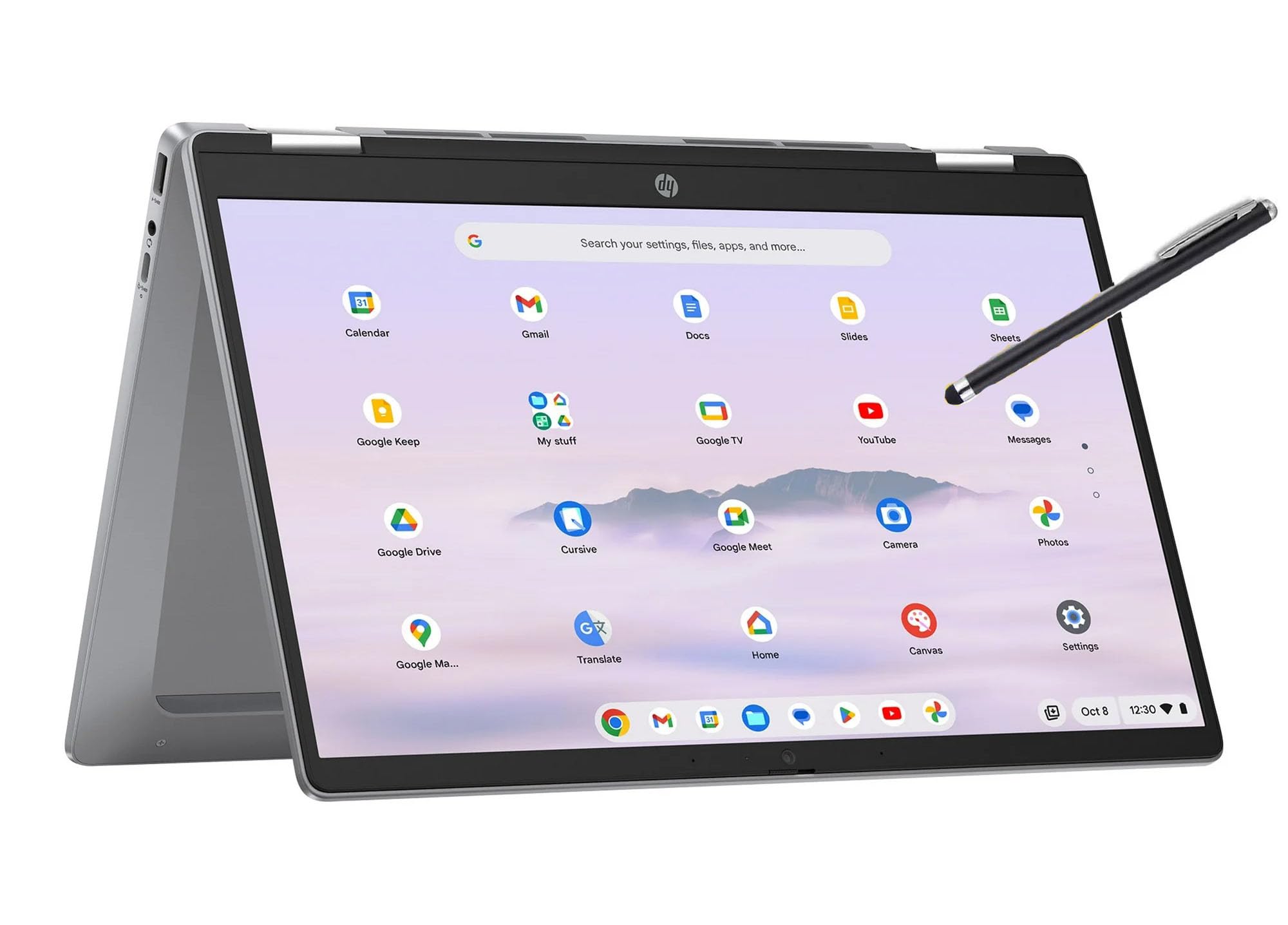
The HP 14b Chromebook Plus is powered by the Intel i3-N305 processor, a unique 8-core, 8-thread Alder Lake-N chip that delivers exceptional multi-threaded performance for ChromeOS workloads such as running Linux development tools in the container layer or handling dozens of browser tabs. The 14-inch 1920×1080 IPS touchscreen with a 360-degree hinge offers the full convertible experience, and the 8GB of DDR5 RAM is a newer, faster memory standard than the DDR4 found in most budget Chromebooks. The 128GB UFS storage is noticeably faster than traditional eMMC, resulting in quicker app launches and file transfers.
The Chromebook Plus designation means this device meets Google’s higher hardware standards, guaranteeing a 1080p IPS display, a modern processor, and full access to the Chromebook Plus software features including the Google One AI Premium Plan trial and Gemini integration. Wi-Fi 6 connectivity ensures stable streaming and video calls even on congested networks. The included stylus (shown in product images) supports basic note-taking and markup without requiring a separate purchase.
As a renewed unit, the HP 14b may arrive without an AC adapter, requiring a separate USB-C charger purchase. There have been reports of hinge failure after a few months of use, which is a durability concern that should be evaluated against the available warranty. The Chromebook ecosystem is ideal for users invested in Google Workspace but will not run native Windows applications without a virtual machine or remote desktop solution.
Why it’s great
- 8-core i3-N305 processor provides strong multi-threaded performance in ChromeOS.
- 8GB DDR5 RAM and UFS storage are faster than typical budget Chromebook components.
- Chromebook Plus certification guarantees higher display and performance standards.
Good to know
- Renewed units may ship without a power adapter, requiring an additional purchase.
- Hinge durability concerns reported by some users after extended use.
7. Samsung Chromebook Plus 12.2
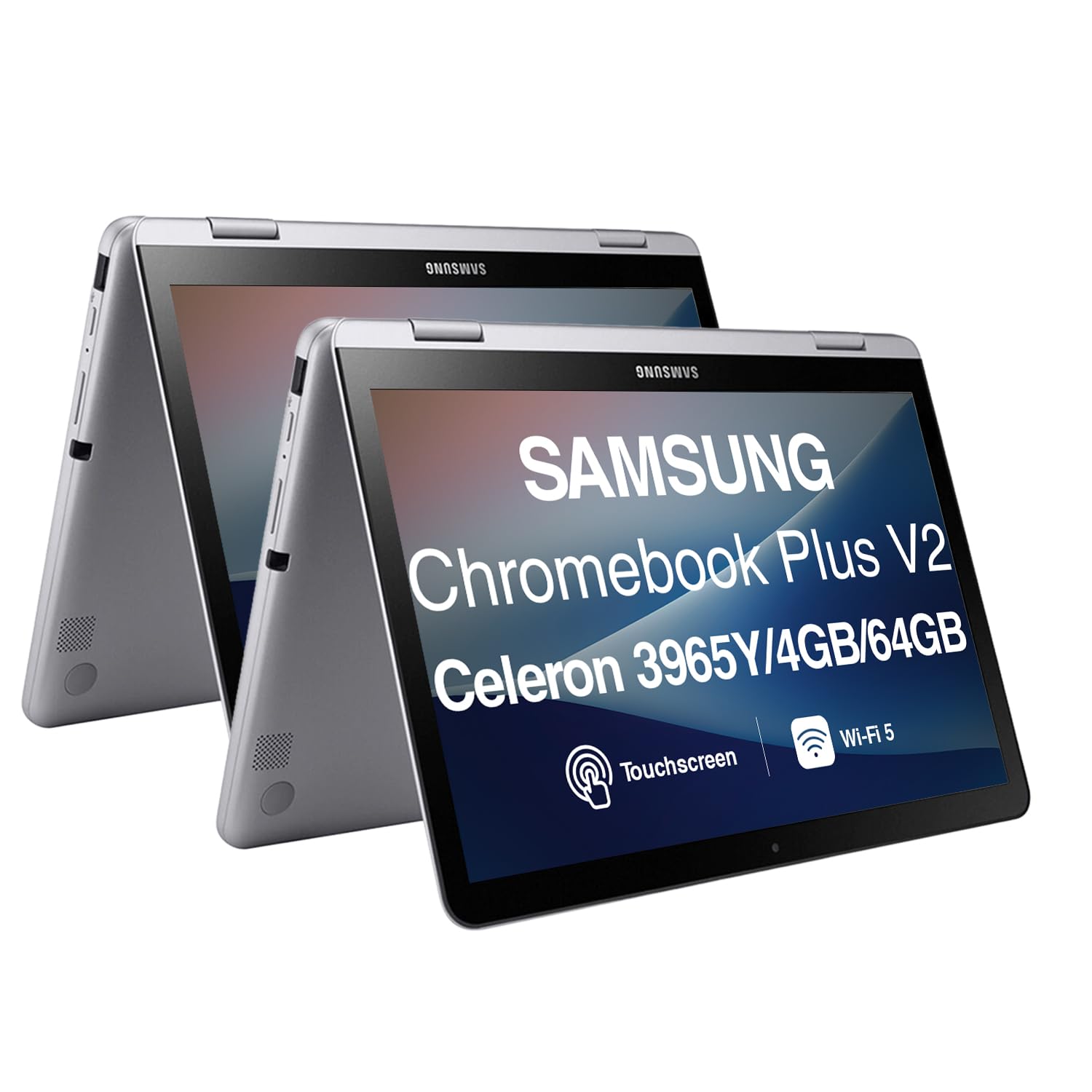
The Samsung Chromebook Plus 12.2 stands out for its high-resolution 1920×1200 WUXGA touchscreen display, which provides a taller 16:10 aspect ratio that is more comfortable for reading documents and web pages than the common 16:9 format. The included stylus pen tucks into the side of the chassis for convenient storage, and the 360-degree hinge supports the full range of convertible modes. The bundle also includes a wireless mouse and a 256GB microSD card that expands the base 64GB eMMC storage, offering more total capacity than the base configuration of many competitors.
The form factor is genuinely portable at roughly 2.9 pounds, and ChromeOS provides a secure, fast-booting environment that is well-suited to web-based work, Google Classroom, and Android app compatibility from the Google Play Store. The Intel Celeron 3965Y is a low-power dual-core chip that provides adequate performance for basic browsing and streaming, but it will show strain under heavier multitasking. The UHD Graphics 615 can handle 4K video output to an external display, which is a useful productivity feature for connecting to a monitor or TV.
The Celeron 3965Y is the weakest processor in this guide — its 1.5 GHz base clock and dual-core architecture mean it will lag during conference calls with multiple apps open, and it is not suitable for Android gaming or Linux container workloads. The included wireless mouse has been reported by multiple users as having connection issues, and Bluetooth 4.0 is an older standard that may introduce latency with modern wireless earbuds. The eMMC storage, even with the 256GB microSD card, will feel slower than an SSD-equipped device.
Why it’s great
- WUXGA 1920×1200 display with stylus support and integrated pen storage.
- 360-degree hinge and lightweight chassis for versatile use.
- Generous expanded storage bundle with 256GB microSD card included.
Good to know
- Celeron 3965Y processor is weak for anything beyond basic browsing and streaming.
- eMMC primary storage is significantly slower than SSD-based competitors.
8. Lenovo IdeaPad Flex 3i Chromebook
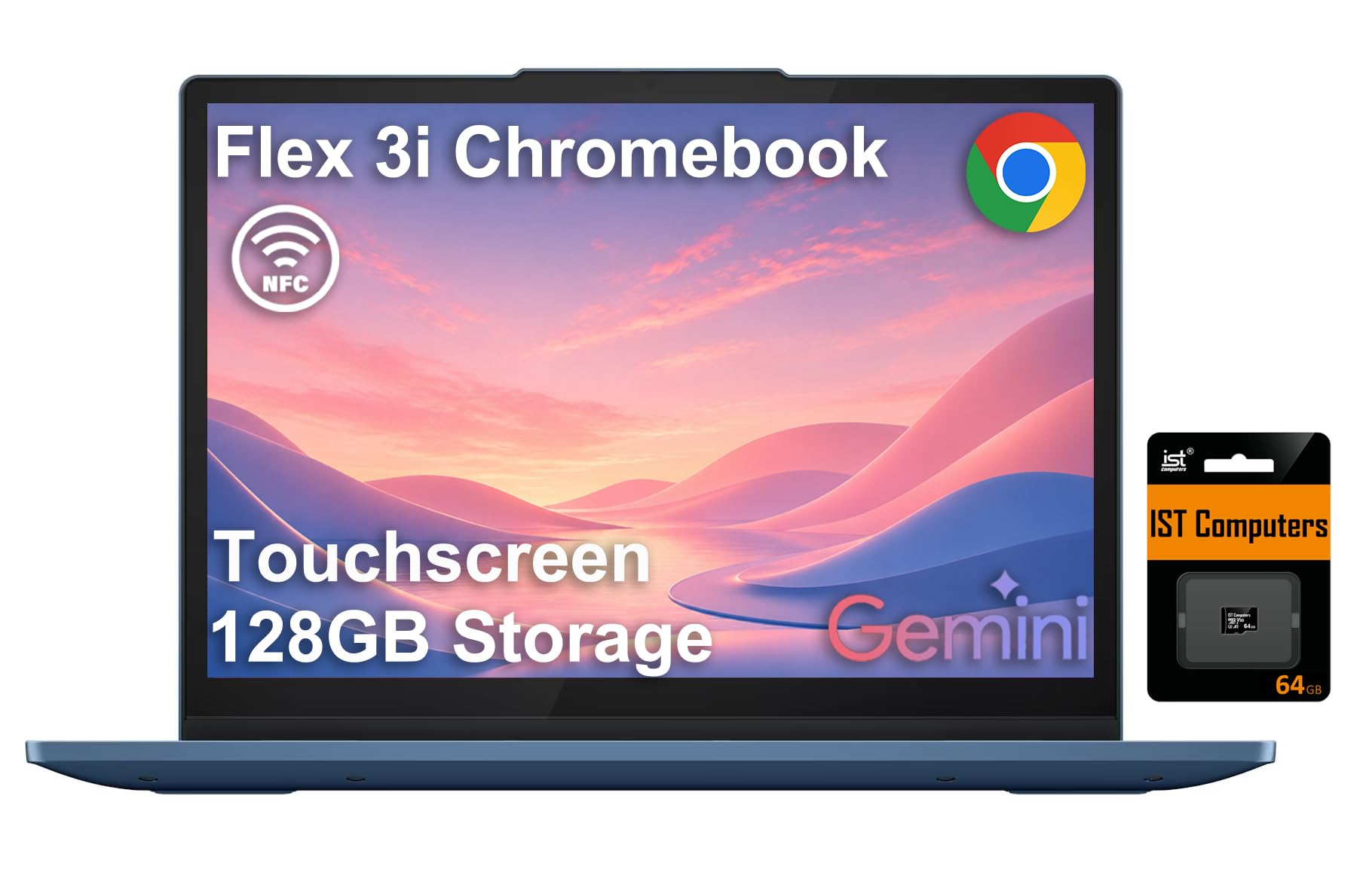
The Lenovo IdeaPad Flex 3i Chromebook delivers a balanced combination of a modern 4-core Intel N100 processor, a 12.2-inch WUXGA 1920×1200 IPS touchscreen with 300 nits brightness, and TÜV Rheinland Low Blue Light certification for comfortable extended use. The 360-degree hinge is smooth and durable, and the 10-hour battery life supported by the energy-efficient N100 chip makes this a strong candidate for all-day campus or coffee shop sessions. The 4GB of LPDDR5 RAM is faster than the DDR4 found in similarly priced Chromebooks, though the capacity is tight for heavy multitasking.
The connectivity package is impressive for the price, including Wi-Fi 6, Bluetooth 5.1, USB-C, HDMI 1.4, and NFC for quick pairing with compatible devices. The included 64GB SD card supplements the 64GB eMMC storage, bringing the total to 128GB, though the SD card’s read/write speeds are slower than internal storage. The AUE (Auto Update Expiration) date of June 2031 provides years of guaranteed security updates, minimizing the risk of using an unsupported OS in the future.
4GB of RAM is a significant bottleneck — users attempting to keep more than 8-10 browser tabs open alongside a streaming service will encounter tab reloading and lag. The 64GB internal eMMC is slow and limited in capacity; heavy cloud storage reliance is necessary for managing files. Some users report that the 128GB of total storage is smaller than the 512GB or 256GB offered by similarly priced alternatives, though the trade-off is a more modern processor and longer battery life.
Why it’s great
- Efficient N100 processor delivers strong battery life and capable everyday performance.
- 12.2-inch WUXGA IPS display with low blue light certification is easy on the eyes.
- Wi-Fi 6 and NFC connectivity provide modern wireless features.
Good to know
- 4GB RAM is insufficient for heavy multitasking with many browser tabs open.
- eMMC storage is slow; the bundled SD card is an external add-on, not integrated.
9. ASUS Vivobook Go 15.6

The ASUS Vivobook Go 15.6 is a traditional clamshell laptop powered by the AMD Ryzen 5 7520U, a 4-core, 8-thread processor with a maximum boost clock of 4.3 GHz and integrated Radeon Graphics, making it the most CPU-capable standard laptop platform in this budget tier. The 15.6-inch NanoEdge FHD 1920×1080 display with slim bezels and a 60 Hz refresh rate provides a modern, immersive viewing experience, and the 512GB PCIe SSD ensures fast boot times and ample storage for files, media, and light gaming libraries. The 8GB of LPDDR5 RAM is soldered but configured in a 2x4GB dual-channel arrangement that maximizes memory bandwidth for the integrated graphics.
Military-grade durability certification (MIL-STD-810H) means the Vivobook Go is tested against drops, vibration, and extreme temperatures, adding a layer of ruggedness that most budget laptops lack. The full-sized keyboard with a numeric keypad is comfortable for data entry, and the webcam privacy shield provides physical assurance against unwanted surveillance. The USB-C port supports fast charging and display output, and the SonicMaster audio system provides loud, clear sound for video playback and video calls.
This model is not a convertible — it is a standard clamshell laptop with no touchscreen and no 360-degree hinge, so it does not serve tablet-mode or tent-mode use cases. The RAM is soldered and non-upgradable, capping the long-term memory ceiling at 8GB. Alienware gaming laptops aside, the plastic build does not feel as premium as the Dell Latitude 7420 or Apple MacBook Neo, and some units have shipped with Wi-Fi driver issues that require a hardwired Ethernet connection for initial setup.
Why it’s great
- AMD Ryzen 5 7520U provides strong CPU performance with integrated Radeon graphics.
- MIL-STD-810H durability certification ensures a robust build.
- 512GB SSD offers generous fast storage for the price.
Good to know
- Standard clamshell design with no touchscreen or 2-in-1 convertible capability.
- Soldered 8GB RAM is not upgradable, capping multitasking headroom.
10. QAZIPO 2-in-1 Tablet

The QAZIPO 2-in-1 Tablet offers the most affordable entry point into a detachable Windows 11 convertible with a 10.1-inch Full HD IPS touchscreen display, a magnetic leather case keyboard, and 8GB of RAM paired with a 256GB SSD. The inclusion of a 1-year Office 365 subscription and 1TB of OneDrive cloud storage adds genuine productivity value that makes this an compelling option for students and remote workers who need access to Word, Excel, and PowerPoint from day one. The Intel Pentium Gold 6500Y processor with a boost clock of 3.4 GHz is adequate for streaming, web browsing, and document editing, and the two USB-C ports (one full-featured for display output) provide modern connectivity.
The detachable design means the tablet portion weighs only 1.3 pounds, making it genuinely portable for reading, note-taking, and streaming without the keyboard weight. The 0.4-inch thin aluminum alloy chassis is robust for its class, and the dual stereo speakers produce clear audio for media consumption. The micro HDMI port is a rare inclusion at this price point, allowing direct connection to a monitor or TV without a USB-C hub, and the 3.5mm audio jack supports wired headphones without a dongle.
The 1280×800 LCD display resolution is noticeably lower than the 1920×1080 panels on competitors — text appears softer and images lack detail at full screen. The Pentium Gold 6500Y is a dual-core processor that will struggle with multitasking beyond 4-5 tabs and a word processor, and random freezes with 100% disk usage have been reported. The magnetic keyboard attachment is less stable on uneven surfaces than a 360-degree hinge, and some users have reported the unit failing to charge after 30 days.
Why it’s great
- Included 1-year Office 365 and 1TB OneDrive storage provides real productivity value.
- Ultra-light detachable design at 1.3 pounds for true tablet portability.
- Micro HDMI port allows direct monitor connection without a USB-C hub.
Good to know
- 1280×800 display resolution is significantly less sharp than 1080p competitors.
- Dual-core Pentium Gold processor struggles with multitasking and can freeze.
11. Acer Nitro V 16S AI

The Acer Nitro V 16S AI is a dedicated gaming laptop powered by the AMD Ryzen 7 260 processor and the NVIDIA GeForce RTX 5060 laptop GPU with 572 AI TOPS, capable of running modern titles like Cyberpunk 2077 and Baldur’s Gate 3 at high settings on the 16-inch WUXGA 1920×1200 IPS display with a 180 Hz refresh rate. The 32GB of DDR5 5600 MHz memory in dual-channel configuration eliminates any memory bottleneck for both gaming and content creation, and the 1TB PCIe Gen 4 SSD provides lightning-fast load times for games and large project files. Full ray tracing and DLSS 4 with Multi Frame Generation are supported, delivering visual fidelity that no other device in this guide can approach.
The build quality includes a clean aesthetic with a colorful per-key RGB keyboard, dual fan cooling that keeps CPU temperatures below 80°C under sustained gaming loads, and a 100% sRGB color gamut that makes the display suitable for photo and video editing. The AI-accelerated features of the Ryzen 7 260 and RTX 5060 unlock new capabilities for content creation and machine learning tasks, setting this machine apart as not just a gaming laptop but a serious workstation alternative.
This is not a 2-in-1 convertible — it is a traditional clamshell gaming laptop with no touchscreen and no tablet mode. The 135W power supply is insufficient for maintaining full performance under maximum load, leading to battery drain when gaming in performance mode. The 16-inch chassis is heavy at over 5 pounds and requires a cooling pad for sustained gameplay, and battery life under gaming load is minimal at around 1-2 hours.
Why it’s great
- RTX 5060 with 572 AI TOPS delivers powerful ray tracing and DLSS 4 support.
- 32GB DDR5 RAM and 1TB Gen 4 SSD provide high-end workstation-level specs.
- 180 Hz display with 100% sRGB offers smooth gaming and accurate color reproduction.
Good to know
- Traditional clamshell gaming laptop — no 2-in-1 functionality or touchscreen.
- 135W power supply may be insufficient for sustained maximum performance.
FAQ
Why do some budget 2-in-1 laptops use ChromeOS instead of Windows?
Can I upgrade the RAM in a budget 2-in-1 laptop later?
How much does the display resolution matter on a budget 2-in-1?
Final Thoughts: The Verdict
For most users, the best budget 2 in 1 laptop is the Lenovo IdeaPad Flex 5i Chromebook Plus because its 6-core i3 processor, 256GB NVMe SSD, and 10-hour battery life deliver the strongest blend of performance, storage speed, and portability at a reasonable price. If you prioritize maximum RAM for Windows multitasking without spending extra, the Tylvx AULA Flip Pro 15.6 offers 16GB of memory and a 512GB SSD in a 360-degree convertible chassis. And for users who want a detachable form factor for true tablet portability with Office productivity included, the QAZIPO 2-in-1 Tablet provides a lightweight tablet experience with a bundled keyboard and software subscription.