
In competitive gaming, the gap between winning and losing is measured in milliseconds, and a 240Hz monitor delivers those frames with the precision your reflexes demand. The high-refresh-rate market has finally reached a price point where serious speed no longer requires a second mortgage, but the trade-offs between panel technology, resolution, and response time are sharper than ever.
I’m Min — the co-founder and writer behind Gadgets Feed. I’ve spent weeks dissecting the technical specifications, customer longevity reports, and real-world performance data across the most compelling 240Hz monitors available today to separate genuine value from marketing noise.
This guide breaks down exactly how to navigate the spec sheet trade-offs and find the best budget 240hz monitor that matches your GPU, your game library, and your desk setup without wasting a single frame.
How To Choose The Best Budget 240Hz Monitor
Not every 240Hz panel delivers the same experience. The refresh rate is only one variable — resolution, panel type, response time, and connectivity each determine whether your investment translates to a tangible competitive edge or just a higher number on the spec sheet. Understanding these trade-offs is the only way to avoid overspending on features your hardware cannot use or underspending on a panel that introduces motion blur despite the high refresh rate.
Resolution: 1080p or 1440p?
At 240Hz, resolution is the single biggest factor determining GPU load. A 1080p panel places far less demand on your graphics card, making it the practical choice for mid-range GPUs like the RTX 3060 or RX 6600 that need to sustain 240 frames per second in competitive titles. 1440p at 240Hz demands significantly more pixel-pushing power — an RTX 3070 or better is the realistic baseline — but delivers noticeably sharper image quality and more screen real estate for productivity. Within the budget tier, 1080p panels at 240Hz are far more common and generally feature faster response times and lower input lag, while 1440p 240Hz options command a premium and often cut corners on panel quality or brightness to meet the price point.
Panel Type: IPS, VA, or OLED
IPS panels dominate the budget 240Hz space because they offer wide viewing angles, consistent color reproduction, and response times in the 1ms range. VA panels deliver superior contrast ratios with deeper blacks, but they suffer from slower pixel transitions in dark scenes, which can introduce visible smearing during fast camera pans — a critical weakness for competitive shooters. OLED panels, including the newer QD-OLED variants, provide near-instantaneous pixel response (0.03ms) and infinite contrast, but they remain scarce in the budget tier and carry concerns around burn-in and lower peak brightness in bright rooms. For pure competitive gaming on a budget, Fast IPS remains the safest and most performance-consistent option.
Connectivity and Bandwidth Limits
A 240Hz monitor is only as good as the cable and port driving it. DisplayPort 1.4 is the standard you need for 1440p at 240Hz — it provides enough bandwidth for the full refresh rate without chroma subsampling. HDMI 2.0 is typically limited to 144Hz at 1440p or 240Hz at 1080p, so if you plan to use a console or a laptop with only HDMI out, check the bandwidth rating carefully. HDMI 2.1, found on a few premium budget models, unlocks 1440p at 240Hz over HDMI and adds support for variable refresh rate on PS5 and Xbox Series X. Ignoring these bandwidth limits is the most common mistake buyers make — a monitor that technically supports 240Hz will not deliver it without the correct cable and port combination.
Quick Comparison
On smaller screens, swipe sideways to see the full table.
| Model | Category | Best For | Key Spec | Amazon |
|---|---|---|---|---|
| AOC Q27GAZD | QD-OLED | Color-critical gaming & contrast | 0.03ms GtG, 147.6% sRGB | Amazon |
| Acer Predator X27U | QD-OLED | Console & PC hybrid gaming | 0.03ms GtG, HDMI 2.1 | Amazon |
| LG 27GR83Q-B | Fast IPS | All-round 1440p competitive | 1ms GtG, DCI-P3 95% | Amazon |
| MSI MAG 274QF X24 | Rapid IPS | 0.5ms speed on a budget | 0.5ms GtG, 3000:1 contrast | Amazon |
| ZZA Z32U | VA Curved | Immersive 32-inch 1440p | 300Hz, 1500R, 1ms | Amazon |
| SANSUI 27″ WQHD | Fast IPS | Budget 1440p 240Hz entry point | 260Hz OC, 98% DCI-P3 | Amazon |
| KTC H25X7 | Fast IPS | Max refresh rate for esports | 400Hz OC, 1ms, HDR 400 | Amazon |
| ASUS TUF VG32VQM5AZ | VA Curved | Large-screen 1080p immersion | 0.5ms, 1500R, 120% sRGB | Amazon |
| Pixio PX279 Wave | Fast IPS | White aesthetic budget build | 1ms, built-in speakers | Amazon |
In‑Depth Reviews
1. AOC Q27GAZD

The AOC Q27GAZD brings QD-OLED panel technology to a price point that previously only offered IPS or VA, delivering per-subpixel contrast and a 0.03ms GtG response time that makes motion blur virtually invisible. The 27-inch QHD 2560×1440 resolution at 240Hz is a sweet spot for mid-to-high-end GPUs, and the 147.6% sRGB and 110.2% DCI-P3 color gamut coverage ensures that colors look rich and accurate whether you are gaming or editing content. The HDR400 True Black certification allows the panel to display deep, inky blacks without the blooming that plagues IPS panels during high-contrast scenes.
The adaptive sync compatibility eliminates screen tearing across both AMD and NVIDIA GPUs, and the build quality feels solid with a metal stand and slim bezels. The major catch is that the HDMI ports max out at 165Hz, meaning you need to use DisplayPort to hit the full 240Hz refresh rate — a non-issue for desktop gamers but relevant for console users. Some users report that the glossy QD-OLED coating shows reflections in brightly lit rooms, so this panel performs best in controlled lighting environments.
For buyers who prioritize image quality above all else and want OLED-level black levels and pixel response without paying flagship prices, the Q27GAZD is the most visually impressive monitor in this roundup. The 1500000:1 contrast ratio alone makes every game look dramatically more dimensional than anything an IPS panel can produce at this price tier.
Why it’s great
- QD-OLED delivers near-instant pixel response and infinite contrast
- Exceptional color gamut coverage for creative work
- Adaptive sync works seamlessly with both major GPU brands
Good to know
- HDMI limited to 165Hz — requires DisplayPort for 240Hz
- Glossy screen finish shows reflections in bright rooms
- Stand base feels less premium than the panel itself
2. Acer Predator X27U

The Acer Predator X27U differentiates itself from the AOC Q27GAZD with full HDMI 2.1 connectivity, supporting 1440p at 240Hz over both DisplayPort and HDMI — a critical advantage for console gamers who want VRR and HDR without switching cables. The 26.5-inch WQHD QD-OLED panel delivers the same 0.03ms GtG response time and 99% DCI-P3 coverage, but Acer adds true 10-bit color depth for smoother gradients and reduced color banding in demanding HDR titles. The AMD FreeSync Premium certification works flawlessly with both PS5 and Xbox Series X variable refresh rate implementation.
The build quality is a step above most budget monitors, with a fully adjustable stand that includes height, tilt, swivel, and pivot adjustments — rare at this price point for an OLED panel. The zero-frame bezel design maximizes screen real estate and looks clean on any desk. Some users find the OSD menu system overly complex with too many sub-menus, but once configured, the panel does not need frequent adjustments.
The only real compromise is peak brightness, which is lower than premium OLEDs like the Alienware AW2725DF, but still sufficient for well-lit rooms and HDR content that does not clip specular highlights. For the buyer who wants the fastest pixel response available, console compatibility without workarounds, and an ergonomic stand that supports long gaming sessions, the X27U is the most complete package in this lineup.
Why it’s great
- Full HDMI 2.1 enables 240Hz on PS5 and Xbox Series X
- Fully adjustable stand with height, pivot, and swivel
- True 10-bit color for smooth HDR gradients
Good to know
- Peak HDR brightness is lower than flagship OLEDs
- OSD menu navigation is clunky
- Glossy coating reflects ambient light
3. LG 27GR83Q-B

LG’s 27GR83Q-B combines their proven Nano IPS panel technology with a 240Hz refresh rate, 1ms GtG response time, and DCI-P3 95% color gamut coverage to create one of the most versatile 1440p gaming monitors on the market. The IPS panel delivers consistent color and brightness across wide viewing angles, and the 400-nit peak brightness meets VESA DisplayHDR 400 standards for acceptable HDR highlight reproduction. Both HDMI 2.1 and DisplayPort 1.4 support the full 240Hz refresh rate, giving console and PC users equal access to the maximum frame rate.
The build quality is excellent, with a fully ergonomic stand that offers height, tilt, pivot, and swivel adjustments, plus a 4-pole headphone jack with DTS Headphone:X for spatial audio over a single cable. The Dynamic Action Sync and Black Stabilizer features allow fine-tuning of input lag and shadow visibility without leaving the game. The only area where this monitor falls short of the OLED options is contrast — IPS glow is noticeable in dark scenes, and the 1000:1 native contrast ratio cannot compete with QD-OLED black levels.
For competitive gamers who play a mix of fast-paced shooters and single-player titles, the 27GR83Q-B provides the most balanced combination of speed, color accuracy, and ergonomic flexibility at a price that undercuts the OLED panels. The G-Sync Compatible certification ensures tear-free gameplay with NVIDIA cards, and FreeSync Premium covers AMD users on the same panel.
Why it’s great
- Both HDMI 2.1 and DP 1.4 support full 240Hz
- Excellent color accuracy out of the box
- Fully adjustable stand with excellent range of motion
Good to know
- IPS glow noticeable in dark scenes
- Some units have dead pixel quality control issues
- HDR performance is acceptable but not transformative
4. MSI MAG 274QF X24

The MSI MAG 274QF X24 uses a Rapid IPS panel with a 0.5ms GtG minimum response time and a 240Hz refresh rate, offering sub-1ms performance that edges out many 1ms-rated IPS panels in motion clarity. The 2560×1440 resolution delivers the pixel density needed for sharp text and detailed game textures, while the 3000:1 contrast ratio is notably higher than the typical 1000:1 IPS standard, providing deeper blacks and better shadow detail. The AI Vision technology dynamically adjusts brightness and saturation to reveal details in dark areas without washing out the overall image.
The monitor includes both HDMI and DisplayPort connectivity, with G-Sync Compatible certification for NVIDIA GPU users. The stand offers tilt adjustment but lacks height and pivot adjustments — a noticeable omission at this price tier. Some users report light bleeding around the bezel edges, an issue that appears more frequently with this model than with LG or Acer alternatives.
If you are building a system around an RTX 3070 or RX 6800 and want to hit 240 frames per second in esports titles at 1440p, the MAG 274QF X24 provides the lowest input latency and fastest pixel response in the budget IPS category. The combination of 0.5ms response time and 1440p resolution at this price point is difficult to beat, even if the overall build quality does not match premium-tier offerings.
Why it’s great
- 0.5ms GtG response beats most 1ms budget panels
- 3000:1 contrast ratio for deeper blacks than typical IPS
- G-Sync Compatible certified for NVIDIA users
Good to know
- Stand lacks height and pivot adjustment
- Light bleeding reported on some units
- HDR and color performance are average for the class
5. ZZA Z32U
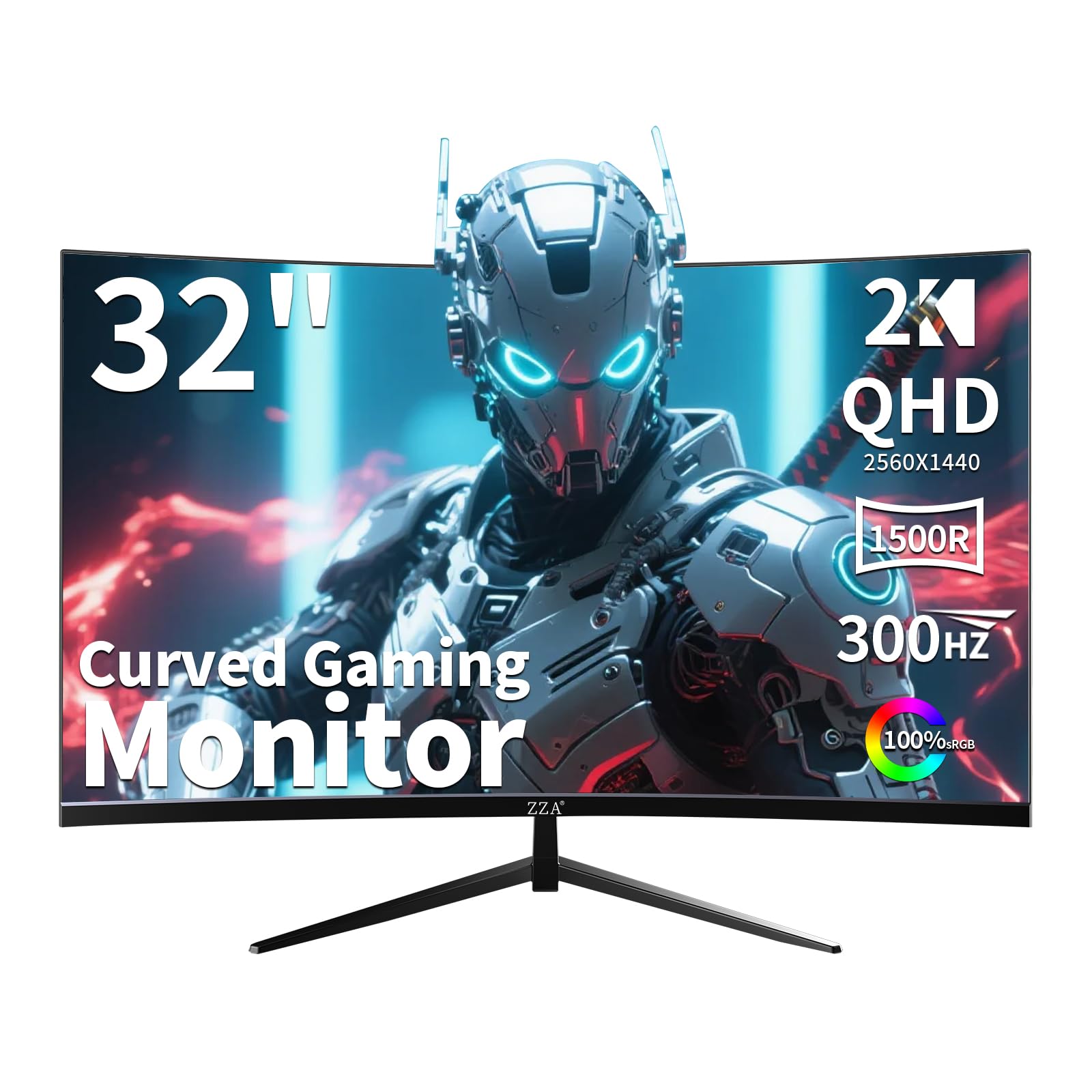
The ZZA Z32U is a 32-inch curved VA panel with a 1500R radius, 2560×1440 QHD resolution, and an overclockable 300Hz refresh rate that effectively offers 240Hz with headroom to spare. The VA panel provides a 3000:1 native contrast ratio that makes dark scenes in games like Hunt: Showdown or Dead by Daylight look genuinely atmospheric without the gray haze typical of IPS panels. The 1ms MPRT response time, while not as fast as the OLED options, is more than adequate for immersive single-player and slower-paced multiplayer titles where contrast matters more than absolute pixel speed.
This monitor supports both AMD FreeSync Premium and is G-Sync Compatible, ensuring smooth variable refresh rate operation across both GPU ecosystems. The ergonomic stand offers tilt, swivel, and height adjustment, making it easy to find a comfortable viewing position for the large 32-inch screen. The primary trade-off for the size and contrast is pixel density — at 1440p spread across 32 inches, the image clarity is slightly less sharp than a 27-inch 1440p panel, and text may appear less crisp during productivity work.
The Z32U is the ideal choice for gamers who prioritize immersion through screen size and contrast over absolute competitive response times. The VA black levels make HDR content look more impactful than on budget IPS panels, and the 300Hz maximum refresh rate provides future-proofing beyond the 240Hz standard. Be aware that some units have reported dead pixel issues, so inspect the panel carefully upon arrival.
Why it’s great
- 3000:1 VA contrast delivers excellent black levels
- 300Hz overclock exceeds standard 240Hz spec
- Fully adjustable stand supports large panel ergonomics
Good to know
- 1440p at 32 inches has lower pixel density than 27-inch models
- VA panel smearing visible in very fast camera pans
- Some quality control concerns with dead pixels
6. SANSUI 27″ WQHD

The SANSUI 27-inch WQHD gaming monitor packs a 2560×1440 Fast IPS panel with a native 260Hz refresh rate (overclockable from 240Hz), MPRT 1ms response time, and FreeSync Premium support at a price point that undercuts most 1440p high-refresh competitors. The 98% DCI-P3 and 130% sRGB color gamut coverage is genuinely impressive for the price, producing vibrant colors that rival monitors costing significantly more. The 320-nit brightness is adequate for indoor use, and the HDR10 support adds a modest dynamic range improvement in supported content.
The monitor includes two DisplayPort 1.4 inputs for hitting the full 260Hz refresh rate and two HDMI 2.0 ports limited to 144Hz — a solid connectivity suite that works well for multi-device setups. The build is utilitarian with a tilt-only stand and VESA 100x100mm compatibility for monitor arm users. The on-screen display is controlled via a joystick, which is a welcome convenience at this price. Some users report the monitor runs warm during extended use, which is a minor design trade-off for the aggressive pricing.
If your budget is tight but you are unwilling to compromise on 1440p resolution and a 240Hz refresh rate, the SANSUI delivers the fastest IPS response in its price bracket. The color accuracy and refresh rate headroom make it a compelling option for gamers who want to maximize frame rate without dropping to 1080p.
Why it’s great
- Excellent 98% DCI-P3 color gamut for the price
- Dual DP 1.4 ports for full 260Hz refresh rate
- Joystick OSD control is intuitive
Good to know
- Runs warmer than typical monitors
- Stand offers tilt only, no height adjustment
- Peak brightness is average at 320 nits
7. KTC H25X7

The KTC H25X7 is a 24.5-inch Fast IPS panel that runs natively at 240Hz and can overclock to a staggering 400Hz over DisplayPort, making it the highest refresh rate monitor in this roundup. The 1920×1080 FHD resolution pairs perfectly with the overclocked refresh rate because even mid-range GPUs can push enough frames to actually benefit from the extra headroom. The HDR 400 certification and 128% sRGB coverage ensure the picture looks vibrant even at maximum refresh rates, and the 1ms response time keeps motion crisp during the fastest gameplay sequences.
The monitor includes two HDMI 2.0 ports capped at 240Hz and two DP 1.4 ports that unlock the full 400Hz capability, along with a fully adjustable stand that supports tilt adjustments for comfortable viewing. The FreeSync Premium Pro certification provides low-latency variable refresh rate support for AMD GPUs. The main limitation is the 24.5-inch screen size and 1080p resolution, which means less screen real estate and pixel density for productivity tasks compared to larger 1440p panels.
For competitive esports gamers who spend most of their time in Valorant, CS2, Overwatch 2, or Apex Legends, the H25X7 offers the highest motion clarity available at this price. The 400Hz mode provides a tangible advantage in target tracking and flick shots, and the small form factor fits easily into even the most cramped desk setups.
Why it’s great
- 400Hz overclock is the highest refresh rate in the roundup
- 1080p resolution ensures GPU can keep up at max refresh
- FreeSync Premium Pro for low-latency variable refresh
Good to know
- 24.5-inch 1080p is small for productivity workloads
- Noticeable backlight bleed at viewing angles
- No built-in speakers
8. ASUS TUF VG32VQM5AZ
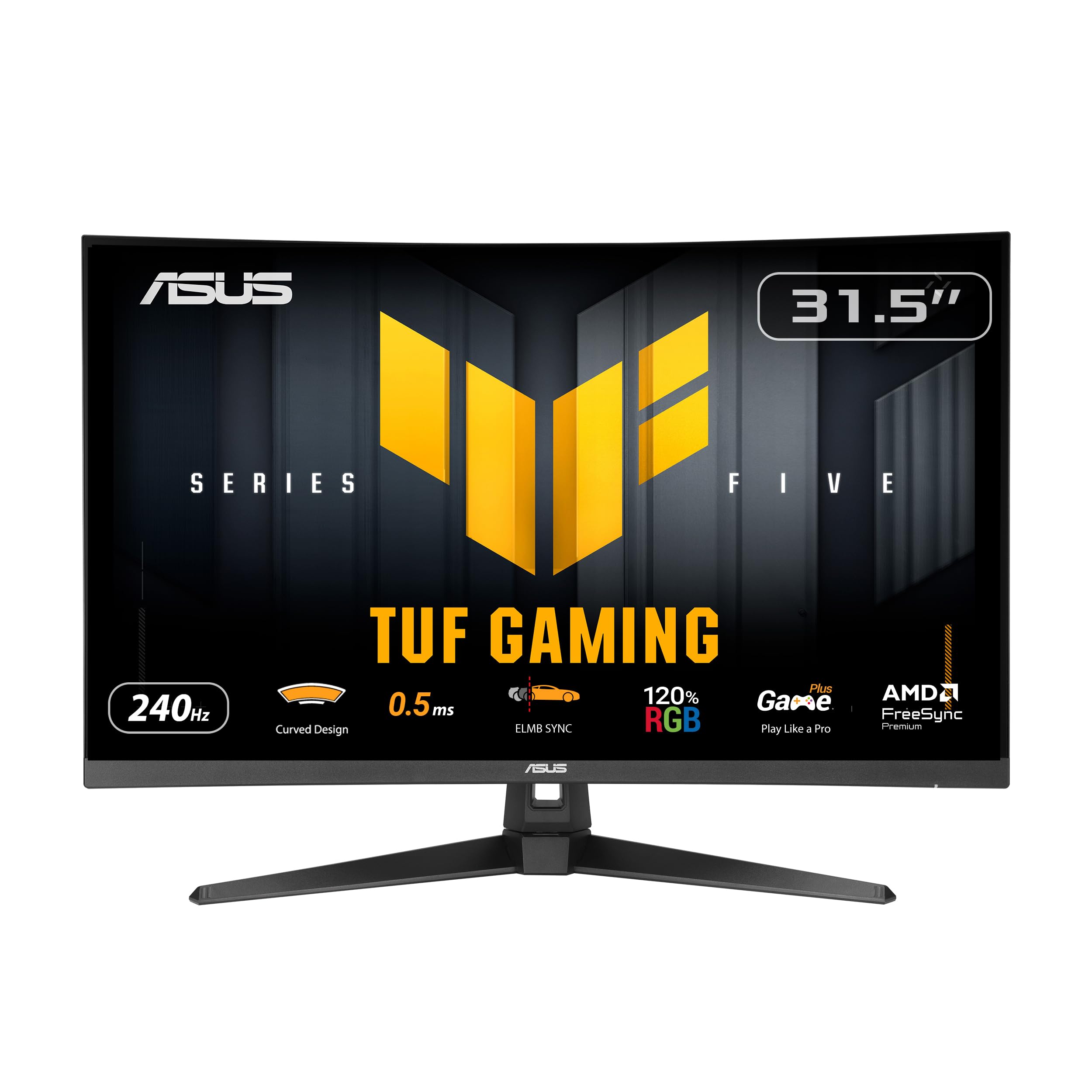
The ASUS TUF Gaming VG32VQM5AZ pairs a 31.5-inch 1500R curved VA panel with a 240Hz overclocked refresh rate and 0.5ms GTG response time, creating an immersive large-screen experience that wraps around your peripheral vision. The Full HD 1080p resolution is the right choice for this screen size because pushing 1440p at 240Hz on a 32-inch panel would demand a much more expensive GPU and still result in lower frame rates. The 120% sRGB coverage ensures the VA panel produces accurate colors, and the extreme low motion blur sync technology reduces ghosting and motion artifacts during rapid camera movements.
The monitor includes built-in speakers, which are rare on 240Hz panels at this price, and the DisplayWidget Center software allows you to adjust settings with a mouse instead of fumbling with OSD buttons. The stand offers tilt adjustment but lacks height and swivel support, and the 1080p resolution on a 32-inch screen results in a pixel density of roughly 69 PPI, making text look visibly softer than smaller 1440p panels. The ELMB Sync technology can introduce some crosstalk at certain refresh rates if not configured properly.
If you prefer a large curved screen for immersive gaming and do not mind the softer image clarity of 1080p at this size, the VG32VQM5AZ delivers smooth 240Hz gameplay with better contrast than IPS alternatives. The built-in speakers and software control make it a convenient all-in-one solution for gamers who want a single large display.
Why it’s great
- 32-inch 1500R curve provides genuine immersion
- Built-in speakers eliminate need for external desktop speakers
- ELMB Sync reduces ghosting effectively
Good to know
- 1080p at 32 inches has low pixel density for text
- Stand lacks height and swivel adjustment
- ELMB Sync can introduce crosstalk at non-standard refresh rates
9. Pixio PX279 Wave

The Pixio PX279 Wave White is a 27-inch FHD 1080p Fast IPS monitor with a 240Hz refresh rate, 1ms GTG response time, and adaptive sync support, all housed in a clean white chassis that stands out in a market dominated by black enclosures. The 350-nit peak brightness is slightly higher than the budget average, and the Fast IPS panel delivers wide viewing angles and consistent color saturation across the entire screen. The built-in 2-watt speakers are serviceable for casual gaming without headphones, and the blue light filter reduces eye strain during extended sessions.
The monitor uses DisplayPort and HDMI inputs with FreeSync support, and the tilt-adjustable stand is functional if not particularly robust. The matte anti-glare coating effectively reduces reflections in bright rooms. The main trade-off is the 1080p resolution on a 27-inch panel, which results in a pixel density of about 81 PPI — acceptable for gaming at typical viewing distances but noticeably less sharp than 24-inch 1080p or 27-inch 1440p panels. Some units have reported dead pixel issues on arrival, which is worth noting given the competitive pricing.
For builders who want a white-themed gaming setup or simply prefer an aesthetic that breaks the black monitor monotony, the PX279 Wave delivers genuine 240Hz performance with solid IPS color quality. The 1080p resolution ensures that even mid-range GPUs can maintain consistent 240 frames per second in competitive titles, and the built-in speakers add convenience for desk setups with limited space.
Why it’s great
- White chassis fits white-themed gaming builds perfectly
- Built-in speakers for hassle-free setup
- 350-nit brightness above the budget average
Good to know
- 1080p on 27-inch panel has lower sharpness than 24-inch alternatives
- Some dead pixel reports from users
- Stand only offers tilt adjustment
FAQ
Can my GPU actually run 240Hz at 1440p?
Does HDMI 2.0 support 240Hz at 1440p?
Is a VA panel good enough for competitive gaming at 240Hz?
Final Thoughts: The Verdict
For most users, the budget 240hz monitor winner is the Acer Predator X27U because it delivers QD-OLED contrast and pixel response with full HDMI 2.1 console compatibility at a price that rivals premium IPS models. If you want the highest refresh rate for competitive esports, grab the KTC H25X7 for its 400Hz overclock capability. And for the best pure visual quality under budget constraints, nothing beats the AOC Q27GAZD.