
Our readers keep the lights on and my morning glass full of iced black tea. As an Amazon Associate, I earn from qualifying purchases.
Specs are compiled from manufacturer listings and verified buyer reviews and can change over time — please confirm the key details on the product page before buying.
You want a big 32-inch screen while staying affordable, but you have to choose: crisp text for work or smooth motion for games. Your choice hinges on whether you prioritize crisp text for productivity or smooth motion for gaming.
I’m Min — the founder and writer behind Gadgets Feed. This guide is built by comparing the manufacturers’ published specifications and the patterns across verified customer reviews, so you get each pick’s real strengths and trade-offs instead of marketing spin.
We have sorted the best value screens by what you actually do with them, and this budget 32 inch monitor roundup zeroes in on models that deliver real performance without demanding a premium.
Our Picks at a Glance
How To Choose The Best Budget 32 Inch Monitor
At 32 inches, the monitor becomes the centerpiece of your desk, so the first decision is resolution. A 1080p (Full HD) screen at this size spreads its pixels across a large area, which makes individual pixels visible and text slightly softer. A 1440p (QHD) or 4K (UHD) panel packs four times or more detail into the same space, making everything look sharper.
Refresh Rate and Response Time
The refresh rate, measured in Hertz (Hz), is how many times the screen redraws per second. A 60Hz or 75Hz display handles office work and streaming calmly. A 100Hz, 120Hz, or 180Hz screen makes fast-moving game scenes appear smoother. Response time (often 1ms or 4ms) measures how quickly a pixel changes color to reduce blur — the lower the number, the crisper the motion.
Panel Type: IPS vs VA
The panel technology dictates color and viewing angles. IPS (In-Plane Switching) panels keep colors accurate when viewed from the side and are the standard for creative work. VA (Vertical Alignment) panels offer deeper blacks and higher contrast, which looks great for movies and dark scenes, but colors can shift if you view from an angle.
Quick Comparison
| Model | Best For | Resolution | Refresh Rate | Panel Type | Amazon |
|---|---|---|---|---|---|
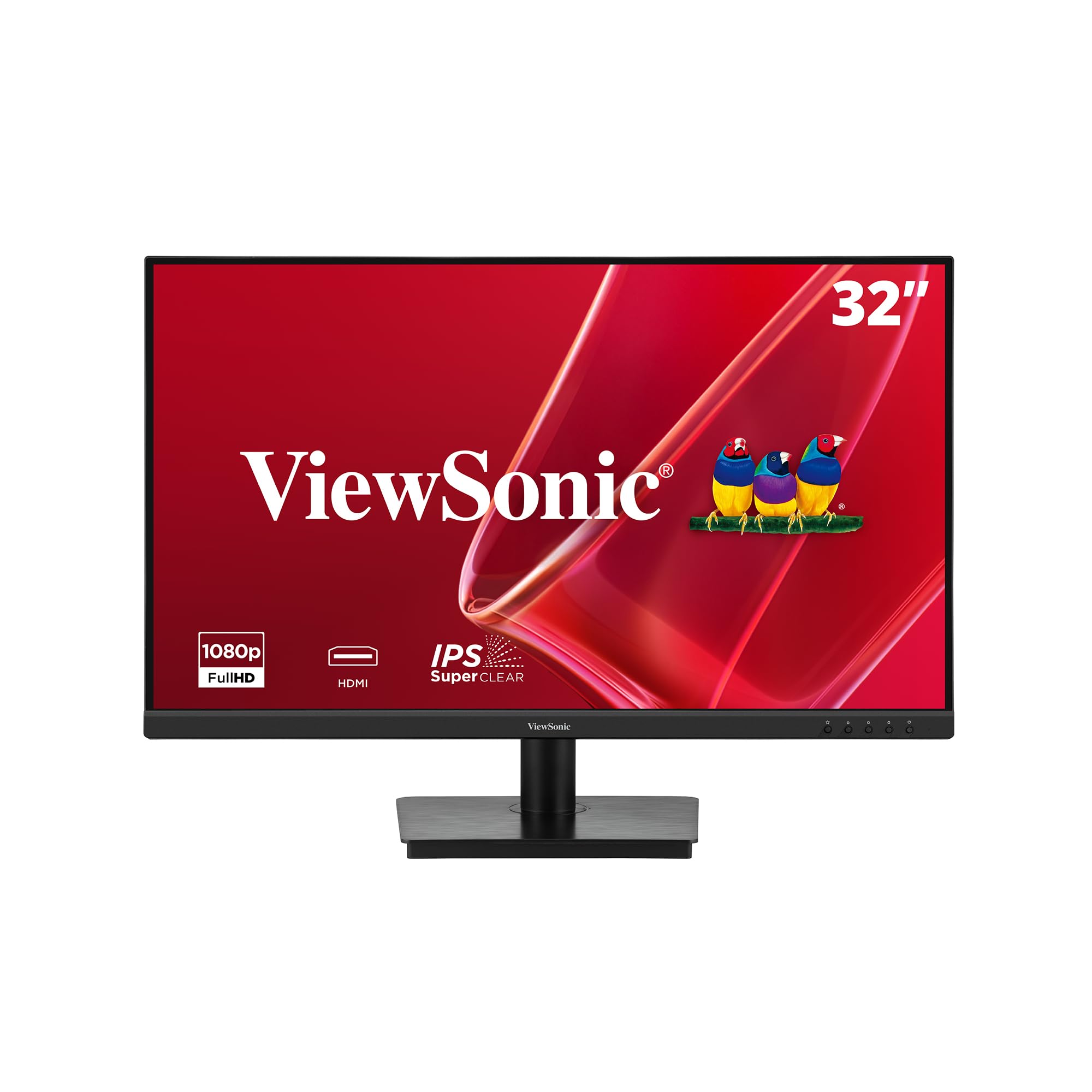
| ViewSonic VA3209M★ Best Overall | Home Office Value | 1920 x 1080 (FHD) | 75Hz | IPS | Amazon |
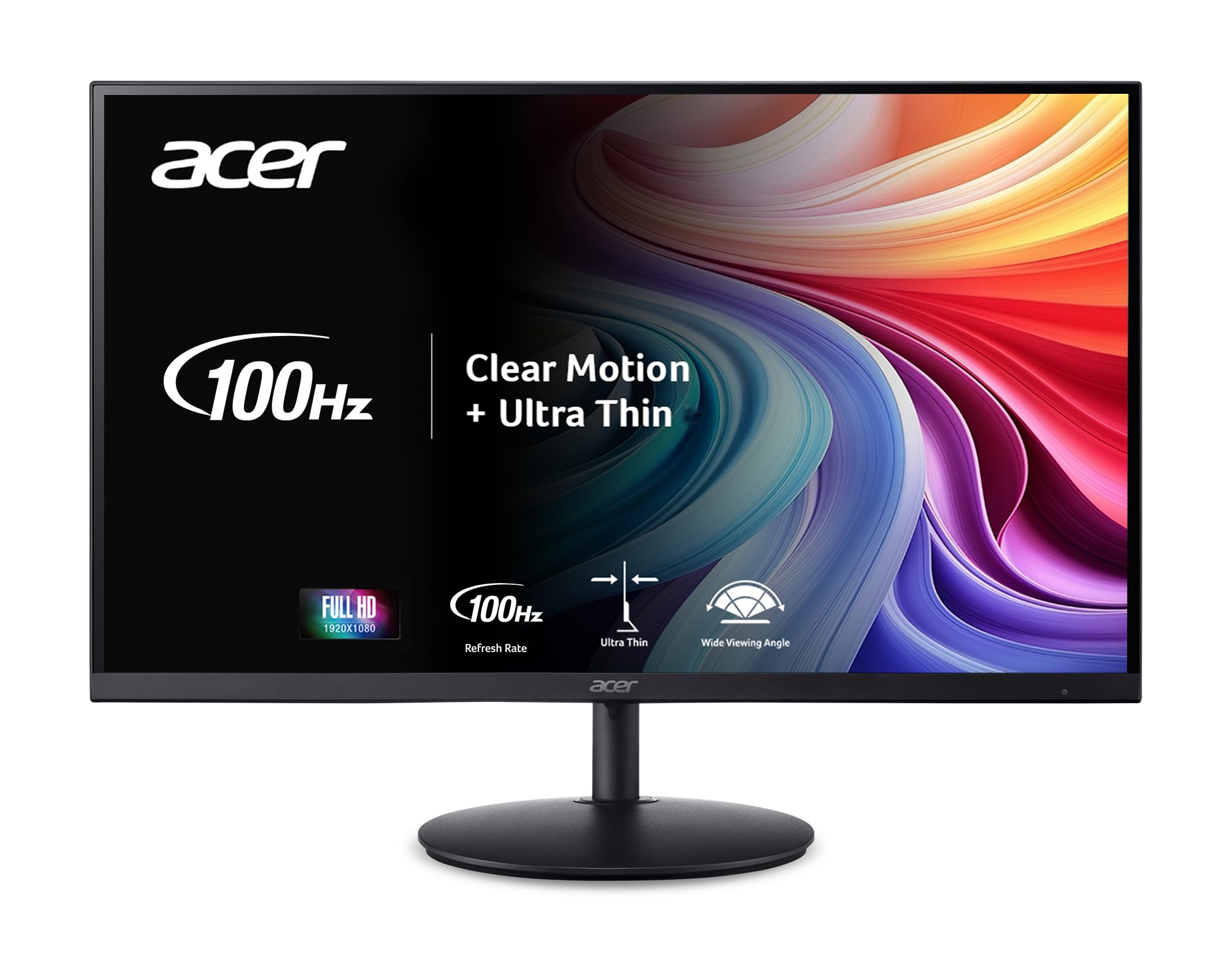
| Acer SH322Q HbihBest Value | Light Gaming & Work | 1920 x 1080 (FHD) | 100Hz | LCD | Amazon |
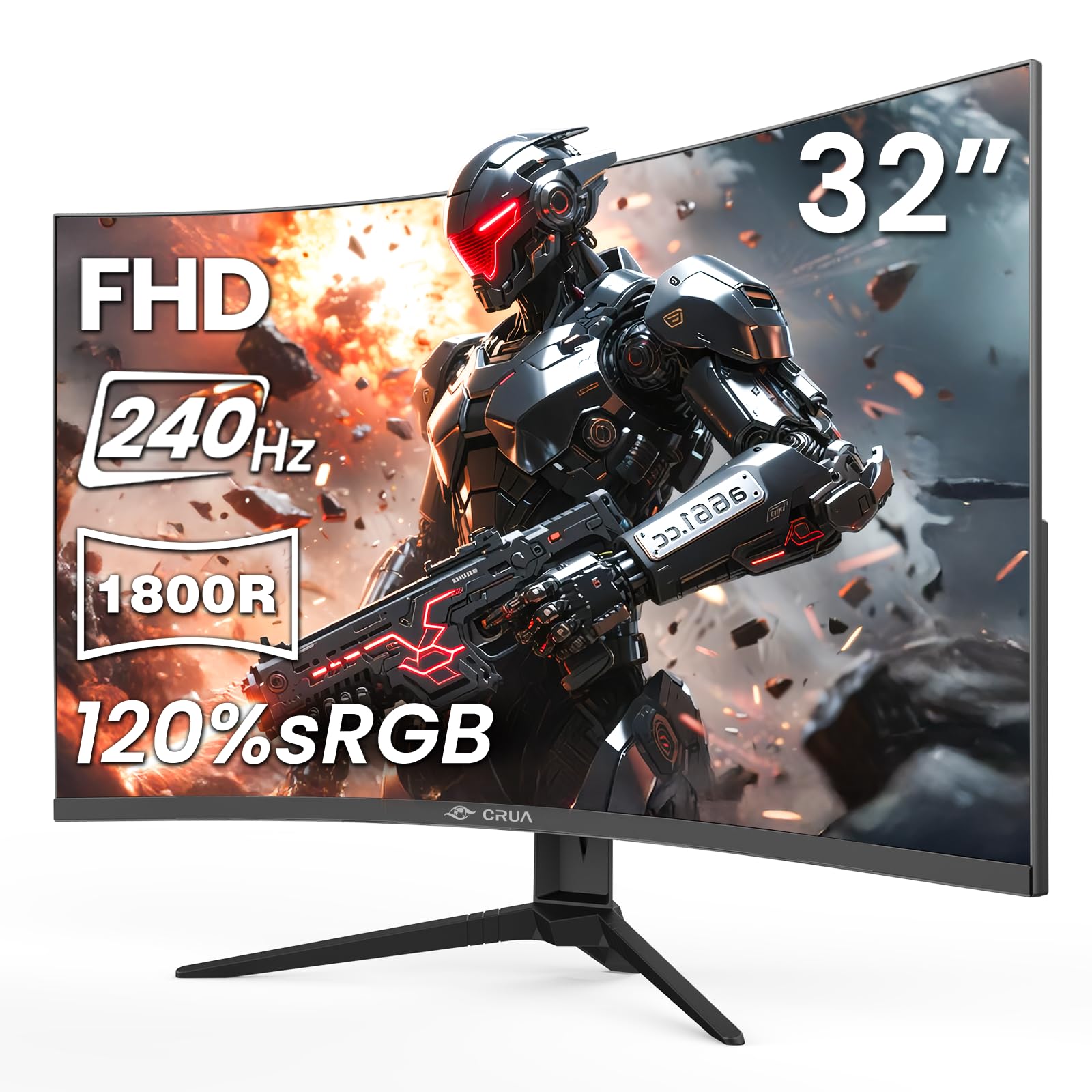
| CRUA 32″ CurvedSpeed Demon | High-Refresh Gaming | 1920 x 1080 (FHD) | 240Hz | VA | Amazon |
| Acer Nitro EDA320Q | Curved Immersion | 1920 x 1080 (FHD) | 180Hz | VA | Amazon |
| ViewSonic VS3225-2K | Crisp Office Text | 2560 x 1440 (QHD) | 75Hz | IPS | Amazon |
| Gawfolk 32″ 4K | Budget 4K Desktop | 3840 x 2160 (UHD) | 60Hz | VA | Amazon |
| KTC H32D6 | Fast QHD Gaming | 2560 x 1440 (QHD) | 120Hz | IPS | Amazon |
| Samsung Odyssey G5 | Competitive 180Hz Gaming | 2560 x 1440 (QHD) | 180Hz | IPS | Amazon |
| LG 32UR500K-B | 4K Media & Work | 3840 x 2160 (UHD) | 60Hz | VA | Amazon |
| Dell S3225QS | Premium 4K Workhorse | 3840 x 2160 (UHD) | 120Hz | VA | Amazon |
In-Depth Reviews
1. ViewSonic VA3209M
Our pick — over 4.5★ from 950+ verified ratings; the strongest balance of quality and price.
The ViewSonic VA3209M wins on everyday clarity, not gaming speed — buyers consistently call it crisp.
It’s a no-fuss choice for office work, delivering sharp images and reliable performance. The 1920x1080p IPS panel delivers bright, crisp images, and the anti-glare finish keeps reflections under control in well-lit rooms. Owners specifically call out how the screen stays on until you manually turn it off — a reliability win for anyone who hates a display that naps mid-task.
The built-in dual speakers are the honest trade-off. They are loud enough for a busy office and fine for calls, but not audiophile quality — you will want headphones or desktop speakers for music. What wins people over is the value: for a 32-inch screen that handles email, spreadsheets, and streaming with this much polish, buyers consistently call it a great monitor for the money, with “Screen images are crisp!” capturing the consensus.
It also gives you flexibility you rarely expect at this level. The 75Hz refresh rate smooths out scrolling, and Variable Refresh Rate (which syncs the monitor to your graphics card to stop stutter) keeps casual gaming tidy. Flicker-Free technology and a Blue Light Filter aim to reduce eye fatigue during long sessions, and preset modes for Game, Movie, Web, Text, and Mono let you switch the look to match what you are doing. The 1200:1 contrast ratio deepens blacks beyond standard panels.
What Owners Love
- Picture clarity is the biggest praise point, with sharp text and bright colors
- Rock-solid reliability — it stays on until you turn it off
- Easy VESA mount setup and broad device support via HDMI and VGA
What To Know
- Speakers are functional but thin on bass and detail
- 1080p resolution means visible pixels if you sit very close
- 75Hz is fine for work but not built for competitive gaming
Reach for this if: you want a dependable 32-inch work screen with strong image quality and no complicated setup.
Look elsewhere if: you need high refresh rates or rich audio for gaming — this one is a pure productivity and streaming champion.
2. Acer SH322Q Hbih
A bridge between office comfort and smooth gaming, wrapped in a zero-frame design.
The Acer SH322Q earns its place by doubling as both a work screen and a casual gaming display without breaking a sweat. It hits 100Hz refresh (a real step up from standard 60Hz panels) and pairs it with Adaptive-Sync support — technology that matches the refresh rate to your graphics card so fast motion stays smooth and tear-free. For light gaming and everyday multitasking, that combination feels noticeably more fluid than a standard office panel.
What sets this model apart from the crowd is its physical adjustability. The stand lets you tilt, swivel, and change the height, which is a rare luxury at this price tier and a huge win for neck comfort over a full workday. Owners also highlight the easy setup and versatility across work and play, with sharp visuals and a stable stand earning regular praise.
The catch is a familiar one in budget monitors: the included HDMI cable. There are confirmed reports of the cable arriving dead on arrival — one owner put it plainly as the only reason for a 4-star review instead of 5, having to buy a replacement. The display itself is crisp and clear, with owners noting it’s as large as a monitor needs to be. The 1000:1 contrast ratio yields decent blacks, though not as deep as VA panels.
Solid middle ground: The 100Hz refresh plus adjustable stand makes this the best pick if you split your day between spreadsheets and light gaming, but keep a spare HDMI cable handy.
Pick this if: you want gaming smoothness and ergonomic comfort in one affordable package.
Think twice if: you demand deep black levels for movies — the 1000:1 contrast is average for the category.
3. CRUA 32″ Curved 240Hz
A blazing 240Hz curved screen that turns budget gaming into a fast-fluid experience.
If your priority is competitive gaming, this is the monitor that redefines what “budget” can mean. It pumps out a 240Hz refresh rate — at 240Hz versus the ViewSonic VA3209M at 75Hz — which makes fast-paced esports feel dramatically smoother and more responsive. AMD FreeSync (which syncs the screen to your graphics card) cuts down on screen tearing and stutter, so racing games and shooters stay clean.
The curved 1800R design wraps the 32-inch screen gently around your field of view, and the VA panel delivers a 3500:1 contrast ratio — at 3500:1 versus the Acer SH322Q’s 1000:1. That means blacks look genuinely dark and colors pop with more life, which is a standout trait for a display at this level. The 120% sRGB color gamut and 16.7 million colors give it a rich, vibrant look that owners say is actually easier on the eyes than gaming on a 4K TV.
Reliability is the recurring concern. Most buyers report it working flawlessly for months, but a small number report the screen failing within roughly three months, and warranty support can be a hassle. It is also worth knowing its brightness tops out at 288 nits (a measure of screen brightness), which means a very sunny room can wash it out. That is the trade-off for the price — incredible speed and contrast, with a small question mark over long-term durability.
Value beast: For the fastest refresh rate and deepest contrast in this roundup, nothing else comes close — just keep your receipt and expectations realistic on longevity.
Buy it for: esports and racing games where 240Hz smoothness and deep VA blacks matter most.
skip it if: you need it for a bright, sunlit room or want a brand with a proven long-term track record.
4. Acer Nitro EDA320Q Pbiipx

Mainstream Acer reliability with a pronounced 1500R curve and fast 180Hz action.
The Acer Nitro bends the screen into a tighter 1500R curve (a lower number means a more pronounced curve) than the CRUA, giving you a more rich wrap-around feel for gaming and streaming. Owners say you adapt to the curve quickly — often preferring it over flat monitors afterward. It pairs that shape with a 180Hz refresh rate and 1ms (VRB) response time, so motion stays sharp and lag stays low.
For a VA panel, the Nitro lists a striking 100,000,000:1 contrast ratio, which translates to deep, rich black levels for dark game scenes and movies. AMD FreeSync Premium (a higher tier of the sync technology that reduces screen tearing) keeps compatible games running with smoother frame pacing. The zero-frame design and VESA 100x100mm mounting make it easy to pair into a multi-monitor setup or attach to an arm.
The trade-off is resolution and sound. At 1080p on a 31.5-inch screen, the image is good but not ultra-sharp — owners note the pixels become visible up close, and there are no built-in speakers, so you will need external audio. The tilt range of -5° to 20° covers most viewing angles, though there is no height adjustment on the stand. If you want a fluid, curved gaming experience from a trusted brand, this is a strong, well-reviewed choice.
Curved comfort: The tighter 1500R bend plus 180Hz makes this the pick for gamers who want immersion and speed from a household-name brand.
Ideal for: gamers who want a pronounced curve and smooth, tear-free play without paying flagship prices.
Not for: anyone who wants plug-and-play sound or ultra-sharp 4K detail.
5. ViewSonic VS3225-2K
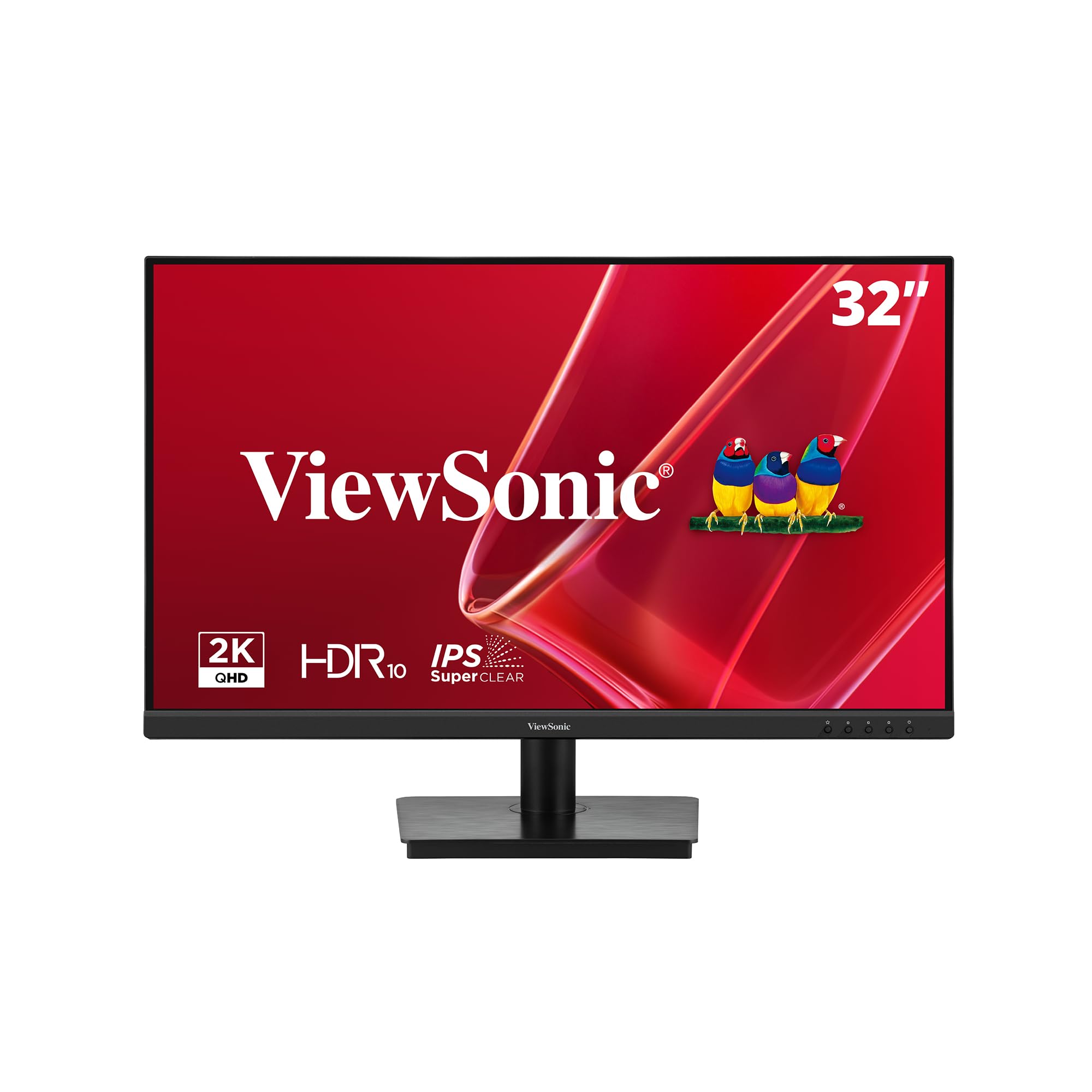
The sharp-text specialist that upgrades your workspace to Quad HD clarity.
This is the monitor for anyone who stares at words all day and is tired of seeing individual pixels. The VS3225-2K packs a 2560x1440p (Quad HD) resolution into its 32-inch IPS panel, giving you dramatically sharper text and crisper detail than a 1080p screen at the same size. Owners are emphatic about the picture quality being exceptionally clear, with text and video staying sharp even during long sessions.
The IPS panel delivers strong color accuracy, and the frameless edge-to-edge design makes it an excellent foundation for a dual-monitor setup — two of these side by side look smooth. Variable Refresh Rate tech keeps motion smooth, and Flicker-Free plus a Blue Light Filter work to reduce eye strain, which owners confirm makes it easy on the eyes even in an office flooded with daytime light. The anti-glare finish also gets consistent praise for taming reflections.
The honest friction points are physical. The joystick control on the back is fiddly and overly sensitive, and the stand is a little wobbly. Some units need a Windows driver update to open up full 1440p — a quick fix, but worth knowing before setup. The 75Hz refresh and 4ms response time keep it comfortably in office-and-casual territory rather than competitive gaming. For a work-focused QHD screen, the value is genuinely tough to top.
Sharpness king: If crisp text, vibrant color, and easy multi-screen setups matter more than gaming speed, this is your monitor.
Choose it for: office work, spreadsheets, and reading where text clarity is the top priority.
Pass on it if: you want high refresh rates for gaming or prefer a sturdier, more adjustable stand.
6. Gawfolk 32″ 4K UHD
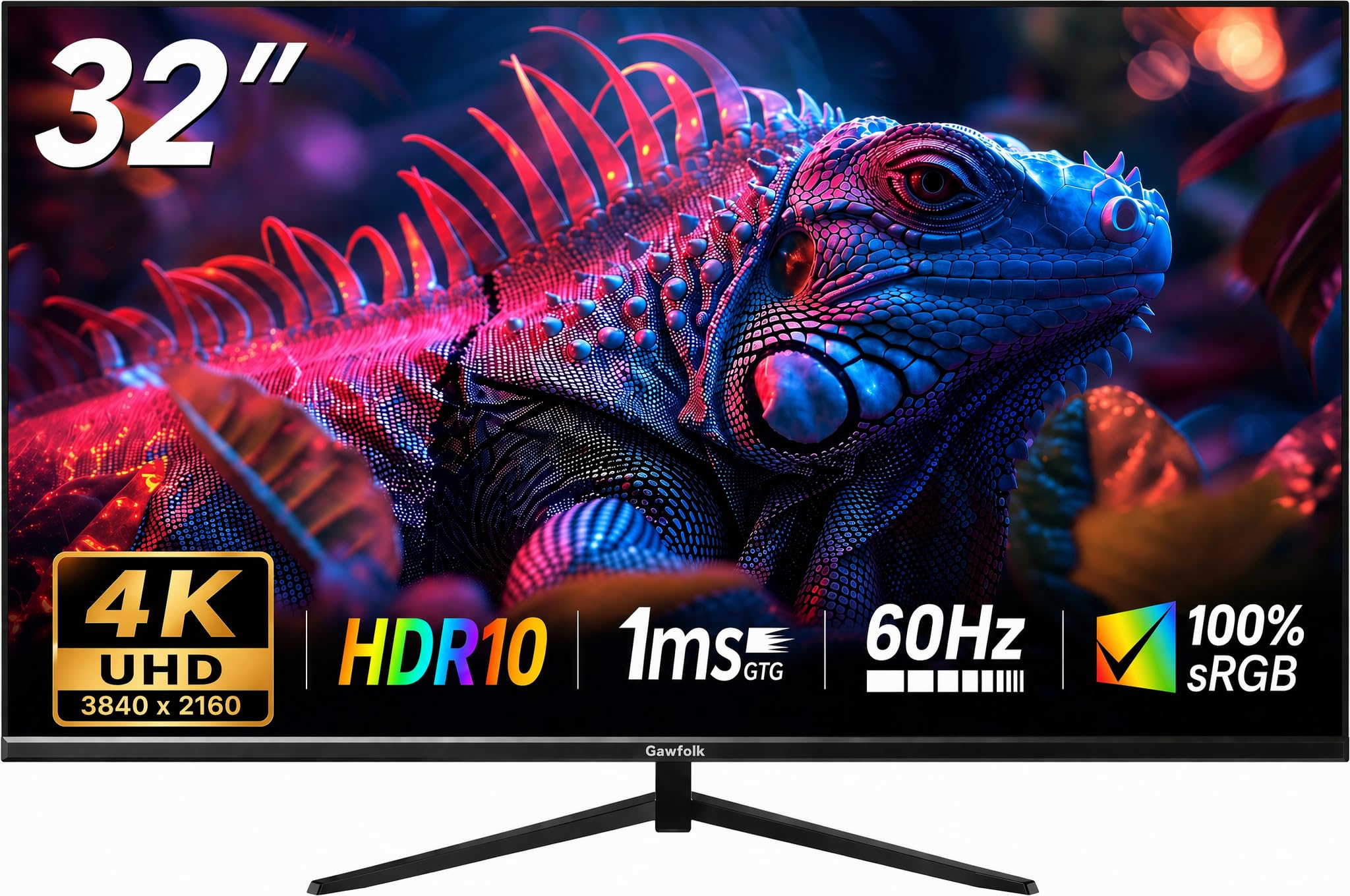
A 4K gateway that brings ultra-sharp desktop detail to a budget-friendly price.
The Gawfolk is the cheapest route into 4K UHD (3840×2160) territory in this lineup, and for designers, multitaskers, and anyone who wants tons of screen real estate, that resolution is transformative. It delivers 3840×2160 resolution versus 1920×1080, so spreadsheets hold more columns and photos show serious detail. The 32-inch VA panel adds deep blacks with a strong 4000:1 contrast ratio — a significant step up from typical 1000:1 panels for movie watching.
The 178° viewing angles (meaning you can view from almost any side position) keep colors consistent across a wide seating area, and the adjustable stand tilts from 5° to 15° (±4°) to find a comfortable position. Owners praise its smooth appearance for gaming and its accurate colors, with many describing it as a great buy for the money and a genuine work-from-home companion. The frameless design and Eye Care features round out a well-equipped package.
The reliability record is the reason it sits here and not higher. While many units work perfectly for months, there are too many reports of screens failing or blacking out, and some owners mention durability concerns like screen cracks. The 60Hz refresh rate also caps it firmly at office-and-media duty — it is not built for fast-paced gaming. If you want 4K sharpness on a tight budget and are willing to accept some risk, it delivers; if you want confidence, a more established brand is safer.
The Bright Side
- 4K resolution (3840×2160) with excellent detail for work and design
- Deep 4000:1 contrast for rich blacks and vibrant colors
- Adjustable tilt from 5° to 15° (±4°) for comfortable viewing
The Risk
- Reports of units failing or blacking out over time
- Durability concerns including screen cracks
- 60Hz refresh is not suited for competitive gaming
Best for: budget-conscious buyers who prioritize ultra-sharp 4K detail for work and media over brand certainty.
Think twice if: you want a display built for gaming refresh rates or you prefer a track record with fewer failure reports.
7. KTC H32D6 2K
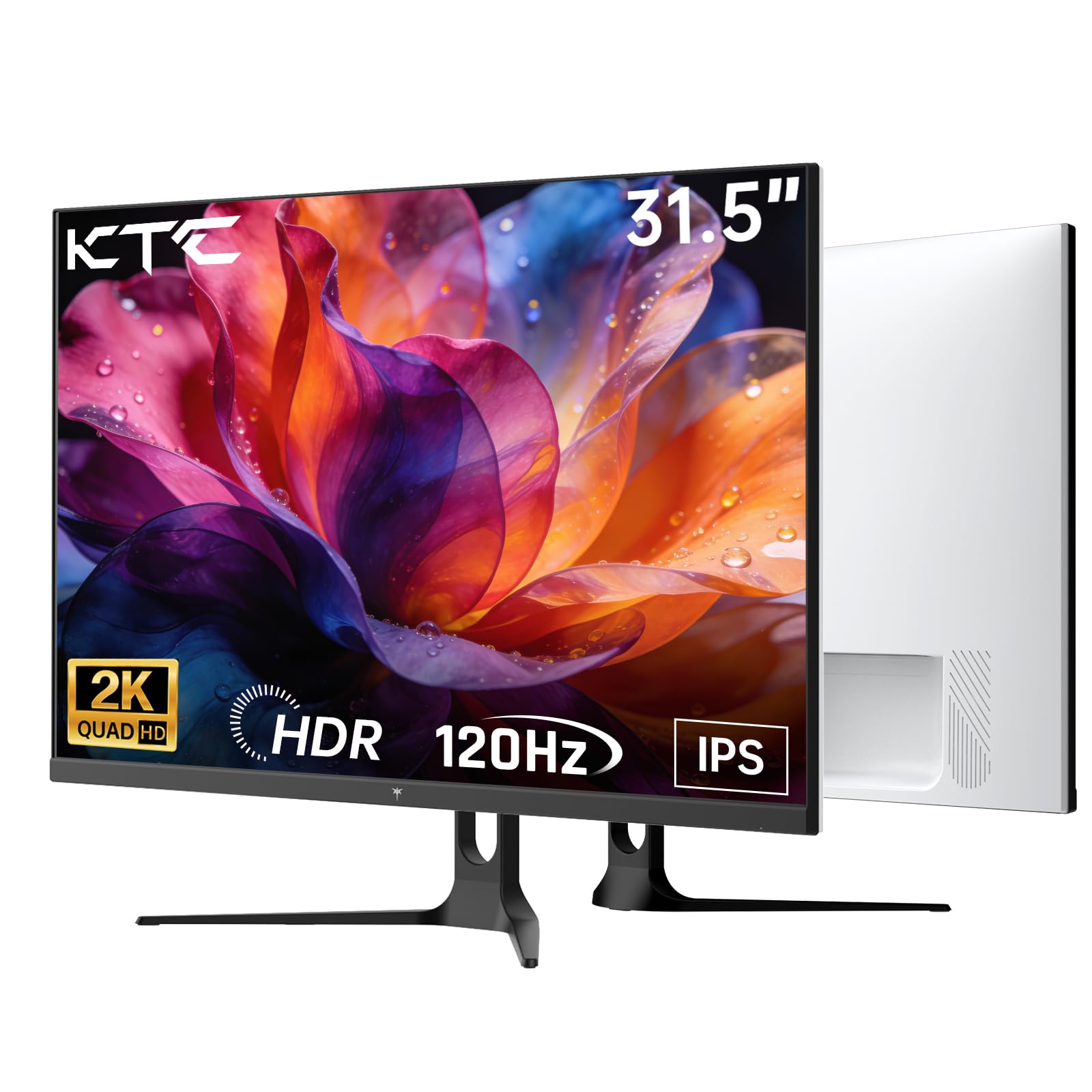
A 120Hz Quad HD IPS panel that balances serious speed with accurate color.
The KTC hits a balance most budget monitors miss: it combines Quad HD sharpness (2560×1440) with a 120Hz refresh rate, giving you both crisp detail and smooth motion. Its 100Hz base refresh overclocks to 120Hz, and Adaptive-Sync (compatible with both FreeSync and G-Sync, the two main graphics card sync standards) keeps gameplay free of tearing and stutter. For FPS games, owners say the size and speed create an ideal setup that is easy on the neck and big enough for everything else.
The IPS panel is the headline feature here, delivering vibrant colors and sharp details even at wide viewing angles — a clear advantage over VA panels if you work from an angle or care about color accuracy. A clean white finish gives it a distinct look that stands out from the sea of black monitors.
The limitations are typical for the tier. The stand offers -5° to 20° tilt but no height adjustment, and while the listed price is moderate, the manufacturer’s marketing blurb slightly overstates the “ultra-smooth 100Hz” baseline. Owners consistently describe it as a clear, sharp monitor with a sturdy, tilting stand — solid for gaming, work, and even photography RAW editing. If you want QHD sharpness with gaming speed at an accessible price, this is a smart pick.
Balanced performer: The first monitor here to offer both high resolution and high refresh, making it a true hybrid for gamers who also create content.
Grab it if: you want QHD sharpness, 120Hz smoothness, and accurate IPS color in one affordable screen.
Look elsewhere if: you need a height-adjustable stand or prefer a darker, more traditional monitor aesthetic.
8. Samsung Odyssey G5 (G50F)
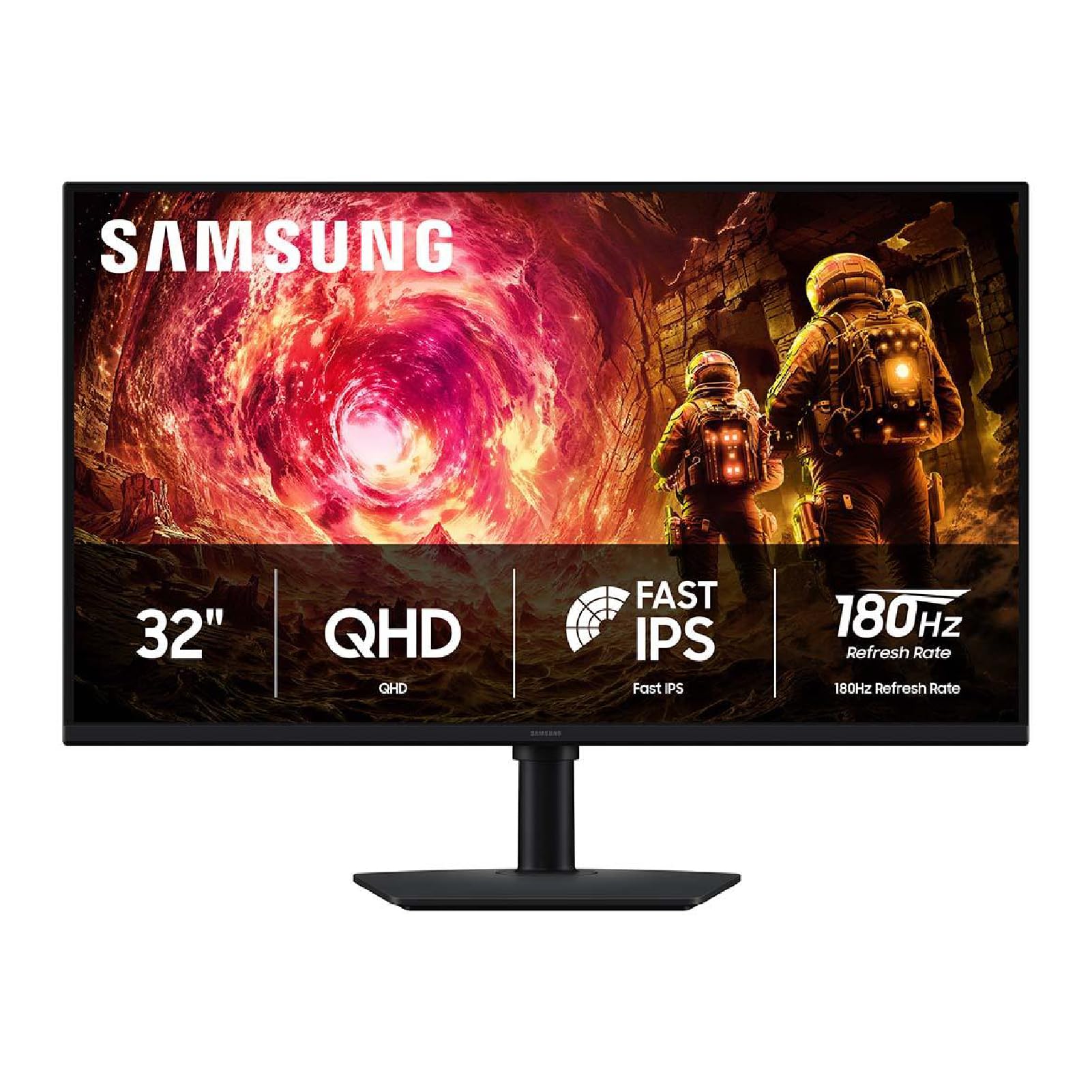
Samsung’s sharpest-value gaming screen pairs QHD detail with a lightning-quick 180Hz.
The Odyssey G5 is the pick when you want a premium gaming experience without crossing into flagship prices. It serves up Quad HD resolution (2560×1440) — noticeably sharper than the 1080p screens above — and carries an 180Hz refresh rate, making fast-paced play feel extraordinarily smooth. Owners upgrading from 1080p consistently describe the quality as amazing, with clearer images and much better color. The 1ms (GtG) response time (how fast pixels change color) keeps motion crisp during intense matches.
The Fast IPS panel delivers a wide 178° viewing angle, so colors hold true from off-center seats, and HDR10 support adds brighter highlights and deeper shadows. G-Sync compatibility (which syncs the screen to NVIDIA graphics cards) reduces choppiness and screen tearing for smoother gameplay. Samsung also adds gaming-focused extras like Black Equalizer for seeing into dark shadows and Virtual Aim Point for better targeting — small touches that competitive players notice.
The ergonomic stand is genuinely useful, letting you adjust height, pivot, tilt, and swivel to dial in the perfect position. The 99% sRGB color gamut keeps colors vibrant, and the 300 cd/m² brightness handles most rooms comfortably. The known quirks are minor: the tiny control nub on the back is awkward to find and use, and the color quality and adjustability draw mixed reactions, with some owners wanting more control options. It is built for gamers, and it shows — right down to the included HDMI and DisplayPort cables.
Best gaming display: The 180Hz refresh, 1ms response, and QHD sharpness make this the most complete gaming-focused monitor in the roundup.
Invest here if: you play fast, competitive games and want a premium-speed QHD panel with a proper adjustable stand.
Choose something else if: you are strictly an office user — the gaming focus adds cost you will not use.
9. LG 32UR500K-B Ultrafine

A 4K media powerhouse with 90% DCI-P3 color and speakers that actually hold up.
The LG Ultrafine is the monitor for people who split their time between work, movies, and console gaming. Its 4K UHD (3840×2160) VA panel reproduces clear images with vivid color, reaching up to 90% DCI-P3 color gamut (the color standard used in film production) — a spec that makes HDR content look dramatically richer. Owners rave about the HDR performance, describing the jump from standard dynamic range as vibrant and deep.
The onboard sound is a genuine differentiator. The built-in stereo speakers use Waves MaxxAudio processing to deliver bigger, bolder audio than typical monitor speakers, making games and movies more rich without requiring external speakers. For podcasts and YouTube, owners say the sound is clean and convenient. The ergonomic stand tilts to find your ideal angle, and the borderless design keeps the focus on the screen.
Gaming gets a boost from Dynamic Action Sync (which reduces input lag for more real-time response) and Black Stabilizer (which brightens dark scenes so enemies in shadows are visible). The 1000:1 contrast ratio is typical for VA, and FreeSync ensures tear-free motion. The main caveat: standard dynamic range (SDR) content can look washed out until you tune the settings or switch to HDR media. Owners also note a rare stuck pixel and a Deep Sleep Mode quirk on Linux systems, but the prevailing verdict is a stunning, reliable panel with unbeatable value.
Best all-round media monitor: 4K sharpness, film-grade color, and genuinely usable speakers make this the most versatile premium-value pick.
Perfect for: movie lovers and console gamers who want 4K HDR quality and good sound without a separate speaker setup.
Not ideal if: you mostly work in SDR applications and do not want to tune picture settings.
10. Dell 32 S3225QS

Dell’s premium 4K workhorse adds a 120Hz boost and all-day eye comfort.
The Dell S3225QS is the most premium pick here, and it earns that position by being the only monitor that pairs true 4K UHD (3840×2160) resolution with a fast 120Hz refresh rate. That combination is rare at this price — you get ultra-sharp text AND smooth motion in one panel. The VA tech with a 1500:1 contrast ratio delivers excellent depth and detail, and the 99% sRGB and 95% DCI-P3 color coverage means colors look true-to-life for photo and design work.
All-day comfort is the defining feature. Dell’s ComfortView Plus technology reduces harmful blue light emissions to ≤35% without sacrificing color accuracy, which owners say makes the screen genuinely easy on the eyes even over long shifts. The ultra-thin bezel in an ash white finish gives it a sleek, modern look that stands out on a desk, and the re-engineered speakers offer more output power and deeper frequency response than the previous generation.
The 120Hz refresh, powered by AMD FreeSync Premium, delivers a smooth, tear-free experience whether you are working or gaming. Owners praise the well-calibrated colors, deep blacks, and intuitive joystick control, with no motion blur even on fast sports broadcasts. The honest trade-offs: VA panels wash out when viewed from off-center angles, and the built-in speakers occasionally hijack the default audio output on some systems. It is a stunning screen that handles work and play with equal poise.
Premium all-rounder: The only 4K-and-120Hz screen in the list, with top-tier eye comfort and rich, accurate color — a genuine long-term investment.
Worth the stretch for: professionals who spend all day in front of a screen and want 4K sharpness, smooth motion, and low blue-light comfort.
Overkill if: you mainly browse and stream — a 60Hz or 75Hz QHD panel will do the job for less.
Understanding the Specs
Resolution and Pixel Density
Resolution is the number of pixels across the screen — 1920×1080 (Full HD), 2560×1440 (Quad HD), or 3840×2160 (4K UHD). At 32 inches, more pixels mean sharper text and finer detail. 1080p works for general use but shows visible pixels up close. QHD and 4K give you room to fit more windows side by side and make reading easy, which is why they are the popular choice for work-focused buyers.
Refresh Rate and Response Time
Refresh rate, in Hertz (Hz), is how many times the screen redraws per second. Standard monitors run 60Hz to 75Hz, which feels fine for office tasks and streaming. Gaming monitors jump to 100Hz, 120Hz, 180Hz, or even 240Hz for smoother, more responsive motion. Response time, usually 1ms to 4ms, measures how fast pixels change color; lower numbers reduce blur in fast-moving scenes.
FAQ
Is 1080p sharp enough on a 32-inch monitor?
What refresh rate do I need for gaming?
What is the difference between IPS and VA panels?
Will a 32-inch monitor fit on my desk?
Why does my monitor’s refresh rate seem lower than advertised?
What does AMD FreeSync vs G-Sync mean for me?
Do I need 4K resolution on a 32-inch monitor?
What does the contrast ratio actually tell me?
Final Thoughts: The Verdict
For most buyers, the budget 32 inch monitor winner is the ViewSonic VA3209M because it pairs the strongest overall customer satisfaction with crisp IPS quality and reliable daily performance at an accessible price. If you want sharper text for office work, grab the KTC H32D6 for its 1440p IPS panel and 120Hz speed. And for the gamer chasing a premium feel, the Samsung Odyssey G5 delivers a 180Hz QHD experience that rivals screens at twice the price — the crowd has spoken with thousands of positive ratings backing these calls.
How We Picked
We do not accept paid placement. Every pick is matched to a real buyer and a real use-case; we do not hands-on test units.
Sources & Methodology
Specifications: manufacturer listings and product documentation. Review insights: verified customer reviews, as of August 2026. Pricing: not shown on this page (it changes often); check the current price via the retailer link.
As an Amazon Associate, Gadgets Feed earns from qualifying purchases. This does not affect which products we feature.