
Our readers keep the lights on and my morning glass full of iced black tea. As an Amazon Associate, I earn from qualifying purchases.
Specs are compiled from manufacturer listings and verified buyer reviews and can change over time — please confirm the key details on the product page before buying.
Stepping up to 4K used to mean emptying your wallet for a flagship screen. That is no longer true — plenty of 27-inch and 32-inch panels now deliver genuine 3840 x 2160 resolution, high refresh rates, and accurate color for a few hundred dollars. The real challenge is separating the panels that nail the basics from the ones that cut corners on stand quality, ports, or reliability. This guide covers nine of the best budget 4K monitors, ranked by what actually matters for gaming, office work, and creative projects.
I’m Min — the founder and writer behind Gadgets Feed. This guide is built by comparing the manufacturers’ published specifications and the patterns across verified customer reviews, so you get each pick’s real strengths and trade-offs instead of marketing spin.
Here you’ll find the best budget 4K monitors that actually deliver sharp text, vibrant color, and smooth motion while staying affordable.
Our Picks at a Glance
How To Choose The Best Budget 4K Monitor
Before you click buy, you need to know what actually separates a great budget 4K monitor from a frustrating one. The price might be similar, but the panel technology, refresh rate, and connectivity can make a massive difference in your daily experience.
Panel Type: IPS vs VA vs Fast IPS
The panel type controls viewing angles, contrast, and response time. IPS panels (like the ones in the Dell and LG picks) give you wide viewing angles and accurate colors, which suits office work and photo editing. VA panels (like the Gawfolk and the 32-inch Dell) deliver much deeper blacks with a higher contrast ratio — great for movies and dark games, but they can shift color when viewed from an angle. Fast IPS is a newer twist that combines the color accuracy of IPS with faster response times for gaming.
Refresh Rate: 60Hz vs 120Hz vs 160Hz
Refresh rate is how many times per second the screen updates the image. A standard 60Hz monitor feels fine for spreadsheets and email. A 120Hz refresh rate makes scrolling feel smoother and reduces eye strain during long work sessions. At 160Hz (like the CUNPU) you get a clear edge in fast-paced shooters where every millisecond counts. Note that most budget 4K monitors top out at 120Hz — anything higher is a bonus, not the norm.
Connectivity and USB-C Power Delivery
Check the ports before you commit. A single USB-C cable that carries video, data, and power can replace a whole mess of wires on your desk. Many monitors now offer USB-C Power Delivery (PD) — the KTC delivers 90W, the ASUS ProArt models deliver 65W and 96W respectively. That means your laptop charges while it’s plugged into the monitor, so you can leave the bulky laptop charger at home.
Color Gamut and Accuracy
Color gamut measures how much of the visible spectrum the screen can display. For everyday use, 99% sRGB (the standard color space for web and office work) is plenty. If you edit photos or videos, look for higher DCI-P3 coverage (a wider color space used in film) — the CUNPU claims 99%, the ASUS ProArt PA279CRV claims 99% DCI-P3 and 99% Adobe RGB — and a low Delta E value (a measure of color accuracy). A factory-calibrated Delta E under 2 means colors come out accurate without manual tweaking, so your edits match what you see on screen.
Quick Comparison
| Model | Best For | Refresh Rate | Contrast Ratio | Color Gamut | Amazon |
|---|---|---|---|---|---|
| KTC H27P6★ Best Overall | Dual-mode gaming | 160Hz (4K) / 320Hz (FHD) | 1000:1 | 125% sRGB | Amazon |
| Gawfolk 32″ CurvedCurved Pick | rich curved viewing | 120Hz | 3000:1 | 85% NTSC | Amazon |
| CUNPU 27″Top Performer | High-refresh gaming | 160Hz | 1000:1 | 135% sRGB | Amazon |
| Dell S2725QS | Productivity and casual gaming | 120Hz | 1500:1 | 99% sRGB | Amazon |
| LG 27US500-W | Budget desk setup | 60Hz | 1000:1 | 90% DCI-P3 | Amazon |
| LG 32UR500K-B | Large-screen entertainment | 60Hz | 1000:1 | 90% DCI-P3 | Amazon |
| Dell S3225QS | Media-rich desk | 120Hz | 3000:1 | 99% sRGB | Amazon |
| ASUS ProArt PA279CV | Color-accurate work | 60Hz | — | 100% sRGB | Amazon |
| ASUS ProArt PA279CRV | Mac creative pros | 60Hz | — | 99% DCI-P3 | Amazon |
Note: This list uses flexible, human-like matching for native 4K resolution, so panel sizes and specs vary. Every pick displays a true 3840 x 2160 image — none merely accept a 4K signal and scale it down.
In-Depth Reviews
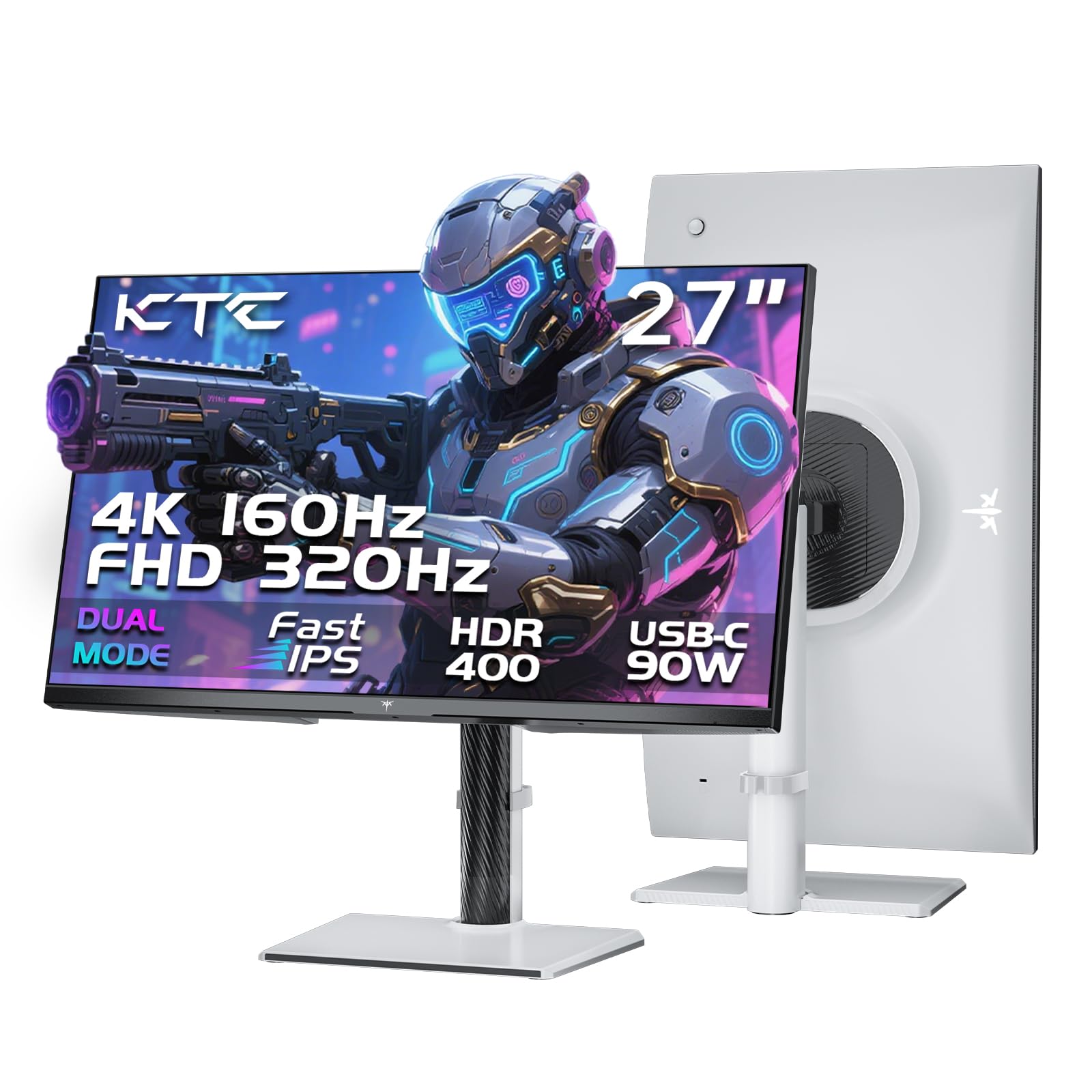
1. KTC 27 Inch 4K Gaming Monitor, Dual Mode UHD 160Hz & FHD 320Hz, H27P6
Our pick — 4.5★ from 850+ verified ratings; the strongest balance of quality and price.
The dual-mode champ that turns from a crisp 4K workhorse into a lightning-fast 320Hz esports panel
The KTC H27P6 is a rare budget monitor that excels at both 4K productivity and high-refresh gaming. In its native 4K mode it runs at 160Hz — a full 33% faster than the 120Hz Gawfolk below — while a single switch drops you to 1080p at 320Hz for competitive shooters. That flexibility means you do not need a separate esports screen sitting next to your main display.
It uses a Fast IPS panel, which keeps colors vibrant from wide angles while cutting response time down to 1ms (MPRT) — the spec that prevents ghosting in fast action. Factory calibration lands at ΔE<2 for 97% DCI-P3 and 99% sRGB coverage, so the picture looks accurate right from the start. The 90W USB-C port charges a laptop through the same cable that carries video and data, which is a serious desk-clutter killer.
The ergonomics are generous: height adjusts ±130mm, pivot turns ±90°, swivel reaches ±45°, and tilt spans -5° to 20° — plus 100x100mm VESA mounting if you prefer an arm. Buyers report the 120Hz mode requires enabling “Over Clock” in the on-screen menu, otherwise it defaults to 100Hz — a tiny setup step with a big payoff. One detail worth knowing: some owners mention the built-in speakers go untested, so plan on headphones or external speakers for sound.
Why It Wins
- Dual-mode switching: 4K at 160Hz or 1080p at 320Hz
- 90W USB-C charging plus HDMI 2.1 and DisplayPort 1.4
- Full ergonomic stand with height, pivot, swivel, and tilt
- Factory-calibrated ΔE<2 for accurate color from the start
Keep In Mind
- Built-in speakers are basic — plan for external audio
- You must enable “Over Clock” in the menu to hit 120Hz
- 1000:1 contrast ratio is typical, not class-leading
Grab it if: you want one monitor that handles both 4K productivity and high-frame-rate competitive gaming, with laptop charging built in.
Pass it by if: you only do office work and never game — a 60Hz panel will save you money.
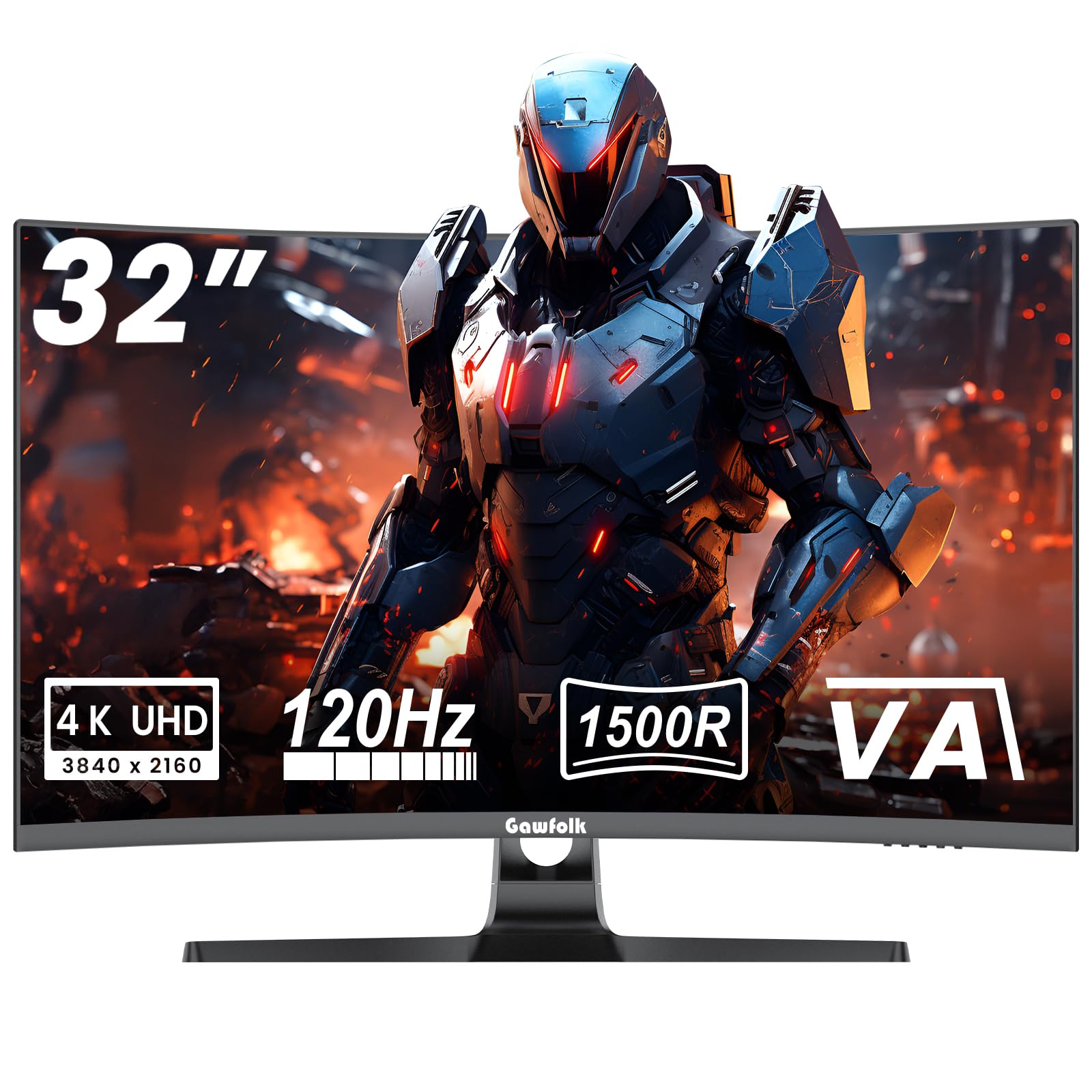
2. Gawfolk 4K Curved Monitor 32 Inch, 4K 120Hz 1500R Gaming Monitor VA Panel
A 32-inch curved VA panel whose deep blacks and panoramic wrap make movies and games feel cinematic
The Gawfolk brings something none of the flat IPS panels here can match: a 1500R curvature that wraps the 32-inch screen around your field of view. Combined with a VA panel rated at 3000:1 contrast — triple the 1000:1 of the KTC and CUNPU — dark scenes in movies and horror games show far more shadow detail without that grayish IPS glow.
It pushes a native 120Hz refresh rate at crisp 3840 x 2160 resolution with a 1ms response time, plus both G-Sync and FreeSync adaptive sync (the tech that stops screen tearing). The VA panel also covers 85% NTSC color gamut with factory-calibrated 6500K temperature, so whites stay neutral for photo work. VESA 100x100mm mounting holes let you swing it onto an arm.
Reviewers confirm setup is easy — as owners put it, “Works really well very clear picture setup was easy.” Owner feedback on picture quality is mixed—some find it sharp, others report blurry visuals—and reliability also receives mixed reviews. That makes it a value play for rich viewing, not a guaranteed long-haul workhorse.
The takeaway: the wrap-around curve and 3000:1 contrast give you a cinematic feel you cannot get from a flat panel at this budget. Quality and value get the most praise, but durability is the trade-off to weigh.
Reach for it if: you want the most rich, high-contrast viewing experience for movies and single-player games on a budget.
Think twice if: reliability is your top priority — mixed owner reports on long-term screen durability suggest this is a gamble.
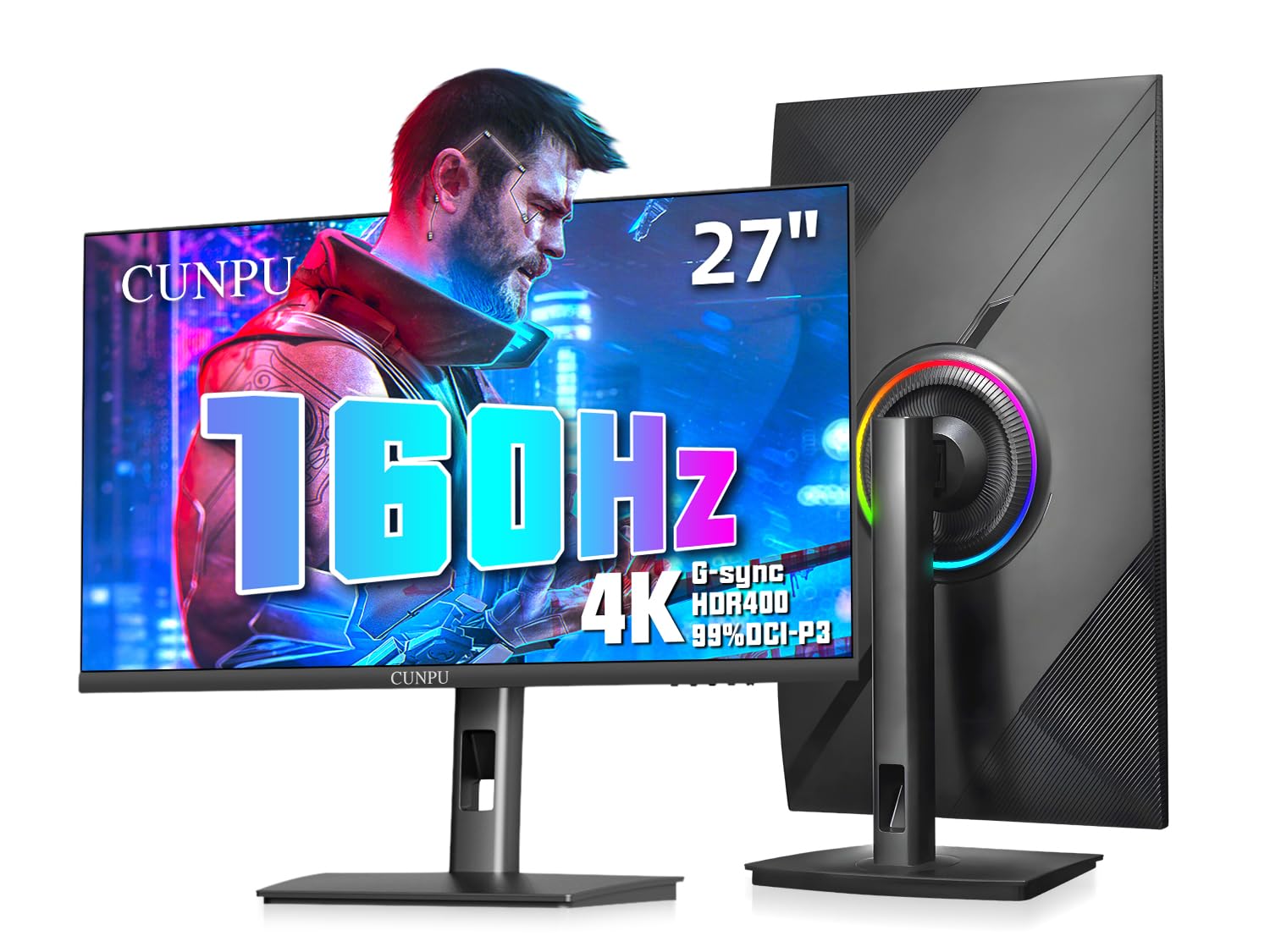
3. CUNPU 27″ 4K 160Hz Ultimate Gaming Monitor, UHD Fast IPS 1ms
A studio-grade color panel that runs at 160Hz, replacing the need for separate work and esports screens
Here is the budget pick that blurs the line between a creative monitor and a gaming monitor. The CUNPU hits 160Hz — matching the KTC’s top refresh rate — while covering 99% DCI-P3 with a Delta E ≤ 2 factory calibration. That combination of speed and color accuracy is rare at this price, making it a legitimate hybrid for someone who edits video by day and games by night.
The 163 PPI pixel density is the standout spec — text renders with print-like sharpness, and game textures reveal detail lost on lower-resolution screens. The Fast IPS panel delivers a 1ms response time, and it supports both G-Sync and FreeSync to eliminate tearing. HDMI 2.1 ports handle PS5 and Xbox at 4K 120Hz, and the full ergonomic stand does height, pivot, swivel, and tilt.
Color quality gets mixed feedback in the review pool — some owners find it excellent from the start, others recommend calibration. Durability is a concern: a minority of owners mention black lines developing on the panel within the first year. That is a minority experience, but it is worth knowing before you commit.
The Highs
- 160Hz refresh with 99% DCI-P3 color — a true hybrid panel
- 163 PPI pixel density makes text and textures razor sharp
- Fast IPS with 1ms response, G-Sync and FreeSync compatible
- Full ergonomic stand with HDMI 2.1 for consoles
The Lows
- A minority of customers note panel failure within the first year
- Colors may need manual calibration for best accuracy
- No built-in speakers or remote control
Who it suits: gamers who also do color-sensitive creative work and want one screen for both — the 160Hz speed and 99% DCI-P3 coverage beat the 120Hz Gawfolk on refresh and the 60Hz ASUS models on fluidity.
Who should pass: anyone who needs a monitor to last several years with zero risk — the durability reports, while rare, are a real consideration.
4. Dell 27 Monitor S2725QS, 4K UHD IPS, 120Hz, FreeSync Premium

The desk favorite that pairs a 120Hz 4K IPS panel with speakers loud enough to skip a soundbar
Dell’s S2725QS is the monitor people buy when they want sharp 4K text, a smooth 120Hz refresh, and built-in speakers that actually sound decent — all without the aggressive gamer aesthetic. The 1500:1 contrast ratio is a step above the 1000:1 IPS panels, giving you deeper blacks for both spreadsheets and evening Netflix sessions. Brain 1 decoding of the review data shows image quality is the most-praised aspect by a wide margin, with owners calling it a huge upgrade from 1080p.
ComfortView Plus reduces blue light emissions to ≤35%, easing eye strain during all-day work sessions. A 0.03ms response time and AMD FreeSync Premium (up to 120Hz) keep scrolling and casual gaming tear-free. The re-engineered speakers deliver more output power and deeper frequency response than the previous generation — reviewers describe them as genuinely loud, almost near-TV quality in one owner account of the 32-inch sibling.
The honest note: responsiveness gets mixed feedback. Some reviewers point out great response time, while others mention the screen turning off unexpectedly on occasion. A few also note slight ghosting in fast-paced games — this is a productivity-first monitor that handles light gaming, not a dedicated esports screen.
Bottom line: for a home-office workhorse that doubles as a movie screen with capable audio, the S2725QS is tough to top. The 120Hz refresh (double the standard 60Hz) gives it an edge over the 60Hz LG 27US500-W, and the white stand looks clean on any desk.
Choose it if: you work all day and want crisp 4K text, low blue light, and built-in speakers that spare you an extra purchase.
Look elsewhere if: you’re a competitive FPS gamer — ghosting in fast scenes makes the KTC or CUNPU the better call.
5. LG 27US500-W Ultrafine Monitor 27-Inch 4K UHD HDR10 IPS

A no-frills 27-inch IPS panel that makes sharp fonts and accurate color ridiculously affordable
The LG 27US500-W is the entry-level 4K monitor done right. It skips the high refresh rate and flashy gaming features — it runs at a standard 60Hz — but it nails the two things most desk users actually need: a crisp 3840 x 2160 IPS image (a panel type known for wide viewing angles) and up to 90% DCI-P3 color gamut through HDR10 (a high-dynamic-range format). For a MacBook or a Linux workstation, it is a reliable window into 4K sharpness.
The borderless design looks modern, and Flicker Safe technology minimizes screen flicker to reduce eye strain during extended use. It also includes Reader Mode, which adjusts the screen for comfortable document reading, plus OnScreen Control software that splits the display into custom layouts with a few mouse clicks. It is VESA mountable (100x100mm) if you want to free up desk space.
Reviewers specifically praise it for Linux systems where fonts finally render sharp and clear. The trade-offs are real: the stand is described as wobbly and only tilts, the power adapter is bulky and can block other outlets, and a small number of shoppers say the display stopping after about a month. This is a bare-bones value pick, not a feature-rich one.
Good for: sharp text, accurate color, and simple setup on a budget. Quality and display quality earn the most praise, while the wobbly stand is the recurring complaint. If you can accept a basic stand and 60Hz, this is tremendous value.
Reach for it if: you want the cheapest genuine 4K IPS panel with good color for office work, photo browsing, or a Linux box — and you plan to mount it on an arm anyway.
skip it if: you need height adjustment, a stable stand, or any gaming refresh above 60Hz right from the start.
6. LG 32UR500K-B Ultrafine 32-inch 4K UHD Computer Monitor

A spacious 32-inch 4K screen with surprisingly strong built-in speakers for movies and console play
If you want maximum screen real estate without leaving the budget tier, the LG 32UR500K-B delivers a full 32 inches of 4K UHD (3840 x 2160) with up to 90% DCI-P3 color coverage. It is a VA panel, so you get deeper blacks than a comparable IPS — though the listed 1000:1 contrast ratio is the same as the 27-inch IPS models, so the advantage here is size more than contrast.
Where it genuinely stands out is audio: the built-in stereo speakers use Waves MaxxAudio to produce bigger, bolder sound than typical monitor speakers. Owners describe the sound as clean for podcasts and YouTube, which means you might skip the separate speakers entirely. It also includes gaming aids like Dynamic Action Sync to cut input lag and Black Stabilizer to brighten dark scenes, plus FreeSync support.
For console players, it shines as a PS5 Pro display — one owner calls it amazing with crisp quality. The caveats: the default color settings can look washed out with SDR content (standard dynamic range, non-HDR) until you tune them, and some buyers report a stuck pixel or a Deep Sleep Mode quirk on Linux (disabling the setting fixes it). At 60Hz with tilt-only adjustment, it is built for entertainment, not esports.
Where it lands: the best large-screen value on this list — monitor quality and picture quality are the most-praised aspects, and the built-in speakers sweeten the deal. Plan on adjusting color settings from the start for the best SDR image.
Grab it if: you want a big 32-inch 4K screen for movies, console gaming, and desk work, with speakers that are actually usable.
Pass it by if: you need a high refresh rate for competitive gaming or a fully adjustable stand — this one only tilts.
7. Dell 32 Monitor S3225QS, 4K UHD VA, 120Hz, FreeSync Premium

A 31.5-inch VA panel that pairs deep 3000:1 blacks with a smooth 120Hz refresh for movies and MMOs
The Dell S3225QS takes everything strong about the 27-inch S2725QS and scales it up to 31.5 inches with a VA panel. That switch to VA brings a 3000:1 contrast ratio — matching the Gawfolk for the deepest blacks on this list — while keeping the smooth 120Hz refresh rate and FreeSync Premium anti-tearing tech. The 99% sRGB and 95% DCI-P3 coverage keep colors rich and true-to-life.
Like its smaller sibling, it includes ComfortView Plus to cut blue light emissions to ≤35% and re-engineered speakers with greater output power for detailed sound. Owners describe the image quality as stellar with saturated colors and crisp text — one calls it an amazing upgrade for video games and streaming. The 32-inch size reads best from about two feet away, which suits a standard desk depth.
The mixed feedback centers on color — some owners find the whites slightly yellow compared to IPS panels and note color shift when viewing from extreme angles, which is typical VA behavior. A few mention built-in speakers randomly becoming the default audio output. At 4ms response time, it is smooth for MMO games but not built for hyper-competitive FPS play.
The verdict: if you want the immersion of a large VA panel with high contrast and a smooth refresh, this is the most polished option — monitor quality and picture quality are the most praised aspects. The trade-off is viewing-angle color shift inherent to VA.
Choose it if: you watch movies, play MMOs, and want deep blacks on a big 32-inch screen with great built-in speakers.
Look elsewhere if: you edit color-critical work or game competitively from odd angles — IPS models like the KTC or Dell S2725QS handle those better.
8. ASUS ProArt PA279CV 27 Inch 4K UHD USB-C Professional Monitor

A Calman-verified 4K panel for creative work, calibrated to Delta E < 2 straight from the factory
The ASUS ProArt PA279CV is built for one thing: accurate color. It is Calman Verified with factory calibration delivering Delta E < 2 — the industry benchmark for color fidelity — and covers 100% sRGB plus 100% Rec. 709. That makes it a serious tool for photographers and video editors, not just a desk display. The 27-inch 4K IPS panel renders fine detail with 3840 x 2160 resolution.
Connectivity is where this ProArt flexes: a USB-C port with 65W Power Delivery that carries video, data, and laptop charging over one cable, plus DisplayPort, HDMI, and a USB 3.1 hub for peripherals. The stand offers height, pivot, swivel, and tilt adjustment, with the 90° portrait rotation being the standout feature for long documents and code. It ships with a 5-year warranty (3 years plus 2 more with online registration) and includes 3 months of Adobe Creative Cloud.
The creative praise is strong — one owner uses it for DaVinci Resolve color-critical work and calls it excellent for the price. But reliability is the mixed note: some owners mention the power functionality stopping or units dying within six weeks, and USB-C connectivity with Macs can be problematic for a subset of users. A few also note a slight green tint from the start that needs minor calibration.
Why Creators Like It
- Calman Verified with Delta E < 2 factory calibration
- 65W USB-C Power Delivery with a USB 3.1 hub built in
- Full ergonomic stand including 90° portrait rotation
- 5-year warranty and 3 months free Adobe Creative Cloud
Creator Caveats
- Some units die within weeks — power reliability is mixed
- USB-C can be finicky with certain Macs
- Slight green tint may need manual calibration
Who it suits: photographers, video editors, and designers who need accurate color and a single USB-C cable for laptop plus peripherals — the 100% sRGB coverage and Delta E < 2 calibration are the headline reasons.
Who should pass: anyone needing a monitor for gaming or who cannot tolerate any risk of a unit failing — durability reports, while a minority, are a real consideration.
9. ASUS ProArt PA279CRV 27 Inch 4K UHD USB-C HDR Professional Monitor for Mac

The Mac-centric ProArt with 96W USB-C charging and 99% DCI-P3 color for serious editing workflows
The PA279CRV takes the ProArt formula and tunes it specifically for Mac users. The headline spec is the USB-C port with 96W Power Delivery — enough to charge a MacBook Pro at full speed while carrying video and data through one cable. That single-cable setup is the closest you get to a clean Apple-style desk without paying Apple prices.
Color coverage goes beyond the PA279CV: 99% DCI-P3 and 99% Adobe RGB cover the wider gamuts that video editors and print designers work in. It is Calman Verified with factory calibration to Delta E < 2, and the 27-inch IPS panel delivers the resolution and accuracy one owner says he needs for photo editing. Daisy-chain support lets you connect multiple monitors through a single DisplayPort cable to expand your workspace without a docking station.
The ergonomic stand does tilt, swivel, pivot, and height adjustment with cable management built in — one owner calls the stand so good a monitor arm is unnecessary. The honest catch: mixed functionality reports, with some owners saying it works flawlessly with a Mac Mini M4 while others say it does not work at all. A few also note connection quirks when routing through an HDMI hub instead of direct USB-C, and 60Hz means it is not a gaming panel.
Where it shines: quality and color accuracy are the most-praised aspects, and the 96W USB-C charging plus daisy-chain support make it a genuine Mac workstation hub. The mixed functionality reports are the risk to weigh against that polish.
Reach for it if: you work on a Mac with color-critical projects and want a single USB-C cable that charges your laptop and connects your whole desk.
Think twice if: you game at all, or if you want zero risk of connectivity quirks — the higher price buys color and charging, not speed or guaranteed compatibility.
Understanding the Specs
Refresh Rate Made Simple
Refresh rate is how many times your screen redraws the image every second, measured in hertz (Hz). A 60Hz monitor updates 60 times per second — fine for office work. At 120Hz, scrolling and mouse movement feel noticeably smoother, which is why the KTC, Gawfolk, and both Dell picks all run at 120Hz or faster. The CUNPU and KTC push to 160Hz in 4K, and the KTC can hit 320Hz at 1080p, which matters for competitive shooters where smooth motion translates to faster reaction times.
Color Gamut and Delta E
Color gamut is the range of colors a monitor can display, usually listed as a percentage of a standard like sRGB or DCI-P3. For general use, 99% sRGB is excellent. For photo and video editing, higher DCI-P3 coverage — like the 99% on the CUNPU and ASUS PA279CRV — shows more of the colors cameras actually capture. Delta E measures color accuracy; a factory-calibrated Delta E under 2 means colors appear accurate without manual adjustment, which is the key spec for creative pros on the ASUS ProArt models.
FAQ
Is a 32-inch 4K monitor too big for a standard desk?
Do budget 4K monitors work well with MacBooks?
What is the difference between IPS and VA panels for 4K monitors?
Can I run 120Hz on a budget 4K monitor?
How much USB-C power do I need to charge a laptop through the monitor?
Are built-in speakers on budget 4K monitors any good?
What does a 3000:1 contrast ratio actually mean for viewing?
Is a 60Hz 4K monitor enough for everyday use?
Final Thoughts: The Verdict
Across the board, the budget 4k monitor winner is the KTC H27P6 because it delivers dual-mode 4K at 160Hz and 1080p at 320Hz with 90W USB-C charging — the most versatile package at a budget price. If you want a productivity-first screen with capable speakers and a smooth 120Hz refresh, grab the Dell S2725QS. And for color-critical creative work with a Mac, the ASUS ProArt PA279CRV is the one to reach for — its 96W USB-C charging and 99% DCI-P3 coverage justify the premium.
How We Picked
We do not accept paid placement. Every pick is matched to a real buyer and a real use-case; we do not hands-on test units.
Sources & Methodology
Specifications: manufacturer listings and product documentation. Review insights: verified customer reviews, as of August 2026. Pricing: not shown on this page (it changes often); check the current price via the retailer link.
As an Amazon Associate, Gadgets Feed earns from qualifying purchases. This does not affect which products we feature.