
Our readers keep the lights on and my morning glass full of iced black tea. As an Amazon Associate, I earn from qualifying purchases.
You do not need to spend a fortune to get a genuinely good 4K TV—one that makes movies pop, sports look fluid, and games feel responsive. The real trick is knowing which specs actually matter for a great picture and which features you can safely skip. This guide cuts through the confusing marketing to find the true value picks.
I’m Min — the founder and writer behind Gadgets Feed. This guide is built by comparing the manufacturers’ published specifications and the patterns across verified customer reviews, so you get each pick’s real strengths and trade-offs instead of marketing spin.
Whether you are upgrading your main living room screen or outfitting a den, finding the right set is simpler than you think — just look at the budget 4k tvs that deliver on the essentials without the premium price tag.
Quick Picks
- TCL 55-Inch T7 Series (55T7, 2025 Model) — Best Overall
- Sony BRAVIA 2 II 50-Inch (K-50S20M2) — Premium Pick
- Samsung 43-Inch QLED Q8F (2025 Model) — Best Bright Room TV
- Roku Plus Series 55-Inch — Best Interface
- Hisense 55″ E6 Cinema Series (55E6QF) — Great Value QLED
- Hisense 65″ E6 Cinema Series (65E6QF) — Big Screen Value
- Samsung 55-Inch Crystal UHD U8000H (2026 Model) — Solid All-Rounder
- LG 43-Inch 4K UHD TM120 (43UP8000PUR) — Compact Performer
- Sony BRAVIA 2 II 43-Inch (K-43S20M2) — Compact Sony
How To Choose The Best Budget 4K TVs
Picking a budget-friendly 4K TV is about knowing where to compromise and where to hold firm. The panel type, the HDR support it offers, and the smart platform it runs on will define your experience more than any single number in a spec sheet.
Panel Type: QLED vs. Standard LED
A standard LED-backlit LCD TV (often just called LED) is the most common and affordable option. It gives you a solid 4K picture, but you will notice that blacks look slightly gray in a dark room and colors are less punchy. A QLED TV (Quantum Dot LED) uses a layer of nano-sized crystals (quantum dots) to produce a much wider range of colors, making the image look more vibrant and lifelike — especially useful in bright living rooms where you want the picture to pop.
Refresh Rate
Most budget TVs state a 60Hz refresh rate (the screen updates the image 60 times per second), which is fine for general TV and movie watching. If you watch a lot of live sports or play fast-paced video games, you will want a 120Hz native panel (updates 120 times per second) for noticeably smoother motion. Be careful: some manufacturers list a “Motion Rate” number that is double or triple the actual panel refresh rate — always look for the “native refresh rate” in the fine print.
HDR Support
High Dynamic Range (HDR) is the feature that lets a TV show both very bright highlights and deep black shadows in the same scene. The two main formats are Dolby Vision and HDR10+. Most budget TVs support basic HDR10 (the standard minimum), but the best value picks include Dolby Vision, which uses scene-by-scene instructions to create a more cinematic picture that is closer to what the director intended.
Smart Platform
The operating system is the menu you’ll use every single day to launch Netflix, Prime Video, and all other apps. Roku is the simplest and fastest for most people. Google TV (on Sony and TCL sets) is feature-rich but can feel slower. Fire TV (on Hisense) integrates deeply with Alexa but some users find it more cluttered. Pick the one whose interface you find most intuitive — a great picture is useless if you dread navigating the menu.
Quick Comparison
On smaller screens, swipe sideways to see the full table.
| Model | Best For | Screen Size | Panel Type | Smart Platform | Amazon |
|---|---|---|---|---|---|
| TCL 55″ T7 Series | Gamers & sports fans | 55″ | QLED | Google TV | $449.99Amazon |
| Sony BRAVIA 2 II 50″ | PS5 owners | 50″ | LED | Google TV | $498.00Amazon |
| Samsung QLED Q8F 43″ | Bright room viewing | 43″ | QLED | Samsung Tizen | $397.99$547.99Amazon |
| Roku Plus Series 55″ | Interface simplicity | 55″ | QLED Mini-LED | Roku TV | $349.99$499.99Amazon |
| Hisense 55″ E6 | QLED color at a low price | 55″ | Hi-QLED | Fire TV | Amazon |
| Hisense 65″ E6 | Largest QLED screen | 65″ | Hi-QLED | Fire TV | Amazon |
| Samsung U8000H 55″ | Free content & simplicity | 55″ | LED | Samsung Tizen | Amazon |
| LG 43UP8000PUR | Compact monitor use | 43″ | LED | webOS | $339.98Amazon |
| Sony BRAVIA 2 II 43″ | Small-room PS5 gaming | 43″ | LED | Google TV | $399.99Amazon |
In‑Depth Reviews
1. TCL 55-Inch T7 Series (55T7, 2025 Model)
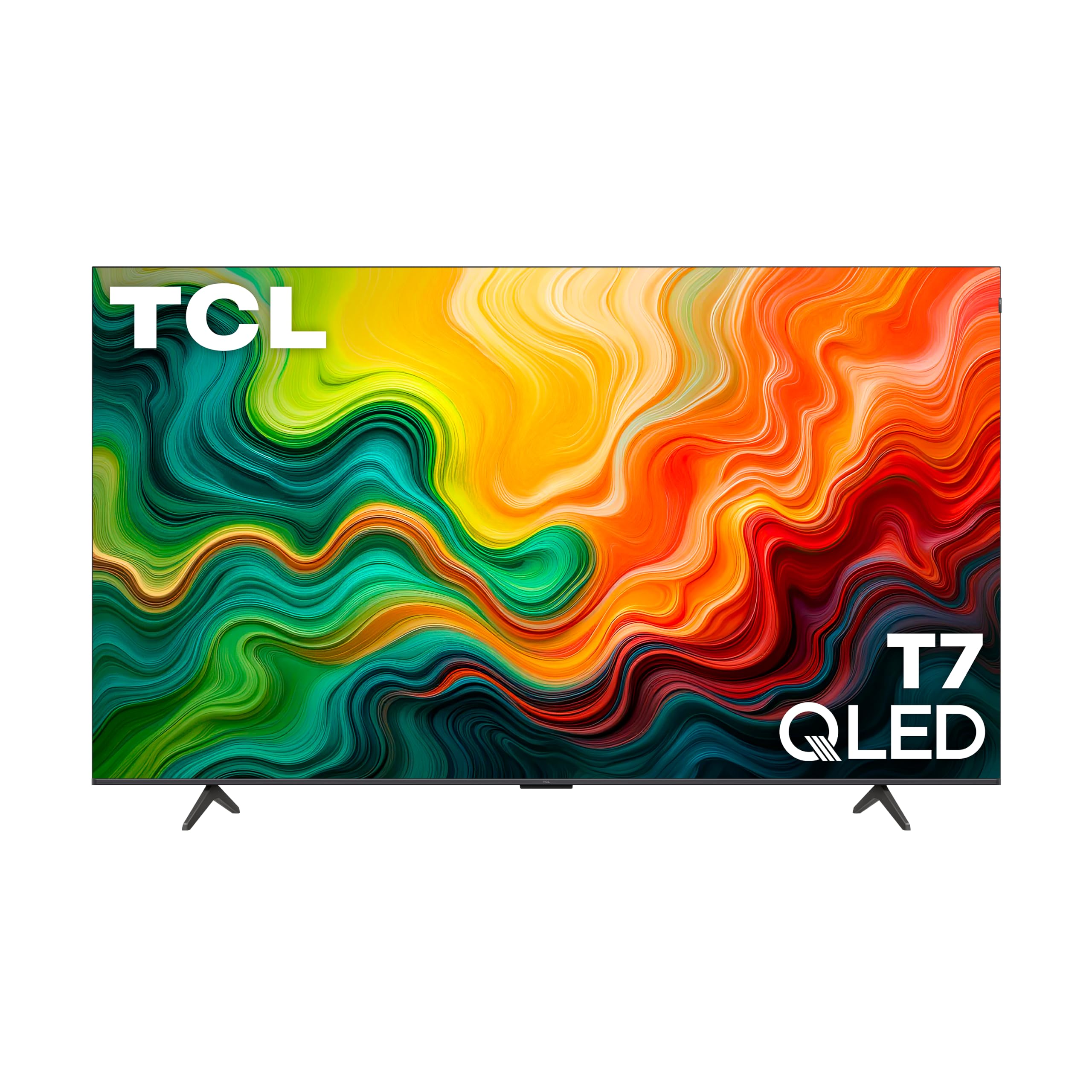
The one TV that refuses to stutter or lag, no matter what you throw at it.
The TCL T7 is built around a 120Hz native panel (the screen refreshes 120 times per second), which makes fast-moving content — like hockey passes or driving in a racing game — look perfectly smooth and blur-free. This is a rare spec in this price range; most sets here are 60Hz, so the T7 leads on fluidity by a clear margin. The QLED display with Quantum Dot technology covers nearly the entire DCI-P3 color space, delivering rich, vibrant colors that make a standard LED TV look washed out in comparison. It also supports Dolby Vision and HDR10+, so you get the full cinematic HDR (high dynamic range) experience from either major format.
Buyers report the picture is “stunning” and “crystal clear” for 4K discs and gaming, and they praise the responsive Google TV interface. The single real trade-off is that the smart platform requires an internet connection and a Google account sign-in before you can use any HDMI input — a minor setup hurdle. The built-in speakers are rated as okay, so adding a soundbar is a worthwhile upgrade if you want deeper sound.
You also get Motion Rate 480 (a combination of technologies that estimates and creates extra frames between the real ones) for even smoother motion, and four HDMI inputs including one with eARC (enhanced Audio Return Channel) for connecting a soundbar with a single cable. Buyers specifically note the TV works great for PC gaming thanks to a dedicated Game feature that eliminates lag.
Why it’s great
- Native 120Hz panel for smooth sports and gaming
- QLED with Dolby Vision and HDR10+ for vibrant, accurate color
- Four HDMI ports, including eARC, for connecting multiple devices
Good to know
- Requires internet and Google account setup before first use
- Built-in speakers are average; a soundbar improves the audio
Best for: Gamers and sports fans who want a smooth, tear-free picture at 4K 120Hz.
Skip if: You want the simplest possible out-of-box setup without needing to sign in to a smart platform first.
2. Sony BRAVIA 2 II 50-Inch (K-50S20M2)

The Sony that makes your PlayStation 5 games look noticeably richer and more detailed.
The 50-inch Sony BRAVIA 2 II uses a 4K Processor X1 chip that upscales lower-resolution content (like cable TV or older streaming shows) to near-4K quality with better texture and detail than most budget TVs can manage. Its real standout feature is the exclusive integration with PlayStation 5: it automatically enables Auto HDR Tone Mapping (which sets the optimal brightness and contrast for HDR games instantly) and Auto Genre Picture Mode (which switches the TV to a dedicated game mode when you turn on the console). Buyers love this pairing, noting the “really nice graphics” and how well the Sony remote control works with the overall system.
Motionflow XR keeps fast-moving action blur-free, and the DTS-X and Dolby Atmos audio support gives you a solid soundstage without an external speaker. The Google TV interface provides access to every major streaming app, and it includes Sony Pictures CORE, which gives you a selection of free movies. Unlike the TCL above, this Sony uses a standard LED panel rather than QLED, so colors are less punchy in a bright room. One reviewer warned about freezing and WiFi issues, though most praise the “beautiful picture” and “very responsive remote.”
Why it’s great
- Exclusive PS5 features (Auto HDR Tone Mapping, Auto Genre Mode)
- 4K Processor X1 provides excellent upscaling of lower-resolution content
- Dolby Atmos and DTS-X support for better built-in audio
Good to know
- Standard LED panel, not QLED — less vibrant color than QLED rivals
- A small number of buyer experiences mention freezing or WiFi drops
Best for: PS5 owners who want smart automatic picture optimization without manual tweaking.
Skip if: You want the punchiest colors in a bright room and prefer a QLED panel.
3. Samsung 43-Inch QLED Q8F (2025 Model)

The small QLED that refuses to wash out even under direct sunlight.
The Samsung Q8F uses Quantum Dot technology to achieve 100% Color Volume, meaning the colors stay accurate and saturated no matter how bright the room gets — a crucial advantage over the Sony BRAVIA 2 II above, which uses a standard LED panel that can look dim in a sunny living room. This 43-inch set also supports VRR gaming (Variable Refresh Rate, which syncs the TV’s refresh rate with the console to eliminate screen tearing) at up to 4K 144Hz, which is faster than the TCL’s 120Hz maximum. The AirSlim design makes it sit nearly flush against the wall, giving a clean, minimalist look.
It runs on Samsung’s Tizen OS and includes Samsung TV Plus, which offers over 2,700 free channels without any subscription, ideal if you are cutting cords. Bluetooth 5.3 is built in, giving a 6% wider bandwidth compared to the Bluetooth 5 on the Hisense 55″ E6, so wireless headphones will have a more stable connection. Owners mention the picture is “wonderfully clear and crisp” and that the solar-powered remote (which charges by light, no batteries needed) is a neat bonus. The catch is the built-in sound, which reviewers describe as lacking depth — they solved it by adding a Samsung soundbar.
Why it’s great
- 100% Color Volume QLED keeps colors vivid in bright rooms
- Supports VRR gaming at up to 4K 144Hz for tear-free play
- Ultra-slim AirSlim design for a near-flush wall mount
Good to know
- Sound quality is thin and benefits from a separate soundbar
- 43-inch size may feel small for larger living rooms
Best for: Bright rooms and competitive gamers who want high-refresh-rate VRR in a compact size.
Skip if: You need a larger screen for a big living room setup.
4. Roku Plus Series 55-Inch

The TV that finally makes a living room interface feel fast and simple again.
The Roku Plus Series combines a QLED panel with Mini-LED backlighting (thousands of tiny individual LEDs that dim in zones, producing deeper black levels and more controlled contrast than standard LED). This gives it a picture quality edge over the standard LED Samsung U8000H and the LG UP8000, producing richer blacks and punchier highlights. The Roku operating system is widely regarded as the fastest and most intuitive smart TV platform available — it boots quickly, apps launch in a snap, and the home screen is clutter-free. Buyers call it “very intuitive” and praise the “excellent picture with deep blacks and vibrant colors.”
Dolby Vision and Dolby Atmos are both supported, and the built-in speakers have a subwoofer for fuller sound than most budget TVs offer — customers note the sound is “exceptional throughout the range with strong bass.” The Enhanced Voice Remote includes a “lost remote finder” feature (you press a button on the TV to make the remote beep). One reviewer noted that the USB ports stay powered for about ten minutes after the TV turns off, which is only a concern if you plug in bias lighting strips. Compared to the Roku Select Series, buyers recommend spending the extra for the Plus model because of the “far better picture and build.”
Why it’s great
- Mini-LED backlighting delivers deep blacks and high contrast
- Roku OS is fast, simple, and constantly updated
- Built-in sound with a subwoofer is stronger than most rivals
Good to know
- USB ports stay powered for ~10 minutes after the TV is off
- Settings menu is basic and lacks advanced fine-tuning options
Best for: Households that value a simple, fast, and frustration-free smart TV interface.
Skip if: You need deep manual calibration controls for professional-grade picture adjustment.
5. Hisense 55″ E6 Cinema Series (55E6QF)

The lowest-priced QLED that still brings Dolby Vision to your living room.
The Hisense 55″ E6 uses Hi-QLED Color technology (Hisense’s name for a quantum dot-enhanced panel) to produce “rich, vibrant, and true-to-life” colors at a price that undercuts most QLED competitors. It supports every major HDR format — Dolby Vision, HDR10+, HDR10, and HLG — meaning any HDR content you play will be optimized with the correct brightness and contrast data. This gives it an advantage over the Samsung U8000H, which only supports HDR10+. One buyer reports the “great picture handles fast motion like hockey flawlessly,” but the same review notes the TV defaults to a lower resolution and needs a manual setting change to reach 4K 60Hz and Dolby Vision Vivid.
The built-in Fire TV platform gives you access to all streaming apps, with an Alexa voice remote that lets you check sports scores and set timers hands-free. However, a common theme across buyers is that the Fire TV OS can feel “slow” and “sluggish” compared to Roku or Google TV, and the settings menu is somewhat buried. The Bluetooth 5 connection is a step behind the Samsung U8000H’s 5.3 version (a 6% gap in data-transfer capability you will only notice with high-end wireless headphones). Buyers describe the sound quality as “tiny,” making a soundbar a wise addition.
Why it’s great
- Hi-QLED panel produces vibrant colors at a budget price
- Supports Dolby Vision, HDR10+, HDR10, and HLG for total HDR compatibility
- Game Mode Plus with Motion Rate 120 for smoother gaming
Good to know
- Fire TV OS can feel sluggish and less intuitive than Roku
- Requires manual setting change to run at full 4K 60Hz with Dolby Vision
Best for: Budget-conscious buyers who want QLED color and full HDR support without spending extra.
Skip if: You want the snappiest smart TV interface — Fire TV is slower than Roku or Google TV.
6. Hisense 65″ E6 Cinema Series (65E6QF)
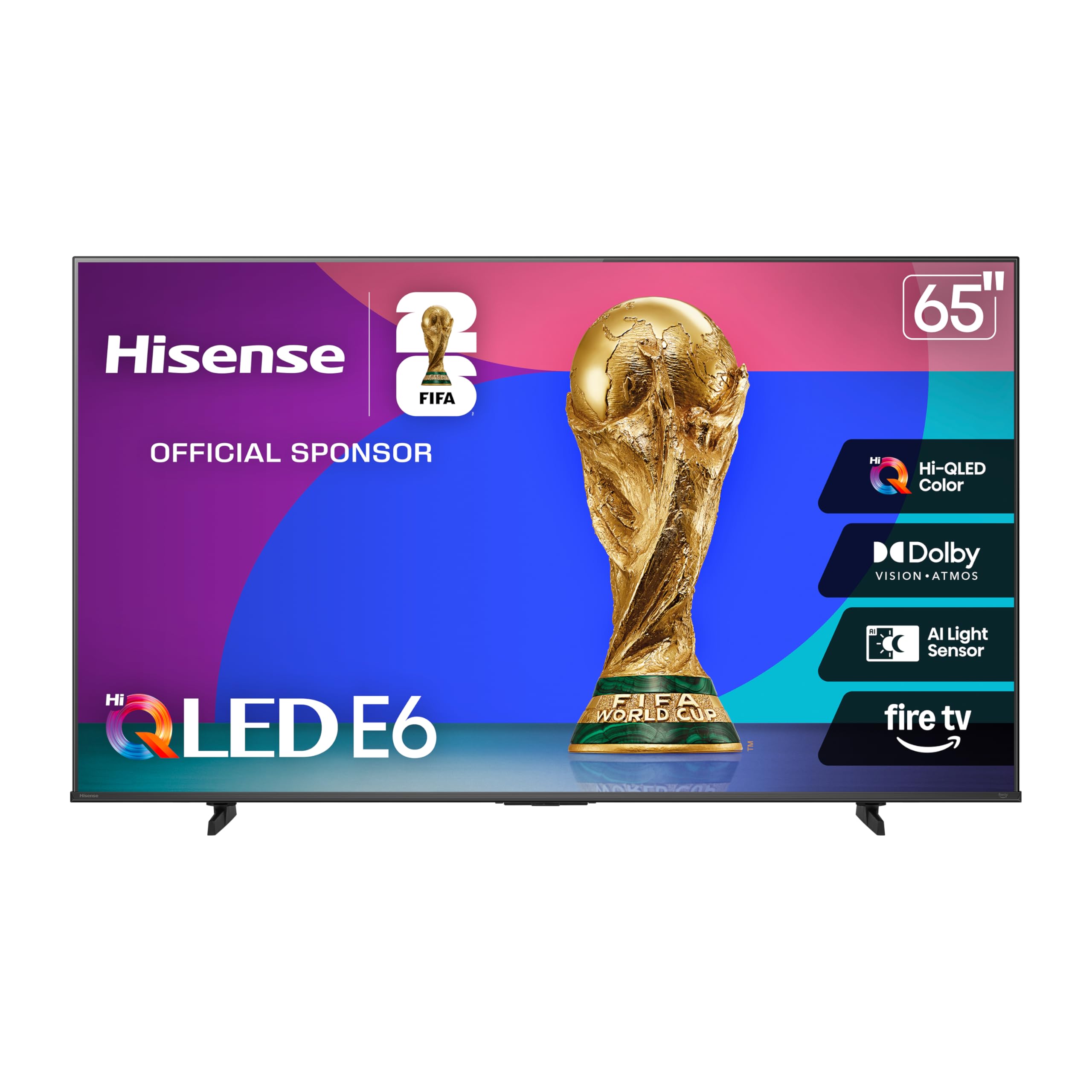
The biggest QLED on this list that does not demand a premium price.
The 65-inch version of the Hisense E6 shares the same core specs as its 55-inch sibling — Hi-QLED color, Dolby Vision, Dolby Atmos, and Motion Rate 120 — but adds 10 inches of diagonal screen real estate for roughly 40% more viewing area, making it the largest QLED option in this roundup. Reviewers point out the “fantastic true 4K picture” makes Xbox Series X games “look incredible,” and the AI Light Sensor automatically adjusts screen brightness based on ambient room light to prevent eye strain at night. The stand is described as solid with no dead pixels on arrival.
The Fire TV OS returns here with the same trade-offs: one reviewer notes a 60-90 second boot time with WiFi and a sluggish menu experience. AirPlay support works fine for Apple device users. As with the 55-inch version, one buyer mentioned a severe quality-control issue where the TV malfunctioned within a week and Amazon remotely locked the replacement unit — a rare but serious experience that underscores the importance of checking the return policy. If you trust the platform and prioritize screen size above all, this gives you the biggest QLED picture for the money.
Why it’s great
- 65-inch Hi-QLED screen is the largest QLED in this price bracket
- AI Light Sensor automatically adjusts for comfortable night viewing
- Full HDR support with Dolby Vision and HDR10+ Adaptive
Good to know
- Fire TV OS is slow to boot and navigate
- Reported quality-control issues in a minority of units
Best for: Buyers who want the maximum QLED screen size on a tight budget for movie nights.
Skip if: You are risk-averse about potential software or hardware issues — check the warranty carefully.
7. Samsung 55-Inch Crystal UHD U8000H (2026 Model)

The Samsung that keeps things simple with a great picture and tons of free channels.
The Samsung U8000H uses a Crystal Processor 4K that enhances colors and sharpens details for everyday content, though its standard LED panel cannot match the black-depth and color vibrancy of a QLED set like the Hisense 55″ E6. Its strongest selling point is Samsung TV Plus, which gives you access to over 2,700 free streaming channels — including 750+ subscription-free channels — without entering a credit card or signing up for a service. This is a great fit for cord-cutters who want live news, sports, and reality TV without paying monthly fees.
The Motion Xcelerator technology (Samsung’s name for frame interpolation that smooths motion) delivers up to 4K 60Hz, and the Color Booster mode increases color saturation to make content pop. Bluetooth 5.3 is included, which is the latest version and provides a slightly more stable connection for wireless audio compared to the Bluetooth 5 found on the Hisense and LG models. Shoppers say the “crystal clear graphics” and “clear loud sound” that does not require an external soundbar. Some buyers strongly dislike the remote, describing it as “too small and unclear” and even reporting that theirs stopped working after ten days. The Tizen OS requires an internet-connected account setup before you can use the TV, which may frustrate those using over-the-air antennas.
Why it’s great
- 2,700+ free channels with Samsung TV Plus, no subscription needed
- Bluetooth 5.3 provides the latest wireless audio standard
- Color Booster and 4K upscaling improve standard content
Good to know
- Standard LED panel is less vibrant than QLED alternatives
- Remote design is polarizing — some find it too small or unreliable
Best for: Cord-cutters who want a huge library of free live TV channels without extra subscriptions.
Skip if: You prioritize the deepest blacks and richest colors — stick with a QLED panel.
8. LG 43-Inch 4K UHD TM120 (43UP8000PUR)

The 43-inch set that doubles as a surprisingly great computer monitor.
The LG 43UP8000PUR is designed around a Quad Core Processor 4K that handles upscaling and Active HDR (which processes HDR10 and HLG signals to boost contrast and color). Several buyers specifically praise it as a “great value 4K monitor with bright, adjustable, beautiful screen and sturdy, highly adjustable stand,” noting its versatility as both a bedroom TV and a desktop display. The Magic Remote (which works like a pointer — you wave it to move the cursor on screen) is included, along with support for Google Assistant and Alexa built into the webOS platform. Unlike the Sony BRAVIA and TCL sets, this LG supports Apple AirPlay 2 for easy streaming from iPhones and iPads.
The biggest “good to know” feedback from tech-savvy buyers is that the webOS interface is “overly complex,” with one review stating it requires “near expert knowledge to operate.” The sound quality is described as poor, which is common for this price tier. The 43-inch size and 16:9 aspect ratio make it ideal for a desk or a small bedroom, but the lack of Dolby Vision (it supports only basic HDR10 and HLG) means it falls behind the Hisense and Roku on HDR performance. If you need a compact 4K screen that can pull double duty as a TV and monitor, this is the best option on the list.
Why it’s great
- Excellent for dual use as a living room TV and a desktop monitor
- Sturdy, highly adjustable stand is great for monitor setups
- Supports AirPlay 2, Google Assistant, and Alexa
Good to know
- webOS interface is unintuitive and complex for many users
- No Dolby Vision support — only basic HDR10
Best for: A computer monitor that also works as a bedroom TV with smart features.
Skip if: You want the simplest possible smart TV platform or need Dolby Vision for HDR movies.
9. Sony BRAVIA 2 II 43-Inch (K-43S20M2)
The smaller Sony that gives the PS5 a dedicated, optimized gaming screen.
The 43-inch Sony BRAVIA 2 II shares the same 4K Processor X1, Motionflow XR, and exclusive PS5 features (Auto HDR Tone Mapping and Auto Genre Picture Mode) as its larger 50-inch sibling, making it the best compact option for PlayStation 5 owners. Buyers report it “plays our PS5 with really nice graphics” and call the Sony remote the “best as far as I am concerned.” The Google TV interface brings together services like Netflix, Prime Video, and Apple TV+ in a unified homescreen, and built-in Chromecast lets you cast content directly from your phone.
At 43 inches, this is an ideal size for a bedroom, office, or dorm room where a larger screen would overwhelm the space. Like the larger model, it uses a standard LED panel rather than QLED, so colors are not as vibrant as the TCL T7 or the Roku Plus Series. The same potential quality-control issue exists: one reviewer described a unit that “constantly freezes, requiring unplugging” and drops WiFi — likely a lemon, but worth noting. For anyone prioritizing PS5 performance and Sony’s processing engine in a compact package, this is the pick. Reviewers specifically call it “great value for price” and recommend it for an office setup.
Why it’s great
- Same 4K Processor X1 and PS5 features as the larger Sony models
- Compact 43-inch size is perfect for bedrooms or desks
- Google TV interface with built-in Chromecast is seamless
Good to know
- Standard LED panel is less vibrant than QLED alternatives
- A small number of owners mention freezing and WiFi issues
Best for: PS5 gaming in a compact space where screen size is limited.
Skip if: You want the brightest, most colorful panel for a well-lit living room.
Understanding the Specs
Native Refresh Rate
The native refresh rate (measured in Hz, or hertz) tells you how many times per second the TV updates the entire image. Most budget TVs are 60Hz, which is perfectly fine for movies and standard TV shows. A 120Hz panel (like the TCL T7) updates twice as often, making fast motion in sports and action games look smoother and reducing motion blur significantly. Manufacturers sometimes advertise a “Motion Rate” that is higher than the native rate — this is a marketing number, not the panel’s actual speed, so always check the native refresh rate in the specs.
HDR Formats (High Dynamic Range)
HDR is the technology that lets a screen show both very bright parts of a scene and very dark parts simultaneously, without losing detail in either. The basic HDR10 format is supported by all these TVs. Dolby Vision is a more advanced format that sends scene-by-scene or even frame-by-frame instructions to the TV, making the picture look closer to what the director saw in the editing suite. HDR10+ is a competing format that does the same thing but is mainly used on Amazon Prime Video. TVs that support both Dolby Vision and HDR10+ offer the broadest compatibility with all streaming services and 4K Blu-ray discs.
QLED vs. LED Panel
A standard LED panel uses white LEDs (light-emitting diodes) to backlight the LCD screen. A QLED panel adds a layer of quantum dots — microscopic nano-crystals that convert the white backlight into pure, saturated colors. This gives QLED TVs significantly better color volume, meaning colors stay bright and accurate even in a sunlit living room. For budget buyers, QLED represents the single biggest picture-quality upgrade you can get. The term “Hi-QLED” used by Hisense is essentially the same technology under a different name.
Smart TV Platform
The smart platform is the operating system that controls the menus, apps, and settings of the TV. Roku is the simplest and fastest, great for less tech-savvy users. Google TV (Sony, TCL) is feature-rich with deep integration and personalized recommendations, but can sometimes feel slower on budget hardware. Fire TV (Hisense) integrates Alexa voice control deeply but buyers find the menus more cluttered and slower. Samsung’s Tizen is polished and has a massive free channel library, but requires an account setup before use. LG’s webOS is unique with its pointer-style Magic Remote but is criticized for being overly complex.
FAQ
What is the difference between a 60Hz and a 120Hz TV for a budget buyer?
Does a budget 4K TV support Dolby Vision or only basic HDR10?
Will a 55-inch TV fit in my apartment or small living room?
What is the downside with “budget” 4K TVs regarding sound quality?
Can I use a budget 4K TV as a computer monitor?
What is the real-world difference between a standard LED and a QLED panel for the price?
How long should a budget 4K TV last before needing replacement?
Do I need to buy a separate streaming device if the TV already has smart apps?
What does Motion Rate 480 mean on the TCL T7?
Is it worth paying more for a Mini-LED backlight on a budget TV?
Final Thoughts: The Verdict
Product prices and availability are accurate as of the date/time indicated and are subject to change. Any price and availability information displayed on Amazon at the time of purchase will apply to the purchase of this product. As an Amazon Associate I earn from qualifying purchases.
CERTAIN CONTENT THAT APPEARS ON THIS SITE COMES FROM AMAZON. THIS CONTENT IS PROVIDED "AS IS" AND IS SUBJECT TO CHANGE OR REMOVAL AT ANY TIME.
Amazon and the Amazon logo are trademarks of Amazon.com, Inc. or its affiliates.