
Our readers keep the lights on and my morning glass full of iced black tea. As an Amazon Associate, I earn from qualifying purchases.
Specs are compiled from manufacturer listings and verified buyer reviews and can change over time — please confirm the key details on the product page before buying.
The best budget Bluetooth mouse delivers premium performance without the premium price tag. You want silent clicks that don’t wake the whole room, a battery that lasts longer than your work week, and a connection that never stutters. We evaluated each model on battery life, connectivity, DPI range, and real-world user feedback to find the true value picks.
I’m Min — the founder and writer behind Gadgets Feed. This guide is built by comparing the manufacturers’ published specifications and the patterns across verified customer reviews, so you get each pick’s real strengths and trade-offs instead of marketing spin.
Whether you are replacing a worn-out office staple or grabbing a spare for your laptop bag, this roundup of the top-rated budget bluetooth mouse options covers the truly performance-driven models that won’t test your patience.
Quick Picks
- TECKNET Bluetooth Wireless Mouse — Best Overall
- ProtoArc EM15 Bluetooth Mouse — Lightweight Champ
- RAPIQUE Bluetooth Wireless Mouse (R-09) — Style & Substance
- Lenovo Bluetooth Silent Mouse (WL300) — Trusted Brand
- KYSONA Ergonomic Vertical Mouse — Ergo Special
- Uineer Wireless Ergonomic Mouse — RGB Vertical
- XBG B15pro Tri-Mode Mouse — Smart Display
How To Choose The Best Budget Bluetooth Mouse
A cheap mouse can be a fantastic find or a daily frustration. On a budget, you need to know which corners were cut and which ones matter. Here is what separates a great value pick from a waste of desk space.
Battery Life: Rechargeable vs. Disposable
Battery life is the single biggest quality-of-life factor in a budget mouse. A rechargeable mouse with a built-in battery saves you from buying AAAs forever, but you have to remember to plug it in. A mouse that runs on a single AA battery can last months, but you carry the ongoing cost. Look at the stated “Average Battery Life” in days—a 60-day gap means the difference between charging every two weeks and every half a year.
DPI and Sensor Quality
DPI (Dots Per Inch) measures how fast the cursor moves across the screen when you move the mouse. For a budget mouse, you generally want a sensor that tracks smoothly on wood, fabric, or a desk surface without jumping. Many cheap mice skimp here, causing erratic cursor behavior. Pick one with at least three adjustable DPI levels so you can slow it down for detailed photo editing or speed it up for a big multi-monitor setup.
Connectivity Tri-Mode vs Dual-Mode
You want a mouse that can switch between Bluetooth and a USB dongle (2.4 GHz), with some adding a third Type-C wireless mode for direct connection to newer laptops. If you need to jump between a work computer and a personal tablet, tri-mode connectivity is worth the small premium—it lets you press one button to change devices without pulling out a dongle or re-pairing.
Quick Comparison
On smaller screens, swipe sideways to see the full table.
| Model | Best For | Battery Life | Button Count | Max DPI | Amazon |
|---|---|---|---|---|---|
| TECKNET Bluetooth Mouse | Battery endurance & fast DPI | 60 days | 5 | 4800 | $16.99Amazon |
| ProtoArc EM15 | Lightweight travel mouse | 15 days | 6 | 2400 | $14.99$17.99PrimeAmazon |
| RAPIQUE R-09 | Stylish desktop basics | — | 6 | — | $13.99$15.99Amazon |
| Lenovo WL300 | Silent clicks & brand trust | 6 months* | 5 | 1600 | $18.81Amazon |
| KYSONA Vertical Mouse | Ergonomic wrist relief | 200 hours | 5 | 4000 | $19.99$22.99Amazon |
| Uineer Vertical Mouse | RGB & multi-device sync | — | 6 | 2400 | $22.99Amazon |
| XBG B15pro | Live battery display | 1 month | 6 | 2400 | $25.99Amazon |
* Lenovo WL300 battery life estimated by the manufacturer at 6 months with regular use on a single AA battery.
In‑Depth Reviews
1. TECKNET Bluetooth Wireless Mouse
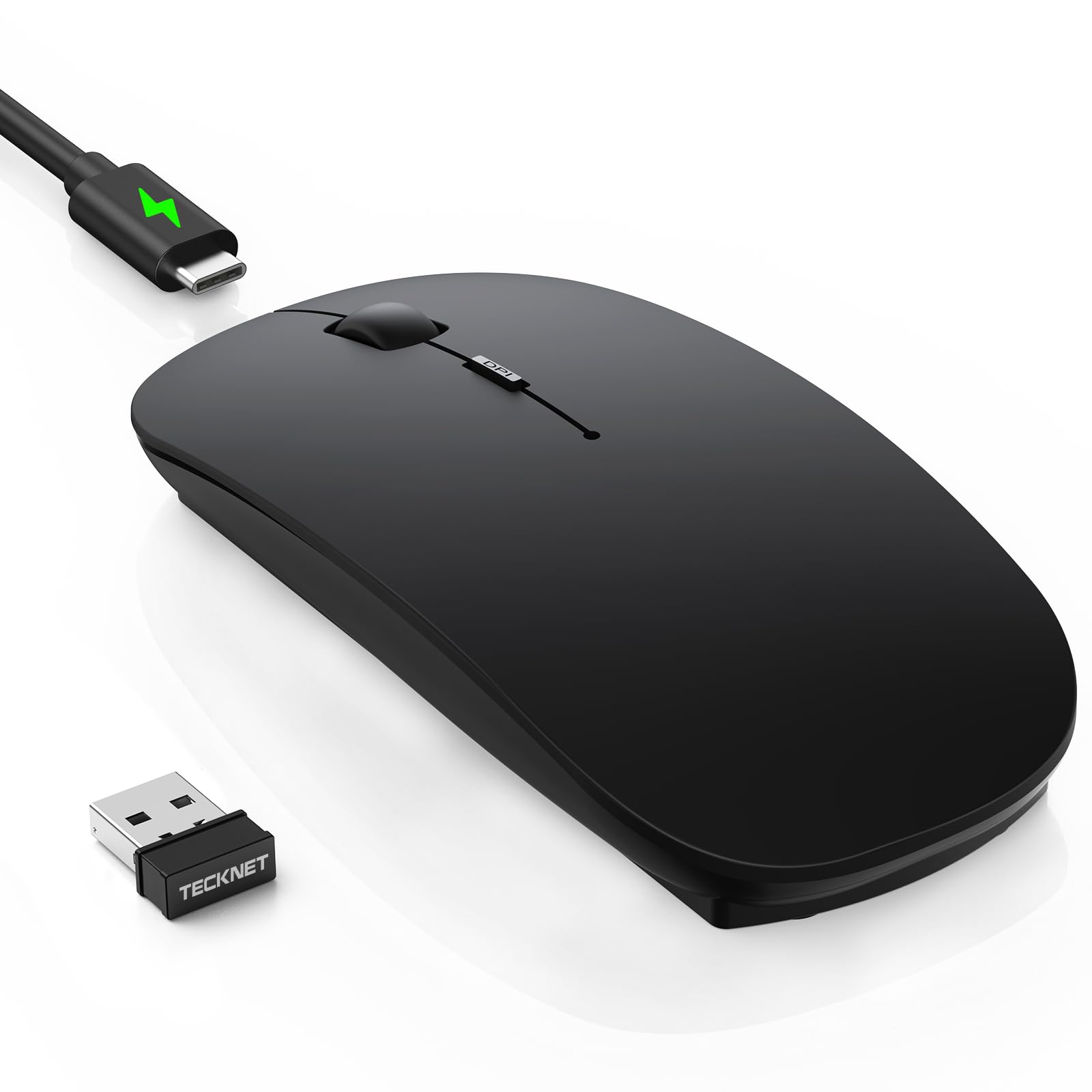
The 60-day rechargeable beast that also gives you 4800 DPI speed when you need it.
You can switch between six DPI (dots per inch — how fast the cursor moves) levels from 800 to 4800, so you get a slow, precise setting for photo editing or a fast mode that zips across three monitors with one small wrist flick. Buyers report that the multi-device toggle between Bluetooth 5.2, Bluetooth 3.0, and the 2.4G USB receiver (a small plug that connects wirelessly) works smoothly, and a hidden USB dongle slot stores inside the mouse body for travel.
The battery life here is the headline: a 2.5-hour USB-C charge powers 60 days of use at two hours per day, with a 12-month standby and a 30-minute auto-sleep feature. One early reviewer noted that during the first 1-2 days there was severe lag or ghost tracking, but the issue resolved on its own—so give it a brief break-in period. The ultra-thin body measures just 2.26 × 4.48 × 0.93 inches, making it pocket-friendly, and the ambidextrous shape works for both left and right hands.
Why this one wins
- 60-day rechargeable battery versus the ProtoArc EM15’s 15 days
- 6-level DPI from 800 to 4800—more range than the KYSONA’s 5 levels
- Full tri-mode connectivity with hidden USB storage
- Ultra-slim design fits in a pocket
The trade-off
- Only 5 buttons versus 6 on the RAPIQUE and ProtoArc
- Some units had initial lag that cleared after 1-2 days
- Black version’s matte finish can look dirty if hands are sweaty
Our pick if: you want the longest battery between charges and the most DPI versatility in an ultra-thin body—this is the budget mouse that punches above its weight.
Look elsewhere if: you need forward/backward navigation buttons (it lacks the sixth button) or you cannot tolerate the possibility of a short adjustment period for the sensor.
2. ProtoArc EM15 Bluetooth Mouse
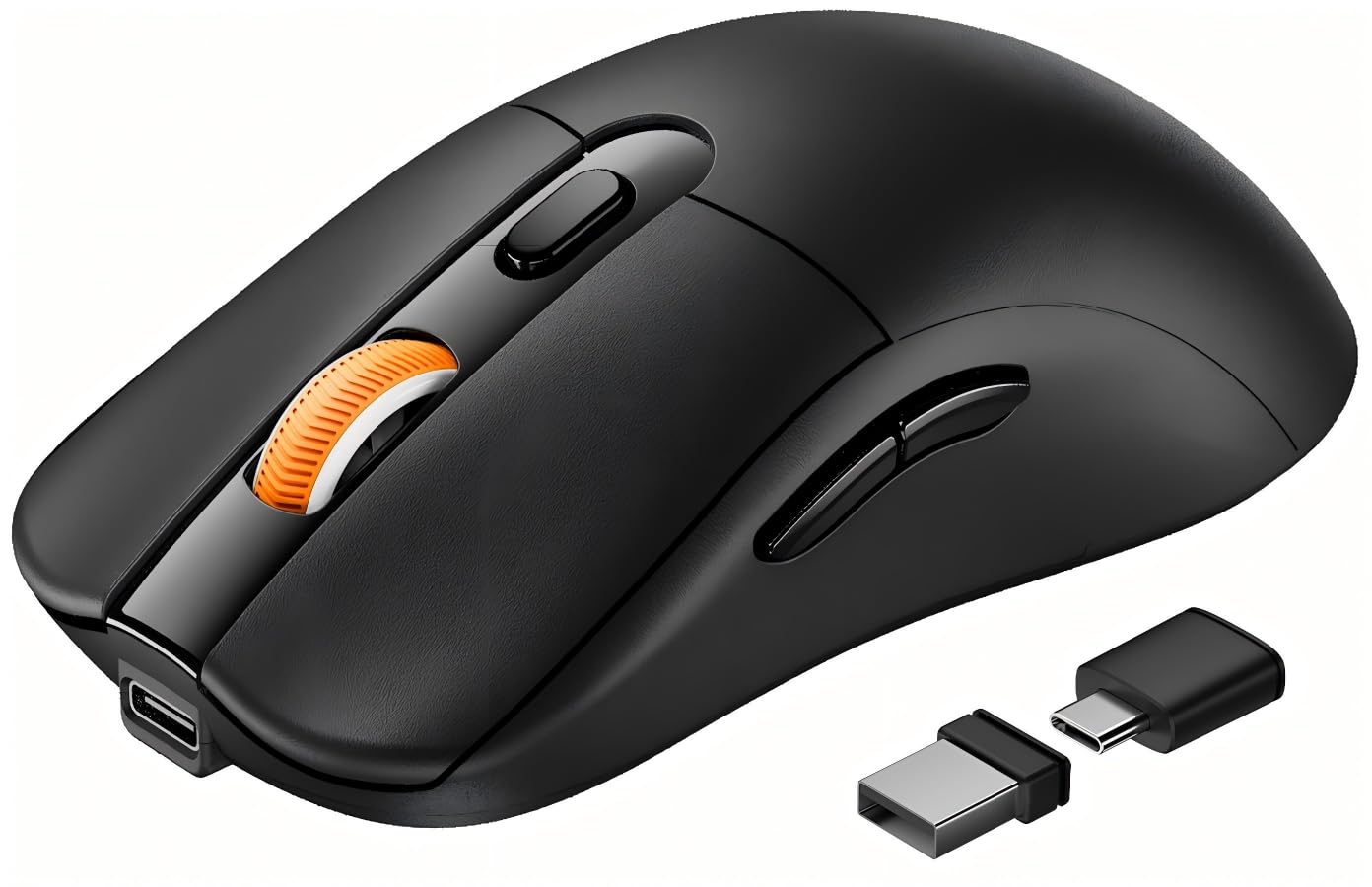
A 68-gram featherweight that connects to three devices without ever re-pairing.
At just 68 grams, this mouse is one of the lightest full-size options in this roundup. It connects to three devices using Bluetooth, a USB-A receiver, and a Type-C receiver, all stored in a dedicated compartment on the back. Buyers consistently mention the “easy USB-C setup, Bluetooth for multiple devices, rechargeable with pass-through use,” and note that it works flawlessly on both Windows and macOS.
The battery life runs for 15 days on a single 2-hour charge, with a standby time of 200 days. You get three DPI levels (1000/1600/2400) and six buttons including forward/backward navigation. Reviewers also highlight that it has 6 buttons compared to the TECKNET’s 5—so if you rely on browser back/forward, this is a better fit.
Standout strengths
- 68g ultra-light—noticeably less hand fatigue during long hours
- Triple connectivity with both USB-A and USB-C receivers
- 6 buttons, including handy forward/backward navigation
The catch
- 15-day battery versus the TECKNET’s 60 days
- Scroll wheel is not silent—only the left/right clicks are quiet
Grab this if: you need a featherweight travel companion with USB-C charging and you value the extra navigation buttons—a top-tier performer for the price.
skip it if: you want a mouse that only needs charging once a month, as the 15-day battery will need more frequent top-ups.
3. RAPIQUE Bluetooth Wireless Mouse (R-09)
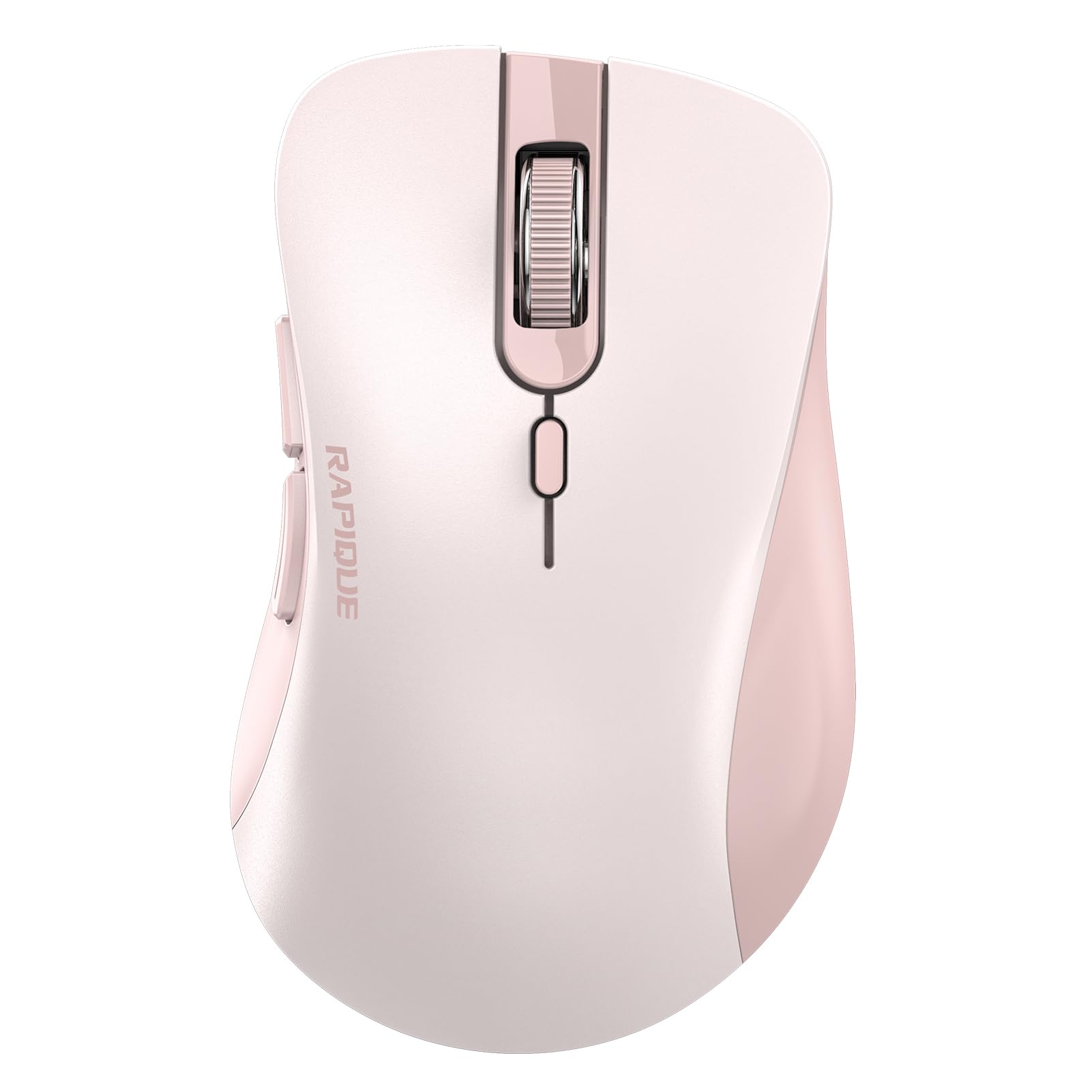
A deep-pink mouse that proves budget gear can look as good as it performs.
This RAPIQUE model stands out with a stunning design—a deep pink frame, soft pink buttons, and a serrated pink rubber scroll wheel that adds a playful elegance to any desk. Beyond the looks, it packs 6 buttons and dual connectivity (Bluetooth plus 2.4 GHz USB receiver). It runs on a single AA battery (not included), and while there is no stated battery life in days, buyer reviews consistently report “long battery life” and “battery lasts forever.”
One verified buyer called it “Ergonomic, comfortable for long use; long battery life; quiet clicks; flawless wireless with MacBook Pro.” The right-handed ergonomic shape is designed for all-day comfort, and the silent-click technology keeps your workspace distraction-free. At 65 grams, it is very close in weight to the ProtoArc’s 68 grams.
Why it stands out
- Distinctive deep-pink color scheme—unlike any other mouse on this list
- 6 buttons versus 5 on the TECKNET and Lenovo WL300
- Flawless wireless performance with MacBook Pro, per buyer reports
A few things to know
- No rechargeable battery—uses one AA battery
- No auto-sleep indicator, so you need to remember to flip the switch off
Reach for this if: you want a budget mouse that makes a style statement without sacrificing ergonomics or button count—the RAPIQUE delivers strong basics with a smile.
Pass on it if: you prefer a rechargeable mouse with a built-in battery and would rather not buy AA replacements.
4. Lenovo Bluetooth Silent Mouse (WL300)
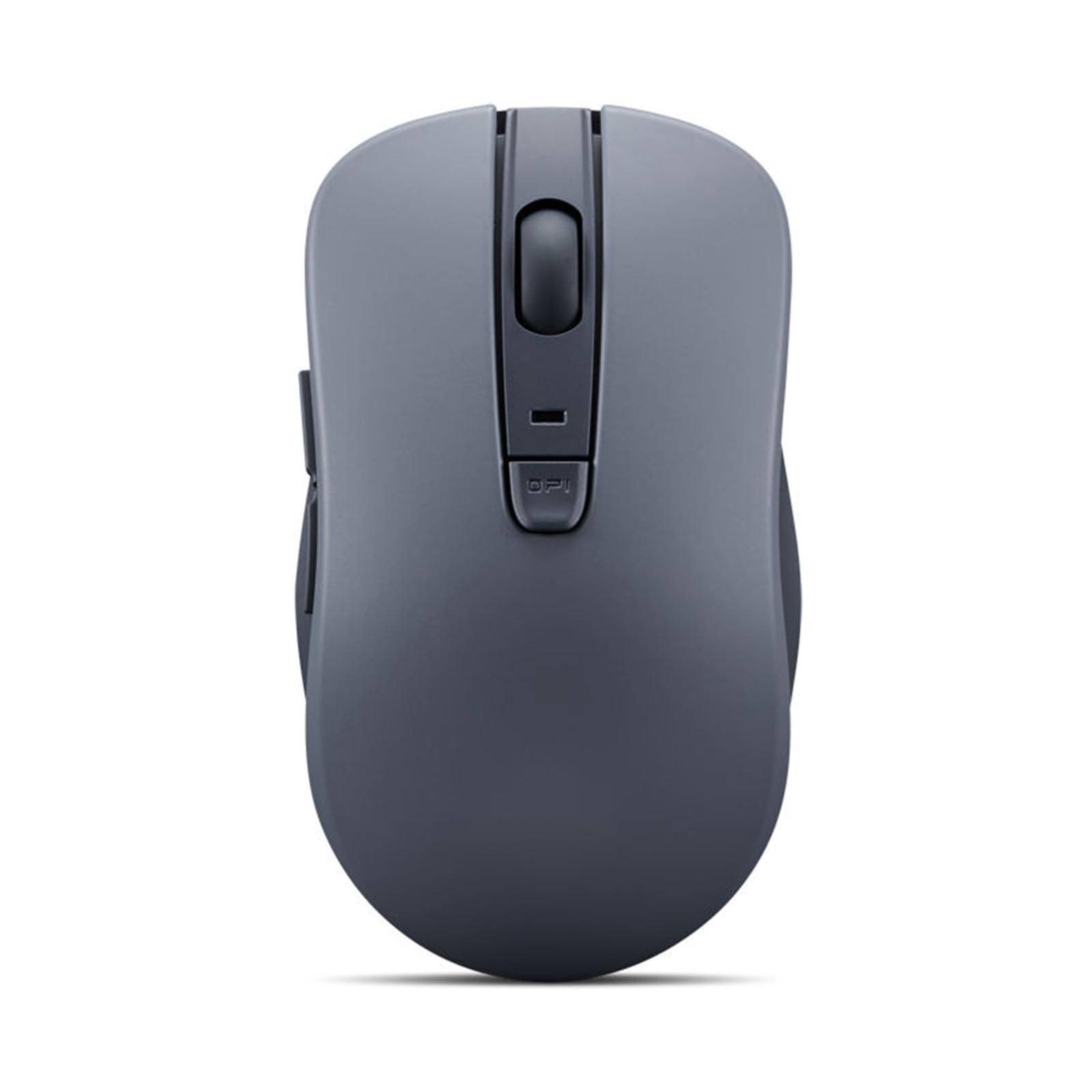
The quietest click you will hear, backed by Lenovo’s name and a stunning battery life estimate.
Lenovo claims the WL300’s left and right buttons are engineered to last up to 3 million clicks, while the scroll wheel can endure 300,000 cycles. The single AA battery is rated for an estimated 6 months of use, while the TECKNET is rated for 60 days per charge. Owners mention it has “silent click with decent snap” and “long battery life.”
It uses Bluetooth 5.0 with Microsoft Swift Pair, meaning on a Windows machine it connects instantly without digging into settings. The sculpted grip is ambidextrous and comfortable for standard male hands, though some reviewers noted the off-center laser sensor takes 2-3 days to get used to.
The Lenovo advantage
- Approx. 6-month battery life on a single AA—best in class for longevity
- Very quiet left, right, and scroll wheel clicks
- High durability rating: 3 million clicks for the main buttons
The honesty check
- 1600 max DPI is lower than all other picks here
- Off-center sensor placement feels odd for the first couple days
- Only 5 buttons—no dedicated forward/backward (depending on OS)
Best for: someone who wants a dead-simple, supremely quiet mouse with legendary battery life and the reliability of a major brand—perfect for a spare office mouse.
Not for: gamers or anyone who needs high DPI for large monitors, as 1600 DPI feels slow on a 4K or triple-screen setup.
5. KYSONA Ergonomic Vertical Mouse

The vertical grip that puts your wrist in a natural handshake position to fight fatigue.
The KYSONA places your hand at a 57° angle, which realigns your wrist to a neutral handshake posture rather than the flat pronation of a standard mouse. Customers note it “reduces wrist strain” and is “equally good as Logi vertical mouse at fraction of cost.” It works with Bluetooth 3.0, Bluetooth 5.0, or a 2.4G receiver, and it connects to three devices at once. The manufacturer recommends it for small to medium hands (mouse measures 4.2 x 2.9 x 2.8 inches).
Battery life is rated at 200 hours from 2 AAA batteries (not included). The 5 DPI levels (800/1200/1600/2400/4000) give you 5 settings versus 4 on the Uineer (800/1200/1600/2400), topping out at a fast 4000 DPI. The silent switch keeps clicks quiet, and the smart auto-sleep mode helps conserve power.
Why it works
- 57° vertical angle naturally reduces wrist and forearm strain
- 5 DPI levels, maxing at 4000, versus the Uineer’s 4 levels and 2400 max DPI
- Strong build quality after 4+ months of daily use, per buyers
Before you buy
- Suits only small to medium hands—measure yours
- Requires 2 AAA batteries (not rechargeable)
- Right-hand orientation only
Perfect for: anyone with existing wrist discomfort who wants an ergonomic upgrade on a budget—the 57° design is a proven comfort enhancer at a fraction of the cost of premium vertical mice.
Better to skip if: you have large hands or strongly prefer a rechargeable battery over buying AAA cells.
6. Uineer Wireless Ergonomic Mouse
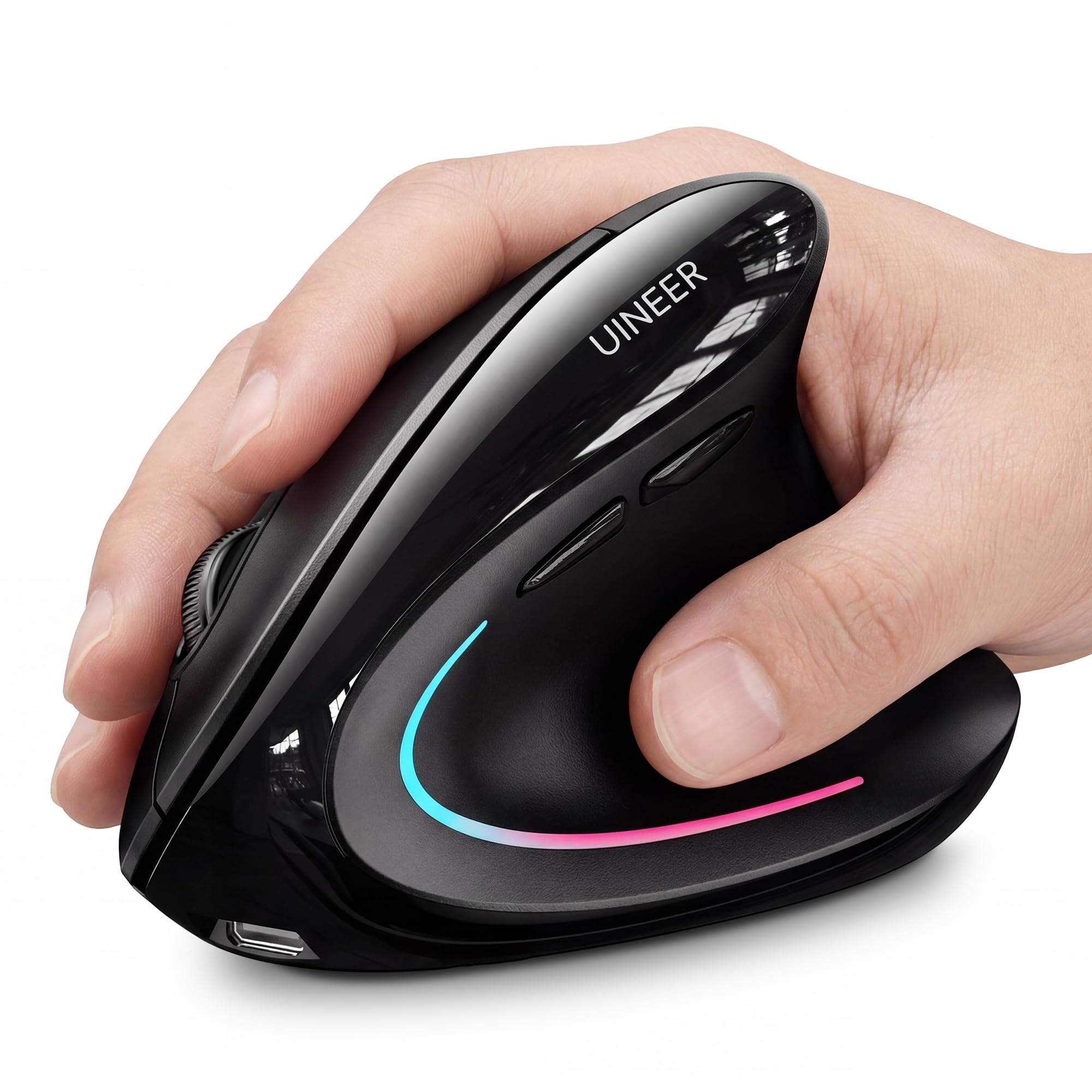
Carpal tunnel relief meets colorful ambient lighting for under.
The Uineer’s vertical grip keeps your wrist straight and forearm relaxed, so it suits you if you deal with wrist issues. One reviewer with carpal tunnel called it “the best thing I’ve done for my hands,” and another said it “has drastically reduced wrist pain.” It supports dual Bluetooth 5.0/4.0 plus a 2.4G receiver, letting you sync and instantly switch between up to 3 devices. The 7-color ambient light adds visual flair that cannot be turned off, but reviewers point out it does not drain the battery.
At 71 grams, it is slightly heavier than the ProtoArc but still lightweight by vertical mouse standards. The 4-level DPI (800/1200/1600/2400) gives you solid range for office tasks, and the built-in rechargeable battery lasts over a week per charge, with a low-battery LED reminder so you never get caught off guard. The side buttons do not work on macOS, something to note if you are a Mac user.
What stands out
- Natural handshake grip that helps carpal tunnel, per verified buyers
- Rechargeable with low-battery alert—no surprise shutdowns
- Dual Bluetooth 5.0/4.0 plus 2.4G for 3-device sync
Heads-up
- Side buttons are non-functional on macOS
- Some units had a squeaky scroll wheel after a few weeks
- Best for small to medium hands—check dimensions (4.8 x 3.03 inches)
Reach for this if: you need serious wrist support and want the convenience of a rechargeable battery plus a cool RGB desk accent.
Look elsewhere if: you are a Mac user who needs fully functional side buttons, or if you dislike having an always-on RGB light.
7. XBG B15pro Tri-Mode Mouse

An LED screen on a budget mouse—so you never guess your battery level again.
The XBG B15pro features a built-in LED screen that shows your exact battery percentage, the current DPI level (800/1000/1200/1600/2400), and the active connection mode (Bluetooth 5.0/4.0 or 2.4GHz). That is a feature usually found on mice triple the price. It switches between devices in 0.8 seconds, and the 500 mAh rechargeable battery lasts roughly a month per charge (Type-C port). Auto-sleep kicks in after 5 minutes.
Shoppers say it has “silent clicks, comfortable thumb rest, USB-C charging” and “feels great for long work shifts.” At 6 buttons it matches the RAPIQUE’s count, with contoured thumb rest and arched palm support for an 8-hour workday. It is ambidextrous, works with Windows, Mac, Linux, and Android, and the matte finish resists fingerprints.
Why it is smart
- Real-time LED display for battery, DPI, and connection mode
- Built-in 500 mAh rechargeable battery with USB-C charging
- Tri-mode connectivity (BT 5.0, BT 4.0, 2.4G) with 0.8s device switching
Small catches
- Cannot remap buttons or adjust the 5-minute auto-sleep timer
- Long-term durability is unverified by long-term reviews
- Heavier than the ProtoArc and RAPIQUE due to the internal battery
Choose this if: you love data—the LED screen is genuinely useful for power users who want to know exact battery and DPI at a glance without software.
pass on it if: you need button remapping or a configurable sleep timer, as the B15pro lacks software support for those tweaks.
Understanding the Specs
DPI (Dots Per Inch)
This spec tells you how many pixels the cursor moves per inch of physical mouse movement. A higher number means faster cursor speed. For a typical 1080p monitor, 1200-1600 DPI is comfortable. For a 4K or triple-monitor setup, you will want 2400 DPI or higher to avoid dragging the mouse across the entire desk. Budget mice usually offer a range of 3 to 6 adjustable levels (e.g., 800/1200/1600/2400).
Battery Life and Charging
Battery life is often quoted in “days” or “hours” based on 2 hours of daily use. For example, the TECKNET is rated for 60 days between charges, while the ProtoArc is rated for 15 days. Rechargeable mice use a built-in lithium battery and a USB cable (often USB-C nowadays). Non-rechargeable mice use standard AA or AAA batteries—convenient because you can swap instantly, but you will keep buying batteries over time.
FAQ
Will a budget Bluetooth mouse work with my iPad or tablet?
Is there a big difference between Bluetooth 5.0 and 5.2 in a mouse?
How long does a rechargeable mouse battery last before it wears out?
Can I use a budget Bluetooth mouse for light gaming?
Why does my budget Bluetooth mouse sometimes lag or stutter?
Are silent click mice really completely silent?
What does “tri-mode” mean on a Bluetooth mouse?
How important is the ergonomic shape for daily use?
Will a budget Bluetooth mouse have driver issues with macOS?
What does the auto-sleep feature do?
Final Thoughts: The Verdict
Across the board, the budget bluetooth mouse winner is the TECKNET Bluetooth Wireless Mouse because its 60-day battery life, 4800 DPI range, and tri-mode connectivity give you everything you need from a daily driver without any gimmicks. If you want a featherlight travel companion with USB-C charging and forward/back buttons, grab the ProtoArc EM15. And if wrist pain is your primary concern, the KYSONA Vertical Mouse offers the best ergonomic relief at this price point, according to reviewers.
How We Picked
We do not accept paid placement, and we did not hands-on test every unit. Instead, we match each pick to a real buyer and use-case by comparing the manufacturers’ published specifications against the patterns in verified customer reviews — so you get each pick’s real strengths and trade-offs instead of marketing copy.
Sources & Methodology
Specifications: manufacturer listings and product documentation. Review insights: verified customer reviews, as of July 2026. Pricing: not shown on this page (it changes often); check the current price via the retailer link.
As an Amazon Associate, Gadgets Feed earns from qualifying purchases. This does not affect which products we feature.
Product prices and availability are accurate as of the date/time indicated and are subject to change. Any price and availability information displayed on Amazon at the time of purchase will apply to the purchase of this product. As an Amazon Associate I earn from qualifying purchases.
CERTAIN CONTENT THAT APPEARS ON THIS SITE COMES FROM AMAZON. THIS CONTENT IS PROVIDED "AS IS" AND IS SUBJECT TO CHANGE OR REMOVAL AT ANY TIME.
Amazon and the Amazon logo are trademarks of Amazon.com, Inc. or its affiliates.