
Our readers keep the lights on and my morning glass full of iced black tea. As an Amazon Associate, I earn from qualifying purchases.
Specs are compiled from manufacturer listings and verified buyer reviews and can change over time — please confirm the key details on the product page before buying.
A budget desktop doesn’t have to mean a bulky, noisy tower that groans under browser tabs. The real shift in this category is toward mini PCs — palm-sized boxes that mount behind your monitor, sip power, and still push three 4K screens at once. The catch is knowing which specs actually matter for your daily grind versus which numbers are just marketing fuel.
I’m Min — the founder and writer behind Gadgets Feed. This guide is built by comparing the manufacturers’ published specifications and the patterns across verified customer reviews, so you get each pick’s real strengths and trade-offs instead of marketing spin.
Your desk stays clutter-free when you pick a budget desktop that tucks behind your monitor, if you need a quiet machine for spreadsheets or a compact one for streaming.
Our Picks at a Glance


How To Choose The Best Budget Desktop
Choosing a budget desktop is about matching the machine to your actual workload, not chasing the highest number on a spec sheet. The biggest mistake is over-buying CPU power you’ll never use while starving yourself on RAM, which is what actually keeps your twenty browser tabs alive.
RAM: The Real Multitasking Engine
For most home and office tasks, 16GB of RAM keeps things snappy. If you see 8GB, you’ll likely struggle with many open applications at once, so check whether the memory is upgradeable.
Storage: SSD vs HDD Speed
An SSD (Solid State Drive) is non-negotiable for a responsive feel — it’s what gives you near-instant boot times and quick app loading. Some machines pair a fast SSD with a roomy HDD (Hard Disk Drive) for bulk storage, which is a smart compromise if you keep lots of files.
Quick Comparison
| Model | Best For | CPU | RAM / Storage | Display Output | Amazon |
|---|---|---|---|---|---|
| ACEMAGIC K1 (Ryzen R2544)★ Best Overall | Compact Office Work | AMD Ryzen R2544 (4C/8T) | 8GB / 256GB SSD | Triple 4K | Amazon |
| Dell OptiPlex 5060Best Value | Refurbished Power | Intel Core i5-8500 (6-Core) | 16GB / 500GB SSD + 1TB HDD | Dual Display | Amazon |
| HP ProDesk SFFBest Bundle | All-In-One Bundle | Intel Core i5 8th Gen (6-Core) | 16GB / 500GB SSD | 24″ Monitor | Amazon |
| QAZIPO Mini PC | Office 365 Included | Intel Pentium Gold 6500Y | 16GB / 256GB SSD | Triple 4K | Amazon |
| Dell OptiPlex 3060 | Heavy Multitasking | Intel Core i5-8500 | 32GB / 500GB SSD | Dual Display | Amazon |
| HP RGB Gaming Desktop | Light Gaming | Intel Core i5-6500 (4-Core) | 16GB / 512GB SSD | HDMI + DVI | Amazon |
| Acer Aspire Business | Simple Business | Intel Celeron N4505 (2-Core) | 8GB / 256GB PCIe SSD | Dual 4K | Amazon |
| Kroteaup Desktop Tower | Upgrade-Ready Build | Intel Core i7-4770 (4-Core) | 16GB / 512GB SSD | HDMI | Amazon |
| ACEMAGIC K1 (Ryzen 7 7730U) | Power Users | AMD Ryzen 7 7730U (8C/16T) | 16GB / 512GB SSD | Triple 4K | Amazon |
In‑Depth Reviews
1. ACEMAGIC K1 Mini PC (Ryzen R2544)
Our pick — 4.5★ from 350+ verified ratings; the strongest balance of quality and price.
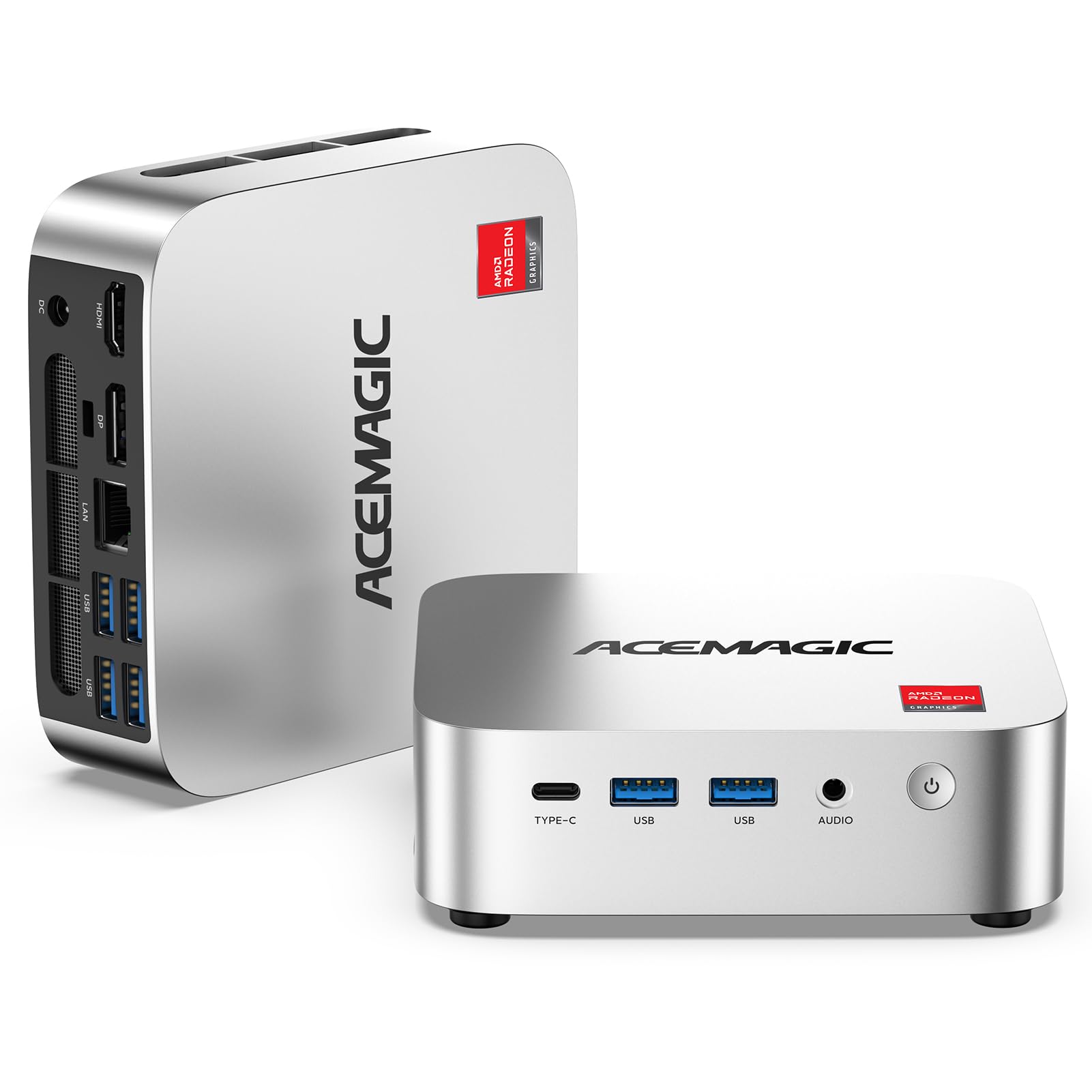
The silent, palm-sized workhorse that mounts behind your monitor and still drives three 4K screens.
This is the pick that wins people over with its sheer versatility at this price. The AMD Ryzen R2544 (4 cores/8 threads, boost up to 3.7GHz) handles office productivity, web browsing, and light content creation without breaking a sweat. What seals it is the integrated Radeon Graphics — buyers report it’s noticeably stronger than entry-level N-series chips, The integrated Radeon Graphics delivers roughly 28% faster CPU performance and up to 35-50% better visuals than entry-level N-series chips. for smoother visuals in entertainment and emulators.
Connectivity is where it feels like a premium machine. You get 6x USB 3.2 ports, including a USB-C Gen 2 port that transfers data up to 10Gbps and also carries DP 1.4 (4K@60Hz) display output. That means you can run triple 4K monitors (1x HDMI 2.0 + 1x DP 1.4 + 1x USB-C) for a true multi-window workspace. The 8GB DDR4 RAM and 256GB M.2 SSD are the baseline, but dual DDR4 SO-DIMM slots support up to 32GB RAM and storage expands to 4TB — so it grows with you.
Power efficiency is the quiet standout here. Owners describe it as “compact, powerful, It idles at just ~10W, keeping power draw minimal.” — that tiny power draw at idle, combined with a cooling system (2000+ RPM fan, aluminum profile, dual air outlets) keeps it silent and cool. The one wrinkle: some owners mention Windows 11 reinstallation is tricky because drivers aren’t easily available, so you’d want to stick with the manufacturer’s image or install Ubuntu, which one owner says “installs like a breeze.”
Why It Wins
- Triple 4K display output across three ports for a serious workspace
- USB-C 10Gbps with DP 1.4 and PD power delivery
- Runs silent and cool with roughly 10W idle power draw
- 24-month warranty with FCC, CE, and RoHS certifications
Know Before Buying
- Windows 11 reinstall needs the manufacturer image, not a clean ISO
- Starts with 8GB RAM — plan to upgrade to 16GB or 32GB for heavy multitasking
Reach for this if: you want a silent, compact PC that hides behind your monitor and powers a triple-4K home office without drawing much power.
Think twice if: you expect a clean Windows 11 reinstall from a standard USB — you’ll need to use the manufacturer’s recovery image instead.
2. Dell OptiPlex 5060 (i5-8500)
A refurbished business tower that pairs a six-core CPU with a rare 1.5TB total storage combo.
This renewed Dell brings serious desktop muscle to the budget tier — the Intel Core i5-8500 (six cores, turbo up to 4.3GHz) is a proven workhorse. The defining spec here is the storage setup: a 500GB SSD for snappy boot times plus a 1TB HDD for bulk file storage. That dual-drive layout gives you the best of both worlds, and customers note the M.2 OS drive makes for a The M.2 OS drive boots in about 15 seconds while drawing only ~30W..
You also get 16GB DDR4 RAM and integrated Intel UHD Graphics 630 for crisp video playback. Performance is the thing everyone raves about — owners consistently describe it as fast and reliable for office work, handling multiple programs smoothly without slowing down. The setup is quick and simple, and the value for money is cited over and over as the main reason to pick this over a new budget machine.
The honest caveat is the mixed bootability experience — some units work great while others stop working, with a few lasting only months. There’s also no HDMI port (you get 2 DisplayPorts, so an adapter is needed for HDMI monitors), and reviewers point out the Wi-Fi can drop after sleep. It’s a powerful machine, but the refurb lottery means you should check the return policy. This is a model with far higher review volume than our top pick, though the top pick holds the higher satisfaction score.
Best For: Anyone wanting maximum desktop performance and storage for the money who accepts the risk of a refurbished unit.
The Trade-off: Performance is the headline (60 positive mentions), but bootability is the most-discussed pain point — treat it as a fit note, not a guarantee.
3. HP ProDesk SFF Desktop Bundle
The everything-in-one-box starter kit with a monitor, webcam, speakers, and RGB peripherals.
This HP ProDesk Small Form Factor (SFF) is the rare budget desktop that arrives as a complete family-friendly setup. The package includes a refurbished Grade A 24-inch monitor, new RGB speakers, a new 2K webcam, and a color-changing RGB keyboard and mouse combo. That’s everything you need for school, video chats, and homework from the start — no extra shopping.
Performance comes from an Intel Core i5 8th Gen Hexa-Core processor with 16GB DDR4 RAM and a 500GB SSD. It handles schoolwork, everyday apps, and streaming with ease. The small form factor case fits perfectly on desks or counters, and buyers love the RGB lighting — “I love the way it lights up,” as one owner puts it. Setup is easy with no tools needed, and the included Wi-Fi 6 AX200 and Bluetooth make wireless connections painless.
The catch is reliability is a mixed bag — while many praise the quality and speed, some report issues with monitors failing. And notably, some buyers found the WiFi-ready claim misleading, requiring a separate USB adapter for wireless since drivers or antennas weren’t included. If you’re looking for a grab-and-go bundle with personality, this delivers, but confirm the WiFi situation before you unbox.
The Headline: Quality is the most-praised aspect — owners describe it as great quality and super-fast for the money, with easy tool-free setup.
The Fine Print: The 24-inch monitor and RGB peripherals make this a true all-in-one, but reliability feedback is mixed — and WiFi may need a cheap USB adapter to work.
4. QAZIPO Mini PC (Intel 6500Y)
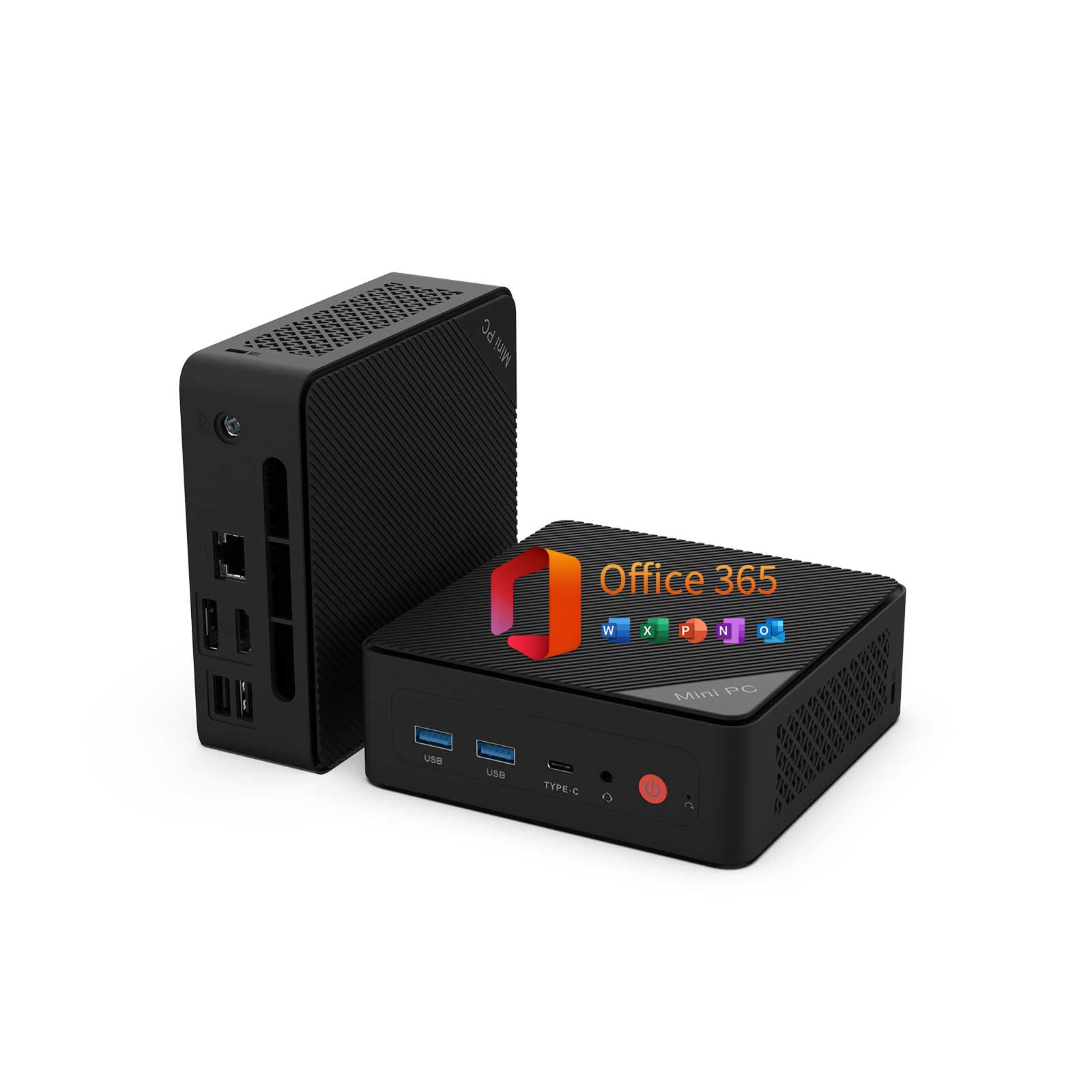
A tiny powerhouse that comes with a full year of Office 365 and 1TB of cloud storage.
The standout spec here is the bundled 1-year Office 365 subscription — Word, Excel, PowerPoint, Outlook, plus 1TB of OneDrive cloud storage — which is a huge value for students and remote workers. Under the hood, the Intel Pentium Gold 6500Y (up to 3.4GHz) with 16GB dual-channel RAM keeps things running responsively without slowdowns for daily tasks.
It’s a true space-saver at 5″ x 5″ x 1.69″ with an included VESA mount to hide it behind a monitor or under a desk. The triple 4K display output via USB-C, HDMI 2.0, and DisplayPort 1.4 makes it a favorite for traders running live charts or developers with multiple previews. The full-featured USB-C port handles DP, data, and PD power delivery — one cable for a cleaner desk.
Performance is the most-praised aspect here, with owners calling it a “tiny powerhouse” that’s quiet and energy-efficient. Setup is easy, and the connectivity (stable Wi-Fi and Bluetooth) gets consistent praise. One tinkerer found the dual LAN unreliable over time but loved it as a Proxmox node or file server running Arch Linux. For a basic workflow that includes Microsoft Office, this is an impressive value.
Why It Stands Out: The included Office 365 subscription alone justifies the price for students or businesses that live in Word and Excel.
The Fit: Performance and compact size are the biggest praise points — it’s ideal for daily office work, not for gaming or heavy video editing.
5. Dell OptiPlex 3060 (32GB RAM)

The memory king of the budget tier, with 32GB RAM for relentless multitasking.
If you juggle dozens of browser tabs, heavy spreadsheets, or light content creation, this Dell OptiPlex 3060 is the one that won’t flinch. The 32GB DDR4 RAM is the defining spec — double what most budget desktops offer — paired with an Intel Core i5-8500 (turbo up to 4.1GHz) and a 500GB SSD. That’s a combination that handles office work, browsing, streaming, and light creative tasks without breaking a sweat.
It runs Windows 11 Pro with advanced business-grade security and management features, and includes Windows Hello for biometric login. The dual display support (up to 3840×2160 resolution) via integrated Intel UHD Graphics 630 keeps your workspace flexible. Buyers consistently note it’s fast, easy to set up, and arrived in great condition — a reliable workhorse for daily use.
The most-discussed concern is functionality, which runs mixed — while most say it works right from the start, others report the WiFi adapter stopping after a few hours. Performance is the most-praised aspect by far. For anyone who wants the “never close a tab again” experience at a budget price, this is a compelling option.
The Big Win: 32GB of RAM is rare at this price — it future-proofs your multitasking for years.
The Variable: Performance and value earn the most praise, but the WiFi adapter is the most common complaint — have an Ethernet cable handy just in case.
6. HP RGB Gaming Desktop (GTX 750 Ti)

The RGB-lit starter rig that plays esports and retro titles on a genuinely budget GPU.
This is the budget desktop that actually wants to play games. The NVIDIA GeForce GTX 750 Ti 4G GDDR5 is the defining spec here — it runs Xbox 360/PS2/Wii-era games, CS2, esports, and casual/retro titles well, just not AAA blockbusters. Shoppers say solid performance on Witcher 3, Fortnite, League of Legends, Minecraft, and GTA 5 at lower settings, with smooth 60 fps in lighter titles.
The package includes RGB case lighting and an RGB gaming keyboard and mouse, adding personality to any setup. The Intel Core i5-6500 (up to 3.6GHz) with 16GB DDR4 and a 512GB SSD keeps daily tasks quick and startup fast. Connectivity covers USB 3.0, 600M Wi-Fi, and Bluetooth 5.0 for wireless peripherals.
Performance is the most-praised aspect, and owners love that it’s compact, clean, quiet, and easy to set up. The honest limitation is reliability — most discuss it as a mixed experience, with some units running well and rare cases failing after extended use. The GPU is also around a decade old and upgradeable if you want more power later. It’s a fantastic entry point for a first gaming PC or a family media and light-game machine.
Plays Smoothly
- GTX 750 Ti 4G handles esports, indie, and retro games well
- RGB case and peripherals for a gamer aesthetic
- Compact tower with an optical drive for old discs
- 16GB DDR4 and 512GB SSD for fast daily use
Not For
- AAA titles like Cyberpunk or Elden Ring — the GPU is too old
- Reliability feedback runs mixed; some units have long-term issues
- Included keyboard is dated, though functional
Grab it if: you want a budget machine that doubles as a light gaming rig for esports and classics, with RGB flair included.
Look elsewhere if: your game library is all modern AAA — this GPU is roughly a decade old and will struggle.
7. Acer Aspire Business Desktop

A whisper-quiet tower with Wi-Fi 6 and a built-in SD card reader for office basics.
This Acer Aspire is a straightforward, reliable machine for a small office or home desk. Its defining spec is the Intel Celeron N4505 (Dual-Core, 4MB Cache, 3.8 GHz) — modest but sufficient for smooth multitasking and daily computing with Intel UHD Graphics 730 delivering crisp visuals. With 8GB RAM and a 256GB PCIe SSD, it’s built for simplicity, not heavy lifting.
The connectivity is the real feature story: Wi-Fi 6 and Bluetooth for fast wireless, plus USB 3.2, RJ-45 Ethernet, an SD card reader, VGA, and HDMI. That SD card reader is a niche but valuable addition for photographers or anyone pulling files off a camera. The compact tower design fits neatly into an office setup, and the ultra-quiet design keeps it unobtrusive on a shared desk.
Owners call it “small, fast, and reasonably priced” — easy to set up and satisfying for all-day daily desk use. The dual 4K monitor support (up to 3840×2160) is a plus. The honest limitation is the dual-core Celeron — it’s not for heavy multitasking, and buyers report the wired keyboard and mouse have noisy keys. If you need a simple, quiet machine for standard business apps, this is a clean choice.
The Simple Win: It works perfectly for basic needs — buyers describe it as an excellent deal that’s easy to set up.
The Limitation: A dual-core Celeron and 8GB RAM mean this is strictly for light office use, not multitasking marathons.
8. Kroteaup Desktop Tower (i7-4770)
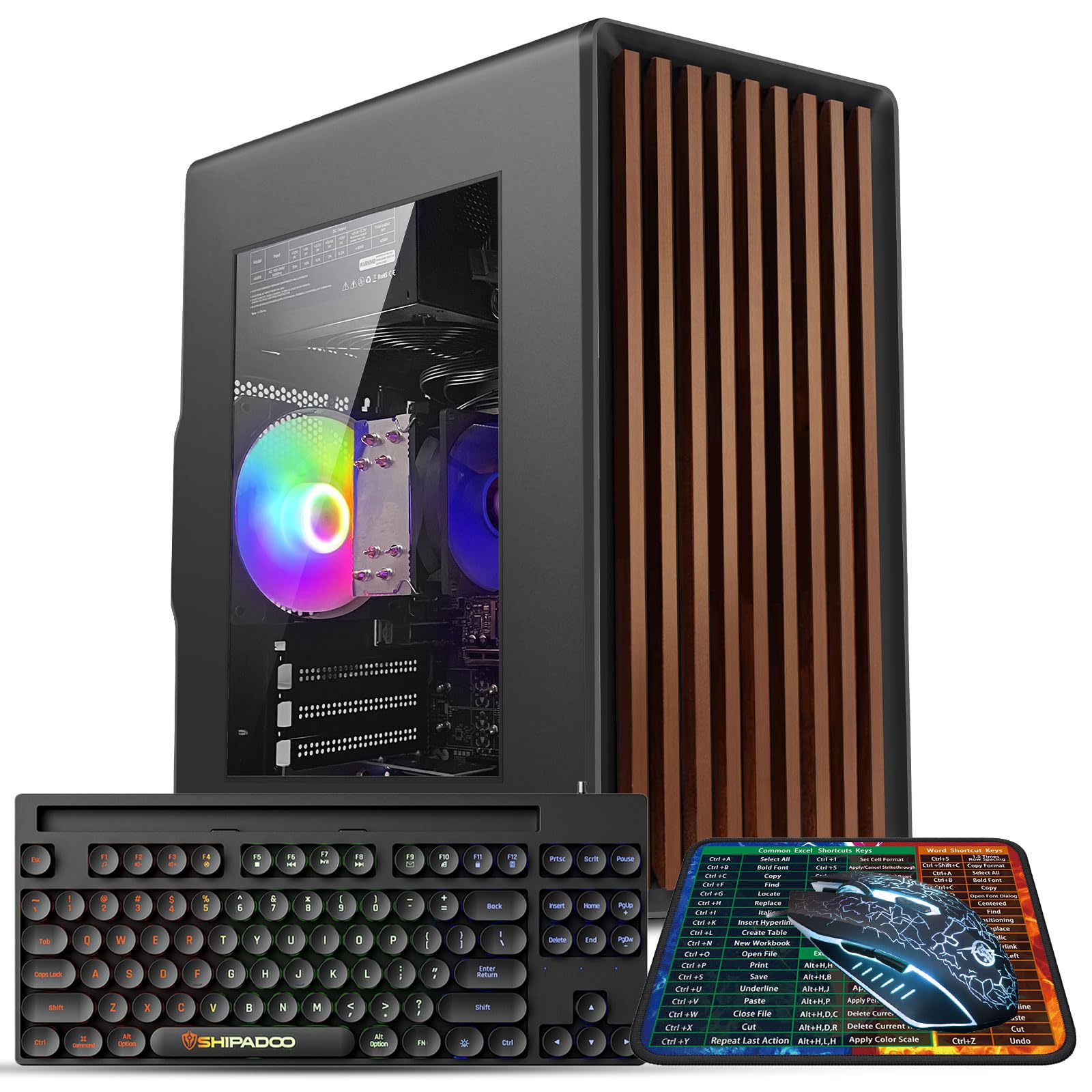
A classic tower with an i7 brain and a chassis built for future graphics card upgrades.
If you want a traditional tower you can grow, this Kroteaup is the one. The Intel i7-4770 (3.4GHz Quad Core, 8-Thread) paired with 16GB DDR3 RAM and a 512GB SSD delivers lag-free performance for office software, multiple browser tabs, and light retro games. The defining feature is the upgrade-ready design — a standard-sized chassis and open PCIe slot for easy graphics card upgrades, plus room for additional SSD/HDD storage.
The 3 RGB cooling fans provide steady airflow and customizable lighting with low noise, keeping the system cool for study, business, and home office use. It comes with built-in Wi-Fi 6, USB 3.0, and HDMI ports for stable internet and video playback. Windows 11 Home is pre-installed, making it a plug-and-play experience from the start.
Performance is the most-praised aspect — owners note it works well for gaming and multitasking, with a nice appearance and quiet operation. One reviewer noted a loose internal cable causing a BIOS loop that was fixed by reseating it. The recurring complaint is Windows 11 compatibility: some units can’t receive Windows 11 updates, which is a security concern worth confirming before purchase.
The Appeal: A real tower with an open PCIe slot — rare at this price — for anyone planning to add a dedicated GPU later.
The Check: Performance earns the loudest praise, but Windows 11 update compatibility is a real question to ask the seller about first.
9. ACEMAGIC K1 Mini PC (Ryzen 7 7730U)

The most powerful mini PC here — an 8-core Ryzen 7 that rivals full-size desktops for everyday work.
This is the performance king of the budget desktop category. The AMD Ryzen 7 7730U (8 cores/16 threads, 16M Cache, up to 4.5GHz) is a genuine step up — the maker claims 35% faster CPU performance and 38% faster GPU versus the Ryzen 5 alternatives. With 16GB LPDDR4X RAM and a 512GB M.2 SSD, it handles daily work and light gaming with zero complaints, and boots in seconds.
The compact 5 x 5 x 1.6-inch chassis is genuinely Apple TV-sized, pairing a dual-outlet cooling structure with a high-speed silent fan to sustain performance without noise. It supports triple 4K display output via HDMI, DisplayPort, and Type-C — plenty for a high-productivity workspace. Two M.2 2280 slots allow storage expansion up to 4TB total. Windows 11 Pro comes pre-installed, and the bundle includes an HDMI cable, power adapter, and VESA mounting bracket.
Owners are consistently impressed — “fast, boots up in seconds, barely takes up any desk space, and surprisingly quiet” is a recurring theme. The 1440p clarity and low fan noise get specific praise for office use. The one sour note is customer service: a rare failure after about a year met a frustrating support experience. For most buyers, the reliability record is strong, and this is the fastest silent mini PC you can get at this price.
The Muscle
- 8-core / 16-thread Ryzen 7 7730U up to 4.5GHz
- 16GB LPDDR4X and 512GB SSD — no upgrade needed from the start
- Triple 4K output with Radeon Graphics at 2200MHz
- Dual M.2 slots expand storage up to 4TB
The Risk
- Customer support is the recurring complaint for rare failures
- Not built for hardcore gaming — the integrated GPU has limits
Pick this for: the fastest all-around mini PC experience — 8 cores, 16GB RAM, and triple 4K in a package the size of a streaming box.
Be ready for: the small chance of an issue where the customer service response may test your patience.
Understanding the Specs
RAM: The Multitasking Ceiling
RAM (Random Access Memory) is your computer’s short-term workspace. 8GB handles basic browsing and documents, but 16GB is the balance for keeping many tabs and apps open at once without slowdowns. 32GB is for power users who never want to close anything.
SSD vs HDD: The Speed Difference
An SSD (Solid State Drive) uses flash memory for near-instant boot and load times — it’s the difference between a 15-second boot and a 2-minute wait. An HDD (Hard Disk Drive) is slower but cheaper per gigabyte, making it ideal for mass file storage alongside a fast SSD.
FAQ
How much RAM do I really need in a budget desktop?
Is a mini PC as powerful as a full-size desktop tower?
What does triple 4K display support mean for my setup?
Should I buy a refurbished business desktop or a new mini PC?
Will a budget desktop handle light gaming?
What is the difference between an SSD and an HDD in a desktop?
Can I upgrade the RAM and storage on a budget desktop later?
Is Windows 11 Pro worth having on a budget desktop?
Final Thoughts: The Verdict
For most users, the budget desktop winner is the ACEMAGIC K1 Mini PC because it delivers triple 4K output, silent operation, and a compact footprint at a price that’s tough to top. If you want maximum multitasking muscle, grab the Dell OptiPlex 3060 with 32GB RAM. And for a complete family-ready setup with monitor and peripherals included, the HP ProDesk bundle is the one to reach for.
How We Picked
We do not accept paid placement. Every pick is matched to a real buyer and a real use-case; we do not hands-on test units.
Sources & Methodology
Specifications: manufacturer listings and product documentation. Review insights: verified customer reviews, as of August 2026. Pricing: not shown on this page (it changes often); check the current price via the retailer link.
As an Amazon Associate, Gadgets Feed earns from qualifying purchases. This does not affect which products we feature.