
Our readers keep the lights on and my morning glass full of iced black tea. As an Amazon Associate, I earn from qualifying purchases.
Specs are compiled from manufacturer listings and verified buyer reviews and can change over time — please confirm the key details on the product page before buying.
Your backpack and desk can become a disaster zone of tangled cables, loose notes, and forgotten tasks faster than a pop quiz. The right few tools — chosen for how they actually fit into your day — can quiet that chaos without emptying your wallet.
I’m Min — the founder and writer behind Gadgets Feed. This guide is built by comparing the manufacturers’ published specifications and the patterns across verified customer reviews, so you get each pick’s real strengths and trade-offs instead of marketing spin.
This roundup of the best budget-friendly gadgets for students shows you which ones earn their spot in your bag. The Rocketbook Core leads the pack overall because it replaces an entire semester’s paper notebooks. The Cube Pomodoro Timer gives you distraction-free focus. The Power Strip with Wireless Charger turns a single dorm outlet into a full desk charging hub.
Quick Picks
- Rocketbook Core Reusable Smart Notebook, Executive Size 6×8.8, Black — Best Overall
- Power Strip with Wireless Charger, 12 AC Outlets & 4 USB Ports, 6FT Cord — Top Performer
- Cube Pomodoro Timer – Flip to Start Countdown, 11 Preset Times, Rechargeable — Top Performer
- Mini Label Maker Machine AH-P05, Bluetooth Thermal Label Printer, Rechargeable — Best Value
- Pink Scientific Calculator with Notepad, 6.5″ Writing Tablet, 240 Functions — Best for STEM
- Mini LCD Writing Tablet, 6.5in Double Display, Reusable Electronic Drawing Pad — Budget Champion
- Dorm Room Essential Clip on Light, 3 Color Desk Light, Battery Operated — Best Value
How To Choose The Best Budget-Friendly Gadgets For Students
Student life runs on portability, durability, and low-maintenance power. You don’t want a gadget that demands constant charging, takes up your whole desk, or needs a manual to operate between classes. Here is what to check before you click “add to cart.”
Power & Battery Life
A gadget that uses a replaceable coin battery (like a CR2016 in an LCD writing tablet) or a USB-C rechargeable battery (like the cube timer) wins over anything that needs proprietary cables or daily top-ups. Look for “rechargeable,” “USB-C,” or “replaceable battery” in the specs — it means you are not hunting for an outlet every few hours.
Size & Portability
You carry everything in a backpack, so dimensions matter. A pocket-sized clip-on lamp at 4.7 x 3.1 x 14.2 inches is fine for a desk, but a mini label maker at 3.58 x 1.22 x 3.86 inches or a cube timer at 2.24 x 2.24 x 1.85 inches slides into a pencil pouch. Check the weight too — anything over half a pound you will feel in a bag all day.
Multi-Functionality
The best student gadgets do more than one job. A power tower that also charges your phone wirelessly saves you a separate pad. A scientific calculator with a built-in 6.5-inch writing tablet means you never lose scratch notes. Each extra function should reduce clutter, not add to it.
Quick Comparison
On smaller screens, swipe sideways to see the full table.
| Model | Best For | Power Source | Key Feature | Weight | Amazon |
|---|---|---|---|---|---|
| Rocketbook Core Reusable Smart Notebook | Paper-free note-taking | None (erasable pen) | Cloud-sync (32-36 pages) | Lightweight (est. <0.5 lb) | $29.99Amazon |
| Power Strip with Wireless Charger | Dorm/desk charging hub | Wired (6ft cord) | 12 AC, 4 USB, 15W wireless | Compact tower | $34.99Amazon |
| Cube Pomodoro Timer | Focus & time management | USB-C rechargeable | 11 presets, flip-to-start | 1.45 oz | $15.98$16.98Amazon |
| Mini Label Maker AH-P05 | Organizing cables/jars/folders | USB-C rechargeable | Inkless thermal, built-in cutter | 216 g (7.6 oz) | from $16.98Amazon |
| Pink Scientific Calculator with Notepad | Math/STEM with scratch notes | Battery powered | 240 functions + 6.5″ LCD board | Lightweight | $18.99Amazon |
| Mini LCD Writing Tablet 6.5in | Quick notes & doodles | Replaceable battery (CR2016) | Double-sided, lock switch | 0.11 lb (1.76 oz) | $16.99Amazon |
| Dorm Room Essential Clip on Light | Reading in bunk beds/dark rooms | USB rechargeable | 9 settings (3 brightness levels, 3 color temperatures) | Lightweight | $16.29Amazon |
In‑Depth Reviews
1. Rocketbook Core Reusable Smart Notebook, Executive Size 6×8.8, Black
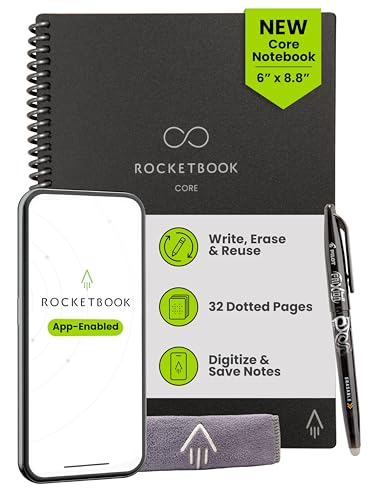
A reusable notebook that uploads your handwritten notes to the cloud, then wipes clean for the next class.
You write on synthetic, dot-grid pages with a Pilot FriXion pen (the included 0.5 pen gets mixed reviews — buyers recommend the 0.7 FriXion Ball pens instead). Ink dries in about 15 seconds. When your page is full, open the Rocketbook app and scan it; the app sends your notes to Google Drive, Dropbox, or email. Then microwave the notebook or wipe it with a damp cloth, and the pages are blank again. The executive size (6×8.8 inches) fits in a backpack pocket easily, unlike the larger Fusion models.
Buyers report the pages feel like plastic, not paper, and some note that frequent erasing can cause slight ghosting or pen skipping over time. One reviewer called it “literal magic” when paired with Google Drive. The 32-36 page count means you carry a slim notebook that replaces dozens of spiral-bound ones across a semester — especially useful for students who want to keep every set of notes searchable without stacking physical binders.
Unlike the Mini LCD Writing Tablet, which only stores one screen of notes at a time and erases everything with a button, the Rocketbook lets you save each page before wiping it. That trade-off in workflow (scan vs. instant erase) is what separates a digital-archive tool from a scratchpad.
What Students Love
- 32-36 reusable pages cut paper waste all semester
- App sends notes to Google Drive, email, or cloud services
- Synthetic pages feel smooth and wipe clean with water
The Trade-Offs
- Must use FriXion pens (ink needs ~15 sec to dry to avoid smudging)
- Pastel highlighters are mostly invisible on the pages
- Pen ran out of ink after about a month for one reviewer
Best for digital organizers: Anyone who wants handwritten notes searchable on their phone or laptop, without buying a tablet.
Not for fast erasers: If you just need a quick doodle pad and don’t care about saving, a simpler LCD tablet is cheaper.
2. Power Strip with Wireless Charger, 12 AC Outlets & 4 USB Ports, 6FT Cord
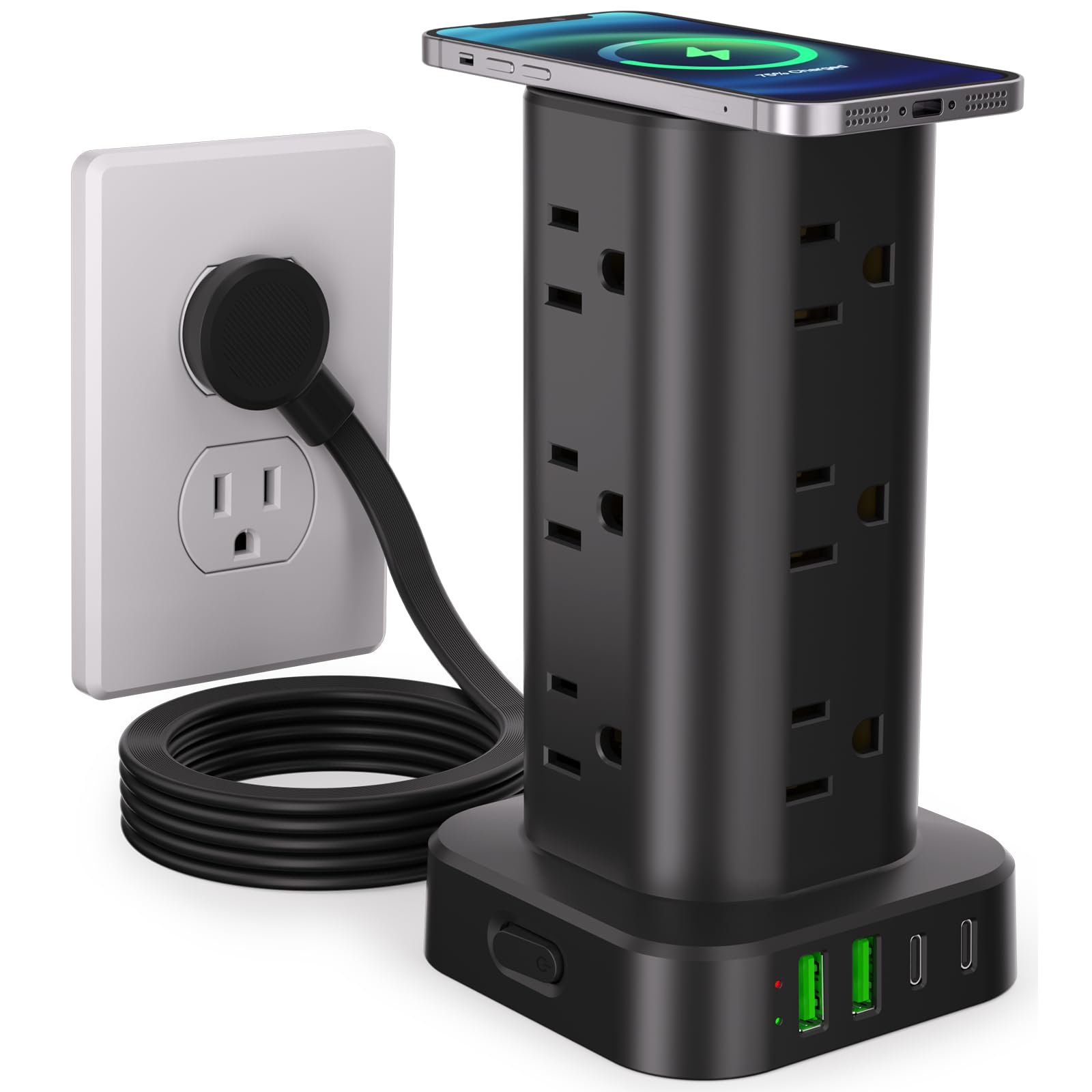
A vertical power tower that turns one dorm outlet into a desk-sized charging hub with 17 ports.
This 17-in-1 tower packs 12 AC outlets (spaced wide enough for chunky adapters), 2 USB-A ports, 2 USB-C ports, and a 15W wireless charging pad on top. The flat plug (just 0.30-inch thin) sits flush against the wall behind a desk, and the 6-foot extension cord lets you reach a hard-to-reach outlet. The USB-C ports push up to 3.4A — enough to fast-charge a tablet or phone while the rest of the tower powers your lamp, laptop, and monitor. An 1800J surge protector rating shields your gear from voltage spikes, common in older dorm buildings.
Buyers consistently praise the compact footprint (3.15 x 3.15 x 5.79 inches) — one reviewer noted it “takes up little to no space” and another bought a second for a guest room. The rubber feet keep it from sliding. The only real catch is that 12 outlets might be overkill for a single laptop-and-phone setup, but if you share a desk or accumulate chargers quickly, you’ll fill them faster than you think.
Unlike a traditional flat power strip (which sprawls across your desk), this vertical design saves surface area — and the wireless charging pad on top replaces a separate charging stand entirely.
Dorm Room Savior
- 12 AC + 4 USB + 1 wireless pad = 17 devices simultaneously
- Ultra-thin flat plug (0.30″) fits tight behind furniture
- 1800J surge protector auto-shuts off on overload
Reality Check
- Wireless charging is 15W — not as fast as a dedicated 20W+ charger
- 12 outlets may be more than a minimalist setup needs
Desk-hub seekers: Ideal for anyone with a laptop, phone, headphones, and lamp all needing one plug source.
Minimalists look away: If you only charge a phone and laptop, a smaller 4-outlet strip is lighter to pack.
3. Cube Pomodoro Timer – Flip to Start Countdown, 11 Preset Times, Rechargeable

A silent cube that counts down the moment you flip it to the right time — no buttons, no phone.
This 1.45-ounce timer from CREAVIVA replaces your phone’s timer with a physical object you flip to start. Eleven preset intervals range from 1-minute alarms to 90-minute deep-study blocks. The three alert modes (vibrate, mute, or beep) let you use it in a silent library without disturbing anyone — it vibrates gently instead of ringing. The built-in USB-C battery saves you from buying replacement coin cells, and the smart LED on the face shows your countdown status at a glance.
Buyers with ADHD and parents of kids with autism particularly praise this design — one reviewer called it “life-changing” because the physical flip makes time feel tangible. Another said, “it’s small and very easy to use.” At 2.24 x 2.24 x 1.85 inches, it is noticeably smaller and thinner than the Dorm Room Essential Clip on Light (which measures 4.7 x 3.1 x 14.2 inches), so it slides into a pencil case easily. Each side of the cube is pre-labeled, so you never scroll through a menu.
Reviewers report zero noise during countdown (no ticking), which is critical in shared study zones. The only drawback is the display shows status via a blue LED, not a countdown number — so you won’t know the exact seconds remaining, only whether the timer is active or finished.
Focus Tool
- 11 presets (1 to 90 min) — flip to start, no menus
- Vibrate mode keeps study partners undisturbed
- USB-C rechargeable — no batteries to replace
Heads Up
- Blue LED shows active/finished only — not a clock display
- No way to set a custom time outside the 11 presets
Pomodoro purists: Perfect for anyone who wants to lock in 25-minute sprints without touching a phone.
Precision timers: If you need to know seconds remaining or set random intervals, stick with a phone app.
4. Mini Label Maker Machine AH-P05, Bluetooth Thermal Label Printer, Rechargeable
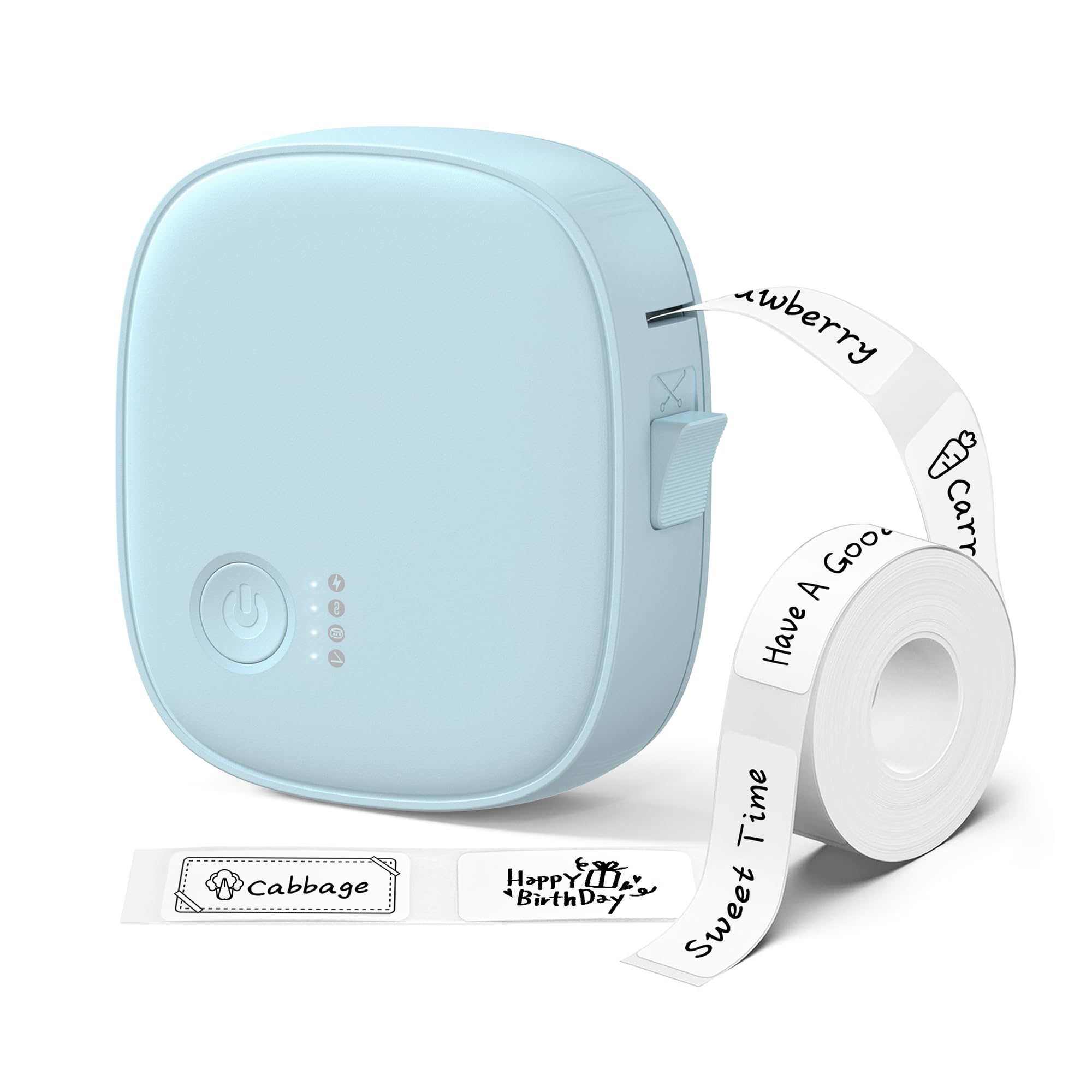
A compact wireless label printer that sticks to your bag, spits out waterproof labels, and uses zero ink.
This XenGro AH-P05 uses direct thermal printing — it heats the paper to create monochrome text and emojis, so you never need ink cartridges. The companion app (free, no subscription) offers ready-made templates plus full customization: text, icons, barcode/QR codes, time stamps, and OCR (optical character recognition, which reads printed text). The built-in cutter slices the label cleanly after each print. Weight is 216 grams (about 7.6 oz), which is heavier than the cube timer but still backpack-friendly at 3.58 x 1.22 x 3.86 inches.
Owners mention “easy Bluetooth connection to multiple devices” and “prints clear text and solid emojis.” The laminated labels are water-resistant, oil-resistant, and scratch-resistant — a big plus for labeling kitchen containers or dorm bathroom items. XenGro also sells replacement tape rolls in multiple sizes (including 14x40mm and continuous rolls), and the printer works best with original brand tape. A key safety note: the label tape is BPA-free (no bisphenol A, a chemical), so it’s fine for food storage labeling.
Unlike a stationary label-maker you plug into a wall, this one is fully portable — you can label cables, folders, lunch containers, and even charging bricks right at your desk. The trade-off: the app is required for pairing (do not use your phone’s system Bluetooth menu), and thermal prints are monochrome only, though they work with various colored label tapes for visual organization.
Organization Made Simple
- No ink cartridges needed — thermal printing is clean and cheap
- Water-, oil-, and scratch-resistant labels survive dorm life
- App offers barcodes, QR codes, icons, and OCR
The Fine Print
- Must pair through the app, not phone Bluetooth settings
- Monochrome only — no color printing
- Original brand tapes recommended for best quality
Road to organization: Grab this if labeling cables, spice jars, binders, and storage bins sounds like a productive afternoon.
One-label wonders: If you only need a single label once a month, hand-writing is faster and costs zero upfront.
5. Pink Scientific Calculator with Notepad, 6.5″ Writing Tablet, 240 Functions
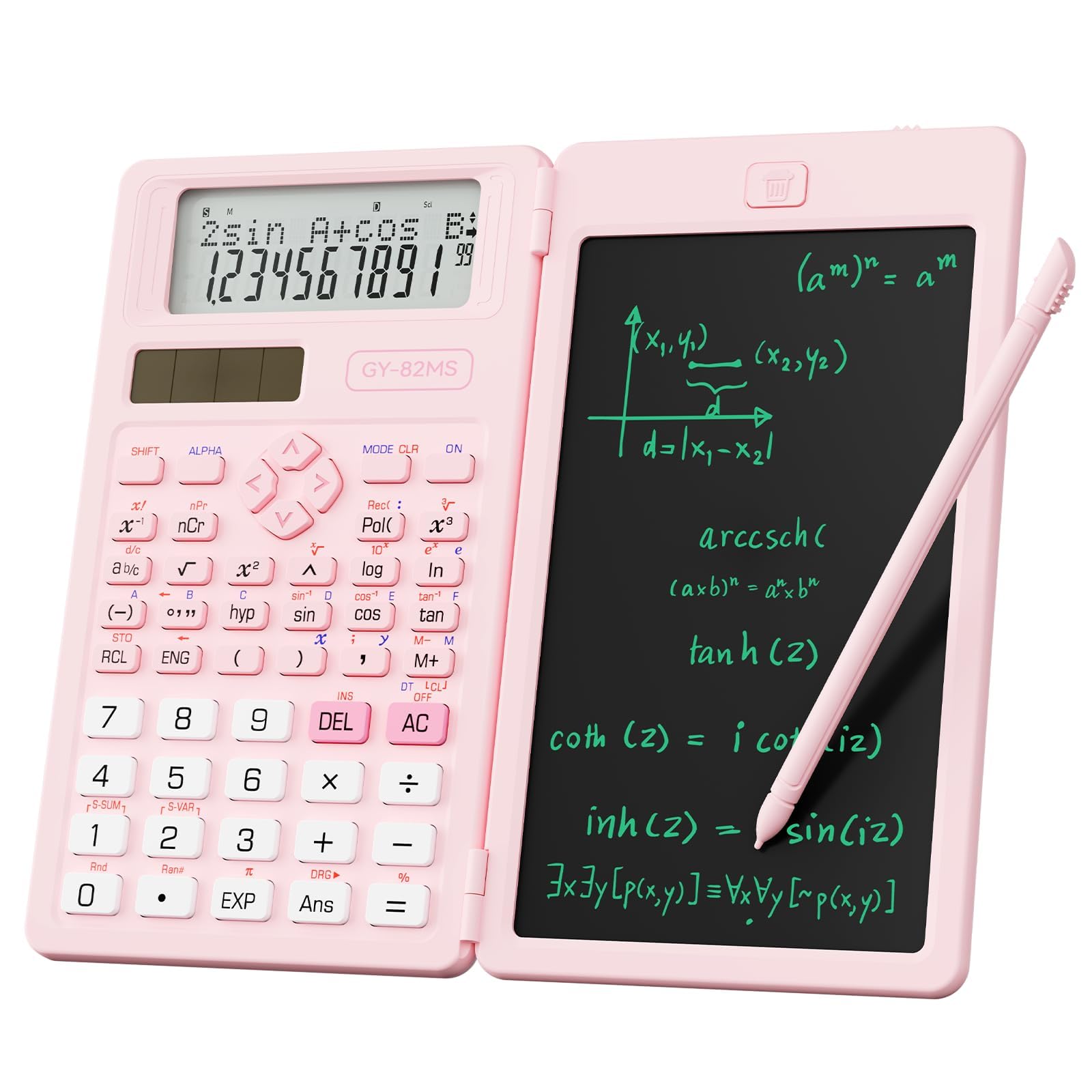
A foldable scientific calculator that doubles as an LCD scratchpad — one tool for equations and quick notes.
The NEWYES calculator packs 240 scientific functions (statistics, algebra, trigonometry) into a body that folds open to reveal a 6.5-inch LCD writing tablet underneath. The LCD board works like the Mini LCD Writing Tablet: you write with the included stylus and erase with a button (or lock the screen to preserve notes). The calculator side has a clear, large LCD screen for reading results, making it useful for middle school through college STEM courses. It runs on a replaceable battery, so you don’t need to recharge it between exams.
Buyers call it “cute and works great” — one homeschool family said it’s been working well for daily use. However, one buyer mentioned it is a “complicated calculator” if you are not in a math or science program that requires specific functions (like standard deviation or matrix operations). The 12 x 2-inch footprint when unfolded is bigger than a standard scientific calculator, but the built-in notepad means you never scramble for scrap paper during a problem set.
Unlike the Rocketbook, which saves your notes digitally, this scratchpad erases entirely each time you press the button — perfect for working out steps in real-time, then starting fresh for the next problem.
Two Tools in One
- 240 functions cover high school through early college math
- 6.5-inch LCD tablet built in — eliminate scratch paper
- Lock switch prevents accidental erasure during a problem
Know Before You Buy
- Not a graphing calculator — for advanced calculus, you need a TI-84 class
- LCD screen needs good ambient light for visibility
STEM students on a budget: Ideal for algebra, trigonometry, and statistics where you want a scratch surface attached to the calculator.
Graphing required: If your course demands function plotting or higher-level calculus, look for a dedicated graphing model.
6. Mini LCD Writing Tablet, 6.5in Double Display, Reusable Electronic Drawing Pad

An ultra-light double-sided scratchpad that fits in a pocket and erases with one touch.
The Amoretti Sonnet LCD tablet weighs only 0.11 lb (1.76 oz) and is just 0.2 inches thin — about the thickness of a smartphone. It has two 6.5-inch screens (one on each side), each with its own erase button. A lock switch prevents accidental erasure. The magnetic stylus triggers erasure by touching a designated area on the screen, so you never lose the “eraser.” The CR2016 replaceable battery is said by the manufacturer to last through over 100,000 writes, which the brand claims saves roughly three trees worth of paper.
Buyers love the form factor — one owner reported it’s “pocket sized as I needed” and praised the lock button placement (on the bottom) to avoid accidental presses. Another noted the green-blue pressure-sensitive lines are higher resolution than similar tablets, allowing for finer doodles. The main limitation: no selective erase. You clear either the full screen or half the screen at once, so if you mess up a single number, the whole page goes. Also, the screen needs bright ambient light — in a dim dorm room, the lines can be hard to read.
One customer observed the device died after 10 months (the clear button only dimmed writing instead of fully erasing, even after replacing the CR2016 battery), so longevity varies. At this price point, it’s a low-risk investment for a semester of to-do lists.
Lightest in Class
- 0.11 lb — barely feels different from a pack of gum
- Double-sided screens (two 6.5-inch surfaces) for separate tasks
- Lock switch protects notes from accidental wipes
Watch Out For
- No partial erase — you clear the whole screen or nothing
- Screen visibility drops in low ambient light
- One user highlighted unit failure after 10 months
Scrap-paper replacement: Fantastic for grocery lists, to-do items, quick calculations, and doodles you don’t need to save.
Note-takers beware: If you plan to keep any written information, the Rocketbook’s scan-and-save workflow is a better fit.
7. Dorm Room Essential Clip on Light, 3 Color Desk Light, Battery Operated
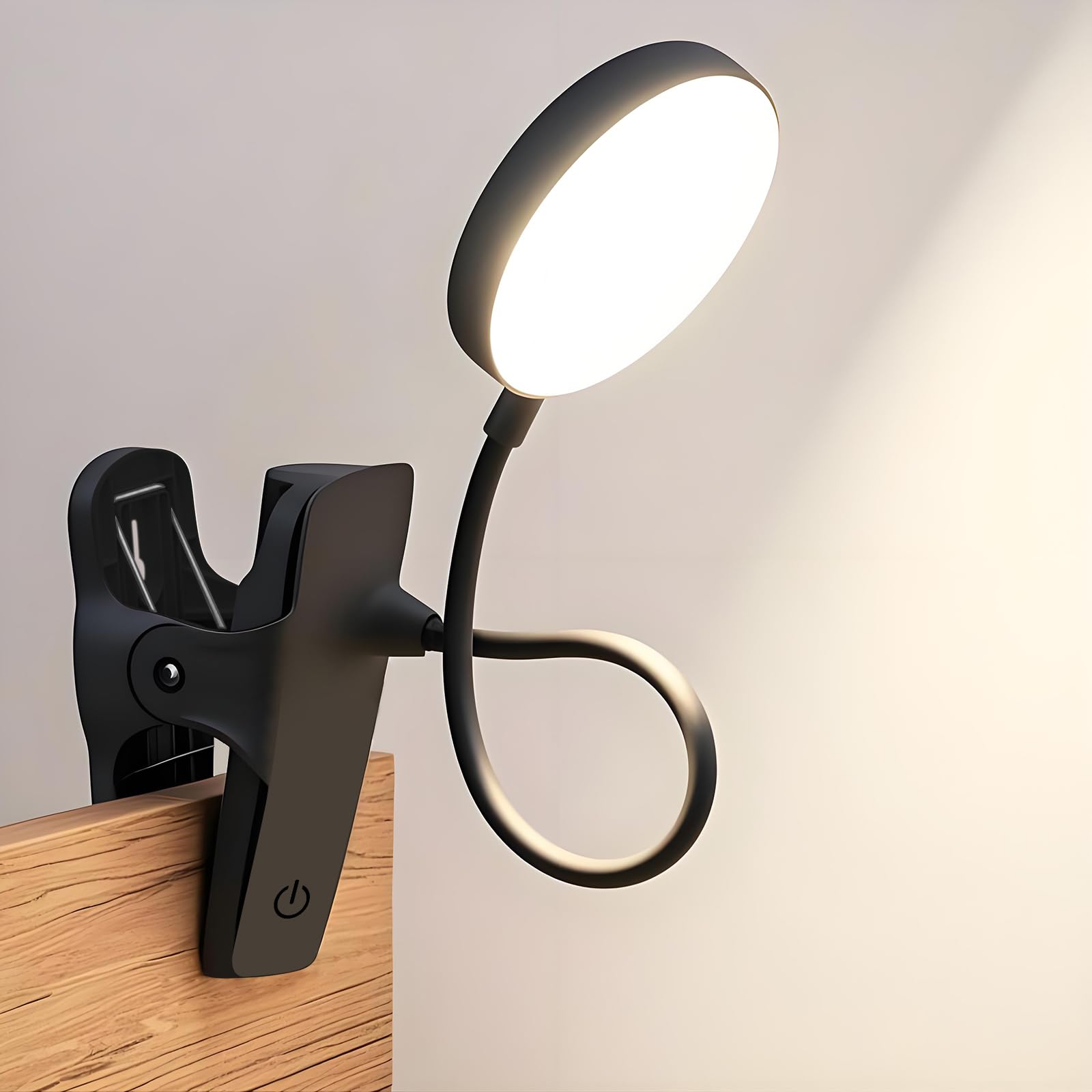
A 9-setting clip-on lamp that wraps around a headboard or shelf to deliver reading light without an outlet nearby.
The AQINGLING clip lamp has three brightness levels and three color temperatures (warm to cool), giving you nine total combinations — bright cool light for studying, warm dim light for winding down. A short press cycles brightness, and a long press changes the color temperature. The flexible gooseneck arm can be clipped onto a headboard, desk edge, or shelf, or you can hang it by the hook. The USB-rechargeable battery lets you use it without being tethered to a wall plug — a real advantage if your dorm bed is far from the only outlet.
Buyers praise the build: one reviewer called it “sturdy” and said the brightness is high enough for reading. Another reviewer ordered three of them, noting they are “flexible” with “good value” for the price. The main concerns: the lamp head gets warm during extended use (a reviewer mentioned it “gets hot”), and some find the 4.7 x 3.1 x 14.2-inch size “too small” if you need to illuminate a whole desk surface. The anti-slip pads on the clamp protect furniture from scratches.
Compared to a desk lamp that stays in one spot, this clip-on lets you reposition it in seconds from a bunk bed reading spot to a desk task light — making it among the most versatile lighting options for a tight dorm setup.
Flexible Lighting
- 9 settings (3 brightness x 3 color temperatures) adapt to any task
- USB rechargeable — no outlet needed during use
- Clamp, hang, or stand: three mounting options
Living With It
- Gets warm after extended use — not a fire risk, but noticeable
- Light coverage is focused, not wide — best for a book or laptop, not a whole desk
Bunk-bed readers: A no-brainer for top-bunk dwellers who need bright reading light without disturbing a roommate below.
Whole-room lighting: If you need to light up an entire desk or room for group work, a larger desk lamp or overhead light is better.
Understanding the Specs
Power Source & Battery Life
The biggest friction point for a campus gadget is running out of power at the wrong moment. USB-C rechargeable devices (like the Cube Timer and Mini Label Maker) are ideal because you can top them up from the same cable you use for your phone. Devices with replaceable coin batteries (like the Mini LCD Writing Tablet’s CR2016) last for tens of thousands of uses but require a spare battery on hand when they die. Wired devices (like the Power Strip Tower) eliminate battery anxiety entirely but need to sit near an outlet — which the 6-foot extension cord helps with.
Portability / Weight
Every ounce you carry between classes adds up by Friday. The Cube Timer weighs 1.45 oz — lighter than most pens. The Mini LCD Writing Tablet is 0.11 lb (about 1.8 oz), so it disappears into a pocket. The Mini Label Maker hits 216 grams (7.6 oz), comparable to a small power bank. The Clip-on Lamp and Power Tower stay on your desk, so weight matters less, but the tower’s 3.15 x 3.15 x 5.79-inch footprint is small enough to tuck into a corner. When choosing, ask: will I carry this daily, or is it a desk fixture?
FAQ
Will the Mini Label Maker AH-P05 work with my iPhone or Android phone?
How long does the Cube Timer’s battery last on a single charge?
Can I use the Mini LCD Writing Tablet in a dark room?
Does the Rocketbook Core require a subscription or special paper?
Is the Dorm Room Essential Clip on Light safe for a wooden headboard?
Can the Power Strip Tower charge my laptop through USB-C?
How many labels does the Mini Label Maker print per charge?
What is the difference between the Pink Scientific Calculator and a standard scientific calculator?
Can I use the Cube Timer for things other than studying?
Final Thoughts: The Verdict
For most students, the budget-friendly gadgets for students winner is the Rocketbook Core because it replaces an entire semester’s worth of paper notebooks and keeps every handwritten note searchable in the cloud. If you want a distraction-free focus tool, grab the Cube Pomodoro Timer — it’s the simplest timer to flip on your desk. And for organizing a cramped dorm desk, the standout is the Power Strip with Wireless Charger, which turns a single outlet into a 17-device charging station.
How We Picked
We do not accept paid placement, and we did not hands-on test every unit. Instead, we match each pick to a real buyer and use-case by comparing the manufacturers’ published specifications against the patterns in verified customer reviews — so you get each pick’s real strengths and trade-offs instead of marketing copy.
Sources & Methodology
Specifications: manufacturer listings and product documentation. Review insights: verified customer reviews, as of July 2026. Pricing: not shown on this page (it changes often); check the current price via the retailer link.
As an Amazon Associate, Gadgets Feed earns from qualifying purchases. This does not affect which products we feature.
Product prices and availability are accurate as of the date/time indicated and are subject to change. Any price and availability information displayed on Amazon at the time of purchase will apply to the purchase of this product. As an Amazon Associate I earn from qualifying purchases.
CERTAIN CONTENT THAT APPEARS ON THIS SITE COMES FROM AMAZON. THIS CONTENT IS PROVIDED "AS IS" AND IS SUBJECT TO CHANGE OR REMOVAL AT ANY TIME.
Amazon and the Amazon logo are trademarks of Amazon.com, Inc. or its affiliates.