
The biggest mistake budget laptop shoppers make is thinking a low price means accepting a machine that will feel sluggish within a year. Modern processors, fast NVMe storage, and generous RAM configurations have quietly invaded the sub- price tier, making today’s budget friendly laptops genuinely capable for daily productivity, streaming, and light creative work. You just need to know which specs actually matter and which are marketing fluff.
I’m Min — the co-founder and writer behind Gadgets Feed. I’ve spent hundreds of hours analyzing processor benchmarks, real-world battery tests, and build quality reports across the entry-level and mid-range laptop market to separate the machines that deliver real value from those that just look cheap.
The key to a satisfying purchase is choosing a model that pairs a modern, efficient processor with ample RAM and a speedy SSD, and this guide ranks the best options available today. Whether you need a machine for school, remote work, or casual home use, these budget friendly laptops deliver surprising performance without breaking the bank.
How To Choose The Best Budget Friendly Laptops
Navigating the budget laptop market means understanding the trade-offs. The right choice balances a capable processor, sufficient RAM, a fast storage drive, and a usable display. Here are the three most critical areas to evaluate before you buy.
Processor and Performance Tier
The processor is the heart of the machine. Intel’s Celeron and Pentium chips are found in the cheapest models and are suitable only for the lightest web browsing and document editing. Step up to an Intel Core i3 (10th Gen or newer) or an AMD Ryzen 3 or 5 processor, and you get significantly better multitasking and the ability to handle more demanding applications like video conferencing and spreadsheet-heavy work without stuttering. For the best longevity, prioritize a Core i3 or Ryzen 3 as your baseline.
RAM and Storage: The Speed Duo
8GB of RAM is the absolute minimum for a smooth Windows 11 experience; 4GB models will feel cramped even with a few browser tabs open. For storage, an SSD (Solid State Drive) is mandatory. NVMe SSDs are much faster than SATA SSDs and dramatically faster than eMMC storage, which is found on the very cheapest models and can cause noticeable lag when opening files or booting up. A 256GB SSD is a comfortable baseline for most users, while 128GB is workable if you rely heavily on cloud storage.
Display Quality and Build
A 1366 x 768 (HD) display is common at the lowest prices, but a 1920 x 1080 (Full HD) panel provides much sharper text and more screen real estate for multitasking. Look for an anti-glare matte finish, which reduces reflections and is easier on the eyes in bright rooms. Build materials at this price are mostly plastic, but some models feel more rigid than others. A spill-resistant keyboard and a solid hinge mechanism are signs of better overall engineering.
Quick Comparison
On smaller screens, swipe sideways to see the full table.
| Model | Category | Best For | Key Spec | Amazon |
|---|---|---|---|---|
| ASUS E410 | Entry-Level | Light web & media | Intel Celeron N4020 / 4GB RAM / 128GB eMMC | Amazon |
| Dell Latitude 5420 (Renewed) | Business-Ready | Power users & multitasking | Intel Core i7-1185G7 / 16GB RAM / 256GB NVMe SSD | Amazon |
| HP 14-ep0299nr | All-Rounder | Everyday tasks & families | Intel Core i3-N305 / 8GB RAM / 256GB NVMe SSD | Amazon |
| NIMO 15.6 | Value Max | Students & storage heavy | Intel N100 / 16GB RAM / 1TB NVMe SSD | Amazon |
| Lenovo IdeaPad 3 | Balanced Performer | Office & school work | Intel Core i3-1005G1 / 8GB RAM / 256GB SSD | Amazon |
| Dell 15 DC15250 | Versatile Daily | Multimedia & productivity | Intel Core 3 100U / 8GB RAM / 512GB NVMe SSD | Amazon |
| Acer Aspire 3 | Modern Budget | Light gaming & coding | AMD Ryzen 3 7320U / 8GB LPDDR5 / 128GB NVMe SSD | Amazon |
| Lenovo IdeaPad 1 | RAM Heavy | Multitasking on a budget | Intel Celeron N4500 / 12GB RAM / 512GB NVMe SSD | Amazon |
| ASUS Vivobook Go | Durable Slim | Travel & on-the-go | AMD Ryzen 3 7320U / 8GB DDR5 / 256GB NVMe SSD | Amazon |
| HP 15-ef2099nr | Top Performer | Fast everyday & light gaming | AMD Ryzen 5 5500U / 8GB RAM / 256GB NVMe SSD | Amazon |
| Apple MacBook Neo 13 | Premium Value | Ecosystem & all-day battery | Apple A18 Pro / 8GB Unified Memory / 256GB SSD | Amazon |
In‑Depth Reviews
1. HP 14-ep0299nr
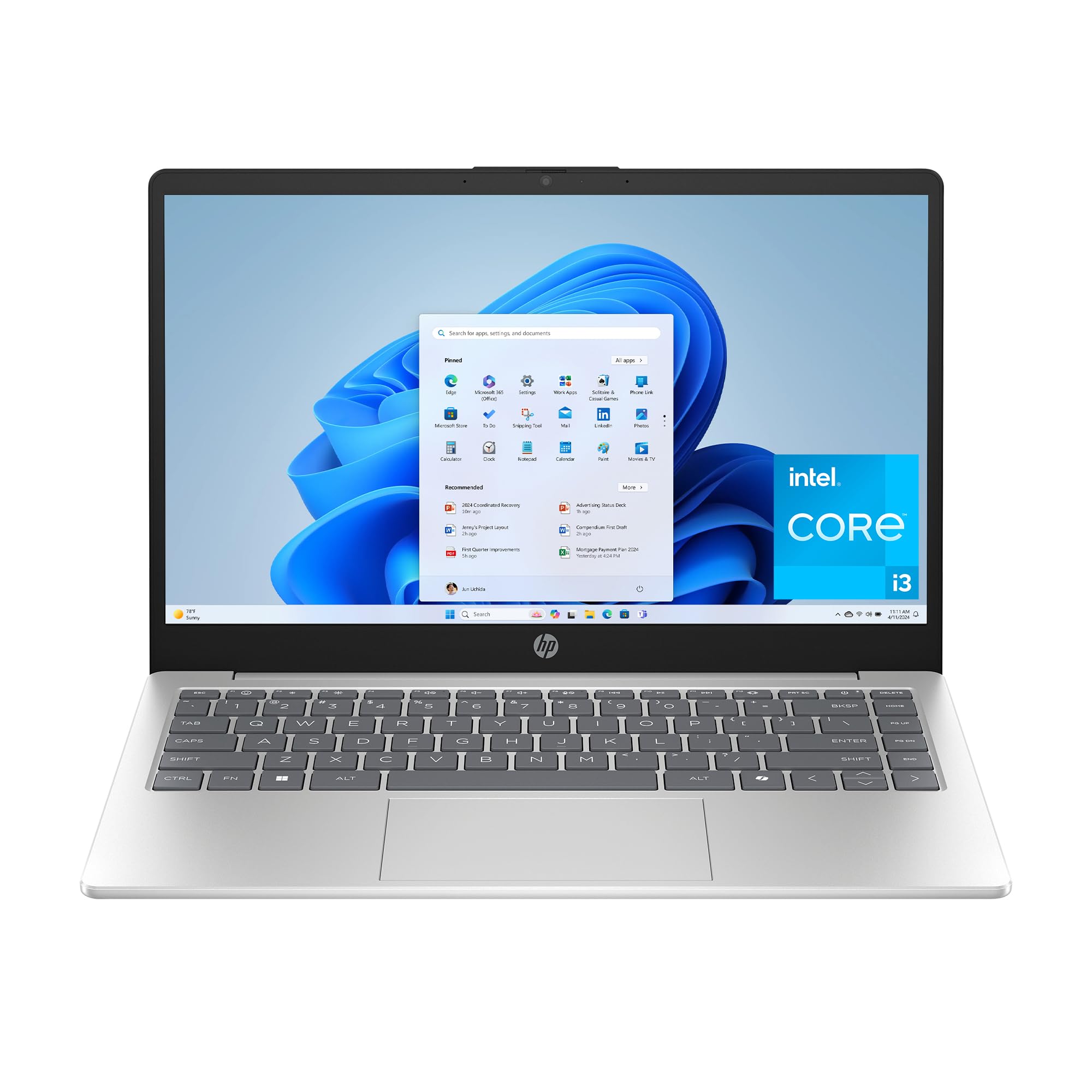
The HP 14-ep0299nr nails the essential balance for a budget machine. Its Intel Core i3-N305 processor is an 8-core chip that handles multitasking with surprising ease, and the 8GB of DDR4 RAM keeps Windows 11 Home feeling responsive. The 256GB NVMe SSD loads applications instantly, a massive step up from the eMMC storage found on cheaper models.
The 14-inch HD anti-glare display (1366 x 768) is sharp enough for everyday tasks, and the physical camera shutter provides much-needed privacy control. HP Fast Charge takes the battery from 0 to 50% in about 45 minutes, which is a practical convenience for a laptop designed to be on the move. The chassis includes ocean-bound recycled plastic, adding an eco-conscious element without raising the price.
Where it cuts corners is the display resolution—a Full HD panel would have been ideal—and the keyboard’s cramped arrow keys take some adjustment. But for the core mission of reliable daily computing, web browsing, and video streaming, this HP stands out as the most balanced, future-proof option in the entry-level tier.
Why it’s great
- 8-core Intel Core i3-N305 processor outperforms most budget CPUs
- HP Fast Charge delivers 50% battery in 45 minutes
- Physical webcam shutter for privacy
Good to know
- Display is HD (1366×768), not Full HD
- Cramped arrow key layout
2. Dell Latitude 5420 (Renewed)

A renewed business-class laptop like the Dell Latitude 5420 completely redefines what you can expect at this price point. The 11th Gen Intel Core i7-1185G7 is a quad-core processor with vPro technology, built for sustained performance in a corporate environment. With 16GB of DDR4 RAM and a 256GB NVMe SSD, this machine runs circles around any new Celeron-based laptop in its price range.
The 14-inch 1920×1080 display is crisp and bright, ideal for productivity. Connectivity is generous with two Thunderbolt 4 USB-C ports, two USB 3.0 ports, HDMI, a microSD card reader, and an RJ45 Ethernet jack. The chassis is constructed from premium materials that resist flex, and the weight of just 3.1 pounds makes it easy to carry.
The main trade-off is that it is a refurbished unit, meaning cosmetic wear is possible, and the battery life may not match that of a brand-new laptop. Some users report the battery lasting closer to two hours under heavy load. However, the raw performance and build quality make it an unbeatable value for anyone who needs serious power on a tight budget.
Why it’s great
- Core i7-1185G7 processor with 16GB RAM rivals + laptops
- Thunderbolt 4 ports for fast data and external displays
- Premium business build with a 1080p screen
Good to know
- Renewed unit may show minor cosmetic wear
- Battery life is shorter than new budget models
3. NIMO 15.6

The NIMO 15.6 delivers an exceptional RAM and storage configuration for its tier. The 16GB of DDR4 RAM and 1TB NVMe SSD are specs typically found on machines costing twice as much. This makes it ideal for users who keep dozens of browser tabs open, run multiple office applications simultaneously, or need lots of local storage for documents and media.
The 15.6-inch Full HD anti-glare display with an 85% screen-to-body ratio offers a modern, immersive viewing experience. The backlit keyboard and fingerprint sensor add premium convenience, and the Wi-Fi 6 and Bluetooth 5.2 connectivity ensure fast wireless performance. The Intel N100 processor is a 12th-gen Alder Lake chip that handles everyday tasks with ease.
The Intel N100 is not a high-performance chip for gaming or heavy video editing, and the battery life is rated at around 4-5 hours, which is below average. The laptop also lacks an Ethernet port, so you must rely on Wi-Fi. For office work, study, and media consumption, the sheer amount of RAM and storage makes this a compelling value proposition.
Why it’s great
- Massive 16GB RAM and 1TB NVMe SSD
- Full HD 15.6-inch anti-glare display
- Backlit keyboard with fingerprint sensor
Good to know
- Intel N100 processor not suitable for demanding games
- Battery life is shorter than competing models
4. HP 15-ef2099nr

The AMD Ryzen 5 5500U processor in the HP 15-ef2099nr is a serious step up in CPU performance, making this one of the fastest budget laptops available. Its six cores and twelve threads handle demanding multitasking, light video editing, and even some casual gaming (like “cozy games” as one buyer noted) without breaking a sweat. The 256GB NVMe SSD and 8GB DDR4 RAM form a solid foundation.
The 15.6-inch HD micro-edge display maximizes screen space in a slim-body design. HP Fast Charge technology pushes the battery from empty to 50% in about 45 minutes, and the full-size keyboard with a numeric keypad is a joy for data entry users. The HP True Vision HD camera with AI noise reduction ensures clear video calls, and HP QuickDrop makes file sharing with your phone seamless.
The display resolution remains at 1366 x 768, which is a missed opportunity at this price. The lack of a backlit keyboard and fingerprint sensor are notable omissions for a “premium” budget machine. But if raw processor speed is your top priority, this HP delivers more than any other new laptop in its price class.
Why it’s great
- AMD Ryzen 5 5500U is the fastest CPU in this price tier
- Fast Charge and full-size numeric keypad
- HP QuickDrop for seamless phone integration
Good to know
- Display is HD not Full HD
- No backlit keyboard or fingerprint reader
5. Dell 15 DC15250

The Dell 15 DC15250 offers a generous 512GB NVMe SSD at a price where 256GB is the norm. The Intel Core 3 100U processor provides balanced performance for web browsing, document creation, and media consumption. Dell’s ComfortView software reduces blue light emissions, making this a good option for long study or work sessions.
The 15.6-inch Full HD display with a 120Hz refresh rate is a standout feature in this budget bracket — smoother scrolling makes the interface feel more responsive. The lifted hinge design creates an ergonomic typing angle, and the separate numeric keypad is useful for number-heavy tasks. The 1 Year Onsite Service provides peace of mind if hardware issues arise.
Battery life is a weak point, with users reporting it runs down relatively quickly. The 8GB RAM is sufficient for daily tasks but not expandable, so it will limit heavy multitasking. The webcam quality is also mediocre. Overall, this is a well-rounded machine that excels in storage and display smoothness.
Why it’s great
- Full HD 120Hz display for smooth visuals
- 512GB NVMe SSD provides ample storage
- Ergonomic lifted hinge design
Good to know
- Battery life is below average
- Only two USB ports
6. Acer Aspire 3 A315-24P-R7VH

The Acer Aspire 3 features the AMD Ryzen 3 7320U, a quad-core processor built on a modern architecture that offers excellent power efficiency and strong single-threaded performance. The 8GB of LPDDR5 RAM is faster than standard DDR4, contributing to snappy application loading. The 128GB NVMe SSD is small, but its speed makes boot-up and file access feel instantaneous.
The 15.6-inch Full HD IPS display delivers sharp details and wide viewing angles, a significant upgrade from the HD panels found on many budget rivals. Acer’s TNR (Temporal Noise Reduction) technology improves low-light webcam quality, and PurifiedVoice with AI noise reduction filters background noise during calls. The battery is rated for up to 11 hours, making it a strong choice for all-day use.
The main drawbacks are the soldered RAM, which cannot be upgraded beyond 8GB, and the lack of a backlit keyboard. The 128GB storage fills up quickly, so you will need an external drive or cloud storage for media. For students who need a responsive, long-lasting laptop for coding and assignments, the Aspire 3 is a smart pick.
Why it’s great
- Modern Ryzen 3 7320U with fast LPDDR5 RAM
- Full HD IPS display with wide viewing angles
- Excellent battery life for all-day use
Good to know
- RAM is soldered, not upgradeable
- Small 128GB storage capacity
7. Apple MacBook Neo 13

The Apple 2026 MacBook Neo 13 redefines the entry-level Mac experience. The A18 Pro chip delivers phenomenal performance for its power draw, handling everything from spreadsheet work to 4K video streaming without fan noise. The 13-inch Liquid Retina display (2408×1506) offers stunning color accuracy and 500 nits of brightness, far exceeding typical budget laptop screens.
Up to 16 hours of battery life means you can easily go two full days of moderate use without charging. The rigid aluminum chassis, precise trackpad, and comfortable keyboard exemplify Apple’s build quality. The integration of Apple Intelligence features and macOS’s seamless ecosystem make it incredibly easy to use, especially for iPhone owners.
The 8GB of Unified Memory is efficient but may feel limiting for professional creative workloads, and the 256GB SSD is small by modern standards. The single USB-C port (plus a second for charging) requires dongles for most accessories. If you prioritize a premium experience, long battery life, and a brilliant display, the MacBook Neo is the most polished option here.
Why it’s great
- Stunning Liquid Retina display and premium aluminum build
- Up to 16 hours of real-world battery life
- Blazing fast A18 Pro chip with no fan noise
Good to know
- 8GB Unified Memory may limit heavy multitasking
- Limited to USB-C ports, dongles needed for legacy devices
8. Lenovo IdeaPad 1

The Lenovo IdeaPad 1 is a paradox: it pairs a modest Intel Celeron N4500 processor with an unusually high 12GB of RAM and a 512GB NVMe SSD. This combination means it can keep many applications open simultaneously without crashing, but the CPU itself will struggle with demanding tasks like video editing or heavy spreadsheet calculations. The 15.6-inch Full HD display is a bright spot, offering crisp text and vibrant colors.
It includes a numeric keypad, an SD card reader, and Wi-Fi 6 support, which are useful features for students and home users. The inclusion of a 1-year Office 365 subscription adds immediate value. At just 3.4 pounds, it is surprisingly lightweight for a 15.6-inch machine.
The Celeron N4500 is a dual-core processor that bottlenecks overall system speed. If your workflow involves opening large files or running multiple heavy applications, the laptop will feel slow despite the abundant RAM. This machine is best suited for users who primarily live in web browsers and basic office apps and want the headroom of extra memory for browser tabs.
Why it’s great
- 12GB RAM and 512GB SSD for heavy multitasking
- Full HD 15.6-inch display with good color quality
- Includes 1-year Office 365 subscription
Good to know
- Celeron N4500 CPU limits overall performance
- Display refresh rate is only 60Hz
9. ASUS Vivobook Go 15

The ASUS Vivobook Go 15 brings military-grade durability (MIL-STD-810H certified) to the budget segment, meaning it can withstand drops, shocks, and temperature extremes better than most peers. It is powered by the AMD Ryzen 3 7320U processor and 8GB of fast DDR5 RAM, providing responsive performance for everyday tasks. The 256GB SSD is a good balance of speed and capacity.
The 15.6-inch Full HD display looks sharp, and the webcam privacy shield is a welcome security feature. ASUS claims up to 11 hours of battery life, and the fast charging support minimizes downtime. The chiclet keyboard with a numeric keypad is quiet and comfortable for extended typing sessions.
The laptop uses Wi-Fi 5 instead of the newer Wi-Fi 6 standard, which limits wireless speed potential with modern routers, and the single USB-C port means you may need a hub. The plastic chassis, while ruggedized, does not feel as premium as aluminum alternatives. For students or field workers who need a tough, reliable machine, the Vivobook Go is a solid choice.
Why it’s great
- MIL-STD-810H certified for rugged durability
- Full HD display with a webcam privacy shield
- Fast DDR5 RAM and quick charging
Good to know
- Wi-Fi 5, not the newer Wi-Fi 6 standard
- Limited to one USB-C port
10. Lenovo IdeaPad 3

The Lenovo IdeaPad 3 is a proven, no-frills workhorse. Its Intel Core i3-1005G1 processor (10th Gen) provides enough power for smooth web browsing, Microsoft Office, and streaming video. The 8GB of DDR4 RAM and 256GB SSD ensure the system boots quickly and handles everyday multitasking without major slowdowns. The 15.6-inch Full HD anti-glare display makes a big difference in reducing eye strain compared to HD panels.
The build is typical for the price: mostly plastic with some flex, but it feels reasonably durable. The 720p HD webcam with Dolby Audio dual speakers delivers acceptable quality for video calls. The 4-in-1 media card reader is a handy addition for photographers. Bluetooth 5.0 ensures stable connections with wireless peripherals.
The laptop is not designed for gaming or heavy creative work, and the non-backlit keyboard is a common complaint. The physical build is somewhat fragile, with some users reporting wear and tear after a couple of years. As a reliable, straightforward machine for email, documents, and web browsing, it gets the job done at a fair price.
Why it’s great
- Full HD anti-glare display for comfortable viewing
- Solid performance from 10th Gen Core i3
- Includes a 4-in-1 media card reader
Good to know
- Non-backlit keyboard
- Build quality is not the most durable
11. ASUS E410

The ASUS E410 is the definition of an entry-level laptop. Its Intel Celeron N4020 processor and 4GB of RAM are adequate for the most basic tasks—web browsing, email, and streaming video. The 128GB eMMC storage is slower than an SSD, resulting in longer boot times and slower file transfers, but it is sufficient for cloud-centric users who store little locally.
The 14-inch HD display has a compact footprint and is surprisingly light, with a thickness similar to a tablet. The battery life is a strong point, with users reporting 8-12 hours of real-world usage on a single charge. The design is clean and pleasant for the price point, available in a variety of colors.
The screen quality is poor, with low brightness and limited viewing angles. The laptop cannot handle gaming beyond very light titles like Minecraft or Roblox on low settings. The 4GB of RAM is a severe bottleneck for Windows 10 (or 11), leading to lag when multiple tabs are open. This is strictly a secondary or very low-budget primary machine for those with minimal computing needs.
Why it’s great
- Excellent battery life for all-day use
- Very lightweight and portable design
- Attractive color options
Good to know
- 4GB RAM and eMMC storage cause lag with multiple programs
- Low-resolution, dim screen
FAQ
Is a Celeron or Pentium processor enough for a student laptop?
How much RAM do I need for a budget laptop?
Should I buy a renewed business laptop vs. a new consumer model?
Final Thoughts: The Verdict
For most users, the budget friendly laptops winner is the HP 14-ep0299nr because it offers the best-balanced package of a modern 8-core processor, fast SSD, and sensible battery life at a price that doesn’t require compromise. If you want maximum processor performance for light creative tasks, grab the HP 15-ef2099nr. And for those who prioritize a premium build and industry-leading battery life, nothing beats the Apple MacBook Neo 13.