
Our readers keep the lights on and my morning glass full of iced black tea. As an Amazon Associate, I earn from qualifying purchases.
Specs are compiled from manufacturer listings and verified buyer reviews and can change over time — please confirm the key details on the product page before buying.
A cheap gaming mouse can still track like an expensive one — you just need to know which specs actually matter and which numbers are marketing noise. Wired or wireless, 42 grams or 118 grams, 6,400 DPI or 12,800 DPI: every pick below earns its place on real tracking performance, hand comfort, and how long it survives daily use. Most budget buyers end up with a mouse that either cramps their hand or dies on the scroll wheel, and both problems are avoidable once you know what to check.
I’m Min — the founder and writer behind Gadgets Feed. This guide is built by comparing the manufacturers’ published specifications and the patterns across verified customer reviews, so you get each pick’s real strengths and trade-offs instead of marketing spin.
Start here if you want a fast, comfortable mouse without spending much: the Redragon M724 leads because it weighs just 42 grams and still gives you five redefinable DPI steps. Below you will find the nine most trustworthy budget gaming mouse options for PC and Mac players right now.
Our Picks at a Glance


How To Choose The Best Budget Gaming Mouse
A budget gaming mouse skips wireless radios, RGB zones, and swap-out weights to keep the weight down and the wiring simple. Cheaper mice often skip wireless radios, RGB zones, and swap-out weights, which keeps the weight down and the wiring simple. What matters is whether the sensor tracks cleanly, the shape fits your hand, and the switches survive years of clicking. Here is what to weigh before you buy.
Sensor DPI is a ceiling, not a setting
DPI stands for dots per inch — it tells you how far the on-screen cursor travels for every inch you move the mouse. A 6,400 DPI sensor is plenty for almost every player; a 12,800 DPI sensor gives you more headroom if you like lightning-fast cursor travel on a large monitor. Most players settle in the 800 to 3,200 range during actual play, so treat the top number as a ceiling and check whether the mouse lets you fine-tune steps in between.
Weight changes how you aim
Weight in grams decides how quickly you can flick the mouse and how much your wrist tires over a long session. A 42 gram mouse feels fast and almost floaty; a 118 gram mouse feels planted and steadier for tracking slow targets. Pick light for fast flick shooters, heavy for slow-target tracking.
Polling rate and click lifespan
Polling rate is how many times per second the mouse reports its position to your computer, measured in Hz. A 1000Hz rate means the mouse updates a thousand times a second, which keeps fast movement smooth and lag low. Separately, look at the switch rating — a mouse rated for 10 million clicks will outlast one with no rating at all, and it tells you roughly how long before the left button starts double-clicking on its own.
Quick Comparison
| Model | Best For | Max DPI | Weight | Buttons | Amazon |
|---|---|---|---|---|---|
| Redragon M724★ Best Overall | Fast flick aiming | 12,400 | 42 g | 5 | Amazon |
| TECKNET TK-GM002Most Buttons | Macros and office work | 12,800 | — | 8 | Amazon |
| Razer DeathAdder EssentialErgonomic Comfort | Large hands, long sessions | 6,400 | — | 5 | Amazon |
| ASUS TUF Gaming M3 Gen II | Dusty or spill-prone desks | 8,000 | 59 g | 6 | Amazon |
| AULA SC580 | Wireless multi-device setups | 12,000 | 82 g | 8 | Amazon |
| Razer Basilisk V3 | Thumb-rest comfort and macros | 26,000 | — | 11 | Amazon |
| Glorious Model O Eternal | Ambidextrous-style grip | 12,000 | 55 g | 6 | Amazon |
| Logitech G502 Hero | Weight tuning for large palms | 25,600 | — | 11 | Amazon |
| Logitech G305 Lightspeed | Cord-free travel and laptop play | 12,000 | 3.4 oz | 6 | Amazon |
In-Depth Reviews
1. Redragon M724 Wired Gaming Mouse
Our pick — over 4.5★ from 800+ verified ratings; the strongest balance of quality and price.
At just 42 grams, this is the lightest pick here — and it aims like it knows it.
Redragon built this one for players who want a mouse that disappears in the hand. At 42 g it is the lightest mouse in this lineup, so quick flicks and fast direction changes cost you almost no effort. The payoff shows up late in a session, when a heavier mouse would start dragging at your wrist.
Sensor headroom is where the M724 pulls away from the pack. Its 12,400 DPI sensor is exactly double the 6,400 DPI the Razer DeathAdder Essential offers, which matters if you like fast cursor travel across a wide monitor. You get five redefinable DPI steps — 1200, 2400, 3500, 5500, and 12,400 — and the bundled software lets you set custom steps anywhere between 200 and 12,400. That range flexibility is why it edges past the TECKNET TK-GM002 for players who want to tune by feel.
Five programmable buttons cover the essentials: two side buttons, plus hotkeys you can remap in Redragon’s dedicated software without extra tools. Owners describe it as light and functional and easy to live with day to day, and the build feels solid for the money. It is wired, so there is no charging to think about — just plug in and go. The consistent refrain on the review pages is that it responds well and the adjustable DPI is what makes it click, echoed by buyers who report “perfect amount of buttons and responds well.”
What earns the top spot
- 42 g weight is the lightest in this roundup — fast swipes with barely any effort
- 12,400 DPI sensor with software-tunable steps from 200 to 12,400
- Five redefinable DPI levels with a dedicated switch button
- Zero RGB keeps the price down and the look clean
The small stuff worth knowing
- Wired only — no Bluetooth or 2.4G option
- Cable connector design could be friendlier for a mouse bungee
Buy it if: you play fast-paced shooters or MOBA titles and want the lightest possible flick at a budget price.
Look elsewhere if: you need wireless freedom or a shell built specifically for very large hands.
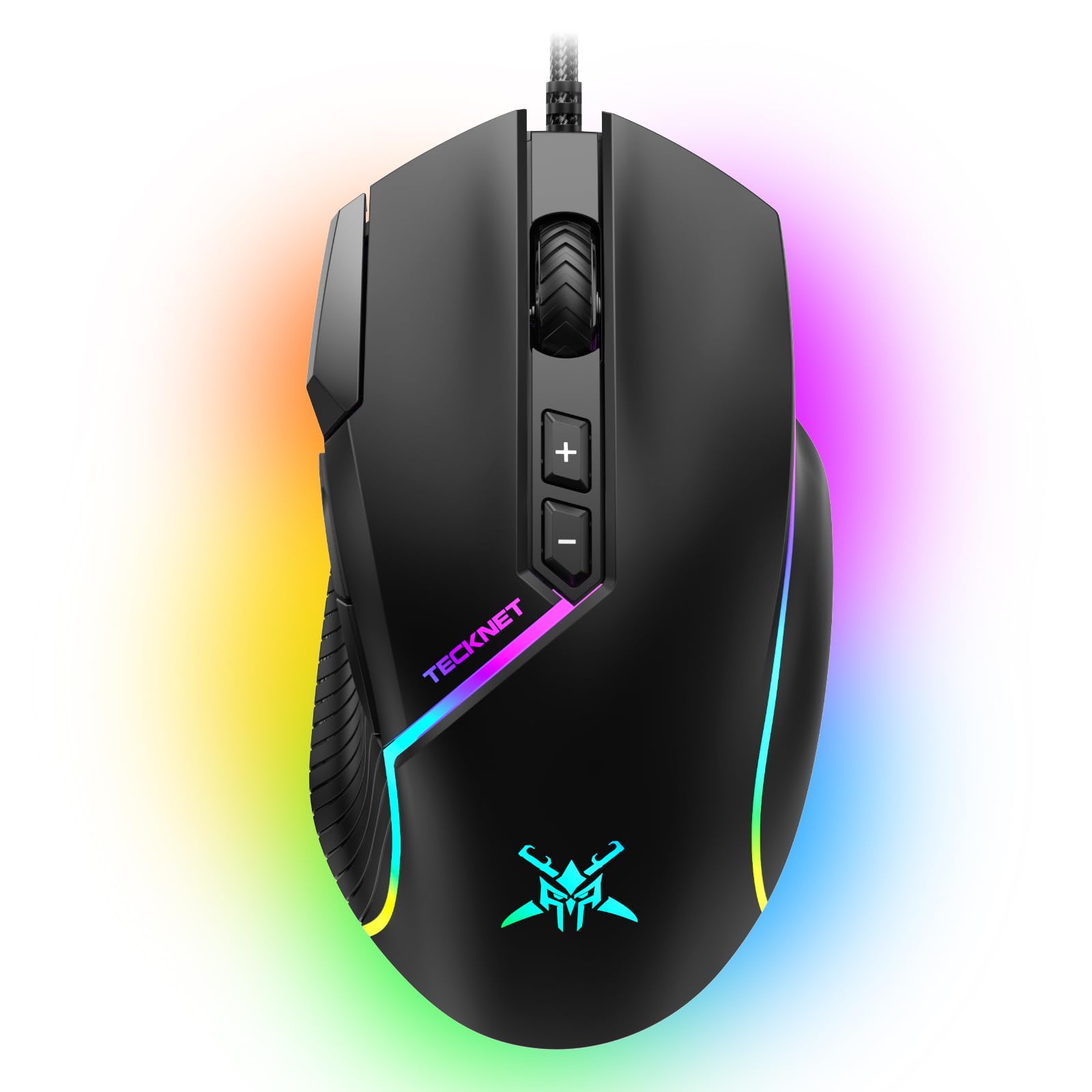
2. TECKNET Wired Gaming Mouse 12800 DPI
Eight buttons and a 12,800 DPI sensor for players who bind everything.
If you map your whole kit to the mouse, the extra real estate here matters. The TK-GM002 gives you eight programmable buttons versus the five on the Redragon M724 — three more places to park macros, push-to-talk, or inventory keys. That is a real advantage for MMO, MOBA, or production work, where reaching for the keyboard costs you tempo.
The sensor is a capable one. Its 12,800 DPI tops the DeathAdder Essential’s 6,400 DPI, and the optical sensor adds a 60 IPS tracking speed with 20G acceleration, meaning it can handle fast, hard swipes without the cursor skipping. There is a rapid-fire button and two side macro buttons built in, plus six DPI settings you can switch on the fly. Owners repeatedly praise the build quality and say it outperforms pricier rivals — the colors and the on-board auto-click are the two features buyers call out most in their own words.
Rounding it out: 13 RGB lighting modes across 16.8 million colors, including wave, flash, and starlight effects, so the look is customizable without extra hardware. The shape is curved for medium to large hands, and the software makes setup quick — the recurring note from users is that it runs smoothly straight from the start with no fiddling needed.
Where it wins: eight buttons versus the five on the Redragon M724 is the biggest button count below the Razer Basilisk V3 and Logitech G502, at a fraction of the layout complexity.
Where it stumbles: the shape is broad rather than tailored, so buyers who rely on a snug contoured fit may prefer the DeathAdder Essential instead.
Your pick if: you want maximum remaps and macro options at an entry-level price.
Pass if: you want the tightest-fitting shell — this one is roomy rather than snug.
3. Razer DeathAdder Essential Ergonomic Wired Gaming Mouse
A shape that has been copied for years — and still fits most hands better than the clones.
The DeathAdder Essential is the cheapest way to buy Razer’s classic right-handed shell, and the shape is why. Owners describe it as fitting all hand sizes comfortably, including after sessions that run six hours straight. That ergonomic curve is the single most-praised trait of this pick, and it is the reason people keep buying the Essential instead of flashier mice.
On the sensor, you get a 6,400 DPI optical unit — half the top resolution of the Redragon M724’s 12,400 DPI — so if you want extreme cursor speed this is not the one. But 6,400 is plenty for most players, and you can adjust sensitivity on the fly through dedicated DPI buttons. The switches are rated for 10 million clicks, and the ridged rubberized scroll wheel gives you tactile feedback for weapon cycling. Five programmable buttons cover the basics.
Razer Synapse handles remapping and macro assignment, so you can bind complex actions to any of the five buttons. The wired USB connection means plug-and-play, and reviewers call the clicks audible and precise. Where the pick stumbles: the scroll wheel is the most-discussed weak point, with more than one buyer reporting erratic scrolling and a wheel that fails early. It is a known risk, not a guarantee — the vast majority of buyers report no trouble — but if you are hard on your scroll wheel, know that going in.
Why people keep buying it: the ergonomic shape is the strongest single draw in the budget tier, praised for long-session comfort.
The honest trade-off: the scroll wheel is the recurring durability gripe — treat it gently, especially if you scroll heavy.
Choose this if: comfort and a reputable brand matter more to you than peak DPI.
Skip if: you want maximum resolution headroom or plan to hammer the scroll wheel daily.
4. ASUS TUF Gaming M3 Gen II Wired USB Gaming Mouse
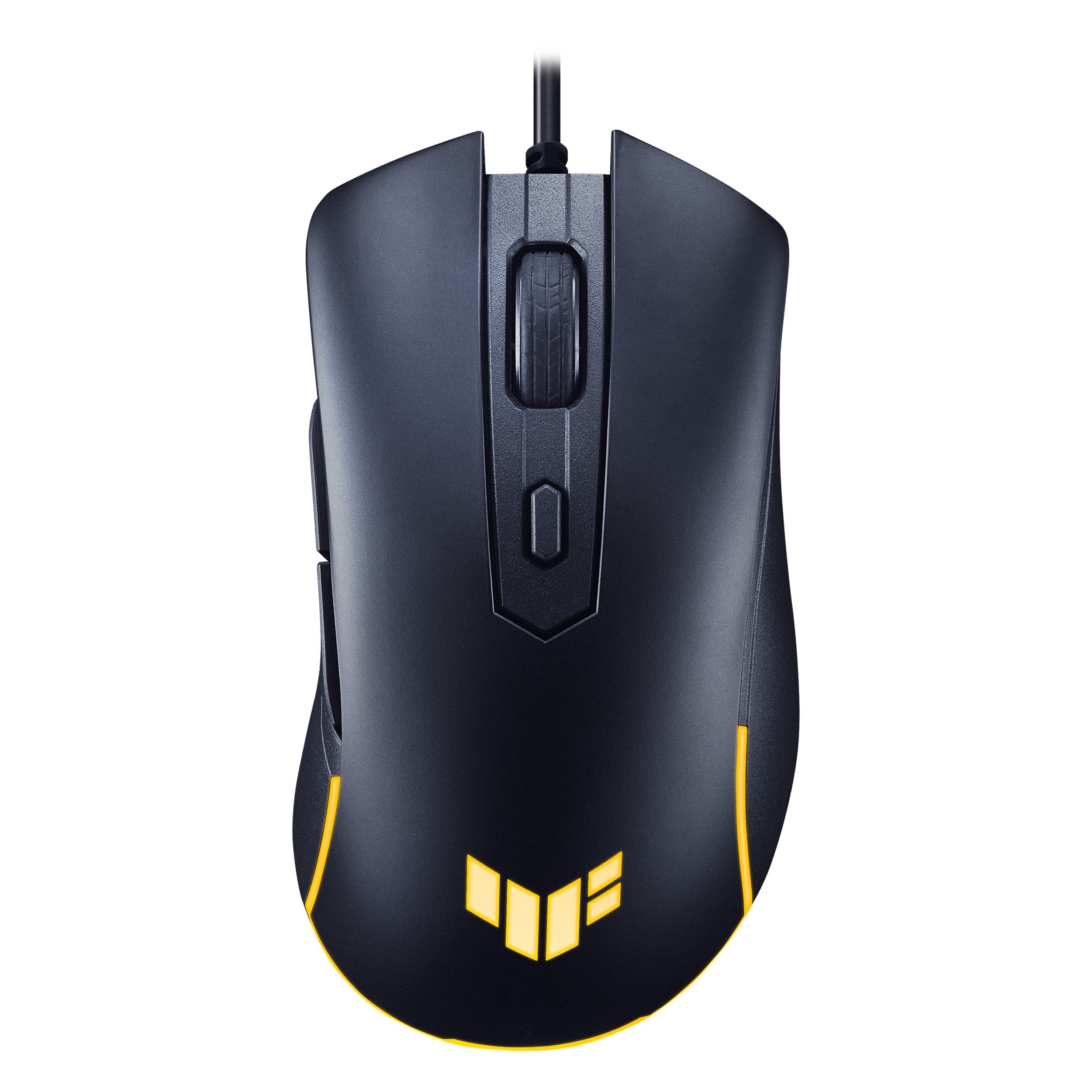
The one built for messy desks — an IP56 shell that shrugs off dust and spills.
Most mice never mention protection at all. This one carries an IP56 rating, which means it is built to resist dust ingress and splashes of water, so it keeps working through coffee-adjacent gaming sessions and dusty setups. The shell is also treated with ASUS Antibacterial Guard to keep the surface and buttons clean — a spec you will not find elsewhere in this lineup.
At 59 g it sits between the 42 g Redragon M724 and the 82 g AULA SC580, so it stays light without feeling weightless. The 8,000 DPI optical sensor gives you pixel-precise tracking, and a dedicated DPI button flips through four sensitivity levels on the fly.
The ergonomic shape is right-handed, and owners consistently point to how light and responsive it feels in the hand. The ASUS software handles DPI and lighting adjustment, and there is a lit logo for a bit of style. Where the pick stumbles: a small number of owners mention stiff clicks or excessive pre-travel on the right button, usually traced to a faulty unit. It is rare, but it is worth checking your copy thoroughly during the return window.
What makes it stand out
- IP56 dust and water resistance — rare at this price
- Antibacterial Guard coating on the surface and buttons
- 59 g shell with PTFE feet for smooth glides
- 8,000 DPI with four on-the-fly sensitivity presets
Where it can disappoint
- A small share of units arrive with stiff or loose clicks from the factory
- Software registration quirks reported by some buyers on new units
Reach for this if: you game in a dusty room, near snacks, or want a shell built to handle the odd spill.
Think twice if: you need the lightest possible weight or the highest DPI in the tier.
5. AULA SC580 Wireless Gaming Mouse

Cut the cord without cutting the feature list — three ways to connect and a rechargeable 500 mAh battery.
If you want wireless without giving up buttons, the SC580 is the entry point. It gives you three connection options — 2.4G wireless, Bluetooth 5.0, and USB-C wired — and it can remember up to four paired devices and switch between them with a bottom toggle. That alone makes it the only mouse here that works equally well on a laptop, a phone, and a desktop without re-pairing.
The rechargeable 500 mAh battery is rated to last 10 to 14 days at five hours of daily use. Owners describe battery life as one of the highlights, with multiple reviewers saying it goes considerably longer between charges than they expected. The sensor offers six DPI levels — 800, 1600, 2400, 3200, 6400, and 12,000 — plus a 1000Hz polling rate, which means the mouse reports its position to your PC a thousand times a second for low-latency tracking. Six programmable buttons with macro editing round out the control, and the 82 g shell is ergonomic for right-handed players.
An honest caveat: the driver software only works on Windows and only in 2.4G and USB-C wired modes, so if you want to remap buttons you will need a Windows PC. Bluetooth mode is plug-and-play only. A few buyers noticed slight input lag when running over Bluetooth versus the 2.4G dongle, which is worth knowing if you play competitive shooters. On the whole, though, the reviews point to strong reliability and a build that surprises people for the money.
Why wireless matters: you get three ways to connect — Bluetooth, 2.4G (a dedicated wireless dongle for lower lag), and wired USB-C — which no other mouse here offers. The Logitech G305 Lightspeed connects only via 2.4G, and every other pick in this roundup is wired.
The wired-brain catch: button remapping needs a Windows PC in 2.4G or wired mode, so pure Bluetooth users give up the macro tools.
Best fit if: you switch between devices often and want one mouse that does wired and wireless.
Not ideal if: you play high-level competitive shooters and need every last millisecond.
6. Razer Basilisk V3 Customizable RGB Wired Ergonomic Gaming Mouse

Eleven buttons, a thumb rest, and a scroll wheel that free-spins or clicks on command.
When your game maps a dozen actions to the mouse, eleven buttons is not excess — it is the point. The Basilisk V3 is the crowned macro king here, with 11 programmable buttons versus the 5 on the Redragon M724 and the DeathAdder Essential. You can assign macros and secondary functions like push-to-talk and pings without leaving your grip, which is the single most-repeated advantage owners point to.
The sensor is a serious step up from the others in the pack. It is a Focus+ 26K DPI optical sensor, which delivers pixel-precise tracking with zero smoothing — more than double the 12,400 DPI the Redragon M724 offers. The Hyperscroll tilt wheel is the other headline: it free-spins for zipping through long pages on one flick, or locks into tactile mode when you need precision clicks. The optical switches are rated for 70 million clicks with a 0.2 ms actuation speed, so double-click problems stay rare. Eleven Chroma RGB zones cover the shell and react to over 150 integrated games.
The ergonomic shell includes a thumb rest that customers note gives them more control during long sessions, and the rubberized finish keeps your grip from slipping. Where the pick stumbles: the scroll wheel gets mixed feedback — some love the smooth action, others note it can scroll unintentionally in certain modes, and reviewers with smaller hands say the body feels large. That makes it a fit choice as much as a performance one — great for most hands, less ideal for very small ones.
Why it earns its spot
- 11 programmable buttons — the most in the under- tier here
- 26K DPI Focus+ optical sensor with zero smoothing
- Hyperscroll wheel toggles between free-spin and tactile modes
- Optical switches rated for 70 million clicks with 0.2 ms actuation
Worth flagging before you buy
- Free-spin scroll mode can feel loose or scroll unintentionally for some users
- Large shell may feel oversized for smaller hands
The right call for: MMO and MOBA players who bind a dozen actions, or anyone who wants serious sensor headroom.
Look past it if: you have small hands or you prefer a featherweight shell.
7. GLORIOUS Model O Eternal Ultralight RGB Gaming Mouse
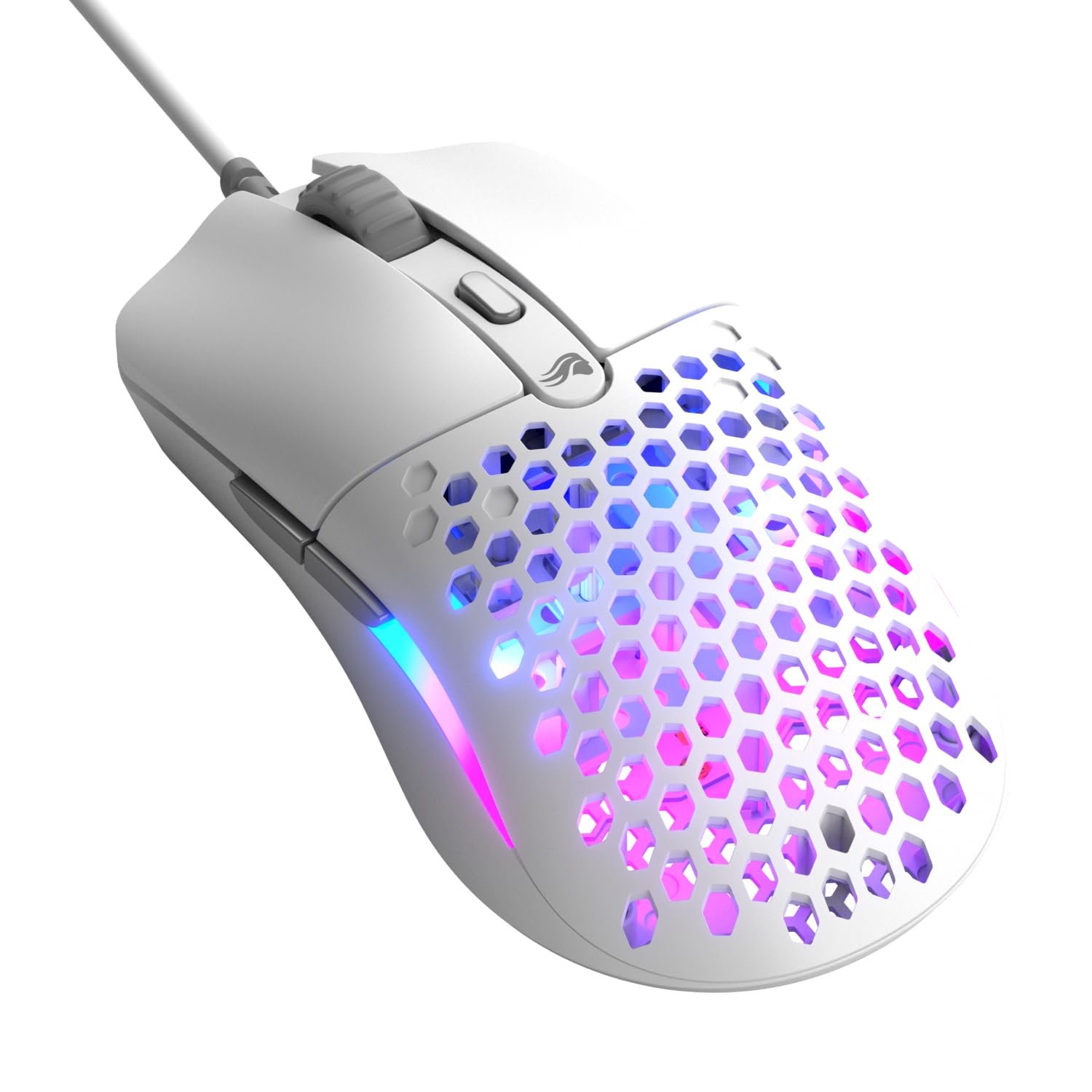
A 55 g honeycomb shell that flips left- and right-hand play without a second thought.
Some players want a mouse that fits like a glove; others want one that stays out of the way. The Model O Eternal fits the second camp — a 55 g shell built around a honeycomb pattern that trims weight while keeping the structure firm. Its symmetrical design works comfortably for either hand, which is a rare thing among cheaper picks that assume a right-handed claw.
The switches are rated for 80 million clicks, and the sensor tracks up to 12,000 DPI. Six remappable buttons and dual-zone RGB round out the shell — the lighting spills through the flared side panels rather than just a logo, and Glorious CORE software lets you fine-tune the look and your button functions. Owners describe the clicks as quick and quiet, and the consistent theme in the reviews is that it feels great in hand even for players coming from heavier mice.
Two honest caveats. First, the featherweight feel is polarizing — some reviewers point out it feels too light for their taste, especially those used to heavier shells. Second, the wired cable can tangle during rapid wrist movement, and a small share of shoppers say reliability slipping after three months of heavy use. Both are minority experiences, but they are real. For players who prefer low-effort wrist flicks, the speed benefit outweighs them.
Where it feels different: 55 g with an 80 million-click switch rating puts it near the top of the durability scale in this roundup.
The honest caveat: a featherweight shell takes a few days to adjust to, and the cable is not the most tangle-resistant design.
The match for you if: you want one shell that works left- or right-handed and favor speed over heft.
Try the DeathAdder instead if: a light shell feels unsteady and you want a heavier, more planted feel.
8. Logitech G502 Hero Wired Gaming Mouse

One sensor to out-resolve them all — 25,600 DPI with no smoothing, filtering, or acceleration.
For raw pixel-precise tracking, the G502 Hero’s HERO sensor puts out a 25,600 DPI figure that is right at the top of this lineup. It tracks with zero smoothing, filtering, or acceleration, which means every movement you make is passed through untouched — no hidden speed boosts or curving on fast swipes. Buyers coming from wireless alternatives describe switching back to wired specifically for this precision.
The feature set is built for serious operators. You get 11 programmable buttons — matching the Basilisk V3 — plus a dual-mode hyper-fast scroll wheel that free-spins or clicks tactilely. Adjustable weights add another layer: five 3.6 g slugs let you dial the mouse heavier or lighter to match your grip. The LIGHTSYNC RGB is customizable and can sync with other Logitech gear if you are already in that ecosystem, and metal spring tensioning in the left and right buttons keeps the click crisp over time.
Owners describe the ergonomics as fitting large hands especially well, and the LIGHTSYNC ecosystem is a legit benefit if you own Logitech accessories. Where the pick stumbles: the aging G-Hub software is the recurring frustration — many buyers prefer Logitech’s older software or the Onboard Memory Manager instead. There is also feedback that durability and double-clicking can degrade after years of hard use, so if you plan to keep one mouse for a decade, keep an eye on the switches.
The headliner: 25,600 DPI is the highest resolution in this roundup, with zero smoothing or acceleration — a legit edge for pixel-precise sniping.
Worth knowing: the mouse leans heavy from the start, and the software ecosystem has aged — many owners run older drivers or the Onboard Memory Manager.
Best suited to: players with larger hands who want maximum sensor headroom and weight adjustment.
Skip if: you want a lightweight flick mouse or prefer modern, low-friction software.
9. Logitech G305 Lightspeed Wireless Gaming Mouse

A wireless mouse that runs on one AA for months — and never makes you think about cords.
Cord-free play usually means compromised battery life, but the G305 pushes past that. It delivers 250 hours of continuous gameplay on a single AA battery, and switching to Endurance mode through Logitech G HUB software stretches that to up to nine months. Owners consistently say they simply have not had to swap the battery yet — the AA setup also sidesteps the charging anxiety that rechargeable mice bring.
The HERO sensor tracks at up to 12,000 DPI with 400 IPS precision, and Logitech’s LIGHTSPEED wireless technology keeps latency at a 1 ms report rate — fast enough that owners describe the connection as lag-free. The mouse weighs just 3.4 oz, which is light enough for quick maneuverability but substantial enough to feel planted. Six programmable buttons and onboard memory mean your layout travels with you; the built-in nano receiver storage and compact shell make it a real laptop companion.
The size is one of the pick’s mixed points — buyers split on whether the compact shape is ideal or slightly too small for full-palm grips. That is a genuine fit question, not a defect. For players who travel with a gaming laptop or bounce between machines, though, the portability combined with the battery life makes the trade-offs easy to accept. It is the easiest mouse in this roundup for people who do not want to think about charging.
Why it holds up
- 250 hours on one AA — or up to nine months in Endurance mode
- LIGHTSPEED wireless with a 1 ms report rate for tournament-grade latency
- 3.4 oz shell with onboard memory and nano receiver storage
- 12,000 DPI HERO sensor with 400 IPS precision
Trade-offs to accept
- Compact shell may feel small for full-palm grip players
- No rechargeable battery — you will buy AA batteries eventually
The one for you if: you want wireless without the charger and travel with your setup often.
Not the one if: you prefer a fuller shell or want a rechargeable battery built in.
Understanding the Specs
DPI and Sensor Resolution
DPI stands for dots per inch — it controls how far your cursor travels per inch of hand movement. Higher numbers mean faster cursor travel, which is useful for multi-monitor setups or high-resolution displays. But most players settle between 800 and 3,200 during actual play, so the top figure matters less than whether the mouse lets you fine-tune steps in that range. A 6,400 DPI mouse like the DeathAdder Essential is plenty for standard play; a 12,800 or 25,600 DPI mouse gives you more headroom for competitive setups. Also watch for tracking speed (IPS) and acceleration (G) — those determine whether the cursor keeps up during fast swipes.
Weight, Polling Rate, and Switch Lifespan
Weight in grams dictates how fast you can flick and how much your wrist tires. A 42 g shell (the Redragon M724) feels quick and light; a 118 g shell feels stable and deliberate. Polling rate is how many times per second the mouse talks to your PC — 1,000Hz means a thousand reports per second, which keeps fast motion smooth. And switch lifespan in millions of clicks is your best predictor of how long the left button survives before it starts double-clicking on its own. A 70 million-click rating from the Basilisk V3 or an 80 million-click rating from the Model O Eternal tells you the hardware is rated for the long haul.
Wired or Wireless for Gaming
Wired mice never need charging and add zero latency risk. Wireless mice like the Logitech G305 and AULA SC580 have caught up on latency — the G305 reports at a 1 ms rate — but you trade that convenience for either battery swaps or a rechargeable cell. If you play fast-paced shooters as a priority, wired still gives you the simplest, lowest-latency setup. If portability and multi-device switching matter more, wireless is the better fit and modern tech has closed the gap enough for most players.
Programmable Buttons and On-Board Memory
Programmable buttons let you remap actions to the mouse, from push-to-talk to hotkeys to macros. Five buttons cover the essentials (left, right, scroll click, two side); eight or eleven open up MMO and MOBA bindings that keep your hand on the mouse instead of the keyboard. On-board memory is the underrated feature — the mouse itself stores your layout so it works on any PC without reinstalling drivers. The Logitech G305 lightspeed and Logitech G502 Hero both carry onboard profiles.
FAQ
Will a budget gaming mouse actually track better than a normal office mouse?
How many DPI do I actually need for gaming?
Is a wireless gaming mouse as fast as a wired one?
How long do these budget gaming mice last before breaking?
Do I need the manufacturer’s software to use the buttons?
Is a lighter mouse always better for gaming?
Can I use these mice with a Mac or a laptop?
What is polling rate and does it matter for budget mice?
Which budget gaming mouse is best for very large hands?
Final Thoughts: The Verdict
For most players, the best budget gaming mouse is the Redragon M724. It weighs just 42 g, so you can flick and swipe without dragging extra weight. Its 12,400 DPI sensor (dots per inch — how far the cursor moves per inch of mouse movement) lets you fine-tune sensitivity for any game. If you want a wall of programmable buttons and macro options at an entry-level price, the TECKNET TK-GM002 with its eight programmable buttons is the smart call — you can map reload, crouch, and push-to-talk without touching the keyboard. And if you want wireless without the charger, the Logitech G305 Lightspeed runs 250 hours on a single AA battery, so you can game for months between swaps, and it keeps latency at a 1 ms report rate (the mouse tells your PC where it is every millisecond) — the feel-good choice for anyone who plays across multiple machines. Budget-tier mice now deliver sensors and switch ratings that were flagship-only a few years back.
How We Picked
We do not accept paid placement. Every pick is matched to a real buyer and a real use-case; we do not hands-on test units.
Sources & Methodology
Specifications: manufacturer listings and product documentation. Review insights: verified customer reviews, as of September 2026. Pricing: not shown on this page (it changes often); check the current price via the retailer link.
As an Amazon Associate, Gadgets Feed earns from qualifying purchases. This does not affect which products we feature.