
A budget graphics tablet is the single most effective tool for transitioning from mouse-driven grunt work to natural, pressure-sensitive digital creation — but picking the wrong one can mean fighting driver issues, laggy strokes, or a surface that feels like sandpaper instead of paper. The category is crowded with models ranging from to , each claiming the same headline specs: 8192 or even 16K levels of pressure, battery-free pens, and broad software compatibility. The real separation happens in build quality, driver stability, active area size, and the tangible feel of the stylus against the drawing surface.
I’m Min — the co-founder and writer behind Gadgets Feed. My approach to this guide centered on cross-referencing published technical specifications against extensive user feedback to identify which budget graphics tablet models consistently deliver reliable performance, stable drivers, and a satisfying drawing feel without hidden flaws.
After analyzing hundreds of verified customer reports and spec sheets across seven leading models, I’ve built this definitive guide to the best budget graphics tablet options on the market, organized by the value and performance they actually deliver to beginner and intermediate digital artists.
How To Choose The Best Budget Graphics Tablet
Choosing the right budget graphics tablet means looking past the marketing numbers and understanding what actually impacts your daily drawing experience. The three factors below separate a tablet you’ll enjoy using from one you’ll quickly outgrow.
Active Area Size and Your Drawing Motion
The active area — the physical space where your pen registers input — directly dictates your stroke range. Smaller models like the 6 x 3.7 inch Wacom Intuos force you to rely on wrist movements, which can cause fatigue during long sessions. Larger 10 x 6 inch tablets like the VEIKK A30 V2 or GAOMON M10K let you draw from the elbow and shoulder, producing more fluid lines. For beginners or anyone doing illustration, a larger area is nearly always worth the extra desk space.
Pressure Sensitivity vs. Driver Stability
Almost every budget tablet now offers 8192 levels of pressure sensitivity, with some pushing to 16,384 (16K). While 16K sounds superior on paper, the practical difference is subtle — especially for beginners. Far more important is driver stability. A tablet that drops connection, conflicts with other drivers, or requires constant reinstallation will ruin your workflow regardless of its pressure spec. Brands like Wacom and Huion generally have more mature drivers, while smaller brands like VEIKK and GAOMON often require manual driver removal of competing products.
Connectivity and Power Considerations
Wired USB connections offer the most reliable, lag-free experience. Bluetooth adds convenience but can introduce input latency or occasional disconnects — a tradeoff worth considering if you plan to work away from your desk. Battery-free pens are non-negotiable at this price point; avoid any tablet requiring a charged or AAAA-battery stylus. Also check whether the tablet uses USB-C (modern and reversible) or Micro-USB, as this affects cable durability and compatibility with newer laptops.
Quick Comparison
On smaller screens, swipe sideways to see the full table.
| Model | Category | Best For | Key Spec | Amazon |
|---|---|---|---|---|
| XPPen Deco 01 V3 | Premium | 16K pressure & large area | 16,384 pressure levels, 10×6.25″ | Amazon |
| HUION Inspiroy Frego M | Mid-Range | Wireless & minimalist design | 24hr battery, 10×6.25″, Bluetooth | Amazon |
| Wacom Intuos Small BT | Mid-Range | Reliable brand & software | 6×3.7″, Bluetooth, Wacom EMR | Amazon |
| GAOMON WH851 Bluetooth | Mid-Range | Bluetooth & dial controls | 16K pressure, 8×5″, Bluetooth 5.0 | Amazon |
| GAOMON M10K | Mid-Range | Large area & shortcut keys | 10×6.25″, 10 hotkeys, touch ring | Amazon |
| Wacom Intuos Small Wired | Budget | Entry-level brand trust | 6×3.7″, 4 ExpressKeys, EMR pen | Amazon |
| VEIKK A30 V2 | Budget | Touch pad & low cost | 10×6″, gesture pad, battery-free pen | Amazon |
In‑Depth Reviews
1. XPPen Deco 01 V3

The XPPen Deco 01 V3 delivers industry-leading 16,384 pressure sensitivity levels paired with a generous 10 x 6.25 inch active area — making it the standout performer in the mid-range tier. The battery-free stylus supports up to 60 degrees of tilt detection, which translates to natural brush angle changes in software like Photoshop and Clip Studio Paint. Users consistently report smoother line work and more consistent pressure curves compared to older Wacom Intuos models, with many noting the larger area encourages healthier arm-based drawing.
Connectivity is handled through a single USB-C cable with an included adapter for USB-A devices, and the tablet is just 8mm thin for easy portability. The included accessories — pen stand, 10 replacement nibs, glove, and protective film — represent exceptional value. Linux users praise out-of-the-box compatibility via OpenTabletDriver, and the 8 customizable shortcut keys work reliably for both right and left-handed users.
The only recurring feedback involves occasional USB disconnects reported by a small subset of users (roughly 1 in 6 sessions), and the nib wearing down after about a month of regular use. These are minor tradeoffs for a tablet that at this price point delivers professional-grade pressure resolution. For any beginner or intermediate artist who wants the highest pressure spec and a large drawing area, this is the clear winner.
Why it’s great
- Industry-leading 16,384 pressure levels with smooth line flow
- Large 10×6.25″ area enables natural arm-based drawing
- USB-C connectivity with Android adapter included
Good to know
- Occasional USB disconnection for some users
- Nib wears down after roughly one month of daily use
2. HUION Inspiroy Frego M

The HUION Inspiroy Frego Medium takes a deliberately minimalist approach by eliminating physical shortcut keys in favor of a clean, uninterrupted drawing surface. The 10 x 6.25 inch active area feels smooth under the stylus, with a matte texture that provides consistent friction without being overly scratchy. Its 24-hour battery life from a 2.5-hour charge means you can work wirelessly for days, and the Bluetooth connection shows no noticeable latency for most users.
The included PW550S pen features a slim 9.5mm diameter with two programmable side buttons and a short 0.4mm retraction distance, giving it a solid, less bouncy feel than many budget styli. The tablet also supports 60 degrees of tilt detection and a native resolution of 2560×1600, which translates to precise cursor tracking. For iPhone and iPad users, compatibility through HiPaint and ibisPaint adds versatility that few competitors offer at this price.
Some users note that the driver software lacks the ability to save presets per application, meaning you have to manually reconfigure shortcut mappings when switching between Photoshop and ZBrush. The included art glove also runs small for larger hands. Despite these quirks, the Frego M offers the best wireless experience in this budget roundup and feels more premium than its price suggests.
Why it’s great
- 24-hour battery life with fast 2.5-hour charge
- Clean minimalist design with smooth matte surface
- iPhone/iPad compatibility through HiPaint and ibisPaint
Good to know
- Driver lacks per-application preset saving
- Included glove is small for larger hands
3. Wacom Intuos Small Bluetooth
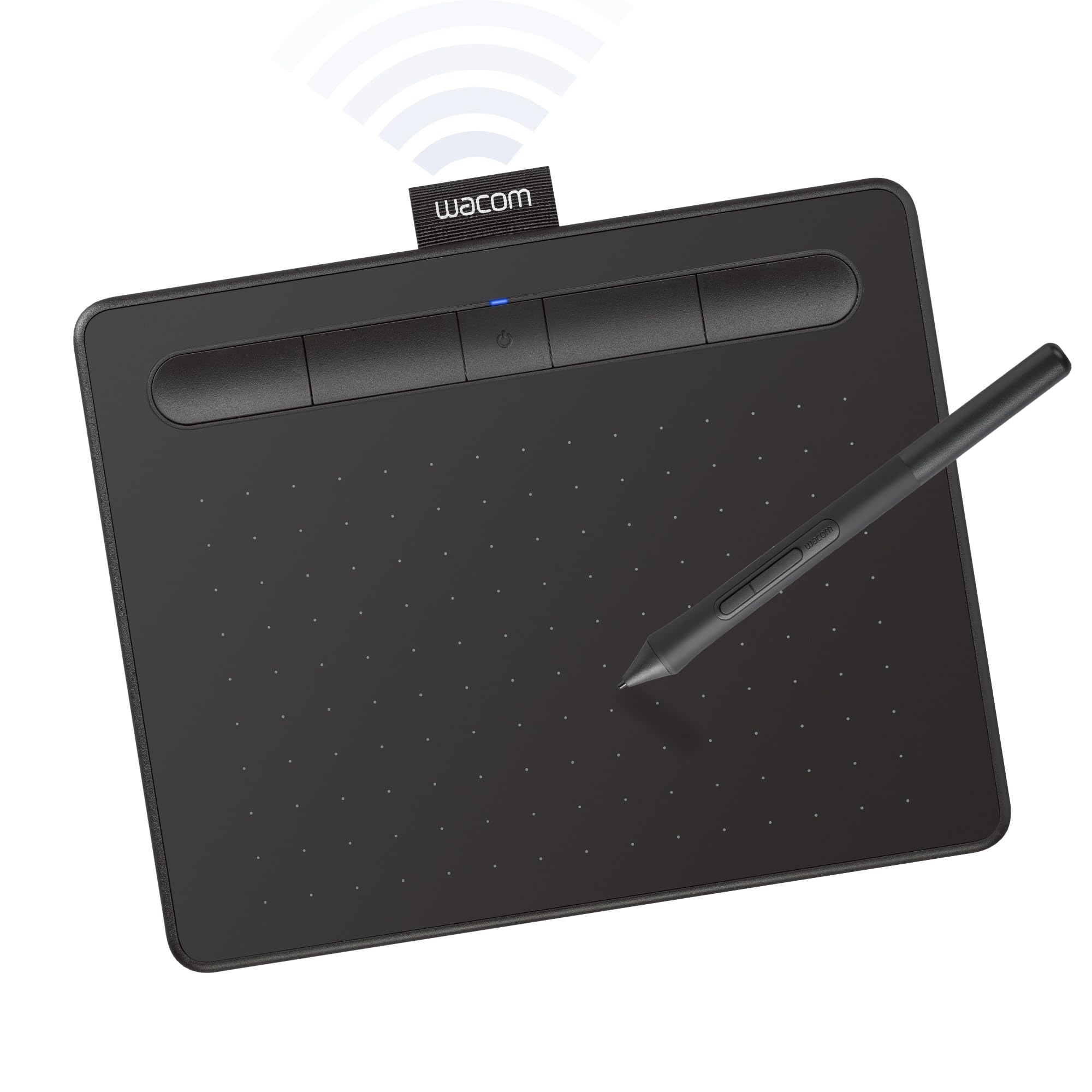
The Wacom Intuos Small Bluetooth is the most famous name in budget graphics tablets, and for good reason — Wacom’s EMR technology delivers a “pen-on-paper” feel that many artists still prefer over competitors. The 6 x 3.7 inch active area is small, but the 4 customizable ExpressKeys and bundled software (including 2 years of Clip Studio Paint) provide excellent value. The battery-free pen supports 4096 levels of pressure sensitivity, which is lower than the 8192 or 16K found on rivals, but the pressure curve feels more natural and predictable in practice.
Bluetooth connectivity works reliably within a 10-meter range, and the wired USB-A option eliminates latency entirely for stationary setups. At only 8.82 ounces, it’s incredibly portable and fits easily into a laptop bag. Mac users appreciate that the driver integrates cleanly without conflicts, though they’ll need a USB-C to USB-A adapter since the tablet uses USB-A.
The small active area limits drawing motions to wrist-focused strokes, which can cause fatigue or discomfort during long sessions — especially for users with larger hands. Some users also report that the pen becomes uncomfortable after 3+ hours of continuous use. This tablet is best suited for note-taking, photo editing, and on-the-go sketching rather than heavy illustration.
Why it’s great
- Industry-leading Wacom EMR pen feel and driver stability
- Bluetooth and wired dual connectivity
- Bundled with 2 years of Clip Studio Paint
Good to know
- Small active area limits to wrist-based drawing
- Pen can get uncomfortable after extended use
4. GAOMON WH851 Bluetooth
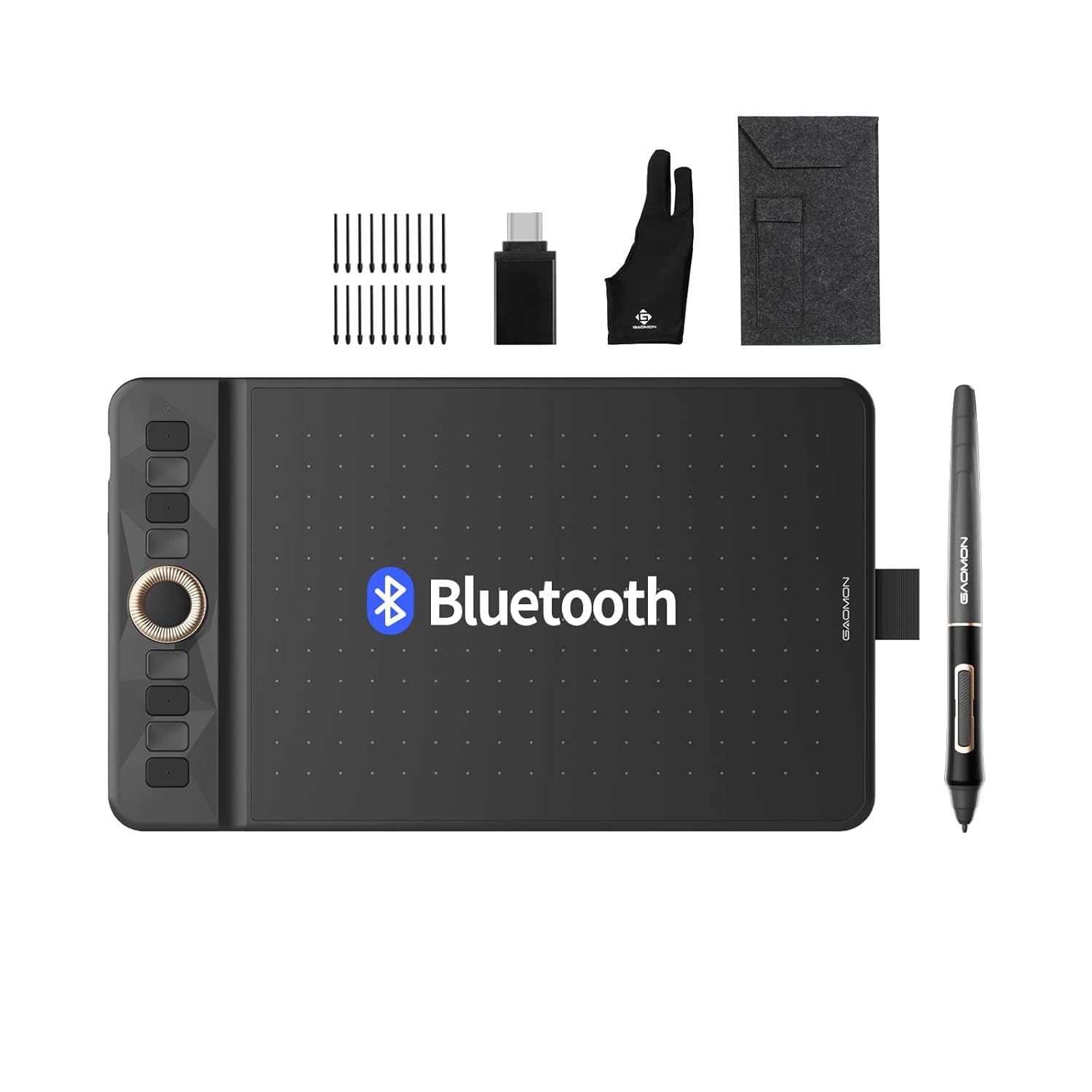
The GAOMON WH851 stands out with its 16,384 pressure sensitivity level — matching the XPPen Deco 01 V3 — and a unique intuitive dial that controls canvas zoom, brush size, and scrolling. The 8 x 5 inch active area sits between the small Wacom and the larger 10-inch tablets, offering a middle ground for users who want more drawing space without the full desk footprint. Bluetooth 5.0 support provides stable wireless connections with 18 hours of battery life on a single charge.
The AP519 battery-free pen supports 60 degrees of tilt detection and features only 0.45mm retraction distance, which reduces the “spongy” feel that plagues some budget styli. The surface texture has moderate friction — smooth enough for long strokes but with enough grip for precise line work. Users particularly praise the quality of the dial and the per-app programmable shortcut keys for photo editing workflows.
Some users note that the surface texture wears down replacement nibs noticeably faster than competitors, and a small number report that the overall drawing feel doesn’t match the premium competition. The tablet also has a slightly glossy finish on the face that can show smudges. For artists who prioritize high pressure spec and wireless convenience in a compact size, the WH851 is a strong contender.
Why it’s great
- 16,384 pressure levels with 60° tilt support
- Intuitive center dial for zoom, brush, and scroll control
- Bluetooth 5.0 with 18-hour battery life
Good to know
- Surface texture wears nibs faster than competitors
- Glossy face finish shows fingerprints and smudges
5. GAOMON M10K

The GAOMON M10K offers one of the most generous shortcut configurations in the budget tier: 10 customizable press keys plus a programmable touch ring, all on a 10 x 6.25 inch active area. The battery-free AP31 stylus delivers 8192 levels of pressure sensitivity with solid accuracy and a paper-like texture on the drawing surface. For users who rely heavily on keyboard shortcuts in programs like Photoshop or SAI, the M10K’s programmable keys can significantly speed up workflow.
The touch ring is a particularly useful addition for controlling canvas zoom and brush size rotation without lifting your hand off the tablet. Setup is straightforward — USB connection to a PC or Mac, driver download from the GAOMON website, and you’re drawing within minutes. The included carrying bag, pen sleeve, and 8 replacement nibs provide everything a beginner needs to start creating.
Some users report that the pen requires a harder press after 1-2 hours of continuous use, which can cause hand fatigue. Additionally, the glossy button surface lacks tactile differentiation, making it hard to locate buttons by feel. For artists who want maximum shortcut control on a large canvas, the M10K delivers functionality that punches above its price.
Why it’s great
- 10 customizable shortcut keys plus touch ring for zoom/brush control
- Large 10×6.25″ active area with papery texture surface
- Comes with carrying bag, pen sleeve, and 8 replacement nibs
Good to know
- Pen requires harder press after extended use
- Glossy shortcut buttons lack tactile differentiation
6. Wacom Intuos Small Wired
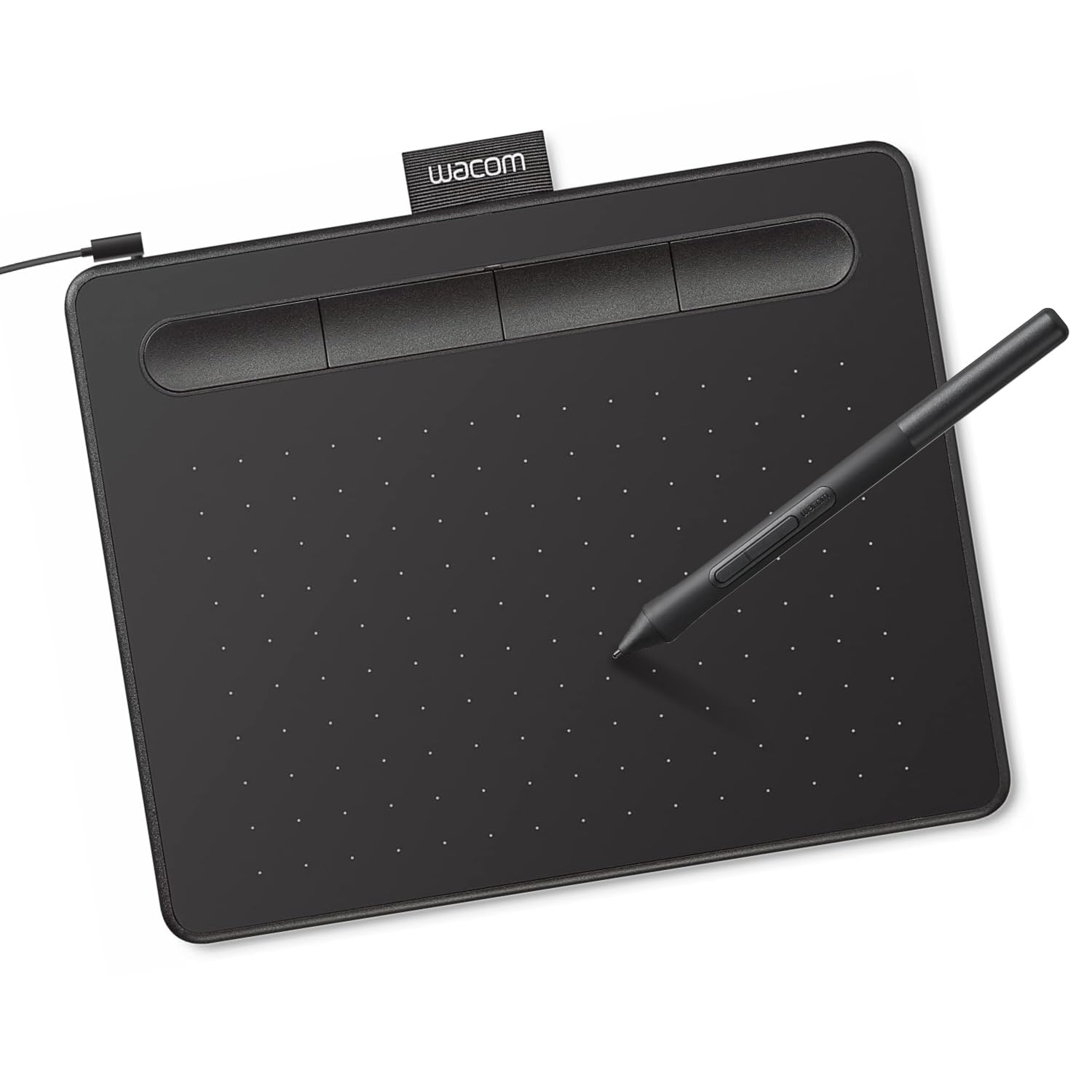
The Wacom Intuos Small Wired is the most affordable entry point into the Wacom ecosystem, offering the same industry-leading EMR pen technology and driver reliability as its more expensive siblings. The 6 x 3.7 inch active area is compact, but the 4 customizable ExpressKeys and bundled creative software (including Clip Studio Paint) make it an excellent starter kit. The battery-free pen operates at a 133Hz refresh rate with 4096 pressure levels, delivering that signature Wacom feel without the wireless premium.
Setup is genuinely plug-and-play on Windows and macOS, and the tablet enjoys native Linux support through the kernel. Users report near-zero input latency when wired, making it excellent for tasks requiring precise cursor tracking like photo retouching or document annotation. The matte surface finish provides consistent stylus friction without being abrasive, and the slim pen with rubber grip is comfortable for short to medium sessions.
The small active area is the main limitation — it forces wrist-centric drawing that can lead to fatigue over longer periods. Mac users will need a USB-C to USB-A adapter since the tablet ships with a USB-A cable. For absolute beginners who want the assurance of Wacom’s brand and driver stability, this is the safest bet in the budget category.
Why it’s great
- Legendary Wacom EMR pen technology and driver stability
- Bundled with creative software including Clip Studio Paint
- Near-zero input latency with wired USB connection
Good to know
- Small active area restricts natural drawing motion
- Requires USB-C adapter for modern MacBooks
7. VEIKK A30 V2

The VEIKK A30 V2 is the most aggressively priced tablet in this roundup, offering a stunning 10 x 6 inch active area and a unique gesture touch pad for under . The battery-free stylus provides 8192 levels of pressure sensitivity with 60 degrees of tilt support — specs that match tablets costing twice as much. The gesture pad features 4 customizable touch keys and supports swipe, pinch, and scroll gestures, providing a modern control scheme that many users find more intuitive than physical buttons.
The reversible Type-C port and ambidextrous design mean left-handed users get the same experience as right-handed ones. The included OTG connector allows connection to Android phones running 6.0-13.0, though iPhone and iPad users are out of luck. Users consistently praise the smooth surface finish, responsive pressure sensitivity, and the generous accessory pack that includes 8 replacement nibs, an artist glove, and a pen pocket.
Some users report driver conflicts with Wacom drivers that require uninstalling the competing software first. The tilt detection is noticeably less accurate than more expensive tablets, and the glossy shortcut buttons lack tactile feedback. A few users also mention that the tablet doesn’t handle travel well, with the stylus developing erratic clicking behavior after being transported. Still, for the price, the A30 V2 offers more drawing surface and features than anything else at this budget level.
Why it’s great
- Massive 10×6″ active area at an extremely low price
- Unique gesture touch pad with swipe, pinch, and scroll controls
- Reversible Type-C port with ambidextrous design
Good to know
- Driver conflicts with Wacom software require manual removal
- Stylus may develop issues after travel or transport
FAQ
Is a larger active area always better for a budget graphics tablet?
Can I use a budget graphics tablet with an Android phone or iPhone?
Do I need 16K pressure sensitivity or is 8192 enough for beginners?
Final Thoughts: The Verdict
For most users, the best budget graphics tablet winner is the XPPen Deco 01 V3 because it combines the highest pressure spec (16K) with a generous drawing area and excellent build quality at a price that undercuts the competition. If you want wireless freedom with a minimalist design, grab the HUION Inspiroy Frego M. And for absolute beginners who value brand reliability and software bundles above all else, nothing beats the Wacom Intuos Small Wired.