
Our readers keep the lights on and my morning glass full of iced black tea. As an Amazon Associate, I earn from qualifying purchases.
Specs are compiled from manufacturer listings and verified buyer reviews and can change over time — please confirm the key details on the product page before buying.
You want a laptop that survives a full day of lectures without hunting for a wall outlet, and you do not want to spend your textbook money on it. The specs that matter for note-taking, essay writing and Zoom calls are memory, drive type and screen finish.
I’m Min — the founder and writer behind Gadgets Feed. This guide is built by comparing the manufacturers’ published specifications and the patterns across verified customer reviews, so you get each pick’s real strengths and trade-offs instead of marketing spin.
Memory decides how many tabs survive, drive type decides boot speed, and screen finish decides whether you can read in a bright lecture hall. The picks below reflect the best options for a budget laptop for college.
Our Picks at a Glance



How To Choose The Best Budget Laptop For College
A college laptop lives a hard life. It rides in a backpack, gets opened on a library table, gets closed mid-lecture, and runs for eight hours between charges if you are lucky. The specs that matter for that life are not the same ones a gamer or a video editor cares about.
Memory: the number that decides how many tabs survive
Memory, measured in GB (gigabytes), is your laptop’s working desk space. Every open browser tab, Word document and Zoom window sits on that desk at once. Eight gigabytes is enough for a normal class schedule. Twelve or sixteen gigabytes gives you room to keep a research paper, a lecture stream and twenty tabs open without the machine slowing to a crawl.
Storage: fast is better than big for most students
You will see three types in this price range. A UFS drive (Universal Flash Storage — laptop memory that boots fast and sips power) is the energy-efficient choice. An SSD (solid-state drive — a chip-based drive with no moving parts) is the standard for speed. An eMMC drive is slower and cheaper. You rarely need a huge drive in college because most of your work lives in the cloud — but you do want the machine to wake up quickly in the five minutes before class.
Battery, weight and the backpack math
Battery life is usually quoted in hours by the maker, so treat those numbers as best-case. What matters more is how much the machine weighs on your shoulder across campus and whether it charges over USB-C, since that means one cable for your laptop and your phone.
Quick Comparison
| Model | Best For | RAM | Storage | Display | Amazon |
|---|---|---|---|---|---|
| Acer Aspire Go 15 (Core 3 N355)★ Best Overall | All-round campus workhorse | 8GB DDR5 | 128GB UFS | 15.6″ FHD IPS | Amazon |
| Acer Aspire Go 15 (Ryzen 3 7320U)Top Performer | Fastest everyday Windows pick | 8GB LPDDR5 | 128GB PCIe SSD | 15.6″ FHD IPS | Amazon |
| HP Chromebook 14 (N100)Best Display | Light Chrome OS all-day machine | 8GB LPDDR5 | 128GB UFS | 14″ HD anti-glare | Amazon |
| Dell 15 (Core 3 100U) | Big screen, mainstream Windows | 8GB | — | 15.6″ FHD | Amazon |
| HP 14 Business Student (N150) | Bundle value with Office included | 16GB DDR4 | 628GB (128GB UFS + 500GB ext) | 14″ HD | Amazon |
| TRHRO 15.6 (Pentium Gold 6500Y) | Light bag, light tasks | 12GB | 128GB SSD | 15.6″ FHD IPS anti-glare | Amazon |
| Lenovo Chromebook 15 | Staying on a Chrome OS budget | 4GB LPDDR4x | 128GB (eMMC + SD) | 15.6″ FHD anti-glare | Amazon |
| BiTECOOL 15.6 (N95) | Storage and security on the cheap | 12GB LPDDR5 | 256GB SSD | 15.6″ FHD IPS | Amazon |
| ASUS Chromebook CX15 (N50) | Chrome OS with a numeric keypad | 8GB LPDDR5 | 128GB | 15.6″ FHD anti-glare | Amazon |
| Dell Latitude 5420 (Renewed) | Cheap 16GB business power | 16GB DDR4 | 256GB SSD | 14″ FHD | Amazon |
| Lenovo Essential 15.6 | Familiar Windows basics | 8GB DDR5 | 128GB | 15.6″ FHD anti-glare | Amazon |
In‑Depth Reviews
1. acer Aspire Go 15 AI Ready Laptop
Our pick — over 4★ from 900+ verified ratings; the strongest balance of quality and price.
The campus all-rounder that pairs a 15.6-inch full HD screen with a real day of battery.
If you want one machine that handles lectures, essays and evening streaming without complaining, this is the one to beat. The engine is an 8-core Intel Core 3 processor N355 that peaks at 3.9 GHz, paired with 8GB of DDR5 memory (the newer, faster generation of laptop memory) and 128GB of UFS storage. The screen is a 15.6-inch 1920 x 1080 IPS panel — IPS meaning the picture stays true from an angle, so a friend leaning in to watch a lecture recording still sees it properly. Acer rates the battery at 12.5 hours.
You can write an essay with a dozen research tabs open and the laptop won’t slow down, thanks to its eight cores. For connecting your gear, you get two USB-C ports that carry video and charge the laptop, two regular USB-A ports for your mouse and flash drive, HDMI 2.1 for a dorm monitor, and Wi-Fi 6 (the faster current wireless standard) for campus networks. Windows 11 Home comes in S Mode, a locked-down setting that only installs apps from the Microsoft Store — you can switch it off in the settings whenever you need full Windows. As owners put it, it is “simple and efficient,” and the recurring note is that the buck really does go further here.
The honest trade-off is storage. That 128GB fills faster than you would expect once you add a few textbooks and a game or two, and you cannot upgrade the memory later because it is soldered in place. The chassis is silver plastic that picks up scratches, and the battery figure is a rated ideal, not a promise — heavy all-day use will drain it sooner. If you keep your files in the cloud and treat this as a writing-and-research machine, neither of those is a problem.
What carries it through a semester
- 8-core Intel Core 3 N355 hitting 3.9 GHz keeps essays and video calls smooth
- 15.6-inch 1920 x 1080 IPS display with Acer BluelightShield for long reading sessions
- Wi-Fi 6, Bluetooth 5.1, HDMI 2.1 and two full-function USB-C ports
- 12.5-hour rated battery on a 60Hz panel
Where you will feel the squeeze
- 128GB fills quickly and is not user-upgradable
- 8GB DDR5 is enough for coursework but leaves no headroom for heavy editing
- Plastic lid scratches with backpack wear
Buy this if: you want a single laptop for lectures, writing and streaming that still has battery left at dinner.
Think again if: your major needs large local files — 128GB will not hold a video project library.
2. Acer Aspire Go 15 AI Ready Laptop (Ryzen 3 7320U)
Same shell as the top pick, but with a quicker AMD brain inside for everyday speed.
Put the two Acer Aspire Go 15 models side by side and the difference is the processor and the drive. This one runs an AMD Ryzen 3 7320U that tops out at 4.1 GHz, against the Core 3 N355’s 3.9 GHz — a small but real edge when you are opening a heavy document or a stubborn spreadsheet. More importantly, it uses a 128GB PCIe SSD rather than UFS, and PCIe drives are the faster class, so Windows boots and apps launch snappier.
You still get the 15.6-inch 1920 x 1080 IPS screen, 8GB of LPDDR5 memory, Wi-Fi 6, HDMI 2.1, dual full-function USB-C ports and the Copilot key for one-touch AI assistance. Setup is a breeze, the battery holds up well through a day of classes, and it is light enough to carry around campus without thinking about it. This model wins people over on being an easy everyday companion — good display even in sunlight, quick processor, strong battery.
Here is the catch you should weigh. The 8GB of memory is soldered and cannot be upgraded later, and the 128GB drive, while swappable, is small from the start — a couple of big installs and you are managing space. It is also plain in hand: plastic body, no frills. For most students, the trade is worth it, because the SSD keeps the machine feeling current three and four semesters in.
Why it edges the other Acer: the Ryzen 3 7320U runs to 4.1 GHz and pairs with a faster PCIe SSD, so it opens apps and documents with less waiting than the UFS model above.
The honest part: 8GB LPDDR5 is soldered in, so buy it knowing you are committing to that memory for the life of the laptop.
The pick that suits: students who want the same reliable Acer shell but care about snappier day-to-day speed from the SSD.
Look elsewhere when: you need to add memory or a bigger drive down the line — this one is fixed on the RAM side.
3. HP Chromebook 14 inch Laptop
A featherweight Chrome OS machine that keeps going past a full day of classes.
If your whole course load lives in Google Docs, browser research and Zoom, a Chromebook is the cheaper, simpler way to get there — and this HP is a good one. The Intel Processor N100 handles the load, matched with 8GB of LPDDR5 memory (fast, power-sipping memory) and 128GB of UFS storage. The anti-glare panel cuts reflections, so you can actually read the screen next to a bright library window.
What people keep coming back to is the battery — it is consistently the standout, with owners reporting well over eight hours of browsing and productivity on a single charge. It weighs little, the build and keyboard feel solid, and setup is quick. On the software side, Chrome OS boots fast, updates itself, and lets you run Microsoft 365 and OneDrive without fuss. The processor has no trouble juggling Chrome tabs, music and a light game at once.
Two things to know before you commit. The screen resolution is the weak spot it shares with the budget Chromebook pack — sharp enough for text, not rich for photo work. And the port count is thin: one USB-A, one USB-C and a headphone jack, so you will want a small hub if you plug in a mouse and a drive together. Neither undercuts the value if you are the kind of student who works in the cloud.
Why it earns its spot
- Battery easily clears a full day of browsing and classwork
- 14-inch micro-edge anti-glare panel with 8GB LPDDR5 and 128GB UFS
- Chrome OS updates itself and stays secure without babysitting
What to plan around
- Only one USB-A and one USB-C port, so a hub helps
- Non-backlit keyboard is hard to use in a dark room
- Screen resolution is modest for photo or design work
Right for: the cloud-first student who wants zero hassle and the longest possible run of battery.
Not for: anyone editing images or running Windows-only course software — this is a Chrome machine.
4. Dell 15.6 Laptop

A big, roomy Windows machine with a numeric keypad for math-heavy course loads.
Accounting, stats and econ students get something extra here: a full-size keyboard with a separate numeric keypad and a calculator hotkey, so entering figures does not mean hunting for a number row. The engine is an Intel Core 3 100U that reaches 4.7 GHz, paired with 8GB of memory and Windows 11 Home. The 15.6-inch full HD screen is larger than you might expect for the class, and it has a clean, elegant look that owners pick up on right away.
This is a homework-and-office machine first. It sets up fast, stays light enough to travel with, and feels sturdy in the hand, with a keyboard that does not flex under typing. Dell ComfortView software cuts blue-light output for long evenings at the screen, and the lifted hinges angle the keyboard so your wrists sit more naturally. The battery uses Express Charge to top up quickly between classes, and Dell includes a year of onsite service — if something breaks, Dell comes to you.
Where it stumbles is the camera and the day-one software. The camera is washed out and silvery on video calls, so a cheap clip-on webcam fixes that better than the built-in one, and a few owners strip the preinstalled Windows apps in favor of a clean install. The lower memory ceiling also means heavy multitaskers should look at the 16GB options below. Otherwise, this is a sensible daily driver for lecture notes and writing.
Why students pick it
- Full-size keyboard with numeric keypad and calculator hotkey
- Core 3 100U up to 4.7 GHz with 10MB cache
- Dell ComfortView, lifted hinges, and a year of onsite service
- Bluetooth 5.3 for current wireless accessories
What to sort out early
- Built-in camera is weak for Zoom and Teams
- Extra preinstalled apps are worth removing
- Stick with lighter course loads; it is not a multitasking beast
Made for: number-heavy majors who want a big keyboard and a quick-charging battery for campus days.
Steer clear if: crisp webcam quality for remote interviews is a priority.
5. HP 14″ Laptop Business Student Slim Computer
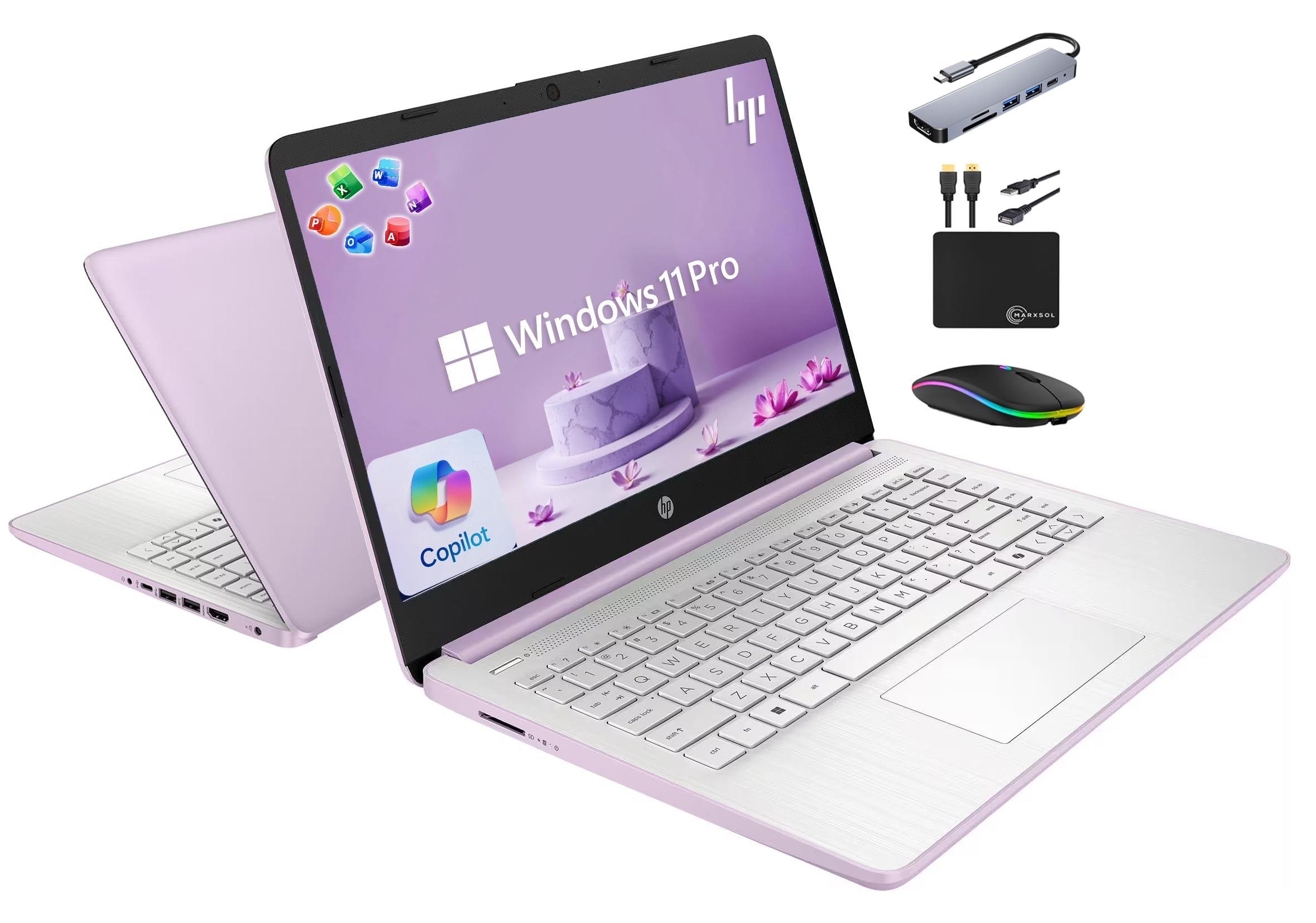
The bundle play — 16GB of memory, lifetime Office, and a dock thrown in the box.
You can keep a research paper, a lecture stream and a pile of browser tabs open at once without the laptop slowing down, because this HP ships with 16GB of DDR4 memory — double what most machines here offer. For storage, you get 128GB of UFS inside plus a 500GB external drive in the box, and it runs a quad-core Intel Processor N150 that boosts to 3.6 GHz with a 6MB L3 cache. Lifetime Microsoft Office 2024 comes preinstalled, which matters if your syllabus runs on Word and Excel.
You can turn a dorm desk into a workspace on day one with the included extras: a 6-in-1 USB-C docking hub with 4K HDMI output, the 500GB portable drive, an HDMI cable, a USB extension cord, a wireless mouse and a mouse pad. It runs Windows 11 Pro, which brings hardware encryption and stronger account protection than the Home version. The 14-inch body is light and easy to set up, with good speed for student workloads, and owners love being able to unbox and start working immediately.
Two caveats keep it honest. The screen is a 1366 x 768 panel, so it is not as crisp as the full HD models above — fine for typing and streaming, less good for detailed design work. And the docking station is the most-cited frustration: several owners find it does not drive extra monitors reliably, so if multi-screen is your setup, test that hub early. Everything else — keyboard, build, battery for a day of classes — holds up.
The headliner: 16GB of DDR4 memory alongside a quad-core N150 means this is one of the few picks that shrugs off a heavy stack of open apps.
Worth knowing: the bundled docking station struggles with additional displays for some buyers, so plan around it if multi-monitor is essential.
Take it home if: you want the full desk setup, Office included, and memory headroom straight from the start.
Keep looking if: you need a sharp display for design work or day-one multi-screen reliability.
6. TRHRO Laptop 15.6 Inch
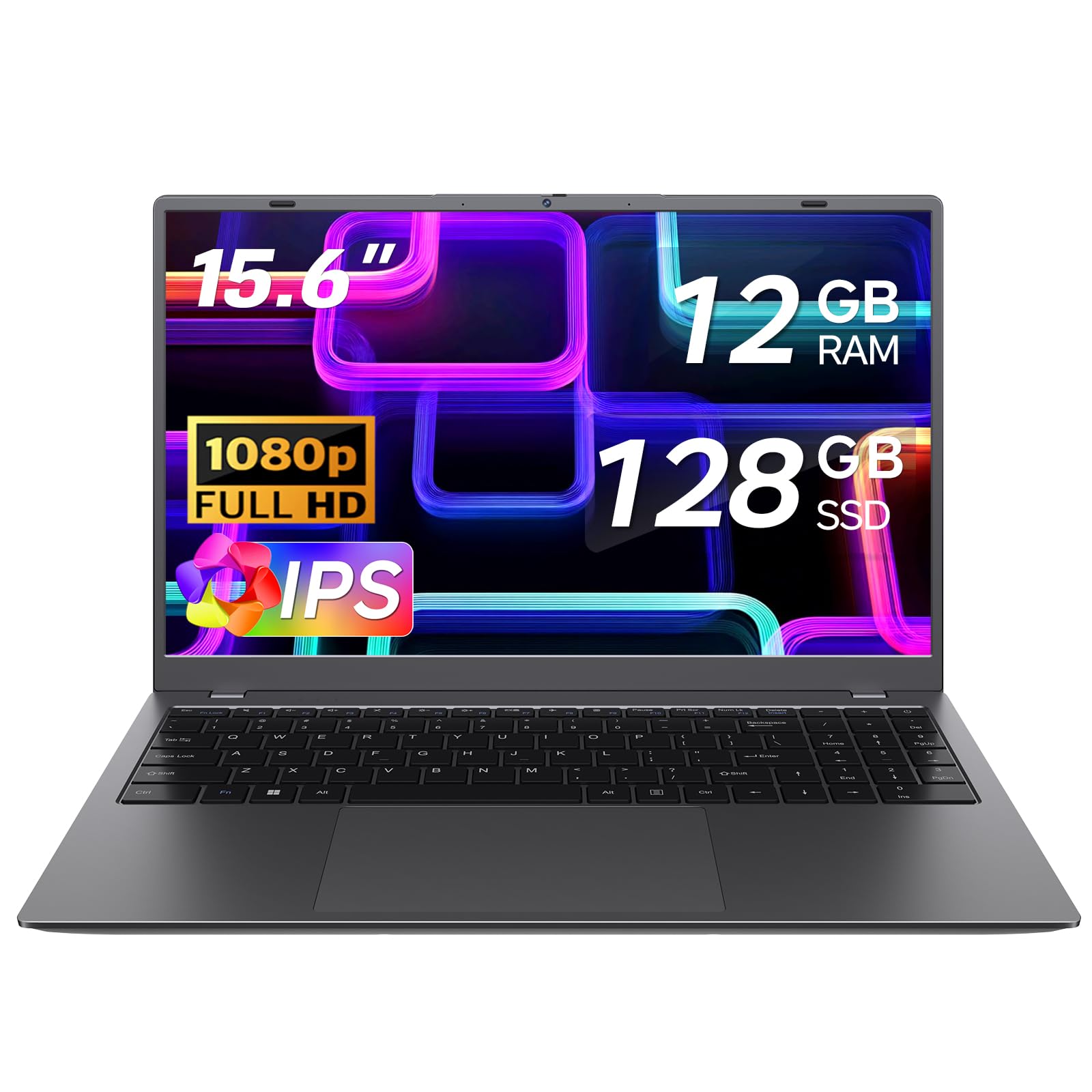
A slim 3.5-pound machine with more memory than most laptops at its tier.
Weight matters when you cross campus twice a day, and this one tips the scale at 3.5 lbs while staying 0.8 inches thin — the kind of laptop that disappears into a shoulder bag. Inside, 12GB of memory runs alongside a Pentium Gold 6500Y processor (up to 3.4 GHz, 7W TDP) and a 128GB SSD. The anti-glare 1920 x 1080 IPS screen keeps colors true from an angle, and it is easy to set up and quick from the start.
The setup is also privacy-conscious: a physical slider covers the webcam when you are not on a call, useful in a shared dorm or a cafe. You get more ports than most thin laptops offer — two USB 3.2, one USB 2.0, a full-function USB-C and a charging-only USB-C, HDMI, a microSD slot and an audio jack. Owners like the styling, the light weight, and the fast boot; most describe it as great value for everyday tasks. Auto-connects on power-on make it dead simple to pick up and go.
The trade-offs are the keyboard and the processor ceiling. The layout feels cramped for larger hands, and a few buyers swap in an extended keyboard for comfort — the touchpad is fine, but the keys take some getting used to for long essays. The Pentium is a modest chip, so it handles browsing and documents well but wants no part of heavy video editing. And one unit arrived that would not turn on — an outlier, but worth the note.
At 3.5 lbs and 0.8 inches thin, it is the lightest 15.6-inch pick here.
The fit: students who put portability first and want more memory than the entry Windows tier usually offers.
The skip: anyone writing long-form papers who wants a roomy keyboard, or who needs heavier processing power.
7. Lenovo Chromebook 15 Laptop

Big-screen Chrome OS on a tight budget, with cloud storage baked in from day one.
Chromebooks keep the cost down by leaning on the cloud, and this Lenovo gives you a 15.6-inch 1920 x 1080 anti-glare screen and up to 10 hours of battery for basic schoolwork. Inside it runs an Intel Celeron N4500 with 4GB of LPDDR4x memory and 128GB of storage — that is 64GB of built-in eMMC plus a 64GB SD card already fitted. Wi-Fi 6 and Bluetooth 5.2 keep you connected to campus networks and wireless accessories.
The screen is genuinely pleasing for the price, set up is easy, and quick internet connections and a responsive keyboard make it a smooth everyday companion for kids and teens working through online classes. The included Google One AI Premium plan gives three months of Gemini Advanced and 2TB of cloud storage, which pairs nicely with the cloud-first design of Chrome OS. If your schoolwork is Docs, Slides and browser research, this handles it comfortably, and graphics expand out to three extra monitors over HDMI and USB-C.
The honest limits are the memory and the occasionally sluggish performance under several heavy tabs. With 4GB, the machine is happiest doing one or two things at a time — Docs and a browser window, not ten Docs plus a video call. That said, keeping your files in Google Drive and letting Chrome OS auto-update keeps it feeling secure and simple, and the light weight and cool-running chassis make it an easy daily carry.
A good match if: your classes run on Google Workspace and you want the biggest usable screen at the friendliest price.
Better to pass when: you routinely keep a dozen heavy tabs open — 4GB of memory will feel tight.
8. BiTECOOL 15.6 FHD Laptop
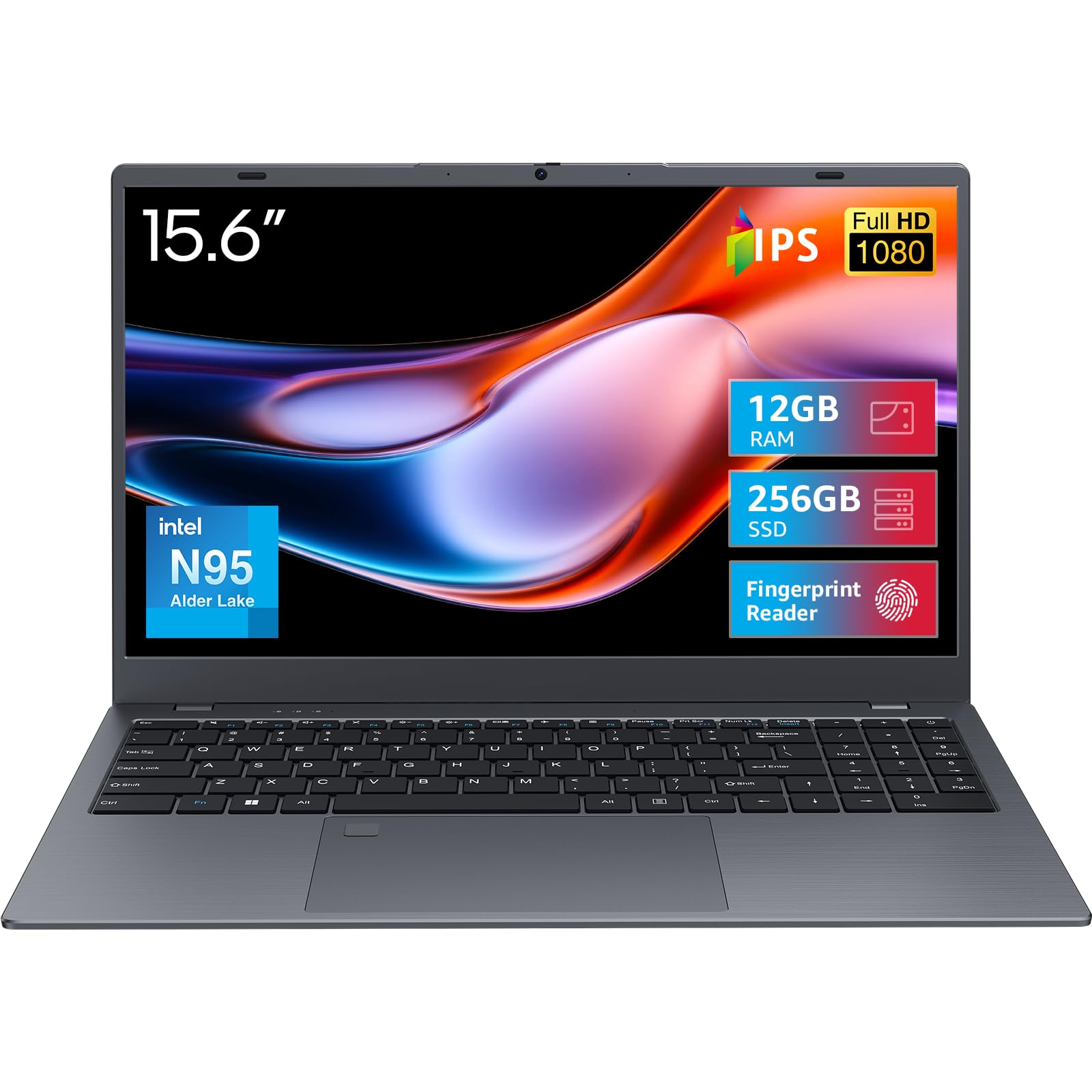
Fingerprint login, a numeric keypad, and a 256GB drive for the storage-hungry.
For a machine in this bracket, 256GB of SSD storage and 12GB of LPDDR5 memory is generous. The brains come from an Intel Processor N95 on Alder Lake-N architecture with a 6MB L3 cache, and the SSD shortens boot times and app launches versus the 128GB class. The onboard LPDDR5 memory runs at 4800MHz, so multitasking through a schedule of documents and browser tabs stays fluid — plenty for office editing, multi-tab research and streaming.
The screen is a 15.6-inch full HD IPS panel at up to 300 nits, which is a touch brighter than most in this bracket for daylight reading. There is a full-size keyboard with a dedicated numeric keypad for spreadsheet work, and a fingerprint reader for one-touch secure login without typing a password every time. Connectivity includes Bluetooth 5.0 and dual-band Wi-Fi 5. Buyers use it for everything from making recipe lists to running a small business, and it handles Office and multi-tab browsing without complaint.
The trade-offs are battery and occasional reliability quirks. The battery is rated at 4 hours of active use, well short of the Acer and HP models above, so plan on charging over lunch if you have a full day. A few buyers report the unit getting stuck on the Windows update screen or receiving a defective charger — worth checking your cable as soon as it arrives. For the storage and fingerprint login, though, it is a strong value.
The reason to pick it: 256GB of SSD storage and 12GB of LPDDR5 is more headroom than nearly everything at this tier.
The reason to think twice: the battery is on the shorter side and a handful of owners hit charger or update-screen issues from the start.
The one to grab: a budget buyer who wants more storage and secure fingerprint login without paying premium prices.
The other one to consider: if battery life is your top requirement, the Acer or the HP above runs longer.
9. ASUS Chromebook CX15 Laptop

A Chromebook with a numeric keypad, 10-hour battery, and military-grade durability.
If your course load involves numbers — stats, chemistry, business — a numeric keypad makes a difference, and this ASUS Chromebook has one. It runs an Intel Processor N50 that reaches 3.4 GHz, with 8GB of LPDDR5 memory and 128GB of storage, on Chrome OS. Fast Boot gets you to the login screen in under 10 seconds, and automatic updates keep the machine current in the background without you thinking about it.
Battery is rated up to 10 hours — enough for a full day of classes with room to spare, and one buyer reports getting around 9 hours between charges. The 15.6-inch 1920 x 1080 NanoEdge anti-glare display is spacious for a machine at this tier, and the laptop weighs 3.53 lbs and is built to MIL-STD 810H military durability standards. A Titan C2 security chip sits inside for hardware-level protection, and you get a three-month Google AI Pro trial with 2TB of storage.
The honest trade-off is Chrome OS itself. It is excellent for browsing, documents and streaming, and less flexible if your coursework needs specific Windows applications. A few owners mention the machine failing to power on, so it is worth verifying the unit works before the return window closes, and if you want a Windows alternative, the Acer models above give you that same screen size. For the price, though, the build quality and display punch above the class.
What stands out
- 15.6-inch 1920 x 1080 NanoEdge anti-glare display with numeric keypad
- Up to 10 hours of battery on a 3.53-lb MIL-STD 810H-tested chassis
- Fast Boot under 10 seconds with self-updating Chrome OS
Worth checking early
- Chrome OS locks you out of any Windows-only course software
- A small number of units arrive that will not turn on
- Same 8GB memory limit as most of this class
Matches well with: Chrome OS users who need a numeric keypad and a bright, big display for class.
Skip it for: courses that require Windows-specific software you cannot run on a Chromebook.
10. Dell Latitude 5420 (Renewed)

A refurbished business laptop that gives you 16GB and a fast i5 for budget money.
Buying renewed is the cheapest way to a genuinely powerful machine, and this Dell Latitude proves it. It packs an Intel Core i5-1145G7 up to 4.2 GHz and 16GB of DDR4 memory — the same memory volume as the top-tier bundle HP, but at a far lower cost. The 256GB SSD keeps boots and app launches quick. It is a 14-inch FHD business-class laptop, and buyers who grab one tend to describe it as lightning fast and working like new from the start.
Windows 11 Pro comes installed with a clean setup and no bloatware, ready for antivirus and ready for work. Owners running 3D printing tools, Cricut and embroidery software find it carries the load well, and USB hubs and 1080p HDMI output work as expected. The screen, keyboard, and build quality feel like a machine that originally sold for far more, and it stays light for a business laptop.
Being renewed, though, it comes with caveats you should accept up front. Cosmetic wear around the corners and hinge is normal at this tier, and the battery is a wildcard — some units hold a long charge, others give you roughly three hours, so check it early. Because reliability varies between units, only buy from a listing with a clear warranty and return policy. If you want the most power per dollar and can handle a machine with a little history, this is the pick.
Why buyers take the chance
- Core i5-1145G7 up to 4.2 GHz with 16GB DDR4 and a 256GB SSD
- Windows 11 Pro preinstalled with a clean, bloat-free setup
- Runs heavier productivity apps that freeze cheaper machines
Buyer be aware
- Renewed unit means visible cosmetic wear is normal
- Battery health varies, so test it within the warranty window
- 14-inch screen is smaller than the 15.6-inch models above
Go for this if: you want the most processing power and memory for your budget and can accept a refurbished machine.
Think it over if: you need a factory-fresh condition and a known battery life — this one asks for a bit of trust.
11. Lenovo Essential 15.6″ FHD Laptop
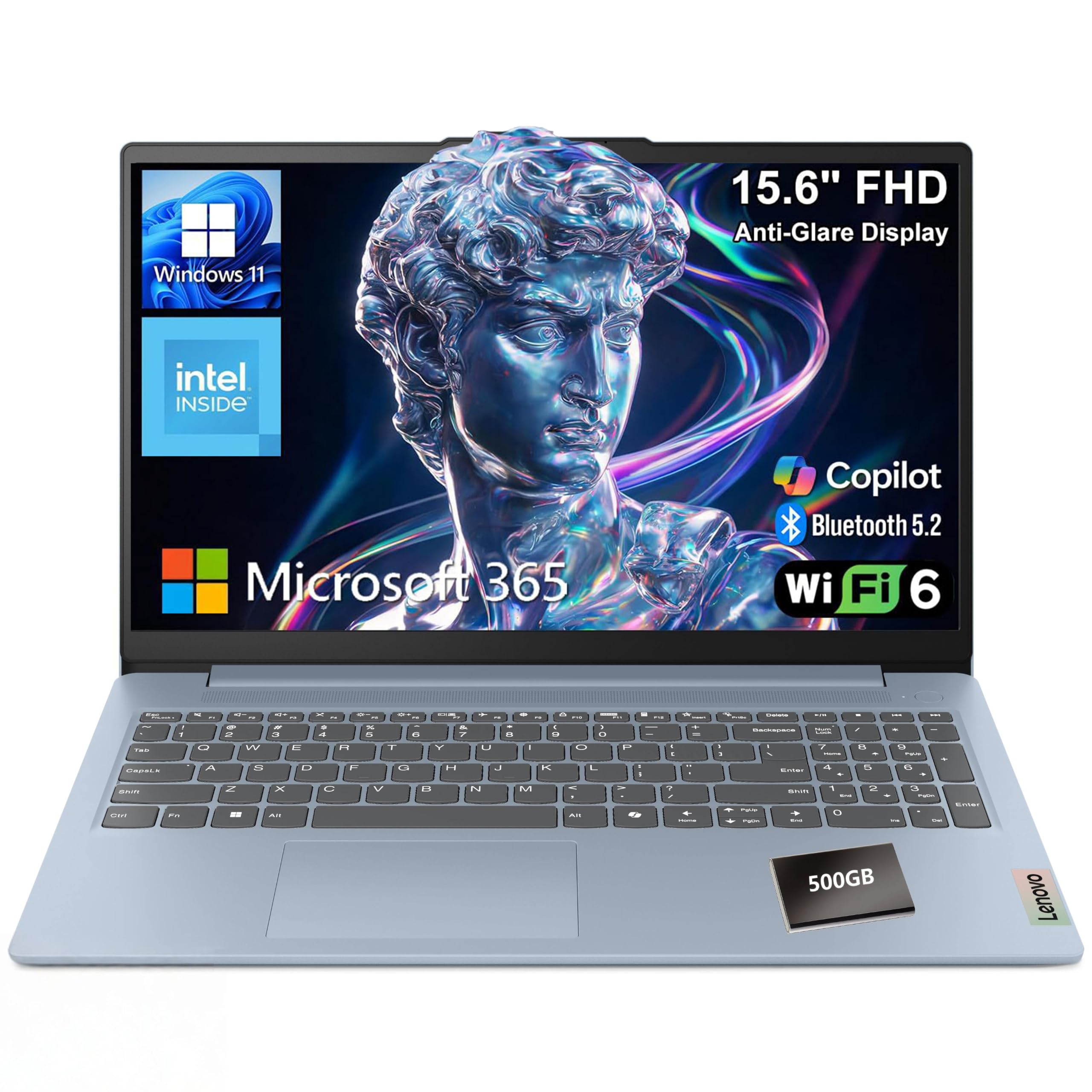
A dependable every-day Windows laptop with a privacy shutter and full-size keyboard.
Sometimes the safest pick is the familiar one. This Lenovo runs Windows 11 Home in S mode (the locked-down store-only setting you can turn off later) with Microsoft 365 Personal included, powered by an Intel N150 quad-core processor at 3.6 GHz and 8GB of LPDDR5 memory. The 15.6-inch full HD anti-glare display keeps reflections down for library reading, and the 128GB storage keeps boots and file access quick.
You can take video calls in a dorm or shared study room without worrying about privacy, thanks to the HD 720p camera with a built-in privacy shutter. The full-size keyboard has a dedicated AI Copilot hotkey for one-press assistance. Wi-Fi 6 and Bluetooth handle the wireless side, and there are plenty of ports: two USB-A, a USB-C with Power Delivery and DisplayPort, HDMI, a headphone jack, and an SD card reader. Weighing 3.42 lbs at 0.70 inches thin and tested to the MIL-STD-810H durability standard, it is built to survive a backpack, and the 65W adapter charges quickly.
Reliability is the honest wildcard. It works well for most owners, but enough report the machine giving up early or getting stuck in S mode that you should confirm your store can still open up full Windows before relying on it. Set against that, the sturdy build, huge port set and pickup-and-go portability make it an easy recommendation for a normal student schedule.
A 15.6-inch Windows 11 laptop with a privacy shutter, Wi-Fi 6 and an SD card reader.
Fits best with: a student who wants a familiar, well-connected Windows laptop for note-taking and research.
Skip when: you are likely to lean on long multitasking sessions — the memory ceiling caps what this one can chew through.
Understanding the Specs
RAM and the multitasking ceiling
Memory, in gigabytes, decides how many programs stay open at once. Eight gigabytes handles a normal college load — a word processor, a browser and a video call. Twelve or sixteen gigabytes pushes that ceiling higher, which matters if your major runs simulations, photo editing or spreadsheets on top of browser research. Check whether the memory is soldered before you buy: the Acers here have fixed memory, so you cannot add more later.
Storage drives: UFS, SSD, and eMMC
Processors: reading the boost clock
Every laptop in this batch advertises a maximum speed in GHz, which is the top speed the chip can reach under load. A higher maximum means snappier opening of apps and documents. The Intel Core 3 N355 hits 3.9 GHz, while the Ryzen 3 7320U in the second Acer reaches 4.1 GHz, and those small gaps translate into real second-by-second differences when you are launching heavy apps during a lecture. Match the chip to your workload, and ignore it if your work is light.
FAQ
Will 8GB of RAM be enough for college work?
Is a Chromebook or a Windows laptop better for college?
How much battery life should I expect from a college laptop?
Is a renewed or refurbished laptop safe to buy for school?
What weight should I look for in a backpack laptop?
Does a bigger screen help in class?
Can I upgrade the storage or memory later?
Will a budget laptop run Zoom and online classes smoothly?
Is anti-glare important on a college laptop?
How long should a budget college laptop last?
Final Thoughts: The Verdict
For most students, the budget laptop for college winner is the acer Aspire Go 15 AI Ready Laptop because its 8-core Core 3 N355, 15.6-inch full HD IPS screen and 12.5-hour rated battery cover a full day of lectures and writing in one machine. If you want snappier everyday speed and a PCIe SSD inside the same shell, grab the Acer Aspire Go 15 with the Ryzen 3 7320U. And for a cloud-first student who wants the longest possible battery, the HP Chromebook 14 is the one to reach for. Its 8-core Core 3 N355 and 12.5-hour rated battery are why it stays the default pick.
How We Picked
We do not accept paid placement. Every pick is matched to a real buyer and a real use-case; we do not hands-on test units.
Sources & Methodology
Specifications: manufacturer listings and product documentation. Review insights: verified customer reviews, as of September 2026. Pricing: not shown on this page (it changes often); check the current price via the retailer link.
As an Amazon Associate, Gadgets Feed earns from qualifying purchases. This does not affect which products we feature.