
Finding a laptop under serious budget constraints that can still drive Adobe Creative Suite, handle multilayer PSD files, and deliver accurate color is the central tension of every student and freelance designer’s first real purchase. A weak display or a processor that chokes on a complex vector path can kill productivity faster than any missing peripheral.
I’m Min — the co-founder and writer behind Gadgets Feed. I’ve spent hundreds of hours cross-referencing sRGB and DCI-P3 coverage claims against real benchmark results to separate marketing fluff from actual panel performance in this price tier.
After filtering through dozens of sub- models, these picks represent the only ones that balance a capable integrated or entry-level discrete GPU with a color-accurate panel and enough RAM to keep Illustrator and Photoshop from paging to disk. This guide breaks down the best options for a budget laptop for graphic design.
How To Choose The Best Budget Laptop For Graphic Design
Graphic design places a unique set of demands on a laptop that general productivity tasks simply don’t. You need a display that won’t lie to your eyes, enough RAM to keep your workspace fluid, and a processor that can export large files without stalling. Here are the three most critical factors to evaluate before buying.
Screen Color Accuracy & Gamut Coverage
A panel that covers at least 100% sRGB is the bare minimum for professional-looking work. If you’re delivering print or web assets with consistent color, look for models advertising 72% NTSC or higher. Some budget options now push into DCI-P3 territory, which unlocks a wider range of vibrant tones — useful if your workflow touches video content alongside static design.
RAM & Storage Configuration
Handling high-resolution PSD files with dozens of layers requires at least 16GB of RAM. 8GB will lead to slowdowns and app crashes once you layer in a browser with multiple tabs and Slack. A fast NVMe SSD is equally critical — it ensures your scratch disk doesn’t become a bottleneck when Photoshop needs to write temporary data.
Graphics Power: Integrated vs. Entry-Level Discrete
Intel Iris Xe and modern AMD Radeon integrated graphics can handle 2D design and light 3D modeling, but an entry-level discrete GPU like the RTX 3050 or RTX 4050 accelerates rendering in Blender, speeds up After Effects previews, and keeps things smooth when you’re zooming into a dense vector file. Prioritize a discrete GPU if your workflow includes any 3D or video compositing.
Quick Comparison
On smaller screens, swipe sideways to see the full table.
| Model | Category | Best For | Key Spec | Amazon |
|---|---|---|---|---|
| GEEKOM X14 Pro | Premium Ultrabook | Color-critical design on OLED | 2.8K OLED, 100% DCI-P3, 120Hz | Amazon |
| MSI Vector 16 HX | Performance Creator | 3D rendering & high-FPS work | RTX 5070 Ti, 16GB DDR5 | Amazon |
| Surface Laptop 2024 | ARM Flagship | All-day battery & touch workflow | Snapdragon X Elite, 20hr battery | Amazon |
| MacBook Air M4 15″ | Apple Ecosystem | Ecosystem integration & silence | M4 chip, 16GB unified memory | Amazon |
| Alienware 16 Aurora | Gaming Creator | Heavy 3D & GPU acceleration | RTX 5050, WQXGA 120Hz | Amazon |
| Dell Inspiron 16 Plus | Mid-Range Creator | Tall 16:10 screen for timelines | 2.5K 120Hz, 16GB LPDDR5 | Amazon |
| ASUS Vivobook 16 (i7-13700H) | Desktop Replacement | High-core-count productivity | i7-13700H, 1TB SSD | Amazon |
| Lenovo V15 Business | RAM Heavyweight | Extreme multitasking & VM work | 40GB RAM, 2TB SSD | Amazon |
| HP Victus 15 | Budget Creator | Entry-level GPU for rendering | RTX 3050, 144Hz display | Amazon |
| Acer Nitro V 15 | Gaming Design Hybrid | Balance of price & 3D power | RTX 4050, 144Hz FHD | Amazon |
| MacBook Neo 13″ | Apple Entry | Light editing on a budget | A18 Pro, 512GB SSD | Amazon |
| HP 17.3″ | Large Display | Screen real estate on a budget | 17.3″ FHD, 16GB RAM | Amazon |
| ASUS Vivobook 16 (i7-1355U) | Value All-Rounder | Everyday design & affordability | i7-1355U, 16GB RAM | Amazon |
In-Depth Reviews
1. GEEKOM GeekBook X14 Pro

The GEEKOM X14 Pro carves a unique niche in the budget design space by delivering a 2.8K OLED panel with 100% DCI-P3 coverage — a spec usually reserved for machines costing double. Self-lit pixels produce true blacks and vibrant contrasts that help designers trust what they see when proofing packaging mockups or digital illustrations. The 120Hz refresh rate adds fluidity to panning around a 600ppi canvas.
Under the hood, the Intel Core Ultra 9 185H with its dedicated NPU handles AI-enhanced tools in Photoshop and Premiere Pro without stealing cycles from the CPU. The 32GB of LPDDR5x RAM at 7500MHz means you can keep half a dozen Adobe apps open alongside a heavy browser session without hitting swap. The 1TB Gen4 SSD loads assets quickly, and the 72Wh battery keeps you running for up to 16 hours on lighter tasks.
At just 2.2 pounds with a magnesium alloy chassis, this is the most portable option here that still packs professional-grade display credentials. The included USB4 docking station and physical camera shutter address two practical concerns for designers who work across multiple monitors and value privacy. It’s the rare budget machine that doesn’t compromise on the one spec that matters most: the screen.
Why it’s great
- True OLED with full DCI-P3 gamut for color-critical work
- 32GB RAM handles massive multi-app creative workflows
- Extremely lightweight at 2.2 lbs for on-the-go designers
Good to know
- Integrated Arc graphics, not a discrete GPU
- Only two USB4 ports for external peripherals
- Newer brand with less established service network
2. MSI Vector 16 HX AI

The MSI Vector 16 HX is the machine you turn to when your design workflow includes 3D rendering, video compositing, or GPU-accelerated effects in After Effects. The NVIDIA RTX 5070 Ti with DLSS 3 support cuts render times dramatically compared to integrated graphics, and the Intel Core Ultra 7-255HX processor handles CPU-bound tasks like exporting large TIFF files with authority. The 16-inch 144Hz FHD+ display is fast and clear, though its color gamut is more sRGB-focused than the OLED options on this list.
The Cooler Boost thermal system uses shared heat pipes to keep the CPU and GPU from throttling during sustained loads — crucial when you’re churning through batch exports or heavy compositing. Thunderbolt 5 connectivity provides future-proof bandwidth for fast external SSD transfers or multi-monitor docking setups, and the RGB keyboard is a nice bonus if your workspace doubles as a gaming station.
This is a thicker, heavier machine designed to be a desktop replacement rather than a daily-carry ultrabook. The 512GB SSD feels a bit tight for a creative workstation — plan on upgrading the storage via the second M.2 slot. If your budget allows for this tier, the rendering speed improvement alone justifies the jump over mid-range integrated options.
Why it’s great
- RTX 5070 Ti delivers desktop-class rendering acceleration
- Thunderbolt 5 for fast external storage transfers
- Effective cooling sustains performance under heavy loads
Good to know
- Only 512GB SSD standard, needs upgrade for large projects
- Heavy chassis, not ideal for frequent travel
- Fans get loud under sustained GPU load
3. Microsoft Surface Laptop 2024 (15″)

The Surface Laptop 2024 introduces the Snapdragon X Elite ARM processor to the design world, offering up to 20 hours of battery life — a figure that fundamentally changes how far you can roam from an outlet. The 15-inch PixelSense touchscreen display supports HDR and delivers bright, punchy colors that suit wireframing, digital painting, and presentation layouts. The Copilot+ PC integration means AI features are baked directly into the OS, helping with quick image generation or text summarization without launching a separate app.
With 16GB of RAM and a 1TB SSD, this configuration handles typical design multitasking — Photoshop, Illustrator, and a browser with 20 tabs — without stuttering. The design is classic Surface: a precision-machined aluminum body with a clean, bezel-minimal look that feels at home in a studio or coffee shop. The 3.5mm headphone jack and omnisonic speakers with Dolby Atmos make client review sessions more polished.
The ARM architecture does introduce compatibility nuances — some legacy plug-ins and older 64-bit x86 apps may not run natively, and virtualization tools like VMware aren’t supported. For designers working primarily within the Adobe ecosystem (which has been optimized for ARM), this is a powerful trade-off for unmatched battery endurance. It’s the best pick if you value mobility above raw GPU horsepower.
Why it’s great
- 20-hour battery life frees you from the charger all day
- Bright, spacious 15″ touchscreen with excellent contrast
- Premium build with AI-enhanced Windows features
Good to know
- ARM architecture may not support all x64 plug-ins
- No discrete GPU option for heavy 3D workloads
- Previous unit card issues reported with customer support
4. Apple MacBook Air 15″ M4 (2025)

The MacBook Air with the M4 chip brings Apple’s silicon efficiency to a 15.3-inch Liquid Retina display that supports 1 billion colors. For designers working within Apple’s ecosystem, the color accuracy out of the box is excellent — sRGB and P3 profiles are well-calibrated from the factory, so what you see on screen prints faithfully. The 12MP Center Stage camera and six-speaker Spatial Audio setup make it a strong choice for client video calls and portfolio reviews.
The fanless design means it stays completely silent during use — a major plus for recording voiceovers or working in quiet shared spaces. Battery life clocks in at up to 18 hours, so you can work through a full day of designing and only reach for the MagSafe charger at bedtime. The 16GB unified memory architecture shares bandwidth between CPU and GPU efficiently, allowing smooth scrubbing through 4K video timelines in DaVinci Resolve.
The 256GB base storage fills up fast if you work with large project files — the 512GB configuration is a wiser pick. It’s limited to two Thunderbolt 4 ports, so a dongle is often necessary for connecting a secondary monitor and external drives simultaneously. For designers who prioritize silence, portability, and macOS apps like Sketch or Affinity, this is the strongest contender under .
Why it’s great
- Silent, fanless operation ideal for recording environments
- Excellent factory color calibration for print and web
- 18-hour battery supports full workdays away from power
Good to know
- Only 2 Thunderbolt ports require adapters for multi-monitor
- Base 256GB storage fills quickly with design assets
- 60Hz display, lacks 120Hz smooth scrolling
5. Alienware 16 Aurora

The Alienware 16 Aurora pairs an Intel Core 7-240H processor with an NVIDIA GeForce RTX 5050 with 8GB of VRAM — enough to accelerate 3D modeling in Blender and smooth out complex timeline scrubs in Premiere Pro. The 16-inch WQXGA display at 2560×1600 resolution with a 120Hz refresh rate gives designers a high-density canvas for detailed vector work and fluid zooming. The 300 nits brightness is adequate for most indoor studio environments.
The Cryo-Chamber cooling system uses a redesigned airflow path that focuses on the CPU and GPU individually, preventing thermal throttling during long After Effects renders. The build quality is typically Alienware — solid, with a distinctive aesthetic that leans into gaming looks. The 1TB SSD provides enough space for a healthy library of design assets and project files.
Battery life is average for a gaming-class machine, and the laptop is heavier than ultrabook alternatives. The lack of a fingerprint reader is a minor oversight. As a design tool, it works best for creators who also game on the same machine — the RTX 5050 serves both purposes well. If you need a single device for both rendering and high-FPS gaming, this is a compelling choice.
Why it’s great
- 8GB VRAM RTX 5050 handles 3D rendering and video effects
- High-res 2560×1600 display with smooth 120Hz refresh
- Effective cooling prevents throttling during long renders
Good to know
- Heavier chassis, less portable than ultrabooks
- Battery life is average for the category
- No fingerprint reader or biometric unlock
6. Dell Inspiron 16 Plus 7640

The Dell Inspiron 16 Plus packs a 16-inch 2.5K display with a 16:10 aspect ratio and 120Hz refresh rate — a combination that gives designers a taller canvas for toolbars and timelines. The i7-13620H processor handles multitasking with ease, and the 16GB of LPDDR5 RAM keeps Adobe apps responsive. ComfortView Plus reduces blue light without washing out colors, letting you work through long editing sessions with less eye strain.
MIL-STD 810G testing adds durability assurance for those who move between studio and client sites frequently. The keyboard includes a full number pad, which speeds up data entry for designers working with financial reports or layout tables. Dell’s 1-year onsite service provides peace of mind if hardware issues arise during the first year of ownership.
The Intel UHD Graphics is the weakest link here — it handles 2D design and light video editing, but 3D rendering or heavy compositing will push it to its limits. The chassis is plastic, though it feels more solid than typical budget builds. For designers who prioritize screen real estate and color comfort over raw GPU power, this is a strong mid-range option.
Why it’s great
- 16:10 2.5K display with 120Hz for smooth creative work
- ComfortView Plus reduces eye strain during long sessions
- MIL-STD tested for added durability
Good to know
- Integrated UHD graphics can’t handle heavy 3D
- Plastic chassis, not premium-feel
- USB-C port count is limited for peripherals
7. ASUS Vivobook 16 (i7-13700H)

The ASUS Vivobook 16 with the Intel Core i7-13700H puts a high-core-count processor at a mid-range price point. With 14 cores and 20 threads boosting up to 5.0GHz, this machine tears through CPU-intensive tasks like batch processing RAW photos in Lightroom or exporting multi-layer PSDs. The 16-inch WUXGA 16:10 display with slim NanoEdge bezels offers a modern aspect ratio that shows more vertical workspace in your design tools.
Military-grade MIL-STD 810H certification means this laptop can handle temperature extremes, drops, and vibration better than standard consumer models. The 1TB NVMe SSD provides generous out-of-box storage for large design libraries, and the ErgoSense keyboard with a numpad is great for context-heavy workflows. ASUS AI Noise-Canceling improves voice clarity during client calls.
With only 8GB of DDR4 RAM soldered, you may hit memory limits when running multiple Adobe apps simultaneously — planning a RAM upgrade is advisable. The Intel Iris Xe integrated graphics suffice for 2D work but won’t accelerate 3D rendering noticeably. For designers focused on CPU-heavy photo editing and vector illustration, this offers strong processing value.
Why it’s great
- Powerful 14-core i7-13700H for CPU-intensive design tasks
- MIL-STD 810H durability for on-the-go use
- Generous 1TB SSD for creative asset storage
Good to know
- Only 8GB RAM may need upgrading for heavy multitasking
- Integrated Iris Xe graphics, no discrete GPU
- Wi-Fi 5 (802.11ac) is outdated for modern networks
8. Lenovo V-Series V15 Business

The Lenovo V15 Business laptop is an anomaly in the budget space — it ships with 40GB of RAM and a 2TB SSD, effectively eliminating any memory or storage bottleneck for years to come. The AMD Ryzen 7 7730U with 8 cores and 16 threads provides snappy application responsiveness, and the AMD Radeon integrated graphics handle 2D design and light 1080p video editing competently. This is the machine to pick if you run multiple virtual machines alongside Creative Cloud or keep enormous asset libraries locally.
The 15.6-inch FHD display is adequate for sRGB workflows, though it won’t match OLED panels in contrast or color volume. The inclusion of an RJ45 Ethernet port and a numeric keypad makes this a practical workstation for designers who connect to wired networks or input a lot of numerical data. Windows 11 Pro adds business-grade security and remote desktop features.
Build quality feels functional rather than premium, and the screen could be brighter for outdoor use. A small number of users reported early system instability — worth factoring into your decision. For pure multitasking capacity at an accessible price point, no other machine on this list comes close to the RAM and storage this Lenovo offers.
Why it’s great
- 40GB RAM handles extreme multitasking with ease
- 2TB SSD provides massive local storage for assets
- Includes RJ45 Ethernet for stable wired networking
Good to know
- FHD display lacks DCI-P3 or OLED color depth
- Plastic build feels less premium than competitors
- Early instability reports from a minority of buyers
9. HP Victus 15.6″ RTX 3050

The HP Victus 15 is the cheapest route into a discrete GPU for design work. The NVIDIA GeForce RTX 3050 with 6GB of GDDR6 memory accelerates GPU-accelerated effects in Photoshop, speeds up preview rendering in Blender, and handles light 3D modeling that would choke integrated graphics. The Intel Core i5-12450H provides solid baseline performance for typical design multitasking, and the 16GB of RAM keeps things fluid across several apps.
The 15.6-inch FHD IPS display with a 144Hz refresh rate delivers smooth cursor movement and fast timeline scrubbing — a tangible benefit when you’re animating or editing video. The anti-glare coating reduces reflections in brightly lit rooms or co-working spaces. The backlit keyboard is comfortable for late-night editing sessions, and the 1TB SSD offers generous project storage.
Battery life is rated around 10 hours but drops significantly under GPU load, so plan to keep the charger nearby during heavy rendering. The plastic chassis is functional rather than luxurious. As a budget entry point into GPU-accelerated design, the Victus delivers genuine value without pretending to be a premium ultrabook.
Why it’s great
- RTX 3050 discrete GPU accelerates 3D and video work
- 144Hz display for smooth animation previews
- 16GB RAM and 1TB SSD for comfortable multitasking
Good to know
- Plastic build lacks premium feel
- Battery drains quickly under GPU load
- 12th-gen CPU is one generation behind current
10. Acer Nitro V 15 (RTX 4050)

The Acer Nitro V 15 bridges the gap between entry-level and mid-range GPU power with the RTX 4050, which supports DLSS 3 for AI-accelerated rendering in compatible apps. The 13th-gen Intel Core i5-13420H provides solid CPU performance, and the 8GB of DDR5 RAM (upgradeable to 64GB via two SODIMM slots) allows for a future-proof memory configuration. The 15.6-inch FHD IPS panel with a 144Hz refresh rate delivers crisp visuals and fluid motion — ideal for both design timelines and occasional gaming breaks.
Wi-Fi 6 support ensures fast file transfers to network storage or cloud servers, and Thunderbolt 4 provides a versatile single-cable connection to high-resolution external monitors and docking stations. The dual-fan cooling system with a quad-exhaust design keeps thermals in check during extended rendering sessions. NitroSense software gives you manual control over fan curves and performance profiles.
The pre-installed bloatware on Acer machines is heavier than most competitors — budget time for a clean Windows install or manual debloating. The battery life is limited to around 3-4 hours under real loads, so it’s best used near a power outlet. For designers who want a discrete GPU at the lowest possible entry point with room to upgrade RAM later, this is the pick.
Why it’s great
- RTX 4050 with DLSS 3 accelerates AI-enhanced workflows
- DDR5 RAM upgradeable to 64GB for heavy multitasking
- Thunderbolt 4 for fast external display connectivity
Good to know
- Significant bloatware slows initial setup
- Battery life under 4 hours limits mobile use
- 8GB RAM standard requires immediate upgrade for design work
11. Apple MacBook Neo 13″ A18 Pro

The MacBook Neo 13 with the A18 Pro chip offers a surprisingly capable entry point into Apple silicone for design. The 13-inch Liquid Retina display supports 1 billion colors with 500 nits of brightness, delivering excellent color accuracy for web and print work. At 2.71 pounds with a durable aluminum chassis, it’s one of the most portable options for designers who move between studios, coffee shops, and client meetings.
The A18 Pro chip handles everyday design apps like Affinity Photo, Pixelmator Pro, and the Figma desktop app with ease, and the 16-hour battery life means you can work through a full day plus commute without plugging in. Apple Intelligence features integrated into macOS offer smart photo editing suggestions, text summarization, and on-device AI processing — useful for quick iterations and brainstorming. Touch ID adds passwordless unlock for secure access to your design tools.
The 8GB unified memory is the tightest constraint here — complex 3D projects or massive PSD files may push it beyond comfortable limits. The 512GB SSD fills up fast with a growing library of design assets. For a college design student or a freelancer doing light photo editing and illustration, the Neo is a polished, affordable Mac experience. For heavy compositing or 3D work, look to the Air or Pro line with more memory.
Why it’s great
- Excellent 1-billion-color Liquid Retina display for accurate work
- Lightweight aluminum design is highly portable
- 16-hour battery easily outlasts a full workday
Good to know
- 8GB unified memory may limit heavy creative workloads
- 512GB storage fills quickly with large design files
- No backlit keyboard in this model
12. HP 17.3″ FHD i5-1334U

The HP 17.3-inch laptop prioritizes raw screen real estate above all else. The large FHD IPS panel with 178-degree viewing angles gives you plenty of room for tool palettes, multiple document windows, and full-resolution previews without crowding. The Intel Core i5-1334U and Intel Iris Xe graphics handle 2D design and light photo editing smoothly, and the 16GB of DDR4 RAM provides adequate multitasking headroom for running Creative Cloud apps alongside a browser.
The 512GB PCIe NVMe SSD boots apps quickly, and the HP True Vision HD camera with physical privacy shutter is a thoughtful touch for client video calls. Battery life is rated around 8 hours, though the large screen drains faster under continuous use. The natural silver finish keeps it looking professional in any environment.
The integrated graphics mean no 3D acceleration — this is strictly a 2D design machine. The lack of a backlit keyboard is a frustration for designers who often work in dimly lit environments. At this price, you’re buying screen size and portability, not GPU power or color accuracy. It’s best suited for designers whose primary tools are vector illustration, layout design, or photo retouching with minimal 3D requirements.
Why it’s great
- Large 17.3-inch screen for spacious design workspace
- 16GB RAM handles multi-app creative workflows
- Physical camera shutter for client call privacy
Good to know
- Integrated graphics can’t handle 3D rendering
- No backlit keyboard for dim studio environments
- Battery life is shorter due to large display
13. ASUS Vivobook 16 (i7-1355U)
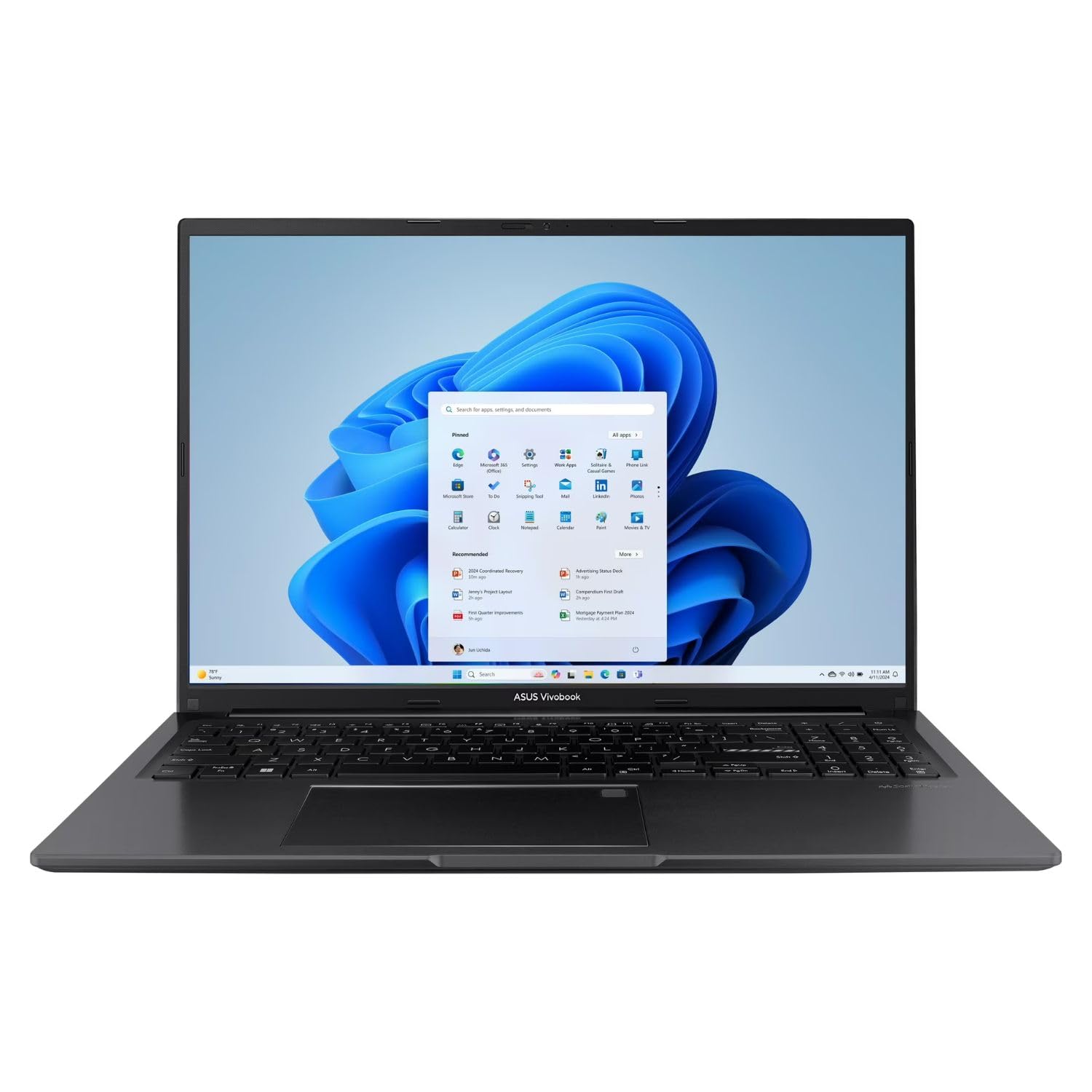
The ASUS Vivobook 16 with the Intel Core i7-1355U is the most accessible entry point on this list for a graphic design laptop. The 16-inch WUXGA display provides a comfortable canvas for design work with sharp 1920×1080 resolution and vibrant colors. The 13th-gen i7 processor (10 cores, up to 5.0GHz) delivers enough CPU power to handle Photoshop layers, Illustrator vectors, and InDesign layouts without frustrating lag, while the 16GB of RAM keeps multiple apps running side by side.
The 512GB SSD provides decent storage for active projects, and Wi-Fi 6 connectivity ensures fast cloud uploads and downloads. Port selection is generous — USB-C, USB-A, HDMI, microSD card reader — allowing easy connection to external monitors and input devices without a dongle. The Windows 11 operating system includes Copilot AI features that can speed up repetitive design tasks like resizing batches or generating text variations.
The Intel Iris Xe integrated graphics are the limiting factor — 3D modeling, GPU-accelerated effects, and heavy video editing will be slow. The plastic build feels standard for the price tier. For a student designer or freelancer on a tight budget who works primarily in 2D, this ASUS delivers the essential components — a large screen, enough RAM, and a fast CPU — at the lowest possible cost of entry.
Why it’s great
- Fast i7-1355U CPU handles CPU-intensive design tasks well
- 16GB RAM provides solid multitasking headroom
- Wide port selection including microSD for camera imports
Good to know
- Integrated Iris Xe graphics can’t handle 3D or video rendering
- 512GB storage may fill quickly with large projects
- Plastic build feels entry-level
FAQ
Is 8GB of RAM enough for Photoshop and Illustrator on a budget laptop?
Can I use a laptop with integrated graphics for 3D modeling and rendering?
What screen resolution do I need for graphic design on a budget laptop?
Does a 120Hz or 144Hz refresh rate matter for graphic design?
Can I upgrade the RAM and storage in a budget design laptop later?
Final Thoughts: The Verdict
For most users, the budget laptop for graphic design winner is the GEEKOM GeekBook X14 Pro because its 2.8K OLED panel with full DCI-P3 coverage brings true color-critical display capability into a sub- price bracket rarely seen with such quality. If you need GPU-accelerated 3D rendering and video compositing, grab the MSI Vector 16 HX with its RTX 5070 Ti for workstation-class performance. And for all-day battery endurance wrapped in a premium touchscreen design, nothing beats the Microsoft Surface Laptop 2024 for mobile designers who can’t afford to be tethered to a wall outlet.