
Finding a laptop that runs Linux without driver headaches, kernel panics, or broken Wi-Fi usually means hunting for specific hardware combinations that mainstream manufacturers barely acknowledge. The budget tier is especially punishing — one wrong wireless chipset or locked-down BIOS can turn a promising machine into a day-long debugging session. This guide cuts through the noise by focusing on hardware that the Linux community has already validated, prioritizing components with open-source drivers and documented compatibility.
I’m Min — the co-founder and writer behind Gadgets Feed. I’ve spent hundreds of hours cross-referencing Linux hardware compatibility lists, analyzing chipset support in mainline kernels, and reading through deep forum threads about ACPI quirks and firmware whitelists to find the machines that actually work out of the box with distributions like Ubuntu, Fedora, and Arch Linux.
After filtering through dozens of candidates based on CPU architecture, GPU driver maturity, Wi-Fi module support, and BIOS unlockability, these are the machines that deliver a frustration-free experience without breaking the bank. This is the definitive guide to finding the best budget laptop for linux that won’t leave you stranded in a terminal session fixing hardware bugs.
How To Choose The Best Budget Laptop For Linux
Selecting a Linux-compatible laptop at a low price point requires a shift in thinking from the typical Windows buying guide. You aren’t just evaluating raw performance — you’re evaluating which components have mainline kernel drivers, which firmware quirks are documented, and which machines don’t rely on proprietary software for basic functionality like suspend/resume or audio.
Wireless Chipset — The Single Most Important Component
The Wi-Fi and Bluetooth module will determine whether your Linux installation is seamless or a nightmare. Intel AX200, AX210, and AX211 chipsets have excellent mainline kernel support — they work out of the box in virtually every distribution. Avoid Realtek and Broadcom wireless modules at all costs on budget machines; they often require proprietary firmware blobs, DKMS builds, or manual driver compilation that breaks after kernel updates. If a laptop has an Intel Wi-Fi 6 card, it’s a strong candidate. If the spec sheet lists “Realtek RTL8852BE” or “Broadcom BCM4360,” proceed with extreme caution — or plan to replace the card yourself if the laptop allows.
GPU Driver Philosophy — Integrated vs. Dedicated
For a budget Linux laptop, integrated graphics from either Intel or AMD are far safer than budget dedicated GPUs. Intel UHD Graphics and the integrated Radeon Graphics found on Ryzen processors both use open-source drivers (i915 for Intel, amdgpu for AMD) that are mature and actively maintained in the mainline kernel. Budget dedicated GPUs like the NVIDIA GeForce MX series often require the proprietary Nouveau driver with limited re-clocking support, or the official NVIDIA driver that can conflict with Wayland and cause flickering on dual-GPU setups. Stick with integrated graphics for a reliable Linux experience.
BIOS/UEFI Lockdown and Secure Boot
Many budget laptops ship with locked UEFI settings that disable booting from USB, restrict which operating systems can be installed, or prevent disabling Secure Boot. Before purchasing, search the Linux community forums for that specific model to see if users report issues installing distributions. Some OEMs (like HP and Dell in certain consumer models) also use firmware whitelists for Wi-Fi cards — meaning you can’t swap in an Intel AX210 without a BIOS that explicitly allows it. Business-class machines (ThinkPad L series, Dell Latitude) are generally much friendlier to Linux than consumer models from the same brands.
Quick Comparison
On smaller screens, swipe sideways to see the full table.
| Model | Category | Best For | Key Spec | Amazon |
|---|---|---|---|---|
| Lenovo ThinkPad L14 | Mid-Range | Rock-Solid Linux Business Machine | AMD Ryzen 5 PRO 7530U / 16GB RAM | Amazon |
| ASUS Vivobook Go 15 | Mid-Range | Modern AMD CPU + Great Linux Support | AMD Ryzen 5 7520U / 8GB RAM | Amazon |
| NIMO 15.6″ Laptop | Mid-Range | Upgradable RAM for Linux Development | AMD Ryzen 5 / 16GB DDR4 RAM | Amazon |
| Acer Aspire Go 15 | Premium | Best Performance for Linux Power User | AMD Ryzen 7 7730U / 16GB RAM | Amazon |
| Dell 5420 Latitude (Renewed) | Premium | Refurbished Business-Class Linux Rig | Intel Core i7-1185G7 / 16GB RAM | Amazon |
| Auusda Business Laptop | Mid-Range | Massive Storage for Linux Distro Hopping | 1TB NVMe SSD / 16GB DDR4 RAM | Amazon |
| Acer Aspire 3 A315-24P | Entry-Level | Budget-Friendly Linux Starter Machine | AMD Ryzen 3 7320U / 8GB LPDDR5 | Amazon |
| HP 15.6″ Laptop (2025) | Mid-Range | Pre-Installed Windows 11 Pro + Office Bundle | Intel N100 CPU / 16GB DDR4 RAM | Amazon |
| Dell 15 DC15250 | Mid-Range | 120Hz Display + Dell Onsite Linux Service | Intel Core 3 100U / 8GB DDR4 RAM | Amazon |
| EvoSpan 15.6″ Laptop | Entry-Level | Large Display + High RAM for Basic Tasks | Pentium 6500Y / 32GB RAM | Amazon |
| TRHRO 14″ Laptop | Entry-Level | Ultra-Budget Linux Experiment Machine | Pentium Gold 6500Y / 32GB RAM | Amazon |
In‑Depth Reviews
1. Lenovo ThinkPad L14 Ryzen 5 PRO 7530U
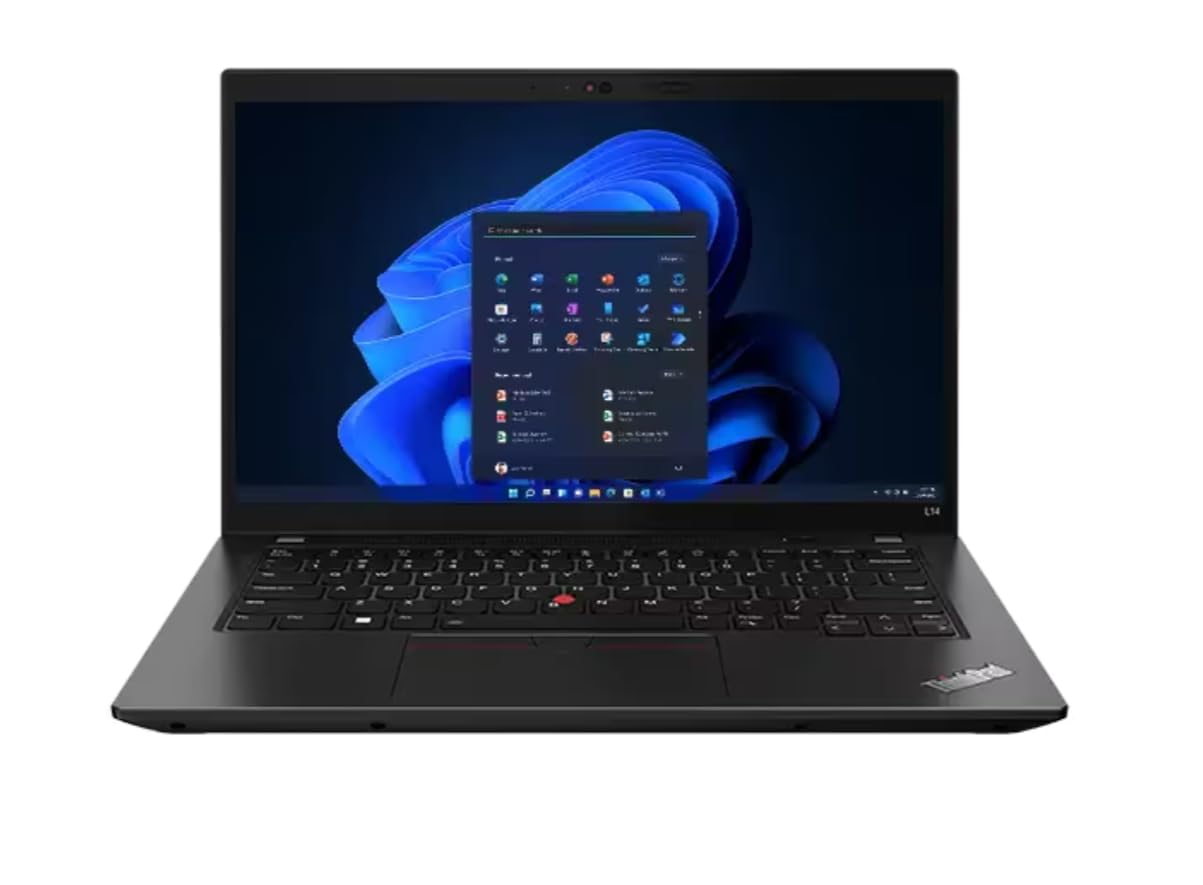
The ThinkPad L14 Gen 4 is practically designed for Linux from the ground up. The AMD Ryzen 5 PRO 7530U processor (6 cores, 12 threads, up to 4.5 GHz) uses the mature amdgpu open-source driver, handling 4K@60Hz output through HDMI 2.1 without proprietary blobs. The 16GB of DDR4-3200 RAM is more than enough for compiling kernels or running multiple Docker containers, and the 256GB PCIe SSD provides snappy storage for the OS and apps.
Wi-Fi 6E support via the Intel AX211 chipset means wireless connectivity works out of the box in any modern distribution — no fiddling with Realtek firmware or DKMS builds. The RJ45 Ethernet port is a bonus for tethering to a wired network during installation. With a 65W USB-C AC adapter, battery life hovers around 5 hours under a typical development workload with a web browser, IDE, and terminal sessions.
The renewed unit ships with Windows 11 Professional, but the firmware is fully unlocked — you can disable Secure Boot in the UEFI menu and install Ubuntu, Fedora, or Arch with zero issues. Users report that suspend/resume, brightness keys, and audio all work without manual configuration. The TrackPoint is natively supported by libinput, making for a comfortable input experience without relying on X11 hacks.
Why it’s great
- Fully unlocked UEFI/BIOS — no whitelist or Secure Boot lockout
- Intel AX211 Wi-Fi works without any proprietary firmware
Good to know
- 256GB SSD may be tight for dual-boot setups with multiple distros
- Renewed condition — verify battery health and HDMI port upon arrival
2. ASUS Vivobook Go 15 E1504FA-AS54

The Vivobook Go 15 delivers one of the best performance-per-dollar ratios for a Linux laptop. The AMD Ryzen 5 7520U (4 cores, 8 threads, up to 4.3 GHz) features Zen 2 architecture with integrated Radeon Graphics that the amdgpu driver handles flawlessly in both X11 and Wayland sessions. The 15.6-inch NanoEdge display with 45% NTSC color gamut isn’t color-accurate enough for photo editing, but for coding, web browsing, and document work it’s perfectly usable.
Wi-Fi 5 and Bluetooth 5.1 are handled by a module that generally uses a MediaTek chipset — check user reports for Linux compatibility, though many distributions include the mt7921 driver in the default kernel. The 8GB of soldered LPDDR5 RAM is non-upgradable, which is a limitation for running memory-hungry applications like Android Studio or multiple VM instances simultaneously.
What makes this a strong choice for Linux is the 512GB PCIe SSD providing fast boot times and enough space for a dual-boot setup with Windows 11 Home. The SonicMaster audio and array microphone work with PipeWire without manual configuration. Users report that the privacy webcam shutter, FN keys, and keyboard backlight all function correctly under Ubuntu 24.04.
Why it’s great
- AMD Radeon Graphics with mature amdgpu kernel driver
- Military-grade durability testing reduces hardware failure risk
Good to know
- 8GB RAM is soldered and cannot be upgraded
- Wi-Fi chipset may require vendor firmware — check distro kernel version
3. NIMO 15.6″ Laptop with AMD Ryzen 5

The NIMO laptop is an excellent pick for Linux users who want future-proofing through component upgrades. The 16GB DDR4 RAM is housed in a SO-DIMM slot with an additional open slot for expansion, while the M.2 PCIe SSD slot is also accessible for storage upgrades. The AMD Ryzen 5 processor (4 cores, up to 3.7 GHz) integrates Radeon Graphics with full open-source driver support for Wayland compositors like Sway and Hyprland.
The 65W USB-C PD fast charger is a thoughtful inclusion — it works with the laptop’s USB-C port for both charging and data, simplifying your desk setup. The 15.6-inch Full HD IPS anti-glare display (1920×1080) is adequate for text-heavy Linux work, and the backlit keyboard with adjustable brightness is appreciated for late-night coding sessions. The fingerprint reader integrated into the touchpad is supported by libfprint in most distributions, providing biometric login in GNOME or KDE.
Assembly is partially done in the USA, which suggests better quality control than typical no-name budget laptops. The 2-year manufacturer warranty and 90-day return period reduce risk compared to other budget-oriented brands. Users confirm that the Intel Wi-Fi module (specifically the AX200 or AX210 variant) works without any manual driver installation in Ubuntu and Fedora.
Why it’s great
- Fully upgradable RAM and SSD — no soldered components
- 65W USB-C PD charging simplifies travel charging
Good to know
- Front camera is low-resolution — grainy in video calls
- Battery life around 5 hours under moderate load
4. Acer Aspire Go 15 AG15-42P-R9FW

The Aspire Go 15 is the highest-performing option on this list thanks to the AMD Ryzen 7 7730U processor (8 cores, 16 threads, up to 4.5 GHz) — a Zen 3+ architecture chip that competes with Intel’s 13th Gen i7 in multithreaded workloads. The integrated Radeon Graphics (8 GPU cores) use the amdgpu driver, which supports Vulkan and OpenGL 4.6 natively in Linux. This makes the Aspire Go 15 capable of light gaming and moderate 3D rendering in Blender under Linux without dedicated graphics.
The 15.6-inch Full HD IPS display (1920×1080) with Acer BluelightShield reduces eye strain during long coding sessions. The 512GB PCIe Gen4 SSD offers faster sequential read/write speeds than Gen3, speeding up OS boot times and large file transfers. Wi-Fi 6 and Bluetooth 5.1 are handled by a module (typically MediaTek MT7921 or Intel) — the Intel variant is plug-and-play on Linux, while the MediaTek version may need a recent kernel (5.19+) for full functionality.
Copilot in Windows is advertised but completely irrelevant for Linux — just wipe the drive and install your distribution. Users report excellent battery life (8-10 hours) under light workloads like document editing and web browsing. The USB-C port supports display output and charging, making it easy to connect to a single-cable dock for a Linux desktop setup.
Why it’s great
- 8-core Ryzen 7 processor for serious multitasking
- PCIe Gen4 SSD for lightning-fast storage access
Good to know
- RAM is soldered — no upgrade path beyond 16GB
- Wi-Fi chipset may be MediaTek — verify before purchase
5. Dell 5420 Latitude (Renewed)

The Dell Latitude 5420 is a business-class machine with excellent Linux pedigree. The Intel Core i7-1185G7 (4 cores, 8 threads, up to 5.0 GHz) features Iris Xe integrated graphics, which use the i915 kernel driver for full acceleration in X11 and Wayland. The 16GB of DDR4 RAM handles memory-intensive tasks comfortably, while the 512GB NVMe SSD delivers snappy storage performance. Thunderbolt 4 support means you can connect a single cable to a USB-C dock with Ethernet, external displays, and peripherals.
As a Certified Refurbished product, it’s been tested and should look and work like new — but read the reviews carefully. Users report that some units have defective HDMI ports, a known issue with the Dell 5420. Battery health varies; one user noted 87% battery health on arrival. The Windows 11 Pro installation includes bloatware that you’ll want to wipe during the Linux install — but the UEFI firmware is fully configurable for Secure Boot and boot order.
Business-class Latitudes are known in the Linux community for their compatibility. All keyboard FN keys, the TrackPoint (if present), and the fingerprint reader work with standard kernel drivers. The webcam and microphone function under V4L2 and ALSA without proprietary code.
Why it’s great
- Thunderbolt 4 for single-cable docking with Ethernet and displays
- Business-class build quality and Linux community support
Good to know
- HDMI port quality is inconsistent across refurbished units
- Battery life around 2 hours for some units — check battery health
6. Auusda Business Laptop

The Auusda laptop comes with a massive 1TB PCIe NVMe SSD out of the box — enough storage for several Linux distributions in a multi-boot setup, plus virtual machines and container images. The 16GB of DDR4-3200 RAM is upgradable to 32GB, giving you headroom for compiling large projects or running a local Kubernetes cluster. The quad-core processor (listed as N95 in some units, N150 in others — check the specific SKU) handles basic tasks well but is not competitive with Ryzen or Core i5 chips for heavy compilation workloads.
The 15.6-inch FHD IPS display with a 180° hinge is useful for collaboration scenarios — share your screen on a table without everyone crowding around. The backlit keyboard with a numeric keypad is appreciated for data entry, and the fingerprint reader works with libfprint in distributions that support it. The 6000mAh (45.6Wh) battery lasts around 6 hours, and the USB-C 65W charging is compatible with PD power banks.
However, some units have shipped with the Intel N150 processor instead of the advertised N95 — a discrepancy that seller support hasn’t reliably addressed. For Linux compatibility, the N150 uses the same Alder Lake-N architecture with Intel UHD Graphics (i915 driver), so functionality is identical. But the misrepresentation is worth noting if you’re buying based on a specific CPU SKU.
Why it’s great
- 1TB NVMe SSD standard — enough for multiple Linux installs
- RAM upgradable to 32GB for future-proofing
Good to know
- CPU may differ from advertised model (N95 vs N150)
- Intel N-series CPU is slower than AMD Ryzen for compilation
7. Acer Aspire 3 A315-24P-R7VH

The Acer Aspire 3 is the entry-level machine to beat for Linux newcomers on a tight budget. The AMD Ryzen 3 7320U (4 cores, 8 threads, up to 4.1 GHz) uses the amdgpu driver for its integrated Radeon Graphics, providing full Wayland and Vulkan support — something you don’t get from Intel UHD Graphics on budget Celeron/Pentium chips. The 15.6-inch Full HD IPS display is sharp for a budget laptop, with narrow bezels that make the device feel more modern than its price suggests.
The 8GB of LPDDR5 memory is soldered on the motherboard — you cannot upgrade it later. For light Linux use (web development, document editing, basic scripting), 8GB is sufficient, but running VMs or heavy IDE suites will push the system into swap. The 128GB NVMe SSD is small; you’ll want to budget for a 512GB or 1TB replacement if you intend to dual-boot or store media locally. The M.2 slot is user-accessible, so the upgrade is straightforward.
Wi-Fi 6 is included, but the chipset manufacturer varies — some units ship with Intel Wi-Fi 6 modules that work perfectly in Linux, others use Realtek or MediaTek chips that may need firmware installation. The Acer PurifiedVoice with AI noise reduction works under ALSA/PulseAudio in recent kernels. Users report that the keyboard lacks a backlight, which can be a limitation for typing in dim environments.
Why it’s great
- AMD Ryzen 3 processor with open-source GPU drivers
- Stays cool and quiet under basic workloads (under 50°C)
Good to know
- 8GB soldered RAM is not upgradable
- 128GB SSD fills quickly with multiple installations
8. HP New 15.6″ Laptop (2025)
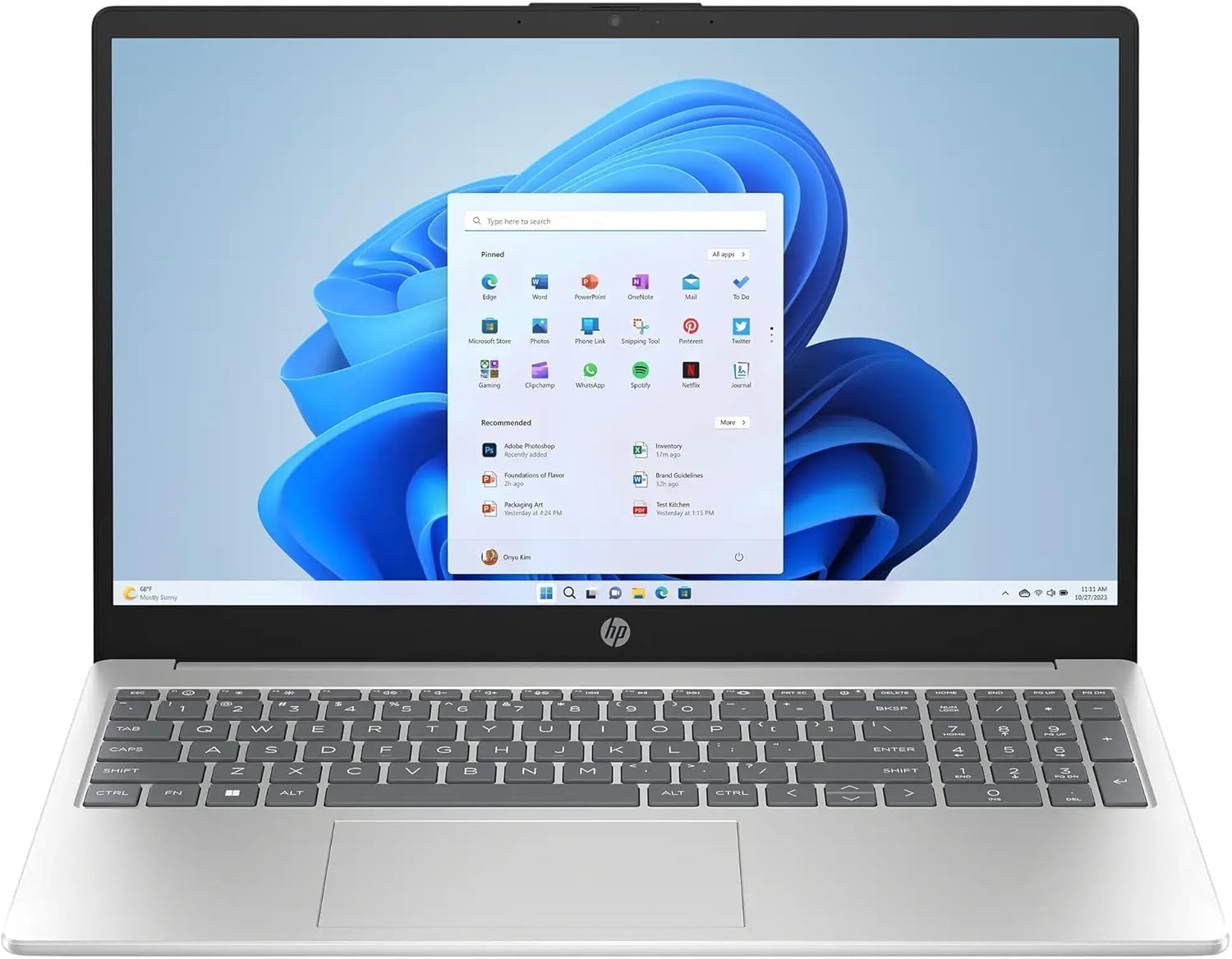
The HP 15.6″ laptop bundles 16GB DDR4 RAM and a 512GB SSD with a free 128GB portable SSD and a one-year Microsoft 365 subscription — a compelling package if you need Windows productivity alongside Linux. The Intel N100 processor (4 cores, 4 threads, up to 3.4 GHz) is based on the Alder Lake-N architecture, using Intel UHD Graphics with the i915 kernel driver. Performance is adequate for web browsing, coding, and document editing, but the N100’s single-threaded performance lags behind even budget Ryzen 3 chips.
The 15.6-inch anti-glare LED display has a resolution of 1366×768, which is disappointing for a modern laptop — text and UI elements appear less sharp than on Full HD panels. Film and photo editing will look noticeably worse compared to the 1080p displays on competing options. Wi-Fi 6 and Bluetooth 5.4 are handled by a Realtek module in many units — check user reports before assuming Intel wireless compatibility.
Microsoft Copilot integration with a dedicated keyboard key is a marketing feature that becomes irrelevant once you wipe Windows and install Linux. HP Fast Charge and the 11-hour battery life are good for portable use. The camera shutter provides physical privacy when not in use.
Why it’s great
- Includes 128GB portable SSD and Microsoft 365 subscription
- 16GB RAM is generous for the price point
Good to know
- 1366×768 display is noticeably less sharp than 1080p panels
- Realtek Wi-Fi may require manual firmware installation on Linux
9. Dell 15 DC15250

The Dell 15 DC15250 stands out for its 120Hz display — rare at this price point — which makes scrolling through code, documentation, and terminal output noticeably smoother than the standard 60Hz panels found on competitors. The Intel Core 3 100U processor (2 performance cores, 8 efficient cores, up to 4.7 GHz) uses the i915 kernel driver for integrated UHD Graphics, and the 8GB of DDR4 RAM is adequate for light to moderate workloads.
Wi-Fi 6 and Bluetooth 5.3 are handled by an Intel module in most configurations, providing out-of-the-box Linux compatibility. The lifted hinge design creates an ergonomic typing angle and improves airflow for passive cooling. Dell includes a 1-year Onsite Service plan — a technician will come to your home if hardware issues can’t be resolved remotely, which is unusual for budget models and provides peace of mind.
Users note that the battery life is short, and the webcam is mediocre. The 120Hz display is great for visual appeal, but the Intel UHD Graphics may struggle to drive the full refresh rate in GPU-accelerated applications under Linux compositors like GNOME or KDE — consider disabling smooth-zoom effects if you experience stutter.
Why it’s great
- 120Hz display for smoother scrolling in editors and terminals
- Includes 1-year Dell Onsite Service for hardware repairs
Good to know
- 8GB RAM cannot be upgraded due to UEFI limitations
- Battery life is short — expect under 4 hours of real use
10. EvoSpan 15.6″ Laptop
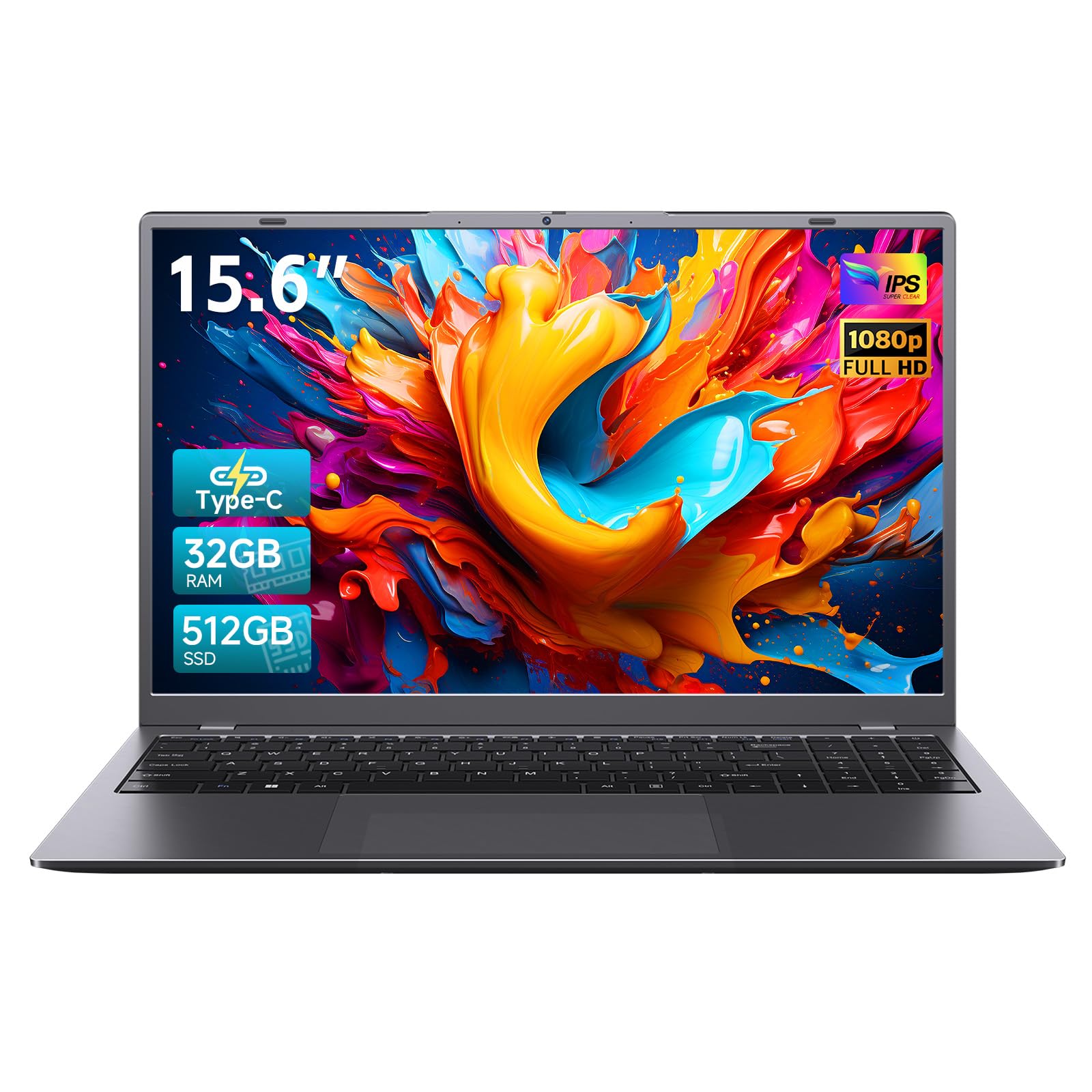
The EvoSpan laptop offers 32GB of RAM at an entry-level price, but the trade-off comes in the processor. The Pentium 6500Y (2 cores, 4 threads, up to 3.4 GHz) is an Amber Lake-Y chip originally designed for tablets — its base clock of 1.1 GHz and 6W TDP means it throttles under sustained load. In Linux, the Intel UHD Graphics 615 uses the i915 driver, so GPU acceleration works, but the hardware is simply not fast enough for compiling large projects or running heavy development environments.
Where this machine excels is multitasking many lightweight applications — opening 40 browser tabs, running LibreOffice, checking email, and streaming music simultaneously won’t slow it down thanks to the 32GB RAM headroom. The 15.6-inch Full HD IPS display is sharp and bright enough for indoor use. The 512GB SSD provides sufficient storage for a single distribution plus files.
Wi-Fi 5 and Bluetooth 5.0 are typically handled by Realtek or MediaTek chips — check the specific configuration before purchasing for Linux compatibility. Users report that the battery lasts 4-6 hours, and the laptop runs cool and quiet during light tasks. The Pentium 6500Y is not compatible with 64-bit-only workloads? No, it supports x86-64-v2 instructions — you’ll run into performance bottlenecks, not architecture issues.
Why it’s great
- 32GB RAM at a budget price — great for memory-heavy light tasks
- Full HD IPS display with 178° viewing angles
Good to know
- Pentium 6500Y throttles significantly under sustained load
- Wi-Fi chipset may require Linux firmware installation
11. TRHRO 14″ Laptop
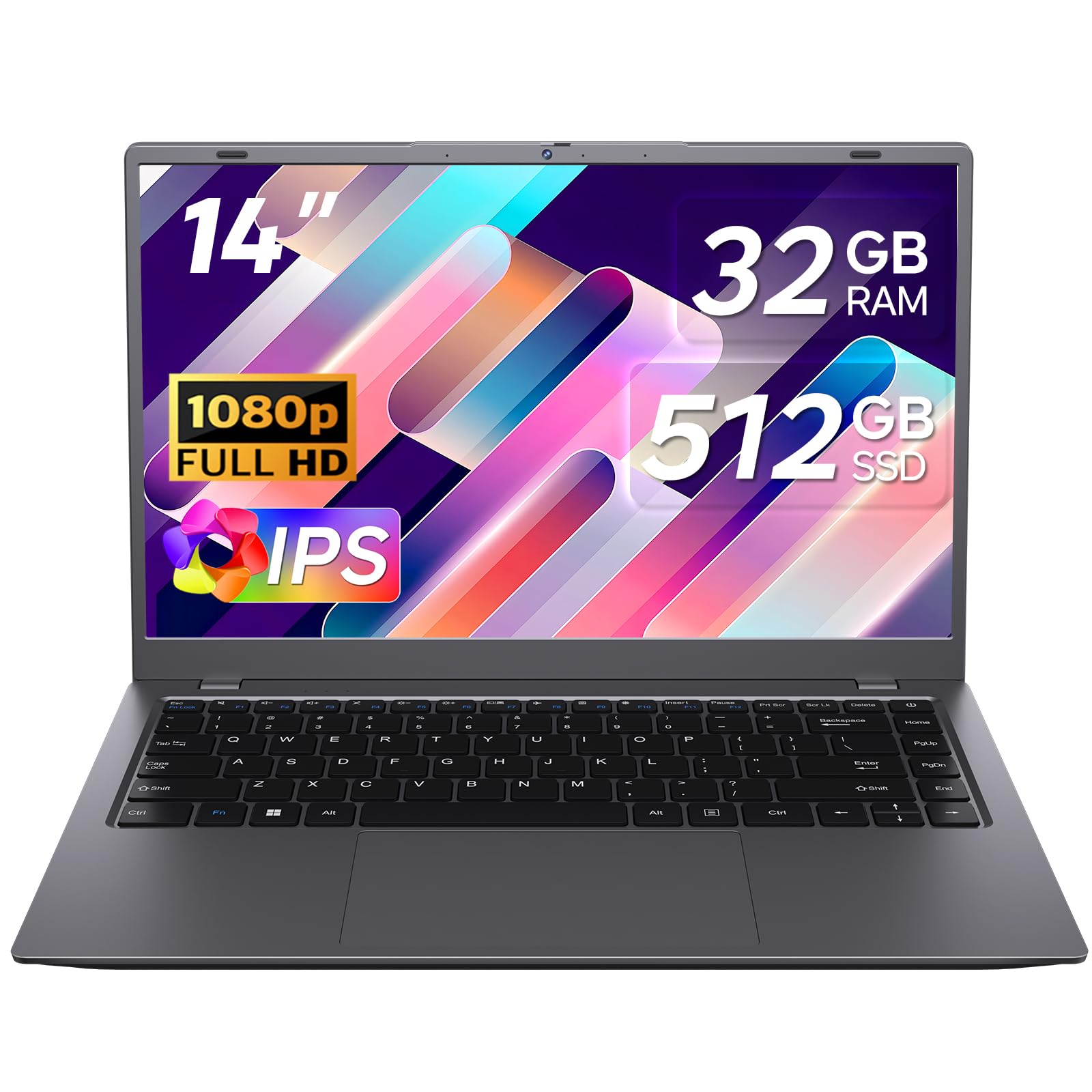
The TRHRO 14″ laptop is the most affordable option on this list, pairing a Pentium Gold 6500Y (2 cores, 4 threads, up to 3.4 GHz) with 32GB of RAM — an unusual combination that prioritizes multitasking headroom over raw single-threaded speed. For Linux, this means you can comfortably run a lightweight distribution like Xubuntu, Lubuntu, or Alpine Linux with many open terminal windows and browser tabs, but compiling code or processing large datasets will be slow.
The 14-inch Full HD IPS display is a bright spot at this price — sharp enough for reading documentation and writing code. The 512GB SSD provides adequate storage, and the physical camera privacy shutter is a thoughtful security feature. Type-C charging allows you to charge from power banks, making this a viable ultra-portable travel machine for light Linux work on the go.
Thermal performance is a concern — user reviews mention severe overheating under load, and the battery life drops significantly when the CPU is pegged. The Pentium Gold 6500Y’s bursty turbo profile works well for short tasks but falters under sustained compilation. Wi-Fi 5 and Bluetooth 5.2 support is present, but the chipset manufacturer isn’t specified — check user reports for Linux wireless compatibility.
Why it’s great
- Most affordable option for a Linux-capable laptop
- Type-C charging from power banks for portable use
Good to know
- Pentium Gold CPU throttles and overheats during sustained load
- Not suitable for compiling large projects or running VMs
FAQ
Can I install Linux on any budget laptop or are there specific hardware requirements?
Do I need a laptop with a dedicated GPU for Linux gaming?
What is the difference between Secure Boot and UEFI lockdown on budget laptops?
Final Thoughts: The Verdict
For most users, the best budget laptop for linux winner is the Lenovo ThinkPad L14 because it combines a fully unlocked UEFI firmware, Intel AX211 Wi-Fi for plug-and-play wireless, and an AMD Ryzen 5 PRO processor with open-source amdgpu drivers — all in a chassis with documented Linux community support. If you want an upgradeable machine for future expansion, grab the NIMO 15.6″ laptop with its accessible SO-DIMM RAM slots and M.2 SSD bay. And for a premium performance boost without crossing into luxury pricing, nothing beats the Acer Aspire Go 15 with its 8-core Ryzen 7 7730U processor.