
Finding a laptop that handles spreadsheets, video calls, and endless browser tabs without crashing is the real test when your living room becomes your office. The market is flooded with machines that promise productivity but buckle under a dozen Chrome tabs and a Zoom meeting running simultaneously.
I’m Min — the co-founder and writer behind Gadgets Feed. My approach to this guide involved cross-referencing processor benchmarks, real-world battery tests, and RAM configurations across dozens of models to separate the daily drivers from the disappointments.
If you are ready to invest in a reliable work-from-home setup without breaking the bank, this deep dive into the best budget laptop for working from home will help you identify the specs that actually matter for remote productivity.
How To Choose The Best Budget Laptop For Working From Home
Selecting a work-from-home laptop on a budget requires focusing on the components that directly impact your daily workflow. Remote work demands reliable video conferencing, smooth multitasking, and enough storage for documents and applications. Here are the three most critical factors to evaluate.
Prioritize RAM and Storage Type Over Raw Processor Speed
The biggest bottleneck in a budget laptop is almost never the CPU — it is the amount of RAM and the type of storage. For remote work, 8GB of RAM is the minimum; 16GB is strongly recommended if you regularly have multiple apps, browser tabs, and communication tools open at once. Similarly, an NVMe SSD provides significantly faster boot times and file access compared to eMMC storage. Avoid models that pair a decent processor with only 4GB of RAM or eMMC storage, as these will feel sluggish with typical workloads.
Battery Life Must Cover Your Shift
When working from home, you may not always be near an outlet, or you might move between rooms. A battery that lasts at least 6 to 8 hours under mixed use is essential. Look for models with a battery capacity of 40Wh or higher. Keep in mind that processor efficiency plays a role — newer, more efficient chips like the Intel N100 or AMD Ryzen 3 series generally offer better battery life than older, power-hungrier processors.
Display Quality Affects Comfort Over Long Hours
A 15.6-inch Full HD (1920×1080) display with an IPS panel provides a significant upgrade in clarity and viewing angles over a standard 1366×768 panel. The higher resolution reduces eye strain when reading text for extended periods. An anti-glare coating is also a valuable feature if you work near a window or under bright lights.
Quick Comparison
On smaller screens, swipe sideways to see the full table.
| Model | Category | Best For | Key Spec | Amazon |
|---|---|---|---|---|
| Apple MacBook Neo | Premium | Ecosystem & Portability | A18 Pro chip / 8GB RAM | Amazon |
| NIMO 15.6″ | Mid-Range | Multitasking Power | 16GB RAM / Ryzen 5 | Amazon |
| ASUS Vivobook Go 15 | Mid-Range | Build Quality & Speed | Ryzen 3 / 8GB DDR5 | Amazon |
| Dell 15 DC15250 | Mid-Range | Reliability & Support | 120Hz FHD Display | Amazon |
| Acer Chromebook Plus 515 | Mid-Range | Security & Simplicity | Core i3-1305U | Amazon |
| HP Laptop with Copilot AI | Mid-Range | Memory & Storage Bundle | 16GB RAM / 256GB SSD | Amazon |
| HP 15.6″ with Office | Entry | Office Ready Value | Intel N100 / 8GB RAM | Amazon |
| Auusda Business Laptop | Entry | Raw Value & Storage | 16GB RAM / 1TB SSD | Amazon |
| jumper 15.6″ FHD | Entry | Office 365 Included | 12GB RAM / 640GB Storage | Amazon |
| Customized HP 14″ | Entry | Portability & Style | Intel N150 / 16GB RAM | Amazon |
| Lenovo V15 Gen 4 | Premium | Business Class Performance | Core i5-13420H | Amazon |
In‑Depth Reviews
1. Apple 2026 MacBook Neo 13-inch

The MacBook Neo redefines what a budget laptop can deliver by pairing Apple’s A18 Pro chip with a stunning Liquid Retina display that hits 500 nits of brightness. For remote workers deeply embedded in the Apple ecosystem, the seamless integration with iPhone and iPad — including iPhone Mirroring and universal clipboard — eliminates workflow friction. The 1080p FaceTime HD camera and Spatial Audio speakers make video calls feel more natural, while the all-day 16-hour battery ensures you never scramble for a charger during back-to-back meetings.
At just 2.71 pounds and a mere 0.5 inches thick, this machine is exceptionally portable. The 256GB SSD boots macOS instantly, and the 8GB of unified memory handles 15+ browser tabs, Slack, and a spreadsheet simultaneously without hesitation. The lack of a backlit keyboard and the limited port selection (two USB-C ports, one being USB 2.0) are notable trade-offs, but the build quality and display clarity are unmatched at this tier.
Real-world performance from verified buyers confirms that the A18 Pro chip handles everyday productivity tasks with ease, and the switch from Windows to macOS is described as surprisingly intuitive. The 8GB RAM configuration is sufficient for web-based work and office apps, though power users may eventually wish for 16GB. This is the premium pick for anyone who values a premium experience and ecosystem fluidity over raw storage capacity.
Why it’s great
- Exceptional build quality and Liquid Retina display
- Outstanding 16-hour battery life for all-day work
- Seamless Apple ecosystem integration
Good to know
- No backlit keyboard
- Limited to two USB-C ports
- 8GB RAM is not upgradable
2. NIMO 15.6″ IPS FHD Laptop
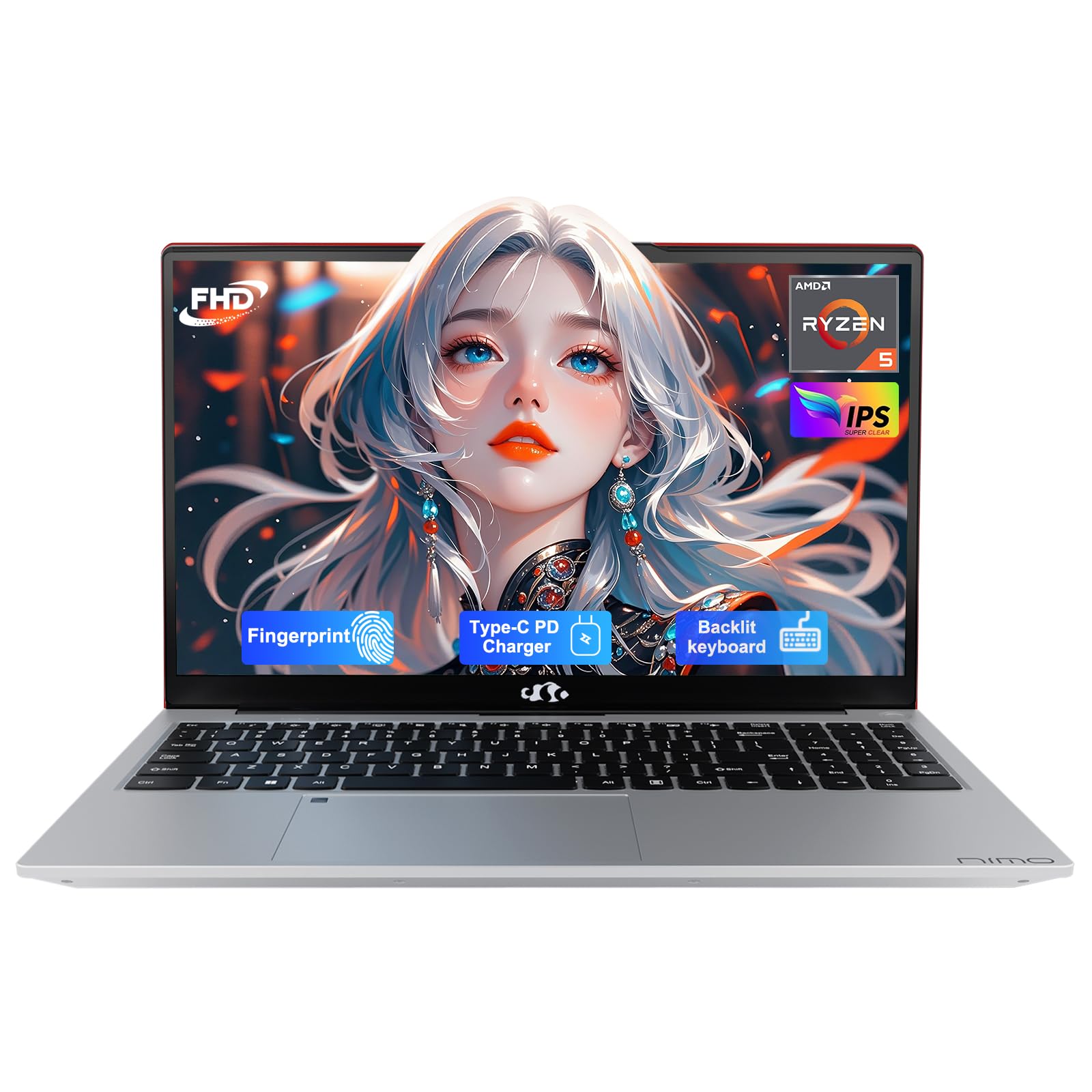
Bursting onto the scene with 16GB of DDR4 RAM and a 512GB PCIe SSD, the NIMO 15.6″ laptop delivers multitasking muscle that rivals machines costing significantly more. The AMD Ryzen 5 processor, which beats Intel’s i5-1135G7 in multi-threaded tasks, powers through 20-browser-tab workflows, video streaming, and document editing concurrently. The 65W USB-C PD fast charger provides 2 hours of use from just a 15-minute charge — a lifesaver when you need to relocate mid-shift.
The 15.6-inch Full HD IPS anti-glare display with an 85% screen-to-body ratio makes spreadsheets and text documents crisp and easy on the eyes. The backlit keyboard (with adjustable brightness that doesn’t auto-timeout) and fingerprint reader are premium touches rarely seen at this price point. Verified buyers report it handles light gaming (Skyrim, Left 4 Dead) in addition to work tasks, and the 2-year warranty provides peace of mind for a home office investment.
The only significant downsides are a grainy front-facing camera that disappoints during video calls and the lack of a pre-installed Office suite as advertised by some sellers. The 16GB of RAM is also upgradeable via an open slot, future-proofing the machine for heavier workloads. For the remote worker who values raw performance per dollar, this is a standout choice.
Why it’s great
- 16GB of RAM and Ryzen 5 processor for heavy multitasking
- 65W USB-C fast charging with 2-hour quick charge
- Upgradeable RAM and 2-year warranty
Good to know
- Webcam quality is poor for video calls
- May not include Office suite as advertised
3. Lenovo V15 Gen 4 Business Laptop

The Lenovo V15 Gen 4 is built with the remote business user in mind, featuring a Core i5-13420H processor that outpaces many i7-1355U configurations in multi-core workloads. The 16GB of RAM and 512GB SSD provide the headroom needed for running virtual private networks, multiple Office applications, and video conferencing simultaneously. The inclusion of an RJ45 Ethernet port and HDMI output makes this a true productivity hub for users who need wired network reliability and external monitor support.
The 15.6-inch Full HD display delivers clear, sharp text for data entry and spreadsheet analysis, and the numeric keypad speeds up financial work. Windows 11 Pro offers advanced security features like BitLocker and Remote Desktop, essential for handling sensitive business data. Verified reviews highlight the satisfying keyboard feel and strong battery life, though the plastic chassis does not feel as premium as metal alternatives.
Performance from the i5-13420H is snappy enough for demanding business applications, and the inclusion of a webcam privacy shutter addresses a key remote work concern. The 8-core, 12-thread configuration crushes multitasking, making this the top choice for power users who need business-class features and wired connectivity in a single package.
Why it’s great
- Powerful Core i5-13420H beats many older i7 chips
- Includes RJ45 Ethernet and numeric keypad
- Windows 11 Pro with advanced security features
Good to know
- Plastic build feels less premium
- Performance feels slightly sluggish compared to high-end ThinkPads
4. ASUS Vivobook Go 15

The ASUS Vivobook Go 15 punches above its weight with an AMD Ryzen 3 7320U processor and 8GB of DDR5 RAM — a memory standard that offers faster data transfer rates than DDR4, keeping multitasking fluid. The 15.6-inch NanoEdge FHD display with slim bezels and a 180-degree hinge makes sharing your screen during video calls effortless. The military-grade durability certification (MIL-STD-810H) means this machine can survive the bumps of a home-to-coffee-shop commute.
Sound by SonicMaster delivers surprisingly rich audio for conference calls and background music, while the 720p HD camera with a physical privacy shutter addresses security concerns. The 45W fast charging brings the battery up to speed quickly, and the comprehensive port selection (USB-C, USB-A, HDMI) connects to all your peripherals without a dongle. Verified reviews consistently praise the bright display and solid build quality for the price.
The only recurring complaint is the forced Microsoft account setup during Windows 11 configuration, which can be frustrating for privacy-conscious users. Also, the 128GB SSD fills up quickly once Office apps and system files are installed — consider an external drive from day one. For the remote worker who prioritizes durability and a vibrant display, this ASUS is a compelling mid-range option.
Why it’s great
- Military-grade durability with a premium build
- Bright FHD display with thin bezels and 180° hinge
- DDR5 RAM for faster multitasking
Good to know
- 128GB SSD fills quickly; external storage recommended
- Forces Microsoft account and S mode setup
5. Dell 15 DC15250

The Dell 15 DC15250 stands out in the budget category for its 15.6-inch Full HD display with a 120Hz refresh rate — a spec usually reserved for gaming laptops that makes scrolling through documents and web pages exceptionally smooth. The Intel Core 3 processor (100U) with a max boost of 4.7 GHz provides enough horsepower for everyday productivity tasks. Dell’s ComfortView software reduces blue light emissions, which reduces eye strain during marathon work sessions.
The lifted hinge design creates an ergonomic typing angle, and the inclusion of a separate numeric keypad with a calculator hotkey is a productivity boon for number crunchers. The 1-year onsite service means a technician will come to your home for repairs, which is a distinct advantage when your laptop is your primary income tool. Verified buyers note that the build quality feels solid and the machine is fast enough for most work tasks.
Battery life is a weak point — verified users report it is relatively short compared to competitors, and the webcam quality is merely passable. The 8GB of DDR4 RAM is sufficient for now but may feel constrained in a few years as applications demand more memory. For the remote worker who values a buttery-smooth display and robust warranty coverage, this Dell is a unique pick.
Why it’s great
- 120Hz FHD display for smooth scrolling
- 1-year onsite service included
- Ergonomic lifted hinge design with numeric keypad
Good to know
- Battery life is shorter than competitors
- Webcam quality is average
6. Acer Chromebook Plus 515

The Acer Chromebook Plus 515 is a radically different proposition for the remote worker who lives entirely in a web browser. Powered by an Intel Core i3-1305U and 8GB of LPDDR5X RAM, it delivers 2x faster performance than typical Chromebooks. The 15.6-inch Full HD IPS touch display is bright and responsive, and the inclusion of Wi-Fi 6E ensures the fastest wireless speeds for cloud-based work. Google AI features like Gemini and the ability to convert handwriting to text add a layer of productivity not found on Windows machines.
ChromeOS is inherently secure with built-in virus protection and automatic updates, making it ideal for handling sensitive client data without the overhead of traditional antivirus software. The 10-hour battery life covers a full workday, and the 256GB PCIe Gen4 SSD provides snappy local storage for offline files. Verified buyers praise the ease of use and the fast boot times, though some note the learning curve of ChromeOS versus Windows.
The lack of a backlit keyboard is a frequent complaint, and the dependence on an internet connection for full functionality (including many Google AI features) means it is less useful offline. Advanced users may find the ChromeOS interface limiting for complex workflows. However, for the remote worker whose tasks are browser-based — email, Google Workspace, web apps — this Chromebook offers exceptional value and security.
Why it’s great
- Fast Core i3 processor with Wi-Fi 6E
- Touchscreen display with Google AI features
- Excellent security and 10-hour battery life
Good to know
- No backlit keyboard
- ChromeOS has a learning curve for Windows users
7. HP 15.6″ FHD Laptop with Copilot AI

The HP 15.6″ FHD Laptop with Copilot AI directly addresses the primary complaint of budget laptops — insufficient RAM — by offering 16GB out of the box. Paired with a 256GB NVMe SSD, this configuration handles intensive multitasking scenarios like running Zoom, Slack, Excel, and a dozen browser tabs without breaking a sweat. The Intel N100 processor is efficient enough for everyday office tasks, and the inclusion of Wi-Fi 6 ensures fast, stable connections for video conferencing and large file downloads.
At just 3.64 pounds, this laptop is genuinely portable, and the 15.6-inch anti-glare display reduces reflections in bright rooms. The full-size keyboard with a numeric keypad makes data entry comfortable, and the multiple USB ports (including USB-C and HDMI) connect to monitors and peripherals without adapters. Verified reviews highlight the fast-charging battery and reliable performance for college and office work.
Some buyers reported issues with Windows setup and occasional freezing during initial configuration, though these appear to be isolated incidents rather than widespread defects. The Intel N100 processor, while energy-efficient, is not designed for intensive video editing or gaming. For the remote worker who needs ample memory for multitasking today and tomorrow, this HP is a smart mid-range choice.
Why it’s great
- 16GB RAM and 256GB SSD for heavy multitasking
- Wi-Fi 6 and fast-charging battery
- Lightweight design at 3.64 lbs
Good to know
- Some buyers experienced setup issues
- Intel N100 is not for intensive tasks
8. Auusda Business Laptop

The Auusda Business Laptop delivers an extraordinary combination of 16GB of DDR4 RAM and a 1TB PCIe NVMe SSD at a price that normally buys half the storage and memory. This configuration allows you to store massive project files, run multiple virtual desktops, and switch between applications instantly. The 15.6-inch FHD IPS display with 0.2-inch bezels and a 180-degree hinge makes it easy to share your screen during collaborative calls.
The backlit keyboard and fingerprint reader add a layer of convenience and security rarely found at this price point. The port selection is generous — two USB 3.0 ports, HDMI for 4K output, and a MicroSD slot that supports up to 2TB of expansion. The included keyboard cover and 2-year warranty add to the overall value proposition. Verified buyers consistently praise the lightweight build (3.7 lbs) and the bright, clear display.
The primary concern is the processor — while advertised with a 3.4 GHz speed, some units ship with an Intel N150 chip that runs at a lower base frequency. This makes the Auusda better suited for office productivity and web browsing than CPU-intensive tasks. Additionally, the sound output could be louder for media consumption. For budget-conscious remote workers prioritizing massive storage and memory, this is an exceptional deal.
Why it’s great
- 16GB RAM and 1TB SSD for vast storage
- Backlit keyboard and fingerprint reader
- 2-year warranty with included accessories
Good to know
- Processor performance may vary from advertised specs
- Speakers are on the quieter side
9. HP 15.6″ Laptop with Microsoft Office
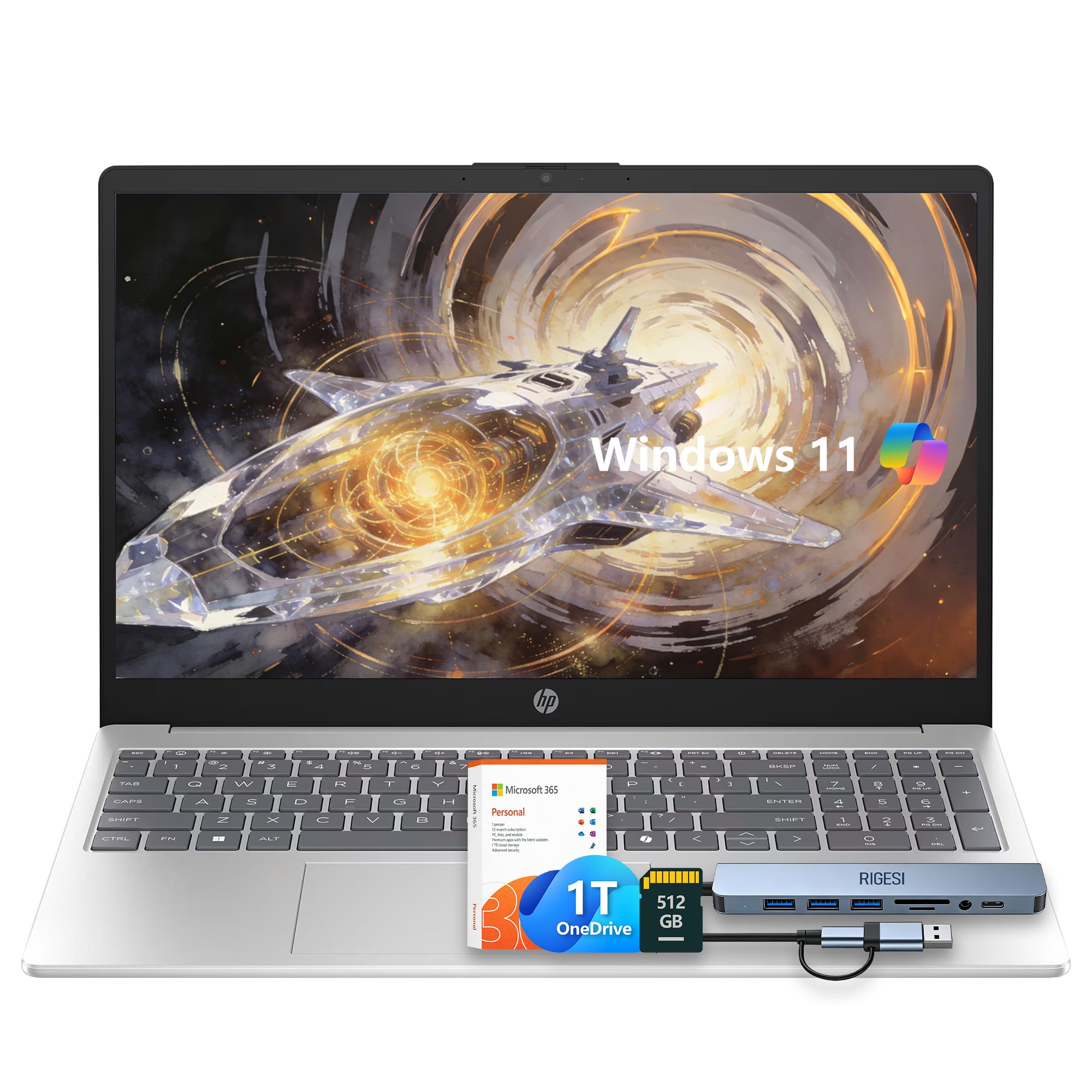
The HP 15.6″ Laptop bundles a 1-year Office 365 subscription directly into the purchase, making it an immediately productive tool for remote workers who rely on Word, Excel, and PowerPoint. The Intel N100 quad-core processor and 8GB of RAM provide sufficient power for document editing, email, and web browsing. The 128GB UFS storage combined with a 512GB SD card offers a hybrid storage solution that balances speed with capacity.
The Natural Silver design is slim and lightweight, making it easy to move between home office setups. The 15.6-inch HD display (1366×768) is functional for office tasks, though it lacks the sharpness of a Full HD panel. Verified buyers describe it as a great upgrade from older machines, praising the fast boot times and long battery life. The inclusion of Copilot AI integration brings modern AI assistance to the desktop.
The HD display’s lower resolution is noticeable when reading fine print or working with detailed spreadsheets, and the lack of a backlit keyboard is a drawback for low-light environments. The audio quality is described as disappointing for music. For the budget-conscious remote worker who needs Office productivity tools immediately, this HP delivers unbeatable out-of-box value.
Why it’s great
- Includes 1-year Office 365 subscription
- Fast boot and app loading with UFS storage
- Lightweight and slim design
Good to know
- 1366×768 display lacks Full HD sharpness
- No keyboard backlight
- Audio quality is mediocre
10. jumper 15.6″ FHD Laptop

The jumper 15.6″ FHD Laptop stands out for its unique storage configuration — 128GB of eMMC storage paired with a 512GB SSD, totaling 640GB of space for documents and media. The 12GB of DDR4 RAM is an unconventional but effective capacity that provides smooth multitasking for everyday office work. The inclusion of a 1-year Office 365 license means you can start working immediately without additional software costs.
The 15.6-inch Full HD IPS display delivers sharp, vibrant visuals that are a step above typical entry-level panels. The numeric keypad aids data entry, and the Type-C port, HDMI output, and dual USB 3.0 ports provide solid connectivity options. Verified reviews note the slim, lightweight silver chassis and the quiet cooling system, which is appreciated in quiet home office environments.
The Intel Celeron 5205U processor is a 10th-generation chip that feels its age compared to newer N100 or Ryzen 3 alternatives, though it handles basic tasks without complaint. The 38Wh battery is on the smaller side, so expect to stay plugged in for longer work sessions. For the remote worker on a tight budget who values a Full HD display and generous storage, the jumper is a practical entry-level option.
Why it’s great
- 640GB combined storage for ample file space
- Full HD IPS display with numeric keypad
- Includes 1-year Office 365 license
Good to know
- Celeron processor is showing its age
- 38Wh battery requires frequent charging
11. Customized HP 14″ Tranquil Pink Laptop
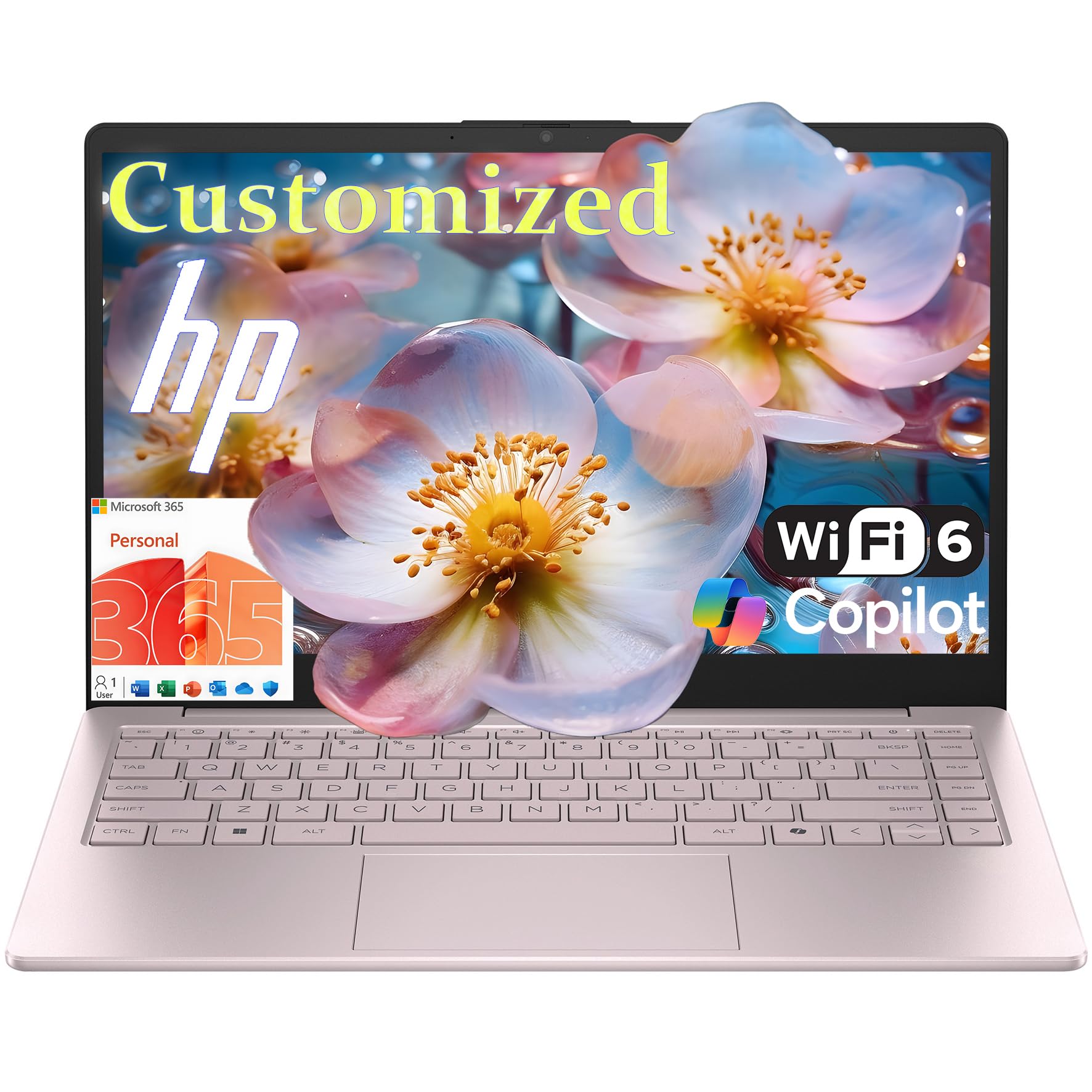
This customized HP 14-inch laptop offers a unique value proposition — a factory-sealed HP hardware base upgraded by a third-party reseller with your choice of 16GB or 32GB of DDR4 RAM and a 512GB or 1TB NVMe SSD. The Intel N150 quad-core processor provides dependable performance for browsing, streaming, and office applications. The Tranquil Pink finish adds a distinctive aesthetic touch that stands out from the sea of silver and black laptops.
The 14-inch HD micro-edge anti-glare display is highly portable, and the slim 3.11-pound design slips easily into a backpack. The HP True Vision 720p HD camera with temporal noise reduction improves video call quality in less-than-ideal lighting. The inclusion of Wi-Fi 6 and Bluetooth 5.4 ensures fast, modern wireless connectivity, and the battery supports fast charging for quick top-ups between meetings.
The 14-inch screen size is a trade-off for portability — text and images are smaller than on a 15.6-inch model, which may cause eye strain during extended work sessions. The HD resolution (1366×768) is a step down from Full HD, and the keyboard lacks a backlight. Verified reviews are mixed, with some praising the value and others finding the customization unnecessary. For the mobile remote worker who prioritizes color and portability, this is a niche but viable option.
Why it’s great
- Customizable RAM (16GB/32GB) and storage options
- Unique Tranquil Pink color and lightweight build
- Wi-Fi 6 and fast-charging battery
Good to know
- 14-inch HD display is less sharp than 15.6″ FHD
- No backlit keyboard
- Screen is smaller for extended work sessions
FAQ
Is 4GB of RAM enough for a work-from-home laptop?
What is the difference between eMMC and NVMe SSD storage?
Should I buy a Chromebook for working from home?
How much storage do I need for remote work?
Does a backlit keyboard matter for remote work?
Final Thoughts: The Verdict
For most users, the best budget laptop for working from home winner is the Apple MacBook Neo because it offers premium build quality, exceptional battery life, and seamless ecosystem integration at a surprisingly accessible price. If you want maximum multitasking performance, grab the NIMO 15.6″ with its 16GB RAM and Ryzen 5 processor. And for the best raw value in terms of storage and memory, nothing beats the Auusda Business Laptop with 16GB RAM and a 1TB SSD.