
The search for a budget large screen laptop is a specific kind of hunt. You need enough room to run spreadsheets, stream content, and manage multiple windows without feeling cramped, but your budget demands you be smart about where every spec dollar goes. The trade-offs in this space are real—processor generations vary wildly, storage capacities can feel like a gamble, and screen resolution is often the first corner cut to hit a price point. This guide cuts through that noise.
I’m Min — the co-founder and writer behind Gadgets Feed. I analyze hundreds of customer reviews and technical datasheets for this specific market segment to pinpoint which models deliver genuine reliability and which ones cut corners that will cost you later.
Whether you need a machine for remote work, a student rig for dual-monitor setups, or a family laptop for movie nights, finding the right budget large screen laptop means knowing which specs actually matter for long-term satisfaction.
How To Choose The Best Budget Large Screen Laptop
When you’re shopping at this entry-to-mid tier, the screen size is the anchor point—but it’s the internal components that determine whether a laptop feels fast in month six or frustrating from day one. Understanding a few core specs prevents the common mistake of buying a machine that looks good out of the box but chokes under daily use.
Screen Resolution: HD+ vs. Full HD
The most frequent compromise on budget large screen laptops is resolution. A 17.3-inch HD+ panel (1600 x 900) works for basic web browsing and document editing, but text and icons will appear noticeably softer compared to a Full HD (1920 x 1080) display. FHD gives you 44% more pixels, which translates to sharper detail when reading spreadsheets, editing photos, or watching 1080p content. For a screen this large, the resolution upgrade is often worth the slight budget stretch.
Processor Generation & RAM Priority
On a tight budget, processor generation matters more than brand name. An older Intel Core m3 or Ryzen 5 3500U handles basic productivity and streaming, but a newer Intel N100 or 12th-gen i3 brings modern efficiency cores and faster memory support. Pair that with at least 8GB of RAM—16GB is the sweet spot for keeping multiple browser tabs and office apps running without slowdowns. Storage should be SSD-only at this stage; 256GB is the minimum, but 512GB gives you breathing room for files and applications.
Build Quality & Port Selection
Budget large chassis often use plastic construction, which keeps weight down but can flex. Look for a backlit keyboard and a full-size number pad if you do data entry. Port variety is critical: two to three USB-A ports, an HDMI output for an external monitor, and a Type-C port (even for data only) ensure you can connect your peripherals without buying dongles. Wi-Fi 6 support and Bluetooth 5.0 or newer deliver better wireless stability than older standards.
Quick Comparison
On smaller screens, swipe sideways to see the full table.
| Model | Category | Best For | Key Spec | Amazon |
|---|---|---|---|---|
| Acer Aspire Go 15 | Premium Pick | All-round performance | AMD Ryzen 7 / 16GB RAM | Amazon |
| HP 17-cn3399nr | Premium | FHD 17.3-inch screen | 13th Gen i5 / 16GB RAM | Amazon |
| KAIGERR i5-12600H | Mid-Range | Multitasking & portability | 12-Core i5 / Iris Xe | Amazon |
| HP 17 Touchscreen | Mid-Range | Touch interface & security | N100 / 8GB / 128GB SSD | Amazon |
| HP N100 15.6 | Mid-Range | Daily study / streaming | N100 / 16GB / 512GB SSD | Amazon |
| HP 17 i3-1125G4 (512GB) | Mid-Range | Reliable name-brand option | i3-1125G4 / 512GB SSD | Amazon |
| HP 17 i3-1125G4 (256GB) | Mid-Range | Smaller storage, lower cost | i3-1125G4 / 256GB SSD | Amazon |
| IJKKJI 17 Ryzen 5 | Value | Big screen value | Ryzen 5 / 8GB / 512GB | Amazon |
| MYW 17 Ryzen 5 | Value | Low-cost 17-inch | Ryzen 5 / 8GB / 512GB | Amazon |
| Tylvx 18.5 | Value | Maximum screen real estate | 18.5-inch / 16GB / 1TB | Amazon |
| Acer Nitro V 16S | Value | Gaming on a budget | RTX 5060 / 32GB / 1TB | Amazon |
In‑Depth Reviews
1. Acer Aspire Go 15 AI Ready Laptop (Ryzen 7)

The Acer Aspire Go 15 is the rare budget laptop that doesn’t force you to make painful trade-offs. Powered by the AMD Ryzen 7 7730U, this machine delivers 8 cores and 16 threads that handle multitasking—dozens of browser tabs, office suites, and video streaming—without hesitation. The 16GB of DDR4 RAM ensures that memory-heavy workflows stay fluid, while the 512GB PCIe Gen 4 SSD provides snappy boot times and quick file access. The 15.6-inch Full HD IPS display offers crisp text and vibrant colors, and Acer’s BluelightShield helps reduce eye strain during long sessions.
Build quality feels solid for the price point, and the full-function USB Type-C port adds versatility for charging or connecting peripherals. Wi-Fi 6 support delivers stable, fast wireless connectivity, and the Copilot key provides a dedicated entry point for AI-assisted tasks. Customer reviews consistently highlight the smooth out-of-box experience, quiet fan operation, and responsive keyboard. The primary limitation is the 15.6-inch screen, which is not as spacious as a 17.3-inch panel, but the trade-off for superior performance is well worth it.
This is the best all-around option if you want genuine computing power without crossing into premium pricing. The Ryzen 7 processor paired with 16GB of RAM makes this laptop feel faster than its price class suggests, and it’s well-suited for students, remote workers, and anyone who needs a dependable daily driver.
Why it’s great
- Ryzen 7 7730U delivers exceptional multi-core performance for the price
- 16GB RAM handles heavy multitasking with ease
- FHD IPS display with good color accuracy and anti-glare finish
Good to know
- Screen is 15.6 inches, not the full 17.3-inch size some users expect
- No dedicated graphics for gaming or video editing
- Limited to 512GB storage with one M.2 slot
2. HP 17.3 inch Laptop, FHD Display (17-cn3399nr)

This HP 17.3-inch model delivers a rare combination: a true large Full HD IPS display with 178-degree viewing angles, paired with a modern 13th-generation Intel Core i5-1334U processor. The screen quality is notably excellent for the category—colors are vibrant, text is razor-sharp at 1920 x 1080, and the wide viewing angles make it comfortable for sharing content or collaborating. The 16GB of DDR4 RAM ensures smooth multitasking, and the 512GB PCIe NVMe SSD provides fast storage that boots Windows 11 in seconds.
The Intel Iris Xe integrated graphics handle casual gaming and 4K video streaming at acceptable frame rates. The physical camera shutter offers a welcome privacy feature, and the dual speakers deliver clear audio for video calls. Customer feedback emphasizes the easy setup, minimal bloatware, and premium feel of the build despite its plastic chassis. The battery life is slightly shorter than ideal—around 2.5 to 3 hours on a charge—which is typical for a 17-inch panel at this price tier.
If a pristine large FHD screen is your top priority and you want a name-brand machine that won’t require immediate upgrades, this HP model is an excellent choice. The processor is modern enough to feel snappy for years, and the RAM configuration is future-proof for office work, streaming, and everyday productivity.
Why it’s great
- Excellent 17.3-inch FHD IPS display with wide viewing angles
- 13th Gen i5 processor offers strong single-thread performance
- Physical camera shutter for privacy
Good to know
- Battery life is around 2.5 to 3 hours under real-world use
- No backlit keyboard included
- Plastic build feels less premium than metal chassis
3. KAIGERR Laptop (i5-12600H, 16GB RAM)
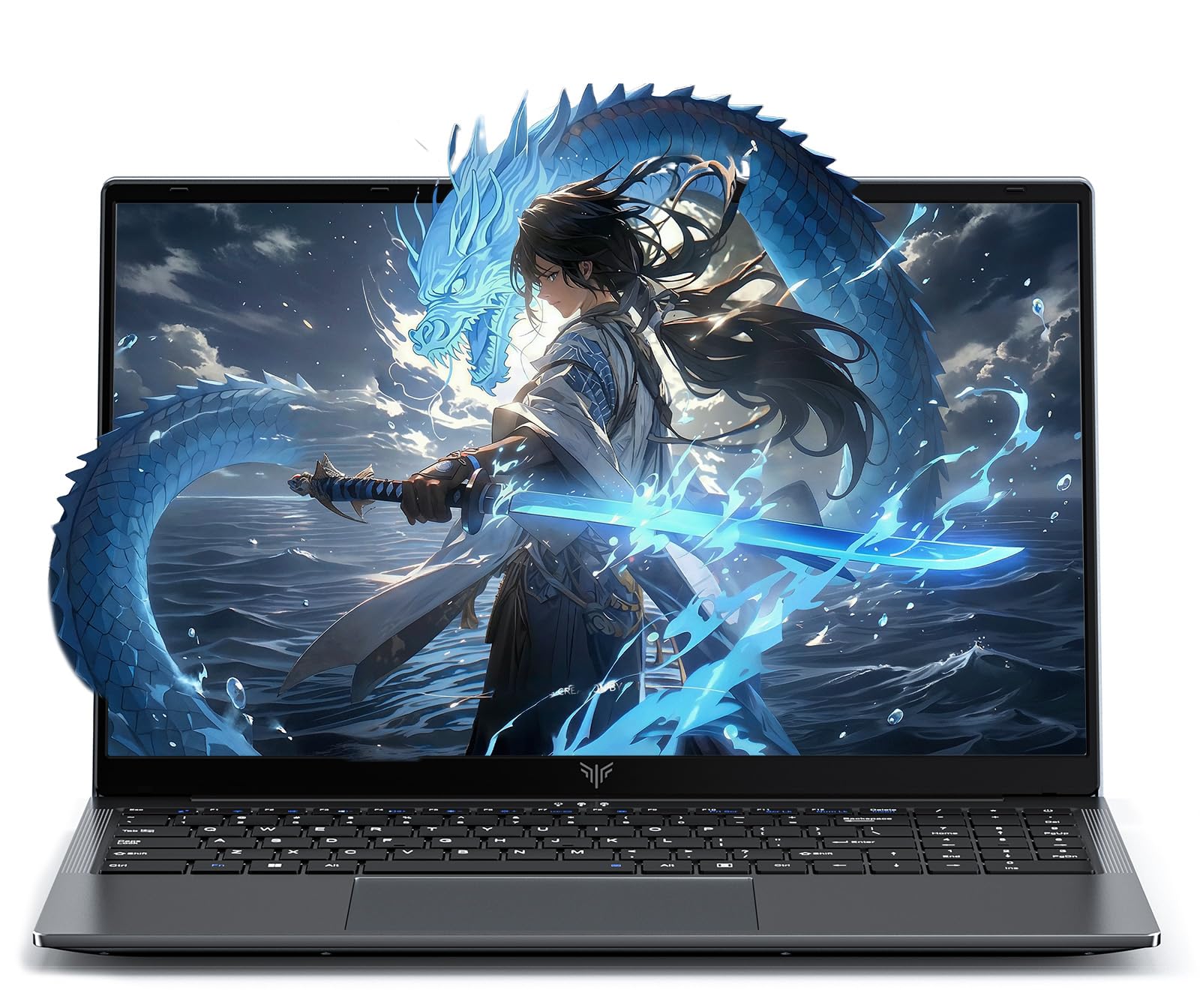
The KAIGERR laptop packs a surprising amount of processing power into its 15.6-inch frame. The 12th-gen Intel Core i5-12600H features 12 cores and 16 threads, capable of hitting 4.5 GHz boosting—performance that rivals many mid-range laptops costing significantly more. The Intel Iris Xe graphics handle photo editing and casual gaming at reasonable settings, and the 16GB of DDR4 RAM (expandable to 64GB) ensures you can run demanding applications without slowdown. The 512GB NVMe SSD provides fast boot times and has a dual M.2 slot configuration supporting up to 4TB total storage.
The 15.6-inch Full HD IPS display delivers sharp text and vibrant colors at 1920 x 1080 resolution. The 180-degree hinge is a nice touch for sharing the screen in meetings or collaborative settings. Port selection is generous with three USB 3.2 ports, HDMI 1.4, and a Type-C port. Customer reviews note the laptop feels fast and sleek, and the backlit keyboard makes typing in low light comfortable. The 1MP webcam includes a physical privacy switch—a thoughtful security feature.
This is an excellent option for users who want premium-level processing muscle without the premium price tag. The 12-core processor and expandable RAM give this laptop long-term relevance. Just be aware the 15.6-inch screen is smaller than the 17-inch panels on other budget options, and the less-established KAIGERR brand may have limited support networks compared to HP or Acer.
Why it’s great
- 12-core i5-12600H delivers exceptional multi-threaded performance
- 16GB RAM expandable to 64GB
- Dual M.2 SSD slots for huge storage potential
Good to know
- 15.6-inch screen, not as spacious as 17-inch models
- Brand reputation less established—support may be limited
- Integrated graphics not suitable for heavy gaming
4. HP 17.3 Touchscreen Laptop w/ Microsoft 365

This HP 17.3-inch touchscreen laptop is a unique offering in the budget large screen space. The 1600 x 900 HD+ anti-glare touch display responds accurately to taps and swipes, making navigation feel intuitive—especially for users who prefer touch input over a trackpad. The Intel Quad-Core N100 processor handles basic productivity tasks like web browsing, document editing, and video streaming smoothly, and the 8GB of DDR4 RAM is adequate for light multitasking. The included Microsoft 365 personal subscription adds value for users who need Office applications.
The full-size backlit keyboard includes a numeric keypad, and the fingerprint reader provides fast, secure login via Windows Hello. HP Fast Charge can charge the battery from 0 to 50% in 45 minutes, a useful feature for users on the go. The webcam includes a physical shutter for privacy, and Wi-Fi 6 plus Bluetooth 5.4 deliver modern wireless connectivity. Customer reviews highlight the easy setup, big screen, and solid performance for everyday tasks, though the 128GB SSD fills up quickly if you store many files locally.
This is the right choice if touchscreen functionality is a must-have and you prioritize physical security features like the fingerprint reader and camera shutter. However, the limited 128GB storage and the N100 processor’s modest performance mean this laptop is best suited for light use—think streaming, email, and office work—rather than heavy multitasking or gaming.
Why it’s great
- Responsive 17.3-inch touchscreen display
- Fingerprint reader for secure, quick login
- Fast Charge brings battery to 50% in 45 minutes
Good to know
- 128GB SSD is very limited for local file storage
- HD+ resolution (1600 x 900) is less sharp than FHD
- N100 processor struggles with demanding multitasking
5. HP Laptop for Daily Study (N100, 16GB RAM, 512GB SSD)
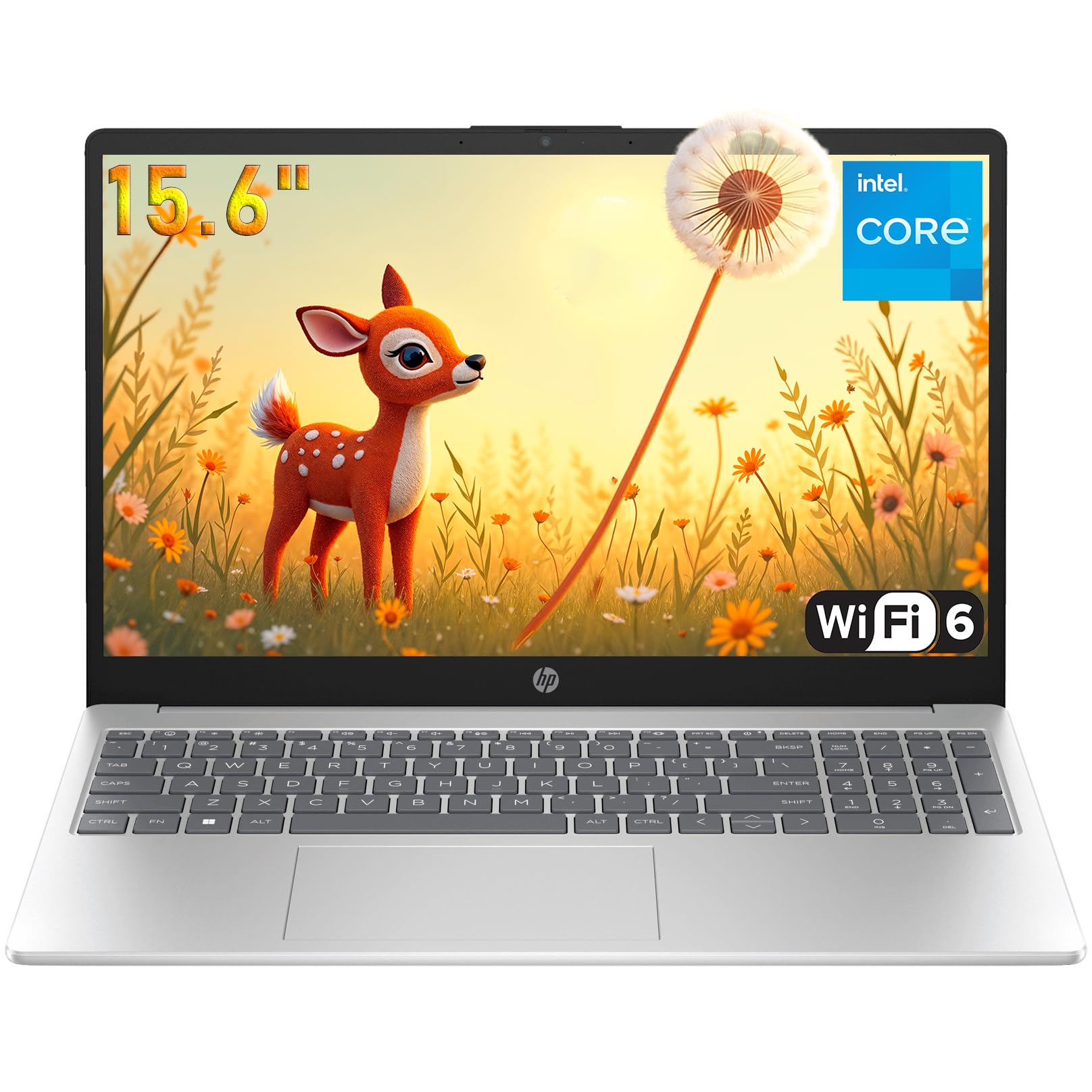
HP’s budget-friendly 15.6-inch laptop focuses on getting the fundamentals right for students and home users. The Intel N100 processor may not be a powerhouse, but its quad-core, four-thread design efficiently handles web browsing, document editing, Zoom calls, and video streaming without noticeable lag. The 16GB of DDR4 RAM is generous for this price tier—it allows you to keep a dozen browser tabs open while running Office apps and music in the background. The 512GB PCIe NVMe SSD provides quick boot times under 15 seconds and ample storage for documents, photos, and schoolwork.
The 15.6-inch IPS display (1920 x 1080) delivers sharp, clear visuals. Port selection covers the essentials: USB Type-C, two USB-A, HDMI 1.4b, and a headphone jack. Wi-Fi 6 and Bluetooth 5.3 ensure fast wireless connectivity. HP includes a 720p HD webcam with a privacy shutter, dual-array microphones, and a mic mute key for clear video calls. Customer reviews praise the sturdy build, easy setup, and fast performance for day-to-day tasks. The downsides include a non-backlit keyboard and the reflective IPS screen that can be difficult to see in bright environments.
This laptop earns its place as a top value pick by pairing a sharp FHD display with a generous 16GB/512GB configuration at an accessible price. It’s ideal for students, remote workers, and home users who need a reliable machine for everyday computing without spending extra for premium aesthetics.
Why it’s great
- 16GB RAM and 512GB SSD provide smooth, responsive daily use
- FHD IPS display delivers sharp visuals
- Wi-Fi 6 and Bluetooth 5.3 ensure modern wireless connectivity
Good to know
- N100 processor is not designed for heavy multitasking or gaming
- No backlit keyboard
- Reflective screen can be hard to see in bright rooms
6. HP 17 Laptop, 17.3” HD+ Display (i3-1125G4, 512GB)

HP’s 17-inch laptop with the 11th-gen Intel Core i3-1125G4 represents a solid, name-brand option for users who prioritize a spacious screen and the reliability of a major manufacturer. The i3-1125G4 has four cores and eight threads, capable of turbo boosting up to 3.7 GHz—enough to handle office applications, web browsing, and streaming without breaking a sweat. The 8GB of RAM is sufficient for everyday multitasking, and the 512GB PCIe NVMe SSD offers generous storage for a budget build. The 17.3-inch HD+ display (1600 x 900) is large and anti-glare, making it comfortable for long work sessions.
Port selection includes USB Type-C, two USB-A ports, HDMI 1.4b, and a headphone jack, covering most connectivity needs. The laptop comes bundled with a KKE mousepad, which adds a small but welcome bonus. Customer reviews emphasize the excellent screen size, fast boot times, and smooth performance for home and office use. The 250 nits brightness is acceptable for indoor use but struggles in direct sunlight. The HD+ resolution is noticeably softer than Full HD, particularly on a 17.3-inch display where individual pixels are more visible.
If you want a large-screen HP laptop from a trusted brand and the HD+ resolution doesn’t bother you, this is a dependable choice. The 512GB storage capacity is generous for the price, and the build quality is consistent with HP’s budget line—functional and sturdy, if not luxurious.
Why it’s great
- Trusted HP brand with good build quality for the price
- 17.3-inch anti-glare display is comfortable for long sessions
- 512GB SSD provides ample storage
Good to know
- HD+ resolution (1600 x 900) looks soft on a large screen
- 8GB RAM is adequate but not future-proof
- 250 nits brightness is dim in bright environments
7. HP 17 Laptop, 17.3” HD+ Display (i3-1125G4, 256GB)
This version of the HP 17-inch laptop is nearly identical to the 512GB model above, with the key difference being a 256GB SSD instead of the 512GB drive. That makes this a more affordable entry point for getting a name-brand 17.3-inch laptop with a capable i3-1125G4 processor. The 8GB of RAM remains sufficient for basic office work, browsing, and streaming. The HD+ display at 1600 x 900 provides a large canvas, though the lower resolution means text and icons appear slightly pixelated on the big screen.
The port selection mirrors its higher-storage sibling: USB Type-C, two USB-A ports, HDMI 1.4b, and a headphone jack. The laptop runs Windows 11 Home out of the box. Customer reviews are generally positive, with users praising the screen size, fast performance for day-to-day tasks, and the reliable HP build. Some users reported microphone issues that required HP support to resolve, and a few noted that the seller was not an authorized HP distributor, which could complicate warranty claims. The 256GB SSD fills up quickly if you store large files, games, or high-resolution media.
This is a solid budget-friendly option if you need a large screen from a trusted brand and are comfortable managing limited local storage—either by using cloud services or upgrading the SSD later. The 256GB capacity is the main constraint, but the core computing experience is the same as its pricier sibling.
Why it’s great
- Large 17.3-inch anti-glare display from trusted HP brand
- i3-1125G4 processor handles everyday tasks well
- Good port selection including USB Type-C and HDMI
Good to know
- 256GB SSD fills up quickly with large files
- HD+ resolution less sharp than FHD on a 17-inch screen
- Warranty may be complicated with unauthorized sellers
8. IJKKJI 17 Inch Laptop (Ryzen 5, 8GB RAM)
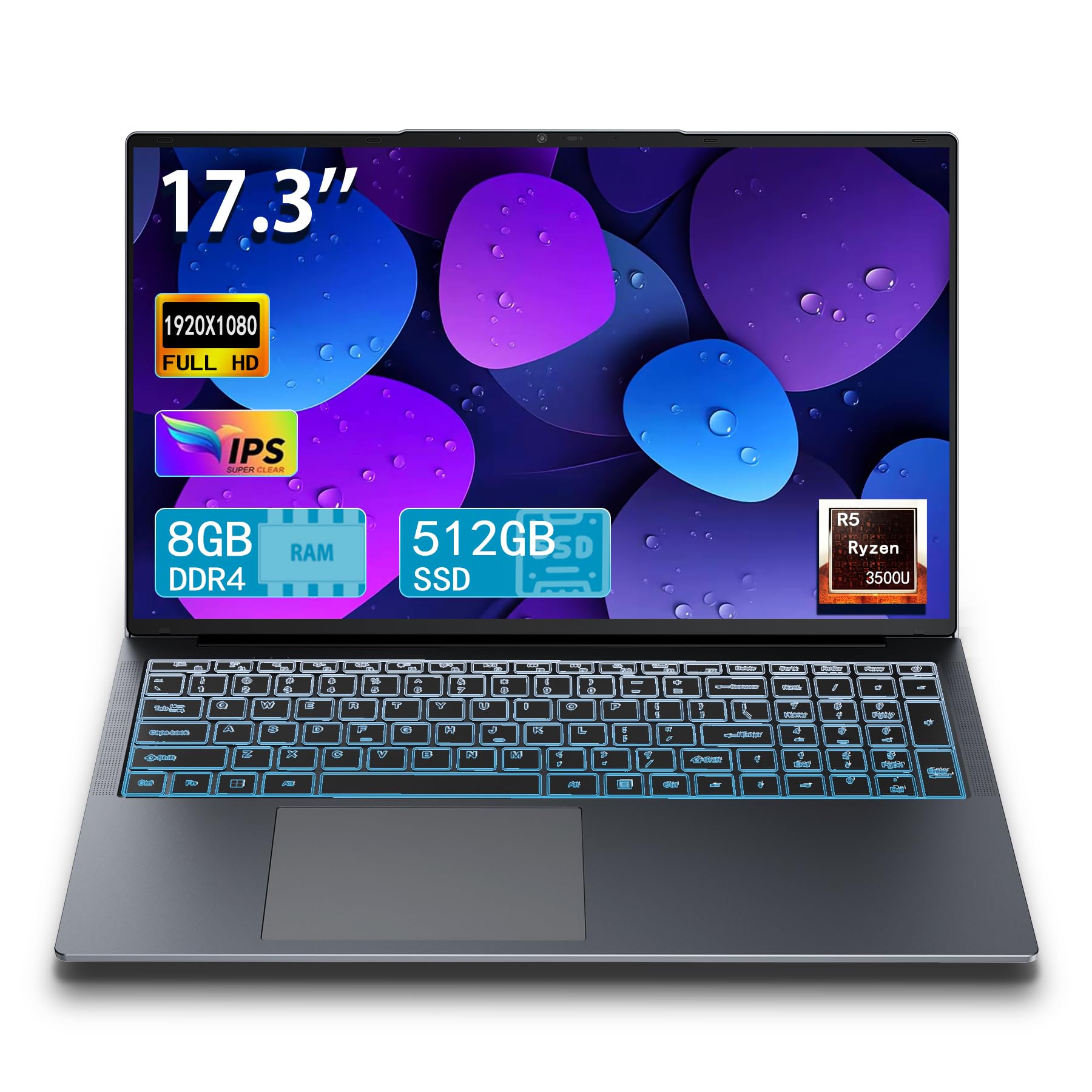
The IJKKJI 17-inch laptop is a value-focused machine that prioritizes a large screen and an AMD processor over brand recognition. The Ryzen 5 3500U, paired with 8GB of RAM and a 512GB SSD, delivers surprisingly snappy performance for basic productivity tasks. Users report that it handles web browsing, document editing, and media consumption smoothly—far better than entry-level Celeron-based alternatives. The 17.3-inch FHD IPS display is one of the highlights of this model, providing crisp 1920 x 1080 resolution and wide viewing angles that make spreadsheets and movies look great.
Port selection is comprehensive: HDMI, USB 3.0, a full-function Type-C port, RJ45 ethernet, and dual Wi-Fi. The backlit keyboard is a welcome feature for late-night work sessions, and the webcam handles video calls adequately. Customer reviews are enthusiastic about the price-to-feature ratio, with many expressing pleasant surprise at the overall quality given the budget-friendly cost. Some users report battery life around 6 hours under normal use, which is decent for the category. The less-known IJKKJI brand may raise concerns about long-term support.
If you prioritize screen size and an FHD display above all else, this laptop delivers excellent visual real estate without the name-brand markup. The Ryzen 5 processor is a solid mid-range chip that won’t bottleneck everyday workflows, and the inclusion of a backlit keyboard adds practical value.
Why it’s great
- 17.3-inch FHD IPS display with excellent clarity
- Ryzen 5 3500U outperforms many budget Intel processors
- Backlit keyboard for low-light typing
Good to know
- Less-established brand may have limited support
- 8GB RAM is adequate but not expandable in some configurations
- Battery life around 6 hours is average
9. MYW 17 inch Laptop (Ryzen 5, 8GB RAM)
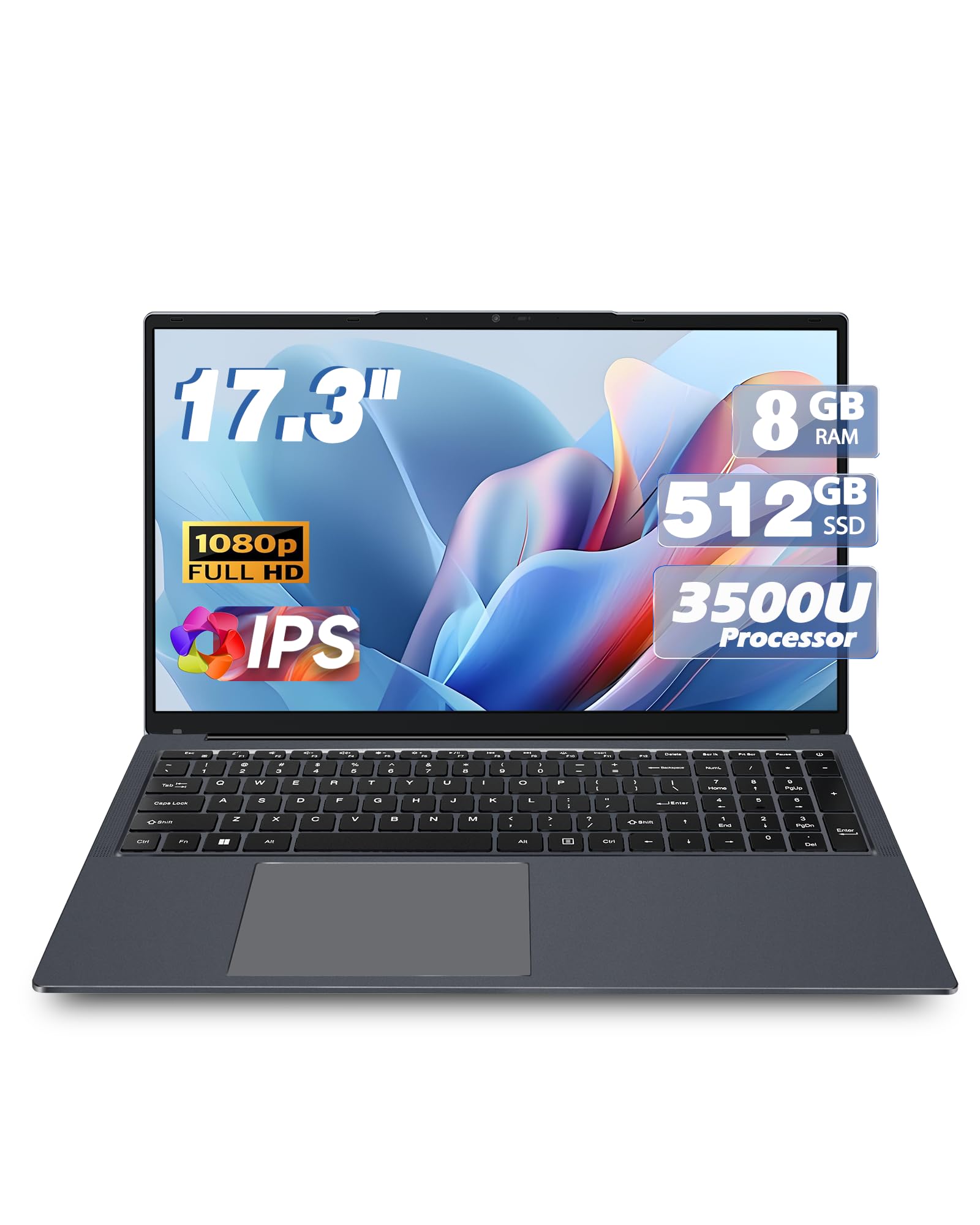
The MYW 17-inch laptop sits at the absolute entry-level of the budget large screen segment, and it delivers exactly what it promises: a big screen at a very accessible price. The Ryzen 5 3500U processor can clock up to 3.7 GHz and handles basic multitasking well—web browsing, document editing, and media playback all run without major hiccups. The 8GB of DDR4 RAM and 512GB SSD provide a balanced configuration that boots quickly and offers enough storage for most users’ document and media libraries. The 17.3-inch FHD IPS display is a genuine asset at this price.
Port selection is robust: HDMI, USB 3.0, a Type-C port (data only), RJ45 ethernet, and dual-band Wi-Fi. The backlit keyboard and integrated webcam round out the feature set. Customer reviews are largely positive, with many users highlighting the excellent value proposition—a large FHD screen with a decent processor at a very low cost. However, a few concerning reports mention loose screws after a few weeks of use and the unit arriving with Windows 10 instead of Windows 11, which required a manual update. Build quality feels budget-level with plastic construction.
This is the right choice if your budget is extremely tight and you need a usable 17-inch FHD laptop for basic tasks. The Ryzen 5 processor provides enough power for everyday computing, but be prepared for potential minor quality control issues that come with ultra-budget pricing.
Why it’s great
- Remarkably low price for a 17.3-inch FHD IPS laptop
- Ryzen 5 3500U offers good bang for the buck
- Includes backlit keyboard and comprehensive port selection
Good to know
- Some users report quality control issues like loose screws
- May arrive with Windows 10 instead of 11
- Plastic build feels cheaper than name-brand alternatives
10. Tylvx 18.5″ FHD Laptop (16GB RAM, 1TB SSD)
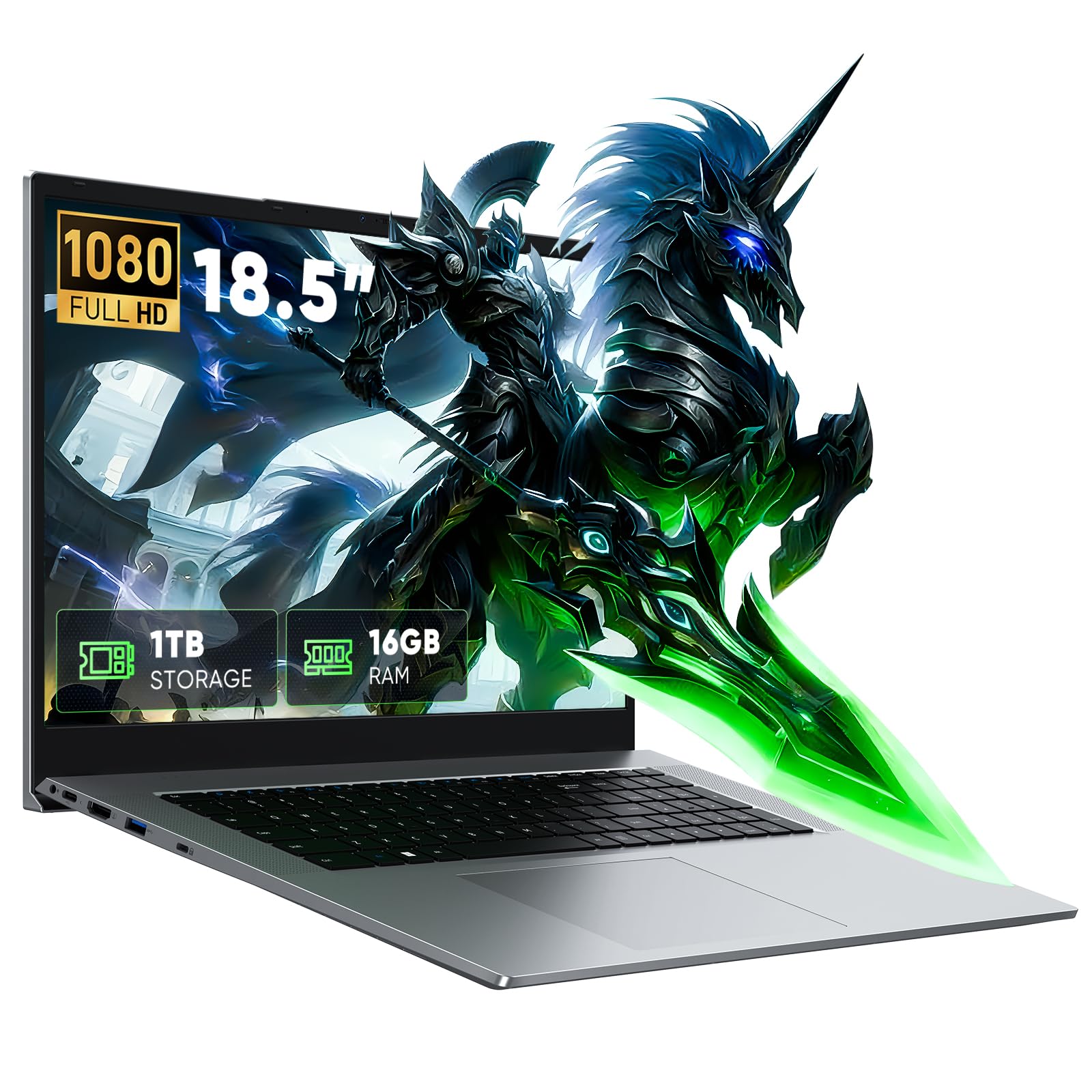
The Tylvx 18.5-inch laptop is an outlier in the best possible way: it offers the largest screen in this roundup at a size that creates a genuinely immersive workspace. The 18.5-inch Full HD display with 72% NTSC color gamut delivers vibrant, lifelike colors and unmatched real estate for split-window multitasking, reading large spreadsheets, or editing documents side by side. The Intel Core m3-8100Y processor is the weak link here—it’s a dual-core chip from an older generation that handles basic tasks adequately but will struggle with demanding applications or heavy multitasking.
Where this laptop compensates is in its memory and storage: 16GB of DDR3 RAM and a 1TB M.2 SATA SSD provide generous capacity for large file libraries and numerous open applications. The 48Wh battery is rated for a full day of light use, and port selection includes USB Type-C, HDMI, RJ45 ethernet, a Micro SD card reader, and three USB-A ports. Customer reviews praise the screen size and the excellent value for the money, though some note that the keyboard feels fragile and the processor is underpowered for anything beyond basic computing.
This laptop is for users who prioritize screen real estate above all else—if you need to see more content at once and you mostly do lightweight tasks like browsing, email, and document editing, the massive 18.5-inch display is a game-changer. The processor limitations mean it’s not suited for gaming, video editing, or heavy computational work.
Why it’s great
- Huge 18.5-inch FHD display with rich color reproduction
- 16GB RAM and 1TB SSD offer generous capacity
- Comprehensive port selection including ethernet and card reader
Good to know
- Dual-core m3-8100Y processor is underpowered for heavy tasks
- Charger port may be non-standard, difficult to replace
- Keyboard build feels fragile and cheap
11. Acer Nitro V 16S AI Gaming Laptop (RTX 5060)

The Acer Nitro V 16S is the outlier in this budget large screen roundup because it’s a true gaming laptop, but its value proposition is compelling enough to include. Powered by the NVIDIA GeForce RTX 5060 laptop GPU with 572 AI TOPS and the AMD Ryzen 7 260 processor, this machine delivers real gaming performance capable of running modern titles at high settings with ray tracing enabled. The 16-inch WUXGA IPS display with a 180Hz refresh rate provides buttery-smooth motion, and the 32GB of DDR5 RAM ensures no application will run out of memory.
The 1TB PCIe Gen 4 SSD provides lightning-fast storage, and the dual M.2 slots allow for future expansion. The build quality feels solid, and the AI-powered features in the Ryzen 7 260 and RTX 50 series deliver next-level DLSS and neural rendering capabilities. Customer reviews praise the fast, cool, quiet operation and the outstanding component value. The trade-offs are typical for a gaming laptop: battery life is short when gaming unplugged, and the 135W power supply can feel inadequate for sustained loads without a larger PSU.
This is the right pick if you need a large-screen laptop that doubles as a gaming rig. The 16-inch 180Hz display is smaller than the 17.3-inch panels above, but the performance per dollar here is exceptional. Just be prepared for the laptop to spend most of its time plugged in.
Why it’s great
- RTX 5060 GPU delivers genuine gaming performance with ray tracing
- 32GB DDR5 RAM and 1TB Gen 4 SSD are top-tier
- 180Hz WUXGA display provides ultra-smooth motion
Good to know
- Battery drains quickly when gaming unplugged
- 135W power supply may be insufficient for peak loads
- FHD screen is dim compared to premium gaming laptops
FAQ
Is a 17-inch laptop too big for carrying around?
Can I upgrade the RAM on a budget large screen laptop?
What’s the minimum SSD size I should accept on a budget large screen laptop?
Why do some budget laptops still use HD+ resolution (1600 x 900) instead of Full HD?
Final Thoughts: The Verdict
For most users, the budget large screen laptop winner is the Acer Aspire Go 15 because it delivers a powerful Ryzen 7 processor with 16GB of RAM at a price that outpaces its competition in real-world performance. If you want a true 17.3-inch Full HD screen with a modern processor, grab the HP 17-cn3399nr. And for massive screen real estate that transforms your workspace, nothing beats the Tylvx 18.5-inch laptop for pure viewing area.