
Our readers keep the lights on and my morning glass full of iced black tea. As an Amazon Associate, I earn from qualifying purchases.
Specs are compiled from manufacturer listings and verified buyer reviews and can change over time — please confirm the key details on the product page before buying.
Forget the intimidating, industrial-looking machines you see in workshops. The truth is, you can step into laser engraving and cutting today without spending a fortune or needing an engineering degree. The real question is which model matches your project sizes, material types, and tolerance for assembly.
I’m Min — the founder and writer behind Gadgets Feed. This guide is built by comparing the manufacturers’ published specifications and the patterns across verified customer reviews, so you get each pick’s real strengths and trade-offs instead of marketing spin.
Your first Budget Laser Cutter should promise sharp results without scary setup, and this roundup digs into power, work area, and safety to find it.
Our Picks at a Glance
How To Choose The Best Budget Laser Cutter
Before you buy your first laser cutter, ask yourself three honest questions: what material do you cut most, how much bench space do you have, and how patient are you with assembly. Answer those three questions, and the right machine becomes obvious.
Match the power to the material
A 5W diode laser (a laser that uses a semiconductor to generate the beam) is the entry-level balance — it engraves wood, leather, and coated metal beautifully and handles thin plywood or MDF (medium-density fiberboard). If cutting thick hardwood or acrylic is your main job, step up to a 10W or 20W module, which can slice through 5mm basswood in a single pass. Understand that no diode laser at this price engraves raw stainless steel or gold; that needs a different laser type entirely.
Decide if safety means an enclosure
Enclosed machines carry a Class 1 safety rating, meaning the beam is fully contained so you can run them around kids or pets with minimal risk. Open-frame machines are cheaper and often faster to modify, but you must wear the included safety glasses and keep the area clear. If you plan to work in a shared living space, an enclosure is worth prioritizing over raw power.
Check the software and work area
Look for LightBurn compatibility — it’s the industry-standard software that runs on Windows, Mac, and Linux. Work area size sets your project ceiling: an 80×80mm bed fits keychains and small tags, while a 400×400mm bed can take a full-sized sign in one pass. Measure your intended projects before you buy so you don’t end up stitching together multiple runs.
Quick Comparison
| Model | Best For | Power | Work Area | Enclosure | Amazon |
|---|---|---|---|---|---|
| Twotrees TTS-55 Pro★ Best Overall | Best Overall Value | 5500mW | 300×300mm | Open Frame | Amazon |
| L2 Flex 5WPre-Assembled Pick | Pre-Assembled Simplicity | 5000mW | 130mm | Full Enclosure | Amazon |
| WAINLUXPRO K10Compact Pick | Portable First Timers | 5W | 80×80mm | Class 1 | Amazon |
| ACMER S1 | AI-Assisted Design | 6000mW | 130×130mm | Open Frame | Amazon |
| LONGER Ray5 5W | Large Work Area | 5000MW | 400×400mm | Open Frame | Amazon |
| LE400PRO 50W | Metal & Ceramic Marking | 5500mW | 400×400mm | Open Frame | Amazon |
| Creality Falcon 10W | Single-Pass Cutting | 10W | 17″ x 16″ | Anti-UV Shield | Amazon |
| AlgoLaser Pixi | Touchscreen, No PC | 5W | Compact | Class 1 | Amazon |
| Woxcker L2 5.5W | Fast Setup & Speed | 5.5W | 300×300mm | Class 1 | Amazon |
| ATOMSTACK A20 Pro V2 | Raw Cutting Power | 20000mW | Large | Open Frame | Amazon |
In‑Depth Reviews
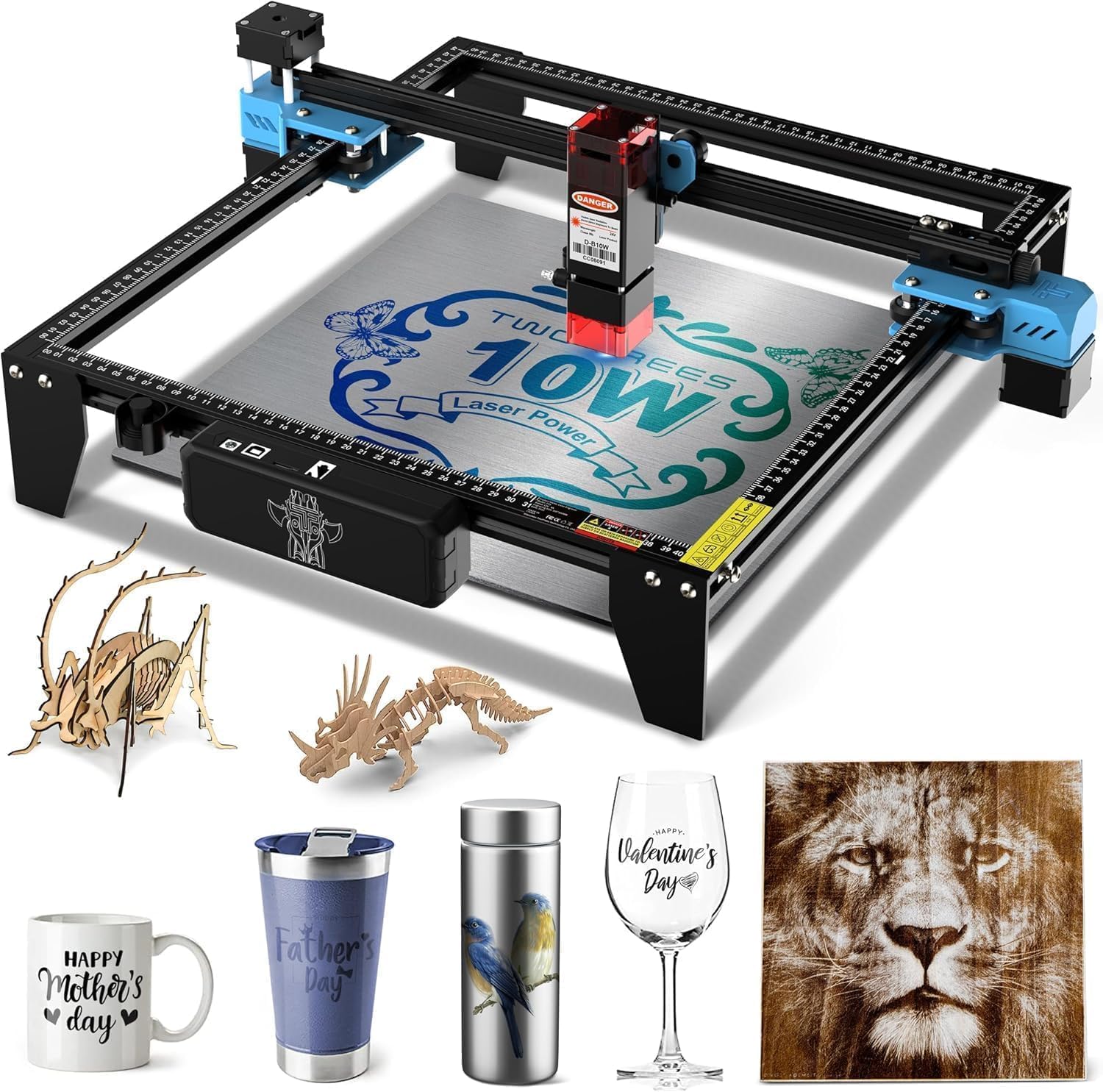
1. Twotrees TTS-55 Pro Laser Engraver
Our pick — over 4★ from 250+ verified ratings; the strongest balance of quality and price.
The 8.23-pound workhorse that balances a huge bed and real cutting ability while staying affordable.
The 300×300mm bed delivers the largest work area for the price. The 300×300mm work area means you can engrave a full-sized sign without stitching pieces, and the 5500mW module cuts through 5mm plywood and 3mm acrylic with a 0.08mm super fine spot focus. It weighs 8.23 pounds and spans 19.4 x 6.49 x 6.29 inches, so it needs a dedicated bench spot rather than a corner of a desk.
Speed is a genuine asset here — the dual-core 32-bit control board pushes engraving up to 30,000mm/min, and built-in Wi-Fi lets you run jobs from a phone or computer without cables. The headline spec is the 0.1mm engraving accuracy, which turns out crisp logos and fine details on wood and stainless steel.
Buyers repeatedly call it a durable starter laser that replaces a 3D printer for engraving tasks. The catch is that initial assembly can test your patience; buyers report the setup as “extremely difficult (disassembled 4x)” for some, even though others call it easy. If you’re comfortable with a bit of tinkering on day one, you’re rewarded with a machine that keeps performing.
Why It Leads
- Large 300×300mm bed fits signs and multi-part batches
- 5500mW laser cuts plywood and acrylic cleanly
- Wi-Fi and TF card options mean offline jobs are easy
Where It Tests You
- Assembly can be frustrating for some buyers
- Open frame means you must use safety glasses
Reach for this if: you want the biggest work area for the money and don’t mind a challenging first build.
Think twice if: you’d rather have a fully enclosed machine for a home with kids or pets.
2. L2 Flex 5W Laser Engraver
A 3-pound enclosed engraver that skips the build and gets straight to business.
The L2 Flex arrives fully assembled, so you skip belt and rail setup entirely. The L2 Flex arrives with the enclosure already put together — just unbox, plug in, and start engraving, which buyers confirm happens in under an hour. Its 360° full enclosure blocks direct laser exposure and contains fumes, so it’s a sensible pick for a craft room or home office.
The 5W module with a 0.01mm ultra-fine laser compression handles 3–5mm MDF and lightweight materials, while staying sharp enough for detail work on wood, leather, acrylic, and coated metals. It weighs only 5.5 pounds packed up, and the modular system means you can later swap laser heads or add a rotary module for mugs up to 100mm diameter.
Owners mention it’s a “great product” that’s become a valuable addition to a small business, and the setup is genuinely easy with sharp engravings on wood and metal keychains. The honest limitation: a 5W diode won’t touch.999 silver or gold, so if jewelry engraving is your goal, look elsewhere. For everything else, this is a reliable, contained first machine.
What You Get
- Enclosed design is safer for shared spaces
- Easy assembly praised consistently
- Modular system grows with your skills
Know This First
- Won’t engrave pure silver or gold
- Some buyers find settings inconsistent on coated metal
Best suited to: the absolute beginner who wants a contained, safe machine with zero build frustration.
Not for: anyone planning to engrave precious metals — that needs a different laser type.
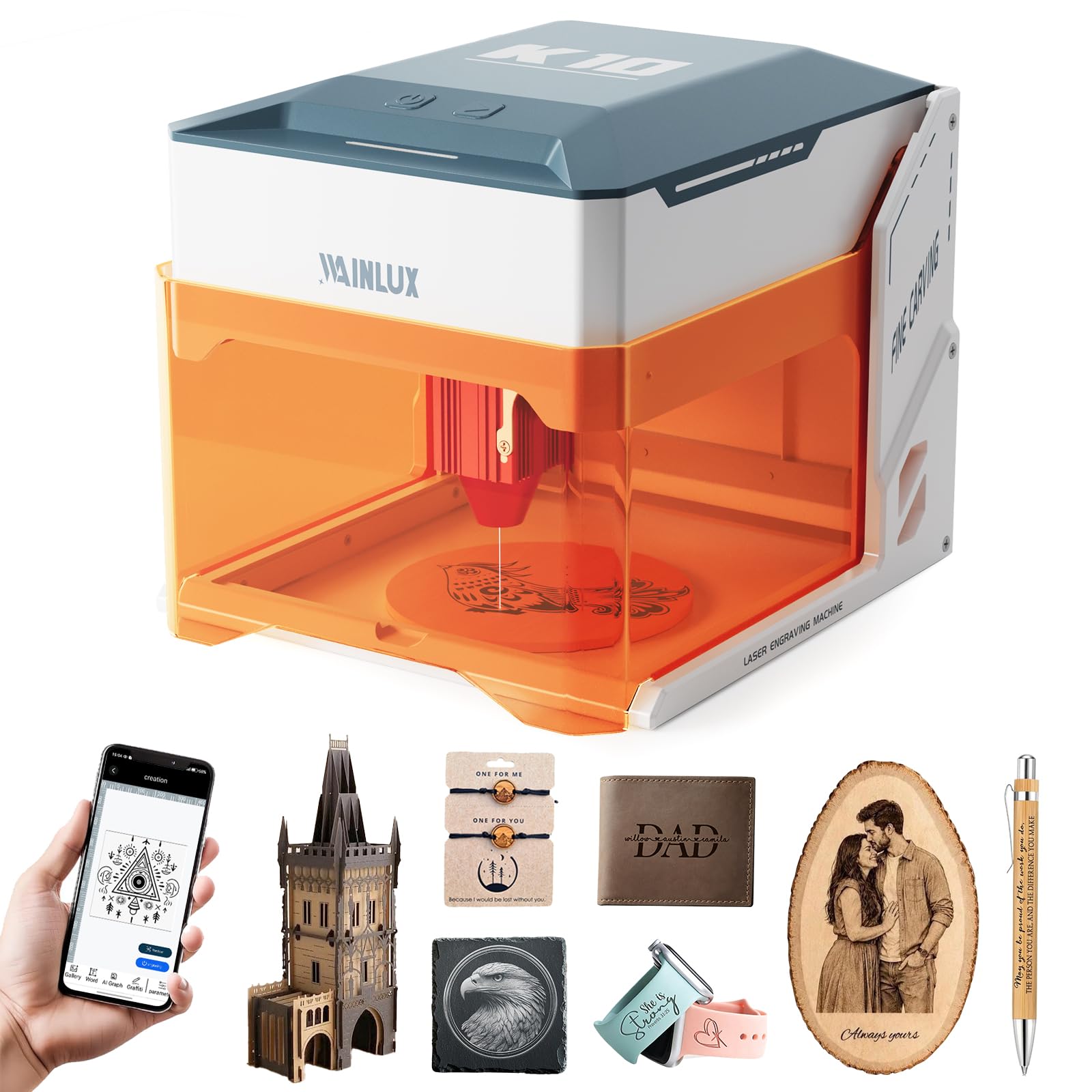
3. WAINLUXPRO K10 5W Laser Engraver
Featherweight at 4.36 pounds with the smallest footprint — made for desks, not dedicated workshops.
At 8.03 x 7.36 x 8.85 inches, the K10 fits permanently on a desk. At just 8.03 x 7.36 x 8.85 inches and 4.36 pounds, the K10 is dramatically more compact than the Twotrees, and its enclosed Class 1 certified design (a safety rating meaning the laser is fully contained) means you can run it in a living space without turning it into a lab. It’s ready from the start — power on, connect, and your first project completes in under 10 minutes.
The 5W laser delivers 0.01mm precision over an 80×80mm work area, which is perfect for pet tags, keychains, and small personalized gifts. A built-in TF card slot enables offline batch jobs with one-button repeat, and connectivity spans Wi-Fi, USB, or the free Cutlabx app. It cuts 3mm basswood in a single pass and works across wood, leather, glass, acrylic, and fabric.
What buyers rave about is ease of use and how well it handles small projects — the compact size is a feature, not a compromise. The most-discussed point is engraving quality, and it’s honestly mixed: gorgeous on wood and leather, but the marketing overstates metal capability. Customers note it cannot engrave stainless steel, copper, or brass jewelry even with coating; only pre-painted or coated metals work. Set your expectations to wood and leather, and you’ll be thrilled.
The High Points
- True Class 1 enclosure for low-maintenance home use
- Weighs just 4.36 pounds, easy to move anywhere
- Offline TF card mode for repeatable batch jobs
The Trade-Off
- Small 80×80mm bed limits you to small items
- Metal engraving only works on coated surfaces
Pick it for: total beginners wanting a safe, pocket-sized intro to engraving that lives on a desk.
Pass on it if: your projects are larger than a coaster or involve raw metal.
4. ACMER S1 Laser Engraver
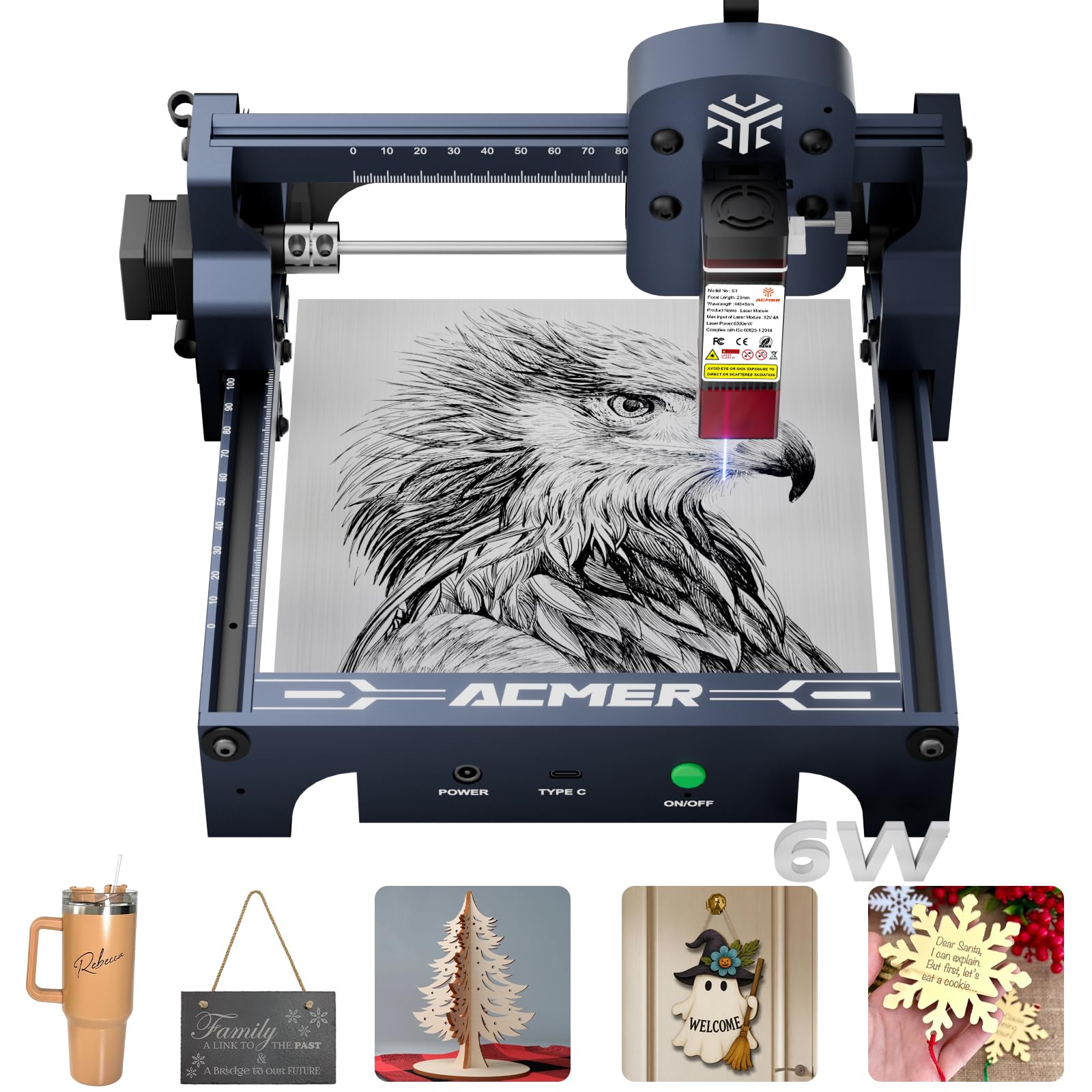
A 2kg desktop engraver that turns text prompts and photos into designs with built-in AI tools.
The ACMER S1’s built-in AI tools turn text prompts and photos into engraving-ready designs, removing the software learning curve. The free ACMER studio software includes AI tools that turn text prompts or photos into engraving-ready designs, so you can skip learning a complex design suite and start creating immediately. It still supports LightBurn and LaserGRBL when you’re ready for more control.
Under the hood it packs 6000mW of diode laser power with a 0.04mm fine spot and up to 10,000mm/min engraving speed, over a 130×130mm working area. It’s 99% preassembled — you just install the laser head in about a minute. The aluminum alloy frame keeps it at 2kg, so it’s genuinely portable between a desk and a shelf.
Performance is the most-praised aspect, with buyers noting sharp, precise engraving on wood and acrylic that feels pro-grade for a desktop unit. The honest caveat: a 6W laser cannot engrave raw metal — one owner found it needs 20W even for anodized aluminum — and the open-source software requires some computer comfort. If wood and craft projects are your lane, this is a standout value.
Why It Stands Out
- Built-in AI turns photos into engraving designs
- Arrives 99% assembled, laser head installs in a minute
- Aluminum alloy frame is light and sturdy
Where It Falls Short
- Not powerful enough for raw metal engraving
- Open-source software needs some tech savvy
Grab it if: you want AI-assisted design and a nearly assembled machine that works on wood day one.
Set it aside if: you need raw metal engraving or prefer fully offline software.
5. LONGER Ray5 5W Laser Engraver

Spacious 400×400mm canvas plus a touchscreen that runs jobs with no computer attached.
The Ray5’s 400×400mm bed fits oversized signs and boards in a single pass, eliminating the need to stitch multiple runs. It’s powered by a 240MHz ESP32 chipset pushing speeds up to 10,000mm/min, with a 0.08×0.08mm laser spot and 0.01mm engraving accuracy for fine detail.
The defining feature is the 3.5-inch touchscreen, which enables true offline operation via USB, TF card, Wi-Fi, or app — no laptop required. It’s compatible with LaserGRBL and LightBurn, and includes safety essentials like emergency shutdown and overheating detection. At 8.26 pounds, it’s a solid mid-weight machine that handles wood, leather, acrylic, glass, and coated metal.
Buyers consistently praise the quality and ease of assembly, with setup landing around 50 minutes and results described as crisp and professional. The catch is honesty about power: it’s a great entry-level 5W, but it won’t directly engrave raw metal, and thicker materials will test its limits. Reliability gets mixed notes — some owners hit issues with the laser stopping — so keep expectations realistic for the price.
The Big Wins
- 400×400mm bed fits full signs in one pass
- Touchscreen allows offline engraving anywhere
- High-speed ESP32 chipset keeps jobs moving
Honest Limits
- 5W power struggles with thick materials
- Some reviewers point out reliability issues
Best for: makers who need a large work area and want the freedom to run jobs without a computer.
skip it if: you plan to cut thick hardwood or need guaranteed daily reliability.
6. LE400PRO 50W Laser Engraver

A 12.87-pound heavy-duty frame that directly engraves stainless steel, ceramics, and glass.
Most budget lasers can only mark coated metal, but the LE400PRO’s point compression technology (a method that concentrates the beam to a finer point) lets it engrave raw stainless steel, ceramics, and glass directly — a meaningful upgrade if you want to personalize tumblers or tags without special coatings. It combines a 0.08mm ultra-fine focus with high-energy cutting, and the large 400×400mm work area handles sizable projects.
The all-metal structure delivers stable motion at speeds up to 6000mm/min, and the service life is rated at 15,000 hours. A magnetic protective cover filters 97% of UV rays, while the tool-free knob design lets you adjust focus quickly without wrenches. It cuts wood up to 8mm and 5mm black acrylic, and installation completes in 10–20 minutes.
Functionality is what buyers praise most, calling it a great starter laser with consistent results and a solid build. The trade-off: it works best with LightBurn rather than LaserGRBL, and there are no printed instructions — you’ll learn via external videos. It’s a fair deal for the metal-engraving capability alone, though you’ll want a fume solution since it’s an open frame.
What Impresses
- Engraves raw stainless steel, ceramic, and glass
- All-metal frame rated for 15,000 hours
- Tool-free knob for quick focus adjustment
The Catch
- No printed manual, relies on video tutorials
- Open frame requires your own safety setup
Choose it for: metal engraving projects at a budget price that most rivals can’t match.
Look elsewhere if: you want enclosed safety or prefer printed instructions.
7. Creality Laser Engraver 10W
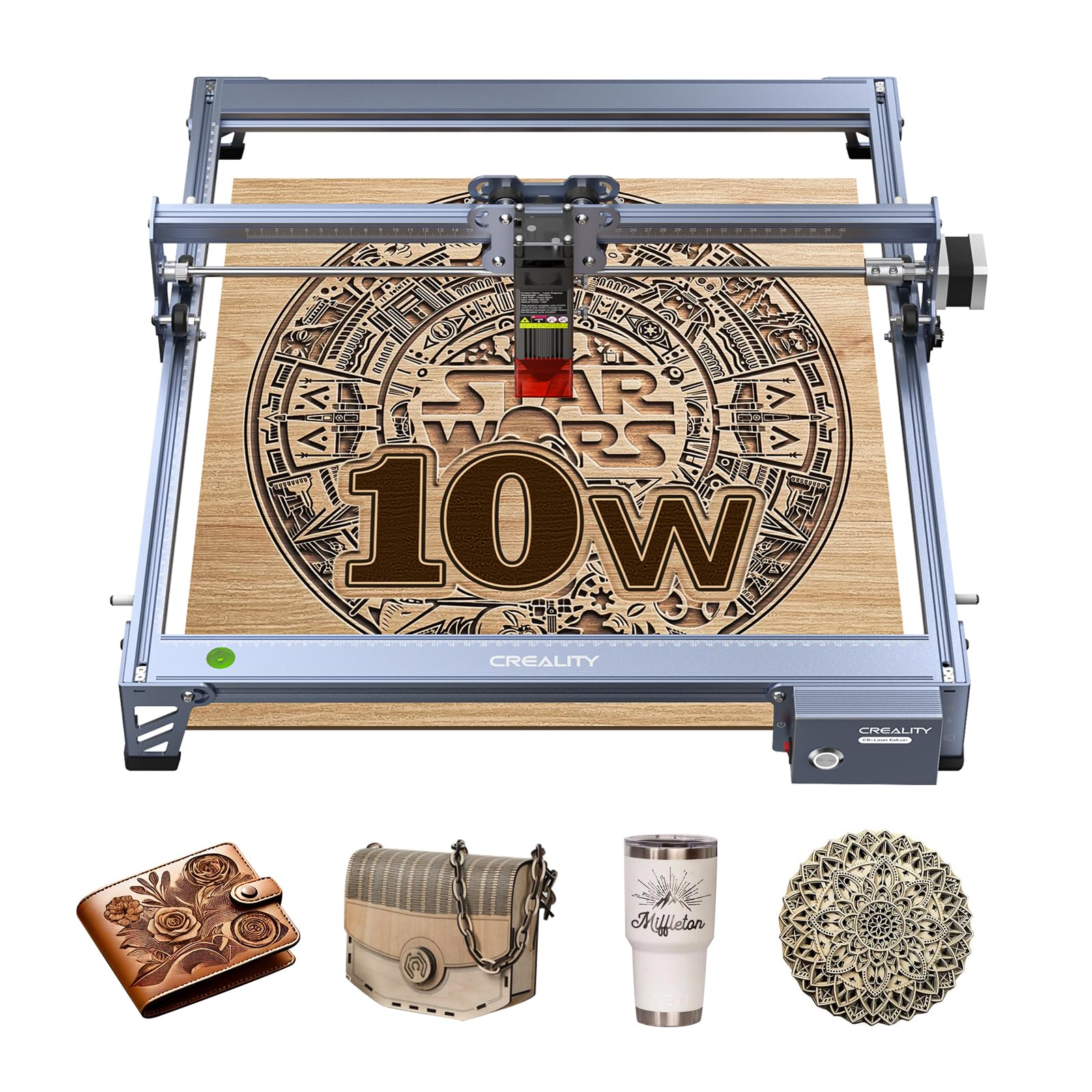
Double the power of budget rivals to slice 5mm basswood in a single pass at up to 10,000mm/min.
This is the step-up pick when 5W just isn’t enough. The 10W output with a 72W machine power cuts a 5mm basswood board or 3mm black acrylic in ONE pass, which is a genuine time-saver for production-minded crafters. The 0.06×0.06mm super fine spot focus keeps engraving accuracy within 0.004 inches, and it handles wood, leather, plastic, dark acrylic, and more.
The all-aluminum alloy frame with steel shaft wheel guide rails keeps motion smooth, while a strong belt tension adjustment device maintains precision. An anti-UV filter acrylic on the module blocks 97% of UV rays to protect your eyes. You can transfer files via Wi-Fi, USB cable, or SD card, and it’s compatible with both LightBurn and LaserGRBL.
Cutting performance is the star here, with buyers describing it as slicing through materials with ease and praising the quality build. The honest reality: assembly gets mixed reviews, connectivity can be finicky, and the user manual is widely criticized as unclear. It’s a capable machine that rewards patience, and beginners are advised to add ventilation and air assist for best results.
The Powerhouse Bits
- 10W cuts 5mm basswood in one pass
- Aluminum alloy frame with precise guide rails
- Anti-UV shield filters 97% of UV rays
Before You Buy
- Assembly is confusing for some users
- Wi-Fi connectivity issues reported
- Manual is unclear, rely on videos
Get it if: cutting speed and single-pass power matter more than plug-and-play ease.
pass on it if: you want a simple setup and reliable wireless control from the start.
8. AlgoLaser Pixi 5W
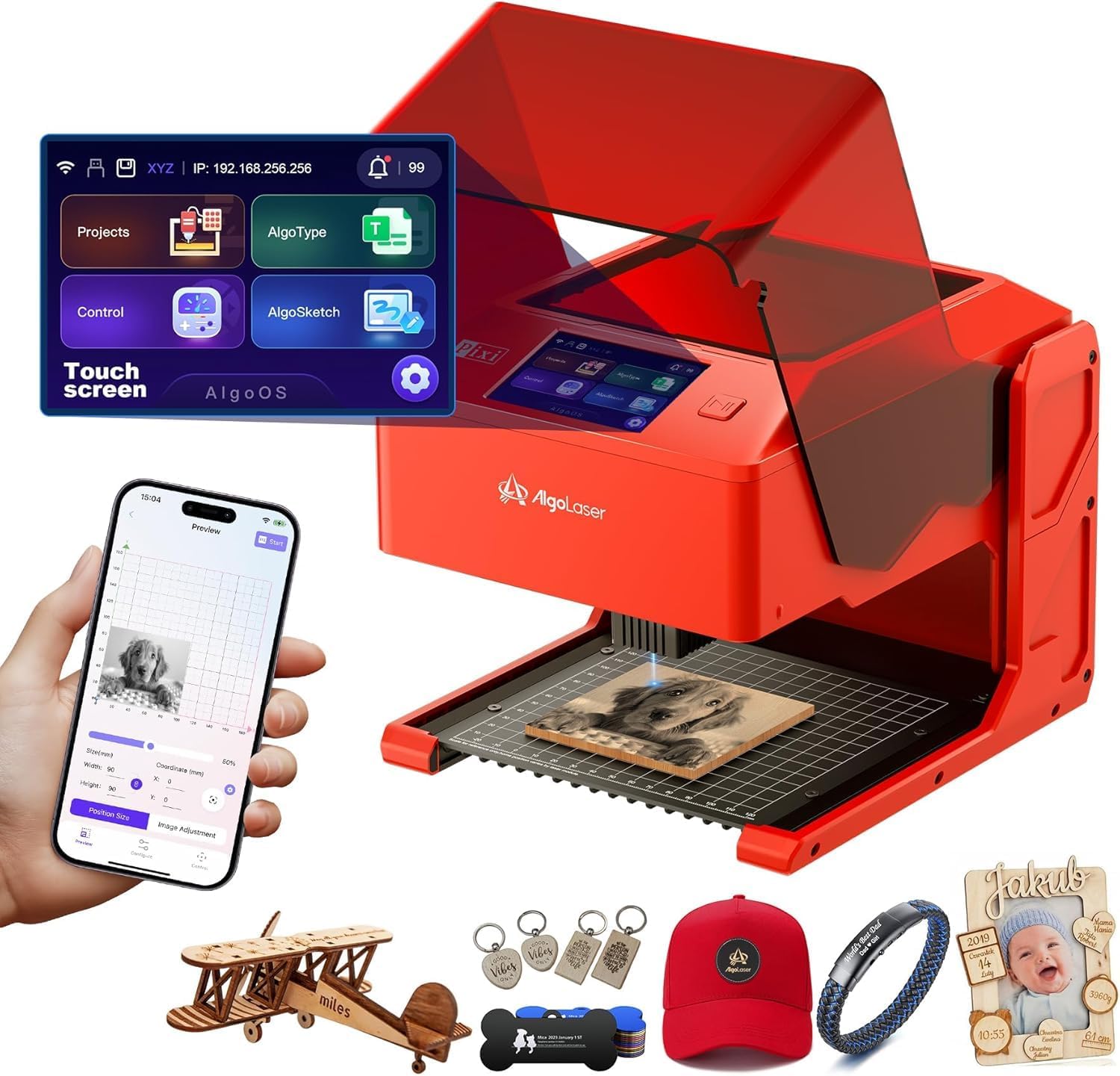
Draw, write, or upload designs on a 3.5-inch touchscreen with zero computer required.
This is the closest thing to a self-contained engraving studio in a box. The patented AlgoSketch captures hand-drawn artwork directly on the touchscreen, and AlgoType produces crisp, professional text — no PC, no complicated software. The 3-step operation of drag, place, and engrave makes it genuinely accessible for educators, entrepreneurs, and first-timers.
Safety is unusually thorough: an auto-pause safety door stops the laser the instant the lid lifts, backed by a password-protected lock screen and real-time fault alerts. It’s a certified Class 1 system, so the beam stays contained. The 5W laser engraves wood, leather, and thin metal beautifully, with reverse engraving delivering high contrast on acrylic and glass.
Buyers love the simplicity and build quality, calling it beautifully designed and truly plug-and-play, with Wi-Fi or USB-C transfer from phones and tablets. The catch: some report the safety door can be finicky, and smoke can leak from the enclosure. One owner flagged a safety concern about the interlock, so it’s worth testing the lid mechanism on arrival. For most beginners, though, the touchscreen convenience is a revelation.
Standout Features
- Touchscreen with no computer required
- Auto-pause lid and Class 1 certification
- Wi-Fi and USB-C file transfer from any device
Watch For
- Safety door can be finicky for some owners
- Smoke can leak from the enclosure
Perfect for: anyone who wants to skip the software learning curve and engrave from a phone or tablet.
Not ideal if: you plan to cut thicker materials or need a machine you can fully trust on day one.
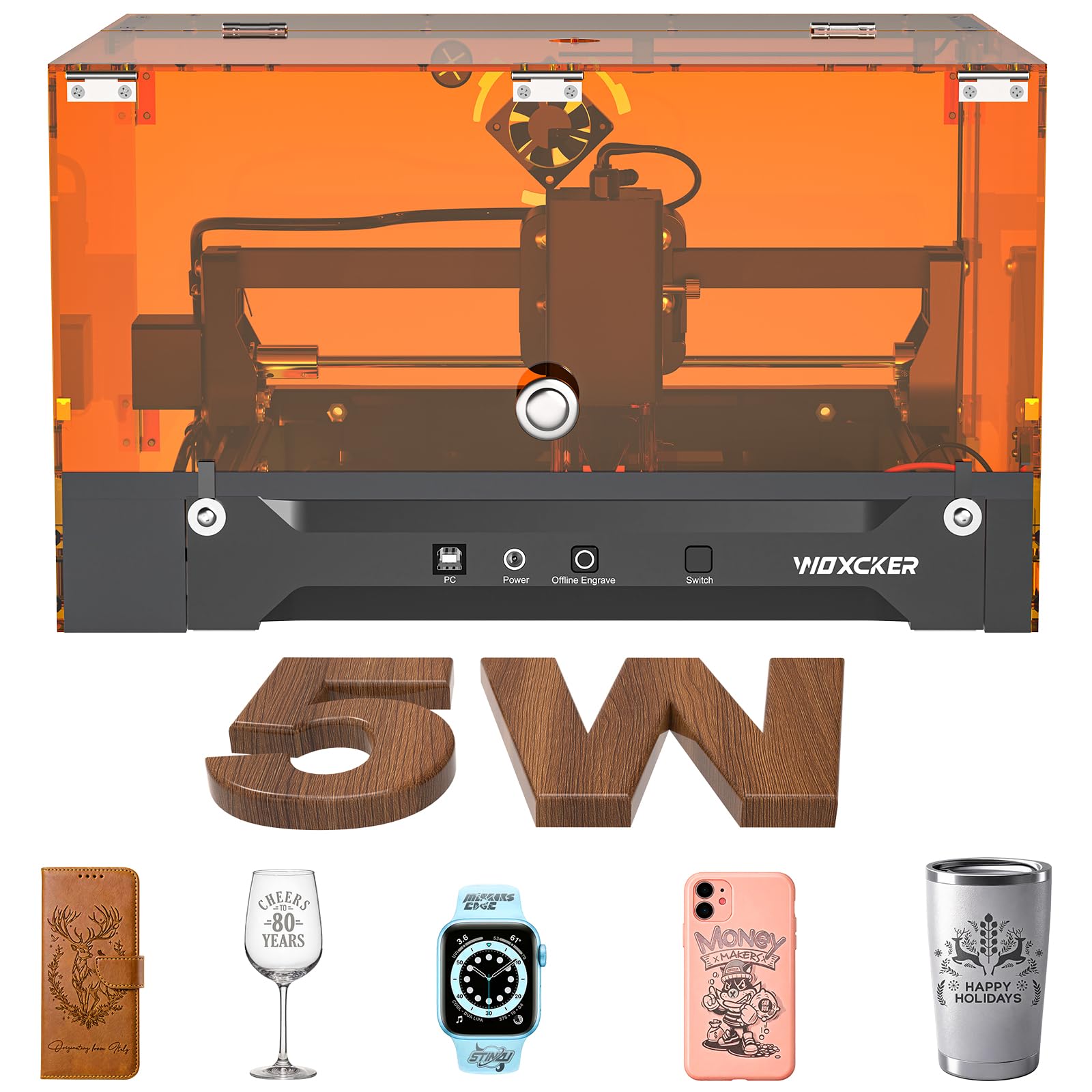
9. Woxcker L2 5.5W Laser Engraver
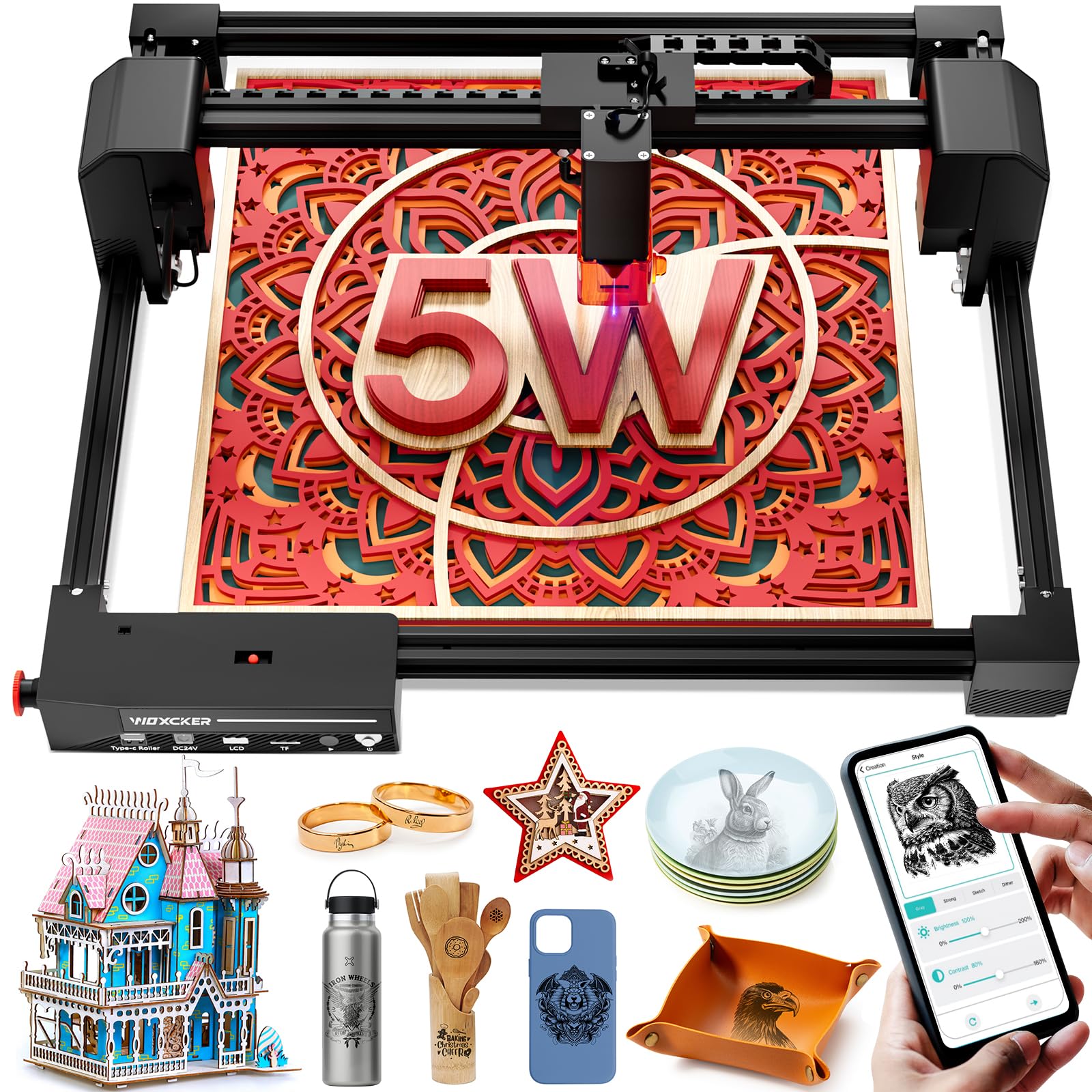
Five tool-free pieces get you from box to first engraving in under 15 minutes.
If you’ve ever returned a laser because setup was a nightmare, this one is designed specifically for you. The modular design has just 5 main pieces that assemble visually with no tools — no belt tensioning, no axis calibration. Buyers confirm it goes from cardboard box to first engraving in under 15 minutes, saving 30–40 minutes versus typical kits.
Performance backs up the easy start. The 5.5W laser runs at 20,000 mm/min — fast enough that batch work becomes competitive — with a 0.01mm ultra-fine square focus that produces smooth edges on wood, leather, glass, and coated metal. The spacious 300×300mm work area fits one oversized 12-inch sign or four 150×150mm projects in a single batch, so you’re not babysitting multiple runs.
Safety is a major focus: a laser protection cover blocks 97% of UV and auto-stops the job if opened, plus a flame sensor kills power on unusual heat, and the emergency stop sits right where your hand lands. Buyers praise the sharp, consistent engraving and how well it works with LightBurn. The occasional owner hits a glitch after assembly, but the responsive customer service smooths it out quickly.
Why It’s Easy to Love
- Tool-free 5-piece assembly in under 15 minutes
- Fast 20,000 mm/min speed for batch jobs
- Class 1 enclosure with flame sensor and auto-stop lid
Minor Gripes
- Occasional post-assembly glitches reported
- Customer service excellent but reactive
Made for: the buyer who values time and wants a safe, fast, enclosed machine with zero build frustration.
Pass if: you need raw metal engraving or want the absolute cheapest entry point.
10. ATOMSTACK A20 Pro V2

The 13.42-pound powerhouse with 20000mW output for serious cutting and business-grade jobs.
This is the top-tier pick when budget is less a constraint than capability. The 20W laser output is four times the entry-level modules, enabling high-energy cutting across wood, acrylic, and metal while engraving at speeds up to 400mm/s. Its unique dot compression technology produces 0.08 x 0.1mm dots for precise engraving, and it’s a Class 4 laser — the open-frame, high-power category that demands respect and proper eye protection.
The integrated linear guide motion structure extends the machine’s lifespan, while the aluminum alloy frame and modular design keep motion precise. Built-in limit switches and a cross-line light ensure 0.01mm accuracy, and a tilt angle safety beep alerts you if the machine tips past 15 degrees. It connects via Type-C or USB stick and works with LightBurn, LaserGRBL, and the ATOMSTACK app.
Buyers call it a great laser for small business and hobby use, praising the powerful 20W laser and sharp engraving, with LightBurn control (a popular laser software) described as “a piece of cake.” The trade-offs: there’s essentially zero user documentation, so you’ll rely on LightBurn tutorials, and it’s belt-driven, so extreme accuracy on very large items has limits. The lifespan is rated up to 10,000 hours with lifetime technical support.
The Heavy Hitter
- 20000mW output cuts thick materials fast
- Linear guide structure for durability and precision
- Type-C and USB stick for flexible control
What Holds It Back
- No user documentation, steep learning curve
- Belt drive limits extreme accuracy on large items
Invest in this: if you’re serious about cutting power and plan to run a small business, not just a hobby.
it’s not for you if: you’re a first-timer who wants enclosed safety and guided setup.
Understanding the Specs
Laser Power (mW)
Power is measured in milliwatts (mW) and dictates what a laser can do. A 5W (5000mW) module is the entry-level balance — it engraves wood, leather, and coated metal well, and cuts thin plywood and acrylic. Jump to 10W or 20W for serious cutting, where thicker materials can be sliced in a single pass. Bigger numbers mean faster cutting and deeper engraving, but also require more safety discipline.
Work Area Size
Work area defines the maximum size of a single engraving job, measured in millimeters (mm) like 80×80mm or 300×300mm. A small bed fits keychains and tags; a 400×400mm bed handles full signs. If your project exceeds the bed, you’ll need to split and stitch runs — a tedious process. Measure your intended projects before choosing, because you can’t upgrade a bed later.
Class 1 vs Open Frame
Class 1 means the laser beam is fully enclosed, so it’s safe for home use around kids and pets with minimal exposure risk. Open-frame machines are cheaper and easier to modify, but they emit a visible beam and require you to always wear the included safety glasses and clear the area. Consider your workspace before deciding — an enclosure is worth prioritizing in shared spaces.
Software Compatibility
LightBurn is the industry-standard software, running on Windows, macOS, and Linux, and it’s a must-have for serious work. LaserGRBL is a free open-source alternative for Windows beginners. Check compatibility before buying — some machines only work well with one. Offline options like TF cards or touchscreens let you run jobs without a computer, which matters for craft fairs and small workshops.
FAQ
Can a budget laser cutter engrave metal?
Is an enclosed Class 1 laser worth the extra cost?
What materials can a 5W laser cut through?
How long does a laser engraver last?
Do I need a computer to run a laser engraver?
What is the difference between engraving and cutting?
Is a 20W laser overkill for a beginner?
Does a bigger work area matter for small projects?
Why does engraving quality vary so much between machines?
How much space does a laser engraver need?
Final Thoughts: The Verdict
For the majority of shoppers, the budget laser cutter winner is the Twotrees TTS-55 Pro because it pairs the largest 300×300mm work area with a capable 5500mW laser, Wi-Fi control, and a price that keeps it comfortably in budget territory. If you want pre-assembled simplicity and enclosed safety, grab the L2 Flex 5W. And for the fastest setup that still delivers a big bed, the Woxcker L2 5.5W is the one to reach for.
How We Picked
We do not accept paid placement. Every pick is matched to a real buyer and a real use-case; we do not hands-on test units.
Sources & Methodology
Specifications: manufacturer listings and product documentation. Review insights: verified customer reviews, as of August 2026. Pricing: not shown on this page (it changes often); check the current price via the retailer link.
As an Amazon Associate, Gadgets Feed earns from qualifying purchases. This does not affect which products we feature.