
The jump from a clunky hard drive or a sluggish SATA SSD to an M.2 NVMe drive is the single biggest performance uplift you can give an older computer. But the budget tier is crowded with PCIe Gen3 workhorses and value-oriented Gen4 upstarts, making the choice between raw speed and real-world usability a genuine puzzle. You don’t need to spend a fortune to get a snappy boot drive, but picking the wrong spec can leave you with a bottleneck or a drive that runs hot under pressure.
I’m Min — the co-founder and writer behind Gadgets Feed. After spending countless hours cross-referencing controller chips, NAND flash types, sequential read/write ceilings, TBW endurance ratings, and real-world thermal behavior across the most competitive budget M.2 SSD price bands, I’ve distilled the market into a short list of drives that genuinely deliver on their spec sheets without burning a hole in your pocket.
Whether you are building a secondary game library drive, breathing life into a decade-old laptop, or slotting a fast scratch disk into a mini PC, this curated guide to the best budget m.2 ssd options will help you match the right PCIe generation and NAND configuration to your actual workload and platform limitations.
How To Choose The Best Budget M.2 SSD
The budget M.2 SSD space is a minefield of conflicting spec sheets. To pick the right drive, you need to match your platform’s physical interface (PCIe Gen3 vs. Gen4), your storage capacity needs, and the type of NAND flash that fits your write workload. Ignoring any one of these three pillars leads to either wasted money on unusable speed or a drive that throttles during a simple file transfer.
Match the PCIe Generation to Your Motherboard
A PCIe Gen4 SSD can hit sequential read speeds north of 5,000 MB/s, but it is fully backward-compatible with a Gen3 slot. The catch is that in a Gen3 slot, a Gen4 drive will cap out at around 3,500 MB/s, negating its speed advantage. If your motherboard only supports Gen3, buying a premium Gen4 drive is a waste of money — invest instead in a high-endurance Gen3 drive with a larger SLC cache. If you have a Gen4-capable chipset (AMD B550/X570 or Intel 11th-gen and newer), a budget Gen4 drive like the TEAMGROUP MP44L becomes a serious value proposition for OS boot times and game level loading.
Understand NAND Type: TLC vs. QLC and SLC Caching
Budget drives predominantly use either 3D TLC (Triple-Level Cell) or 3D QLC (Quad-Level Cell) NAND. TLC is superior for sustained writes because its cells hold three bits of data, whereas QLC holds four bits, making it denser and cheaper but slower during heavy continuous writes. SLC caching is a technique where a portion of the NAND operates in single-bit mode to boost burst write speeds. Once the pSLC cache fills, the drive writes directly to the native NAND, at which point a QLC drive’s write speed can drop drastically. For a boot drive or a primary game library where sustained large-file writes are rare, QLC drives with an intelligent SLC cache like the Fikwot FX550 can work well. For a scratch disk or workstation that handles large video exports, a TLC drive like the TEAMGROUP G50 or the WD_BLACK SN850X is the safer bet.
Check the TBW Rating for Realistic Longevity
TBW (Terabytes Written) is the manufacturer’s warranty limit based on how many total bytes can be written to the drive before it risks failure. A budget drive with a 640 TBW rating on a 500 GB capacity is generous and suggests high NAND over-provisioning. A drive with a low TBW warranty is not necessarily fragile — it often reflects a conservative warranty strategy — but it is a useful comparison metric. For most home users writing 10-20 GB per day, even a 150 TBW drive lasts over 20 years. For frequent content creators or system swap file usage, prioritize a drive with a higher TBW figure in its warranty terms.
Quick Comparison
On smaller screens, swipe sideways to see the full table.
| Model | Category | Best For | Key Spec | Amazon |
|---|---|---|---|---|
| WD_BLACK SN850X | Premium | High-end gaming & workstations | 7,300 MB/s read / 6,300 MB/s write | Amazon |
| TEAMGROUP MP44L | Premium | Gen4 boot drives & fast game loads | 5,000 MB/s read / 3,700 MB/s write | Amazon |
| Western Digital SN3000 | Mid-range | Everyday PC upgrades & laptops | 5,000 MB/s read | Amazon |
| TEAMGROUP T-Force G50 | Mid-range | PS5 expansion & TLC endurance | 5,000 MB/s read / 2,500 MB/s write | Amazon |
| PNY CS2230 | Mid-range | Raspberry Pi 5 & low-power builds | 3,300 MB/s read / 2,500 MB/s write | Amazon |
| Fikwot FX550 | Budget | QLC value for storage & light OS | 3,000 MB/s read / 1,300 MB/s write | Amazon |
| fanxiang S501Q | Budget | 1TB bulk storage on a Gen3 board | 3,200 MB/s read / 1,750 MB/s write | Amazon |
In‑Depth Reviews
1. WD_BLACK SN850X 1TB NVMe SSD

The WD_BLACK SN850X is the flagship drive in this roundup, pushing PCIe Gen4 to its theoretical ceiling with sequential reads hitting 7,300 MB/s and writes up to 6,300 MB/s on the 1TB model. It is built on Sandisk TLC 3D NAND and a proprietary controller that includes Predictive Loading and Overhead Balancing — features that pre-load game assets before you even click the icon. In CrystalDiskMark testing, sustained write performance stays above 5,000 MB/s even after the pSLC cache depletes, a testament to its robust thermal management and DRAM cache architecture.
Installation is a standard M.2 2280 affair, and the optional heatsink version (not included in this base model) keeps temperatures in the mid-50°C range under continuous load. The WD_BLACK Dashboard software gives you real-time health monitoring, firmware updates, and the proprietary Game Mode 2.0 toggle that tweaks the controller’s prefetch algorithms. This drive is overkill for a Gen3-only board, but for a Gen4-capable gaming rig or workstation, it delivers instant boot times and level loads that feel near instant.
The only friction point is the price premium. You are paying for the highest sequential throughput on the market, and for many everyday tasks — web browsing, office work, media playback — a mid-range Gen4 drive offers indistinguishable real-world feel. But if you benchmark components for a living or demand the absolute lowest latency for large asset streaming in 4K video editing or AAA gaming, the SN850X justifies every cent.
Why it’s great
- Industry-leading Gen4 sequential throughput at 7,300 MB/s read
- Proprietary Game Mode 2.0 and Predictive Loading for faster game asset access
- Robust TLC NAND with pSLC cache maintains high sustained write speeds
Good to know
- Runs warm without a heatsink — plan your cooling solution
- Premium pricing may be wasted on Gen3 motherboard owners
2. TEAMGROUP MP44L 500GB SLC Cache NVMe SSD

The TEAMGROUP MP44L strikes the hardest balance between Gen4 speed and budget sensibility. With sequential reads of 5,000 MB/s and writes of 3,700 MB/s, it is more than twice as fast as a typical Gen3 drive, yet it sits in a price bracket that usually houses slower competition. The drive uses a graphene-coated aluminum label (less than 1mm thick) to dissipate heat without obstructing motherboard clearances — a thoughtful touch that prevents thermal throttling during sustained writes.
In practice, the MP44L feels snappy as a Windows boot drive. The SLC cache implementation is aggressive, keeping write speeds elevated during large file transfers. The 500GB model uses TLC NAND, which gives it better sustained write performance than QLC competitors. The 5-year or TBW-limited warranty is competitive, and TEAMGROUP’s free technical support is a nice safety net. It recognized immediately in an MSI B550 board and a Dell laptop from 2022, with no BIOS tweaks required.
The main drawback is that the 500GB capacity fills quickly if you store modern game installs. At 500GB, you can fit the OS, a few applications, and two or three AAA titles before running low. If you need more room, the 1TB variant is a worthwhile step up. For anyone on a Gen4 platform who wants a primary drive that outperforms most Gen3 units without approaching premium-tier pricing, the MP44L is the clear pick.
Why it’s great
- Gen4 speed (5,000 MB/s read) at a mid-range price point
- Ultra-thin graphene heatsink label prevents thermal throttling
- TLC NAND with SLC cache offers strong sustained write performance
Good to know
- 500GB capacity limits game library storage
- Requires Gen4 slot for full speed potential
3. Western Digital WD Green SN3000 500GB NVMe SSD
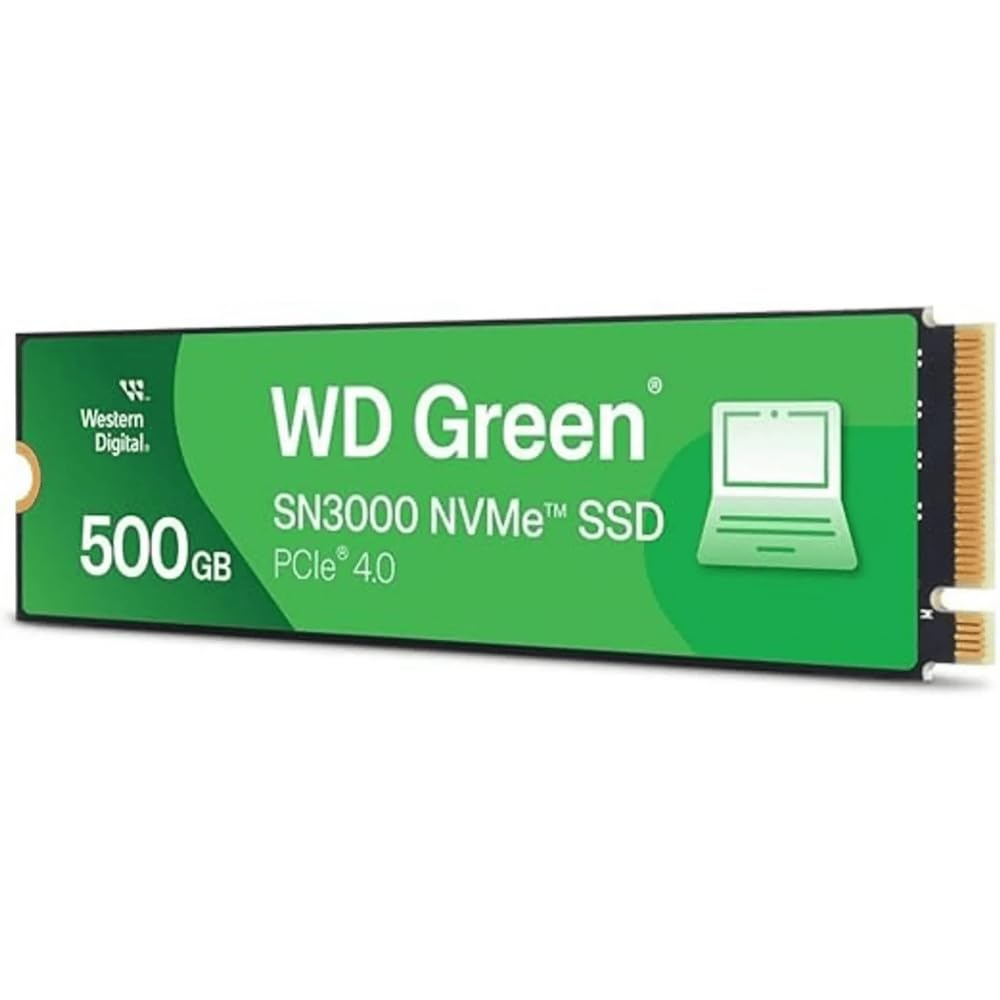
The WD Green line has been a staple in budget storage for years, and the SN3000 brings that reputation into the Gen4 era. With a sequential read speed of up to 5,000 MB/s, it slots neatly between the MP44L and the top-tier SN850X. The drive uses Western Digital’s nCache 4.0 technology, which is a pSLC caching algorithm that absorbs burst writes before writing to the native NAND. For typical consumer workloads — booting Windows, loading web browsers, launching Photoshop — this results in near-instant responsiveness.
The single-sided M.2 2280 design makes it compatible with thin laptops and small form-factor PCs where clearance is tight. It also ships with a free download of Acronis True Image for Western Digital, which is a legitimate value-add for cloning your existing OS drive without paying for third-party software. Linux compatibility is rock-solid out of the box, as confirmed by customer reports on Ubuntu and Fedora. Power consumption is low, making it a strong candidate for battery-conscious laptop upgrades.
The down side is that the WD Green SN3000 uses QLC NAND, which means its sustained write speed after the pSLC cache fills will be significantly lower than TLC-based drives. In real-world terms, copying a 50GB folder will start fast but taper off. For a boot drive that handles writes in small bursts, this is a non-issue. For a scratch disk or video editing cache, a TLC drive would be more appropriate. The 5-year warranty is standard, and the brand trust with Western Digital is hard to beat at this tier.
Why it’s great
- Trusted Western Digital brand with a 5-year warranty
- Free Acronis True Image cloning software included
- Single-sided design fits slim laptops and small form factor builds
Good to know
- QLC NAND causes slower sustained write speeds after SLC cache fills
- Not ideal for heavy continuous write workloads like video editing
4. TEAMGROUP T-Force G50 512GB SLC Caching 3D TLC NAND NVMe SSD

The T-Force G50 is TEAMGROUP’s gaming-oriented sibling to the MP44L. It shares the same InnoGrit controller architecture and Gen4 interface, but comes with a few key differentiators: an ultra-thin graphene heat spreader that is even lower profile than the MP44L’s label, and a firmware tune that prioritizes game asset streaming. Sequential read speeds hit 5,000 MB/s and writes reach 2,500 MB/s, making it a capable drive for both PC gaming and PS5 expansion — the G50 is explicitly listed as compatible with Sony’s console.
Using 3D TLC NAND gives it a significant endurance advantage over QLC-based budget drives. The SLC cache is generous, keeping write performance elevated through most real-world tasks. In a PS5, the drive’s read-oriented design shines, with game level loads that feel indistinguishable from Sony’s internal storage. The graphene heatsink is specifically designed to avoid clearance issues in tight PS5 slots and thin gaming laptops alike.
The 512GB capacity is modest for a PS5, where modern games routinely consume over 100GB. You will fill it with four or five titles. The price can also fluctuate — during supply shortages, the G50 has been seen at a premium that erases its value advantage over the MP44L. If you catch it at its normal street price, it is a solid Gen4 TLC drive with a clear console compatibility edge. For pure PC usage, the MP44L’s higher write speed and similar price make it the better all-around choice.
Why it’s great
- PS5 compatible with graphene heatsink for console clearance
- TLC NAND provides better sustained write endurance than QLC drives
- Strong burst read performance at 5,000 MB/s
Good to know
- 512GB capacity fills quickly with modern game installations
- Price can swing significantly based on market supply
5. PNY CS2230 500GB M.2 NVMe Internal SSD

The PNY CS2230 is a Gen3 stalwart that has found a second life as a popular upgrade for the Raspberry Pi 5. Its sequential read speed of 3,300 MB/s and write speed of 2,500 MB/s are textbook Gen3 figures, but the real story is the ultra-low power consumption. In SBC (single-board computer) applications where power and thermal budgets are tight, the CS2230 draws noticeably less current than high-performance Gen4 drives, making it ideal for projects like Home Assistant servers, retro gaming emulators, or Pi-based NAS boxes.
On a standard PC, the CS2230 delivers a clear upgrade over any SATA SSD. Boot times drop below 10 seconds, and application launches feel snappy. The NVMe PCIe Gen3 x4 interface is widely compatible with older laptops and desktops that lack Gen4 support. PNY backs it with a competitive 5-year limited warranty, and US-based technical support is available 24/7 if something goes wrong.
The down side is that the CS2230 lacks a DRAM cache, relying on Host Memory Buffer (HMB) technology that borrows a small portion of system RAM for its mapping table. In everyday use, HMB works transparently, but during heavy random writes — such as installing a large Steam library simultaneously — you may notice a performance dip compared to a DRAM-equipped drive. For a boot drive or a light gaming library, this is rarely an issue. For a database scratch disk, shop for a DRAM-based drive instead.
Why it’s great
- Extremely low power consumption ideal for Raspberry Pi 5 and SBC projects
- Full NVMe Gen3 performance at a budget-friendly price point
- US-based 24/7 technical support and 5-year warranty
Good to know
- DRAM-less design uses HMB, which can struggle under heavy random writes
- Gen3 ceiling means no upgrade path to faster Gen4 platforms
6. fanxiang S501Q SSD 1TB PCIe 3.0×4 Internal SSD

The fanxiang S501Q breaks the budget mold by offering a full 1TB of Gen3 storage at a price that undercuts many 500GB competitors. Sequential reads hit 3,200 MB/s and writes reach 1,750 MB/s, putting it in the same Gen3 ballpark as the PNY CS2230. The 1TB capacity is the headline feature here — it is enough for a full operating system, a substantial software suite, and a dozen modern games without immediately needing to manage storage space.
The drive uses 3D NAND QLC flash with SLC caching, which gives it solid burst performance for everyday tasks. A graphene heat dissipation sticker is included to help manage thermals, and the package comes with an installation screw and screwdriver — a small but welcome inclusion that saves a trip to the tool drawer. Compatibility spans Windows 7 through 11, Mac OS 10.9 and later, and most Linux distributions.
The trade-off for the large capacity at a low price is a shorter 3-year warranty compared to the 5-year terms offered by TEAMGROUP, WD, and PNY. The 320 TBW endurance rating is reasonable for a 1TB drive, but it is on the lower side for power users who might write 50GB or more daily. For a secondary storage drive or a game library mounted on a Gen3 board, the S501Q offers unbeatable capacity-per-dollar. For a primary OS drive that will handle frequent large file writes, a TLC drive with a longer warranty is a safer investment.
Why it’s great
- Generous 1TB capacity at a entry-level price point
- Gen3 read speeds up to 3,200 MB/s suitable for everyday computing
- Comes with installation screw and screwdriver included
Good to know
- 3-year warranty is shorter than most mainstream competitors
- QLC NAND makes sustained writes slower after SLC cache depletion
7. Fikwot FX550 NVMe SSD 500GB

The Fikwot FX550 is the most aggressive value play in this roundup, offering Gen3 performance at a price point that undercuts even the fanxiang S501Q on a per-gigabyte basis. Sequential read speeds of 3,000 MB/s and writes of 1,300 MB/s are respectable for a budget Gen3 drive, and the intelligent SLC cache combined with HBM memory buffer technology keeps the drive responsive during burst writes. It uses 3D NAND QLC flash, which is typical for this tier.
The drive includes a graphite-coated composite thermal sticker to manage heat, and Fikwot claims adaptive temperature adjustment that dynamically scales power consumption to keep thermals under control — a useful feature for thin laptops with limited airflow. The warranty is a standout: 5 years or 640 TBW, which is extraordinarily generous for a budget QLC drive and suggests strong NAND over-provisioning. The package includes a screw and screwdriver, and the single-sided chip design ensures broad compatibility with most M.2 2280 slots.
The main concern is brand track record. Fikwot is a relatively new player compared to Western Digital, TEAMGROUP, or PNY, and while the 5-year warranty provides some peace of mind, long-term reliability data is sparse. Some customer reports note that the drive runs warmer than expected under sustained load, so adding an aftermarket heatsink is a prudent precaution. For a budget-conscious builder who needs a fast boot drive for an older laptop or a secondary scratch disk, the FX550 delivers impressive value — just keep an eye on thermals and keep backups for critical data.
Why it’s great
- Excellent 5-year / 640 TBW warranty for a budget QLC drive
- Respectable Gen3 read speeds at a very competitive price point
- Single-sided PCB ensures broad laptop and mini PC compatibility
Good to know
- Newer brand with limited long-term reliability data
- Runs warm under sustained load — a heatsink is advisable
FAQ
Can I use a PCIe Gen4 SSD in a Gen3 motherboard slot?
Is a DRAM-less M.2 SSD fine for a Windows boot drive?
How do I know if my laptop supports a single-sided M.2 SSD?
Does a heatsink matter for a budget M.2 SSD in desktop use?
Final Thoughts: The Verdict
For most users, the best budget m.2 ssd winner is the TEAMGROUP MP44L because it delivers genuine Gen4 performance — 5,000 MB/s sequential reads — at a price that undercuts most Gen3 drives, all while staying cool with its ultra-thin graphene heatsink. If you need a TLC NAND drive with PS5 compatibility and strong sustained write performance, grab the TEAMGROUP T-Force G50. And for a pure capacity play on a Gen3 platform where 1TB of storage at the lowest possible cost is the goal, nothing beats the fanxiang S501Q.