
Our readers keep the lights on and my morning glass full of iced black tea. As an Amazon Associate, I earn from qualifying purchases.
Specs are compiled from manufacturer listings and verified buyer reviews and can change over time — please confirm the key details on the product page before buying.
The hardest part of a micro ATX build isn’t the motherboard — it’s finding a case that fits your graphics card, your cooler, and your budget without choking the airflow. A compact tower that looks great but suffocates your CPU is a trap, and a bargain bin that can’t fit a modern GPU is a dead end. This guide breaks down the real trade-offs in the budget tier, from pre-installed fans to glass panels, so you can spend your money on performance instead of re-buying a case.
I’m Min — the founder and writer behind Gadgets Feed. This guide is built by comparing the manufacturers’ published specifications and the patterns across verified customer reviews, so you get each pick’s real strengths and trade-offs instead of marketing spin.
Whether you’re chasing RGB flair or strict silence, the right budget micro atx case balances tiny footprints with big hardware clearances and honest airflow.
Our Picks at a Glance

How To Choose The Best Budget Micro ATX Case
Before you fall for a pretty glass box, check the three numbers that decide whether your parts will fit at all. A case can look stunning and still reject your graphics card or your CPU cooler.
GPU Length and Cooler Height
These are the two clearance specs that matter most. A modern graphics card can stretch past 300mm, and a tower cooler can stand over 160mm tall. Measure your own components against the case’s max VGA length and max CPU cooler height before buying. A case with a 290mm GPU limit will not fit a 320mm card, no matter how spacious the exterior looks.
Airflow Is Everything
Compact cases suffocate quietly. A solid glass front panel with tiny slits starves your fans of air, so your CPU and GPU run hotter and louder. Look for mesh panels or a design that lets air flow from front to back. Pre-installed fans are a bonus, but their placement matters — top and rear exhausts do little if there’s no intake at the front.
The Hidden Cost of Cable Management
In a small tower, a cramped cable management zone turns a one-hour build into an afternoon of frustration. Check for a dedicated space behind the motherboard tray, rubber grommets, and velcro straps. If a case has a shallow gap, you’ll need to route cables carefully or buy extensions.
Quick Comparison
| Model | Best For | GPU Length | CPU Cooler | Pre-installed Fans | Amazon |
|---|---|---|---|---|---|
| Okinos Aqua 3★ Best Overall | Budget RGB Showcase | 320mm | 164mm | 3x ARGB | Amazon |
| Zalman T3Clean & Quiet | Clean Minimalist Builds | 290mm | 150mm | 2x Non-RGB | Amazon |
| Thermaltake View 170Panoramic Pick | Panoramic Glass Style | 340mm | — | 3x ARGB | Amazon |
| Cooler Master N200 | Storage-Focused Builds | 355mm | 160mm | — | Amazon |
| MONTECH AIR 100 | High-Airflow Mesh | 330mm | — | 4x ARGB | Amazon |
| Cooler Master Elite 301 | Future-Proofing GPUs | 365mm | 163.5mm | 1x 120mm | Amazon |
| Antec Flux M | Out-of-the-Box Cooling | — | 175mm | 6x PWM | Amazon |
| Lian Li A3-mATX | Ultra-Compact Enthusiasts | 415mm | — | None | Amazon |
| ASUS Prime AP201 | Tool-Free Convenience | 338mm | 170mm | 1x 120mm | Amazon |
In‑Depth Reviews
1. Okinos Aqua 3
Our pick — over 4.5★ from 600+ verified ratings; the strongest balance of quality and price.
The fish-tank style case that packs in three ARGB fans, a USB-C port, and a built-in controller for a genuinely budget price.
The 270° tempered glass front and side panels deliver a panoramic view at a budget price. You get a 270° wide-angle view through tempered glass front and side panels, so your whole build is on display. The crowd favorite for good reason — the build quality and that fish-tank aesthetic win people over immediately, with case quality being the single most-praised trait among owners.
It comes ready to light up. Three 120mm H12 3-Pin ARGB fans are pre-installed — two at the top for a vertical airflow path and one at the rear. A built-in 4-port ARGB controller syncs with your motherboard, so you don’t need to buy a separate hub. The front I/O includes two USB 3.0 ports, audio jacks, and a Type-C 3.2 Gen 2 interface that transfers data at up to 10Gbps.
On the inside, you’ve got room for graphics cards up to 320mm and CPU coolers up to 164mm tall — buyers report it fits a full-size RX 5700 XT with two inches to spare. The fine 1.2mm mesh improves dust resistance over the standard 3.0mm grills, and magnetic dust filters on the top and bottom make cleaning quick. Builders found cable management easier than expected, with plenty of space to keep things tidy.
What Wins People Over
- Panoramic 270° tempered glass view shows off your whole build
- Three ARGB fans plus a built-in 4-port controller come included
- Type-C 3.2 Gen 2 port provides 10Gbps data transfers on the front panel
The Honest Trade-Offs
- The metal panels feel thin, and the stock fans can run slightly noisy
- It’s a tight squeeze for first-time builders — the motherboard fit can be very snug
- Fan vibration through the splitter can cause resonance; using separate motherboard headers fixes it
Reach for this if: you want the full RGB fish-tank experience with fans, controller, and USB-C already sorted.
Think twice if: this is your very first build — the small form factor demands patience, and the thin metal won’t forgive rough handling.
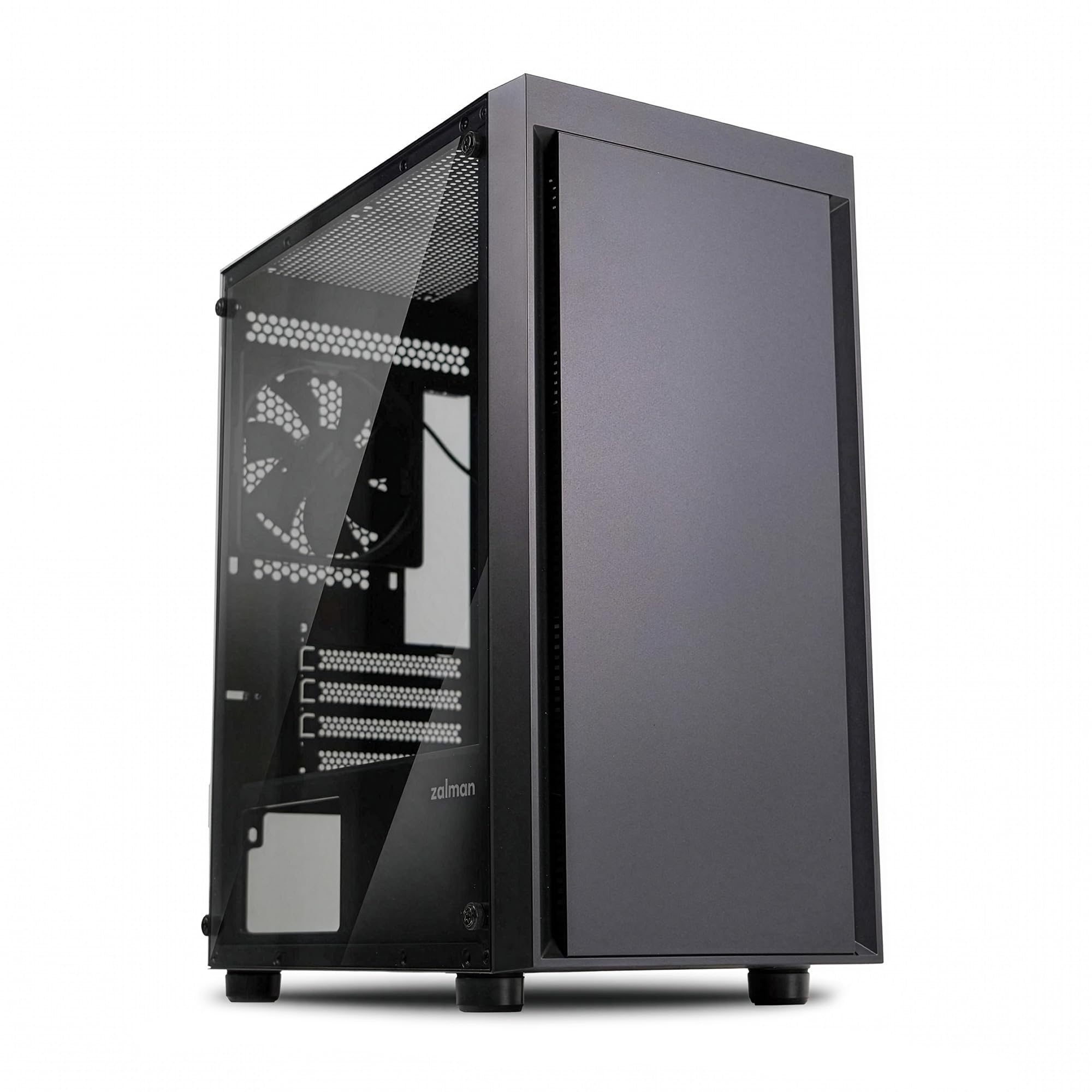
2. Zalman T3
A no-frills, all-black tower that keeps things simple, clean, and genuinely easy to build in.
The all-black, minimalist design with a tempered glass side panel suits builders who prefer a clean look. Zalman’s long history in PC cooling shows here — the T3 is a minimalist black case with a tempered glass side panel and a mesh air vent, built for people who want their hardware to do the talking. Owners call it “very cool for the price” and appreciate that it works well with standard mATX and ITX boards.
It supports graphics cards up to 290mm and CPU air coolers up to 150mm tall, or a 120mm AIO liquid cooler. That’s a smaller GPU allowance than the Okinos above — a 340mm card like the one the Thermaltake accepts won’t fit here. The front panel pops off so you can add extra fans, though only a rear fan is included in the box.
The honest catch is airflow. The solid front panel with narrow slits restricts intake significantly — one builder measured roughly a couple of square inches of opening feeding a single 60 CFM fan. With some front-panel modding and multiple fans, a mid-range RTX 3050 and Ryzen 5 5500 passed stress tests, but this is not the case for a high-end gaming rig. It’s best paired with a liquid cooler or a lower-power GPU.
Grab this if: you want a clean, inexpensive tower for a modest mATX build and don’t need flashy lighting.
Look elsewhere if: you’re running a long, hot graphics card — the 290mm limit and restricted front intake will hold it back.
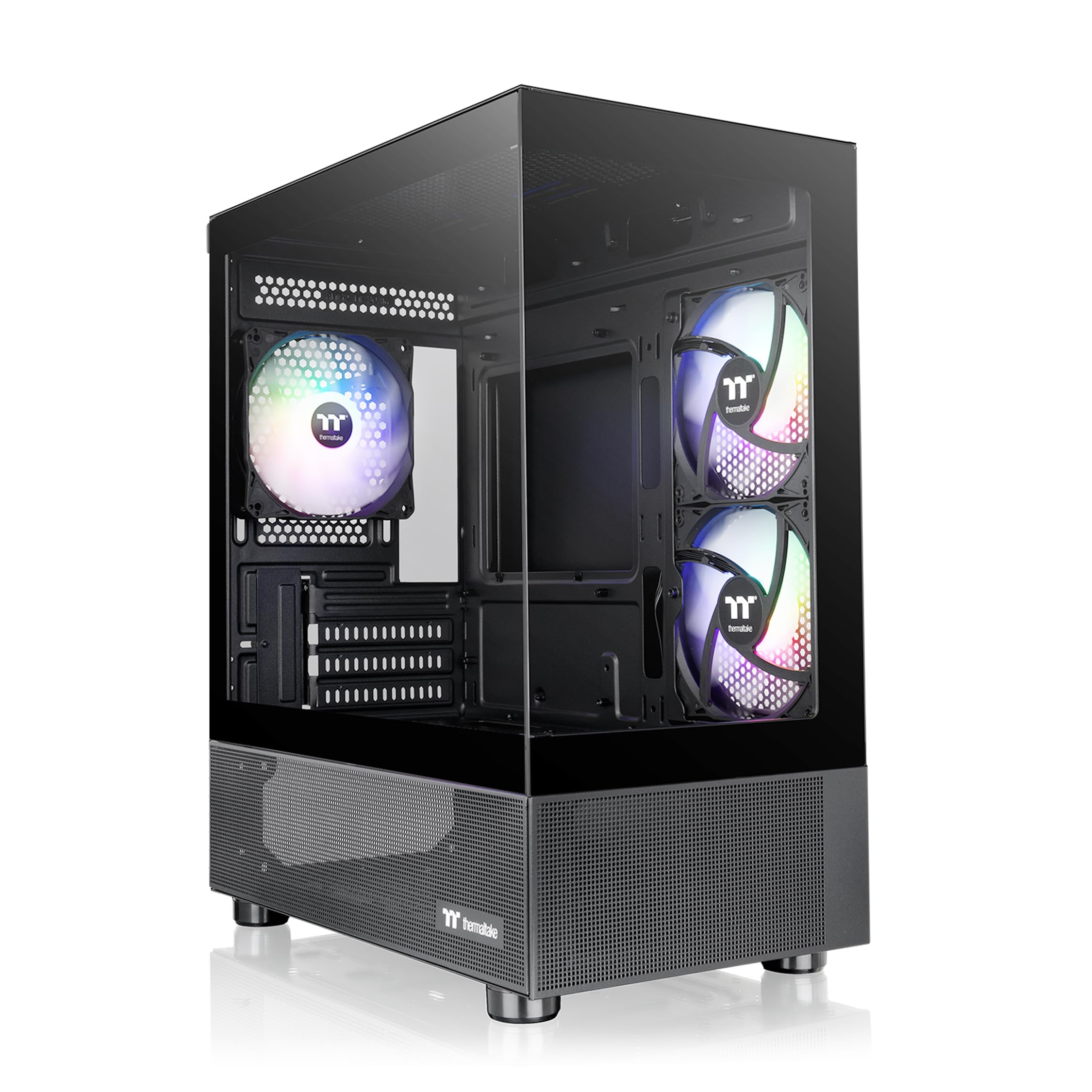
3. Thermaltake View 170 TG ARGB
A pillarless dual-glass case that swallows a 340mm GPU and includes three ARGB fans for a striking, unobstructed view.
Thermaltake’s View 170 removes the corner pillar between the front and side glass panels, giving you a true panoramic window into your hardware. It’s a look that owners say appears even better in person, with the glass showcasing RGB components beautifully. Three 120mm ARGB fans come pre-installed, giving you a strong lighting foundation right from the start.
It also supports a 280mm radiator at the top, and the dual tempered glass panels make it a proper showpiece. The pillarless design is the reason to pick this over the Okinos, which still has a visible frame line.
The trade-offs are minor but real. There’s no RGB controller included, so you’ll sync lighting through your motherboard’s software instead. The front I/O tops out at USB 3.0 with HD Audio — there’s no USB-C port up front, which some builders found disappointing. Builders note it works best with a slimmer mATX board, and cable routing can require extensions through the top.
Best for the showpiece builder: the pillarless dual-glass design and 340mm GPU clearance make this the pick for anyone who wants a wide, unobstructed view of a big graphics card.
4. Cooler Master N200

A sturdy steel mini tower with a full mesh front and room for three hard drives, four SSDs, and a 355mm graphics card.
The N200’s full mesh front and all-metal construction prioritize function over flash, making it a durable budget workhorse. The full mesh front panel feeds air straight to your components, and the all-metal construction feels solid and lasting. Owners praise the case quality consistently, with the solid steel design and quiet fans earning repeated mentions.
Where it truly shines is storage and expansion. The N200 supports up to three 3.5″ hard drives and four 2.5″ SSDs — far more than most compact cases offer. It also accepts a 240mm liquid CPU cooler in the front, graphics cards up to 355mm, and CPU coolers up to 160mm tall. That 355mm GPU allowance beats both the Okinos and the Thermaltake above, so it’s the safer bet for a long, chunky card.
The quirks are the kind you learn to live with. The motherboard standoffs can seize and unscrew from the case, making them nearly impossible to remove — so treat those screws gently. The front fan can buzz against the grill, fixable with a slower fan speed and rubber washers. Builders also note the front audio connector feels fragile, and there’s no mATX PSU converter included in the box.
Choose this when: you need maximum drive support and a long-GPU allowance in a durable, no-nonsense metal case.
Be ready for: a few assembly quirks — the standoffs demand patience, and the front fan may need a softer mount.
5. MONTECH AIR 100 ARGB

Four pre-installed ARGB fans, a super-fine mesh front, and a swivel glass door make this the easiest high-airflow mATX build around.
Montech’s AIR 100 is built for people who want great cooling without any fiddling. The super-fine mesh face plate boost airflow while doubling as a dust filter, and its quick-release design pops off for tool-free cleaning. Four 120mm ARGB fans come pre-installed and connected to an included controller — you control them with the case’s LED button or sync to your motherboard’s software.
The swivel tempered glass side panel is a genuinely thoughtful touch. It’s a zero drill-hole design that swings open for easy access, which enhances both strength and safety. Cable management is handled with pre-installed loops and velcro straps, so you’re not hunting for zip ties mid-build. Owners consistently call it one of the easiest mATX cases they’ve ever assembled.
It supports GPUs up to 330mm and a 280mm radiator, so it covers most mainstream builds. The included fans are decent but not the strongest for high-end components — some builders swapped them out for stronger models. A few noted the dust mesh cover screw holes might not line up perfectly, and the side-panel hole pattern isn’t ideal for radiator mounting.
The easy build: with four fans, a controller, and velcro cable straps already in place, this is the case to grab if you want a smooth first-time assembly with serious airflow.
6. Cooler Master Elite 301 Lite

A minimalist tower with the biggest GPU clearance in this list — 365mm — plus a front Type-C port for modern boards.
If you’re already eyeing a next-gen graphics card, this is the budget case that won’t box you in. The Elite 301 Lite accommodates GPUs up to 365mm, which the maker states is compatible with the RTX 5090 and RX 9070 XT class of cards. It also handles CPU coolers up to 163.5mm tall and PSUs up to 160mm, giving you genuine headroom for a powerful build in a compact tower.
The white-and-black design features a large unrestricted intake grill for strong airflow. That open grill feeds a 280mm liquid cooler or up to six fans for strong thermal performance. A pre-installed 120mm fan gets you started, and the tempered glass side panel shows off your components without the flashy RGB of other picks. Owners said it feels sturdy and looks good in any setting.
There are a couple of honest caveats. The included fan is labeled PWM but is actually a 3-pin unit, so don’t expect full speed control. If you fit a 280mm AIO, it only fits in a pull-only configuration with a slim 15mm top fan. Also, builders advise installing the PSU first and routing GPU cables before the motherboard to keep the cable management tidy.
The GPU-first choice: if your priority is fitting the biggest possible graphics card at a budget price, the 365mm clearance here beats every other case in this lineup.
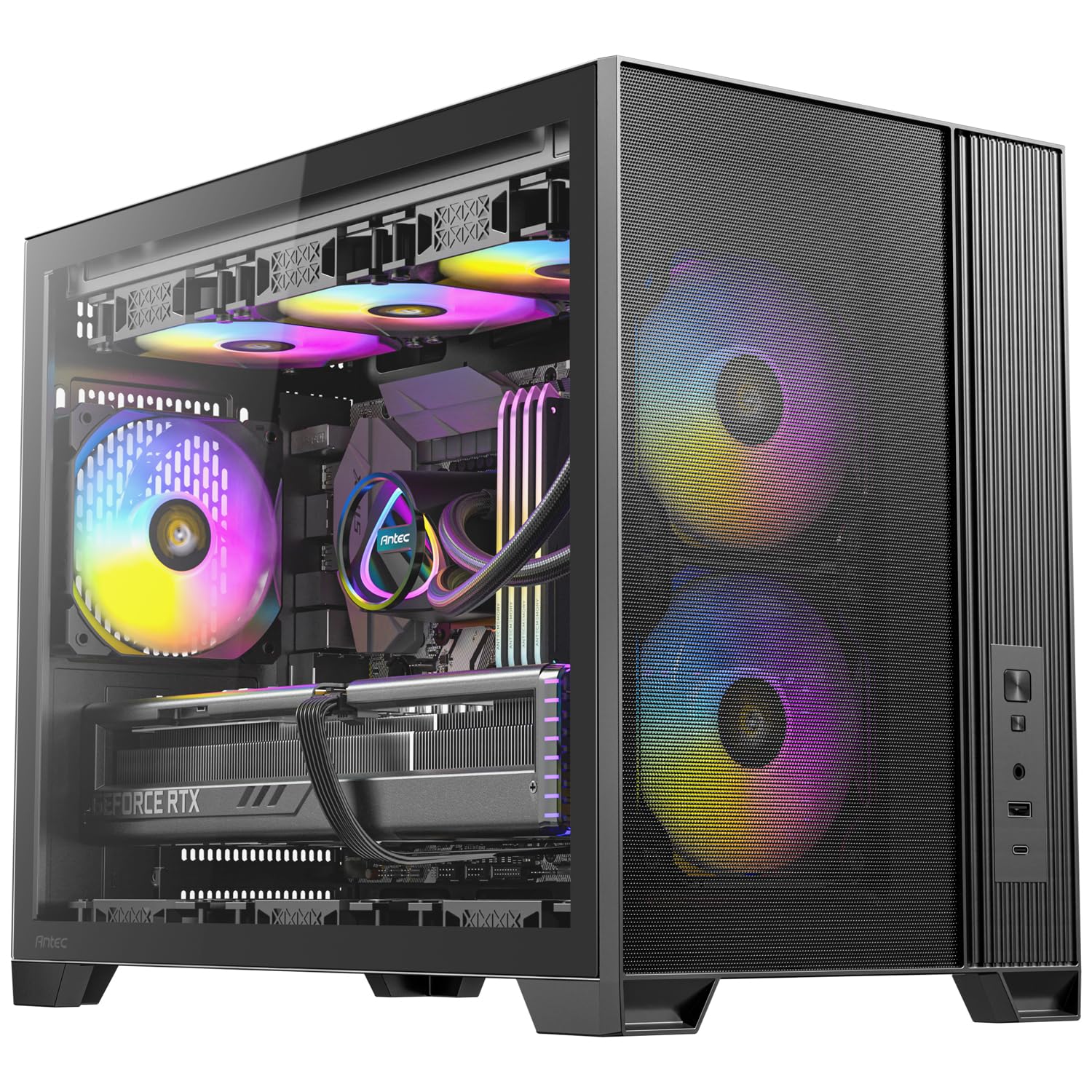
7. Antec Flux M
Six pre-installed PWM fans and a vertical airflow layout that pushes heat straight up and out, made for big GPUs.
Six pre-installed 120mm fans provide out-of-the-box cooling for high-end components. The Antec Flux M ships with six 120mm fans: two ARGB PWM in the front, three PWM reverse fans on the bottom pulling air up, and one ARGB PWM at the rear. That vertical airflow design accelerates heat exhaust from bottom to top, which is exactly what your graphics card needs in a compact build.
In a gaming test with a Ryzen 9 7900X and an RX 7900 XT, the CPU held at 75°C and the GPU hotspot at 74°C. In a real-world gaming test with a Ryzen 9 7900X and an RX 7900 XT, the CPU held at 75°C and the GPU hotspot at 74°C — the bottom intake fans noticeably boosting GPU cooling. It supports CPU coolers up to 175mm and a 360mm radiator at the top, so there’s serious thermal headroom even for high-end hardware.
Builders call it a sleek, quality case with a front PSU compartment and tool-less panels. The front I/O includes USB-A and USB-C ports plus audio. The one recurring gripe is cable management — the space is limited and the daisy-chained fan wires can get messy. The stock fans feel a bit cheap, but they run quiet and get the job done.
The set-and-forget cooler: with six fans pre-installed and a 360mm radiator option, this case nearly guarantees good temps no matter what you put inside.
8. Lian Li A3-mATX

A 26.3-liter micro form factor case from a DAN collaboration that somehow fits a 415mm GPU and a 360mm radiator.
If sheer compactness is your obsession, this is the one. The Lian Li A3-mATX packs a surprisingly immense amount of hardware into a 26.3L footprint — it accepts mATX and ITX motherboards, graphics cards up to 415mm, a 360mm radiator, and up to ten 120mm fans. That GPU length is the longest in this entire list, making it the ultimate choice for a tiny case with a massive card.
The PSU mounts at the front or side, and it’s compatible with ATX, SFX, SFX-L, and Lian Li’s own EDGE power supplies. High-airflow steel mesh panels on the side and top keep things cool under high-TDP loads. The PSU mounts at the front or side, and it’s compatible with ATX, SFX, SFX-L, and Lian Li’s own EDGE power supplies. That adjustable PSU height lets you fine-tune clearance for watercooling or a long GPU. Owners praise the solid build and the brand’s extensive modular options.
The catch is cable management — the recurring theme in owner feedback is that it’s tight, with no rear compartment to tuck cables behind. It also ships with no fans included, so factor that into your budget. And its shorter height compared to the Okinos means a tall CPU cooler might block the side fan bar. This is a case for enthusiasts who enjoy planning a meticulous build.
For the space optimizer: if you want the smallest possible case that still holds a 360mm radiator and a 415mm GPU, nothing here comes close to the A3-mATX.
9. ASUS Prime AP201

An ASUS mesh case with over 57,000 precision holes, tool-free panels, and space for an ATX power supply in a 33L frame.
Despite a 33L footprint, the AP201 supports full-size ATX PSUs up to 180mm long, graphics cards up to 338mm, and a 360mm radiator. Despite a 33L footprint, it supports full-size ATX PSUs up to 180mm long, graphics cards up to 338mm, and a 360mm radiator. That ATX PSU support is a big deal — it means you can carry over your existing power supply instead of buying a smaller one.
The quasi-filter mesh panels are the headline feature. Over 57,000 precision-machined 1.5mm holes cover the design, increasing airflow while still giving you a view of the components inside. Builders consistently praise the airflow and how easy it is to build in, with tool-free side panels that click off securely and resist accidental dislodging. The extended motherboard tray with a 32mm cable gap keeps things tidy behind the board.
Owners note it’s larger than a typical micro tower but still fits neatly on a desk or under a low shelf. The main caveats: the PSU placement can feel awkward, and the 3.5″ drive mounting points don’t align universally — you may need an adapter bracket for full-size hard drives. The fit for some systems is snug, so check your cooler height against the 170mm max.
The easy everyday pick: if you want tool-free access, serious airflow, and the freedom to keep your existing ATX PSU, the AP201 delivers it all in a clean mesh package.
Understanding the Specs
GPU Length Clearance
This is the maximum graphics card length the case can fit, measured in millimeters. It’s the single most common reason a build fails — you pick a beautiful case and your 340mm GPU simply won’t go in. Always measure your card against this number before buying. A 290mm limit like the Zalman T3 will reject most modern high-end cards, while a 365mm limit like the Elite 301 gives you room for nearly anything.
CPU Cooler Height
This spec tells you how tall a tower-style air cooler can be before it hits the side panel. A 164mm limit fits most mid-range coolers, but a giant dual-tower cooler might need a taller case. If you prefer liquid cooling, check the radiator support instead — a 280mm or 360mm rating tells you what size radiator mounts at the top or front.
FAQ
Will a full-size ATX power supply fit in a micro ATX case?
How long should my graphics card be for these cases?
Is a tempered glass case more fragile than a steel one?
Can I fit a liquid cooler in these compact cases?
Are three pre-installed ARGB fans enough for a gaming build?
What does a Type-C port on the case do?
Why does cable management matter in a small case?
Will a large CPU tower cooler fit in these cases?
Final Thoughts: The Verdict
If you want one dependable pick, the budget micro atx case winner is the Okinos Aqua 3 because it delivers a panoramic glass look, three ARGB fans, a built-in controller, and a fast Type-C port without breaking the budget. If you want the absolute best airflow and the easiest build, grab the MONTECH AIR 100 with its four pre-installed fans and swivel glass door. And for the biggest possible graphics card in a tiny frame, the Lian Li A3-mATX is the one to reach for.
How We Picked
We do not accept paid placement. Every pick is matched to a real buyer and a real use-case; we do not hands-on test units.
Sources & Methodology
Specifications: manufacturer listings and product documentation. Review insights: verified customer reviews, as of August 2026. Pricing: not shown on this page (it changes often); check the current price via the retailer link.
As an Amazon Associate, Gadgets Feed earns from qualifying purchases. This does not affect which products we feature.