
Our readers keep the lights on and my morning glass full of iced black tea. As an Amazon Associate, I earn from qualifying purchases.
Specs are compiled from manufacturer listings and verified buyer reviews and can change over time — please confirm the key details on the product page before buying.
A mini PC frees your desk from the bulky tower you’ve tolerated for years. But when you shop on a budget, the hard part isn’t finding a cheap box — it’s figuring out which ones are actually fast enough for your daily grind and which ones will leave you staring at a spinning wheel. This guide analyzes specs and verified owner reviews to identify the best budget mini PCs.
I’m Min — the founder and writer behind Gadgets Feed. This guide is built by comparing the manufacturers’ published specifications and the patterns across verified customer reviews, so you get each pick’s real strengths and trade-offs instead of marketing spin.
if you need a silent companion for spreadsheets, a home lab server that runs 24/7, or a media hub that drives three 4K displays, the right budget mini pc is out there — you just need to match the processor generation and RAM configuration to what you actually do every day.
Our Picks at a Glance


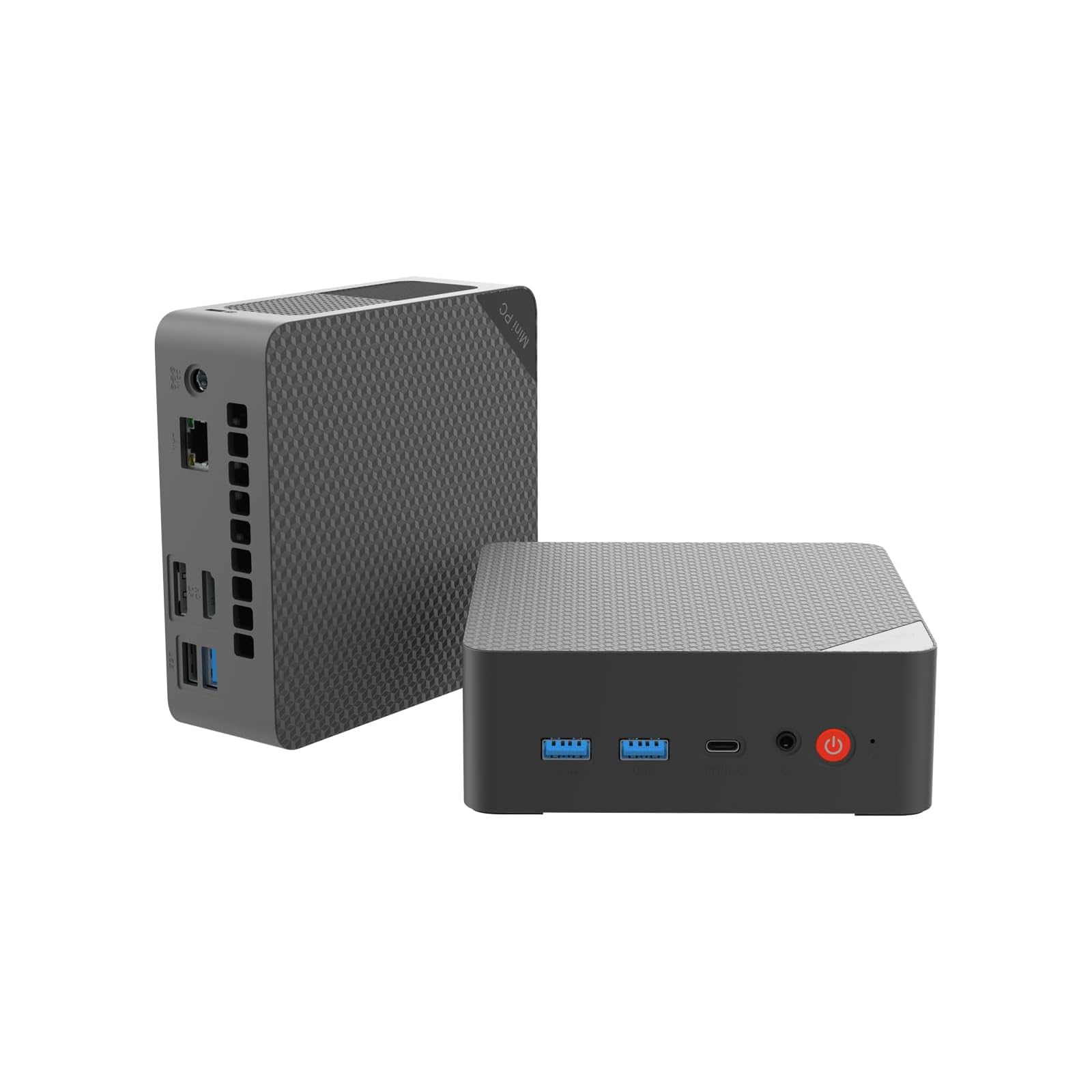
How To Choose The Best Budget Mini PC
A mini PC isn’t a laptop you carry around or a gaming rig that needs a dedicated GPU. It’s a small, power-sipping desktop that lives behind your monitor or under your desk. Because the whole machine is built around integrated graphics and a modest processor, the two specs that define everything are the CPU generation and the amount of RAM. Choose the right CPU and RAM for your workload, and the rest (storage, ports, wireless) is secondary.
The Processor Generation Decides Your Ceiling
The CPU in a mini PC is soldered or locked in place — you cannot upgrade it later. An older Core i5 from the 6th generation (like the 6500T) will handle email, web browsing, and Office documents without complaint, but it cannot officially run Windows 11. A newer N95 or Ryzen 5 3500U from the last few years brings faster single-core speed, better integrated graphics for 4K video, and full Windows 11 support. If you plan to keep the machine for several years, aiming for an 8th-generation Intel chip or newer (like the 8500T) gives you a much longer usable life.
RAM and Storage: Don’t Skimp on the Right Kind
8GB of RAM is the minimum for a smooth Windows 11 experience; expect stuttering with many browser tabs or heavy Excel workbooks. 16GB is the balance for most users; 32GB is only necessary for virtual machines or large databases. An NVMe SSD (like the 256GB drive in the HP EliteDesk 800 G4) boots and transfers files much faster than a SATA SSD. Many budget mini PCs ship with a SATA drive, so check the spec before you buy.
Port Selection and Cooling Noise
Check the ports before buying to avoid needing a dongle. If you need to connect two monitors, make sure the mini PC has dual HDMI or a combination of HDMI, DisplayPort, and USB-C. If you run the machine 24/7 (for a home server or digital signage), a fanless or low-noise design like the GMKtec G3S matters more than raw speed. Some refurbished business PCs come with a noisy fan under load, while newer consumer models often use a smart fan that runs quietly until you push the CPU.
Quick Comparison
| Model | Best For | CPU | RAM / Storage | Display Output | Amazon |
|---|---|---|---|---|---|
| HP EliteDesk 800 G2★ Best Overall | Budget Workhorse | i5-6500T (Quad-Core, 3.1 GHz) | 16GB / 240GB SSD | VGA + DP | Amazon |
| HP EliteDesk 800 G4Also Great | Overall Power | i5-8500T (Hexa-Core, 3.5 GHz) | 16GB / 256GB NVMe | HDMI + DP | Amazon |
| QAZIPO Ryzen 5 3500UTriple Display Pro | Triple 4K Work | Ryzen 5 3500U (3.7 GHz) | 8GB / 256GB NVMe | USB-C + HDMI + DP | Amazon |
| Origimagic C5 | Reliability & Speed | Ryzen 5 3500U (3.7 GHz) | 8GB / 256GB NVMe | Dual HDMI + USB-C | Amazon |
| DreamQuest Mini Plus | Modern Ports | Intel N95 (3.4 GHz) | 12GB DDR5 / 512GB SSD | Dual USB-C + Dual HDMI | Amazon |
| GMKtec G3S | Home Lab Server | Intel N95 (3.4 GHz) | 8GB / 256GB M.2 | Dual HDMI | Amazon |
| BOSGAME E4 Air | Dual LAN Setup | Ryzen 5 3500U (3.7 GHz) | 8GB / 256GB SATA SSD | HDMI + DP + USB-C | Amazon |
| QAZIPO Intel 6500Y | Office 365 Included | Intel 6500Y (3.4 GHz) | 16GB / 256GB NVMe | USB-C + HDMI + DP | Amazon |
| Origimagic C3 | Long Warranty | i3-5005U (2.0 GHz) | 8GB / 512GB SSD | Dual HDMI | Amazon |
| Bmax B3 Pro | New Consumer Unit | Intel N4500 (2.8 GHz) | 8GB / 256GB M.2 | Dual HDMI | Amazon |
| Lenovo ThinkCentre M710q | Lightest Budget Entry | i3-6100T (3.2 GHz) | 8GB / 256GB SSD | DisplayPort Only | Amazon |
In‑Depth Reviews
1. HP EliteDesk 800 G2 Desktop Mini Business PC
Our pick — over 4★ from 850+ verified ratings; the strongest balance of quality and price.
The value king that still flies through daily work.
This older HP packs a Quad-Core i5-6500T running at 3.1 GHz — a 13% lower clock speed than the G4 version above, but still more than enough for web browsing, Office documents, and media streaming. With 16GB of DDR4 RAM and a 240GB SSD, it boots quickly and juggles a dozen browser tabs without bogging down. The port selection is generous: 7 USB ports total (including a front USB-C), plus VGA and DisplayPort for older monitors. Owners mention it is “blazing fast for productivity tasks” and “very quiet,” though they note it is “poor for video/graphic editing.”
The most-discussed aspect among owners is reliability, which gets mixed feedback — while many report it “works flawlessly,” others have received units that stopped working. The WiFi connectivity also draws mixed notes, as some units ship with a USB WiFi adapter while others lack it. A few owners found the included keyboard and mouse were missing, so open the box and check everything early. The G2 cannot officially upgrade to Windows 11 due to its 6th-gen CPU, but a TPM 2.0 workaround exists for those willing to tinker.
Why it is a steal
- 16GB RAM and 240GB SSD for smooth everyday use
- 7 USB ports plus VGA and DisplayPort
- Extremely quiet operation
- Great stepping stone for homelab or Linux install
Watch out for
- No official Windows 11 support (workaround available)
- Inconsistent WiFi and included accessories
Reach for this if: Your budget is tight and you need a reliable machine for office tasks, media, or a Linux homelab — the raw performance per dollar here is tough to top.
Best to skip if: You want Windows 11 from the start or need built-in WiFi without a dongle.
2. HP EliteDesk 800 G4 Mini Tiny Business PC
A hexa-core office powerhouse that hides behind your monitor.
This refurbished HP packs an Intel Hexa-Core i5-8500T that boosts up to 3.5 GHz — a 13% clock-speed gain over the older G2 model, and a processor generation that officially supports Windows 11 without workarounds. Combined with 16GB of DDR4 RAM and a 256GB NVMe SSD, boot times and app launches feel instantaneous. The dual-monitor support (one HDMI, one DisplayPort) means you can run two 4K displays at 3840×2160 resolution, which makes spreadsheet work or research-heavy workflows far more efficient than a single-screen setup.
The consensus from owners is that this tiny box is “very clean inside and out” and “works just great” for daily tasks, with many noting it runs nearly silent and stays cool. A review of the crowd of buyers finds the compact size wins people over most, fitting neatly on a desk or mounted behind a display. The main caveat is that some units arrive with minor cosmetic wear (scratches), and a few buyers report the WiFi and Bluetooth require a cheap USB adapter rather than being built-in.
What powers it ahead
- Hexa-core i5-8500T hits 3.5 GHz for smooth multitasking
- 16GB RAM and 256GB NVMe SSD for fast boot and app loads
- Supports dual 4K monitors via HDMI and DisplayPort
- Nearly silent operation and compact footprint
What to check before buying
- Some units arrive with cosmetic scratches
- WiFi/BT may require a separate USB adapter
Who it fits: Anyone who needs a reliable, fast mini PC for office work, home admin, and dual-monitor productivity — and wants a modern processor that runs Windows 11 natively.
Who should look elsewhere: If you need built-in wireless from the start or want a brand-new unit with no cosmetic wear, a newer consumer mini PC will be a cleaner experience.
3. QAZIPO Mini PC (Ryzen 5 3500U)
Three screens, one tiny box, zero lag.
This QAZIPO mini PC is built around the AMD Ryzen 5 3500U quad-core processor with Radeon Vega 8 graphics — a combination that delivers noticeably faster multitasking than Intel N-series chips, especially when driving multiple displays. It supports triple 4K@60Hz output through a full-featured USB-C, HDMI 2.0, and DisplayPort 1.4, making it a natural fit for financial traders, developers, or anyone who lives across several windows. The 8GB of RAM and 256GB NVMe SSD handle daily productivity and 4K streaming smoothly, and both the RAM (up to 32GB) and storage (up to 4TB) are upgradeable.
Owners consistently praise its compact size — smaller than a paperback at 5 x 5 x 1.69 inches — and the included VESA mount that lets you hide it behind a monitor. The consensus is that it runs cool and quiet even after hours of 4K streaming, with one buyer using it specifically for a laser engraver control setup. The catch for heavy multitaskers is that 8GB of RAM fills up fast: if you run many applications at once, the machine starts to lag, so budget for a RAM upgrade if you are a power user.
Why it stands out
- Triple 4K@60Hz display support via USB-C, HDMI, DP
- Ryzen 5 3500U with Vega 8 graphics for smooth multitasking
- Ultra-compact with VESA mount included
- RAM and storage are both upgradeable
Consider this
- 8GB RAM is fine for light use but needs an upgrade for power users
- Not designed for heavy gaming or video editing
Ideal for: Multi-monitor productivity setups — trading, coding, content management — where driving three 4K screens from a machine that fits in your palm is the goal.
Think twice if: You need a machine that handles heavy multitasking right from the start without a RAM upgrade.
4. Origimagic C5 Mini PC (Ryzen 5 3500U)

Silent, speedy, and built to last for years.
The C5 is powered by the same Ryzen 5 3500U processor found in the QAZIPO above, but the standout here is how owners describe its day-to-day behavior: it is “extremely quiet” — the fan is nearly inaudible — and the case stays cool even under load. The 8GB of DDR4 RAM and 256GB NVMe SSD are backed by dual SODIMM slots that let you upgrade to 32GB, plus an additional M.2 expansion slot for more storage. Triple 4K@60Hz display support comes through dual HDMI ports and a full-function USB-C, so you can run a three-monitor workstation from a box that sits in the palm of your hand.
Reliability is the trait owners praise most, with many noting it plays movies without a hitch and handles general work tasks flawlessly. One buyer installed Ubuntu in 15 minutes and reported the system was “silent” and “stays cool even near a TV vent.” A reviewer who runs the C5 as a daily workstation found it significantly faster than an Intel N95 mini-PC (Novabench 985 vs 613). The only minor limitation is the number of USB ports — one USB 2.0 and three USB 3.0 — which is fine for a keyboard, mouse, and a drive, but you will want a hub for anything beyond that.
What makes it a keeper
- Near-silent fan and cool case under load
- Triple 4K@60Hz via dual HDMI and USB-C
- Upgradeable RAM (up to 32GB) and dual M.2 slots
- Tops the charts for reliability in this price tier
A small trade-off
- Only 4 USB ports — consider a hub for extra peripherals
- Not built for AAA gaming
Pick this if: You want a reliable, whisper-quiet mini PC for daily office work, 4K media, or a Linux workstation — and you value long-term durability over raw specs.
skip it if: You need a lot of USB ports for multiple external drives without using a hub.
5. DreamQuest Mini Plus Mini PC (Intel N95)
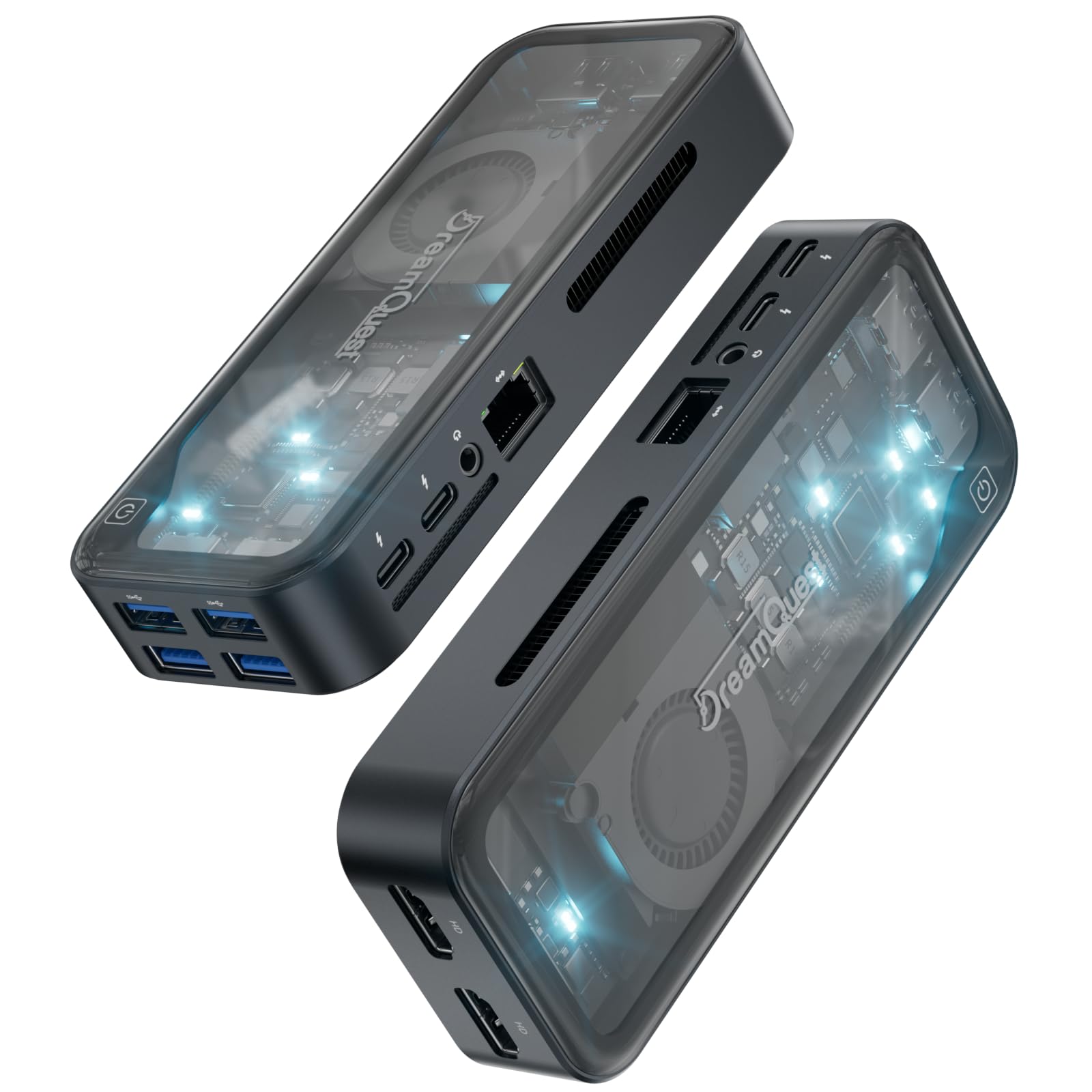
Dual USB-C and DDR5 memory in a tiny frame.
The DreamQuest Mini Plus is one of the few budget mini PCs to offer two full-function USB-C ports, both supporting fast charging, data transfer, and video output — so you can connect a portable monitor or a projector without any adapters. Inside sits a 12th-gen Intel N95 processor (boosting up to 3.4 GHz) paired with 12GB of DDR5 RAM and a 512GB M.2 SSD. The triple-display support reaches 4K@60Hz across the two USB-C ports and two HDMI ports, making this a very flexible media or office hub.
Owners call it an “absolute powerhouse” for its size, noting it boots quickly, stays quiet, and handles multitasking and streaming without hiccups. Speed is the aspect praised most, followed by its compact size and the wealth of ports. The mixed feedback centers on performance consistency: some units experience occasional freezing, and the included manual is mostly Chinese with no quick-start guide, so non-techies may stumble during initial setup. A few owners also found Windows needed many updates on first boot, which slows the machine for the first day.
what separates it
- Two full-function USB-C ports plus dual HDMI for flexible displays
- 12GB DDR5 RAM and 512GB SSD for responsive daily use
- WiFi 6 and Bluetooth 5.3 for modern wireless
- Very compact and quiet operation
Keep in mind
- Occasional freezing reported by some owners
- Manual is mostly Chinese; initial Windows updates are extensive
Grab this for: A modern, portable media center or office PC where dual USB-C connectivity and DDR5 speed matter — especially if you use portable monitors or travel with the machine.
Look elsewhere if: You want a truly plug-and-play experience with English documentation and no initial update marathon.
6. GMKtec G3S Mini PC (Intel N95)
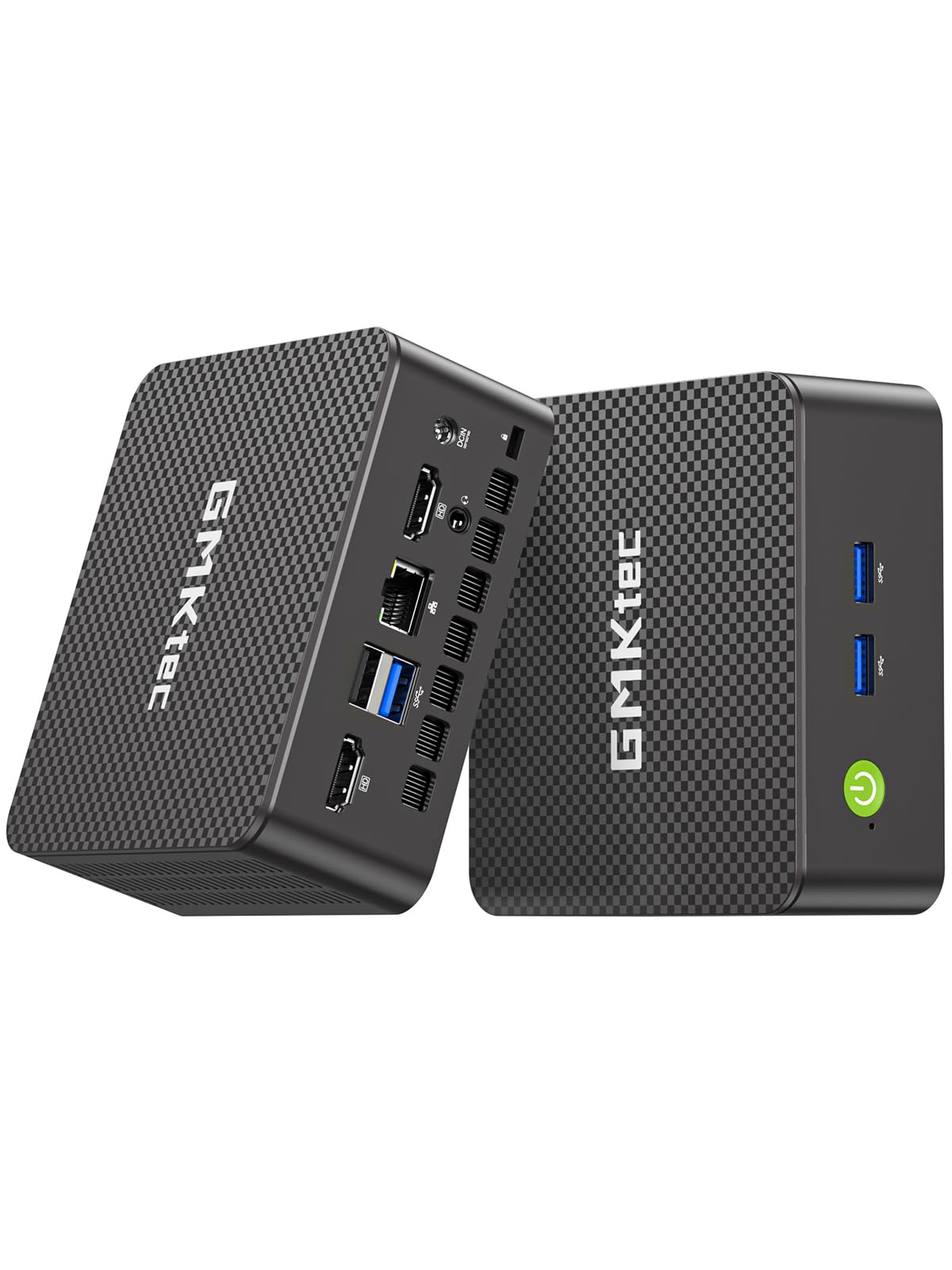
A tiny 24/7 server that stays cool and quiet.
The GMKtec G3S runs on the 12th-gen Intel N95 processor (bursting up to 3.4 GHz) with 8GB of DDR4 RAM and a 256GB M.2 2242 SSD. For home lab enthusiasts, the real story is how it behaves under continuous load: owners run NextCloud, Home Assistant, Frigate (with external storage), and Omada Network Controller through Proxmox simultaneously and still have “plenty of headroom.” It boots after a power failure without fuss, the fan is “incredibly quiet,” and power consumption is low.
Office users are equally happy — it handles Office apps, YouTube, 4K streaming, and even light CAD or photo editing. The dual HDMI 2.0 ports support 4K@60Hz on two monitors, and the Intel UHD Graphics (up to 1000 MHz) handles AV1 decoding for smooth streaming. What wins people over is its combination of tiny footprint and quiet operation: one owner called it “handy, light, and efficient,” another said it is “small enough to carry around, yet powerful enough for most everyday tasks.” A few owners note that one of the front USB ports can be non-functional, and the packaging sometimes lacks bubble wrap, so inspect the box on arrival.
Why it is loved
- Excellent for 24/7 home lab use — runs cool, quiet, and low power
- Dual 4K@60Hz HDMI for productive dual-monitor work
- Intel N95 offers meaningful performance jump over older N-series chips
- Compact and portable with VESA mount
Watch for
- One front USB port may not work on some units
- Packaging could be more protective
Best for: Home lab operators, Proxmox users, and anyone who needs a reliable, always-on mini PC that sips power and stays silent.
Consider alternatives if: You need abundant USB ports or a guaranteed fully-functional front I/O panel.
7. BOSGAME E4 Air Mini PC (Ryzen 5 3500U)
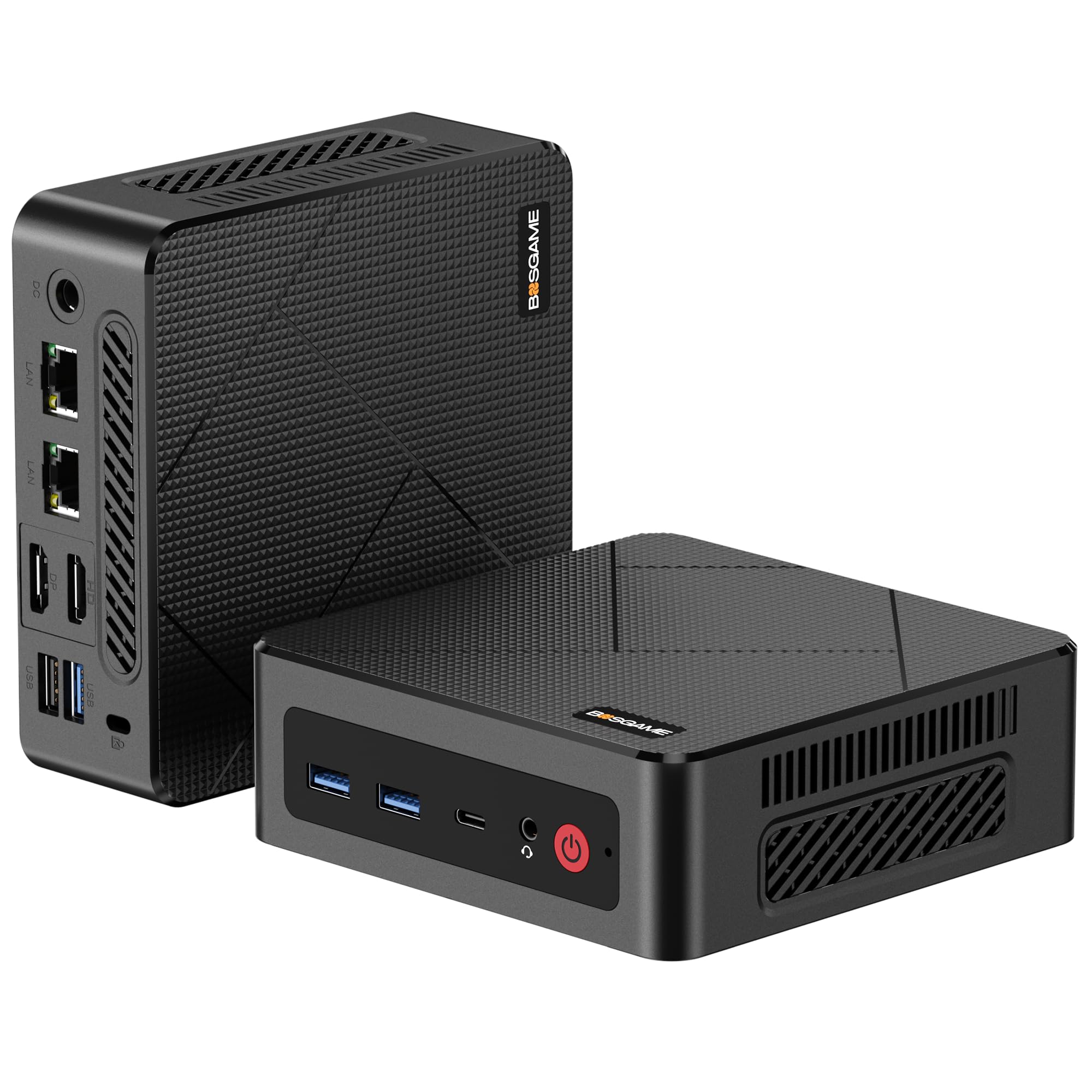
Two Ethernet ports for the networking crowd.
Driven by an AMD Ryzen 5 3500U (boosting to 3.7 GHz) with integrated Radeon Vega 8 graphics, the BOSGAME E4 Air is a capable daily driver for office work, 4K streaming, and light video editing. The defining feature here is the pair of Gigabit Ethernet ports — dual RJ45 LAN — which makes this mini PC a natural fit for a firewall, router, or network testing setup. It also supports triple 4K displays via HDMI, DisplayPort, and USB-C, plus USB 3.2 for fast external storage.
Size and value for money are what owners praise most: the machine is compact, easy to set up, and comes with Windows 11 pre-installed. The performance feedback is mixed, however — while many find it works like a champ, some report units that stop working after two months or arrive with boot issues. A few buyers noted that the first unit had blue-screen problems, but Amazon’s return process was quick, and the replacement unit ran great. If you buy this, test it thoroughly during the return window.
What it does well
- Dual Gigabit Ethernet for networking projects
- Ryzen 5 3500U with Vega 8 handles 4K and multitasking
- Triple 4K display support
- Compact and good value
Be aware
- Mixed reliability — some units have boot or blue-screen issues
- Lacks a rear 3.5mm audio jack
Reach for this if: You need dual Ethernet for a firewall, router, or lab network — the port layout is rare at this price point.
Consider a different pick if: Reliability is your top concern and you cannot afford the risk of a return.
8. QAZIPO Mini PC (Intel 6500Y / 16GB)
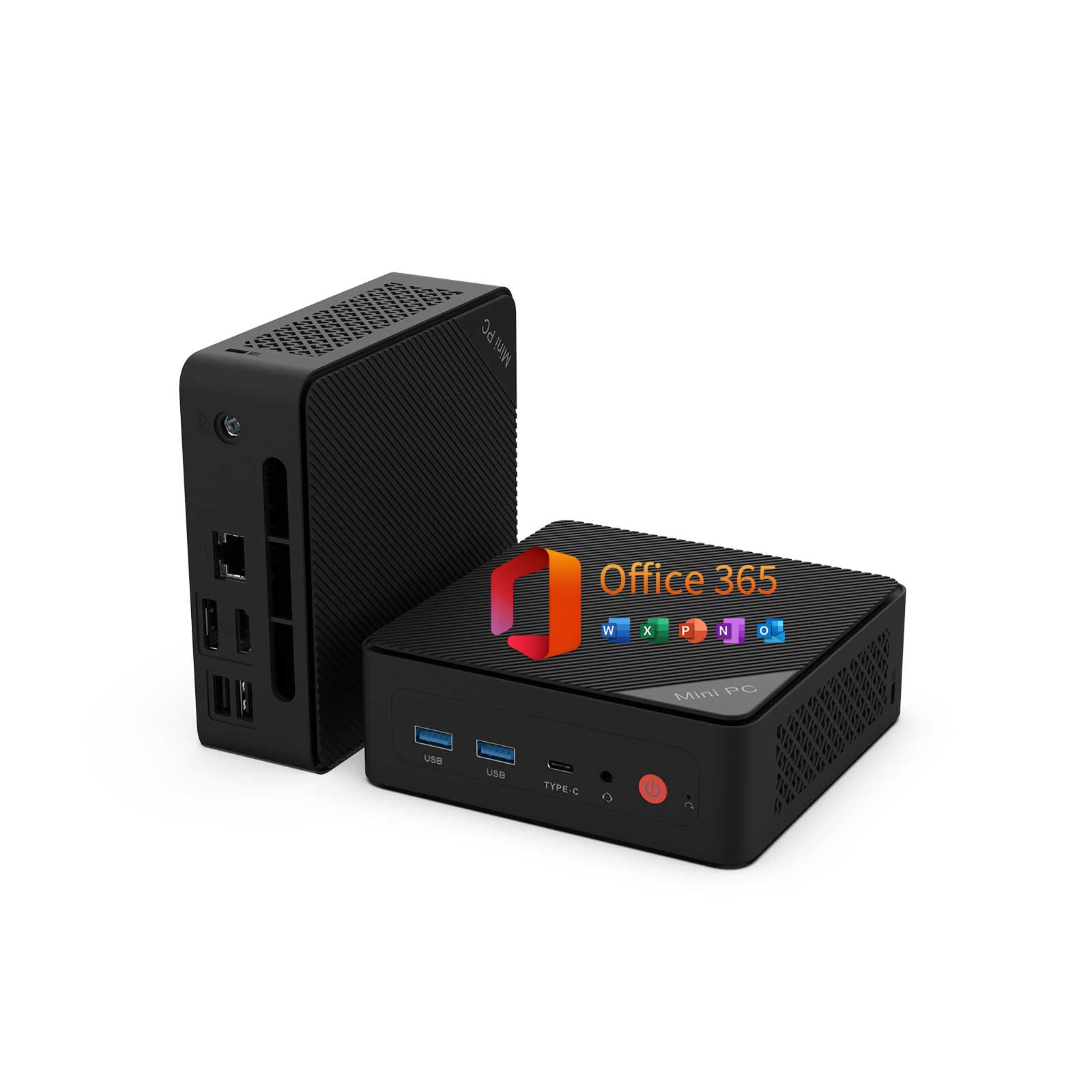
16GB RAM and a year of Office ready to go.
This QAZIPO model skips the AMD chip in favor of an Intel Pentium Gold 6500Y (boosting to 3.4 GHz) and leans hard on its 16GB of dual-channel DDR4 RAM — double what most budget mini PCs offer — to keep multitasking smooth. It ships with a 256GB NVMe SSD (expandable to 4TB) and a full 1-year subscription to Office 365, including Word, Excel, PowerPoint, Outlook, and 1TB of OneDrive cloud storage. The triple 4K display support (USB-C, HDMI 2.0, DisplayPort 1.4) makes it a capable multi-monitor machine for students and remote workers.
Performance is the aspect buyers praise most — the machine is “responsive for everyday tasks with no lag or freezing,” according to the owner consensus. The compact size, easy setup, and quiet operation also earn consistent positive notes. The Intel 6500Y is not a powerhouse for heavy creative work or gaming; it is designed for office applications, web browsing, and media streaming. A few owners who run Linux (Arch) found the dual LAN connection to be spotty over time, but for Windows users on a standard office workload, this is a solid, complete package.
What is included
- 16GB dual-channel RAM for smooth multitasking
- 1-year Office 365 subscription with 1TB cloud storage
- Triple 4K display output
- Upgradeable to 32GB RAM and 4TB storage
Limitations
- Intel 6500Y is not meant for gaming or heavy creative work
- Dual LAN can be spotty on Linux over time
Ideal for: Students, remote workers, and families who want a ready-to-use mini PC with Office included — just plug in and start working.
pass on it if: You plan to run Linux as your daily driver or need more CPU power for creative applications.
9. Origimagic C3 Mini PC (Intel Core i3-5005U)
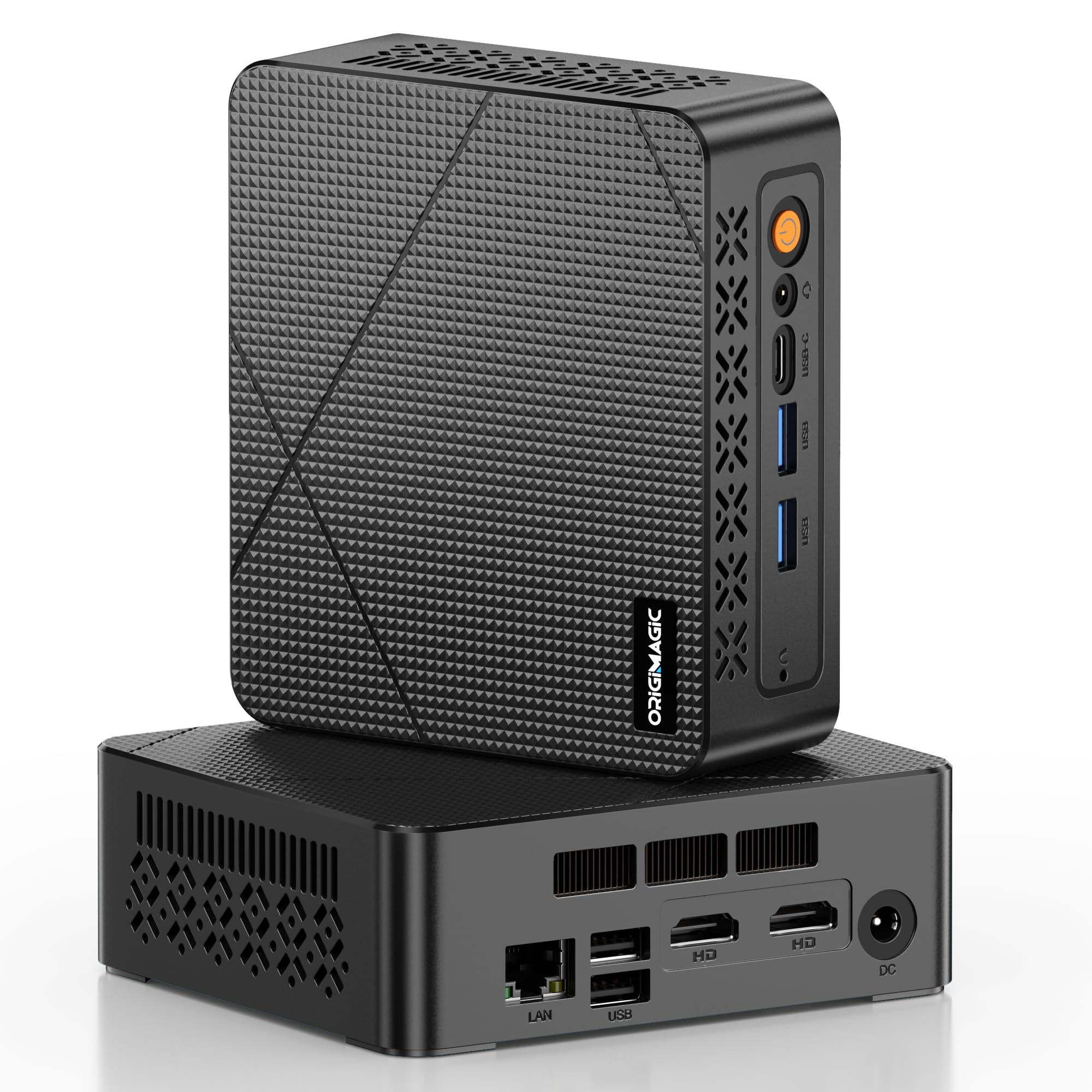
A 3-year warranty brings confidence to budget buyers.
The Origimagic C3 runs on an Intel Core i3-5005U processor, a chip designed for low power consumption (TDP of just 15W) and steady single-core performance for web browsing, office apps, and light multitasking. It ships with 8GB of DDR4 RAM (expandable up to 32GB) and a generous 512GB M.2 SSD, with support for a second 2.5-inch SATA drive — giving you up to 4TB total storage. The dual HDMI ports support 2560×1600 resolution, and the front USB-C port handles data at 5Gbps.
What sets this pick apart is the 3-year limited warranty and professional technical support, which is rare at this price level. Performance gets the most positive mentions from owners, with many noting it runs classic games without issues and handles office work and streaming smoothly. The C3 runs Windows 10 and Linux only — it does not support Windows 11 — and some buyers found the audio output volume to be low. For businesses or schools that need a reliable, warrantied machine for digital signage, thin clients, or basic workstations, the extended coverage makes this a safer bet than an uninsured refurbished unit.
Why choose this
- 3-year warranty and professional tech support
- 512GB SSD plus room for a second drive (up to 4TB)
- Very low power consumption (15W TDP) for 24/7 use
- Dual HDMI and front USB-C port
Know before buying
- Does not support Windows 11 (Win 10 and Linux only)
- Audio output volume can be low on some units
Best for: Commercial deployments, digital signage, and budget-conscious buyers who want a warranty safety net instead of rolling the dice on a no-coverage refurb.
Look elsewhere if: You need Windows 11 support or plan to do anything beyond light productivity and media streaming.
10. Bmax Mini PC B3 Pro (Intel N4500)
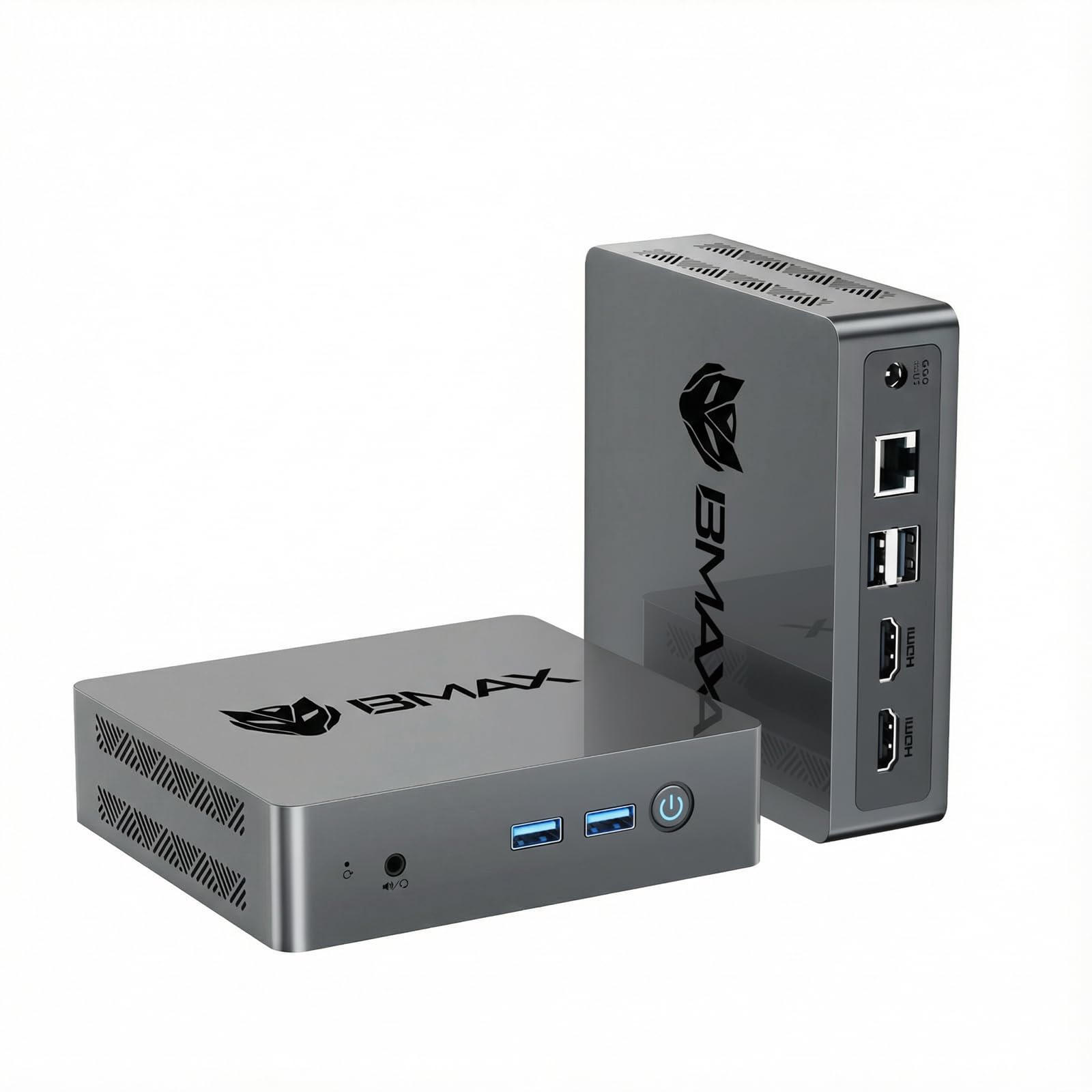
A brand-new mini PC that just works from the start.
The Bmax B3 Pro is powered by an Intel N4500 processor (bursting to 2.8 GHz) with 8GB of DDR4 RAM and a 256GB M.2 2280 SSD. It is a brand-new unit — not refurbished — which means you get a clean warranty (1 year from Bmax), no cosmetic wear, and the latest BIOS. The dual HDMI 2.0 ports support 4K@60Hz output, and the machine includes WiFi 5, Bluetooth 5.0, and Gigabit Ethernet for connectivity. The integrated smart cooling fan keeps noise low during daily use.
Owners consistently praise performance — it boots fast, runs multiple browser tabs smoothly, and handles daily office work and streaming without drama. The compact size and easy setup are called out by many, and the VESA mount makes it disappear behind a monitor. The quiet operation is also a recurring compliment. The N4500 is not a powerhouse: it is designed for light productivity, web browsing, and media, not for heavy multitasking or gaming. A few units had a boot hiccup (stuck at the logo on first start, requiring Ctrl+Alt+Del twice), but this appears to be unit-specific rather than a pattern.
Why buy new
- Brand-new unit with 1-year warranty — no refurb surprises
- Dual 4K@60Hz HDMI for a clean dual-monitor setup
- Compact, quiet, and easy to set up
- Good for daily office work and media
Not for
- N4500 is limited for heavy multitasking or gaming
- Occasional boot issue on some units
Reach for this if: You want a brand-new mini PC with a warranty, no cosmetic risk, and enough power for standard home office and streaming tasks.
it’s not for you if: You need a processor that can handle heavy workloads or frequent multitasking with many applications open at once.
11. Lenovo ThinkCentre M710q Tiny Desktop
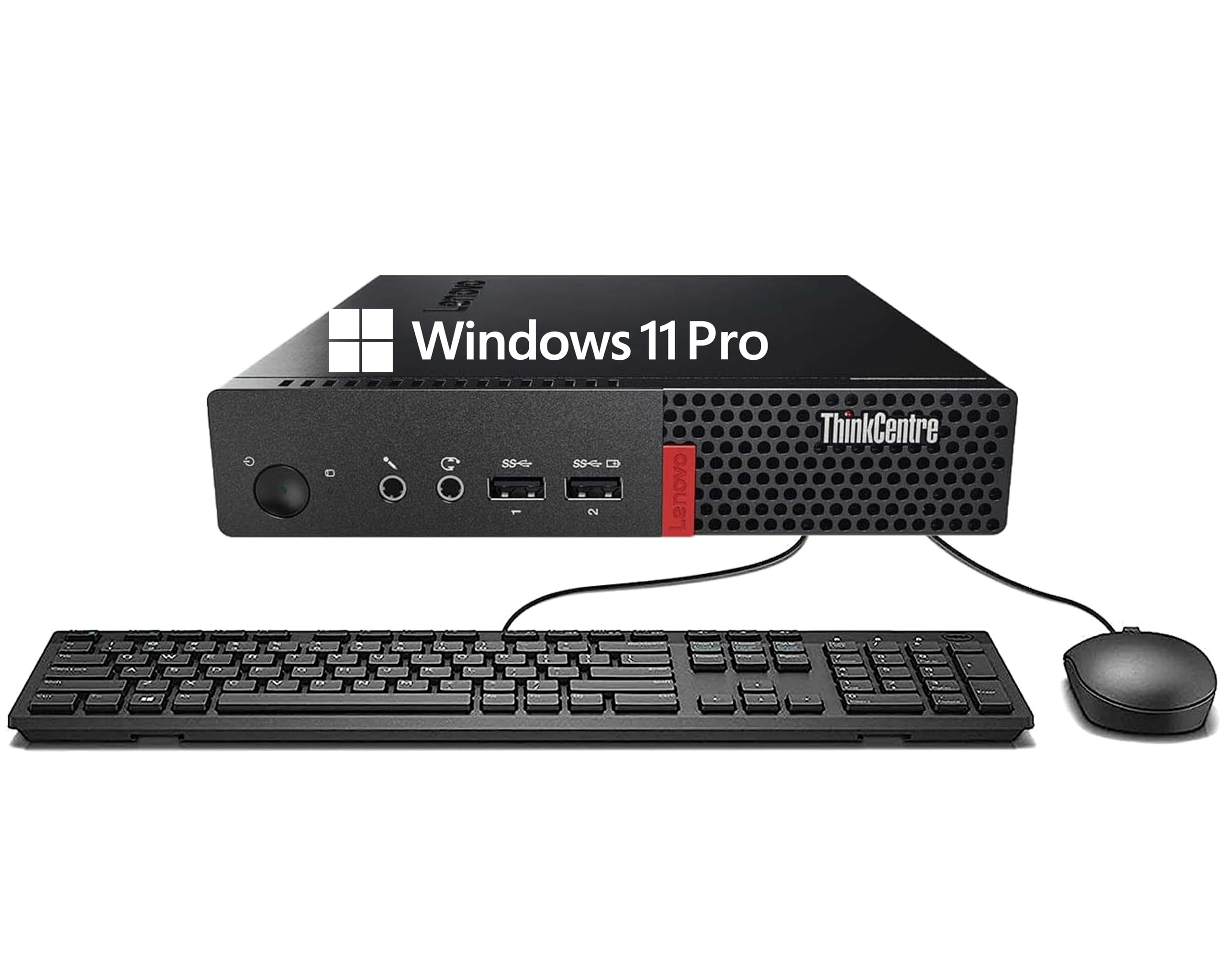
The cheapest way to get a Windows 11 Pro desktop.
The Lenovo ThinkCentre M710q is a stripped-down, compact desktop driven by a 6th-gen Intel Core i3-6100T (3.2 GHz) with 8GB of DDR4 RAM and a 256GB SSD. It is the most affordable entry on this list, and it comes with Windows 11 Pro pre-installed, a keyboard and mouse, WiFi, and Bluetooth. For under, you get a machine that handles streaming, web browsing, and basic office tasks without struggle — one owner called it “a great little computer” for replacing a streaming device.
Product quality and value for money are the aspects owners appreciate most, but the performance feedback is mixed. The biggest connectivity complaint is the lack of an HDMI port — the M710q uses only DisplayPort outputs, so you will need an adapter or a DisplayPort monitor. One notable negative review involved a unit that arrived dead (power supply issue), and a few others noted that the included WiFi adapter is a USB dongle rather than an internal card. For a home automation hub running HAOS (Home Assistant OS), buyers found it runs “flawlessly.” Just know that the port limitation and refurb lottery make this best for someone comfortable with a few cables and a bit of patience.
What you get for the price
- Windows 11 Pro pre-installed with keyboard and mouse
- Very compact and easy to set up
- Great for home automation hub or streaming device
- Includes WiFi and Bluetooth (via USB dongle)
The trade-offs
- No HDMI ports — DisplayPort only
- Performance is fine for basics but may struggle with heavier loads
- Refurb lottery: some units arrive with issues
Ideal for: The absolute lowest-budget buyer who needs a Windows 11 machine for streaming, email, and light office work — and is comfortable with DisplayPort-only connections.
Look elsewhere if: You need HDMI ports from the start or want a more reliable unit without the refurb gamble.
Understanding the Specs
CPU Generation and Core Count
The processor is the heart of a mini PC, and you cannot swap it later. An older 6th-gen Core i5 (like the 6500T) handles basic tasks but may not officially support Windows 11. A newer 8th-gen hexa-core i5 (like the 8500T) runs Windows 11 natively and gives you two extra cores for smoother multitasking. For the money, a hexa-core chip offers the best balance of speed and longevity.
RAM Type and Capacity
8GB of RAM is the minimum for a smooth Windows 11 experience — expect slowdowns if you keep 20+ browser tabs open. 16GB is the balance for most home and office users. DDR5 RAM (found in the DreamQuest Mini Plus) is faster and more efficient than DDR4, but the real-world difference is small at this performance tier. Upgradeable RAM slots let you grow later.
Storage: NVMe vs SATA SSD
An NVMe SSD (like the 256GB drive in the HP EliteDesk 800 G4) reads and writes data several times faster than a SATA SSD, making boot times and file transfers feel snappier. Many refurbished business PCs ship with a SATA SSD, which is fine for daily use but slower. The capacity you need depends on your files: 256GB fits the OS, apps, and some documents; 512GB or more is better for photos and media.
Display Outputs and Multi-Monitor Support
If you run two or more monitors, check the ports before you buy. Dual HDMI is the most common setup, but some mini PCs use a mix of HDMI, DisplayPort, and USB-C. Triple 4K support (like the QAZIPO Ryzen 5 model) lets you drive three high-resolution screens, which is a huge productivity boost for trading, coding, or design work. VGA and older ports mean you can connect legacy monitors without an adapter.
FAQ
Can a budget mini PC run Windows 11?
How much RAM do I really need in a mini PC?
Is a refurbished business mini PC better than a new consumer one?
Can I use a budget mini PC for a home server?
Do I need a separate graphics card for a mini PC?
How do I connect two monitors to a mini PC?
What is the difference between an HDMI and a DisplayPort on a mini PC?
How quiet are budget mini PCs?
Can I upgrade the storage in a mini PC later?
Will a mini PC work with Linux?
Final Thoughts: The Verdict
For the majority of shoppers, the budget mini pc winner is the HP EliteDesk 800 G4 because it packs a hexa-core i5 processor, 16GB of RAM, and a fast NVMe SSD into a compact, near-silent chassis that supports dual 4K monitors — all at a price that undercuts similarly-specced new units. If you need triple display output for a multi-monitor productivity setup, the QAZIPO Ryzen 5 3500U is the one to reach for. And for a home lab server that runs 24/7 without complaint, the GMKtec G3S is the quiet, low-power workhorse that owners swear by.
How We Picked
We do not accept paid placement. Every pick is matched to a real buyer and a real use-case; we do not hands-on test units.
Sources & Methodology
Specifications: manufacturer listings and product documentation. Review insights: verified customer reviews, as of July 2026. Pricing: not shown on this page (it changes often); check the current price via the retailer link.
As an Amazon Associate, Gadgets Feed earns from qualifying purchases. This does not affect which products we feature.