
Our readers keep the lights on and my morning glass full of iced black tea. As an Amazon Associate, I earn from qualifying purchases.
Specs are compiled from manufacturer listings and verified buyer reviews and can change over time — please confirm the key details on the product page before buying.
A flimsy monitor arm is worse than no arm at all — the screen droops, the desk wobbles, and you end up back on the stock stand. The fix is knowing which specs actually prevent sagging and which ones are just marketing fluff. This guide cuts through the noise so you pick an arm that holds your screen steady for years, not weeks.
I’m Min — the founder and writer behind Gadgets Feed. This guide is built by comparing the manufacturers’ published specifications and the patterns across verified customer reviews, so you get each pick’s real strengths and trade-offs instead of marketing spin.
You’ll learn which arms handle heavy ultrawides, which mounts fit thin desks, and how to spot a durable spring mechanism from a cheap gas piston. budget monitor arm picks here balance real holding power with a price that won’t sting.
Our Picks at a Glance

How To Choose The Best Budget Monitor Arm
Before you buy a monitor arm, you need three numbers: your screen’s size, its weight, and your desk’s thickness. Get those right, and any arm on this list will hold your monitor steady.
Match the Weight Capacity First
The most important spec is the maximum weight your arm can hold. If your monitor weighs 18 pounds, an arm rated for 19.8 pounds leaves almost no margin for error. Buyers’ biggest regret is an arm that slowly droops under a screen it was never meant to carry.
Check the Mounting Pattern and Desk
Almost every modern monitor uses a VESA mounting pattern of 75x75mm or 100x100mm — the four screw holes on the back. Check your screen has these holes before buying. Then measure your desk thickness, because a C-clamp only grips a certain range, while a grommet mount needs a hole in the desktop.
Gas Spring vs Mechanical Spring
Gas pistons are common and smooth when new, but they can lose pressure over time. Mechanical springs tend to hold their tension longer. For a budget buy you will keep for years, a mechanical spring arm is often the safer long-term choice.
Quick Comparison
| Model | Best For | Max Screen Size | Max Weight | Mount Type | Amazon |
|---|---|---|---|---|---|
| Pixio PS1S Wave★ Best Overall | Colorful style meets smooth motion | 32 inches | 19.8 lbs | C-Clamp / Grommet | Amazon |
| WALI Heavy DutyAlso Great | Massive ultrawide screens | 49 inches | 33 lbs | C-Clamp / Grommet | Amazon |
| HUANUO FlowLift ProSmart Spring | Deep-focus static setups | 32 inches | 19.8 lbs | C-Clamp / Grommet | Amazon |
| Amazon Basics Single | Simple static height at a low price | 30 inches | 22 lbs | C-Clamp | Amazon |
| NB SmooVex A5 | Tool-free quick spring setup | 32 inches | — | C-Clamp / Grommet | Amazon |
| Acer Single Mount | Mid-size screens with gas spring smoothness | 34 inches | 19.8 lbs | C-Clamp / Grommet | Amazon |
| MOUNTUP Extra Long | Extended reach on deep desks | 32 inches | 19.8 lbs | C-Clamp / Grommet | Amazon |
| MSI MAG MT101G | Premium build for heavy 4K screens | 32 inches | 22 lbs | Clamp / Grommet | Amazon |
| VIVO STAND-V101BB | Ultrawide screens on premium aluminum | 40 inches | 26.4 lbs | Clamp / Grommet | Amazon |
In‑Depth Reviews
1. Pixio PS1S Wave White Single Monitor Arm
Our pick — over 4.5★ from 400+ verified ratings; the strongest balance of quality and price.
The all-metal arm that makes a desk look cleaner just by existing.
This Pixio mount is the pick for buyers who want their setup to look as good as it functions. It handles monitors up to 32 inches and 19.8 pounds, with a VESA plate that fits both 75x75mm and 100x100mm patterns. The all-metal build is sturdy, and buyers report it holds a 27-inch monitor with zero sag.
What wins people over is the adjustability — the two articulating arms move through a wide range, letting you push the screen back further than a stock stand ever would. Assembly is quick, and the built-in cable trays keep wires organized and out of sight. If you pick the white or pink finish, it genuinely upgrades the look of your whole workspace.
One honest note: the tension adjustment can feel slightly confusing during setup. The default C-clamp works on most desks, and owners mention “durable, no sagging after 1 month” of daily use, so the effort pays off.
Why it stands out: Smooth swiveling motion and a clean look that owners say makes desks look tidier — rare for a budget arm.
Reach for it if: you want a sturdy, good-looking arm for a standard-sized monitor up to 32 inches.
Look elsewhere if: you need to hold a heavy ultrawide — 19.8 lbs is the ceiling here.
2. WALI Heavy Duty Single Monitor Arm
The muscle arm that hoists a 49-inch ultrawide without breaking a sweat.
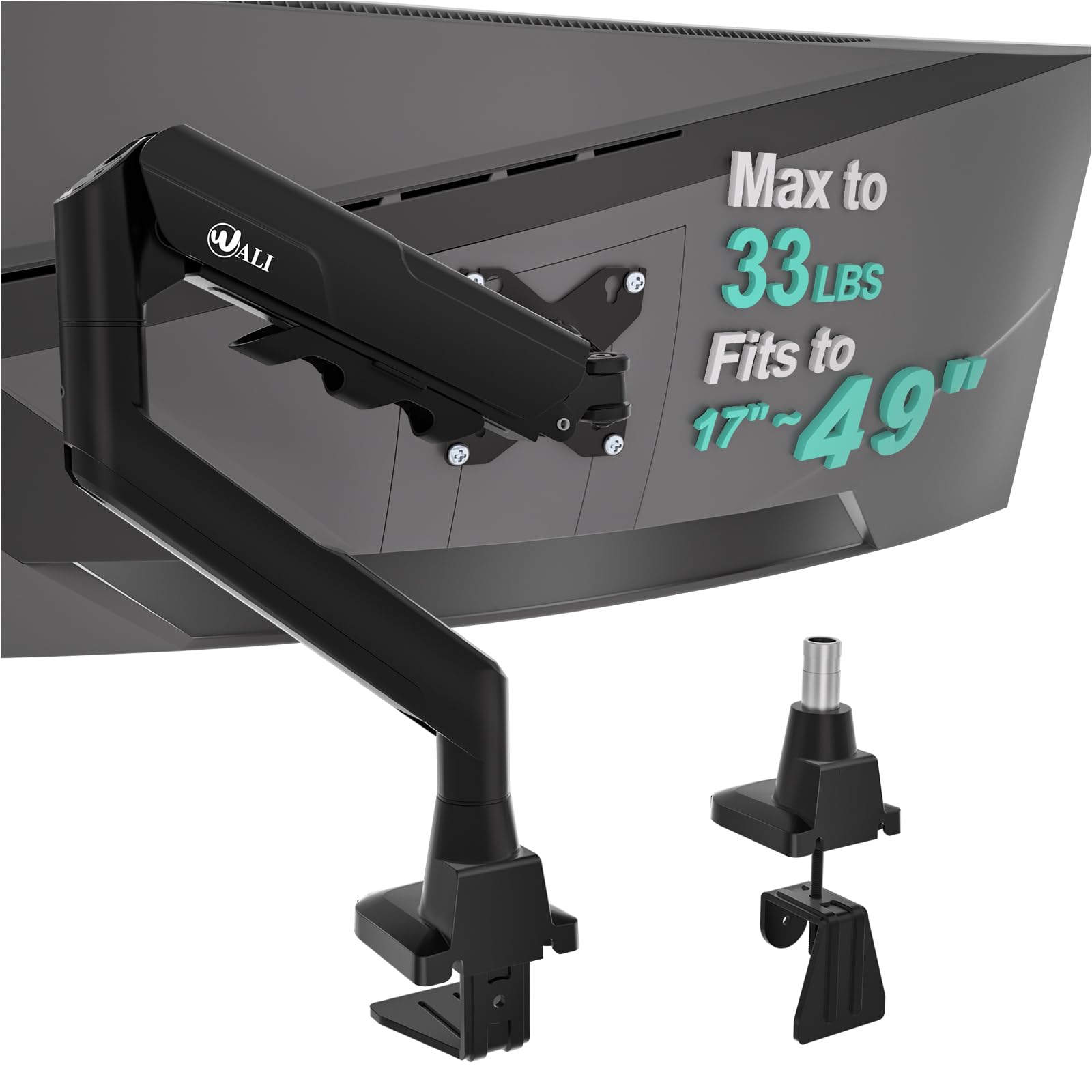
This WALI arm is the crowd favorite for one big reason: it swallows screens up to 49 inches and carries up to 33 pounds. That is a 67% bigger weight capacity than the Pixio above, and it is the arm people turn to for massive curved ultrawides like the Samsung G9 Odyssey. Customers note it holds these giants “without sagging” and “stays adjusted” after setup.
It extends out a full 21.14″ and raises up to 20.79″ above the desktop, with swivel ±90°, tilt ±75°, and 360° rotation. The wider VESA head and tighter-fitting panel add stability, and the core is tested through 20,000+ cycles. Installation takes about 20 minutes, and the clamp or grommet base suits desks 0.39″–1.96″ thick. Owners sum it up as an “easy 20-min install” that “frees desk space” at a price that feels like a steal.
The honest trade-off: stability gets mixed feedback depending on your desk. Some find it rock-solid, while others report wobble on thinner surfaces — so a sturdy wooden desk is worth having. The clamp on newer units is also a more complex multi-part Allen wrench setup than older versions.
What Earns It The Top Spot
- Carries up to 33 lbs — more than any other arm in this list
- Fits screens up to 49 inches, perfect for ultrawide setups
- Install is a fast 20-minute job with solid cable guides
Honest Caveats
- Stability varies by desk thickness — best on solid wood
- Newer clamps use more parts than older versions
The verdict: The best all-around pick for anyone with a big, heavy screen who wants a rock-solid hold without paying premium prices.
Think twice if: you have a thin, glass, or crossbeam-blocked desk — the clamp needs a solid grip surface.
3. HUANUO FlowLift Pro Monitor Arm
The mechanical spring arm that promises up to twice the lifespan of gas pistons.
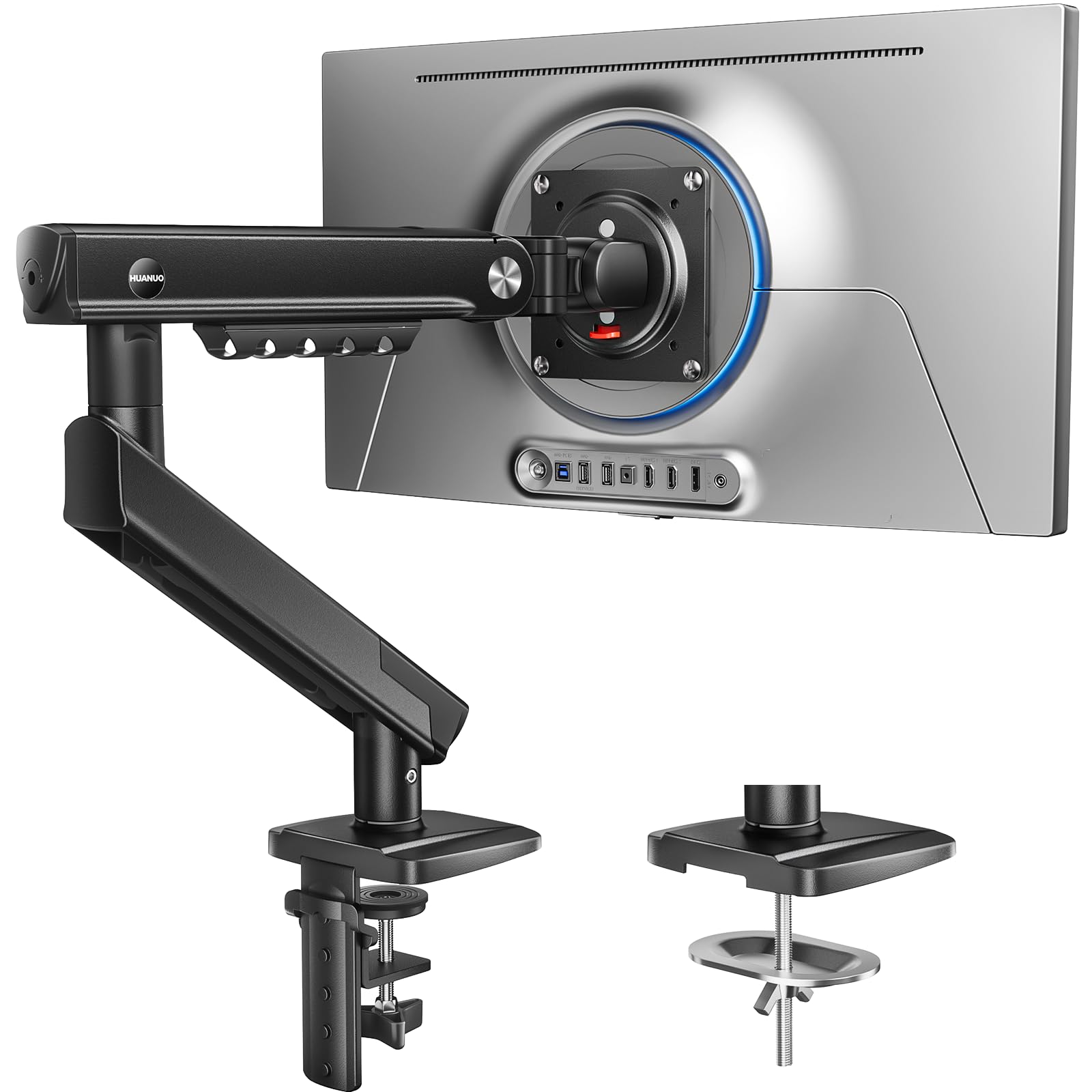
This HUANUO arm is built for people who set their monitor once and leave it — coders, designers, and analysts who rarely touch the screen. It supports 13–32 inch screens and 4.4–19.8 lbs for flat monitors (or 4.4–15.4 lbs for curved ones), and it covers screens as small as 13 inches, a 31% smaller minimum than the WALI above. That makes it the best fit for lightweight, smaller displays.
The MechaSpring arm uses a mechanical spring instead of a gas piston, so it won’t lose pressure over time. The brand claims it lasts “up to 2× the service life of conventional mounts,” and it’s built from 90% metal, TÜV Rheinland certified (a German safety standard), and tested at 3x its load. The tool-free InstaMount VESA plate (the standard mounting pattern on the back of your monitor) snaps your screen in place in seconds — no struggling to align screws while holding a heavy display.
The cleverest touch is the PrecisionView window, a yellow indicator that shows exactly when tension is calibrated for your monitor’s weight, so you never over-tighten or guess. Owners call it “really good quality” and note it takes about 5 minutes to install. The catch is desk compatibility: it is only recommended for wood desks 0.59″–3.54″ thick, so check yours first.
Best for: Set-and-forget users who value long-term reliability over constant repositioning.
Choose it if: you want a spring mechanism built for years of steady holding with tool-free setup.
skip it if: your desk is not solid wood or you have irregular desk edges — the clamp needs a clean grip.
4. Amazon Basics Single Monitor Stand

The steel workhorse that trades fancy motion for rock-solid simplicity.
If you want an arm that just holds your monitor at the right height and never complains, this Amazon Basics stand is the no-nonsense answer. The durable steel construction is what buyers praise most, with many noting it holds a 27-inch Dell monitor easily.
The design is refreshingly simple: 360-degree rotation for portrait or landscape, height adjustment from 7.9 to 14.2 inches, and tilt from -15 to +85 degrees. It is not a gas spring arm with floating motion; it is a solid static arm with minimal wobble. The detachable VESA plate accepts 100x100mm and 75x75mm patterns, and all tools come in the box.
Be honest about your needs, though. The 14.2-inch max height leaves some 27-inch screens sitting just below eye level for taller users. Owners call it a “high-quality clone” that is ideal for static-height setups, but if you constantly reposition your screen, a gas arm suits you better. It also needs a desk 0.8 to 3.9 inches thick.
balance: This is the best entry-level arm if you want dependable holding power without spending more. pass on it if you need a gas-spring arm for frequent, heavy adjustments.
Pick this if: you want a sturdy, simple arm for a standard monitor and do not need constant repositioning.
Pass on it if: you are tall and need the screen higher than 14.2 inches, or you want floating gas-spring motion.
5. NB SmooVex Monitor Mount A5
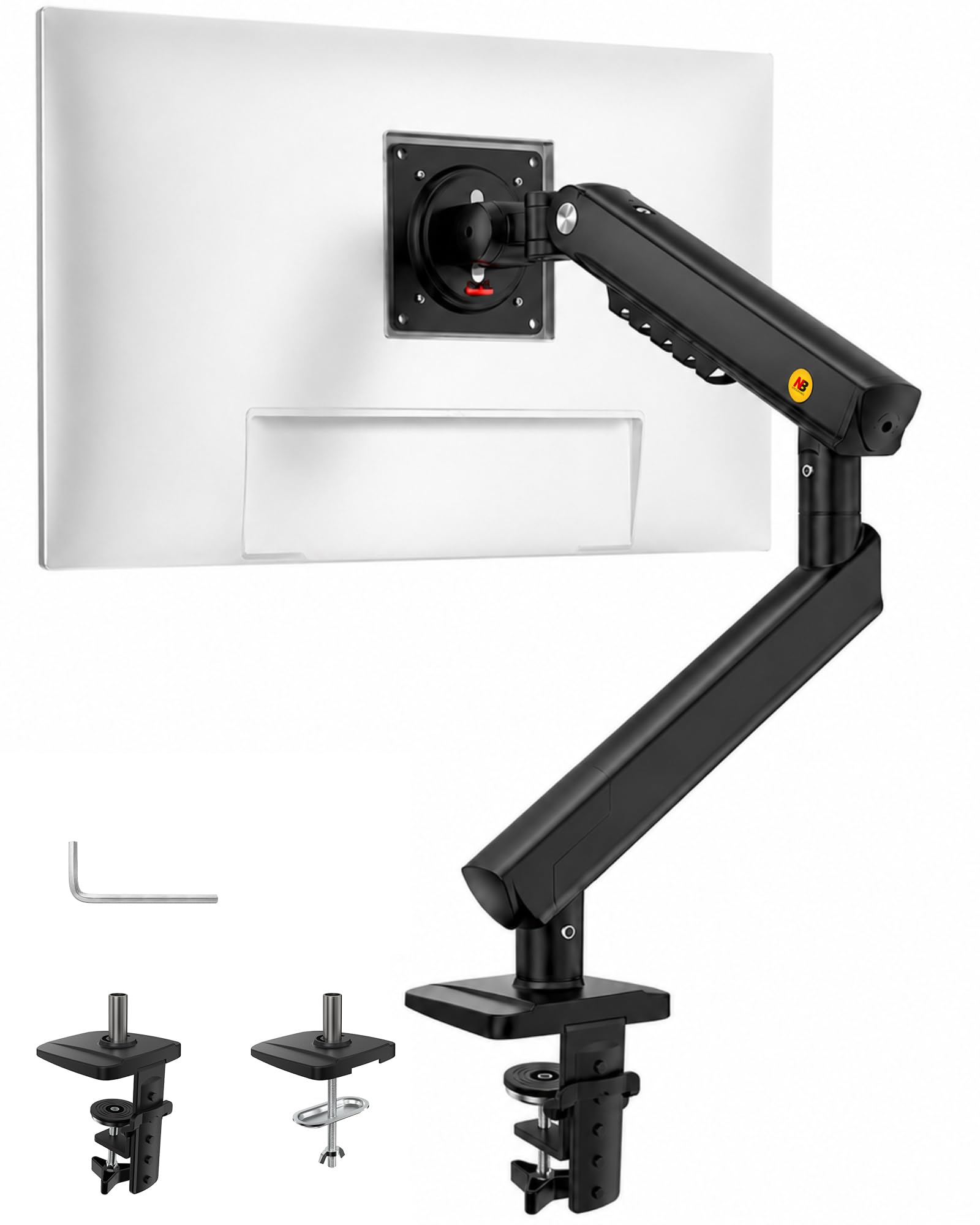
A new-generation mechanical spring arm that sets up in three steps and holds firm.
The NB SmooVex skips the traditional gas piston entirely for a precision mechanical spring system — no gas leakage concern and less sagging over time. It supports flat and curved monitors up to 32 inches with standard VESA 75x75mm and 100x100mm patterns. Owners say it holds devices securely “without wobbling” and praise its sturdy build.
The 3-step installation is genuinely fast — no complicated assembly. You get a C-clamp and grommet option, and the slimmer arm design saves desk space. For movement, you get ±90° rotation, -25° to 90° tilt, swivel adjustment, and 230mm of height travel. The mechanical spring keeps things smooth and stable for long-term daily use.
Owners installed it in about 10 minutes with clear instructions and all hardware included. One recurring fit note: the clamp can be too short for desks with a 2×4 support underneath, so double-check your desk before committing.
Why it works: Smooth spring movement and a tool-friendly install make this a low-friction upgrade for any home office.
Go for it if: you want a quick, wobble-free spring arm for a monitor up to 32 inches.
Check first if: your desk has deep supports underneath — the clamp may not reach.
6. Acer Single Monitor Mount
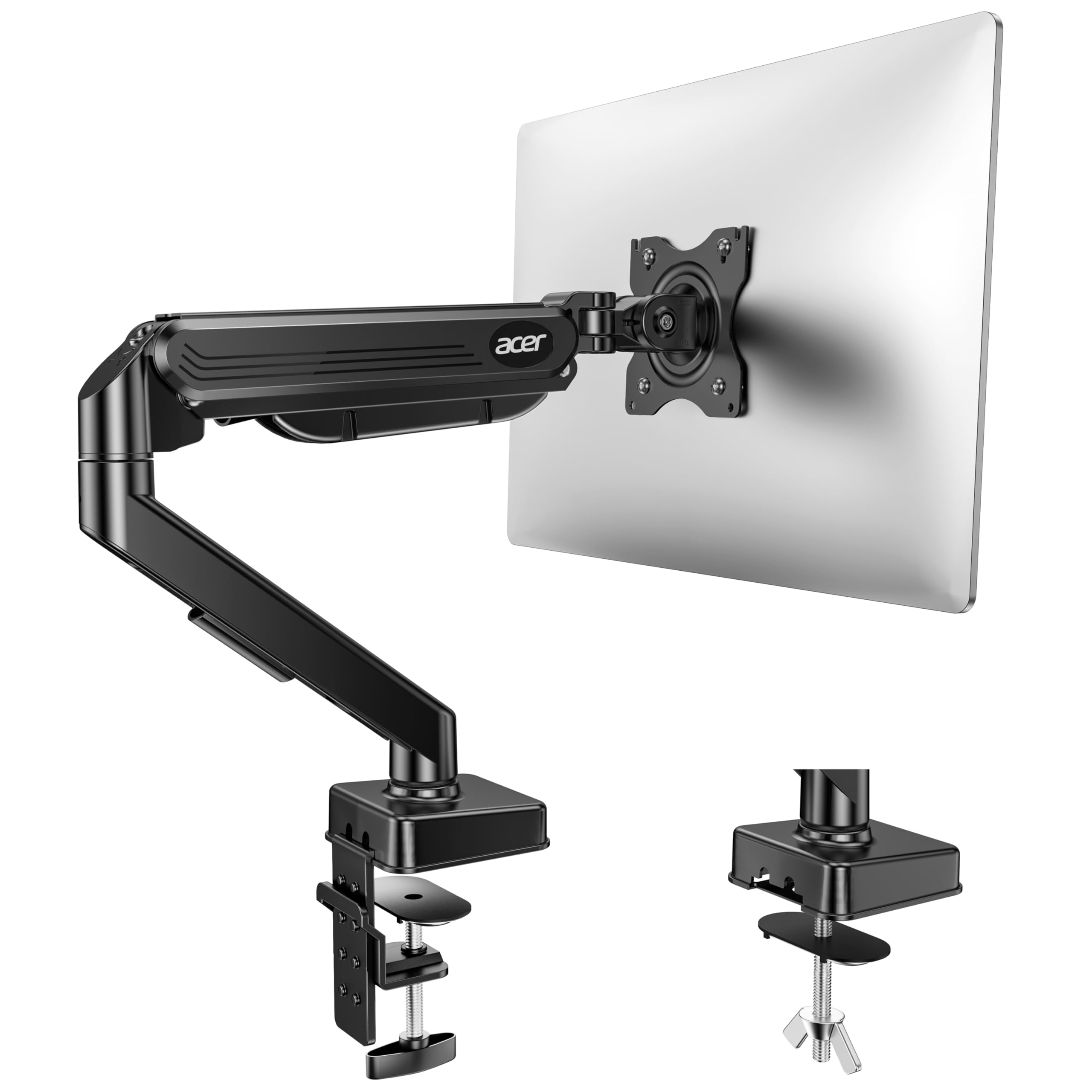
An automotive-grade gas spring arm that lifts up to 18.1 inches with one hand.
This Acer arm is for buyers who want the smooth floating motion of a gas spring without the premium sticker price. It supports 17–34 inch monitors weighing 4.4–19.8 lbs, and it is the first arm on this list to reach 34 inches — a step up from the 32-inch caps on several picks above. The automotive-grade pneumatic spring core passes 20,000 motion tests and feels noticeably sturdier than cheaper gas arms.
You get tilt from -60° to +90°, swivel ±90°, and 360° rotation, with a max arm height of 18.1 inches. The one-piece design installs in about 5 minutes with no extra tools needed. Owners say it is “incredibly stable” after 6 months of use and handles a heavy monitor “pretty well,” calling the mostly-metal build impressive for the price.
The honest catch: adjustability gets mixed feedback. Some find the tension control easy, while others say it takes patience to dial in. Also avoid desks with double shelves, enclosed back panels, or curved edges where the clamp cannot fully grip. For a simple, well-priced gas arm, this is a strong pick.
Who it suits: Gamers and office users who want gas-spring smoothness and one-hand height changes on a mid-size screen.
Take it if: you have a 34-inch monitor and want smooth gas-spring motion at a fair price.
Be careful if: your desk has crossbars or enclosed panels — the clamp needs a clean, flat edge.
7. MOUNTUP Extra Long Monitor Arm
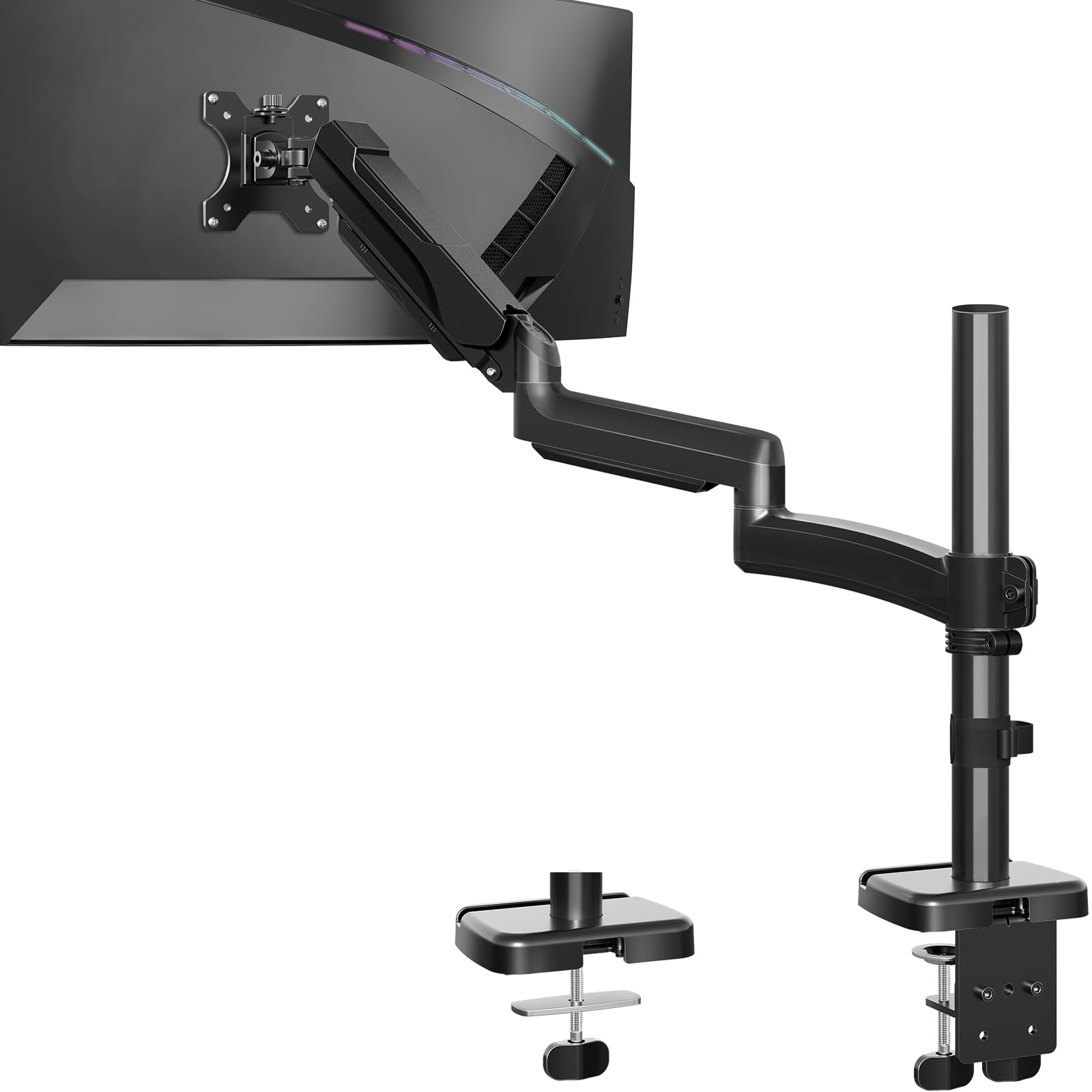
The long-reach arm that swings a screen 30 percent farther than standard mounts.
Deep desks and bed-side setups are exactly what this MOUNTUP arm was built for. Its arm is 30% longer than other mounts, offering up to 27.7 inches of extension — enough to pull a monitor across a wide desk or position it over a bed. It supports 22–32 inch screens up to 19.8 lbs, with a taller 28.5 inches of height adjustment range.
The full range of motion is impressive: tilt +90°/-90°, swivel +90°/-90°, and rotation +180°/-180°. It has been tested for over 20,000 lifts, and owners running three 27-inch monitors on a sit-stand desk report it is sturdy and easy to set up. The gas spring arms move smoothly and hold position well.
Buyers do flag a couple of fit notes: the left arm can struggle to stay in position on some setups, and there is some wobble reported on certain desks. One clever use case came from a buyer who mounted it to a metal bed frame with the C-clamp, calling it far cheaper than medical-grade mounts. The desk must be 0.39″–3.15″ thick for the clamp, or 0.39″–1.97″ for the grommet.
Standout feature: The extra-long arm genuinely changes what you can do with your desk layout — no other pick here reaches 27.7 inches.
Choose it if: you have a deep desk, a bed-side mount, or need to swing a monitor a long way from the pole.
Consider alternatives if: you only need a short reach — the extended arm adds nothing for a compact setup.
8. MSI MAG MT101G Monitor Arm
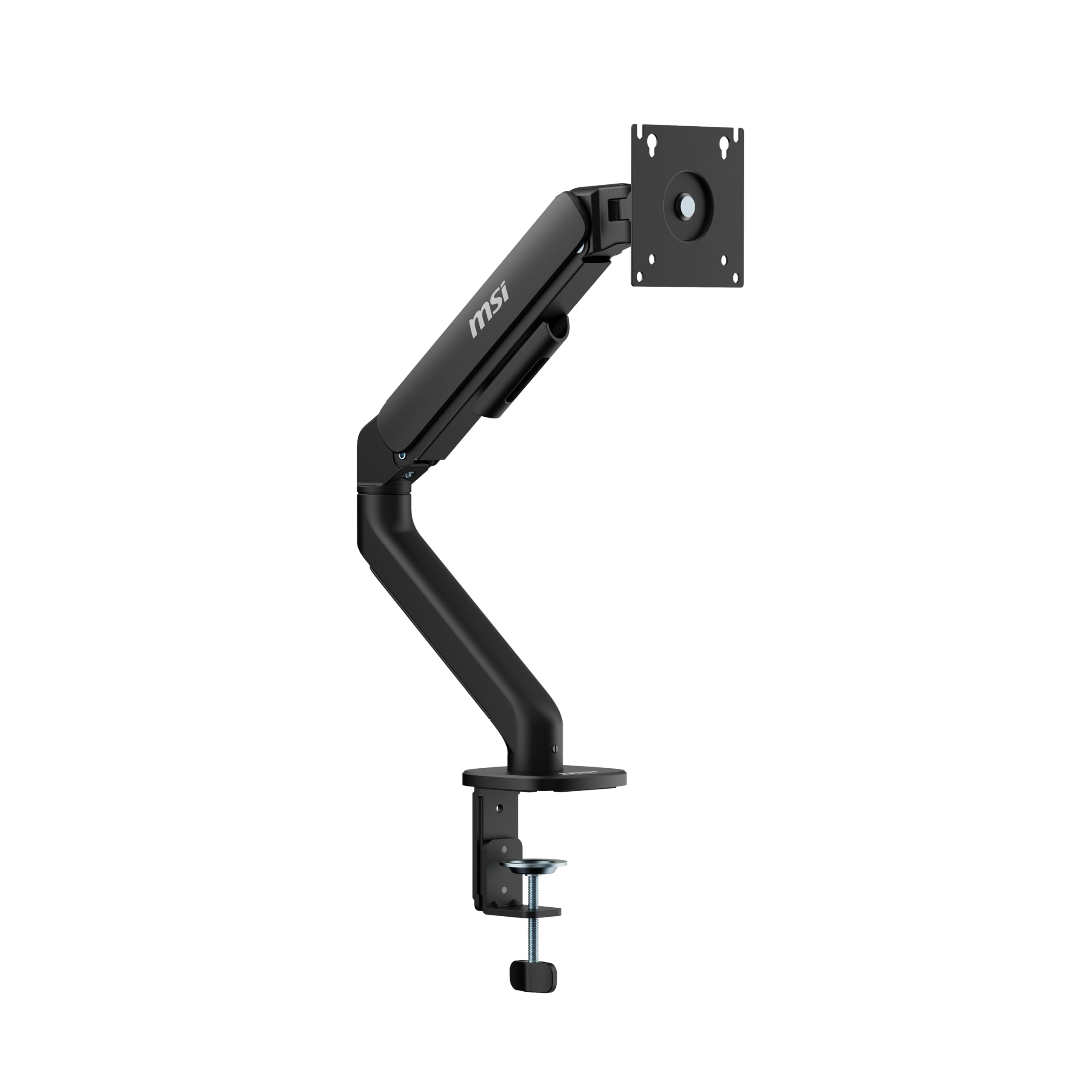
A clean, premium-feeling arm that holds a heavy 4K monitor vertically with zero sag.
If build quality is your top priority, this MSI arm outperforms pricier rivals. It supports 17–32 inch monitors up to 22 pounds — enough for a heavy 4K panel in portrait mode. Owners say it holds a 22lb 4K screen vertically “without sag” and describe the build quality as feeling genuinely premium. The gas spring adjustments are smooth in every direction.
The quick-release VESA plate makes mounting and dismounting painless, and the cable management keeps things clean. You get tilt up to +80°/-45°, swivel up to +90°/-90°, and rotation up to +180°/-180°. The clamp fits desks 10 to 75mm thick, or 10 to 45mm for the grommet base.
Owners praise how it transforms an old desk setup, removing the need for a side table entirely. Even a 30-year-old desk handled it fine. The one recurring gripe: occasional units arrive missing the screws for certain monitors, so keep your own hardware handy just in case. It is backed by a 3-year warranty.
The edge: Few budget arms feel this solid in the hand — the premium aluminum build is the story here.
Buy it if: you want a premium-feeling, wobble-free arm for a heavy monitor and value clean aesthetics.
Note: check that your monitor’s screws are included — a few units ship without them.
9. VIVO Premium Aluminum Ultrawide Mount

The aluminum lift-engine arm that floats a big ultrawide with easy counterbalance.
For ultrawide owners who want premium motion, this VIVO arm is the one. It fits most 17 to 40 inch screens — flat or curved — and supports up to 26.4 lbs flat or 24.2 lbs curved. That is a bigger reach than the Acer above (40 vs 34 inches), making it the choice for truly wide panels. The premium aluminum build is what buyers praise most, calling it sturdy enough for 35-inch LCD monitors.
The signature feature is the built-in elbow spring gauge, which lets you adjust the counterbalance at any level for precise weight matching. You get +90° to -90° tilt, 180° swivel, 180° rotation, and 9.6 inches of smooth height adjustment. The clamp attaches with simple hand tightening, and the grommet mount is included for desks 0.39″ to 2″ thick. Owners running a 34-inch ultrawide report “zero sag” and smooth motion in every direction.
Be honest about its limits, though. The vertical range is on the narrower side, and fine-tune adjustments below that 9.6-inch window are tricky. Some owners also find the cable management a bit flimsy and note minor play in the VESA plate. For most ultrawide setups, the smooth motion and strong build win the day.
Standout spec: The 26.4 lb flat-screen capacity and 40-inch support make this the heaviest ultrawide handler below the WALI.
Choose it if: you own a large ultrawide and want smooth, precise counterbalance motion in a premium aluminum body.
Consider another if: you need a tall vertical range — the 9.6-inch height window is limited.
Understanding the Specs
Weight Capacity and Screen Size
These two numbers work together. A monitor arm rated for 19.8 lbs can hold a 32-inch screen, but a heavy 34-inch ultrawide might exceed that. Always weigh your monitor (check the spec sheet) and compare it against the arm’s maximum. Leave at least 10-15% headroom so the spring does not have to work at its limit.
C-Clamp vs Grommet Mount
A C-clamp grips the edge of your desk like a big clip, so it needs a clean, flat edge with no crossbars underneath. A grommet mount bolts through a hole in the desktop, which suits desks with enclosed backs or cable holes. Measure your desk thickness first, because each arm only supports a specific range — usually around 0.39″ to 3.15″.
VESA Mounting Pattern
VESA is the standard four-hole pattern on the back of most monitors. The two common sizes are 75x75mm and 100x100mm, and nearly every arm on this list supports both. Before buying, flip your monitor over and check for these holes — if it lacks them, you will need an adapter plate.
Gas Spring vs Mechanical Spring
Gas pistons use compressed gas to counterbalance the monitor’s weight, offering smooth motion when new, but they can slowly lose pressure over years. Mechanical springs use coiled steel that tends to hold tension longer. For a budget arm you plan to keep for years, a mechanical spring is often the more reliable long-term choice.
FAQ
Will a budget monitor arm work with my curved ultrawide monitor?
How do I know if the VESA pattern on my monitor will fit?
What desk thickness do I need for a C-clamp mount?
Is a gas spring arm better than a mechanical spring arm?
Can a budget monitor arm hold a 27-inch monitor?
Why does my monitor arm keep sagging or drooping?
What is the difference between a C-clamp and a grommet mount?
How long does a budget monitor arm typically last?
Final Thoughts: The Verdict
The strongest budget monitor arm is the WALI Heavy Duty, because it holds the biggest and heaviest screens — up to 49 inches and 33 lbs — at a price that undercuts most rivals. If you want easy tool-free setup and a spring built to last, grab the HUANUO FlowLift Pro. And for the smoothest ultrawide motion in a premium aluminum body, the VIVO STAND-V101BB is the one to reach for.
How We Picked
We do not accept paid placement. Every pick is matched to a real buyer and a real use-case; we do not hands-on test units.
Sources & Methodology
Specifications: manufacturer listings and product documentation. Review insights: verified customer reviews, as of August 2026. Pricing: not shown on this page (it changes often); check the current price via the retailer link.
As an Amazon Associate, Gadgets Feed earns from qualifying purchases. This does not affect which products we feature.