
Our readers keep the lights on and my morning glass full of iced black tea. As an Amazon Associate, I earn from qualifying purchases.
Specs are compiled from manufacturer listings and verified buyer reviews and can change over time — please confirm the key details on the product page before buying.
Editing photos on a monitor that shifts every shade you choose is a recipe for wasted prints and re-dos. You need a budget-friendly screen that nails color accuracy from the start — no guessing, no calibration anxiety.
I’m Min — the founder and writer behind Gadgets Feed. This guide is built by comparing the manufacturers’ published specifications and the patterns across verified customer reviews, so you get each pick’s real strengths and trade-offs instead of marketing spin.
We are looking at a handful of the most color-accurate, value-conscious monitors around. Here are the top options for a budget monitor for photo editing that will not send your fine-tuned skin tones into an orange mess.
Our Picks at a Glance



How To Choose The Best Budget Monitor For Photo Editing
Picking a monitor for photo editing on a budget depends on understanding a few key specs. You do not need the most expensive panel to get accurate colors. You just need to know where to look and what trade-offs to expect.
Panel Type: IPS is the standard for a reason
The panel tech determines how colors and brightness look from different angles. An IPS (in-plane switching) panel keeps colors consistent and bright even when you are not sitting dead center. This is a must for any serious photo work.
Color Gamut: sRGB, DCI-P3, and Rec. 709
These specs tell you how many colors the monitor can show. sRGB is the baseline for web and print work. Broader gamuts like DCI-P3 (the digital cinema standard) and Rec. 709 (HDTV standard) let you see richer, more vibrant shades. For entry-level editing, 99-100% sRGB is a strong start.
Delta E Accuracy: The number behind “true color”
Delta E (dE) measures how far a monitor’s color is from the real reference. A Delta E under 2 is considered excellent — you will not see a noticeable color shift. Monitors built for editing often come with a factory calibration report showing this number.
Resolution: The sharpness for fine details
A higher pixel density lets you see more detail and makes small text sharper. 4K UHD on a 27-inch monitor gives you a crisp, spacious canvas for retouching and masking work without needing to zoom in constantly.
Quick Comparison
| Model | Best For | Color Gamut | Brightness | Resolution | Amazon |
|---|---|---|---|---|---|
| Dell S2725QS★ Best Overall | Best Overall Value | 99% sRGB | 350 cd/m² | 3840×2160 (4K) | Amazon |
| Samsung ViewFinity S7 S70HPremium Value | Premium Value | 99% sRGB | 300 cd/m² | 3840×2160 (4K) | Amazon |
| LG 27US500-WBudget Starter | Budget Starter | 90% DCI-P3 | 300 cd/m² | 3840×2160 (4K) | Amazon |
| ASUS ProArt PA278CV | Pro Color Accuracy | 100% sRGB | 350 cd/m² | 2560×1440 (QHD) | Amazon |
| LG 27US550-W | Full Ergonomics | 90% DCI-P3 | 300 cd/m² | 3840×2160 (4K) | Amazon |
| Dell S2725QC | USB-C Workflow | 99% sRGB | 350 cd/m² | 3840×2160 (4K) | Amazon |
| ViewSonic VP2756-4K | Pantone Certified | 100% sRGB | 350 cd/m² | 3840×2160 (4K) | Amazon |
| ViewSonic VP2768A | Daisy Chain Pro | 100% sRGB | 350 cd/m² | 2560×1440 (QHD) | Amazon |
| ASUS ProArt PA279CV | Top-Tier Pro 4K | 100% sRGB | — | 3840×2160 (4K) | Amazon |
In‑Depth Reviews
1. Dell 27 Monitor S2725QS
Our pick — over 4★ from 900+ verified ratings; the strongest balance of quality and price.
Sharp 4K detail meets a 120Hz motion that makes editing feel fluid.
This Dell monitor brings the pixel density that photo editors love — a 4K UHD (3840×2160) panel that shows every stitch in a texture and every subtle gradient in a sky. The 99% sRGB coverage means the colors you see match the ones you will export, while the 1500:1 contrast ratio delivers deeper blacks than the LG 27US500-W’s 1000:1, giving shadows more depth. At 350 cd/m² brightness, it stays vivid even in a sunlit room — noticeably brighter than the Samsung ViewFinity S7 S70H, which tops out at 300 cd/m².
The built-in speakers are a pleasant surprise, offering more detail and range than the previous Dell generation. You also get a fully adjustable stand with height, swivel, pivot, and tilt — easy to dial in a comfortable position for long retouching sessions. An anti-glare coating cuts reflections, and the ComfortView Plus tech reduces harmful blue light to 35% or less without washing out color. Hundreds of buyers praise its image quality and monitor quality.
Silent partner for edits: When you do not want to choose between a sharp 4K canvas and a desk-friendly price, this Dell is the one that delivers both — and adds a smooth 120Hz refresh rate for scrolling through layers and timelines.
Worth noting: A few owners noted a slight yellow tint or text distortion in isolated cases, but the overwhelming pattern — praised by hundreds for image quality and monitor quality — is clear, bright, and consistent color from the start.
Reach for this if: You need a 4K editing monitor with color accuracy, a 120Hz refresh, and a built-in stand that adjusts every way.
Look elsewhere if: Competitive gaming is your main priority — some ghosting shows at fast frame rates.
2. Samsung 27″ ViewFinity S7 (S70H)
A sharp 4K panel with HDR10 punch and a design that keeps the desk clean.
Samsung’s ViewFinity S7 delivers crisp 4K UHD detail with HDR10 (high dynamic range) support, meaning you see deeper blacks and brighter highlights in compatible content. The 178-degree IPS (in-plane switching) viewing angle keeps colors consistent across the screen, so shifting your posture does not shift the hue. At 300 cd/m² brightness, it is a notch below the Dell S2725QS’s 350 cd/m², but still feels bright enough for typical home and studio lighting.
A TÜV-certified Eye Saver Mode reduces blue light and prevents screen flickering — helpful if you are editing for hours. Connectivity covers modern setups with HDMI and DisplayPort ports. The monitor comes VESA (Video Electronics Standards Association) mountable, which is good because the included stand offers tilt only without height adjustment, as owners point out in reviews.
Color clarity star: This Samsung is all about the panel — rich, consistent color that makes editing photos a pleasure, with HDR10 giving you an extra dynamic range boost.
The trade-off: The fixed stand and lack of built-in speakers mean you will want a VESA arm or a separate pair of speakers.
Best for: Editors who care about image quality above all and plan to mount the screen on an arm.
skip it if: You need height adjustment and speakers built into the monitor stand.
3. LG 27US500-W Ultrafine Monitor
The entry point to 4K editing that does not drain your funds.
This LG Ultrafine monitor gives you a 4K UHD IPS panel at a price that makes it easy to start editing in higher resolution. It covers up to 90% of the DCI-P3 color gamut (the digital cinema standard), a broader color space than sRGB, which means richer reds and greens in HDR10 content. At 1000:1 contrast ratio, it handles typical photo work well, though the Dell S2725QS’s 1500:1 ratio gives deeper black levels.
The stand is minimalist and includes tilt only, and it is a bit wobbly according to a few owners. But the borderless design and white finish give it a clean look on any desk. A Reader Mode reduces blue light, and Flicker Safe technology cuts screen flicker for comfortable long sessions. OnScreen Control software lets you split the screen into sections for multitasking.
4K on a tight budget: If the priority is getting a 27-inch 4K IPS (in-plane switching) panel with good color for photo editing without extra frills, this LG is the smart entry.
Steady as she goes: The stand is the weak link — wobbly and tilt-only — so factor in a VESA arm or a stable desk position.
Reach for this if: You are starting out with photo editing and need a 4K screen without a premium price.
Look elsewhere if: You want a sturdy, adjustable stand and speakers in the monitor.
4. ASUS ProArt PA278CV

The color-accurate QHD panel that print-ready editors trust.
The ProArt series from ASUS is a known favorite among photographers and graphic designers. This 27-inch QHD (2560×1440) IPS (in-plane switching) panel is Calman Verified with a Delta E (dE, color deviation) of under 2, meaning you see colors exactly as intended — no guessing about how a print will turn out. With 100% sRGB and 100% Rec. 709 (HDTV standard) coverage, it is built for professional photo editing and video work where neutral, repeatable color is mandatory.
USB-C connectivity with 65W power delivery means one cable charges your laptop and carries the video signal, keeping your desk tidy. The fully ergonomic stand adjusts in tilt, swivel, pivot, and height, and it even rotates 90 degrees into portrait mode for coding or vertical photo work. DisplayPort daisy-chaining lets you run up to four ProArt monitors from a single video output.
Editor Approved
- Factory calibrated Delta E < 2 color accuracy.
- USB-C with 65W laptop charging.
- Fully adjustable ergonomic stand with pivot.
- 5-year warranty with online registration.
Trade-offs
- QHD resolution, not 4K — fine for most editing but less pixel density.
- Some owners wish for a higher refresh rate for smoother scrolling.
Best for: Editors who want a color-calibrated, factory-verified monitor and a clean USB-C desk setup.
pass on it if: You need 4K resolution for inspecting tiny details at 100% zoom.
5. LG 27US550-W Ultrafine Monitor
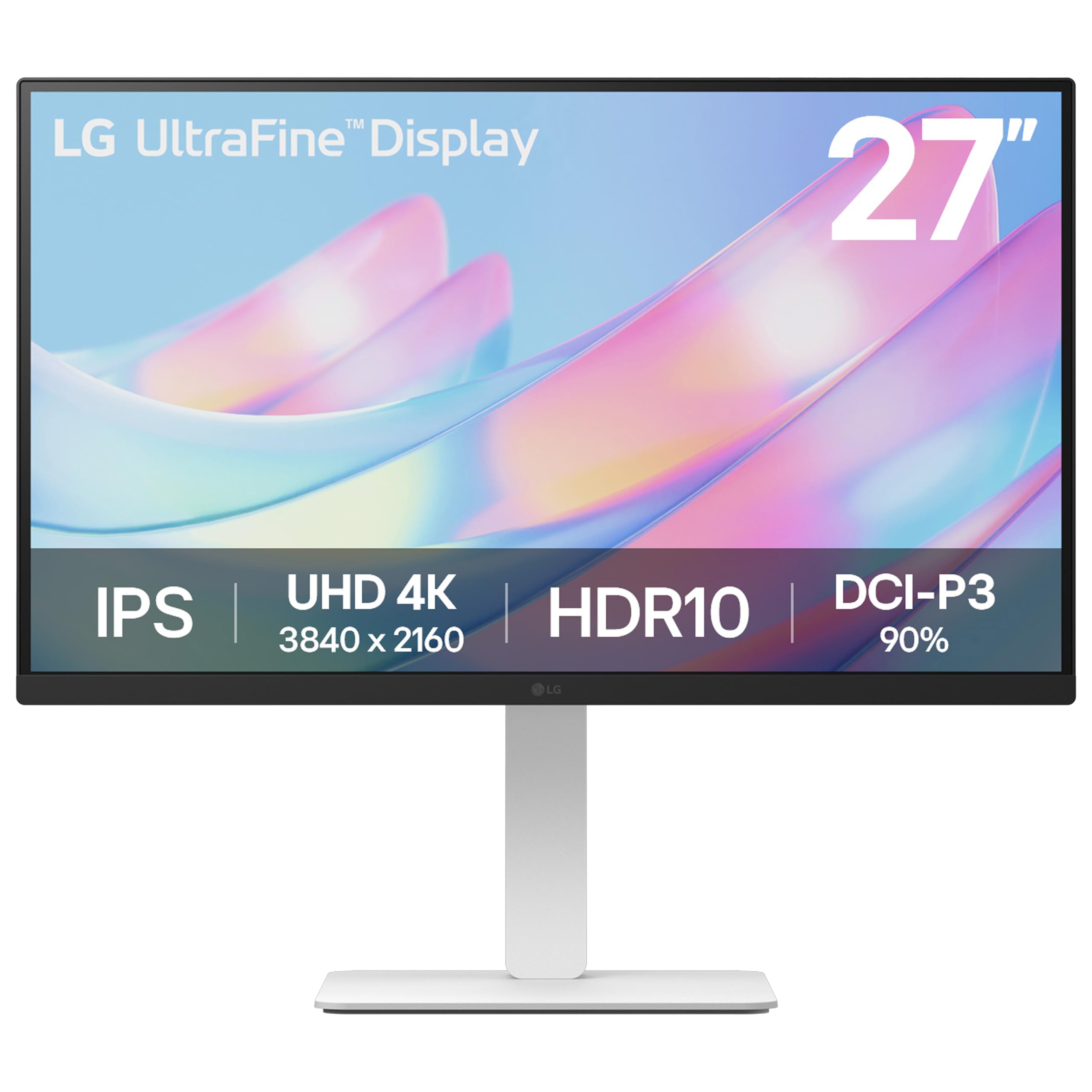
Ergonomic 4K that bends and rotates to fit your workflow.
This LG model takes the solid 4K IPS (in-plane switching) panel with 90% DCI-P3 (digital cinema standard) color gamut and adds a fully flexible stand. You get height adjustment, tilt, swivel, and even pivot into portrait mode — a rare combination at a budget-friendly level. The 1000:1 contrast ratio gives decent depth for HDR10 content, and the wide viewing angles keep colors consistent.
The Switch App is a practical tool for photo editors: it lets you split the screen into up to six customizable sections, launch apps, or start video calls from a single hotkey. The white finish and thin bezels keep the desk looking modern. Keep in mind there are no built-in speakers, as owners frequently remind, so you will need external ones.
Adjustable 4K without the premium: The fully flexible stand is the star here — you get a 4K editing panel that moves exactly how you need it to, without paying extra for a separate arm.
The omission: No built-in speakers means you need to budget for external audio.
Reach for this if: Ergonomics matter most — you want height, swivel, tilt, and pivot in a 4K monitor at a reasonable cost.
Look elsewhere if: You need a monitor with speakers integrated into the chassis.
6. Dell 27 Monitor S2725QC

The one-cable 4K solution that charges your laptop while you edit.
The S2725QC is the USB-C twin of the S2725QS above. It delivers the same core: a 4K IPS (in-plane switching) panel with 99% sRGB, a 1500:1 contrast ratio, and 350 cd/m² brightness. The defining difference is the USB-C port that delivers up to 65W power delivery (PD). Plug one cable into a compatible laptop, and the monitor charges the laptop, displays the video, and connects peripherals through its built-in KVM (keyboard, video, mouse switch).
The 120Hz refresh rate makes scrolling through a dense photo library feel fluid, and the built-in speakers are better than most monitors in this range. ComfortView Plus keeps blue light under 35% without sacrificing color accuracy — a real help for all-day editing. The stand adjusts in height, swivel, pivot, and tilt, giving you a comfortable working position without needing an arm.
One-cable editing hub: If your laptop lives on your desk, this monitor replaces the bulky power brick and the cable mess with a single USB-C connection — while delivering excellent 4K color and a smooth 120Hz display.
Watch the USB-C: An occasional owner reports the USB-C/dock feature failing after months; if you rely heavily on it, monitor compatibility closely.
Best for: Laptop users who want a simple one-cable desk setup with color-accurate 4K and laptop charging.
it’s not for you if: You do not need USB-C power delivery — the S2725QS gives you the same panel for less.
7. ViewSonic VP2756-4K ColorPro Monitor

Pantone-validated color that matches your prints every time.
The ViewSonic VP2756-4K is built for editors who need color they can bank on. It is Pantone Validated, meaning the screen can reproduce Pantone Matching System (PMS) colors with high fidelity. Combine that with 100% sRGB, EBU (European Broadcasting Union), SMPTE-C (Society of Motion Picture and Television Engineers) coverage, and a Delta E (dE) of under 2, and you have a monitor that matches professional studio standards.
The 27-inch 4K UHD IPS (in-plane switching) panel delivers 350 cd/m² brightness with a 1000:1 contrast ratio. A 60W USB-C connection handles video, data, and charging over a single cable — not quite the 65W of some competitors, but enough for many ultrabooks. The advanced ergonomic stand includes tilt, swivel, pivot, and height adjustments, and Flicker-Free tech reduces eye fatigue.
Print-ready color: The Pantone validation gives you confidence that the color on screen matches your swatch book — a major plus for print photographers and graphic designers.
OSD quirks: The on-screen menu (OSD) is a bit clunky to navigate, but you can adjust settings through ViewSonic’s software for a smoother experience.
Reach for this if: You work in print and need color that matches Pantone swatches, supported by Delta E < 2 accuracy.
Look elsewhere if: You need a higher refresh rate for video or motion work — this is a 60Hz panel.
8. ViewSonic VP2768A ColorPro Monitor
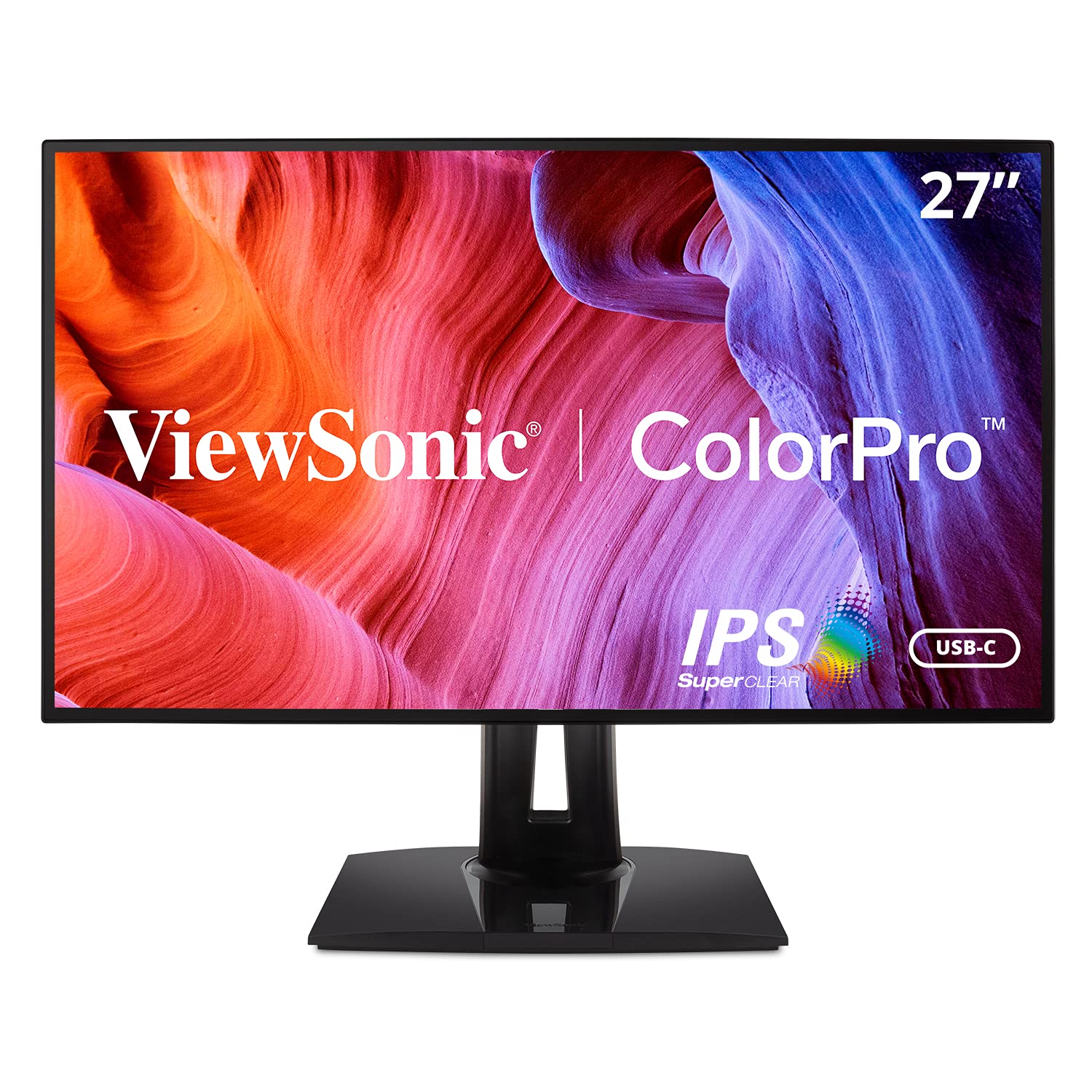
Pro-level color with a powerhouse 90W USB-C for high-end laptops.
The VP2768A is a 27-inch QHD (2560×1440) IPS (in-plane switching) monitor built for color-critical work. It covers 100% sRGB, Rec. 709 (HDTV standard), EBU, SMPTE-C, and even the DICOM-SIM color space (used in medical imaging), all with a Delta E (dE) of under 2. It is Pantone Validated and comes with a factory hardware calibration report in the box, so you know the color is correct from the start.
Where this monitor stands out is the 90W USB-C power delivery — enough to charge demanding laptops like a 16-inch MacBook Pro at full speed. Connectivity includes Ethernet RJ45 (a wired network port) for a stable internet connection, a DisplayPort daisy chain for multi-monitor setups, and four USB ports. The advanced ergonomic stand covers tilt, swivel, pivot, and height.
Studio Strength
- Factory-calibrated Delta E < 2 with report included.
- 90W USB-C PD — enough for a 16-inch MacBook Pro.
- Ethernet RJ45 and DisplayPort daisy chain built in.
- Covers multiple color spaces including DICOM-SIM.
Watch Points
- USB-C port failure reported in a few units, causing screen cutouts.
- OSD (on-screen display) buttons on the back are awkward to reach.
Best for: Professionals who need full-color accuracy plus enough USB-C power to run a pro laptop without a separate charger.
look elsewhere if: You require 4K resolution for fine detail work — this is a QHD (2560×1440) panel.
9. ASUS ProArt PA279CV

The Calman-verified 4K monitor for editors who need pixel-level accuracy.
The ASUS ProArt PA279CV is the 4K big brother to the PA278CV. It packs a 27-inch 4K UHD IPS (in-plane switching) panel with factory-calibrated Delta E (dE) of under 2, verified by Calman (a color calibration software). The wide color gamut covers 100% sRGB and 100% Rec. 709 (HDTV standard), ensuring that your edited photos look the same on screen as they do in print or on a calibrated broadcast monitor. With over 700 ratings on Amazon, it is a crowd favorite for monitor quality and color accuracy.
USB-C connectivity offers 65W power delivery (PD), and the monitor includes a full set of ports: DisplayPort, HDMI, and a USB 3.1 hub with four downstream ports. The ergonomic stand is fully adjustable with tilt, swivel, pivot, and height. ASUS includes a 5-year warranty (3 years plus 2 with online registration) and a free 3-month Adobe Creative Cloud subscription, adding real value for editors.
Pro-grade 4K color: If you need 4K resolution with a factory-calibrated Delta E under 2, this ProArt delivers the goods — the crowd favorite across over 700 ratings for monitor quality and color accuracy.
USB-C caution: While many owners praise the USB-C connection, a handful report the port failing within weeks; check your warranty coverage and consider a backup connection.
Reach for this if: You demand 4K resolution and factory-verified color accuracy for professional photo editing.
Look elsewhere if: You need a monitor with a flawless USB-C track record — a small but vocal group of owners experienced early failures.
Understanding the Specs
Color Gamut (sRGB / DCI-P3 / Rec. 709)
This tells you how many colors the monitor can display. sRGB is the standard for web and print — look for 99-100% coverage. DCI-P3 is a wider cinema-grade gamut that shows richer reds and greens; 90% or higher means vibrant HDR content. Rec. 709 is the HDTV broadcast standard, essential for video editors. The higher the percentage, the more accurate your file will look to others.
Delta E (< 2)
Delta E (dE) is a number that measures the difference between the color the monitor shows and the real reference color. A value under 2 is considered excellent for professional work — your eye cannot detect the shift. Many editing monitors come factory-calibrated with a report showing this number, so you know the screen is accurate from the start.
FAQ
What is the most important spec for a budget photo editing monitor?
Is 4K resolution necessary for editing photos?
Can I use a standard office monitor for photo editing?
Does a higher refresh rate matter for photo editing?
What does USB-C with power delivery do for me?
Should I get a QHD or 4K monitor for photo editing?
Do I need a monitor hood for photo editing?
What does “Pantone Validated” mean on a monitor?
Final Thoughts: The Verdict
For most buyers, the best budget monitor for photo editing is the Dell S2725QS because it combines a crisp 4K IPS panel with 99% sRGB color, a 120Hz refresh rate, a fully adjustable stand, and built-in speakers at a compelling price point. If you need pro-level accuracy on a QHD panel with USB-C charging, grab the ASUS ProArt PA278CV. And for a budget-friendly 4K entry with good DCI-P3 color, the LG 27US500-W is the one to reach for.
How We Picked
We do not accept paid placement. Every pick is matched to a real buyer and a real use-case; we do not hands-on test units.
Sources & Methodology
Specifications: manufacturer listings and product documentation. Review insights: verified customer reviews, as of July 2026. Pricing: not shown on this page (it changes often); check the current price via the retailer link.
As an Amazon Associate, Gadgets Feed earns from qualifying purchases. This does not affect which products we feature.