
Scouring the market for a monitor that delivers high-refresh-rate performance without the flagship price tag means wading through a sea of compromises in panel quality, connectivity, and build. The best options in this segment prioritize the specs that actually matter for competitive play — namely raw refresh rate and response time — while still delivering acceptable color accuracy for general use.
I’m Min — the co-founder and writer behind Gadgets Feed. I spend hundreds of hours each quarter analyzing technical specifications, cross-referencing verified buyer feedback, and tracking pricing trends in the fast-moving gaming monitor space to separate real value from marketing noise.
This guide covers nine top-tier value picks spanning 165Hz to 240Hz panels, including IPS, VA, and curved options, to help you identify the best budget monitors for gaming that fit your specific setup and graphical demands.
How To Choose The Best Budget Monitors For Gaming
The budget gaming monitor market is fiercely competitive, with brands packing higher refresh rates and better panels into lower price brackets every quarter. Understanding which trade-offs matter most — whether it’s sacrificing 240Hz for a 144Hz IPS panel with better colors, or choosing a curved VA for deeper contrast over a flat IPS — is critical to getting the right monitor for your GPU and preferred genres.
Refresh Rate vs. Resolution: The Core Trade-off
At this price tier, you typically choose between high-refresh 1080p (144Hz to 240Hz) or a slower 75Hz 1440p panel. For competitive gaming in titles like Valorant, CS2, or Overwatch, prioritize the highest refresh rate your GPU can drive at 1080p. A 240Hz panel offers a tangible advantage in perceived smoothness and input lag reduction over 144Hz, while a 165Hz panel represents the sweet spot for most mid-range graphics cards.
Panel Type: IPS vs. VA
IPS panels dominate the budget segment for their superior color accuracy and wide viewing angles, making them better for general desktop use and single-player games. VA panels, often found in curved 1500R designs, offer higher native contrast ratios (3000:1 or higher) for deeper blacks in dark scenes, but can suffer from black-level smearing at lower refresh rates. For fighting games and racing sims, VA’s contrast advantage is notable; for competitive FPS, IPS is the safer choice.
Adaptive Sync: FreeSync, G-Sync, and VRR
AMD FreeSync Premium is the most common adaptive sync technology in this price range, requiring the monitor to maintain at least 120Hz at 1080p while delivering low framerate compensation (LFC). NVIDIA G-Sync Compatibility, while less consistent at this entry tier, is a welcome addition on select models like the LG UltraGear. Always confirm your GPU brand (NVIDIA or AMD) to know which adaptive sync standard aligns with your hardware, though most modern GPUs can work with both to some degree over DisplayPort.
Quick Comparison
On smaller screens, swipe sideways to see the full table.
| Model | Category | Best For | Key Spec | Amazon |
|---|---|---|---|---|
| Sceptre Curved 24.5 | Curved VA | Immersive dark-scene gaming | 240Hz, 1ms, 1500R, 1M:1 DCR | Amazon |
| ASUS TUF Gaming VG249QM5A | Fast IPS | Ultra-low response eSports | 240Hz, 0.3ms, ELMB Sync, 99% sRGB | Amazon |
| Samsung Odyssey G4 | IPS | Full ergonomic adjustment | 240Hz, 1ms, HDR10, 400cd/m² | Amazon |
| Alienware AW2725DM | QHD IPS | High-res competitive 1440p | 180Hz, 1ms, 95% DCI-P3, HDR400 | Amazon |
| Acer Nitro KG251Q | TN-like LCD | Highest refresh rate on a budget | 280Hz, 1ms VRB, FreeSync Premium | Amazon |
| Dell SE2726HG | Fast IPS | Reliable brand build quality | 240Hz, 0.5ms, VRR, 99% sRGB | Amazon |
| LG UltraGear 24G411A | IPS | Console & PC hybrid use | 144Hz OC, 1ms MBR, G-Sync Compatible | Amazon |
| Amazon Basics 27 | IPS | Plug-and-play simplicity | 165Hz, 1ms, FreeSync, VESA | Amazon |
| SANSUI Curved 27 | Curved VA | Wide color gamut and contrast | 240Hz, 1ms MPRT, 130% sRGB, 4000:1 | Amazon |
In‑Depth Reviews
1. Sceptre Curved 24.5-inch Prime Gaming Monitor (C255B-FWT240)

The Sceptre C255B-FWT240 punches well above its price bracket with a genuine 240Hz refresh rate on a 1500R curved VA panel. The 1ms response time eliminates visible ghosting during fast-paced shooters, and the 1,000,000:1 dynamic contrast ratio delivers impressively deep blacks for an LCD at this price. Native FreeSync support up to 240Hz through either of its two DisplayPort inputs ensures tear-free gameplay without breaking the bank on a premium GPU.
Buyers consistently praise the vivid, punchy colors and the immersive wrap-around effect of the 1500R curvature, which feels natural at this 24.5-inch screen size. The built-in speakers are serviceable for casual use, though they lack bass and distort at higher volumes. The stand offers basic tilt adjustment but no height swivel, making a VESA mount a worthwhile investment for desktop ergonomics.
Some users note a slight cool color tint out of the box, easily corrected by switching to the “Movie” preset or performing a basic ICC profile adjustment. After a year of daily use, multiple verified reviews report zero flickering or dead pixels, confirming solid build consistency. For anyone wanting maximum refresh rate on a curved panel without stepping into premium tier pricing, this is the definitive choice.
Why it’s great
- True 240Hz with dual DisplayPort inputs for flexible connectivity
- 1500R curvature enhances immersion in racing and RPG titles
- Excellent dynamic contrast ratio for deep blacks
Good to know
- Stand lacks height adjustment and swivel
- Built-in speakers are low-quality for music or dialogue
- Factory color calibration leans slightly cool
2. ASUS TUF Gaming VG249QM5A
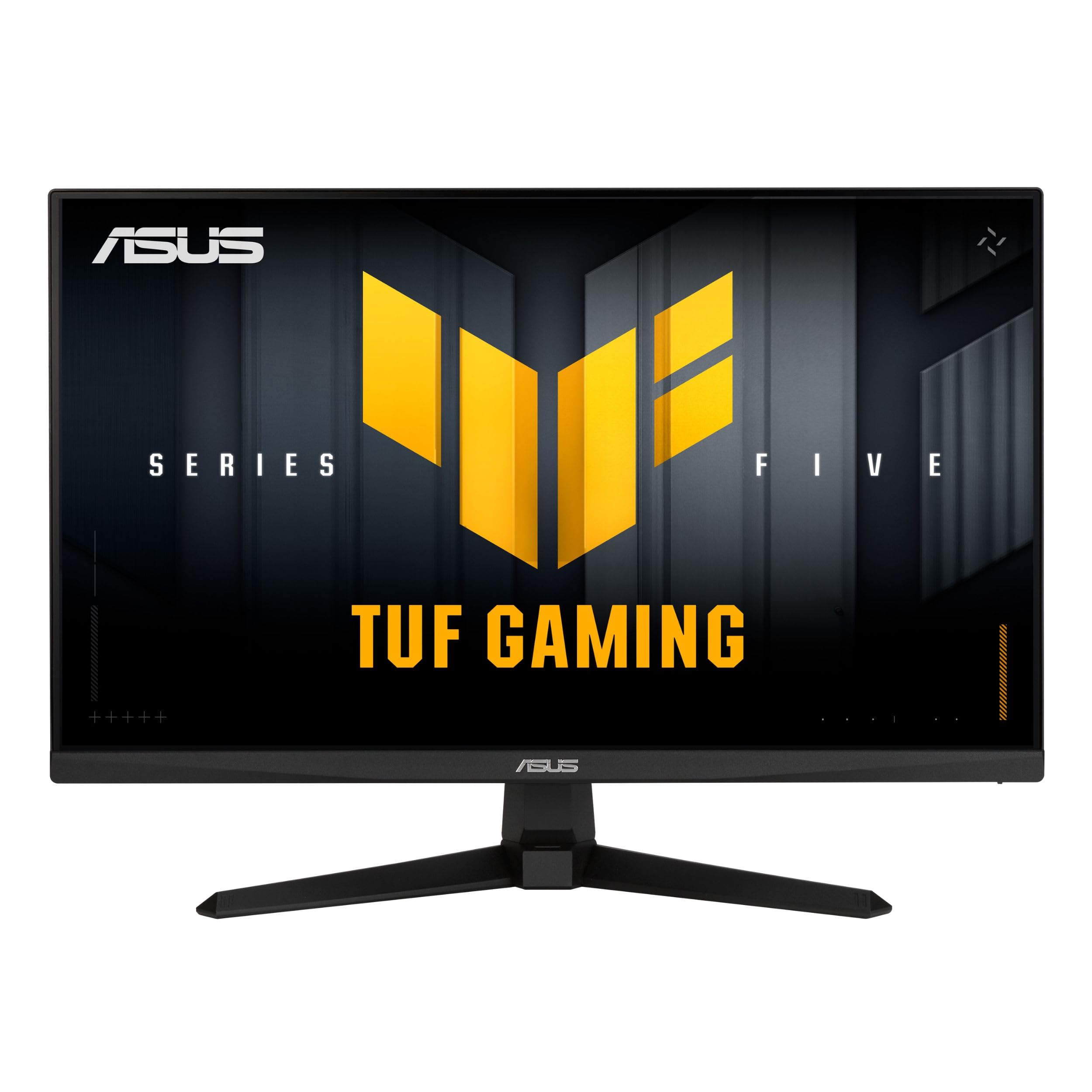
The ASUS TUF Gaming VG249QM5A is a 23.8-inch Fast IPS panel that pushes response time to an astonishing 0.3ms (minimum) while maintaining a 240Hz refresh rate. This combination virtually eliminates motion blur in competitive esports titles, and the ELMB Sync technology allows simultaneous use of the backlight strobing and variable refresh rate — a rarity at this price. The 99% sRGB coverage ensures colors are accurate out of the box for both gaming and content consumption.
NVIDIA G-Sync Compatibility and AMD FreeSync Premium give this monitor universal adaptive sync support regardless of your graphics card brand. The included DisplayPort cable and L-shaped screwdriver reflect ASUS’s attention to build experience, and the DisplayWidget Center software lets you tweak OSD settings with a mouse rather than fiddling with the on-screen joystick. The stand offers tilt adjustment, though it lacks height and swivel for ergonomic fine-tuning.
Verified reviews highlight the extraordinary responsiveness for competitive play, particularly in CS2 and Valorant where sub-millisecond reaction times matter. The anti-glare coating effectively reduces reflections without introducing a grainy texture. A few users note that the built-in speakers produce poor sound, which is expected for a monitor of this class. For pure competitive performance with minimal input lag, this ASUS model sets the budget benchmark.
Why it’s great
- Industry-leading 0.3ms response time for smearing-free motion
- ELMB Sync works with variable refresh rate for blur-free gaming
- Universal G-Sync and FreeSync Premium support
Good to know
- Stand only offers tilt adjustment
- 24-inch panel may feel small for desk setups
- Audio output is poor quality via built-in speakers
3. Samsung Odyssey G4 (LS25BG402ENXGO)

The Samsung Odyssey G4 brings a 240Hz IPS panel with a 1ms GTG response time and a class-leading 400 cd/m² peak brightness to the budget segment. The high brightness level makes HDR10 content more impactful than on typical 250-nit panels, and the 178-degree viewing angles keep colors consistent when sharing the screen. NVIDIA G-Sync Compatibility works seamlessly, and AMD FreeSync Premium is also supported for comprehensive tear-free operation.
Where this monitor truly distinguishes itself is the fully ergonomic stand — it offers height, swivel, tilt, and pivot adjustments, a rarity in this price tier. The Ultrawide Game View mode lets you simulate a 21:9 aspect ratio for supported titles, giving a wider field of view without purchasing an ultrawide panel. The Auto Source Switch+ feature automatically detects and switches to a newly powered-on device, saving time in multi-device setups.
Buyers consistently report vibrant colors, no backlight bleed, and a durable stand that eliminates wobble. The lack of built-in speakers is a common complaint, but the headphone jack passes audio cleanly from the GPU. Two years after its release, verified reviews still rate it as a top-tier 1080p high-refresh option. For users needing a premium ergonomic stand and high brightness, this is the best pick on the list.
Why it’s great
- Full ergonomic stand with height, swivel, tilt, and pivot
- 400 cd/m² brightness for impactful HDR10 content
- Ultrawide Game View mode expands FOV in supported games
Good to know
- No built-in speakers or audio output
- HDMI notification may cause nuisance with some laptops
- G-Sync Compatibility can cause flicker on some driver versions
4. Alienware AW2725DM

The Alienware AW2725DM offers a rare combination of QHD (2560×1440) resolution and a 180Hz refresh rate at a price point typically reserved for 1080p monitors. The 27-inch IPS panel delivers 95% DCI-P3 color coverage and VESA DisplayHDR 400 certification, resulting in vibrant, well-saturated colors with decent peak brightness for HDR content. The 1ms GTG response time keeps fast motion clear across the 1440p resolution.
NVIDIA G-Sync and AMD FreeSync support ensure compatibility with modern GPUs, and the stand offers full height, swivel, pivot, and tilt adjustments — a hallmark of Alienware’s premium design language. The inclusion of both DisplayPort 1.4 and HDMI cables in the box simplifies setup. Buyers consistently praise the sturdy build, lack of backlight bleed, and the excellent value for money at this spec level.
The main compromise is that achieving the full 180Hz refresh rate requires a DisplayPort connection; HDMI caps at 144Hz. There are no built-in speakers or headphone jack, so external audio is mandatory. A few users note noticeable IPS glow in dark scenes, though this is typical for the panel technology. For gamers wanting sharper resolution without sacrificing high refresh rates, this monitor offers the best pixel density in the roundup.
Why it’s great
- QHD resolution with 180Hz provides sharp, fluid gameplay
- 95% DCI-P3 coverage and HDR400 certification
- Fully adjustable stand and premium build quality
Good to know
- Full 180Hz requires DisplayPort; HDMI capped at 144Hz
- No built-in speakers or audio output jack
- IPS glow visible in completely dark environments
5. Acer Nitro KG251Q

The Acer Nitro KG251Q pushes refresh rate boundaries for the budget segment with a native 280Hz panel — the highest in this roundup. The 24.5-inch Full HD display uses Acer’s ZeroFrame design to minimize bezels, and the AMD FreeSync Premium certification ensures low framerate compensation down to 20Hz for tear-free gaming. The 1ms VRB (Visual Response Boost) mode reduces motion blur effectively during high-speed motion.
Connectivity includes one DisplayPort 1.4 and two HDMI 2.0 ports, allowing simultaneous connection to a PC and multiple consoles. The 3000:1+ contrast ratio is impressive for an LCD panel, though it relies on VA-like technology rather than true IPS. Verified reviews highlight the exceptional smoothness in competitive titles like Rocket League and CS2 at high frame rates.
Build quality is a mixed bag: the stand is thick and lacks tilt or height adjustment, and the included DisplayPort cables have caused artifacting for some users, requiring aftermarket replacements. Out-of-the-box color quality is poor, improved significantly by setting brightness to 100% or calibrating via AMD software. For users who prioritize maximum frame rate over color accuracy and stand ergonomics, the KG251Q delivers the highest Hz-per-dollar ratio available.
Why it’s great
- Industry-leading 280Hz refresh rate for ultra-smooth motion
- FreeSync Premium with LFC down to 20Hz
- Dual HDMI 2.0 ports for multi-console setups
Good to know
- Colors require calibration; stock profile is washed out
- Stand is thick and lacks tilt or height adjustment
- Included DP cables may cause artifacting
6. Dell SE2726HG
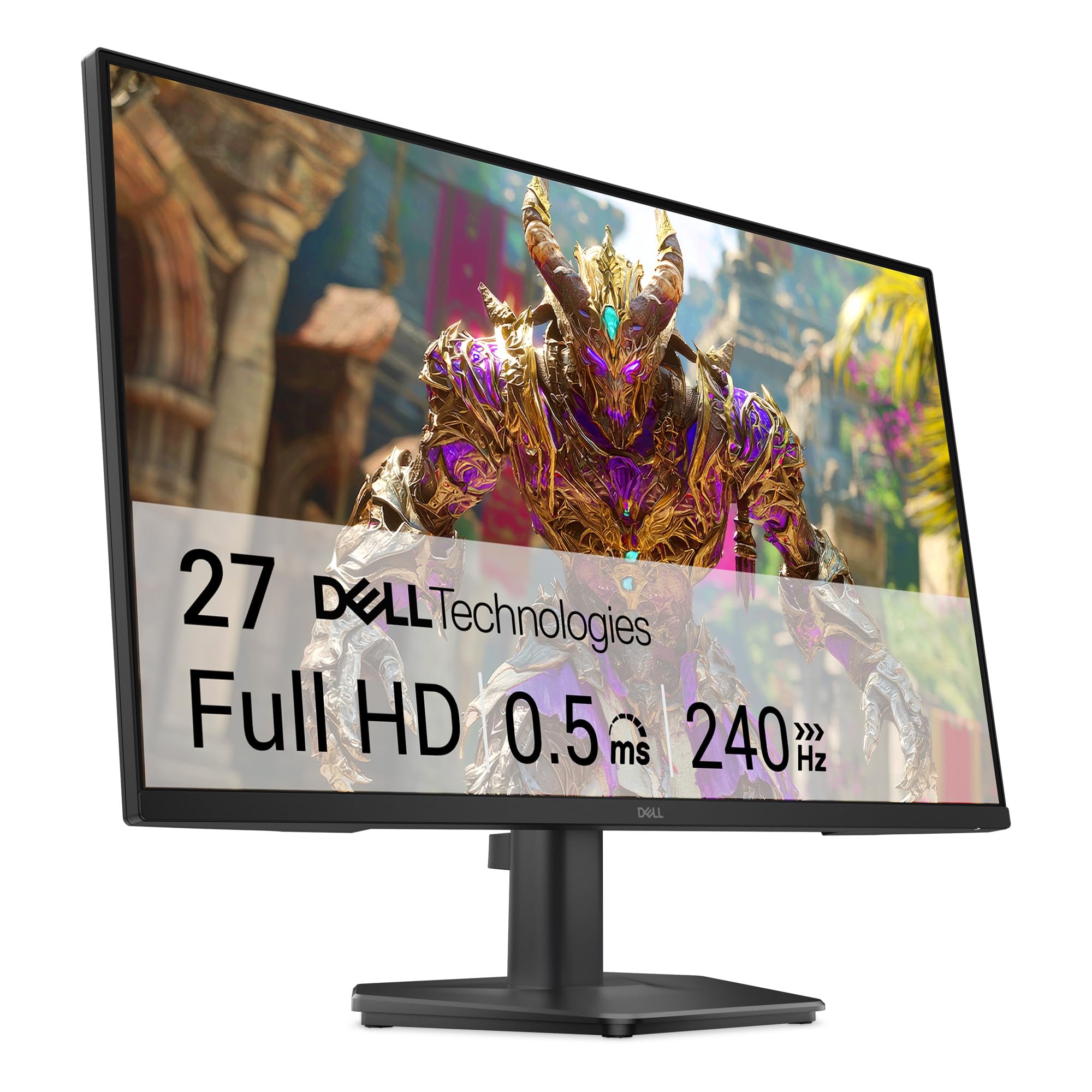
The Dell SE2726HG brings Dell’s reputation for build reliability into the budget gaming space with a 27-inch Fast IPS panel running at 240Hz. The 0.5ms response time (GtG) is among the fastest on paper at this price, and AMD FreeSync Premium with HDMI VRR support ensures smooth console and PC gaming. The 99% sRGB coverage delivers rich, accurate colors that outperform many similarly priced competitors out of the box.
TÜV Rheinland 3-star certification confirms low blue light emission without the yellow tint that plagues many blue-light filters, making it suitable for extended sessions. The OSD is controlled via a responsive joystick, and the monitor includes two HDMI 2.0 ports plus a DisplayPort 1.4. The stand offers tilt adjustment only, and the monitor lacks built-in speakers — a trade-off for the fast IPS panel and high refresh rate.
Verified reviews praise the smooth, tear-free gameplay on PS5 and Xbox at 120Hz, and the anti-glare coating effectively diffuses overhead lighting. The stand feels slightly wobbly due to the 27-inch size and weight, and some users report FreeSync flicker that appears driver-related. For buyers who trust Dell’s warranty support and want a 27-inch 240Hz IPS panel, the SE2726HG delivers consistent quality.
Why it’s great
- 27-inch Fast IPS panel with 240Hz and 0.5ms response time
- TÜV Rheinland 3-star certified low blue light
- Reliable Dell build quality and warranty support
Good to know
- Stand lacks height and swivel; feels wobbly on some desks
- No built-in speakers
- FreeSync flicker may occur with specific GPU drivers
7. LG UltraGear 24G411A

The LG UltraGear 24G411A is a 24-inch IPS gaming monitor that ships with a 120Hz native refresh rate, overclockable to 144Hz via the OSD. The 1ms Motion Blur Reduction (MBR) keeps fast-moving content sharp, and the inclusion of both NVIDIA G-Sync Compatibility and AMD FreeSync gives it universal adaptive sync coverage. HDR10 support and 99% sRGB color gamut deliver vibrant imagery for single-player titles and media consumption.
LG includes a suite of gaming features that are typically reserved for more expensive models: Dynamic Action Sync reduces input lag, Black Stabilizer lifts shadow detail in dark scenes, and Crosshair overlays provide a heads-up reticle for FPS games. The ultra-slim bezel and tilt-adjustable stand create a clean, minimal desktop footprint. Verified buyers note excellent 120Hz performance on PS5 and smooth, tear-free gameplay on mid-range PCs.
The stand is the primary weakness — multiple reviews describe it as flimsy and causing jiggling, making VESA mounting advisable. The monitor also lacks a DisplayPort cable in the box, requiring a separate purchase for PC users. Overall brightness at 250 cd/m² is typical for the price. For console gamers wanting G-Sync Compatibility and a compact 24-inch IPS panel, the UltraGear is a well-rounded pick.
Why it’s great
- G-Sync Compatible and FreeSync for universal adaptive sync
- Dynamic Action Sync and Black Stabilizer for competitive advantage
- Strong HDR10 color reproduction for the price
Good to know
- Stand is flimsy and causes screen jiggle
- No DisplayPort cable included
- Brightness limited to 250 cd/m²
8. Amazon Basics 27 Inch Gaming Monitor
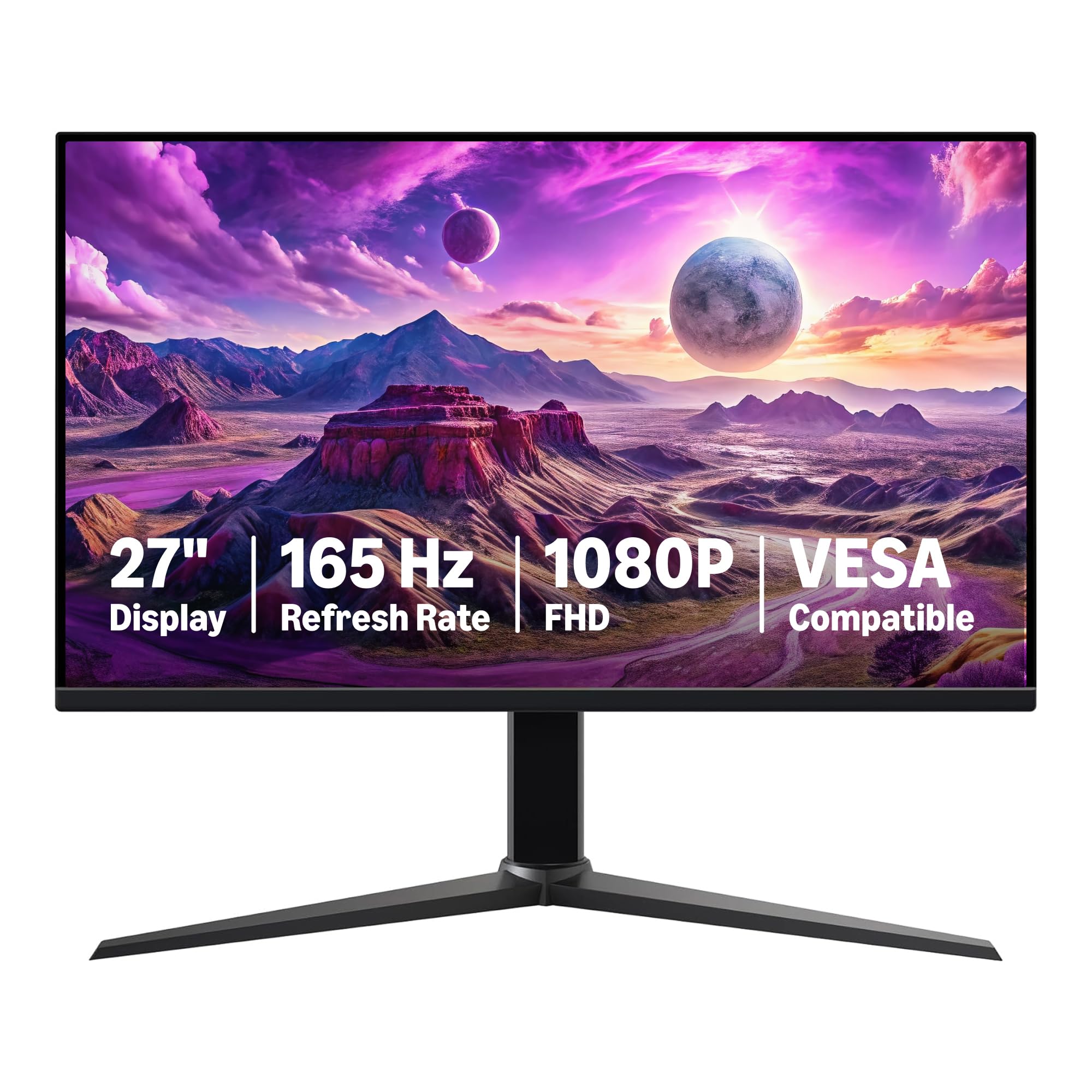
The Amazon Basics 27 Inch Gaming Monitor distills the gaming monitor formula to its essentials — a 165Hz IPS panel with 1ms response time, Adaptive Sync, and VESA compatibility — at an extremely competitive price. The 27-inch 1080p form factor delivers a spacious desktop canvas with decent pixel density for general use, and the inclusion of a USB-C port alongside HDMI and DisplayPort makes it uniquely versatile for modern laptops and docking stations.
Setup is genuinely plug-and-play: the monitor self-configures to 165Hz when paired with a DisplayPort 1.4 or HDMI 2.0 cable, and the OSD is straightforward for fine-tuning. The matte anti-glare coating reduces reflections in brightly lit rooms, and the active TFT technology maintains consistent brightness across the panel. Verified buyers praise the smooth, responsive feel and the easy VESA mounting process for monitor arms.
The built-in speakers are weak, described as “doing the job” for system sounds but inadequate for immersive gaming. Color quality out of the box is decent but benefits from switching to HDR mode or a custom profile. A few units arrived with the protective film still stuck to the panel (with a date code printed on it), which caused initial confusion. For a no-fuss, high-refresh 27-inch monitor with USB-C connectivity, this is the simplest recommendation.
Why it’s great
- USB-C port adds modern connectivity for laptops and docks
- Genuine plug-and-play setup at 165Hz with DisplayPort
- VESA compatible for easy monitor arm installation
Good to know
- Built-in speakers sound tinny and lack bass
- Color quality needs HDR mode or calibration for best results
- Protective film on panel can be confusing to remove
9. SANSUI 27 Inch Curved 240Hz Gaming Monitor
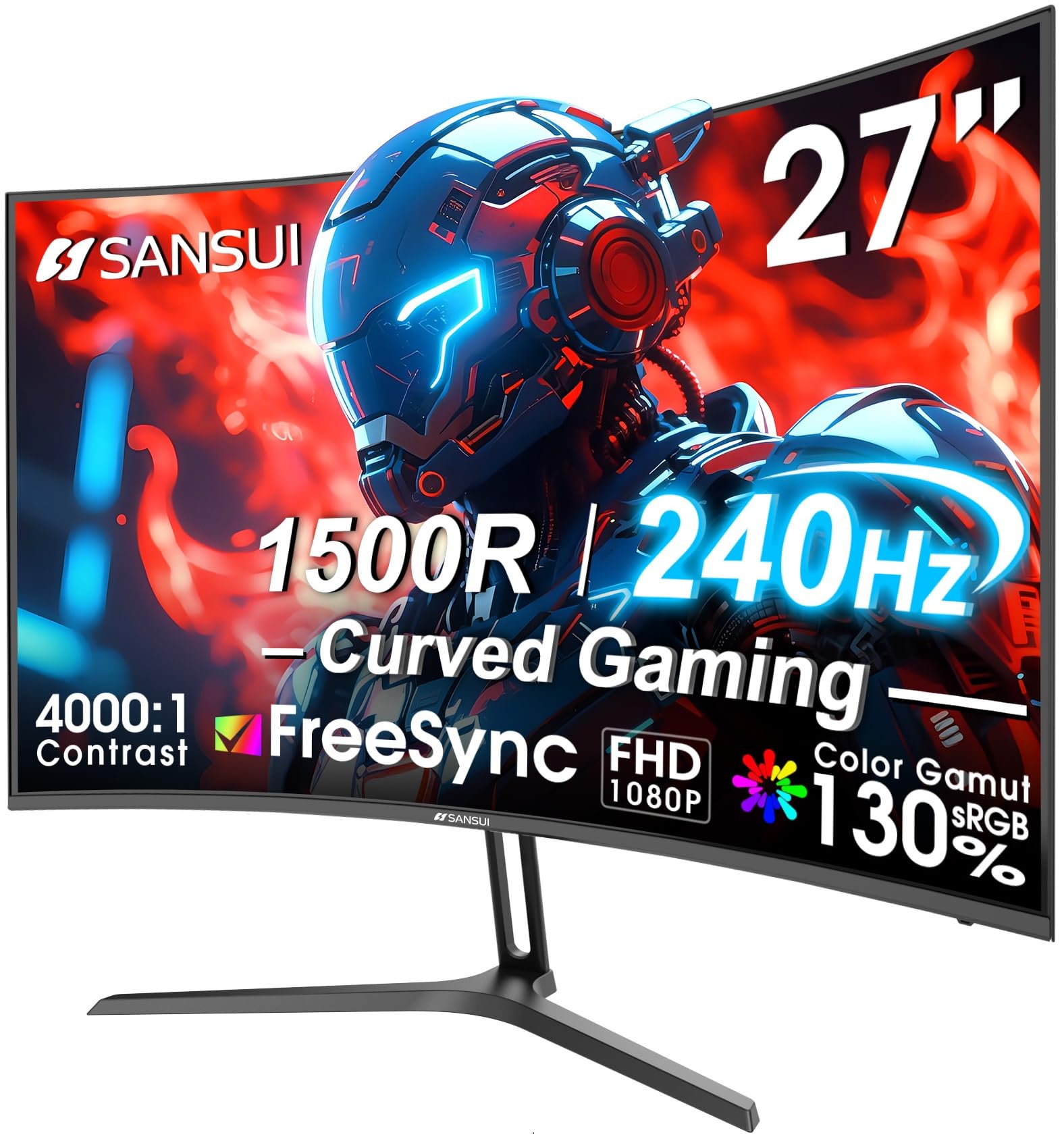
The SANSUI 27-inch Curved monitor brings striking color performance to the budget segment with a 130% sRGB and 95% DCI-P3 color gamut, well above the typical 99% sRGB coverage found on IPS competitors. The 1500R curvature combined with a 4000:1 VA contrast ratio delivers exceptional blacks and vibrant, punchy colors in both HDR and SDR content. The 240Hz refresh rate and 1ms MPRT response time are rare to see on a curved VA panel at this price.
The metal stand is a highlight — it feels more substantial than plastic alternatives and offers tilt adjustment for comfortable viewing. A DisplayPort cable is included, which is essential for hitting the full 240Hz refresh rate. Buyers consistently report an impressive picture quality that rivals monitors costing significantly more, particularly for the deep blacks and vivid color saturation that VA panels excel at.
The power cord has been flagged by some users as flimsy, with the wall plug block becoming loose over time and causing intermittent power loss. The built-in speakers are present but have been described as underpowered and unused by most buyers. The OSD includes black level adjustment (shadow booster) and game mode presets, adding useful customization for different game genres. For immersive single-player gaming on a curved VA panel with wide color coverage, the SANSUI is the standout choice.
Why it’s great
- 130% sRGB and 95% DCI-P3 color gamut for rich, vibrant imagery
- 4000:1 contrast ratio delivers deep blacks for dark scenes
- Metal stand feels premium and durable
Good to know
- Power supply wall block may loosen over time
- Built-in speakers are low quality
- VA black smearing can appear in some fast-paced scenes
FAQ
Are 240Hz monitors worth it for consoles if the game caps at 60 or 120 FPS?
How important is VESA mounting compatibility for a budget gaming monitor?
Final Thoughts: The Verdict
For most users, the budget monitors for gaming winner is the Sceptre Curved 24.5-inch because it combines 240Hz performance, an immersive 1500R curve, and robust VA contrast at a price that undercuts most competitors. If you want the absolute fastest response time for competitive esports, grab the ASUS TUF Gaming VG249QM5A with its 0.3ms Fast IPS panel. And for high-resolution gaming with strong color accuracy, nothing beats the Alienware AW2725DM — the only QHD 180Hz option in this roundup that delivers 1440p clarity without breaking the bank.