
Our readers keep the lights on and my morning glass full of iced black tea. As an Amazon Associate, I earn from qualifying purchases.
Specs are compiled from manufacturer listings and verified buyer reviews and can change over time — please confirm the key details on the product page before buying.
You want a monitor that’s easy on your wallet and your eyes, and the balance is a 1080p screen with a refresh rate above the old 60Hz standard—that makes scrolling and everyday work feel dramatically smoother. Here are the seven best budget monitors, judged by what actually matters: refresh rate, panel type, ergonomics, and ports.
I’m Min — the founder and writer behind Gadgets Feed. This guide is built by comparing the manufacturers’ published specifications and the patterns across verified customer reviews, so you get each pick’s real strengths and trade-offs instead of marketing spin.
We’ve matched every panel to the work you do daily, from spreadsheet marathons to after-hours gaming, so you can find the right pick without overpaying. Here is our breakdown of the best budget monitors for your desk setup.
Our Picks at a Glance

How To Choose The Best Budget Monitors
When your budget is tight, every spec choice is a trade-off. Focus on the features that shape your daily experience—refresh rate for smoothness, panel type for colors, and ports for connectivity—rather than chasing pixel counts you don’t need.
Refresh Rate: The Hidden Smoothness Factor
Most basic monitors run at 60Hz, meaning the image refreshes 60 times per second. Jumping to 100Hz or 120Hz makes cursor movement and scrolling feel dramatically more fluid. A 100Hz or 120Hz refresh rate cuts eye fatigue during marathon work sessions. and makes casual gaming noticeably smoother, all without the high cost of a dedicated gaming display.
Panel Type: IPS vs VA
IPS panels are the popular choice for budget monitors because they deliver consistent colors from wide viewing angles, which is great for sharing your screen or moving around while you work. VA panels typically offer a higher contrast ratio and deeper blacks, making them a better fit for dark-room movie watching, though colors can shift if you view from an angle.
Ports and Ergonomics: The Practical Essentials
Before you buy, check that the monitor has the right connection for your computer, whether that’s HDMI or VGA. Think about adjustability too—a monitor with tilt control helps you find a comfortable viewing angle, while VESA mounting holes let you attach it to an arm or wall mount to free up desk space.
Quick Comparison
| Model | Best For | Screen Size | Refresh Rate | Contrast Ratio | Amazon |
|---|---|---|---|---|---|
| Dell SE2725HM★ Best Overall | Eye comfort & office work | 27 inch | 100Hz | 1000:1 | Amazon |
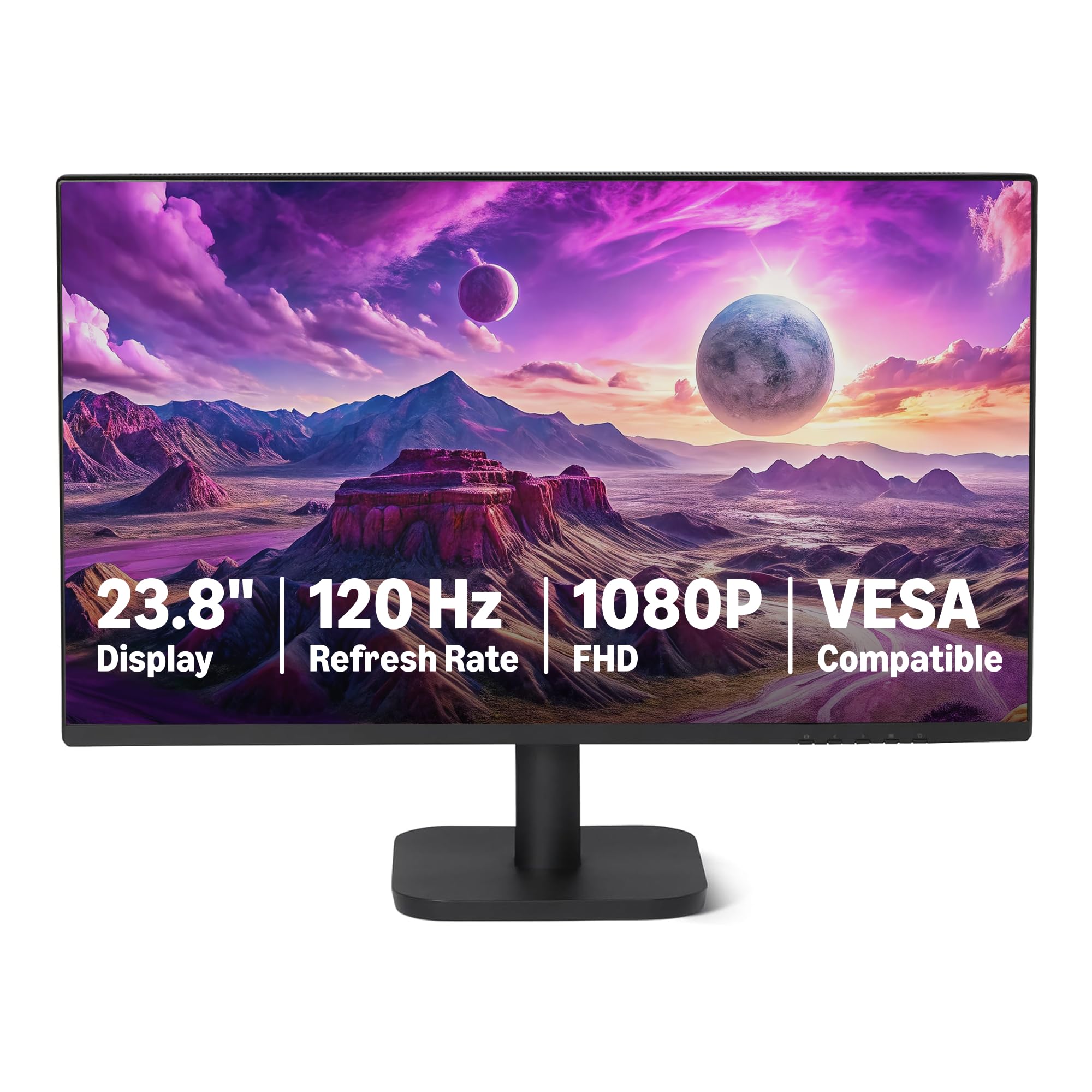
| Amazon Basics 24E40Best Value | Value & basic home use | 23.8 inch | 120Hz | 1500:1 | Amazon |
| LG 24U411A-B | Gaming & productivity mix | 24 inch | 120Hz | 1500:1 | Amazon |
| ViewSonic VS2447M | Dual speakers & versatility | 24 inch | 100Hz | 3000:1 | Amazon |
| AOC 27B35H3 | Eco-friendly & large screen | 27 inch | 120Hz | 1000:1 | Amazon |
| CRUA 24-inch Curved | Curved aesthetics & study | 23.8 inch | 100Hz | 3000:1 | Amazon |
| Dell S27 Series | High-refresh gaming & office | 27 inch | 144Hz | 1000:1 | Amazon |
In‑Depth Reviews
1. Dell 27 Monitor SE2725HM
Our pick — over 4.5★ from 800+ verified ratings; the strongest balance of quality and price.
The 27-inch panel that goes easy on aging eyes and tight budgets.
This Dell leads our list because it solves the most common complaint about cheap monitors: eye strain. It pairs a large 27-inch screen with a TÜV Rheinland 3-star certified viewing experience and ComfortView Plus, a built-in feature that cuts harmful blue light without washing out colors. That combination is a genuine relief for anyone who stares at spreadsheets or documents for hours.
The 100Hz refresh rate is noticeably smoother than older 60Hz screens, and the 1000:1 contrast ratio keeps text sharp and readable. Buyers report it’s a blessing for fine detail work—one long-time user with aging eyes said it “has really helped with quality, affordability and simple install” while working on tiny text in construction plans. It’s also versatile enough for Zoom meetings and delivers consistent color across multiple units, which matters if you’re setting up a dual-screen office.
For a budget pick, the build is sensible: a small footprint with a built-in power supply and cable holder keeps your desk tidy, and a 100x100mm VESA mount sits dead-center for easy arm or wall mounting. The trade-offs are a basic stand with tilt-only adjustment and no USB hub, so you’ll need a dock or extra ports for peripherals. There are also no built-in speakers, so plan for headphones or external audio.
What wins people over
- 27-inch screen with crisp, clear 1080p images that make fine text readable
- Built-in blue light filter that doesn’t dull the picture
- 100Hz refresh rate for smoother scrolling and motion
- Centered VESA mount for easy arm or wall setup
The honest trade-offs
- No built-in speakers
- Basic stand offers tilt only, no height adjustment
- Limited ports—no USB hub or USB-C
The clear winner for: anyone who works long hours on documents and wants a large, easy-on-the-eyes screen while staying affordable.
Think twice if: you need USB-C connectivity, built-in speakers, or a fully height-adjustable stand—you’ll want to budget for extras.
2. Amazon Basics 23.8-inch 1080P Computer Monitor
The entry-level pick that packs a fast 120Hz panel for a rock-bottom price.
The Amazon Basics monitor is the definition of getting more than you pay for. It delivers a 23.8-inch IPS panel with a 120Hz refresh rate, a spec usually found on pricier gaming screens, alongside a 1500:1 contrast ratio and 99% sRGB color coverage. For a first build or a secondary office screen, that’s a lot of smoothness and color for very little money.
Owners mention the display holds up “very well,” with one summing up the value honestly: “It’s pretty big and makes the workspace very nice… you get what you paid for and it’s good value for money.” The 16.7 million colors and matte finish make it pleasant for everyday use, and the 4-sided narrow bezel design means multiple units sit nearly gapless for a clean multi-monitor setup.
Connectivity is complete for the price—HDMI 1.4, DisplayPort 1.2, and a 3.5mm audio-out port—and it even includes built-in 2W x2 speakers. Those speakers are the weak point, as customers note they “aren’t that great,” so treat them as a convenience rather than a replacement for real audio. Response time sits at 14 milliseconds, which is fine for office work but not for competitive gaming.
The standout strengths
- 120Hz refresh rate at an entry-level price point
- IPS panel with vibrant 99% sRGB color coverage
- Narrow bezels for a clean dual-monitor setup
- Includes DisplayPort, HDMI, and built-in speakers
Where it cuts corners
- Built-in speakers are weak—plan for external audio
- 14ms response time is not for fast-paced gaming
- No ergonomic stand adjustments beyond basic setup
Reach for this if: you’re building a first PC or need a cheap, reliable secondary screen with fast motion handling.
Look elsewhere if: you’re a competitive gamer needing a low response time or you want a height-adjustable stand.
3. LG 24U411A-B 24-inch Full HD IPS Monitor

A gaming-minded 120Hz IPS panel with color tuning that punches above its price.
The LG 24U411A-B is the budget monitor that refuses to feel budget. It combines a 120Hz refresh rate with a 1ms Motion Blur Reduction mode, which keeps fast gameplay sharp by minimizing ghosting. That’s a serious edge for casual and semi-competitive gamers, and it does it at a price that undercuts most dedicated gaming displays.
Color is a big part of the appeal. The 24-inch IPS panel covers up to 99% sRGB with a 1500:1 contrast ratio—the same high contrast as the Amazon Basics above—and supports HDR10 for richer, more vivid tones. Buyers praise the color tuning, noting you get 3 color plus 6 hue and saturation adjustments, though the picture arrives slightly green-tinted and oversaturated from the start, so a few minutes of tweaking pays off. The ultra-slim bezels and sleek stand give it a near-borderless look that’s ideal for dual setups.
It’s a well-rounded package for work and play. Dynamic Action Sync minimizes input lag for faster reactions, while Reader Mode lowers blue light for comfortable reading. The tilt-adjustable display moves from -5° to 20°, and the single-knob menu is functional if a bit finicky. The main complaints are a flimsy-feeling stand on some units and a single HDMI port alongside VGA, so check your ports before buying.
Best for the hybrid user: this LG hits the balance for students and work-from-home buyers who want smooth 120Hz motion for light gaming and rich, adjustable color for creative projects.
Mind the details: the stand lacks height adjustment and the HDR implementation is basic—you’re getting entry-level HDR, not a cinematic showcase.
4. ViewSonic VS2447M 24 Inch Monitor

The all-rounder with a massive 3000:1 contrast ratio and dual speakers built in.
The ViewSonic VS2447M stands out for its incredible contrast. With a 3000:1 contrast ratio—three times that of typical IPS panels—this LED display delivers deeper blacks and more pronounced shadows, making it a strong choice for watching movies or working in a dim room. Buyers consistently describe the picture as “crisp and clear” and praise it as an affordable option that’s “more than enough for regular work or studying.”
Its versatility comes from features you don’t always get at this price. The 100Hz refresh rate with AMD FreeSync keeps motion smooth and tear-free, whether you’re scrolling documents or gaming. It also packs dual built-in speakers, which reviewers point out have “good” sound quality—a rarity in the budget tier—and a 4ms response time keeps fast action reasonably sharp.
Setup is a genuine breeze, ready to go in minutes, with both HDMI and VGA inputs covering laptops, PCs, and Macs. The thin bezels and matte anti-glare finish keep it looking neat on any desk. The main limitation is ergonomics: adjustability is a negative in buyer feedback, so you won’t get much height or swivel control, and that 3000:1 contrast comes from a VA-style panel where colors shift at wide viewing angles.
Why it earns its place
- 3000:1 contrast ratio for deep blacks and rich shadow detail
- Dual built-in speakers with better-than-average sound
- 100Hz refresh rate with AMD FreeSync for tear-free motion
- Quick and easy setup with HDMI and VGA inputs
Consider this first
- Limited ergonomic adjustability—no height or swivel options
- Colors shift when viewed from extreme angles
- Not aimed at competitive gamers needing the fastest response
Grab it for: a versatile daily driver that pairs great contrast with built-in speakers, ideal for desks where you want fewer extra gadgets.
skip it if: you need a fully adjustable stand or you’re shopping for a high-speed esports monitor.
5. AOC 27 Inch Computer Monitor FHD 120Hz
An eco-minded 27-inch panel that gives you a huge screen for the price of a small one.
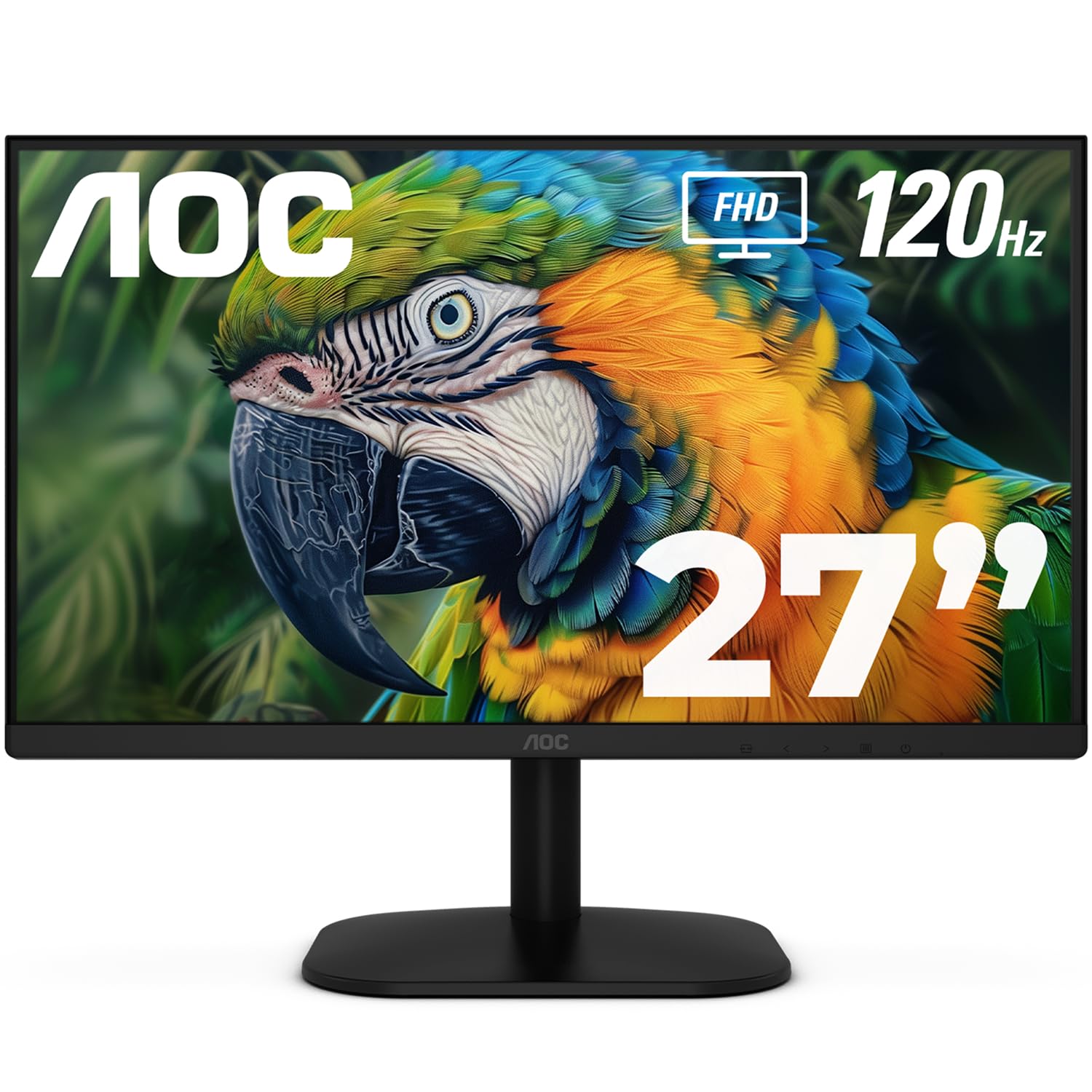
The AOC 27B35H3 is for people who want maximum screen real estate on a strict budget. It delivers a full 27 inches of 1080p resolution with a 120Hz refresh rate, a combination that’s rare at this price point. This makes it a fantastic productivity booster—shoppers say it’s “The Ultimate Remote Work Productivity Booster,” ideal for multitasking with multiple windows visible at once.
It doesn’t skimp on color either. The Fast IPS panel (a type of screen known for accurate colors and wide viewing angles) covers 100.1% sRGB and 81% NTSC color gamut with HDR readiness, so colors look vibrant and true-to-life with strong brightness and contrast. The 1ms MPRT response time (a measure of how quickly pixels change, reducing motion blur) keeps motion sharp for light gaming, while Adaptive Sync (a technology that matches the screen’s refresh rate to your graphics card) prevents screen tearing. Its thin bezels make it a top choice for dual-monitor setups, with buyers noting the “thin borders enable smooth dual setup.”
Where it truly surprises is in efficiency. It draws just 13W in eco mode, cutting energy costs., making it one of the greener choices here, and features Flicker-Free technology and Low Blue Light for eye comfort during long sessions. The stand offers tilt adjustment only and is VESA compatible, though some buyers found the VESA mount threads into plastic housing rather than metal framing, so treat wall mounting with care.
The smart choice for: remote workers and students who want a huge 27-inch canvas with smooth 120Hz motion while keeping energy use low.
Watch out for: a flimsy VESA mount on some units and no height adjustment, so it’s best left on the included stand.
6. CRUA 24″ FHD 100Hz Curved Monitor

The white curved panel that turns a dorm setup into something worth showing off.
If aesthetics matter as much as specs, this CRUA monitor is a standout. It’s a 23.8-inch curved VA panel (a type of screen known for deep blacks and high contrast) with a 2800R curvature (a gentle curve that wraps slightly around your field of view) and a clean white finish, and buyers consistently call it “aesthetically pleasing and minimalistic.” The 3-sided bezel-less screen looks almost gapless in a dual setup, making it a favorite for cozy, curated desk spaces.
Performance is solid for daily life. The 100Hz refresh rate (how many times the screen updates per second) provides faster, smoother image changes than standard 60Hz screens, reducing screen tearing. It covers a wide 120% sRGB gamut with a 3000:1 dynamic contrast ratio, delivering rich, punchy colors—buyers report the “colors are really punchy” and that it “handles graphics well.” The 178° wide viewing angle keeps images consistent whether you’re centered or off to the side.
Setup is genuinely tool-free, with the stand mounting in about three minutes, and it offers flexible tilt from -5° to 15°. It supports both HDMI and VGA inputs for easy connection to a computer or console. The honest caveats: there are no built-in speakers, so you’ll need external audio, and while it’s perfect for study and light gaming, the VA panel isn’t built for very high-graphics-performance games. Some buyers also noted reliability can be hit-or-miss, so check the return policy.
The aesthetic advantage
- White, frameless curved design that improve any desk setup
- 120% sRGB coverage for vibrant, punchy colors
- 3000:1 dynamic contrast for deep blacks
- Tool-free setup with flexible tilt adjustment
Know before you buy
- No built-in speakers
- VA panel not ideal for high-performance gaming
- Reliability feedback is mixed—buy with a good return policy
Perfect for: students and home-office users building a stylish, minimal setup where the monitor is a centerpiece, not just a screen.
Not for: serious gamers or anyone who needs built-in audio—you’ll want to plan around those limits.
7. Dell S27 Series 27″ FHD Monitor
The premium-feeling 144Hz Dell that makes both spreadsheets and FPS games look superb.
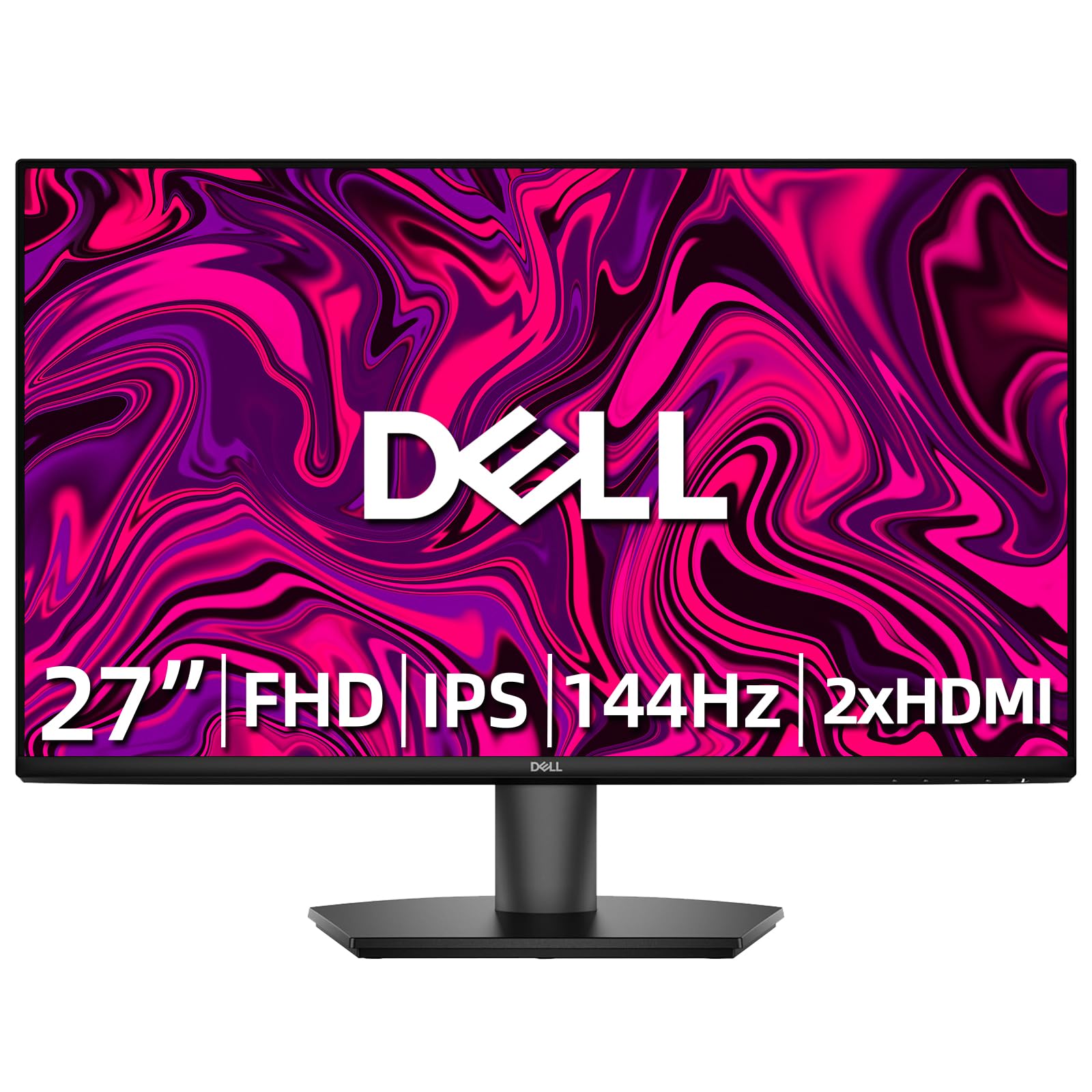
This is the splurge pick that still counts as a budget monitor. The Dell S27 Series bumps the refresh rate to a blistering 144Hz, 44% faster than the 100Hz Dell SE2725HM above, alongside a 1ms MPRT grey-to-grey response time. That combination transforms the experience—scrolling is silky, and fast-paced FPS games feel dramatically smoother and more responsive without overloading your GPU at 1080p.
It’s a productivity powerhouse too. The 27-inch IPS panel delivers crisp, true-to-life colors in Full HD with an anti-glare coating that owners mention keeps things “gentle on eyes” even after 8-hour workdays. The 1000:1 contrast ratio keeps text sharp, and it’s VESA mountable with a 100mm x 100mm pattern, so you can hang it on the wall or attach an arm. The built-in power supply and cable holder keep the desk clutter-free.
Connectivity covers two HDMI ports, making it easy to run a dual-screen home office or switch between a PC and a console. Buyers using it with a Mac M4 praise its color accuracy and viewing angles, noting the high refresh rate is a big step up from typical 69Hz displays. The trade-offs are a limited tilt-only stand and no USB-C port, which some Mac users will miss, but for the price it’s hard to complain.
The high-refresh advantage
- 144Hz refresh rate for exceptionally smooth motion and gaming
- 1ms MPRT response time keeps fast action crisp
- Crisp 1080p resolution that won’t strain your GPU
- Two HDMI ports for flexible dual-device setups
The premium trade-offs
- Pricier than other picks, though still budget-friendly
- Limited tilt-only stand, no height adjustment
- No USB-C port for modern laptops
The standout choice for: gamers and power users who want a premium 144Hz experience without the premium price tag.
Pass on it if: your budget is absolute rock-bottom or you specifically need USB-C connectivity for a modern laptop.
Understanding the Specs
Refresh Rate (Hz)
This is how many times the screen redraws its image every second. A standard monitor runs at 60Hz, but the budget picks here hit 100Hz, 120Hz, or 144Hz. Higher numbers mean smoother scrolling, reduces eye fatigue, and better motion handling for games. It’s the single most noticeable upgrade you can make on a tight budget.
Color Gamut (sRGB & NTSC)
This measures how many colors the screen can show. Higher coverage, like 99% sRGB or 120% sRGB, means more vivid and accurate colors, which matters for photo editing, video watching, and just making everything look richer. The coverage percentage tells you how close the monitor gets to the full color standard.
FAQ
Is a 100Hz refresh rate worth it over a standard 60Hz monitor?
What’s the difference between IPS and VA panels for a budget monitor?
Will a 1080p budget monitor work well with a modern laptop?
Should I buy a monitor with built-in speakers?
How long does a budget monitor typically last?
Is a curved monitor better than a flat monitor?
What does Adaptive Sync or AMD FreeSync do?
Can I mount a budget monitor on an arm or wall?
Final Thoughts: The Verdict
For most people, the budget monitors winner is the Dell SE2725HM because it nails the core priorities—a large 27-inch screen, gentle-on-eyes blue light tech, and a smooth 100Hz refresh rate—at a price that leaves room for a dock or peripherals. If you want a fast 120Hz panel for a gaming and productivity mix, grab the LG 24U411A-B. And for the highest refresh rate on a budget, the Dell S27 Series is the one to reach for with its 144Hz performance.
How We Picked
We do not accept paid placement. Every pick is matched to a real buyer and a real use-case; we do not hands-on test units.
Sources & Methodology
Specifications: manufacturer listings and product documentation. Review insights: verified customer reviews, as of August 2026. Pricing: not shown on this page (it changes often); check the current price via the retailer link.
As an Amazon Associate, Gadgets Feed earns from qualifying purchases. This does not affect which products we feature.