
Snapping your crosshair onto an enemy pixel requires a sensor that tracks 1:1 without smoothing, and a switch that registers clicks within a millisecond window. The wrong budget gaming mouse introduces input lag, ghosting, or a heavy drag cable that compromises your entire aim routine.
I’m Min — the co-founder and writer behind Gadgets Feed. My buying guides are built on deep analysis of optical sensor architectures, switch durability cycles, and real-world input latency numbers from over 100 product listings to separate genuine performance from marketing fluff.
After comparing sensor accuracy, click latency, weight distribution, and cable flexibility across the most competitive sub- segment, I’ve curated a list of the best budget mouse for gaming that prioritizes response time and build integrity above all else.
How To Choose The Best Budget Mouse For Gaming
A budget gaming mouse must balance three competing priorities: sensor accuracy at high speeds, switch durability for thousands of rapid clicks, and a lightweight shell that doesn’t fatigue your wrist during extended sessions. The cheapest option isn’t the best value if its sensor introduces smoothing or its switches start double-clicking after a month.
Sensor Type and DPI Range
Optical sensors are preferred over laser sensors in budget gaming because they provide better lift-off distance consistency and no acceleration artifacts. Even an entry-level 8000 DPI optical sensor like the Logitech G203’s delivers zero smoothing, which means every millimeter of physical movement maps exactly to cursor movement. Higher DPI numbers beyond 16000 are largely irrelevant unless you play on a 4K display at desk-sensitivity settings below 400 DPI.
Switch Durability and Click Feel
Mechanical switches are rated for a specific number of clicks—look for 20 million to 60 million ratings as a baseline. Optical switches, like the Razer Gen-2 units, eliminate debounce delay entirely by using a light beam instead of metal contact. A switch with a higher rating and crisp tactile feedback reduces accidental double-clicks and maintains consistent actuation over years of use.
Cable Type and Weight
A braided paracord-style cable (like the SteelSeries Super Mesh) creates significantly less drag than standard rubber cables, making the mouse feel nearly wireless. Weight matters profoundly for flick-shot games: a 55g honeycomb design allows faster acceleration and deceleration compared to a 100g brick. Aim for sub-80g if you play fast-paced shooters.
Quick Comparison
On smaller screens, swipe sideways to see the full table.
| Model | Category | Best For | Key Spec | Amazon |
|---|---|---|---|---|
| Logitech G203 | Wired | Balanced all-round gaming | 8000 DPI optical sensor | Amazon |
| SteelSeries Rival 3 Gen 2 | Wired | Ultra-low click latency | 1.35ms click latency | Amazon |
| Redragon M725 | Wireless | Tri-mode wireless flexibility | 49g honeycomb shell | Amazon |
| Razer Basilisk V3 | Wired | Programmable macros & scrolling | 26K DPI optical sensor | Amazon |
| GLORIOUS Model O Eternal | Wired | Ultralight FPS performance | 55g honeycomb design | Amazon |
| Logitech G502 Hero | Wired | Adjustable weight tuning | 25,600 DPI sensor | Amazon |
| XVX G705 | Wired | Custom RGB and macro setup | 12000 DPI laser sensor | Amazon |
In‑Depth Reviews
1. Logitech G203 Wired Gaming Mouse

The Logitech G203 delivers an 8000 DPI optical sensor with zero filtering and zero smoothing, meaning every flick and micro-adjustment registers exactly as intended. That level of sensor purity is rare in this price tier, where many competitors introduce software-based smoothing that masks true tracking performance. The mechanical primary switches are tensioned with metal springs for crisp, consistent clicks that resist the mushy feel common on cheaper mice.
Its LIGHTSYNC RGB lighting syncs with screen content or audio via Logitech G HUB, though the real reason to choose this mouse is the 1000Hz polling rate over USB that keeps input lag to about 1ms in wired mode. The symmetrical shape works for claw and fingertip grips, and the 6.89-foot cable gives plenty of slack for a standard desktop setup. Users report the scroll wheel can develop issues after roughly 18 months of daily use, but the sub- price point makes replacement straightforward.
For a balanced mix of sensor accuracy, build quality, and software customization without paying for premium features you don’t need, the G203 remains the benchmark that budget gaming mice are measured against. It lacks the ultralight 55g design of more expensive options, but its mechanical click feel and reliable tracking make it the safest choice for most players.
Why it’s great
- Zero-smoothing optical sensor tracks 1:1
- Metal spring tensioned switches for crisp clicks
- Full G HUB software suite for DPI and lighting customization
Good to know
- Scroll wheel durability may wear after 1.5 years
- Side buttons are small and recessed
- Rubber cable creates more desk drag than braided alternatives
2. SteelSeries Rival 3 Gen 2 Gaming Mouse
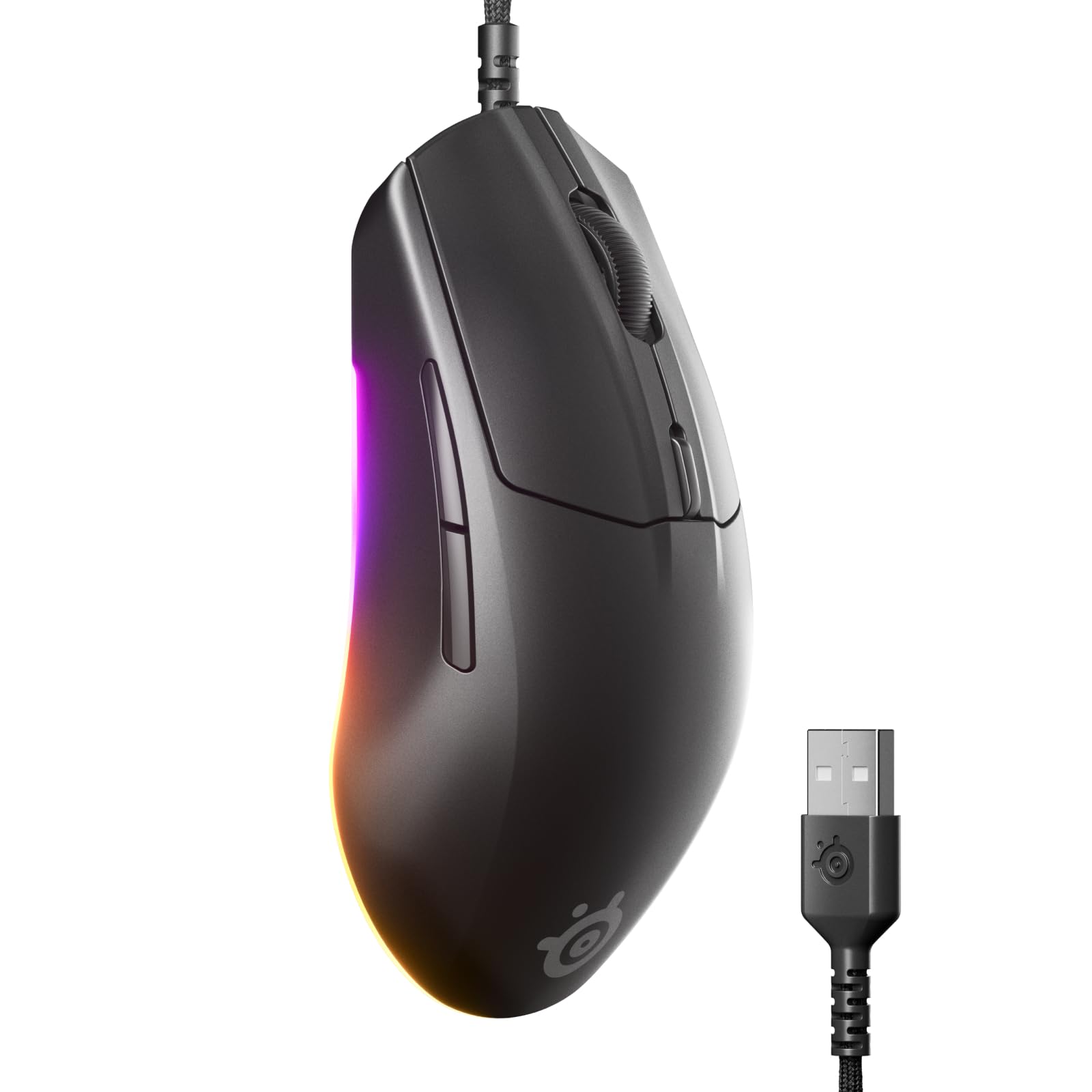
The Rival 3 Gen 2 prioritizes speed above all else, with a 1.35ms click latency that outpaces most mice in the sub- range. The TrueMove Core 8.5K DPI optical sensor delivers true 1-to-1 tracking without acceleration or jitter, a critical spec for players who rely on muscle memory for flick shots. Its 60 million click-rated switches mean the crisp tactile feedback will last through years of competitive matches.
SteelSeries implemented a Super Mesh paracord cable that drastically reduces drag compared to standard rubber cables, making the mouse feel nearly wireless during fast swipes. The 77g weight strikes a comfortable middle ground between ultralight honeycomb designs and heavier ergonomic units—light enough for rapid movements but with enough mass to feel stable during tracking. The 3-zone RGB underlighting is visible even with the mouse pad covering the bottom edge.
The symmetrical shape accommodates both claw and fingertip grips, though the flat sides may feel less secure for players with sweaty hands. The lack of a sniper button or infinite scroll wheel keeps the design focused on pure FPS performance, making this the top choice for competitive gamers who want the fastest possible click response on a budget.
Why it’s great
- Industry-leading 1.35ms click latency for faster reaction shots
- Super Mesh paracord cable minimizes drag
- 60 million click switch durability rating
Good to know
- No top-facing RGB lighting
- Rubber scroll wheel may feel less precise
- Missing side scrolling and infinite scroll features
3. Redragon M725 Honeycomb Shell Gaming Mouse
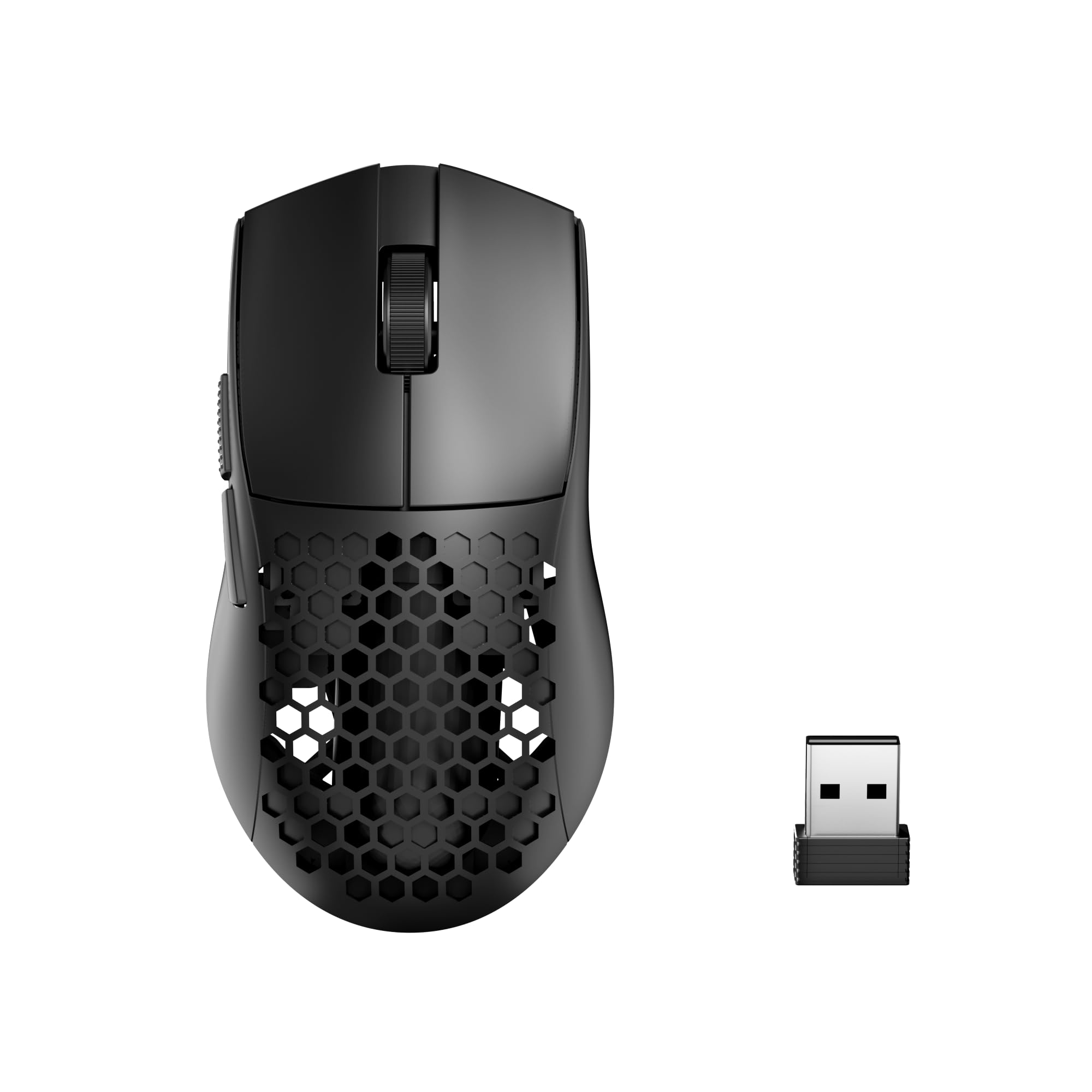
At just 49 grams, the Redragon M725 achieves an ultralight weight that beats most premium wireless mice by over 30 grams, enabling faster swipes and reduced wrist fatigue during long sessions. The honeycomb shell not only saves weight but also improves palm airflow to keep hands dry. Its tri-mode connectivity (Bluetooth 5.1, 2.4GHz, and Type-C wired) allows seamless switching between gaming PC, laptop, and tablet without unplugging a receiver.
The 8000 DPI optical sensor supports five adjustable DPI levels (400/800/1600/2400/4000 default), and the 5 programmable buttons can be customized via Redragon’s software for macro mapping. Users report battery life lasting well over a week with moderate usage on the 2.4GHz mode, and the Bluetooth option works reliably up to 10 meters for non-gaming productivity. The symmetrical design works for both left and right-handed users, though the lack of palm contouring may not suit pure palm grippers.
As a wireless option at this sub- price point, the M725 competes directly with wired mice on weight but adds the convenience of cable-free movement. The 2.4GHz connection shows no perceptible lag in casual and mid-tier play, making it a viable choice for gamers who prioritize freedom of movement over the absolute lowest possible latency.
Why it’s great
- Extremely lightweight 49g design reduces fatigue
- Tri-mode connectivity for multi-device flexibility
- Honeycomb shell enhances palm ventilation
Good to know
- Side buttons may feel small for large hands
- Wireless receiver can overheat and disconnect in hot conditions
- Software UI is basic compared to Logitech G HUB
4. Razer Basilisk V3 Customizable Ergonomic Gaming Mouse

The Basilisk V3 brings a premium feature set into the budget conversation with its Focus+ 26K DPI optical sensor, HyperScroll tilt wheel, and 11 programmable buttons. The HyperScroll wheel can switch between free-spin mode for rapid weapon cycling and tactile mode for precision scoping, a feature usually found on mice costing twice as much. The Gen-2 optical mouse switches actuate at 0.2ms with zero unintended double-clicks, rated for 70 million clicks.
Its ergonomic right-handed design includes a textured thumb rest that reduces grip fatigue during extended sessions, and the 11-zone Chroma RGB can be synchronized with over 150 supported games. The Razer Synapse software allows deep customization of DPI staging, polling rate, and macro assignments. At roughly 101g, this mouse is heavier than ultralight alternatives, but the weight provides stability for low-sensitivity arm aiming styles.
For players who need macro controls, a customizable scroll wheel, and precise sensor tracking for both gaming and productivity, the Basilisk V3 offers the most versatile button layout in its price range. The heavier weight may deter FPS players who prefer sub-70g designs, but for MOBA, MMO, and general desktop use, the Basilisk V3’s feature density is unmatched.
Why it’s great
- HyperScroll tilt wheel with free-spin and tactile modes
- 11 programmable buttons for complex macro setups
- Optical Gen-2 switches with 0.2ms actuation
Good to know
- Heavier 101g weight unsuitable for ultralight enthusiasts
- Razer Synapse software required for full customization
- Right-handed only design limits left-handed use
5. GLORIOUS Model O Eternal Ultralight RGB Gaming Mouse
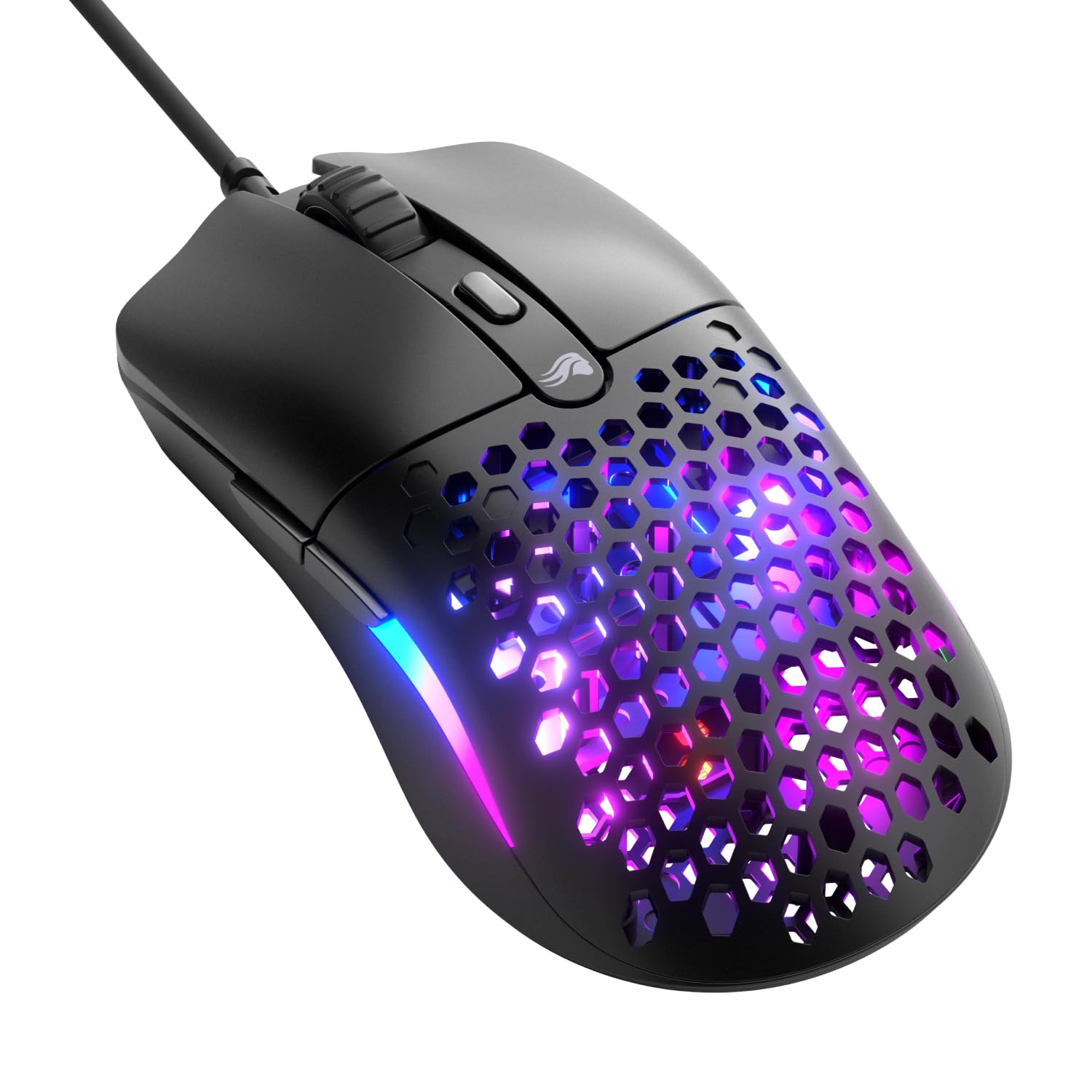
The Model O Eternal achieves 55 grams through its signature honeycomb shell design, making it 35% lighter than many competitors in the same category. That weight reduction translates directly to faster acceleration during flick shots and easier micro-adjustments for tracking. The 12,000 DPI optical sensor provides reliable 1-to-1 tracking without noticeable jitter, and the 80 million click-rated mechanical switches promise long-term durability for high-CPS clickers.
Its symmetrical shape supports a wide range of grip styles—claw, fingertip, and palm all feel natural—though the honeycomb shell exposes the internal components to dust and debris over time. The dual-zone RGB lighting floods the side panels with vibrant color and can be customized via Glorious CORE software. The braided cable is flexible enough to minimize drag, though a mouse bungee is recommended for competitive play.
The absolutely fair price-to-weight ratio is the Model O Eternal’s strongest selling point: it delivers an ultralight experience that typically costs double from competing brands. The absence of side buttons beyond the standard two and the lack of wireless connectivity keep the design focused on pure wired FPS performance, making this the top pick for competitive shooters on a tight budget.
Why it’s great
- Ultralight 55g design for rapid flick movements
- 80 million click-rated mechanical switches
- Symmetrical shape suits all grip types
Good to know
- Honeycomb shell collects dust and grime easily
- Wired-only with no wireless option
- Some units may have button positioning quirks near scroll wheel
6. Logitech G502 Hero High Performance Wired Gaming Mouse

The G502 Hero is built around the Hero 25K sensor, capable of sub-micron level tracking at up to 25,600 DPI with zero smoothing or acceleration. Its standout feature is the adjustable weight system: five 3.6g weights can be arranged in different configurations to tune the balance and total heft, allowing players to match the mouse feel to their preferred aiming style. The dual-mode hyper-fast scroll wheel switches between free-spin and clicky modes with a mechanical toggle underneath.
With 11 programmable buttons and on-board memory, the G502 can store full profiles without needing Logitech G HUB running in the background—a major advantage for LAN setups or systems with limited software compatibility. The metal spring tensioning system on the primary buttons delivers a crisp, clean click feel with rapid feedback. Users consistently note the comfortable ergonomic design for large hands and palm grip, though the 125g weight with all weights installed is among the heaviest in this list.
The G502 Hero represents the opposite philosophy of the ultralight trend: heft, customization, and button density for players who value stability and macro control over weight reduction. It excels in MMOs, MOBAs, and productivity workflows where you need immediate access to 11 commands, but FPS players who rely on fast wrist flicks may find the weight limiting.
Why it’s great
- Adjustable weight system with 5×3.6g tuning weights
- Hero 25K sensor with sub-micron tracking precision
- On-board memory for profile storage without software
Good to know
- Heavy 125g design can fatigue wrists during long sessions
- G HUB software has known stability issues
- Scroll wheel may feel loose in free-spin mode
7. XVX G705 Wired Gaming Mouse

The XVX G705 punches above its price tag by offering 12,000 DPI sensitivity, 7 programmable buttons, and 12 RGB backlit modes at an entry-level cost. The laser movement detection sensor provides adequate tracking for casual and mid-tier gamers, though optical sensor purists may notice a slight acceleration difference in rapid movements. The five adjustable DPI levels (800/1200/1600/2400/3200 default) cover most common sensitivity ranges for shooters and RPGs.
Its ergonomic shape includes non-slip grips on both sides that improve aiming stability during intense matches, and the 20 million keystroke-rated switches ensure basic durability for regular use. The braided cord reduces desk drag compared to standard rubber cables, and the software allows customization of macro bindings, RGB lighting zones, and polling rate (up to 1000Hz). Users consistently praise the attractive Topographic design and smooth gliding feet.
This mouse is the best entry-level choice for budget-conscious gamers who want RGB aesthetics and macro flexibility without overspending. The laser sensor lacks the purity of top-tier optical units, but for players transitioning from a basic office mouse, the G705 delivers a noticeable upgrade in responsiveness and customization at an unbeatable price-to-feature ratio.
Why it’s great
- Affordable entry into customizable RGB and macro gaming
- Ergonomic design with non-slip side grips
- 5-level DPI switching covers common sensitivity ranges
Good to know
- Laser sensor introduces slight acceleration compared to optical
- 20 million click switches are lowest durability in this list
- Software is 64-bit only, incompatible with older systems
FAQ
What DPI setting should I use for FPS games?
Is a honeycomb shell mouse more fragile than a solid shell?
Are budget wireless gaming mice worth buying for competitive play?
Final Thoughts: The Verdict
For most users, the best budget mouse for gaming winner is the Logitech G203 because it delivers a zero-smoothing optical sensor and metal spring tensioned switches at a price that makes it accessible to any budget. If you want the absolute fastest click latency for competitive FPS, grab the SteelSeries Rival 3 Gen 2. And for ultralight wireless convenience that won’t break the bank, nothing beats the Redragon M725.