
A cheap mouse shouldn’t feel cheap. The problem with most budget mice is they fail within months — jumpy scroll wheels, dead batteries, or that hollow plastic rattle that makes every click sound like a tiny plastic hammer. Finding a budget mouse that actually delivers smooth tracking, comfortable ergonomics, and reliable wireless connectivity for under twenty dollars is the real challenge.
I’m Min — the co-founder and writer behind Gadgets Feed. I’ve spent countless hours analyzing the technical specifications, customer feedback patterns, and real-world performance data across the most popular budget-friendly pointing devices to separate the long-term keepers from the immediate regret purchases.
Whether you need a quiet companion for late-night office work, a travel-ready companion for your laptop bag, or a reliable backup that won’t let you down during an important presentation, this guide cuts through the noise to help you find the best budget mouse that actually meets your daily demands.
How To Choose The Best Budget Mouse
When your spending limit sits below twenty dollars, every decision comes down to trade-offs. You need to prioritize the features that matter most for your daily workflow — whether that’s silent operation, extended battery life, or adjustable tracking sensitivity — and know exactly where budget manufacturers cut corners so you can avoid the traps.
Wired vs. Wireless: The Real Trade-Off
A wired mouse eliminates battery anxiety and latency concerns entirely — you plug it in and it works forever. The downside is cable drag and limited reach from your computer. Wireless models offer freedom of movement but introduce two failure points: the battery and the USB receiver. Budget wireless mice often hide the receiver inside the battery compartment, which is great for travel but easy to misplace during initial setup.
DPI: Sensitivity You Can Actually Adjust
DPI (dots per inch) determines how far your cursor moves per inch of physical mouse movement. A 1000 DPI budget mouse works fine for general productivity, but if you switch between a 1080p laptop screen and a 4K external monitor, you’ll want adjustable DPI levels — at least 1600 to 3200 — to maintain consistent cursor speed across both displays. The best budget mice in this range offer 5 or 6 preset levels you can toggle on the fly.
Battery Life: Rechargeable vs. Disposable AA
Rechargeable mice save money on batteries long-term, but their internal cells degrade after a couple of years. AA-powered mice with 12-month or 18-month battery life are more predictable — you know exactly when the battery will die, and replacing it takes seconds. The catch is that budget rechargeable mice often promise 3 months but deliver only 3 to 4 weeks of real-world use, especially if you forget to turn them off.
Quick Comparison
On smaller screens, swipe sideways to see the full table.
| Model | Category | Best For | Key Spec | Amazon |
|---|---|---|---|---|
| Redragon M612 Predator | Gaming Wired | Budget Gaming & Productivity | 8000 DPI / 11 Programmable Buttons | Amazon |
| TECKNET Dual Mode | Rechargeable Wireless | Multi-Device Switching | 4800 DPI / Bluetooth 5.0 + 2.4G | Amazon |
| Redragon Wireless | Ergonomic Wireless | Long Battery Life | 4000 DPI / 18-Month AA Battery | Amazon |
| Logitech M170 | Ambidextrous Wireless | Portability & Simplicity | 1000 DPI / 12-Month AA Battery | Amazon |
| Lenovo WL150 | Office Wireless | Durability & Ambidextrous Fit | 1000 DPI / 3-Million Clicks | Amazon |
| Censprin Wired | Silent Wired | No-Latency Office Work | 3-Button / USB-A Plug and Play | Amazon |
| Amazon Basics Wireless | Basic Wireless | Absolute Minimum Spend | 1000 DPI / 2.4 GHz USB Nano | Amazon |
In‑Depth Reviews
1. Redragon M612 Predator RGB Gaming Mouse
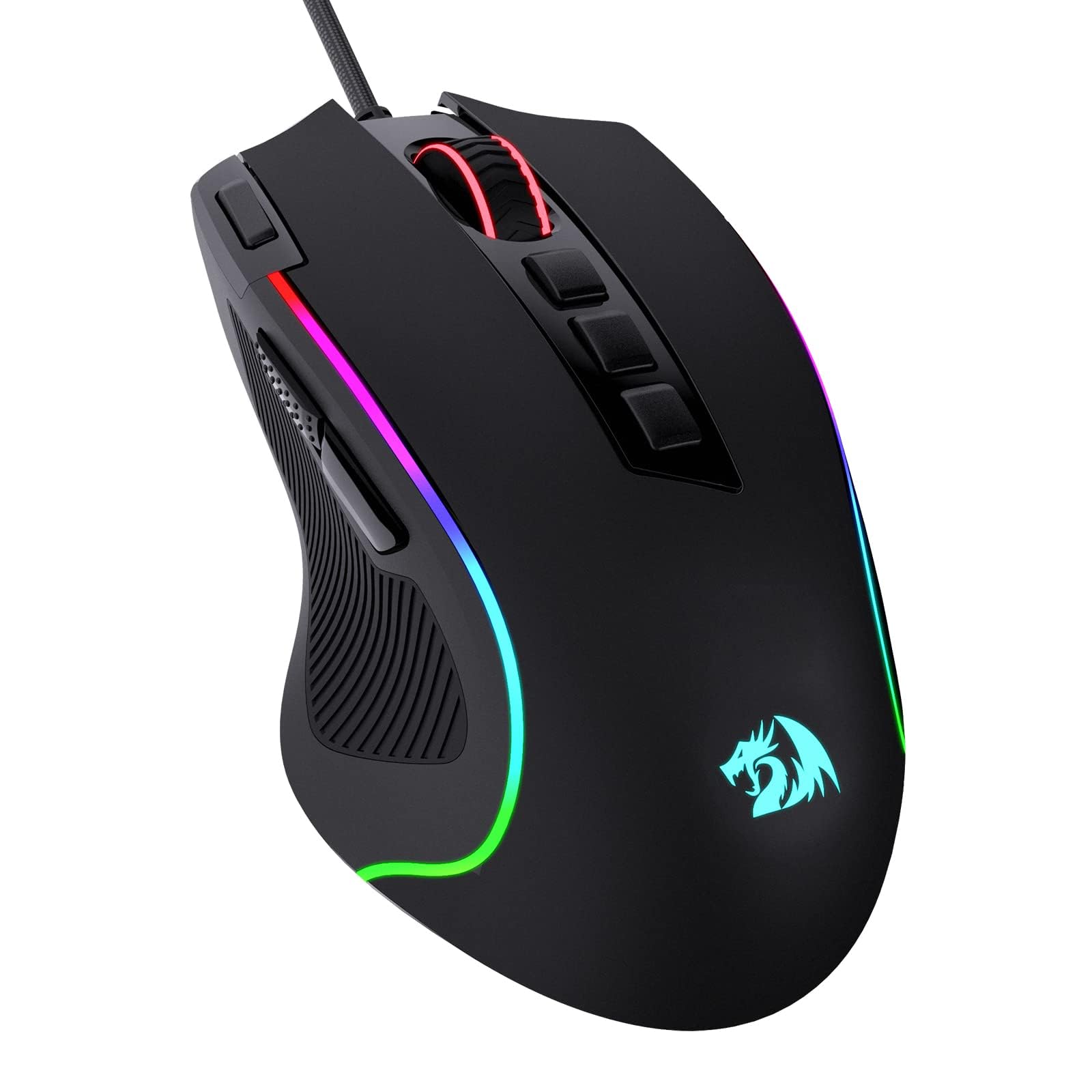
The Redragon M612 Predator pushes the boundaries of what a budget-friendly mouse can deliver by packing a genuine 8000 DPI optical sensor into a wired chassis that costs less than most basic office mice. With 11 fully programmable buttons and a rapid-fire macro key, this isn’t just a gaming mouse — it’s a productivity powerhouse that lets you assign complex shortcuts for video editing, design software, or spreadsheet navigation. The braided USB cable is surprisingly soft and lightweight, creating minimal drag that makes the mouse feel almost wireless in daily use.
The skin-friendly frosted coating resists fingerprints effectively, while the rubber-textured left side panel provides solid grip during intense clicking sessions. The five DPI levels (500/1000/2000/3000/4000 stock, expandable to 8000 via software) are easily switchable with a dedicated button behind the scroll wheel. The RGB backlighting offers five distinct modes that sync with other Redragon accessories, though the real value comes from the solid build quality — the frame feels substantial compared to hollow-feeling alternatives in this tier.
Where this mouse really shines is its software support. Every single button, including the 11 programmable inputs, can be reassigned to any keyboard function, macro sequence, or media control. The claw-grip ergonomic design suits medium-to-large hands well, with a comfortable palm rest that reduces fatigue during extended use. The main downside is the ADC (analog-to-digital converter) adhesive on the rubber side grip can degrade in hot environments over a year, but at this price point, the feature density is unmatched.
Why it’s great
- 8000 DPI sensor with 5 adjustable levels provides precision for both gaming and high-res monitor use
- 11 programmable buttons with macro support transform workflow efficiency
- Braided cable design eliminates cable drag, feels near-wireless in operation
Good to know
- Rubber side grip adhesive may degrade in sustained hot environments after a year
- Right-handed ergonomic design only, not suitable for left-handed users
- Software required to unlock full DPI range beyond the 5 preset levels
2. TECKNET Wireless Mouse BT5.0/2.4G Rechargeable

The TECKNET dual-mode mouse solves one of the biggest headaches in budget wireless peripherals: the need to switch between multiple devices. It supports both Bluetooth 5.0/3.0 and a 2.4 GHz USB-A connection, allowing you to pair with your desktop via the Nano receiver and your laptop via Bluetooth simultaneously. A simple slide switch on the bottom lets you toggle between the two devices instantly — no re-pairing, no dongle swapping. This makes it an excellent choice for anyone working across a PC and a MacBook or iPad.
The internal rechargeable battery charges fully in 1.5 to 2 hours via the included USB-A to C cable and delivers roughly 3 months of use with 2 hours of daily operation. The 6 adjustable DPI levels (800/1200/1600/2400/3200/4800) provide far more granular control than the typical 3-step budget mice, and the matte grey finish hides smudges well. The silent-click switches are genuinely quiet — both main buttons produce a soft, muffled thud rather than a sharp click, making this ideal for library or open-office environments.
The compact form factor works best for small to medium hands; users with larger hands may find the mouse too short for a full palm grip. The side thumb buttons are positioned slightly forward, which can feel awkward during forward/back navigation, though third-party software can remap them. The battery indicator light is confusing — it flashes red when low but doesn’t give a clear percentage readout. Connection can become unstable when the battery is critically low, so keeping it topped up is important. For multi-device users on a strict budget, this is an exceptional value.
Why it’s great
- Dual-mode Bluetooth and 2.4G connectivity lets you seamlessly switch between two devices
- 4800 DPI sensor with 6 adjustable levels offers precise sensitivity tuning
- Genuinely silent clicks are perfect for quiet workspaces and late-night use
Good to know
- Designed for small to medium hands; large-handed users may find it cramped
- Side button positioning feels unnatural for some thumb grips
- Cannot be used while charging and connection degrades at low battery levels
3. Redragon Wireless 2.4GHz Ergonomic Mouse
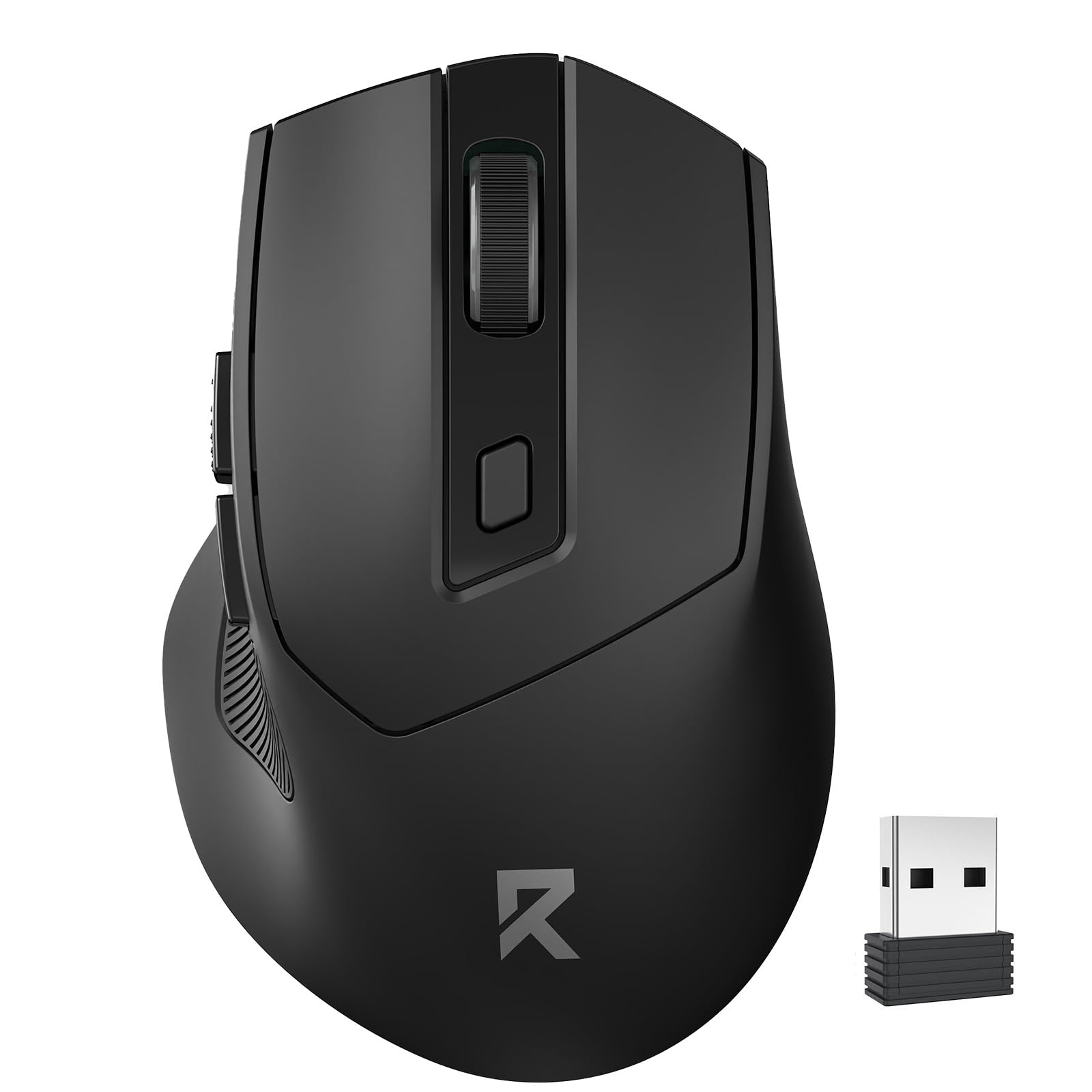
The Redragon wireless mouse makes a compelling case for AA-powered peripherals with its advertised 18-month battery life from a single AA battery. The auto-sleep feature kicks in after just 1 minute of idle time, dropping into deep sleep mode at 8 minutes — a double-click on any button wakes it instantly. This aggressive power management means you’ll realistically replace the battery once a year or less, which is dramatically better than budget rechargeable mice that need weekly charging.
The ergonomic shape is designed specifically for right-handed users, with a pronounced thumb rest and a contoured body that fills the palm naturally. The anti-sweat and anti-slip material feels textured without being abrasive, providing solid grip during extended use without accumulating finger oils. The 5-level DPI adjustment (800/1200/1600/2400/4000) cycles through a top-mounted button with an LED color indicator — red for 800, blue for 1600, green for 2400, and purple for 4000 — making it easy to see your current setting at a glance.
The two side buttons are positioned directly under the thumb for easy access, though they are not functional on macOS. The USB receiver stores neatly in the back compartment, though there is no physical on/off switch — the mouse simply enters sleep mode automatically. Clicking is required to wake it (motion wake is not supported), which can be slightly inconvenient if you’re used to mice that respond to movement. The medium size works well for most hand sizes, and the matte black finish blends into any desk setup without drawing attention.
Why it’s great
- 18-month battery life from a single AA battery eliminates charging anxiety
- 5-level adjustable DPI with clear LED color indicators for instant feedback
- Anti-sweat textured material provides reliable grip during long sessions
Good to know
- No physical power switch — relies entirely on auto-sleep for power management
- Side buttons are non-functional on macOS limiting cross-platform use
- Requires a click to wake from sleep, motion wake is not supported
4. Logitech M170 Wireless Mouse
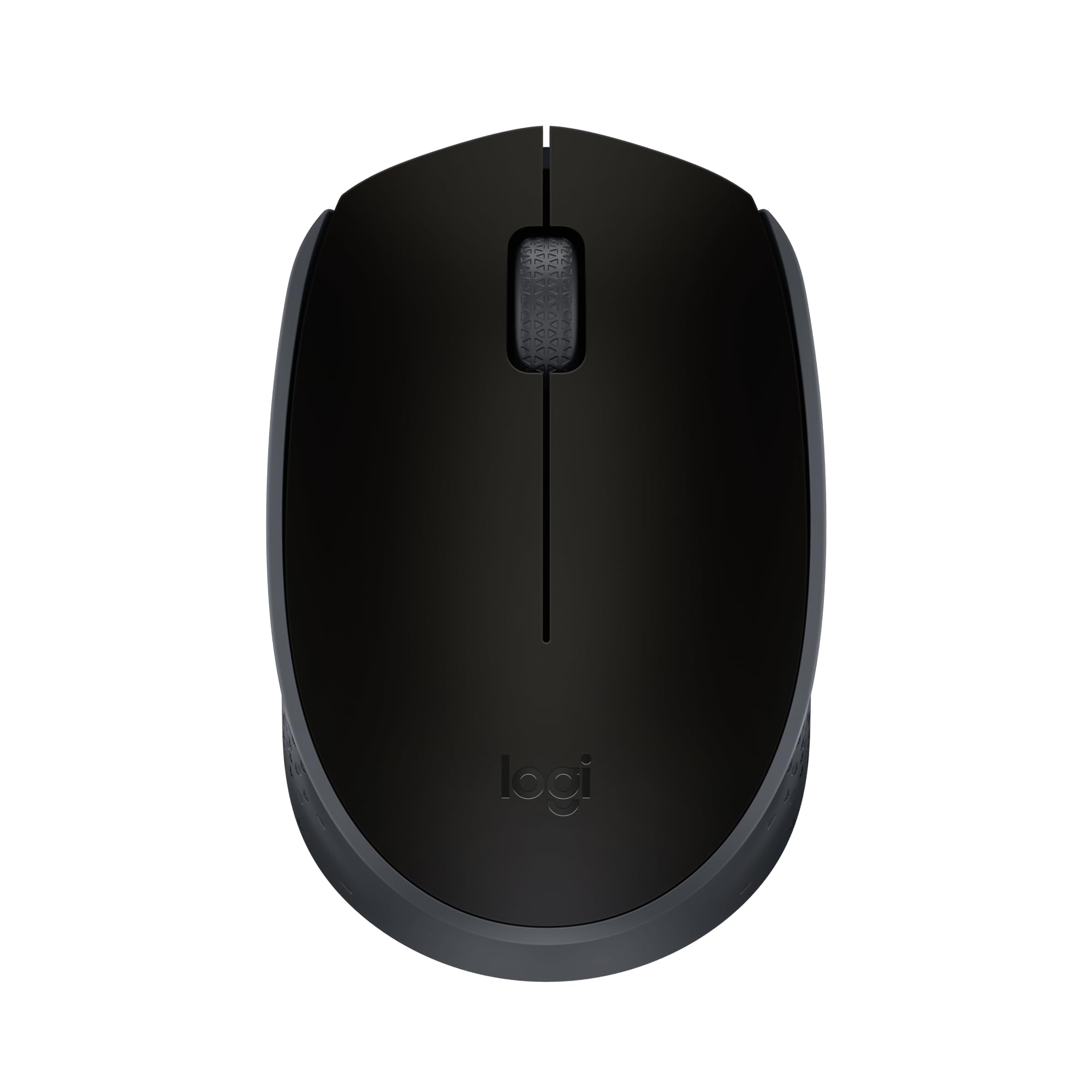
The Logitech M170 is the definition of a no-surprises budget mouse. It uses a straightforward 1000 DPI optical sensor, a 2.4 GHz connection that reaches up to 33 feet, and runs on a single AA battery that Logitech rates for 12 months with auto-sleep enabled. The ambidextrous shell is equally comfortable for left and right-handed users, with a gently tapered shape that works well for claw and fingertip grips. The small footprint makes it easy to toss into a laptop bag without adding noticeable bulk.
The build quality reflects Logitech’s manufacturing consistency — the scroll wheel has defined steps without being wobbly, and the main buttons produce a crisp tactile click. The USB Nano receiver stores inside the battery compartment, though it’s not immediately obvious to new users where to find it (the manual clarifies this). The textured side panels provide a subtle grip improvement over smooth plastic alternatives. At just over 2 ounces with the battery installed, it’s light enough to carry daily without noticing.
The main compromise here is the lack of DPI adjustment — you get 1000 DPI and that’s it, which is fine for standard 1080p productivity but can feel sluggish on higher-resolution monitors. The scroll wheel on some units can feel slightly jumpy rather than smooth when scrolling through long documents. The clicks are also notably audible — not loud, but definitely not silent. For users who want a reliable, portable, ambidextrous wireless mouse with predictable battery life, the M170 delivers exactly what it promises without any gimmicks.
Why it’s great
- True ambidextrous design works naturally for both left and right-handed users
- 12-month AA battery life with auto-sleep provides worry-free daily use
- Compact 2-ounce build is ideal for portable laptop setups and travel bags
Good to know
- Fixed 1000 DPI with no adjustment options feels slow on 4K or ultrawide monitors
- Scroll wheel can exhibit jumpy behavior during sustained scrolling sessions
- Audible click switches may disturb others in quiet shared workspaces
5. Lenovo WL150 Wireless Mouse
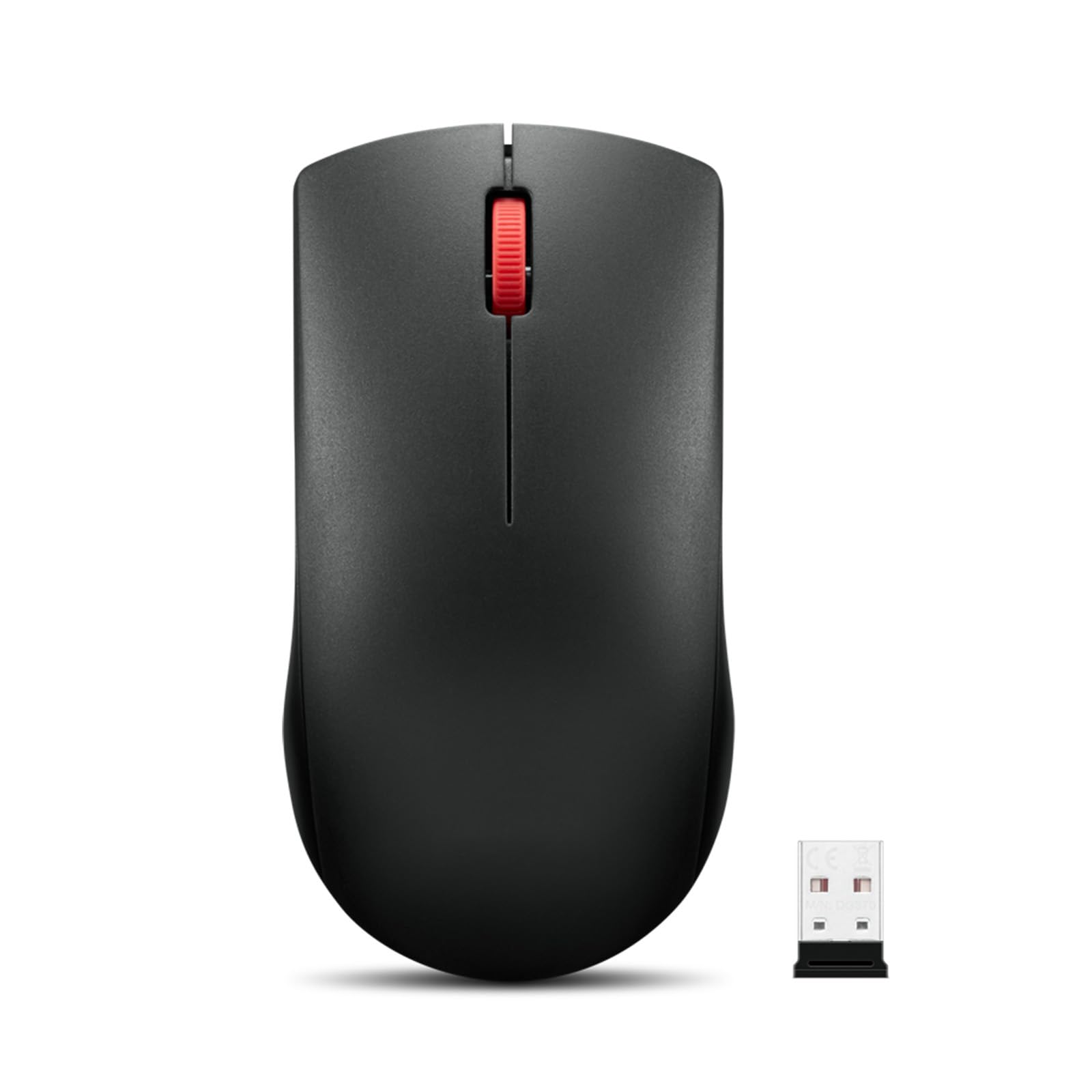
The Lenovo WL150 takes a slightly different approach to budget value by focusing on longevity. The left and right buttons are rated for 3 million clicks, while the scroll wheel is tested for 300,000 cycles — figures that significantly exceed the typical 1-million-click rating of most entry-level mice. This makes the WL150 a particularly strong candidate for users who wear through peripherals quickly, whether in high-volume office environments or shared computer labs.
The ambidextrous body is full-size despite being lightweight, with a simple 3-button layout that eliminates guesswork. The 1000 DPI optical sensor delivers smooth tracking on most surfaces including wood desks and mouse pads, and the 2.4 GHz Nano receiver provides a stable connection up to roughly 30 feet. Battery life is rated at 6 months from a single AA battery — shorter than the Logitech M170 or Redragon wireless, but still reasonable for a daily driver. The receiver stores in a bottom compartment when not in use, preventing loss during transport.
The click mechanism produces a moderate audible click — not silent, but not obnoxiously loud either. The compact dimensions (4.57 x 2.4 inches) make it suitable for medium hands, though users with very large hands may find the tail too short for a full palm grip. The plastic enclosure feels solid without being premium, and the matte finish resists fingerprints reasonably well. For left-handed users who struggle to find ambidextrous wireless mice that don’t compromise on durability, the WL150 is a focused and reliable option.
Why it’s great
- 3-million click button rating outlasts most budget mice by a significant margin
- Full-size ambidextrous design works for both left and right-handed users equally
- Compact form factor with internal receiver storage ideal for laptop travel
Good to know
- 6-month battery life is shorter than competing AA-powered mice in this range
- 1000 DPI fixed sensitivity cannot be adjusted for different monitor setups
- Clicks are moderately audible and may not suit silent-office environments
6. Censprin Wired Silent Click Mouse

The Censprin wired mouse addresses a specific pain point that wireless models often ignore: the need for completely silent operation without any battery concerns. The 3D grille rubber scroll wheel and main buttons are engineered for near-silent actuation, producing a soft muted noise rather than the sharp click typical of mechanical switches. This makes it an excellent choice for library study sessions, shared offices, or late-night work where every decibel counts.
The ergonomic shape features a wide tail section and flanking finger rests that distribute pressure across the palm rather than concentrating it at the wrist. The rubber enclosure material provides a soft-touch grip that reduces hand fatigue during extended use, and the textured scroll wheel offers precise step control without slipping. Being a wired USB-A mouse, there is zero input latency and no driver installation required — plug it into any Windows, Mac, or Chrome OS device and it works immediately. The 4.7-inch length accommodates medium to large hands comfortably.
The main compromise is the 3-button layout — there are no forward/back navigation buttons, which power users may miss for browser workflow. The scroll wheel click is significantly louder than the main buttons, which undermines the silent promise somewhat when you need to middle-click links. The RGB backlighting on the scroll wheel cycles through colors continuously, which may be distracting in dark environments and cannot be disabled on this model. For users who prioritize absolute silence for the primary buttons and don’t mind a wired connection, this is a focused and affordable solution.
Why it’s great
- Near-silent main button clicks are genuinely quiet for shared workspaces
- Wide ergonomic tail with rubber grip reduces hand fatigue during long sessions
- Zero-latency wired connection with plug-and-play compatibility across all OS
Good to know
- Only 3 buttons with no forward/back navigation for browser workflows
- Scroll wheel click is loud and undermines the silent design intent
- Continuous RGB scroll wheel lighting cannot be turned off or disabled
7. Amazon Basics 2.4 GHz Wireless Mouse

The Amazon Basics wireless mouse is the true entry-level option — it does exactly what a mouse needs to do with no extras and no surprises. The 2.4 GHz connection with a USB Nano receiver provides stable tracking at a fixed 1000 DPI, which is perfectly adequate for basic productivity on standard-resolution monitors. The ambidextrous shell features three buttons (left click, right click, scroll wheel click) with a simple fingertip control design that works for occasional use or as a reliable backup when your primary mouse fails.
The red color option helps distinguish this mouse on a cluttered desk, and the lightweight plastic construction makes it easy to toss into a laptop bag. The USB receiver is stored inside the mouse from the factory — a detail that confuses some users who don’t realize it needs to be removed during initial setup. The included AA battery means you can start using it immediately without a trip to the store. The optical tracking works on most surfaces including wood and fabric mouse pads, though glossy desks may cause occasional cursor skipping.
The build quality is undeniably basic — the thin plastic shell has some flex when squeezed, and the scroll wheel lacks the defined steps of more expensive options. Battery life is not officially rated but user reports suggest several months of moderate use from a single AA. The lack of DPI adjustment, side buttons, or any ergonomic contouring means this is strictly a utilitarian choice. For users who need the lowest possible entry point with wireless freedom, or want a cheap spare to keep in a drawer for emergencies, the Amazon Basics mouse is the definition of adequate.
Why it’s great
- Lowest entry point for a fully functional 2.4 GHz wireless mouse with included battery
- Ambidextrous 3-button design works for any user regardless of hand dominance
- USB receiver stores internally for easy travel without losing the dongle
Good to know
- Thin plastic shell feels hollow and flexes under moderate grip pressure
- Fixed 1000 DPI with no adjustment and no side navigation buttons
- Battery compartment instructions are unclear; polarity diagram in manual is hard to read
FAQ
How many DPI do I really need in a budget mouse?
Are rechargeable budget mice better than AA-powered ones?
Why does my budget wireless mouse feel laggy or jumpy?
Final Thoughts: The Verdict
For most users, the best budget mouse winner is the Redragon Wireless Mouse because it combines a comfortable right-handed ergonomic shape, 5-level adjustable DPI up to 4000, and an exceptional 18-month battery life from a single AA battery — all without sacrificing build quality. If you need silent operation for a shared office, grab the Censprin Wired Silent Mouse. And for multi-device users who switch between a desktop and laptop daily, nothing beats the TECKNET Dual Mode Rechargeable Mouse.