
Our readers keep the lights on and my morning glass full of iced black tea. As an Amazon Associate, I earn from qualifying purchases.
Specs are compiled from manufacturer listings and verified buyer reviews and can change over time — please confirm the key details on the product page before buying.
Printing in more than one color used to mean a big spend. Not anymore: several value-tier machines now swap between four filaments (the plastic strands a 3D printer melts) on their own, and two of them do it without burying you in wasted plastic. The catch is telling apart the ones that turn four colors into clean prints from the ones that leave you a tangle of purged filament. This breakdown separates the clean four-color printers from the wasteful ones.
I’m Min — the founder and writer behind Gadgets Feed. This guide is built by comparing the manufacturers’ published specifications and the patterns across verified customer reviews, so you get each pick’s real strengths and trade-offs instead of marketing spin.
You do not need to spend big to own a multi-color machine that runs cleanly. Every entry here prints in four colors or more, and each earns its spot for a different reason — speed, an enclosed chamber, or a price that leaves room for filament. Here is your roadmap to the strongest budget multi color 3d printer.
Our Picks at a Glance
How To Choose The Best Budget Multi Color 3D Printer
Multi-color printing is not one feature — it is a whole system wrapped around the printer. The machine has to pull filament from several spools, push the right one to the nozzle at the right moment, and purge out the previous color before it lays down the next one. Get any part of that wrong and you get color bleed, wasted plastic, or a jam mid-print. So the question is not whether it does multi-color, but whether it does multi-color cleanly and cheaply.
How the color-switching system works
Every machine here uses a box, cartridge, or spool rack that feeds several filaments into a single hot end. When the printer changes color, it has to flush the old plastic out of the nozzle before the new one arrives. That flush is called purge, and it is the single biggest hidden cost in multi-color printing — the more plastic you throw away between colors, the more you spend on filament you never see in your model. Look for a system that advertises a short filament-change length, because that number directly controls how much plastic gets wasted.
Enclosed or open frame
An enclosed body traps heat inside the chamber, which helps when you print engineering materials that warp or crack if they cool too fast. An open frame is lighter, cheaper, and easier to work on, and it handles PLA and PETG perfectly well. For toys, decor, and props in PLA, an open frame is enough. If you want to graduate to ABS or ASA, an enclosed printer saves you from fighting warped corners.
Build volume and speed
Build volume is the box of space the nozzle can reach, written as three numbers — width, depth, and height. It decides whether a helmet or a big vase prints in one run or has to be split and glued. Speed matters too, but ignore the headline number by itself. Acceleration, the rate the print head gets up to speed, controls whether the machine can actually reach it. A printer rated at high speed with high acceleration prints fast in the real world; a high-speed number with low acceleration does not.
The beginner trap
The most common wrong assumption is that multi-color works perfectly the moment you unbox. In reality, the first color change is where all the small problems show up: filament that did not load all the way, a nozzle that oozed, a purge that was too short. Expect to spend an afternoon dialing in your first multi-color print, no matter which brand you buy. The machines with the shortest learning curve are the ones worth buying.
Quick Comparison
| Model | Best For | Colors | Build Volume | Max Speed | Amazon |
|---|---|---|---|---|---|
| ANYCUBIC Kobra X★ Best Overall | Print farms and small-batch color work | 4 native, up to 19 | 260 x 260 x 260 mm | 14-min Benchy | Amazon |
| ELEGOO Centauri 2 ComboBest for Beginners | First multi-color machine for beginners | 4 | 256 x 256 x 256 mm | 500 mm/s | Amazon |
| FLASHFORGE AD5XFastest Setup | Fast four-color prints on a budget | 4 | 220 x 220 x 220 mm | 600 mm/s | Amazon |
| Creality SPARKX i7 Combo | Color prints with almost no setup | 4 (CFS Lite) | 260 x 260 x 255 mm | 500 mm/s | Amazon |
| Bambu Lab A1 Mini Combo | Small desks and quiet rooms | 4 (AMS lite) | 180 x 180 x 180 mm | 10,000 mm/s² | Amazon |
| Creality K2 SE 4C | Color printing without extra assembly | 4 | — | 500 mm/s | Amazon |
| FLASHFORGE AD5X IFS | Managed multi-printer color runs | 4, up to 19 | 220 x 220 x 220 mm | 600 mm/s | Amazon |
| Bambu Lab P1S Combo | Enclosed color and material work | Up to 16 | — | 500 mm/s | Amazon |
In‑Depth Reviews
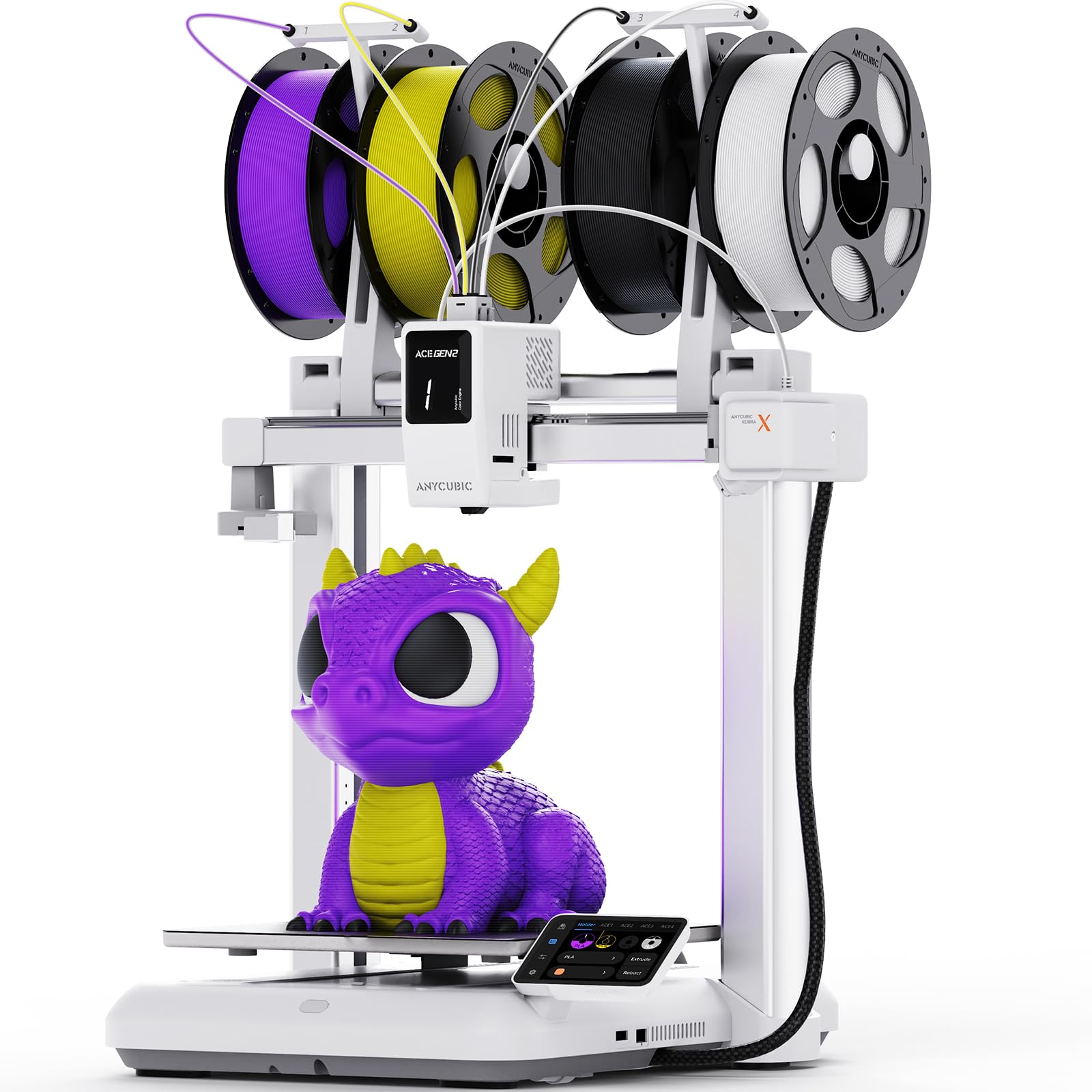
1. ANYCUBIC Kobra X 3D Printer, Native 4-Color, Up 19-Color with 4 ACE 2 Pro
Our pick — over 4★ from 80+ verified ratings; the strongest balance of quality and price.
The four-color machine built to grow into a nineteen-color operation.
For anyone who wants to make money from their printer rather than just enjoy it, this is the pick. It runs four colors natively out of the ACE GEN 2 system, and you can expand that to as many as nineteen colors by stacking four ACE 2 Pro units together. That is an unusual amount of color range at this tier, and it is the reason this machine takes the top spot instead of the bigger-name alternatives.
The waste numbers are the real selling point. ANYCUBIC shortens the filament-change length by 81.25%, which means far less plastic gets purged every time the nozzle switches color. Over a job that changes color dozens of times, that adds up to real savings on filament. The print head also runs fast enough to complete a Benchy test model in just 14 minutes, and a 49-point auto-leveling mesh checks the bed so you do not have to shim it by hand. It weighs 20.9 pounds and stands 17.93 x 17.53 x 18.16 inches — a full tier lighter and tighter than the ELEGOO Centauri 2 Combo below, which is 33 pounds at 19.69 x 18.9 x 23.23 inches.
The build plate gives you 260 x 260 x 260 mm of usable space, so a decent-sized helmet or a batch of small parts fits in one run. A 720P camera watches the print in real time, and the software can detect a tangle of spaghetti and skip a failed object instead of losing the whole plate. What wins people over, though, is the finished quality — that is the most-praised aspect by a wide margin. The thing to know before you buy: a handful of buyers report units that quit after about a month, and the customer-service trail afterward can be slow. Treat it as a machine for buyers who are comfortable swapping a part or filing a support ticket, not for someone who wants zero troubleshooting.
Where it pulls ahead
- Four colors native, expandable all the way to nineteen with four ACE 2 Pro units
- Filament-change length cut by 81.25%, so far less purge waste per switch
- 49-point auto-leveling mesh and a 720P camera with spaghetti detection
- 260 x 260 x 260 mm build volume and a Benchy in 14 minutes
Where it asks more of you
- Reliability is genuinely a coin-flip for a small slice of buyers
- Support follow-up has been slow for those who hit a dead unit
- The print head moves fast enough that tall prints can snag if not secured
Buy it for: high-value color work where the 19-color ceiling and low purge waste pay for themselves.
Look elsewhere if: you want a machine you never have to think about again — the reliability record here is uneven enough to matter.
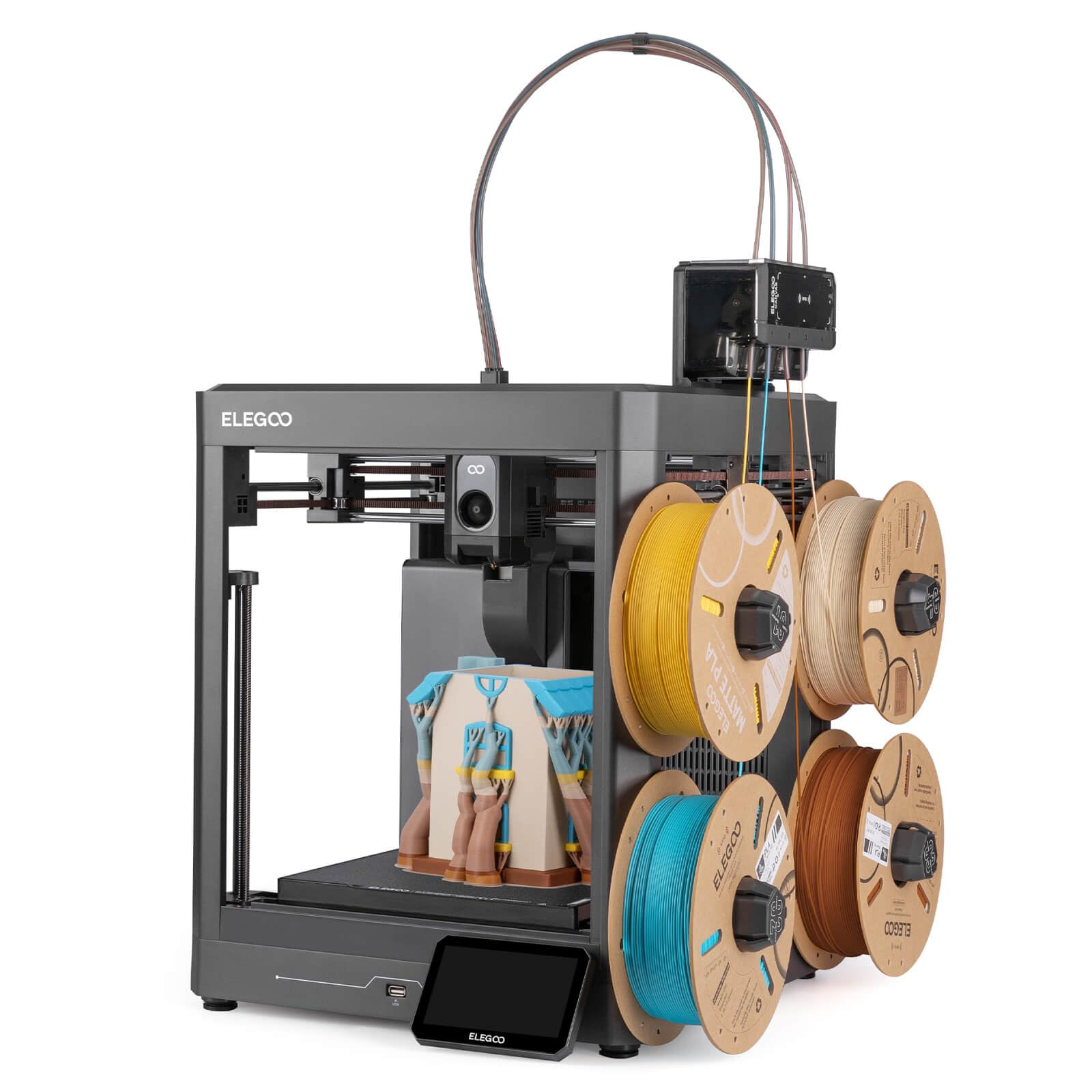
2. ELEGOO Centauri 2 Combo 3D Printer, Beginner-Friendly Multicolor Printing
Four colors and a half-hour setup — the on-ramp most people actually need.
If this is your first 3D printer, start your shortlist here. It prints in four colors through the CANVAS system, which uses independent motors, instant color switching, and RFID filament recognition to keep the swaps moving without you babysitting them. The auto refill picks up a new spool when one runs dry, so a long print does not die overnight when a color runs out.
This machine is built to move fast. Its CoreXY frame (motors stay put while the print head rides a rigid rail) reaches up to 500 mm/s with 20,000 mm/s² acceleration, so a tall print finishes in a fraction of the time a slow printer needs. The aluminum frame and linear guides keep that motion steady at full pace. Buyers rave most about print quality — the surface finish comes out clean and sharp on complex models. A 5-inch touchscreen runs the show, and 22 sensors check the print the whole way through, from first layer to final result. The whole ecosystem ties together through Nexprint for ready-made models, ELEGOOSlicer for prep, and the Matrix app for remote control.
Here is the honest catch, and it is a big one on paper: the machine weighs 33 pounds and measures 19.69 x 18.9 x 23.23 inches, so it is notably heavier and bulkier than the ANYCUBIC Kobra X above at 20.9 pounds. You will want a solid table for it. More importantly, durability is the aspect buyers flag most as a concern — failures do get reported, and the auto-leveling and adhesion results split between “perfect” and “could not get it working.” The saving grace is that owner experience still skews strongly positive: it is the crowd favorite by volume, holding a strong score across thousands of reviews. This is the best-supported machine to learn on, as long as you accept that you may need to lean on support once.
Beginner verdict: the easiest four-color machine to get running, backed by the deepest owner community of any pick here.
Weight reality: at 33 pounds it is a permanent bench resident, not something you move around.
Reach for this if: you want color printing to just work while you learn the hobby, with a support base behind you.
skip it if: you need a compact, light machine or you want zero chance of a support ticket.
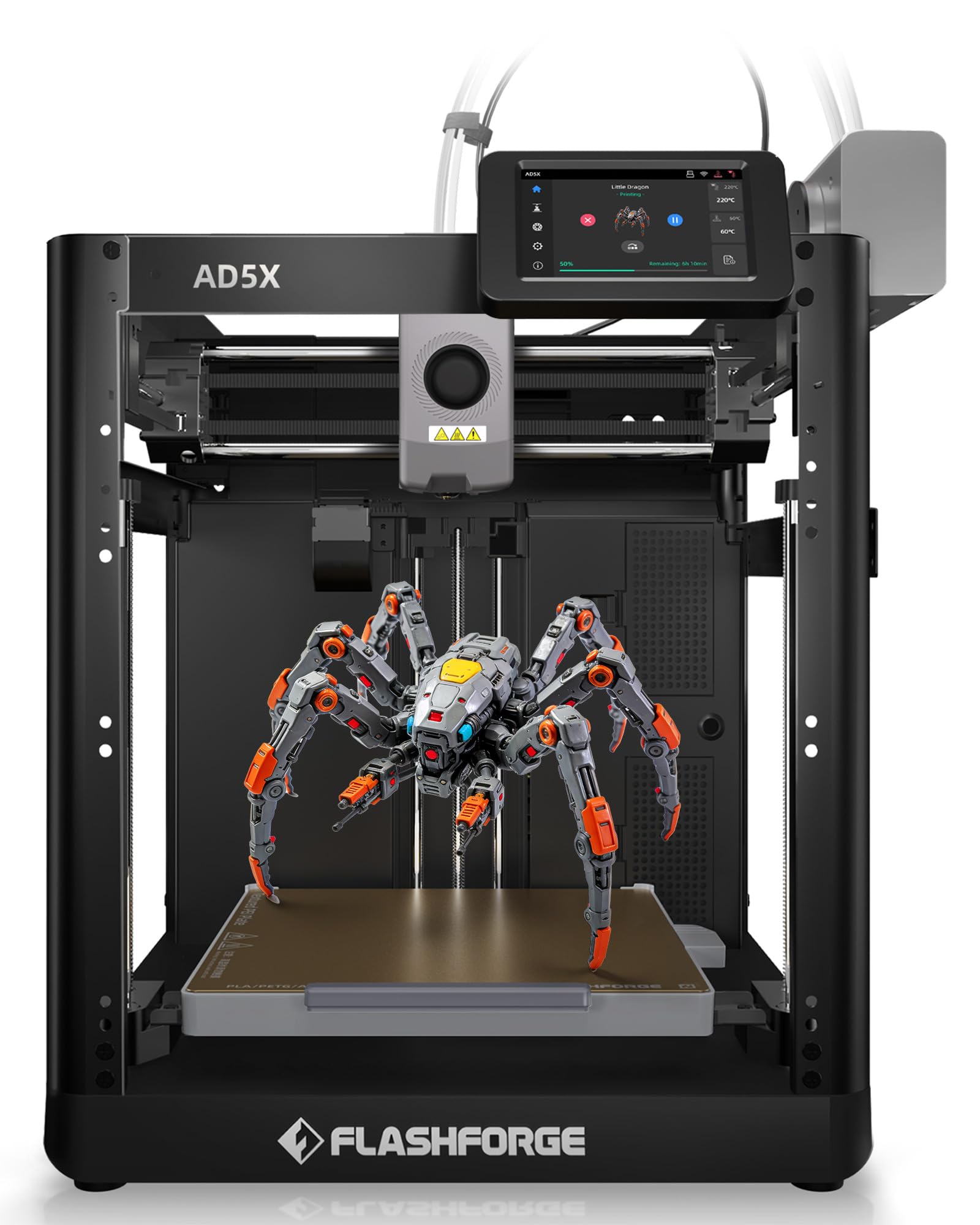
3. FLASHFORGE AD5X 3D Printer, 4-Color with Intelligent Filament System
Prints start within fifteen minutes of plugging it in — that is the whole pitch.
This is for the buyer who measures a printer by how quickly it turns a spool into a finished part. The AD5X reaches up to 600 mm/s of travel speed with 20 m/s² acceleration, and its 300°C nozzle and 32 mm³/s hot end push plastic through fast enough to keep up with that speed. In use, prints are up and running within about fifteen minutes of setup, and the machine itself takes roughly twenty minutes to assemble.
The color system is the Intelligent Filament System, which handles four colors and can auto-load, auto-unload, and refill up to 4 kg of filament on its own, so you spend less time swapping spools. It also gets along with flexible TPU, carbon-fiber filament, PLA, and PETG, which is a wider material range than most entry machines. Calibration happens with one click, and vibration compensation keeps the frame from shaking the quality out of a tall print.
What holds it back is the finer print detail. Print quality — the highest-count topic overall — splits between praise and disappointment, and build quality, noise level, and connectivity all land on the negative side of the ledger for some owners. It is also the loudest and least-connected of the four-color group by owner account. The frame itself is a sturdy 24.2 pounds, though, and it runs as a reliable workhorse for people who dial in their settings and leave them alone.
Speed story: 600 mm/s and a 300°C nozzle make this the fastest four-color option to first print.
Detail trade-off: fast and cheap does not always mean fine — expect to tune settings for sharp small parts.
Pick this when: speed to first print and a broad material range top your list.
Leave it if: you print a lot of tiny detailed parts or you cannot tolerate fan noise.
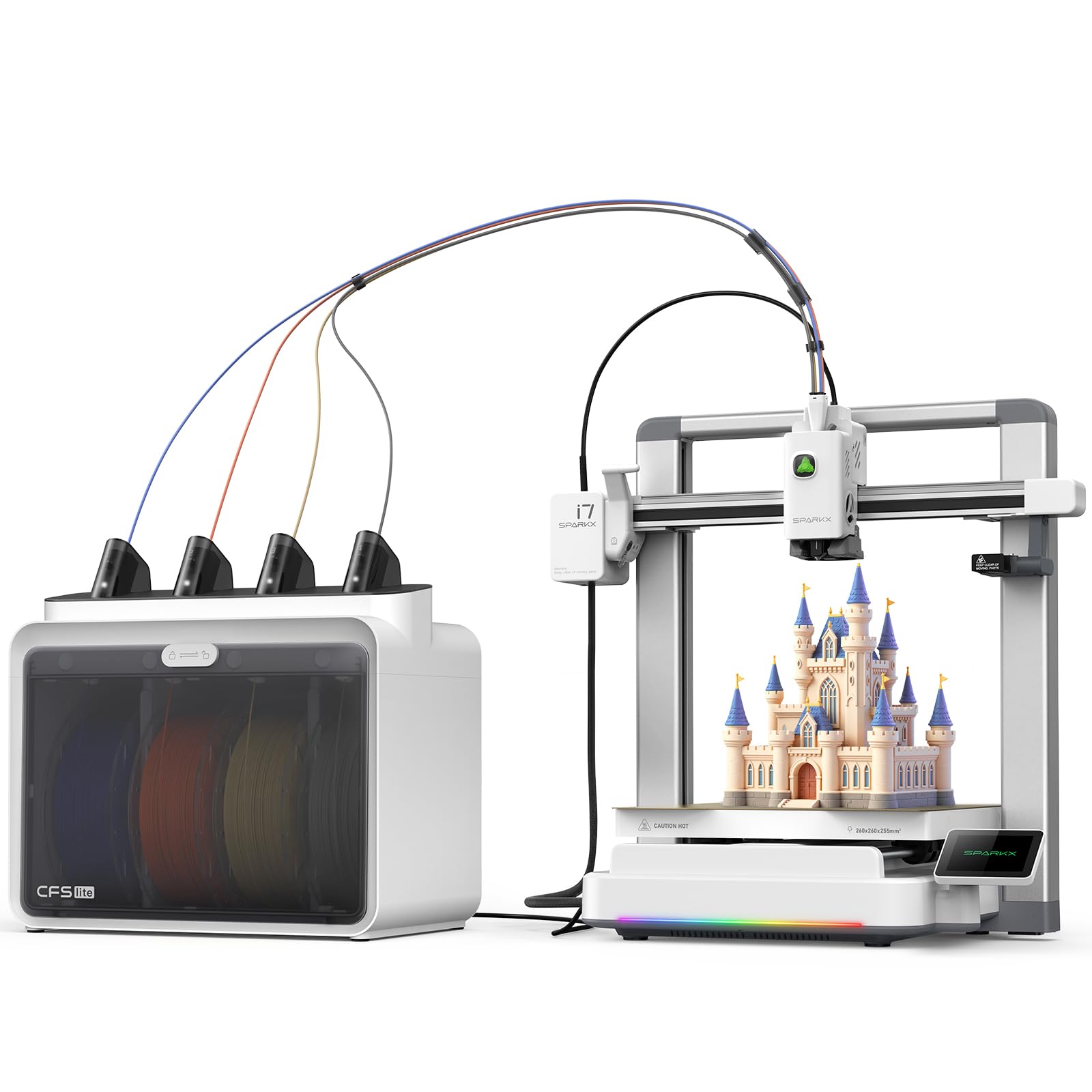
4. Creality SPARKX i7 Combo 3D Printer, Multi Color with CFS Lite
Unbox, tap once, and you are printing color in five minutes flat.
For the buyer who wants multi-color to feel like pressing a button, this is the closest thing here. There is zero assembly — it comes from the start pre-built and reaches its first print in under five minutes. The CFS Lite system reads your filament and syncs its settings to the slicer automatically, then applies the right print profile for you during slicing, so you skip the parameter fiddling that trips up most newcomers.
On the spec side it moves fast: 500 mm/s printing, a build volume of 260 x 260 x 255 mm for large single prints or batches of parts, and a purge system that cuts waste by 50%. An AI camera watches for spaghetti, air printing, and tangles in real time, and it can even turn a photo into a printable 3D model through Creality’s CubeMe tool. The aluminum alloy body carries customizable RGB lighting that signals the print status from across the room. What people consistently praise is print quality — clean, detailed output across sizes.
The friction point is software. Reliability is genuinely mixed here: a few owners hit a wall where the printer simply would not appear in the Creality Print app no matter what they tried with WiFi or firmware. Most setups sail through, but if your home network is fussy, this machine is the one most likely to test your patience on day one. That said, the print hardware itself draws strong marks — those who get past the connectivity step tend to be very happy with the results.
The big draw: five-minute first print with no assembly and automatic slicer setup.
The one risk: app connectivity can be the sticking point for a minority of owners.
Best for: gift-buyers and total newcomers who want color printing with almost no learning curve.
Think twice if: you have a complicated home network or need a machine that never depends on an app.
5. Bambu Lab A1 Mini Combo, A1 Mini 3D Printer & AMS lite

A desk-friendly color printer that stays under 48 dB and fits on a small shelf.
This is the pick for a bedroom, apartment, or classroom where noise is the deciding factor. Active motor noise cancellation keeps it at or below 48 dB, roughly the volume of a quiet conversation, so you can print while you work. Setup runs about 20 minutes thanks to the pre-assembled design, and much of the feedback centers on how friendly it is for beginners — it is the most beginner-praised machine in this whole group.
The AMS lite handles the color switching and prints four colors reliably, and calibration — Z-offset, bed leveling — happens automatically so you are not chasing a perfect first layer by hand. Active flow rate compensation adjusts the plastic flow as it prints, which helps the surface come out smooth and consistent. The 1-Clip quick-swap nozzle makes maintenance simple, and on speed it accelerates at 10,000 mm/s², so it moves between details quickly. The footprint is genuinely small at 22 pounds and 16.77 x 14.82 x 19.5 inches, and the printer’s app connects to both phone and computer with hundreds of models ready to send.
Two things to weigh. The build volume is the smallest here, so a big helmet or a wide multi-part print will not fit in one run — this is a detail and decor machine, not a large-format one. And durability is the aspect owner feedback flags as a concern, with a recurring report of filament breaking inside the extruder. That is the trade-off for the compact, quiet design. When it runs, though, print quality from the start is genuinely impressive, and the adhesion to the heated plate is strong enough that finished parts resist coming loose.
Choose this if: quiet operation and a small footprint matter more to you than build size.
Steer clear if: you need to print large models in one piece — the small volume will stop you.
6. Creality K2 SE 4C 3D Printer, Multi-Color, 500mm/s Fast Printing
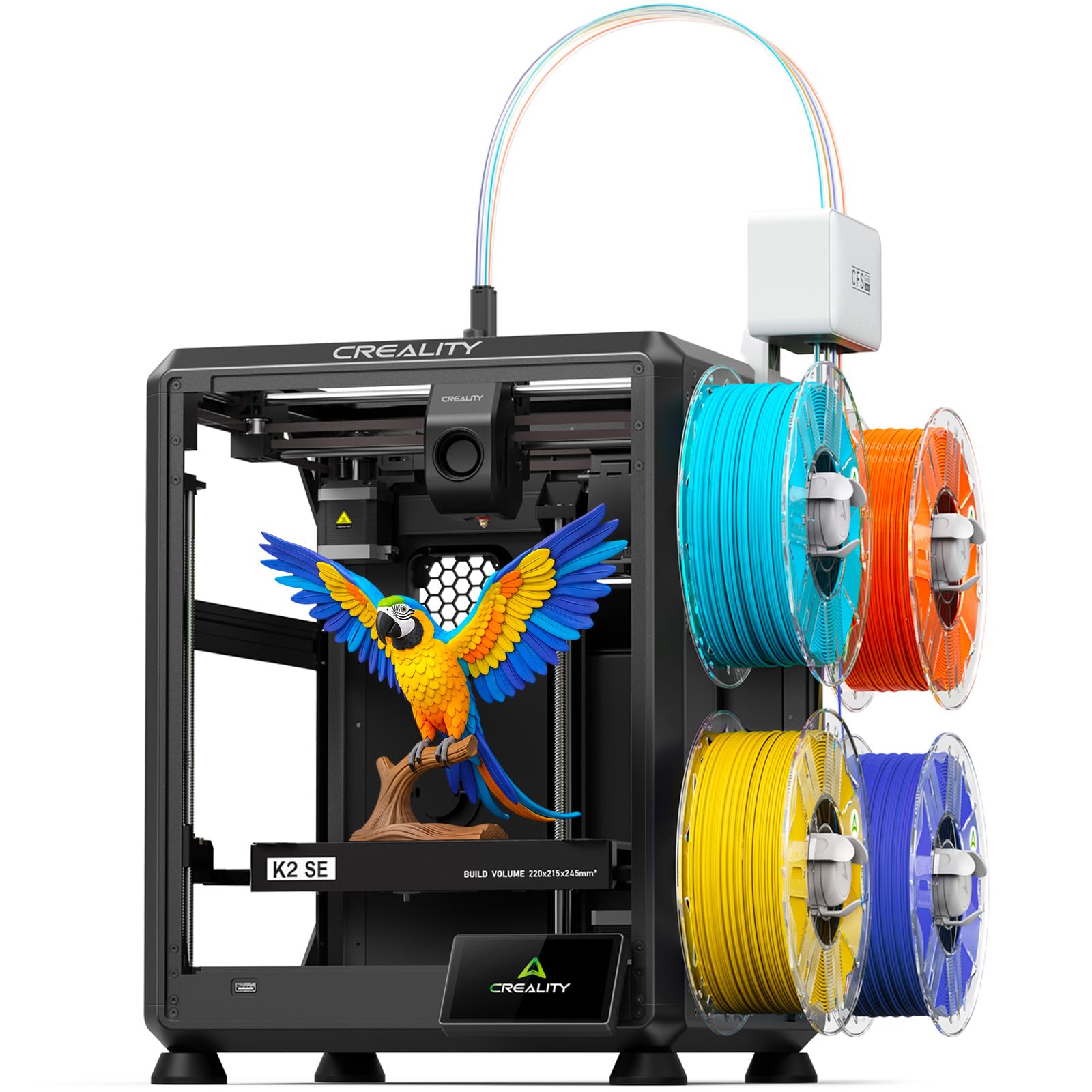
Four-color from the start with no upgrade kit, in a body that takes less bench space.
The K2 SE 4C is aimed at people who want multi-color built in from day one, without bolting on a separate color unit or soldering anything. The four-color system works straight from the box, so you can print seasonal decor, cosplay props, or gifts the day it arrives. The frame is also compact, occupying 37% less space than a conventional multi-color setup, which makes it a good fit for a home office, classroom, or makerspace where the bench is small.
Underneath that compact shell is a CoreXY motion system rated to 500 mm/s with 20,000 mm/s² acceleration, paired with a rigid all-metal frame that keeps the motion steady and holds vibration down. Auto bed leveling only probes the area you are actually printing on, which saves setup time and helps the first layer stick. Filament runout detection, tangle detection, and power-loss recovery all step in automatically to stop a failure from ruining an overnight run. On software it is flexible, running Creality OS with the Fluidd interface and root access if you want to get under the hood, plus offline printing over USB.
Where you feel the compromise is reliability and build consistency — owner feedback on this model splits between enthusiastic praise and reports of repeated failures, and value for money lands on the mixed side. The positive side is real though: for a first multi-color machine that needs no assembly and natively handles PLA, PETG, and breakaway supports, it delivers the feature set at a price that leaves room for filament.
What stands out: built-in four-color printing and a body that takes 37% less space than typical multi-color systems.
The trade-off: reliability reports are uneven, so a warranty-friendly retailer purchase is the smart move.
Pick this if: you want native four-color printing and a small footprint in one machine.
Look elsewhere if: you cannot risk a rocky reliability run on your only printer.
7. FLASHFORGE AD5X Multi-Color & Material 3D Printer with IFS

Built to run color unattended — the four-spool system refills itself while you sleep.
This is the one you buy when the machine needs to keep running while you do something else. The Intelligent Filament System handles four colors and feeds up to 4 kg of filament with automated loading, unloading, and refill, so a long color job does not stop just because a spool ran empty. Add to that the Flash Maker and Orca-Flashforge software, and you can manage a whole room of these printers remotely, watch print progress, adjust settings, and get message alerts when something needs attention. That combination has commercial and workshop use written all over it.
It is quick too — up to 600 mm/s of travel speed with 20 m/s² acceleration, plus a 300°C high-temp nozzle and a 32 mm³/s hot end. The CoreXY all-metal frame keeps that speed steady, and the 4.3-inch color touchscreen makes day-to-day control simple. There is one-click auto leveling, vibration compensation, and filament detection built in to lift your success rate. Quality is what people mention with the most enthusiasm here, closely followed by how friendly and straightforward it is to live with.
The catches come from the fiddly bits. Reliability is a mixed story — some owners hit failures in a short window, and a few report filament-tube or sensor alignment quirks and a rear carriage that wore out after around 100 hours of use. The rear-mounted spool placement is also awkward to reach, and the cooling fan runs loudly and constantly. Treat it as a workhorse for someone willing to keep up with light maintenance, not a set-and-forget appliance.
Strengths worth the space
- Four colors with up to 4 kg of automated filament refill
- 600 mm/s travel speed and a 300°C nozzle for fast, hot printing
- Remote management of many printers through Flash Maker and Orca-Flashforge
- One-click auto leveling and vibration compensation built in
Worth knowing before you buy
- Rear spool placement is awkward to reach mid-print
- The fan runs loudly and often
- Some owners mention filament-path alignment quirks and parts wearing with heavy use
Good fit for: workshop and small-farm setups that need unattended color and remote fleet control.
Not the one for: hobbyists who want a whisper-quiet, maintenance-free desktop machine.
8. Bambu Lab P1S Combo, P1S 3D Printer and AMS

The enclosed four-color workhorse that also handles the tricky engineering materials.
When your plans run past PLA (the everyday, easy-to-print plastic), this is the machine that keeps up. The P1S has a fully enclosed body, which traps heat around the print so warping-prone materials like ABS and ASA have a better shot at coming out flat. It also prints up to 16 colors when the AMS (the automatic filament changer) is connected, triple the four-color ceiling of the SPARKX i7 above, and it handles the standard PLA, PETG, and TPU crowd plus PVA and PET, with PA and PC listed as capable. That material range is why it sits at the top of this list.
Speed stays competitive with the rest — 500 mm/s with 20,000 mm/s² acceleration — and automatic bed leveling means you do not fight a manual first layer. Assembly is on the quicker end too, running about 15 minutes of setup. When it works, the prints are outstanding: fast, clean, and consistent, and the app that drives it earns its own praise for how easily it manages the machine from a phone.
The honest caveats are worth knowing up front. It is the heaviest machine here at 47.5 pounds, so plan a permanent spot. Durability is a mixed bag — a small number of units arrive with a broken front handle, and the app-driven workflow has a learning curve if you are used to older, plainer slicers. There is also a loud startup noise as the motors calibrate, which is normal but noticeable. None of that dents the core performance, which owners single out far more than any complaint.
Why it earns the top tier: an enclosed chamber that open up ABS, ASA, and PC while the AMS delivers up to 16 colors.
The honest catch: at 47.5 pounds it lives where you put it, and the software asks you to learn its quirks.
Go for it when: you need enclosed-chamber materials and a deep color range from one machine.
Hold off if: you only plan to print PLA and want the lightest, most portable option.
Understanding the Specs
Number of Colors and the Switching System
The color count tells you how many filaments the machine can draw from before you swap spools by hand. Four colors is the standard starting point, and some units stretch higher — one here reaches up to 19 colors with additional units stacked in. But raw color count is not the whole story. What matters is how cleanly the printer manages the switch between them. A system that reads your filament automatically, like RFID recognition or an auto-syncing setup, saves you from entering settings by hand and reduces the chance of a mid-print mistake. If you plan colorful, complex models, prioritize the switching intelligence over the biggest color number on the box.
Purge Waste and Filament-Change Length
Every time a multi-color printer swaps filaments, it has to flush the old color out of the nozzle before the new one arrives. That flush is waste — plastic you pay for but never see in your model. The size of that waste is set by the filament-change length, the distance the printer pushes plastic through during a swap. The shorter the change length, the less you throw away. A machine that shortens the change length dramatically, or cuts purge waste by a significant percentage, saves you real money across a project that swaps color dozens of times. For anyone printing a lot of multi-color work, this number matters more than top speed.
FAQ
Do I need to buy anything extra to print in multiple colors?
How much filament does multi-color printing waste?
Can a budget multi-color printer handle ABS or ASA?
How long does setup take on these printers?
What is the difference between a 4-color and a 16-color printer?
Do these printers work with third-party filament?
Is an auto-leveling bed really worth it on a budget printer?
How big a model can these budget multi-color printers make?
How quiet are these printers during a long multi-color run?
Final Thoughts: The Verdict
For most buyers, the budget multi color 3d printer that wins is the ANYCUBIC Kobra X, because it pairs four native colors with an 81.25% shorter filament-change length and room to grow to 19 colors — the best mix of range and low waste in this group. If this is your first printer and you want the easiest possible start, the ELEGOO Centauri 2 Combo is the machine to grab, backed by the largest owner community here. And if you need to print ABS, ASA, or any warping-prone material in color, the Bambu Lab P1S Combo is the one to reach for, with its enclosed chamber and up to 16-color support. Whichever you choose, four-color printing is now within budget reach.
How We Picked
We do not accept paid placement. Every pick is matched to a real buyer and a real use-case; we do not hands-on test units.
Sources & Methodology
Specifications: manufacturer listings and product documentation. Review insights: verified customer reviews, as of September 2026. Pricing: not shown on this page (it changes often); check the current price via the retailer link.
As an Amazon Associate, Gadgets Feed earns from qualifying purchases. This does not affect which products we feature.