
A budget multifunction printer sits in the crosshairs of a brutal conflict: the price tag is low, but the ongoing cost of ink or toner is where manufacturers recoup their losses. The real test isn’t whether it can print a page — it’s whether it can do so month after month without forcing you to choose between a new cartridge or a new printer. For the home office, student dorm, or spare-room workspace, finding the right balance of upfront cost, per-page expense, and feature reliability is the single most important decision.
I’m Min — the co-founder and writer behind Gadgets Feed. I’ve spent hundreds of hours researching this exact price tier, cross-referencing user-reported durability data, real-world page yields, and the hidden firmware policies that can brick third-party ink compatibility.
This guide ranks the top contenders strictly on value per printed page and consistent functionality so you can buy with confidence. My goal was to identify and rank the single best budget multifunction printer for different use-case needs.
How To Choose The Best Budget Multifunction Printer
Before you click ‘buy’, you need to look past the initial price tag and understand the total cost of ownership. For a budget multifunction printer, the ongoing expense of ink and the reliability of the paper feed system will define your experience more than any single spec.
Ink vs. Toner: The Per-Page Cost Trap
Inkjet printers are cheaper upfront but use cartridges that run out fast, especially during color photo printing. A laser printer (monochrome) costs more initially but delivers a dramatically lower cost per page for black-and-white documents. For a budget buyer printing mostly text, a monochrome laser can pay for itself within a year. If you need color, look for models with separate ink tanks or high-yield cartridges to avoid the low-yield starter cartridge scam.
Auto Document Feeder (ADF) and Duplex Printing
An ADF lets you scan or copy a stack of pages without standing over the machine to manually feed each sheet. This is a real productivity feature for a home office. Automatic duplex (two-sided printing) cuts paper waste in half. A printer missing both features forces you to manually flip pages — a massive inconvenience for anything beyond a single-page document.
Connectivity and Mobile App Reliability
Wireless connectivity is standard, but the quality of the mobile app varies wildly. Some apps (like Brother Mobile Connect and Epson Smart Panel) offer a seamless setup and stable connection, while others are prone to disconnects and require constant re-authentication. A 2.4GHz-only WiFi chip is fine for most, but dual-band 802.11ac is preferable for crowded networks. A USB port remains essential as a fallback when WiFi fails.
Quick Comparison
On smaller screens, swipe sideways to see the full table.
| Model | Category | Best For | Key Spec | Amazon |
|---|---|---|---|---|
| Brother MFC-J1410DW | Color Inkjet | Home Office Productivity | 16 ppm black / 9 ppm color | Amazon |
| Epson EcoTank ET-2800 | Supertank Inkjet | High-Volume Color Printing | 4,500 pages black / 7,500 color | Amazon |
| HP LaserJet M234dw | Monochrome Laser | Fast Black-and-Text | 30 ppm black | Amazon |
| Canon PIXMA TS7720 | Color Inkjet | Compact Home Photo | 15 ppm black / 10 ppm color | Amazon |
| Brother MFC-J1012DW | Color Inkjet | Compact Personal Use | 17 ppm black / 9 ppm color | Amazon |
| Epson WF-2930 | Color Inkjet | Entry-Level Home Office | 10 ppm black / 5 ppm color | Amazon |
| HP Envy 6458e | Color Inkjet | Refurbished Budget Pick | 10 ppm black / 7 ppm color | Amazon |
In‑Depth Reviews
1. Brother Work Smart 1410 (MFC-J1410DW)

The Brother MFC-J1410DW is the most balanced budget multifunction printer available right now. It delivers a punchy 16 pages per minute in black and 9 ppm in color, supported by a 20-sheet auto document feeder and automatic duplex printing. The 2.7-inch color touchscreen makes cloud app integration (Google Drive, Dropbox, OneDrive) genuinely usable without needing your phone.
Ink efficiency is where Brother separates itself from the pack. The LC501 cartridges last well over six months of regular use according to verified buyers, and the Refresh subscription option ensures you never run dry. Setup is straightforward via the Brother Mobile Connect app, though a few users noted the USB driver installation required more patience than the wireless path.
The construction feels solid for its class, with no report of paper jams in the first several months of ownership. The only real complaint is that the side plastics feel a bit thin, but that’s a trade-off at this price tier. If you need a reliable, fast, and feature-dense all-in-one, this is the one to beat.
Why it’s great
- Fast print speeds with a useful 20-sheet ADF
- Low ink cost per page with long-lasting cartridges
- Reliable wireless and cloud connectivity
Good to know
- USB driver setup can be finicky on some PCs
- Plastic build feels a bit light in the hand
2. Epson EcoTank ET-2800

The Epson EcoTank ET-2800 completely rewrites the cost equation for a budget multifunction printer. Instead of tiny cartridges, you pour ink from bottles into refillable tanks. The included bottles yield up to 4,500 black pages and 7,500 color pages — that’s roughly 90 cartridges worth of ink. For anyone printing frequently, the per-page cost plummets to pennies.
The trade-off is that the ET-2800 lacks automatic duplex printing and an auto document feeder, which means you’ll manually flip pages for two-sided jobs and feed stacks one sheet at a time for scanning. Setup is quick (about 10-20 minutes according to users), and the print quality for photos is excellent — vivid, no smudging, on par with consumer photo labs.
The biggest complaint across user reviews is the finicky WiFi connectivity. The Epson app sometimes fails to discover the printer on the network. The workaround is to assign a static IP address in your router and install via TCP/IP. Once configured, it’s stable. The 1.4-inch screen is tiny and hard to read, but you’ll mostly interact via the app anyway. For pure ink cost savings, nothing else at this price comes close.
Why it’s great
- Dramatically lower cost per page than any cartridge printer
- Excellent photo print quality with vivid colors
- Quick and easy ink refill process
Good to know
- No automatic duplex or ADF
- WiFi setup can be unreliable without a static IP workaround
3. HP LaserJet MFP M234dw (Renewed)

The HP LaserJet M234dw is the fastest printer in this budget roundup by a wide margin, churning out 30 pages per minute in black-and-white. It’s a monochrome laser, so you’re limited to black text and grayscale graphics, but for the home office or small business printing forms, reports, and contracts, it’s a beast. The speed is matched by automatic duplex that runs 19 pages per minute two-sided.
This is a renewed (refurbished) unit, which brings the price down considerably while still delivering the core laser engine reliability. The printer includes a 700-page starter toner cartridge, and when you factor in the low cost of high-yield replacement cartridges, the per-page expense is the lowest on this list. The HP Smart app works well for mobile printing, and dual-band WiFi with auto-reset keeps the connection stable.
The downsides are exclusive to its monochrome nature — no color printing at all. The scan and copy functions are present but basic, with no ADF. A few buyers reported initial setup quirks with the HP Smart app requiring multiple attempts, but once online, the unit is rock solid. For a text-heavy workload, this is the smartest value play.
Why it’s great
- Blazing 30 ppm black-and-white speed
- Very low cost per page with high-yield toner
- Compact footprint for a laser printer
Good to know
- Monochrome only — no color printing
- Refurbished unit may have cosmetic wear
4. Canon PIXMA TS7720

The Canon PIXMA TS7720 is the most compact and design-friendly option in this list. It prints at 15 pages per minute black and 10 ppm color, with automatic duplex standard. The 2.7-inch LCD touchscreen provides a genuinely intuitive interface for navigating settings, previewing scans, and connecting to cloud services. Setup out of the box takes under 25 minutes via USB, though the WiFi handshake with some mobile devices can be finicky.
Print quality is where the TS7720 shines for its price. Black text is crisp and sharp, and color documents come through with good saturation. Photo quality on glossy paper is decent for a dual-cartridge system (one black, one tri-color), though heavy color blocks can appear slightly oversaturated. The bottom cassette tray must be pulled out manually, which adds an extra step to loading paper.
The biggest risk is long-term reliability. Several users reported the printer dropping its WiFi connection after several months, requiring a full factory reset. The ink runs out noticeably faster than the Brother or Epson EcoTank alternatives. For light home use — occasional documents, school projects, the odd photo — this is a fine choice. For heavier workloads, look elsewhere.
Why it’s great
- Very compact footprint saves desk space
- Fast print speeds with automatic duplex
- Large, responsive 2.7-inch touchscreen
Good to know
- WiFi connectivity can be unreliable over time
- Ink cartridges run out quickly under moderate use
5. Brother MFC-J1012DW
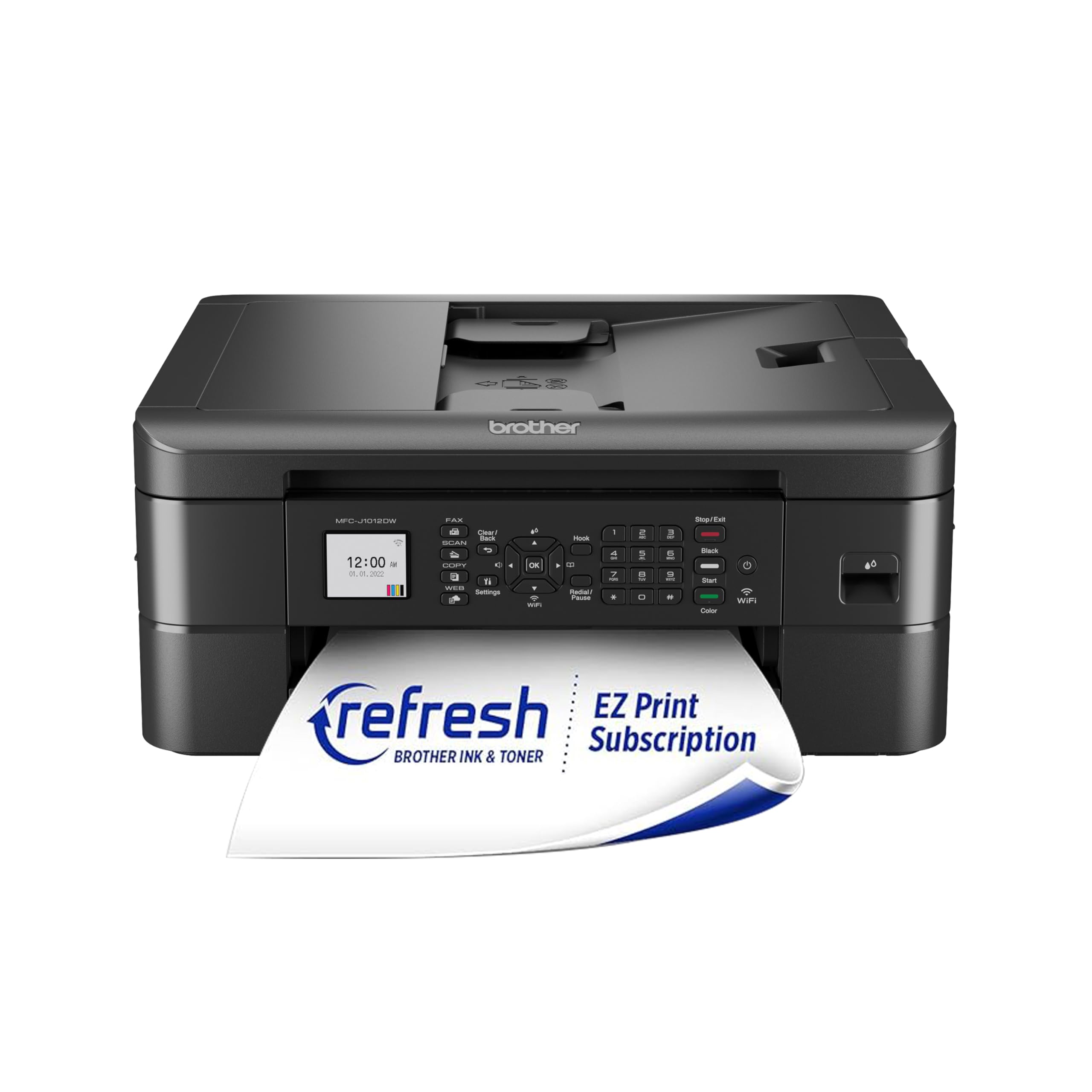
The Brother MFC-J1012DW is a compact cousin to the J1410DW, trading the larger touchscreen for a smaller 1.8-inch color display but maintaining the core print engine at 17 ppm black and 9 ppm color. It includes a 20-sheet ADF and automatic duplex, making it a capable home office machine. The wireless setup via the Brother Mobile Connect app is generally painless, and the printer is very quiet during operation.
Scan quality is excellent — fast and crisp with good color reproduction. The ADF can’t handle narrow receipts or folded pages, but for standard letter-size documents, it’s perfectly reliable. The ink cartridges (LC401) are available in standard and high-yield sizes, and aftermarket alternatives are plentiful, keeping costs manageable. Several buyers reported receiving the J1010DW variant instead, which lacks a few minor features — verify the model number on delivery.
The build quality is mixed: the plastics feel flimsy, and the side cords are exposed. The software bundle is over 1GB and the included scan utility lacks simple cropping tools. The biggest negative is the setup process — every cartridge change, power loss, or network reset triggers a lengthy recalibration cycle. For a secondary or light-use printer, this is a fine choice, but the J1410DW is a better buy for daily drivers.
Why it’s great
- Fast print speed with ADF and duplex
- Very quiet operation during use
- Good scan quality with fast scanning
Good to know
- Plastics feel cheap and side cables are exposed
- Requires recalibration after any disruption
6. Epson Workforce WF-2930

The Epson Workforce WF-2930 is the most affordable way to get automatic duplex printing and a fax modem in one box. It prints at 10 ppm black and 5 ppm color, which is slower than the competition, but it packs an ADF and voice-activated printing through Alexa and Siri. The 1.4-inch color display is small but functional for navigating menus and network settings.
The Epson Smart Panel app is reliable for mobile setup and daily printing, and the individual ink cartridges mean you only replace the color that runs out. The print quality for text is sharp, and color graphics are vibrant thanks to Epson’s Micro Piezo heat-free technology. The printer is designed to use only Epson Genuine cartridges, and a firmware update has been known to reject third-party ink — a significant long-term cost risk.
Build quality matches the price: the plastic chassis feels thin and flimsy during handling. Setup requires removing 23 pieces of tape according to one user, and the cartridge installation is straightforward. For a student or very light home use, the low upfront cost is appealing, but the ink expense and firmware lock-in make the total cost of ownership higher than it first appears.
Why it’s great
- Includes automatic duplex and ADF at a low entry price
- Voice-activated printing via Alexa and Siri
- Individual ink cartridges reduce waste
Good to know
- Slow print speed compared to competitors
- Firmware blocks third-party ink cartridges
7. HP Envy 6458e (Renewed)

The HP Envy 6458e is a renewed (refurbished) all-in-one that offers a 35-sheet auto document feeder and automatic duplex at a very low price point. It prints at 10 ppm black and 7 ppm color with a max color resolution of 4800 x 1200 dpi, producing respectable documents and photos. The dual-band WiFi with self-healing technology is a genuine step up from single-band alternatives.
The HP Smart app is one of the more feature-rich mobile apps, supporting remote printing, scanning to cloud, and mobile faxing. Setup is straightforward for most users, though a significant minority report persistent WiFi connectivity issues that require days of customer support calls. The printer is designed to enforce HP’s Dynamic Security, which blocks non-HP cartridges — a major point of contention.
The refurbished condition varies. Some buyers received units that look and perform like new, while others reported failure within days. The Instant Ink subscription model can lock you into monthly fees, and if the printer loses WiFi, even manual scan and copy functions can become disabled. For a secondary printer or someone willing to manage the HP ecosystem quirks, it’s a capable machine. For a hassle-free experience, skip it.
Why it’s great
- Generous 35-sheet ADF for scanning stacks
- High 4800 x 1200 dpi color print resolution
- Dual-band WiFi with self-healing connectivity
Good to know
- Refurbished units have inconsistent quality
- Blocks third-party cartridges via firmware
FAQ
What is the real cost per page of a budget multifunction printer?
Do I need an auto document feeder for scanning?
Can I use third-party ink in a budget printer?
Final Thoughts: The Verdict
For most users, the best budget multifunction printer winner is the Brother Work Smart 1410 because it delivers fast print speeds, an auto document feeder, automatic duplex, and a low per-page ink cost in a reliable package. If your top priority is eliminating ink expense, grab the Epson EcoTank ET-2800 for its massive page yield and bottle-based refills. And for high-volume monochrome text printing, nothing beats the speed and per-page value of the HP LaserJet M234dw.