
Our readers keep the lights on and my morning glass full of iced black tea. As an Amazon Associate, I earn from qualifying purchases.
Specs are compiled from manufacturer listings and verified buyer reviews and can change over time — please confirm the key details on the product page before buying.
Finding a tablet that can actually replace your paper notebook without emptying your wallet is the real challenge here. You need a sharp screen for reading PDFs, a stylus that feels natural for writing, and enough battery to survive a full day of classes — all without paying flagship prices. This guide cuts through the marketing to focus on what truly matters for note-taking: stylus quality, display comfort, storage, and battery life.
I’m Min — the founder and writer behind Gadgets Feed. This guide is built by comparing the manufacturers’ published specifications and the patterns across verified customer reviews, so you get each pick’s real strengths and trade-offs instead of marketing spin.
We have pitted eleven pen-ready models against each other to find the best budget note taking tablet that balances price, performance, and a genuinely useful writing experience.
Our Picks at a Glance

How To Choose The Best Budget Note Taking Tablet
The best budget note-taking tablet is the one that makes you want to write on it daily, not just the one with the flashiest specs. Before you buy, focus on a few key areas that define the experience.
Match the Stylus to Your Writing Style
The stylus is the core of the note-taking experience. An active stylus (one with its own electronics) gives you palm rejection and pressure sensitivity, making writing feel close to pen on paper. Look for a stylus that doesn’t need charging — a battery-free pen is always ready when inspiration hits. Also, check if a nib or replacement tips are available, as they wear down with heavy use.
Prioritize Display Comfort for Long Reading Sessions
For long reading sessions, display comfort—like low blue light and anti-glare—matters more than raw resolution. Look for features like low blue light certification or an anti-glare finish to reduce eye strain. A higher refresh rate — 90Hz or 120Hz — makes the screen feel smoother and reduces pen lag. Consider a matte or paper-like display if you read outdoors often, as it cuts glare significantly.
Balance Storage and RAM Against Your Needs
On a budget, prioritize 64GB of storage with microSD expansion to avoid overpaying for capacity you won’t use. A model with 64GB base storage that accepts a microSD card is great for expanding later. For RAM, look for the physical amount plus any virtual RAM expansion — this lets you keep a note app, a PDF reader, and a browser open without the system slowing down.
Quick Comparison
| Model | Best For | Display | Storage/RAM | Battery | Amazon |
|---|---|---|---|---|---|
| Lenovo Idea Tab★ Best Overall | All-around value & smooth writing | 11″ 2.5K, 90Hz | 256GB / 8GB + 6GB virtual | Up to 12 hrs | Amazon |
| Jeazans Android 16Best Value Bundle | Complete 2-in-1 bundle on a tight budget | 10.1″ HD | 64GB / 24GB (3+21) | Lithium Polymer | Amazon |
| TECLAST P30TSmooth Display Pick | Ultra-smooth screen & portability | 10.1″ IPS, 120Hz | 128GB / 16GB (3+13) | 6,000mAh | Amazon |
| Samsung Galaxy Tab S6 Lite | The S Pen experience & classic note-taking | 10.4″ LCD | 64GB / 4GB | Up to 13 hrs | Amazon |
| Lenovo Idea Tab Pro | Large screen & high performance | 12.7″ 3K, 90Hz | 128GB / 8GB | Up to 11 hrs | Amazon |
| TCL TAB A1 Plus | Paper-like reading & eye comfort | 12.2″ 2.4K, 120Hz | 256GB / 6GB + 10GB virtual | 10,000mAh | Amazon |
| TECLAST Artpad Pro | Large canvas & media consumption | 12.7″ 2K | 256GB / 8GB + 12GB virtual | 10,000mAh | Amazon |
| TCL NXTPAPER 11 | Eye-friendly display & handwriting | 11″ 2K | 64GB / 6GB + 6GB virtual | 8,000mAh | Amazon |
| URAO Android 16 | Big RAM & long standby | 11″ LCD | 128GB / 36GB (6+30) | 7,800mAh | Amazon |
| XPPen Magic Note Pad (3-in-1) | Dedicated note-taking with paper feel | 10.95″ 90Hz Anti-Glare | 128GB | 8,000mAh | Amazon |
| XPPen Magic Note Pad (Standalone) | Artists who want a paper-like texture | 10.95″ 90Hz Anti-Glare | 6GB RAM | 8-10 hrs | Amazon |
In‑Depth Reviews
1. Lenovo Idea Tab – College Tablet
Our pick — over 4.5★ from 700+ verified ratings; the strongest balance of quality and price.
The campus-ready all-rounder with 4x the storage of rival budget tablets.
The Lenovo Idea Tab is our top pick because it nails the balance between a premium-feeling writing experience and a price that won’t make you wince. It comes with a Tab Pen and a Folio Case in the box, so you have everything you need to start taking notes from the moment you open it. The 11-inch 2.5K touchscreen with a 90Hz refresh rate keeps the display crisp and makes pen strokes feel responsive and smooth.
You can run multiple apps at once without slowdowns, thanks to 8GB of RAM plus 6GB of virtual RAM (extra memory borrowed from storage). The included pen is great for taking notes and marking up PDFs for grad school. The battery lasts up to 12 hours of YouTube, so it will survive a full day of lectures and study sessions.
Performance is backed by the MediaTek Dimensity 6300 processor, which buyers report handles gaming and Steam Link well, and the quad Dolby Atmos-tuned speakers make for clear sound. The Folio case is versatile with a stylus holder, though some owners note the case edges aren’t fully secured. While it has plenty going for it, a few users found the battery life falls slightly short of the headline figure, and the facial recognition can struggle in low light.
budget-friendly college aid
- Generous 256GB storage is 4x more than many rivals
- Sharp 11″ 2.5K display with smooth 90Hz refresh rate
- Includes Tab Pen and Folio Case for instant note-taking
basic performance limits
- Folio case edges feel a little unsecured
- Facial recognition struggles in low light
best for students: you’re a student or professional who wants one tablet that does notes, reading, and streaming well without a second thought.
skip for gamers: you absolutely need replacement nibs for your stylus — Lenovo doesn’t sell them for this pen model.
2. Jeazans Android 16 Tablet 10.1 Inch
A complete 2-in-1 setup that beats anything else for the money.
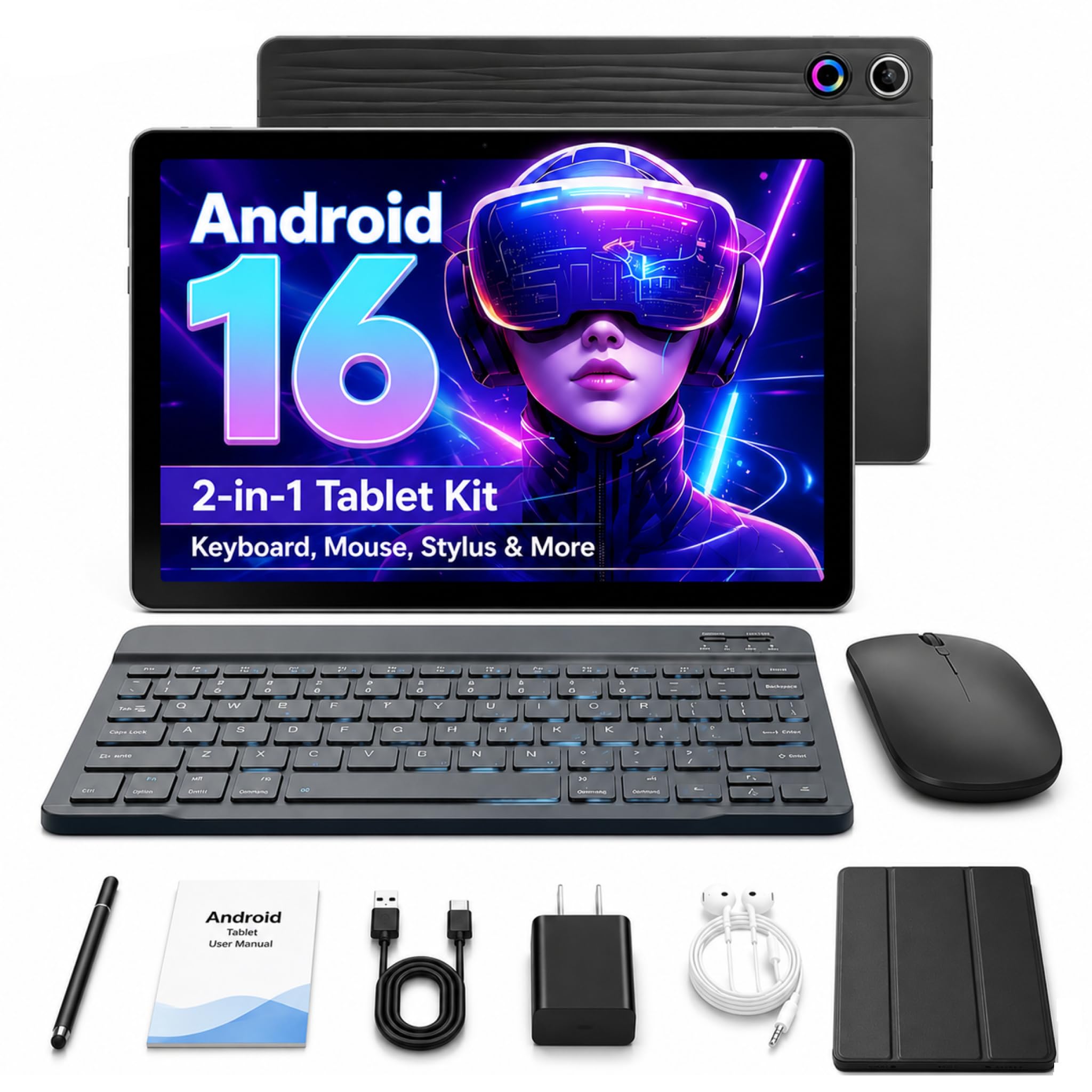
The Jeazans is the entry-level champion, and it’s not just a tablet — it’s a whole bundle. The package includes a Bluetooth keyboard, a silent wireless mouse, a stylus, a protective leather case, and a PD fast charger. You get a full laptop-style setup that can transform for different tasks, making it an ideal starter machine for students and remote workers.
It runs on the latest Android 16 OS with 24GB RAM (3GB physical plus 21GB virtual) and 64GB of storage, which is expandable. The 10.1-inch HD display (1280×800) provides a clear view for streaming and web browsing. Owners mention the value is exceptional — “You really do get an entire set of most things you would need” — with smooth Android performance, a durable build, and a battery that charges quickly.
The display is sharp enough for notes and videos, and the dual HD cameras handle video calls fine. The stylus included is a high-sensitivity capacitive model, which is good for basic sketching and annotation. While the build quality is understandably not “ultra high quality” at this level, everything works and works well — making this the best value-for-money bundle available.
entry-level value pick: This is the perfect entry point if you don’t own any accessories yet. Nothing else at this tier gives you a keyboard, mouse, case, stylus, and charger for the price — turning your tablet into a portable laptop replacement.
3. TECLAST 10.1″ P30T Android 16 Tablet
A featherlight slate with a buttery-smooth 120Hz screen for easy note-taking.
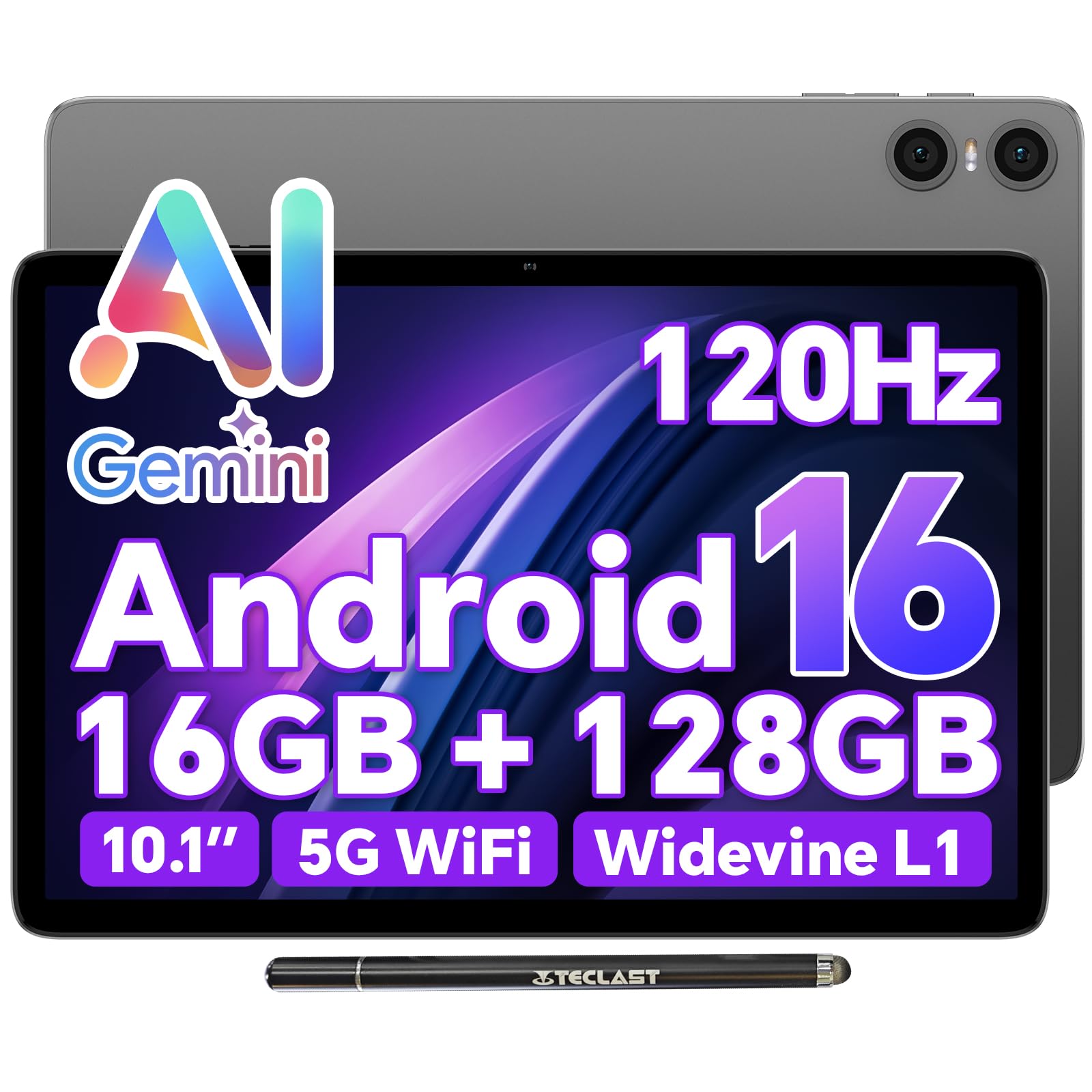
The TECLAST P30T is a fantastic pick if a smooth, responsive display is your top priority. It features a 10.1-inch fully laminated IPS screen with an adaptive 60Hz/120Hz refresh rate, which eliminates motion blur and screen stutter. This makes writing with the included stylus feel fluid, and it’s a pleasure for scrolling through social media or casual gaming. You can switch to 60Hz to save power during long e-book sessions.
Under the hood, it’s powered by a UNISOC T7250 octa-core processor with 16GB RAM (3GB physical plus 13GB virtual). Storage is a solid 128GB, expandable up to 2TB via Micro SD. It’s also quite light at 446g, so it’s comfortable to hold for extended reading or note-taking sessions, and its 8.8mm thin metal body gives it a premium feel.
The battery is a 6000mAh unit, supporting 10 hours of video playback and 12 hours of music, and it comes with a dedicated stylus pen from the start — no extra purchase required. Customers note the display is “smooth” and the performance is “fast,” with the stylus being a great bonus for notes and PDFs. The full GMS certification means full access to Google Play. For a budget device, the built-in speakers and camera are adequate, though not outstanding, but the exceptional screen makes this a top contender.
ideal for streaming: you spend hours reading and writing and want the smoothest, most comfortable screen experience on a budget.
think twice for pros: speaker volume and camera quality are deal-breakers for you, as they’re only acceptable for basic use.
4. URAO Tablet, 11″ Android 16
Massive multitasking memory that keeps every app running without a stutter.
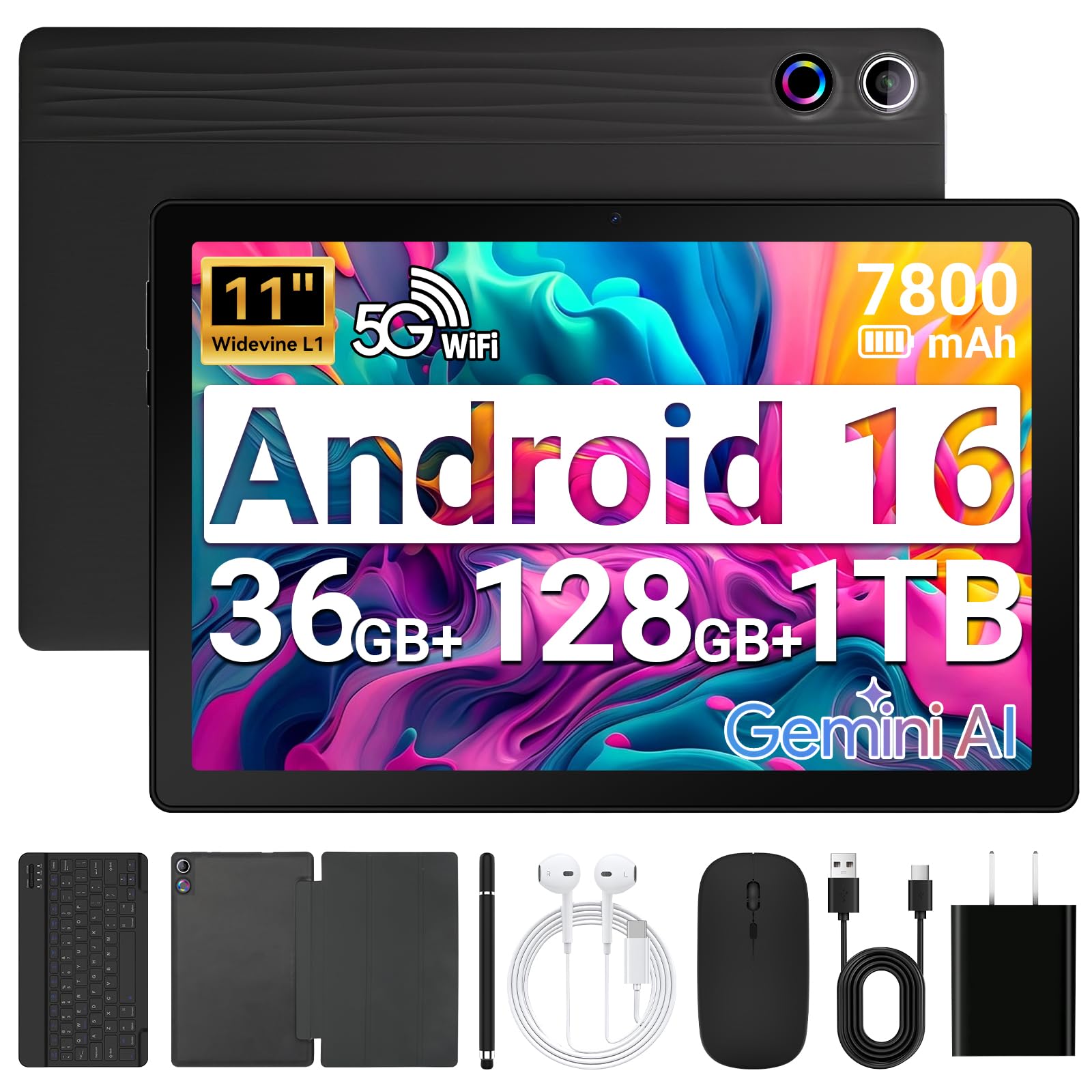
You get fast app launches and smooth multitasking with the URAO tablet, thanks to 36GB RAM (6GB physical plus 30GB virtual) and 128GB ROM (storage for apps and files). The 1.8 GHz octa-core processor (a chip with eight cores) and Android 16 OS handle YouTube, work apps, and light gaming without lag. Google Play comes pre-installed, so downloading apps is straightforward.
The 11-inch display is bright and vivid with vivid color, perfect for reading and streaming. Its 7800mAh battery with fast-charging technology means it can stand by for up to 3 days and enjoy up to 8 hours of mixed use. Buyers are impressed by its durability, describing the back as scratch-resistant, and note it is “slim yet sturdy.” It’s great for studying, office work, and entertainment thanks to its versatile accessories support.
This 2-in-1 tablet works with a Bluetooth keyboard, mouse, and stylus, but those are sold separately. Note that there is no GPS built-in, so you can’t use it for turn-by-turn navigation. If you’re a student who runs multiple apps at once without slowdowns, this is a budget-friendly pick that won’t feel outdated for years.
strong performance per dollar: The 36GB RAM figure is a massive spec on paper, and in practice, it means you can jump between your notes app, browser, and video player without ever seeing a loading wheel. A durable build and strong battery complete the package.
5. TCL NXTPAPER 11 Gen 2
A tablet screen that treats your eyes like paper, not a glowing rectangle.
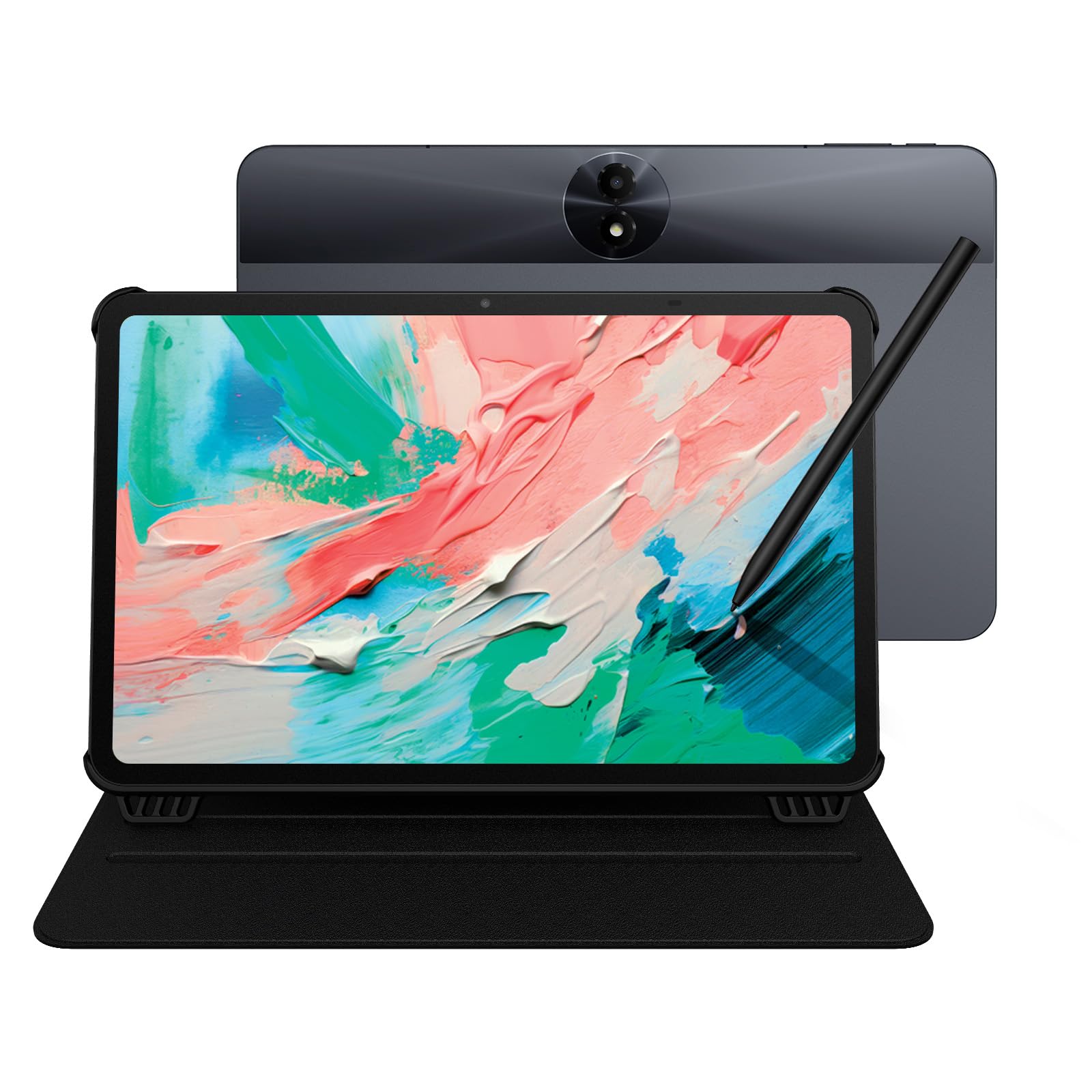
The TCL NXTPAPER 11 Gen 2 is built around its eye-friendly display. It features an 11-inch 2K display with NXTPAPER 4.0 technology that reduces blue light and has an anti-reflective, flicker-free surface. This means you can read and take notes for hours without the eye fatigue you get from a standard screen. Its “Ink Paper Mode” offers a paper-like experience, perfect for focused reading and handwriting, and it’s a big reason why people love it for long study sessions.
Writing is handled by the included T-PEN stylus with 4096 pressure levels, making it ideal for drawing and note-taking. Under the hood, the MediaTek Helio G80 processor and 8GB RAM (plus 8GB virtual) handle everyday tasks smoothly. Storage is 128GB, expandable to 1TB, for plenty of space for documents and multimedia.
It has a long-lasting 8000mAh battery that can support a full day of use, and it also supports reverse charging to top up your phone. At just 0.29 inches thick and weighing 1.1 lbs, it’s easy to carry anywhere. Buyers rave about the “amazing screen that’s easy on the eyes” and the handwriting functionality. It’s a great choice for readers and students who value visual comfort, though the speakers are decent, and the cameras are passable.
choose for reading: extended reading and note-taking where eye strain is your main concern — the NXTPAPER display is genuinely different from a standard LCD.
skip for heavy apps: you need a headphone jack for private listening, as it’s been omitted here.
6. TECLAST Artpad Pro 12.7″
A spacious 12.7-inch canvas that fits a full sheet of paper for serious note-takers.
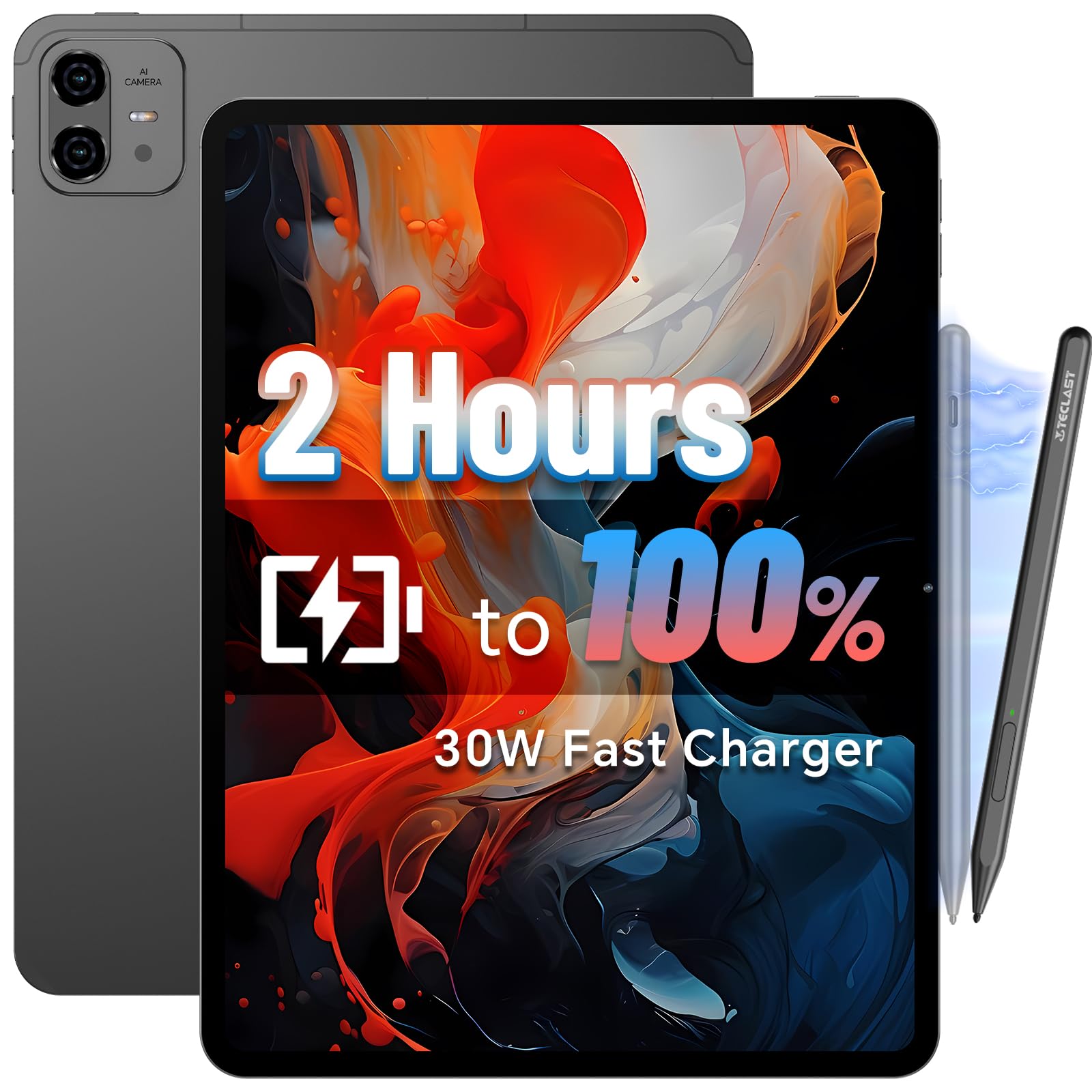
The TECLAST Artpad Pro gives you a huge 12.7-inch 2K resolution screen that perfectly fits 8.5×11 sheets of paper. With a narrow bezel design, it offers 20% more display area than other 16:10 tablets, giving you greater freedom for writing and drawing. The 2176×1600 IPS touchscreen with TDDI technology delivers brighter images and faster response, making it a pleasure to work and watch media on.
It’s powered by a G99 octa-core processor and a massive 20GB RAM (8GB physical plus 12GB virtual), with 256GB of fast UFS storage expandable to 1TB. The huge 10,000mAh battery pairs with 30W peak fast charging to keep you going all day. When paired with the T-Pen stylus, it delivers up to 4096 levels of pressure sensitivity and global anti-misclick functionality.
Audio is enhanced by a proprietary Symphony Sound Chamber System with four speakers, which buyers describe as “impressive.” Build quality is premium with a metal case, and setup takes minutes. The main trade-off is the pen itself, which some find can be “skippy” and requires slow drawing for the best lines. If you’re a student or artist who wants a large, high-quality screen for notes and digital art without a flagship price, this is a powerful option.
large screen creativity
- Spacious 12.7″ screen fits a full sheet of paper
- Huge 10,000mAh battery with 30W fast charging
- Premium metal build with great sound from 4 speakers
heavier to carry
- Included pen can be skippy, needs slow strokes for best results
- An always-on charging light near the camera can be distracting
7. SAMSUNG Galaxy Tab S6 Lite (Renewed)

The gold standard for note-taking feel, thanks to the magnetic S Pen.
The Samsung Galaxy Tab S6 Lite earns its premium badge for one fundamental reason: the S Pen. This stylus is the best in its class, requiring no charging and offering excellent palm rejection. It attaches magnetically to the side of the tablet, so it’s always with you and ready to jot down a thought. For dedicated note-taking, this is the benchmark experience, with 8192 levels of pressure sensitivity making it feel remarkably natural.
The 10.4-inch display is vibrant, and the slim metal design slips easily into a bag. Dual speakers with sound by AKG provide spacious Dolby Atmos surround sound. It has a long-lasting battery that lets you stream for up to 13 hours on a single charge, with fast charging via USB-C. Buyers find it great for college notes, noting the palm rejection is “excellent” and the pen is easy to use, with battery lasting a full day.
As this is a renewed (refurbished) unit, the experience can vary slightly, with some owners reporting minor wear or a weak stylus magnet, and one finding a defective unit. Performance is fair; it handles notes and documents brilliantly but can freeze on heavy games. For a note-taking and reading device with the best stylus around, this is unbeatable value in the mid-range.
premium stylus experience: If you write by hand on a tablet daily, the S Pen’s responsiveness (the stylus that comes with the tablet) makes note-taking feel natural and easy. It turns note-taking into a frictionless habit.
8. TCL TAB A1 Plus NXTPAPER

A productivity powerhouse with a paper-like display that’s gentle on your eyes.
The TCL TAB A1 Plus is a serious productivity machine. Its standout feature is the 12.2-inch 2.4K display (2400×1600 pixels) with a 3:2 aspect ratio and up to a 120Hz refresh rate. It’s built on NXTPAPER technology, which reduces glare and blue light for a paper-like viewing experience, making it excellent for reading reports or textbooks for hours. The screen automatically adapts brightness to your surroundings, and the smart reminders help you maintain comfortable viewing.
It’s powered by a Snapdragon 4 Gen 2 octa-core processor with 6GB RAM (plus 10GB virtual) and 256GB storage, expandable to 2TB. This setup handles daily apps, streaming, and light gaming smoothly. The included T-Pen 2 offers 4096 pressure levels and two interchangeable tips. Buyers rave about the display — “no glare even in bright light” — and the included keyboard and stylus make it a complete work setup.
The 10,000mAh battery with 33W fast charging keeps you powered, and the stereo quad speakers with Sound Booster offer richer sound. Weighing just 1.23 lbs with a slim 0.26-inch metal body, it’s built to go anywhere. The main drawback for some is the lack of a built-in GPS chip, which rules out offline navigation. For those who live on their tablet for work and study, the A1 Plus is a brilliant investment.
the productivity pick: offers a huge, eye-friendly canvas with fast refresh for notes, spreadsheets, and meetings.
skip for multitasking: you rely on offline GPS navigation from your tablet, as this model has no GPS chip.
9. Lenovo Idea Tab Pro with Google Gemini

A blindingly fast 12.7-inch 3K screen that gives you desktop-level multitasking power.
The Lenovo Idea Tab Pro steps up the performance game decisively. It’s driven by the super-efficient MediaTek Dimensity 8300 processor, supported by Wi-Fi 6E, which makes multitasking smooth and downloads lightning-quick. Performance is the number one thing buyers talk about, and it shows — this tablet handles many Chrome tabs without slowdowns, making it a peerless tool for research and heavy study workloads.
Its 12.7-inch 3K LCD display is a visual treat, crisp and vibrant, making it “perfect for drawing on the go” according to users. The included Lenovo Tab Pen Plus works well for notations and offers better stylus latency, enhancing the writing experience. Battery life is described as “excellent,” with 11 hours of unplugged video streaming and a 45W quick charge to get you back in action fast.
The Idea Tab Pro is also PUBG certified and features a 360Hz touch sampling rate and 90fps for gaming, so it can handle entertainment flawlessly. Buyers praise its value, easily outperforming slower Samsung models. The biggest caveat is that it’s heavy, and it requires a specific Lenovo 45W charger to open up full-speed charging; standard chargers will result in slow “Flash Charging.” It’s a top-tier choice for students who need top-tier speed.
top-tier processing power: This is for the user who refuses to accept slowdowns. The Dimensity 8300 and beautiful 3K display make this feel like a flagship without the flagship price. Just be ready for its heavier weight.
10. XPPen 3 in 1 Color Digital Notebook

A dedicated digital notebook that recreates the feel of real paper on a 10.95-inch canvas.
The XPPen Magic Note Pad is built from the ground up for note-taking. It’s not just a standard tablet — it features an AG nano-etched display with TCL NXTpaper 3.0 technology that reduces up to 95% of ambient light interference. This creates a paper-like texture that makes writing and reading feel distinctly different from a glossy screen. With an X-key, you can switch between Monochrome, Light Color, and Nature Color modes with one press to suit your task.
The writing experience is powered by the X3 Pro Pencil 2, a battery-free stylus with 16K sensitivity. It offers a soft pen nib and pressure sensitivity, allowing for varied stroke thickness and color depth, making your key content stand out. The native XPPen Notes app supports converting handwriting to text, recording sound, and importing PDFs. It can even upload your notes to OneDrive or Google Drive.
This 10.95-inch tablet handles remote meetings with a 13-megapixel front camera, two speakers, and two microphones. It has an 8000mAh battery and 128GB of storage. Buyers love the “eye-friendly” screen that reads “like real paper” and the “fantastic” stylus, though they note this isn’t a high-performance gaming tablet. If your focus is 90% note-taking, reading, and sketching, this is a specialized tool that excels at exactly that.
perfect for hybrid use: students and professionals whose entire workflow is handwriting notes and annotating PDFs.
not for pure tablets: anyone expecting a high-performance tablet for gaming or heavy apps — it’s a specialist, not a generalist.
11. XPPen 10.95″ Standalone Drawing Tablet
A drawing-first tablet that mimics a sketchbook so well, you’ll forget it’s a screen.
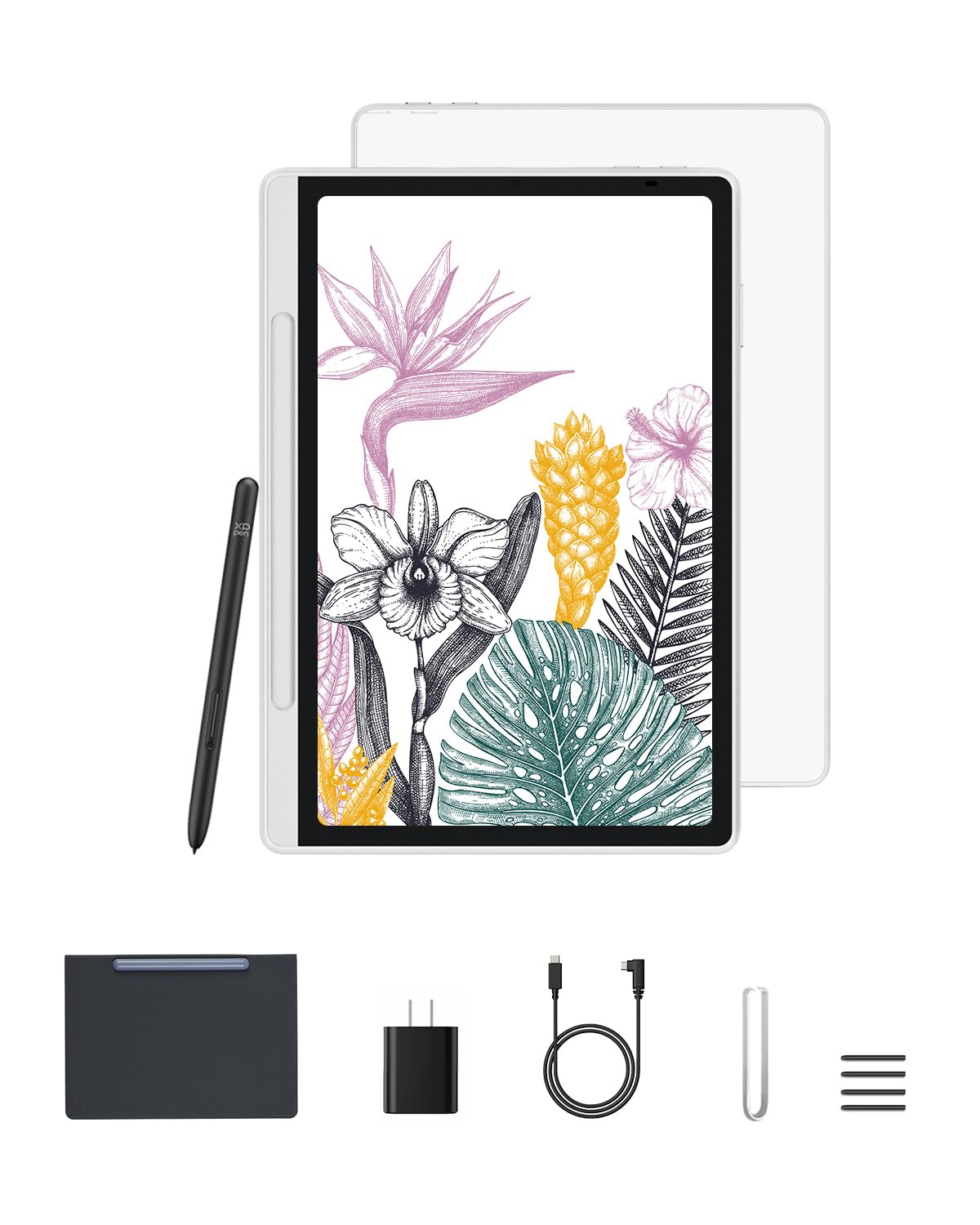
This XPPen Magic Note Pad is the artist’s variant of the digital notebook. It focuses on delivering a “realistic sketching experience” through a 10.95-inch X-Paper display with AG nano-etching technology. This provides true paper-like texture and friction, giving natural pencil strokes. Combined with the 16384 pressure levels of the X3 Pro battery-free Pencil 2, it offers precise control for shading and doodling.
You get 3 color modes for different tasks — nature mode for annotating, light color for sketching, and black and white for rich reading. The display shows 16.7 million colors, and its TÜV-certified low blue light (a certification for reduced eye strain) and anti-glare technology help during long sessions. The 90Hz refresh rate (how often the screen updates per second) keeps line transitions smooth and lag-free.
At 495g and 7mm thick, it’s easy to slip into a bag. The stylus never needs charging, so it’s always ready when inspiration strikes. Buyers compare it favorably to an iPad at half the price, praising the “perfect” stylus pressure and tracking, and calling it a “premium feel at budget price point.” The main trade-off is the display is somewhat dim, and you’ll want a drawing glove to avoid accidental palm marks.
dedicated art display: This is for the sketch artist who lives in their notebook. The tactile, paper-like surface and the pressure-sensitive, battery-free pen create an rich drawing tool that also works great for notes.
Understanding the Specs
Stylus Technology: Active vs. Capacitive
An active stylus with palm rejection and pressure sensitivity separates a good note-taking tablet from a frustrating one. An active stylus (like the S Pen) uses its own electronics to communicate with the screen, giving you palm rejection and pressure sensitivity. A capacitive stylus lacks palm rejection and pressure sensitivity, making it a poor choice for handwriting. For handwritten notes, look for an active stylus, preferably one that’s battery-free.
Display Refresh Rate & Resolution
The refresh rate, measured in Hertz (Hz), tells you how many times the screen updates per second. A standard 60Hz screen can feel slightly laggy, while a 90Hz or 120Hz display looks and feels much smoother, especially when writing or scrolling. Resolution (like 2K or 3K) determines sharpness; higher is clearer, but a good refresh rate is often more important for a comfortable writing experience.
RAM, Virtual RAM, and Storage
RAM determines how many apps can stay open simultaneously without slowing down. More RAM means more apps can stay open at once. Virtual RAM borrows storage space to keep more apps running in the background, boosting multitasking on a budget. Storage (64GB, 128GB, 256GB) is where your files live. For a budget tablet, look for at least 64GB of storage with a microSD card slot, and consider the total RAM (physical + virtual) for smooth multitasking.
Battery Life & Eye Comfort
Battery capacity, measured in milliamp-hours (mAh), determines how long the tablet lasts. A larger mAh generally means longer use, but the processor’s efficiency matters too. Eye comfort features, like TÜV low blue light certification or anti-glare finishes, are vital if you read for hours. They reduce eye strain and make the screen easier on your eyes, especially in bright rooms.
FAQ
Is a stylus included with most budget note-taking tablets?
Can I use a budget tablet for handwriting and converting it to text?
Does a higher refresh rate matter for note-taking?
How much storage and RAM do I really need for notes?
Is a “paper-like” screen worth it on a tablet?
Will a budget tablet be able to handle video calls?
What does “virtual RAM” mean and does it help?
How long should the battery last on a note-taking tablet?
Can I connect a physical keyboard to these tablets?
Are refurbished tablets like the Samsung S6 Lite a good idea?
Final Thoughts: The Verdict
The clear winner in this budget note taking tablet showdown is the Lenovo Idea Tab — it offers the best balance of a sharp 2.5K screen, 4x the storage of rivals, and a surprisingly good included stylus. If you want the very best writing feel, the Samsung S6 Lite and its legendary S Pen is the one to grab, especially if you’re a dedicated note-taker. For the ultimate budget bundle with a keyboard and mouse, the Jeazans gives you a complete portable setup for almost nothing. And if your eyes are your priority, the paper-like displays on the TCL models and XPPen pads will keep your reading and writing sessions comfortable for hours.
How We Picked
We do not accept paid placement. Every pick is matched to a real buyer and a real use-case; we do not hands-on test units.
Sources & Methodology
Specifications: manufacturer listings and product documentation. Review insights: verified customer reviews, as of August 2026. Pricing: not shown on this page (it changes often); check the current price via the retailer link.
As an Amazon Associate, Gadgets Feed earns from qualifying purchases. This does not affect which products we feature.