
Our readers keep the lights on and my morning glass full of iced black tea. As an Amazon Associate, I earn from qualifying purchases.
Specs are compiled from manufacturer listings and verified buyer reviews and can change over time — please confirm the key details on the product page before buying.
The real question isn’t just which one prints well — it’s which one keeps working reliably, connects without a fight, and doesn’t guzzle ink. This guide breaks down eight all-in-one models that print, scan, and copy, focusing on the specs that actually matter for everyday home and home-office use.
I’m Min — the founder and writer behind Gadgets Feed. This guide is built by comparing the manufacturers’ published specifications and the patterns across verified customer reviews, so you get each pick’s real strengths and trade-offs instead of marketing spin.
You’ll see print speeds, paper tray sizes, duplex printing, and connectivity compared head-to-head, so you can find the budget printer and scanner that fits your workflow and your wallet without wasting money on features you don’t need.
Our Picks at a Glance


How To Choose The Best Budget Printer And Scanner
A budget all-in-one printer has to juggle three competing demands: a low purchase price, low running costs, and reliable performance. The cheapest machine on the shelf can become the most expensive one you own if the ink is pricey or the wireless connection drops constantly. Knowing which specs to prioritize makes the difference between a frustrating purchase and one that just works.
Match Print Speed to Your Volume
Print speed is measured in pages per minute (ppm), and it tells you how fast the machine churns out plain black-and-white pages. For a home user printing a few documents a day, a 10 ppm printer is perfectly adequate. For a home office running multi-page reports, a 14 ppm or 16 ppm model saves real time. Color speed is always slower than black-and-white speed, so check both numbers if you print photos or colorful charts regularly.
Look at the Paper Tray and Feeder
The paper tray capacity determines how often you refill. A 100-sheet tray is fine for occasional printing, while a 150-sheet or 250-sheet tray suits busier households. An Automatic Document Feeder (ADF) is a different feature — it lets you stack multiple pages and have the scanner pull them through one by one, so you don’t have to place each page on the glass individually. This is the feature that makes scanning a 20-page contract take seconds instead of minutes.
Check the Ink Economics
The ink system is where budget printers hide their costs. Printers that use two cartridges (one black, one tri-color) are simpler to replace but often drain color ink faster. Printers with individual color cartridges waste less ink because you replace only the color that runs out. Also check whether the manufacturer locks you into proprietary ink or allows cheaper generic cartridges — this can dramatically change your yearly costs.
Quick Comparison
| Model | Best For | Print Speed (B&W) | Paper Tray | Duplex | Amazon |
|---|---|---|---|---|---|
| Canon PIXMA TR7120★ Best Overall | Fast home office printing | 14 ppm | Small | Automatic | Amazon |
| Canon TS5320aPhoto Pick | Photo-quality output | 13 ppm | 100 sheets | Automatic | Amazon |
| HP Envy 6555eEasy Setup | Easy wireless setup | 10 ppm | — | Automatic | Amazon |
| Brother MFC-J1360DW | Balanced home office value | 16 ppm | 150 sheets | Automatic | Amazon |
| Epson WF-3823 | High-volume small office | 21 ppm | 250 sheets | Automatic | Amazon |
| HP Envy 6155 | Small counters and desks | 10 ppm | 100 sheets | Automatic | Amazon |
| Brother MFC-J1410DW | Small office with fax needs | 16 ppm | 150 sheets | Automatic | Amazon |
| Epson XP-5100 | Compact photo printing | 14 ppm | 150 sheets | Automatic | Amazon |
In-Depth Reviews
1. Canon PIXMA TR7120
Our pick — over 4★ from 350+ verified ratings; the strongest balance of quality and price.
The speed demon that keeps multi-page jobs moving with an auto document feeder.
This Canon is built for the hybrid worker who prints, scans, and copies every day. It leads this list on black-and-white output at 14 pages per minute — a solid 40% faster than the HP Envy 6555e’s 10 ppm — so a ten-page report is done before you finish your coffee. Color lands at 9 ppm, which is 32% quicker than the Canon TS5320a’s 6.8 ppm.
The Auto Document Feeder is the standout feature here. You stack a pile of pages, and the machine pulls them through for scanning or copying without you standing there feeding each sheet. Automatic two-sided printing cuts paper use in half on longer documents, and the 1.42″ monochrome OLED screen lets you check ink levels at a glance.
You’ll be up and running fast — buyers report “I had no problems with the set up and it connected quickly to my wi fi.” Dual-band Wi-Fi (2.4GHz or 5GHz) keeps the connection steady, and mobile printing works through the Canon PRINT App, Apple AirPrint, and Mopria. The main compromise is the small paper tray, which a few owners note needs refilling more often than they’d like.
What wins people over
- Sharp, clear print quality — the most-praised feature by far
- Fast 14 ppm black-and-white speed for this price tier
- Easy guided setup with reliable dual-band Wi-Fi
What to know
- Small paper tray needs frequent refills for heavy printing
- No duplex scanning via the document feeder
- Ink consumption runs higher than some rivals
Reach for this if: you print enough that a 14 ppm speed and an auto document feeder will save you real time every week.
Look elsewhere if: you rarely print — the small tray and higher ink use make it less economical for just a page or two a day.
2. Canon TS5320a
The print-quality champion that turns out crisp documents and vivid photos.
This Canon puts image quality first. Its 4800 x 1200 DPI print resolution — DPI being the dots of ink per inch, so higher means finer detail — delivers sharp text and rich colors for photos that keep their vibrancy. The scanner matches up with a 1200 x 2400 DPI flatbed, so documents and pictures both come through with clarity.
You can load photo paper in the back and plain paper in the front, then switch between them without swapping stacks. The dual paper paths give you that flexibility: a 100-sheet front cassette plus a rear tray that holds another 100 plain sheets, 20 sheets of 4 x 6 photo paper, or up to 10 sheets of 5 x 7 photo paper. Automatic duplex printing handles two-sided documents, and a 1.44-inch OLED screen with a built-in status bar shows printer health at a glance.
The ink system is the honest trade-off here. It uses a simple one-black-and-one-color cartridge setup, and owners mention that ink gets consumed quickly — one owner’s two XL sets ran out in under 300 pages. Longevity is the other open question; as owners put it: “Canon Printers only last about a year. So we shall see what happens here.”
Best for: photo printing and color-critical documents where output quality matters more than raw speed.
The catch: heavy printing will drain the two-cartridge ink system faster than you’d budget for.
3. HP Envy 6555e
The renewed pick that gets you printing in minutes with a fuss-free touchscreen.
This is a renewed (refurbished) HP Envy, and the buyer experience is remarkably smooth. The setup earns the most praise — customers note “The setup was quick and easy, and I was able to connect it to Wi-Fi and start printing within minutes.” The touchscreen display guides you through menus without hunting through a manual, and the wireless connection holds steady during use.
Performance keeps up with daily home printing at 10 ppm in black and 7 ppm in color, with copy resolution hitting 1200 x 1200 DPI for both black-and-white and color copies. Automatic duplex printing cuts paper waste on two-sided documents, and the machine weighs 13.5 pounds — solid enough to stay put but light enough to move between rooms.
The twist is the ink plan. It comes with a 3-month Instant Ink trial, a subscription service that delivers ink before you run out. Once the trial ends, a monthly fee applies unless you cancel, so you’ll need to decide whether the subscription model fits how you print. The legal-size paper limitation is a minor note — if you regularly print legal documents, this one won’t handle them.
Who it suits: home users who want the least-friction setup and like the idea of ink delivered automatically.
Think twice if: you need legal-size paper support or want to avoid subscription-based ink entirely.
4. Brother MFC-J1360DW
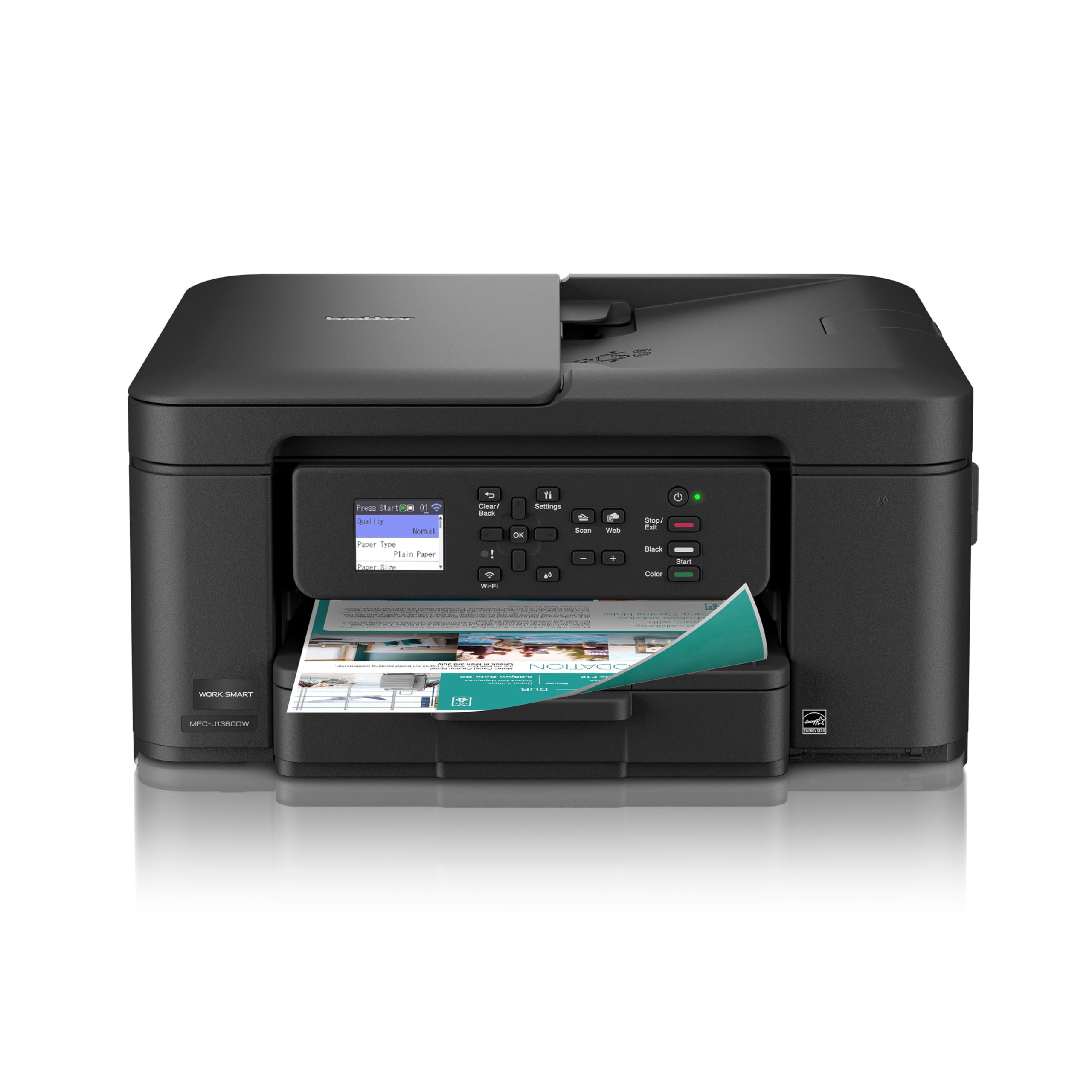
The balanced home-office pick with a generous 150-sheet tray and fast 16 ppm output.
Brother positions this as the home-and-home-office workhorse, and the specs back it up. It prints at up to 16 pages per minute in black and 9 ppm in color — the fastest black-and-white speed on this list alongside its sibling — and the 150-sheet paper tray means fewer refill stops during a busy day. A 20-sheet Automatic Document Feeder lets you scan or copy multi-page stacks hands-free.
The 1.8″ color display connects you to cloud apps like Google Drive, Dropbox, Box, and OneDrive, so you can print from or scan straight to your cloud storage. The Brother Mobile Connect app handles printing, copying, scanning, and device management from your phone, and a Page Gauge feature tracks your ink usage so you know when a cartridge is running low.
The honest picture here is mixed reliability. Setup wins praise from some owners — “It was easy to set up and connect to my internet, a nice size and works great” — but others report a frustrating first hour with confusing app prompts. Print quality gets similar split feedback, and paper jams and reliability concerns appear as recurring themes. It’s also note the loose-fitting power cord that a few buyers flagged.
The strong points
- Fast 16 ppm black-and-white speed
- Large 150-sheet tray plus 20-sheet ADF
- Cloud app printing and scanning built in
The mixed points
- Setup experience varies from smooth to frustrating
- Print quality and reliability get split reviews
- Power cord fits loosely on some units
Pick this if: you want the best speed-to-price balance and print moderate volumes from a home office.
Think twice if: you’re sensitive to setup friction — this one can take over an hour if the app misbehaves.
5. Epson Workforce Pro WF-3823

The office-grade machine that hits 21 ppm with a 250-sheet tray for heavy loads.
This Epson is the closest thing to a small-office printer in the budget tier. It prints at up to 21 ppm in black and 11 ppm in color, the fastest speeds in this lineup, and the 250-sheet paper capacity means you can run a full day’s workload without touching the tray. A 35-sheet Automatic Document Feeder streamlines multi-page scanning and copying, and fax capability makes it a true all-in-one.
Epson’s PrecisionCore Heat-Free Technology is the engineering story here. Unlike traditional inkjets that use heat to fire ink, this system is designed to be more reliable and cut downtime — a real advantage if you print high volumes regularly. The 2.7″ color touchscreen makes navigation easy, and setup works through a smartphone app with Bluetooth Low Energy, alongside built-in wireless, Wi-Fi Direct, and Ethernet options.
The ink economics are the deciding factor. It uses DURABrite Ultra instant-dry pigment inks, which give professional-quality, water-resistant prints — but the running costs draw sharp criticism. Reviewers point out high ink consumption and expensive refills, with one frustrated owner burning through two rejected ink sets and a maintenance box. If you print constantly, the speed is worth it; if you print occasionally, the ink cost will sting.
The verdict: the fastest, most productive pick here — if you have the volume to justify its ink appetite.
The caveat: reliability reports are split, and one bad ink experience can sour the whole ownership.
6. HP Envy 6155
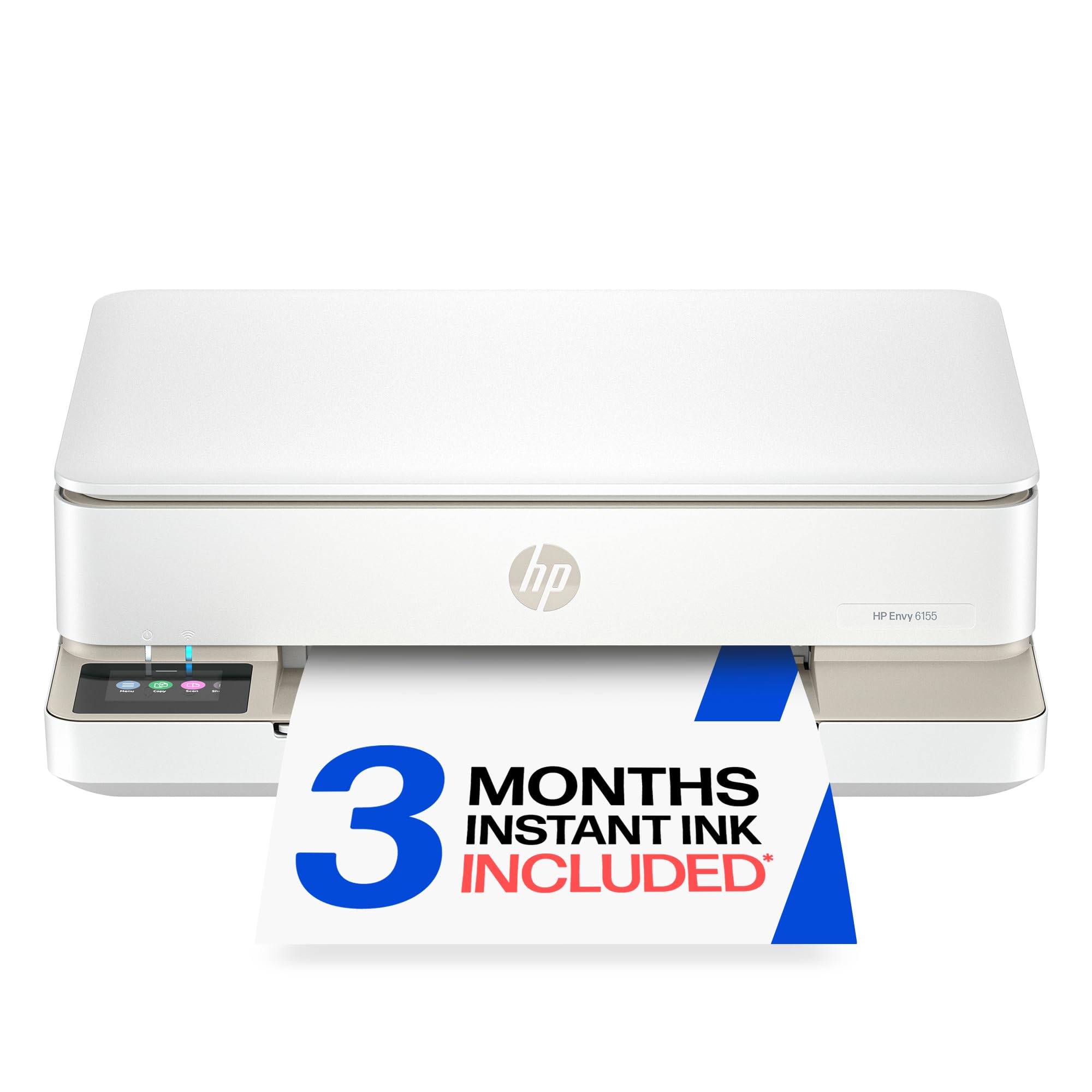
The space-saver with a bright touchscreen that fits tight counters and small desks.
This HP Envy is designed for homes where counter space is precious. Its compact footprint works well on small desks and counters, and the 2.4″ color touchscreen is the most intuitive control panel in this lineup — you swipe and tap through menus the way you would on a phone. Setup is straightforward, and dual-band Wi-Fi auto-detects and resolves connection issues to keep you online.
Print speeds sit at 10 ppm in black and 7 ppm in color, which is plenty for homework, borderless photos, and everyday documents. The 100-sheet input tray handles typical household volume, and automatic duplex printing cuts paper use on two-sided jobs. HP’s P3 technology is designed to make prints match what you see on screen — useful when you’re printing photos.
The connectivity experience is mostly smooth, but the software has a vocal minority of critics. A few shoppers say the computer losing contact with the printer and struggling to scan to the PC. The Instant Ink trial is included — 3 months of ink delivered before you run out — with a monthly fee after the trial unless you cancel. The printer works only with cartridges using original HP chips, so generic ink is off the table.
Reach for it if: you want the easiest touchscreen control and a printer that fits a small space without dominating it.
Be aware: some owners hit scan-to-PC software issues, and you’re locked into HP’s ink system.
7. Brother MFC-J1410DW
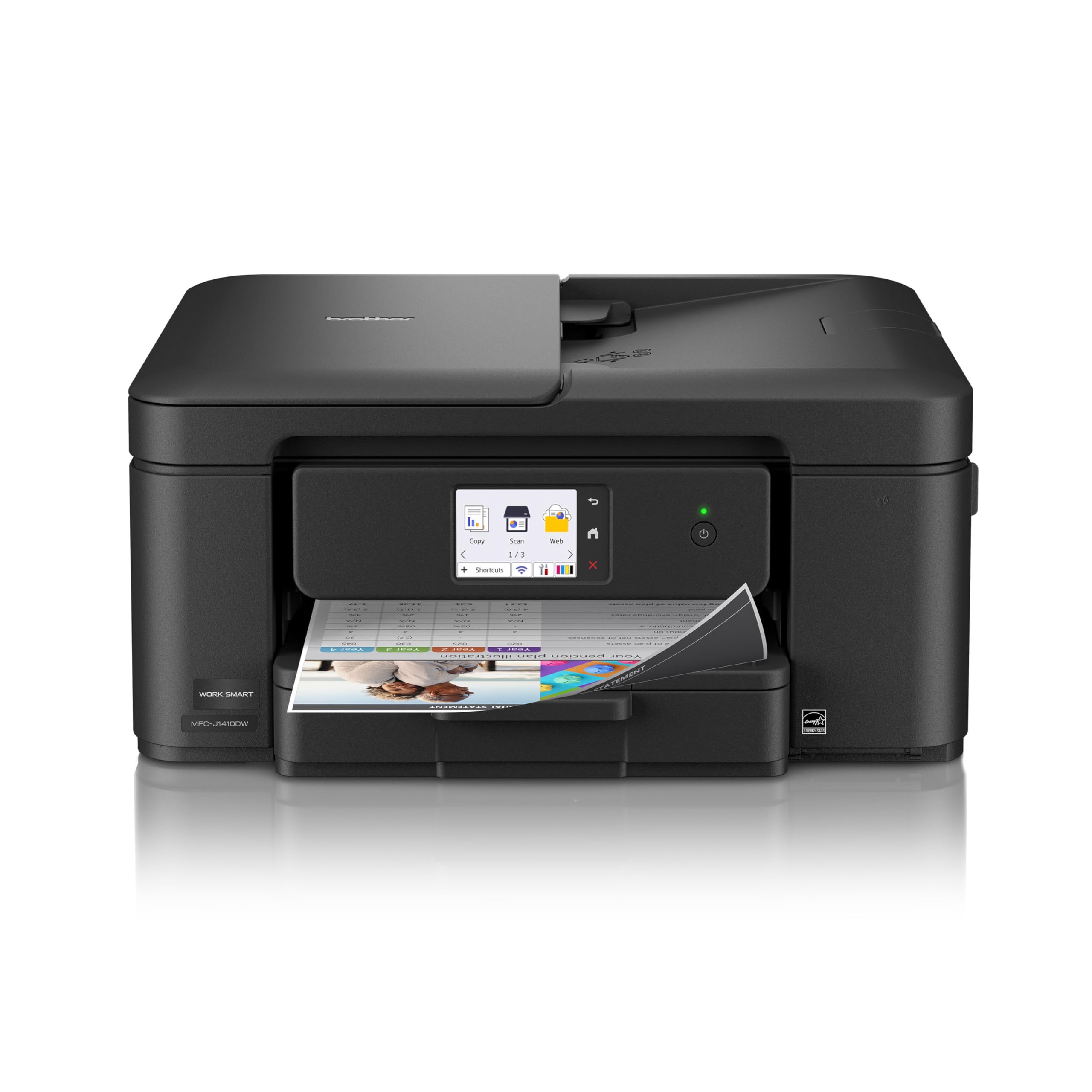
The small-office all-rounder with fax capability and a clear 2.7-inch touchscreen.
This Brother is the natural step-up for a small office that still needs fax. It adds fax to the standard print, copy, and scan trio, and the 2.7″ color touchscreen is noticeably larger and clearer than the 1.8″ display on the cheaper J1360DW. Setup is quick, and it handles both cloud printing and scanning to Google Drive, Dropbox, Box, and OneDrive.
Performance mirrors the J1360DW: up to 16 ppm in black and 9 ppm in color, with a 150-sheet tray and a 20-sheet Automatic Document Feeder. Print quality is the most-praised feature here, and buyers report clean output with no smudges or streaks. The faster first-page-out time — about 6.2 seconds for black and 9.6 seconds for color — means less waiting on that first sheet.
Where this printer wins over its sibling is the flexibility with ink. Owners confirm it accepts generic ink cartridges, which dramatically lowers running costs — one buyer called it “Much better than HP printers by a landslide” largely on that basis. The known trade-off is noise: it’s a bit loud when printing, which matters if your desk sits in a quiet room.
Best for: a small office that needs fax plus the option of cheap generic ink to keep running costs down.
The note: expect some printing noise, and consider whether you’ll actually use the fax function.
8. Epson Expression Home XP-5100

The compact photo printer that prints fast and jams rarely, but watches its ink.
This Epson is built for home photo projects and everyday printing in a compact frame. It reaches up to 14 ppm in black and 7.5 ppm in color, and the 150-sheet tray means you can print a whole stack of documents without reloading. A 2.4″ color LCD puts copy, scan, and print controls right at your fingertips, and Wi-Fi Direct lets you print from a phone or tablet with no network at all.
Print quality earns consistent praise, and the machine handles paper jams gracefully — one owner jammed it once and cleared it in seconds, with no repeat trouble. It’s a small-in-one design that fits neatly on a desk, and mobile printing works from iPad, iPhone, Android tablet, or smartphone. Automatic duplex printing is included for two-sided documents.
The ink is where this one divides opinion. It requires Epson-designed cartridges, and the consumption rate draws sharp complaints — one buyer reports spending significant money on ink in a single year, with cartridges reading as empty shortly after replacement. The printability experience is also mixed, with some owners struggling to get consistent wireless results. It’s best for light, photo-focused use rather than heavy daily printing.
Who it fits: casual home users who want a compact machine for photos and light document printing.
Who it doesn’t: heavy printers who will feel the ink costs and occasional wireless hiccups quickly.
Understanding the Specs
Pages Per Minute (ppm)
This is the printer’s speed rating — how many pages it can output in one minute of continuous printing. Black-and-white speed is always listed separately from color speed because color printing is slower. For home use, 10 ppm is plenty; for a home office printing multi-page documents, look for 14 ppm or higher. Remember that the first page always takes a few extra seconds to come out.
Automatic Document Feeder (ADF)
An ADF is a slot on top of the scanner where you stack multiple pages. The printer pulls them through one by one, letting you scan or copy a whole document without placing each page on the glass manually. A 20-sheet ADF handles most home-office needs, while a 35-sheet ADF suits busier workflows. If you only scan single pages occasionally, you can skip this feature and save money.
Duplex Printing
Duplex means the printer automatically prints on both sides of the paper without you flipping the stack. This cuts your paper use in half on multi-page documents and makes reports look professional. All the printers in this guide have automatic duplex, but it’s worth confirming on any other model you consider — some budget printers only do manual duplex, which requires you to flip pages yourself.
Wireless Connectivity
Wireless lets you print from any device on your home network without plugging in a cable. Dual-band Wi-Fi (2.4GHz and 5GHz) is more reliable because it can pick the less-crowded band. Wi-Fi Direct creates a temporary connection directly between your phone and printer with no router involved, useful when your network is down. Mobile printing apps from Canon, HP, Brother, and Epson make phone printing smooth.
FAQ
What is the difference between a printer and a scanner all-in-one?
How many pages per minute do I need for home use?
Does a budget printer cost more in ink over time?
What is an Automatic Document Feeder and do I need one?
Is automatic duplex printing worth paying for?
Can I print from my phone with these printers?
What is Instant Ink and should I use it?
What does DPI mean for print and scan quality?
Should I buy a color inkjet or a black-and-white laser?
Final Thoughts: The Verdict
Across the board, the budget printer and scanner winner is the Canon PIXMA TR7120 because it pairs the fastest practical speed with an auto document feeder that makes scanning painless. If you want the cheapest running costs and the option of generic ink, grab the Brother MFC-J1410DW. And for high-volume small offices that print constantly, the Epson Workforce Pro WF-3823 is the one to reach for.
How We Picked
We do not accept paid placement. Every pick is matched to a real buyer and a real use-case; we do not hands-on test units.
Sources & Methodology
Specifications: manufacturer listings and product documentation. Review insights: verified customer reviews, as of August 2026. Pricing: not shown on this page (it changes often); check the current price via the retailer link.
As an Amazon Associate, Gadgets Feed earns from qualifying purchases. This does not affect which products we feature.